
10 Best AI Dashboard Templates (2026)

“AI dashboard” means more than a chat box. The dashboards behind AI products span four jobs — conversational workspaces, product admin UIs, usage analytics, and agent operations — and the best templates for each look very different. Below are the 10 best AI dashboard templates and open-source apps in 2026, organized by those four lanes, with what each is best at and how they compare.
Short on time? Lobe Chat is the most polished open-source AI workspace, Horizon AI is the template for building your own AI product UI, and Tremor solves the usage-analytics lane.
Quick Picks
- Most polished open-source workspace: Lobe Chat — multi-model chat with agents and plugins
- Best for teams: LibreChat — self-hosted ChatGPT with auth and RAG
- Best for local models: Open WebUI — the standard Ollama-compatible interface
- Best RAG workspace: AnythingLLM — chat with your documents, built in
- Best product template: Horizon AI — ChatGPT-style UI you own the code to
- Best AI add-on for a classic admin: TailAdmin AI — AI pages inside a Tailwind admin
- Best usage analytics: Tremor — token, cost and API metrics dashboards
- Fastest internal ops tool: UI Bakery AI Dashboard — low-code model monitoring
- Best LLMOps platform: Dify — RAG pipelines with observability dashboards
- Visual agent builder (discontinued): Flowise — archived in 2026; Langflow is the maintained alternative
What goes into an AI dashboard?
Across every template below, the same modules keep appearing. Use this as your checklist when evaluating any of them:
- Chat interface with streaming — token-by-token responses, markdown/code rendering, conversation history and search.
- Model controls — provider and model switching, temperature and system-prompt settings, per-workspace defaults.
- Usage and cost metrics — tokens consumed, requests, latency, and spend, per user or per API key.
- RAG and knowledge panels — document uploads, source citations, and workspace-scoped knowledge bases.
- Admin and governance — user accounts, roles, rate limits, and moderation for team deployments.
Building just the chat UI? That’s a different shopping list — component-level chat kits like the Vercel AI Chatbot, Chatbot UI, and assistant-ui live in our dedicated roundups of shadcn/ui AI chat templates and Next.js AI chatbot templates. This page covers the full dashboards around them.
AI dashboard templates compared
| Name | Type | License | Best for |
|---|---|---|---|
| Lobe Chat | Next.js · self-hosted | Free | A beautiful multi-model chat workspace |
| LibreChat | React · self-hosted | Free | Multi-user AI chat with auth built in |
| Open WebUI | Svelte · self-hosted | Free | Ollama and local-model workspaces |
| AnythingLLM | Desktop + server · self-hosted | Free | Chat-with-your-documents workspaces |
| Horizon AI | React / Next.js · template | Freemium/Paid | Building your own AI SaaS admin |
| TailAdmin AI | Tailwind CSS · template | Free | Adding AI pages to a classic admin |
| Tremor | React · components + templates | Free | Token usage, costs and API metrics |
| UI Bakery AI Dashboard | Low-code · internal tool | Freemium/Paid | Internal AI ops without frontend work |
| Dify | Platform · self-hosted or cloud | Free | RAG pipelines and app observability |
| Flowise | Node.js · self-hosted | Free · discontinued | Existing Flowise deployments |
Self-hosted AI chat & workspace dashboards
1. Lobe Chat (now LobeHub)
The most polished open-source AI chat dashboard
Why we like it: One of the most-starred AI chat projects on GitHub — a designed, plugin-extensible chat dashboard supporting OpenAI, Anthropic, Google, Ollama and more, with an agent marketplace and one-click self-hosting.
Lobe Chat gives you a genuinely beautiful AI workspace out of the box: multi-provider model switching, agents and plugins, speech synthesis, and knowledge-base uploads, deployable to Vercel or Docker in minutes. It’s the strongest starting point if the dashboard you need is primarily conversational.
Now rebranded as LobeHub and repositioned around multi-agent workflows, it remains free to self-host and sets the bar for open-source AI interfaces — but note the community license requires a commercial license for distributing derivative products.
2. LibreChat
The self-hosted ChatGPT for teams
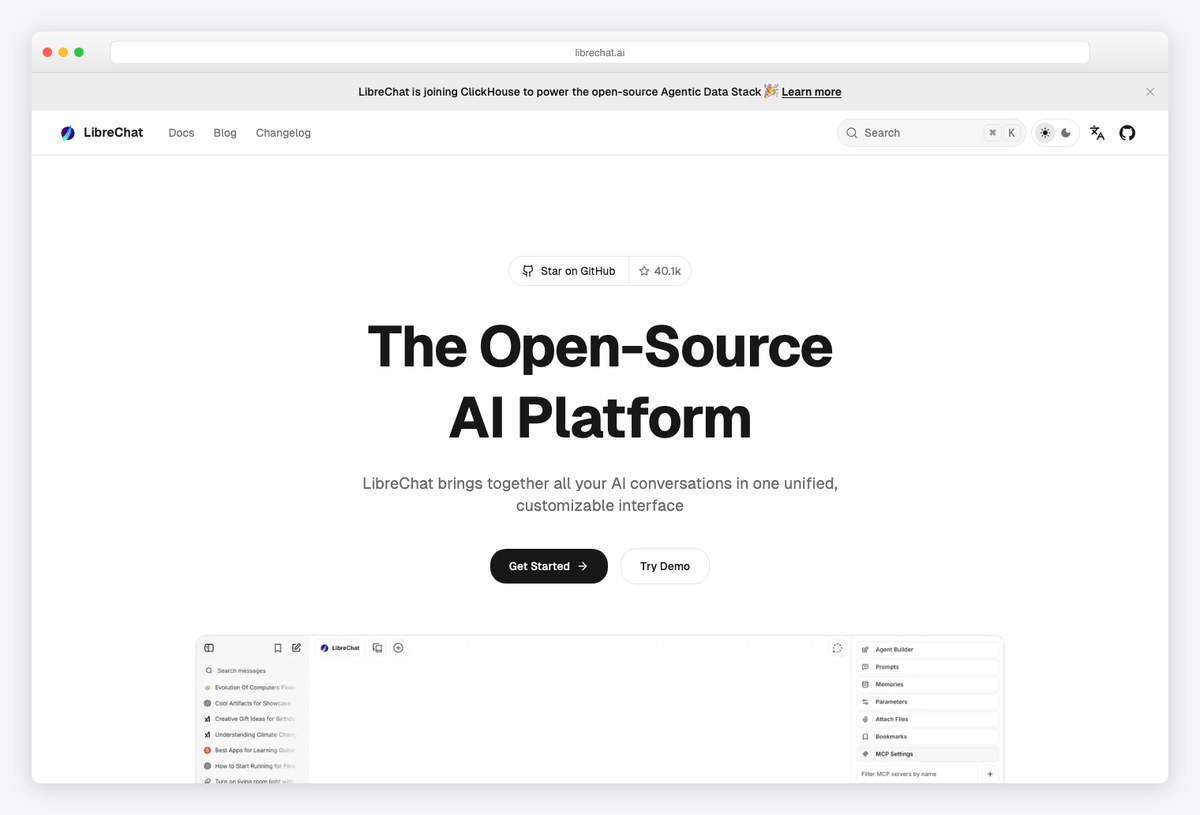
Why we like it: A production-grade, ChatGPT-style dashboard you can run for a whole team — multi-user auth, every major model provider, agents, file chat/RAG, and search, all self-hosted and MIT-licensed.
LibreChat replicates the ChatGPT experience on your own infrastructure and extends it: user accounts and moderation, conversation search, plugins and agents, and support for OpenAI-compatible endpoints so it works with local models too.
The pragmatic pick when “AI dashboard” means giving an organization one governed chat interface.
3. Open WebUI
The standard dashboard for local AI models
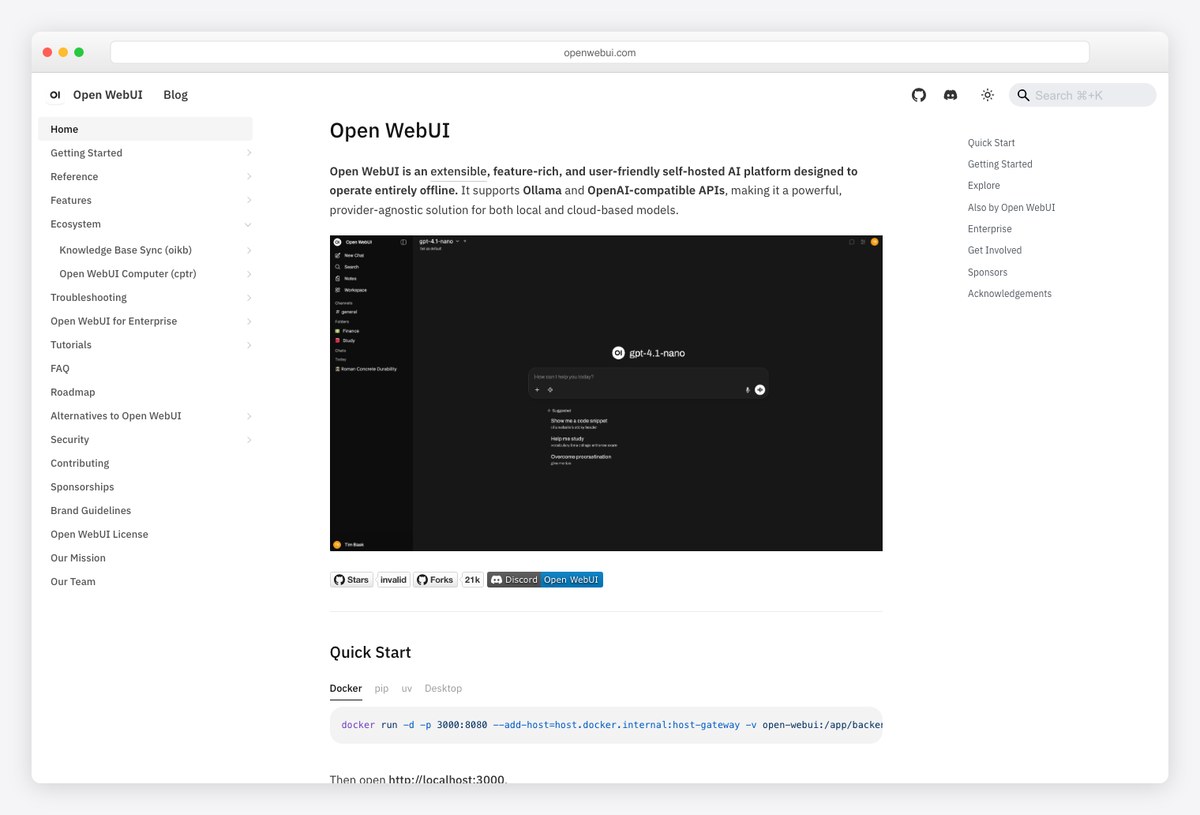
Why we like it: The de-facto front end for local AI: pair it with Ollama or any OpenAI-compatible API and you get a full chat workspace with users, workspaces, RBAC, and pipelines — fully offline-capable.
Open WebUI turns a machine running local models into a complete AI dashboard: model management, prompt library, document RAG, function calling, and admin controls over users and groups. It’s the piece that makes “our own private ChatGPT” real for privacy-sensitive teams.
If your AI stack is local-first, this is the interface layer.
4. AnythingLLM
RAG-first AI workspace dashboard
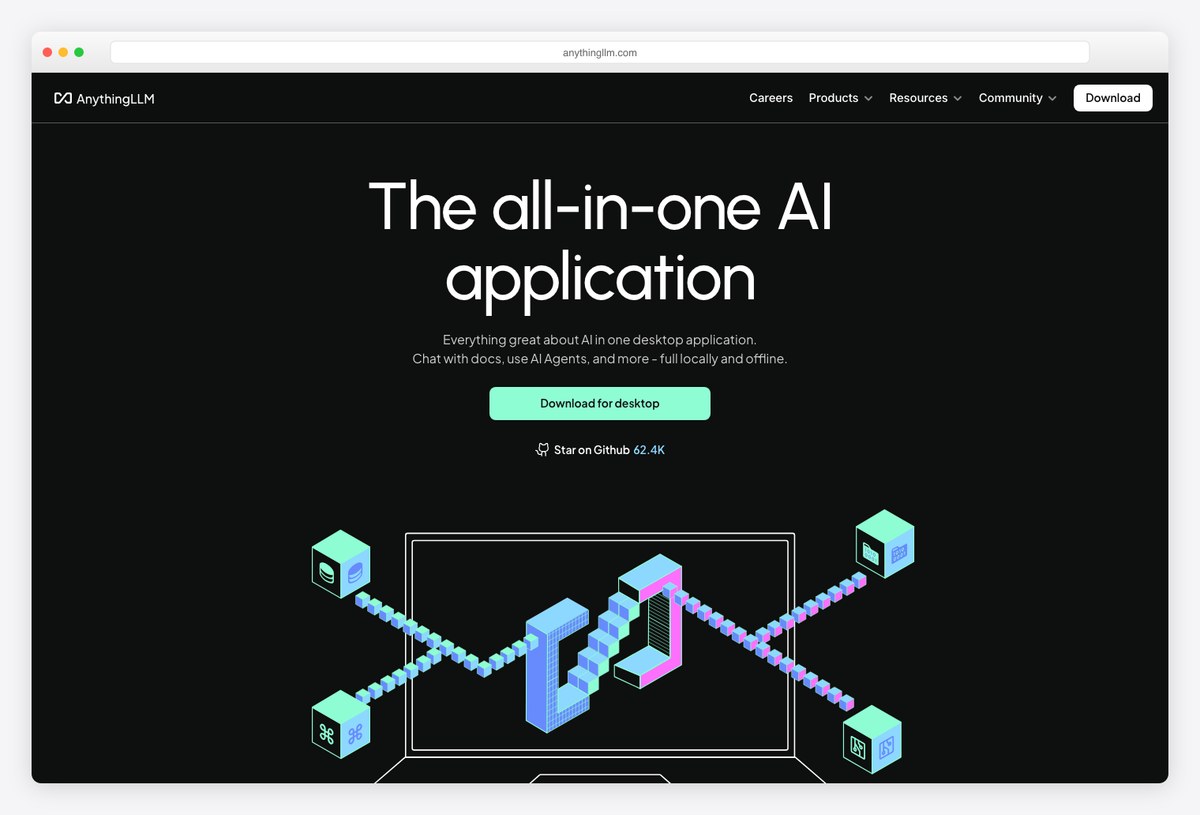
Why we like it: An all-in-one AI application where RAG is the core workflow: drop documents into workspaces and chat over them, with agents, multi-user support, and both desktop and self-hosted server versions.
AnythingLLM (by Mintplex Labs) organizes AI around workspaces — each with its own documents, embeddings, and chat history. Built-in vector storage, agent skills, and provider flexibility make it the fastest route to a working knowledge-base dashboard.
Choose it when your users need answers from their files, not just a chat box.
AI dashboard templates for your own product
5. Horizon AI
The ChatGPT-style admin template
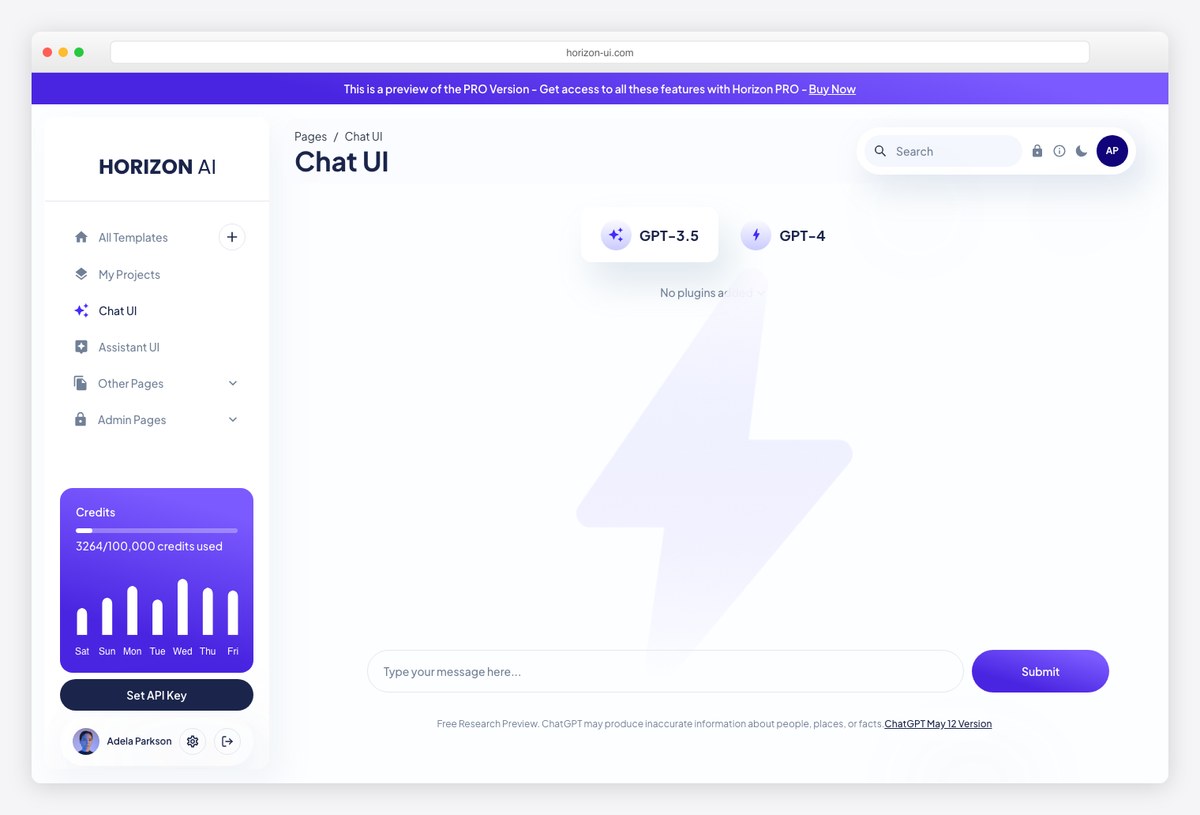
Why we like it: Horizon UI’s AI template line gives you a ChatGPT-style interface inside a real admin shell — chat UI, prompt pages, usage views — with a free version to start and a premium boilerplate that adds the full product scaffolding.
Unlike the self-hosted apps above, Horizon AI is a template: you own the code and build your product on it. The free ChatGPT template covers the chat interface and dashboard chrome; the paid boilerplate layers on auth, payments, and the pages an AI SaaS needs.
The strongest option for shipping a branded AI product UI fast.
6. TailAdmin AI
Tailwind admin with AI modules built in
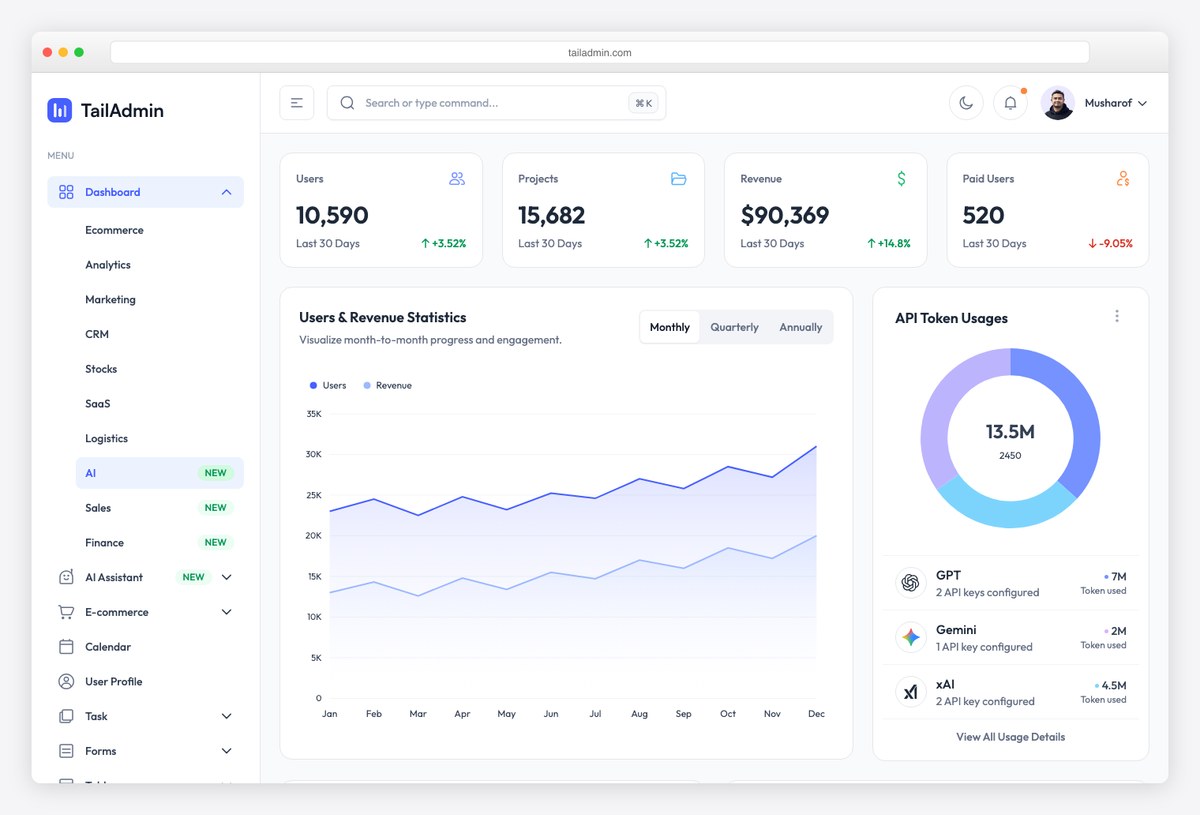
Why we like it: TailAdmin’s AI dashboard variant drops text-generation panels, model pickers, and token-usage cards into its familiar Tailwind admin — a quick way to give a conventional back office an AI section.
If you already run a standard admin panel and need AI screens rather than an AI-first product, TailAdmin AI covers the pattern: generator interfaces, usage stats, and history views consistent with the rest of its 500+ component library.
Worth being clear about the tier: the AI screens are part of TailAdmin Pro, not the free download, which ships a single eCommerce dashboard. See our TailAdmin free vs Pro breakdown for what each side includes.
AI usage analytics & monitoring dashboards
7. Tremor
Usage & cost analytics for AI products
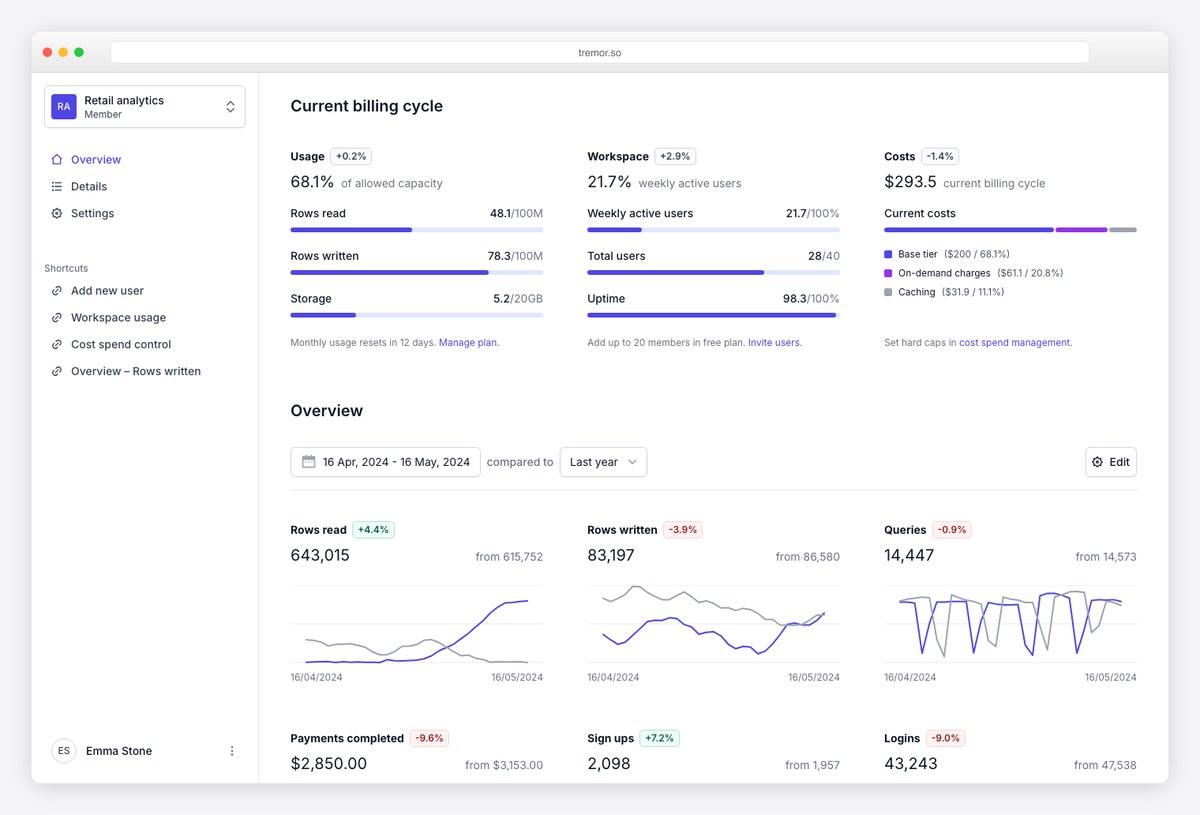
Why we like it: Every AI product eventually needs a usage dashboard — tokens consumed, model costs, API latency. Tremor’s React components and dashboard templates are purpose-built for exactly this kind of metrics UI.
Tremor gives you KPI cards, charts, and tracking components with a polished default look, plus full dashboard templates (its billing/usage demo maps almost one-to-one onto an LLM usage dashboard). Pair it with your provider’s usage API and you have AI observability for users or admins.
The analytics lane of an AI dashboard, solved.
8. UI Bakery AI Dashboard
Low-code AI model monitoring template
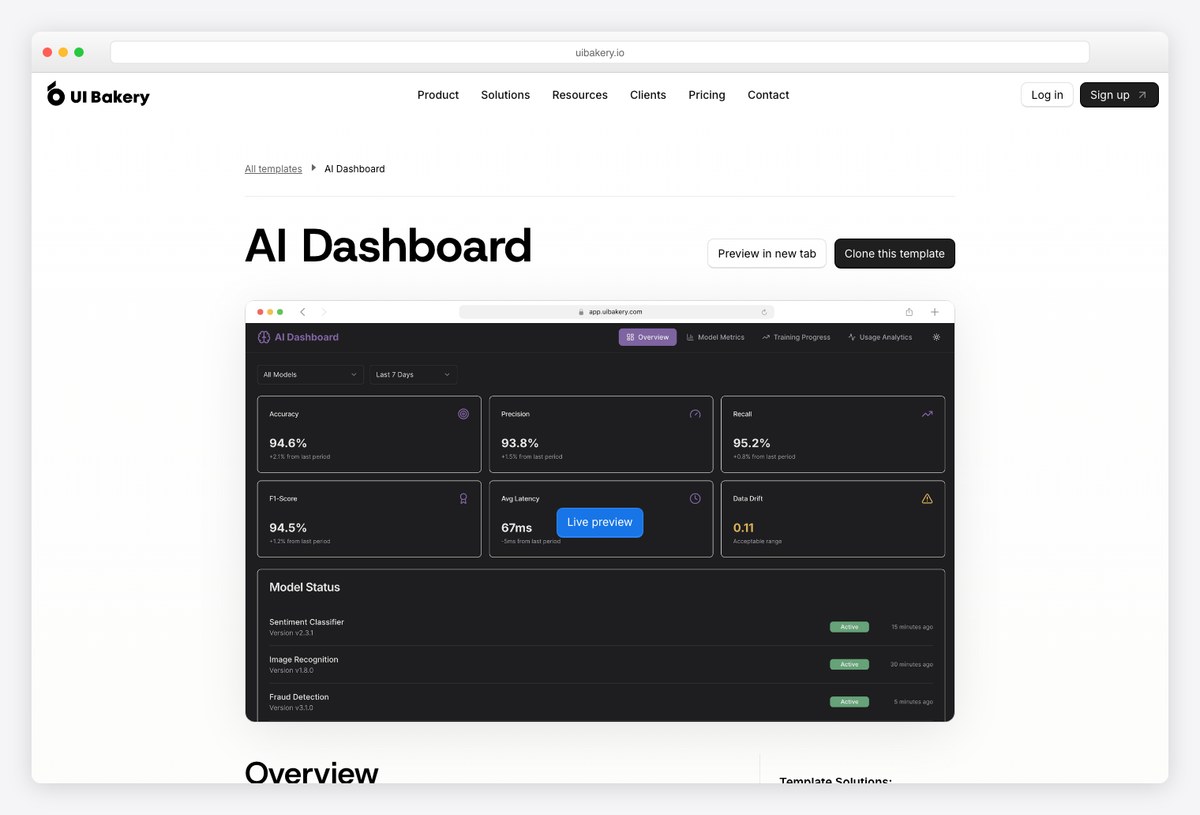
Why we like it: A ready internal-tool template for monitoring AI models — performance metrics, training progress, usage analytics, and resource utilization — assembled in a low-code builder instead of a codebase.
UI Bakery’s AI dashboard template is for the team that needs model monitoring this week: connect your data sources, and the prebuilt screens handle charts, tables, and alerts. It trades code ownership for speed, which is often the right trade for internal ops tooling.
A different lane than the code templates here — and sometimes the faster one.
Agent-builder dashboards
9. Dify
LLM-app platform with production dashboards
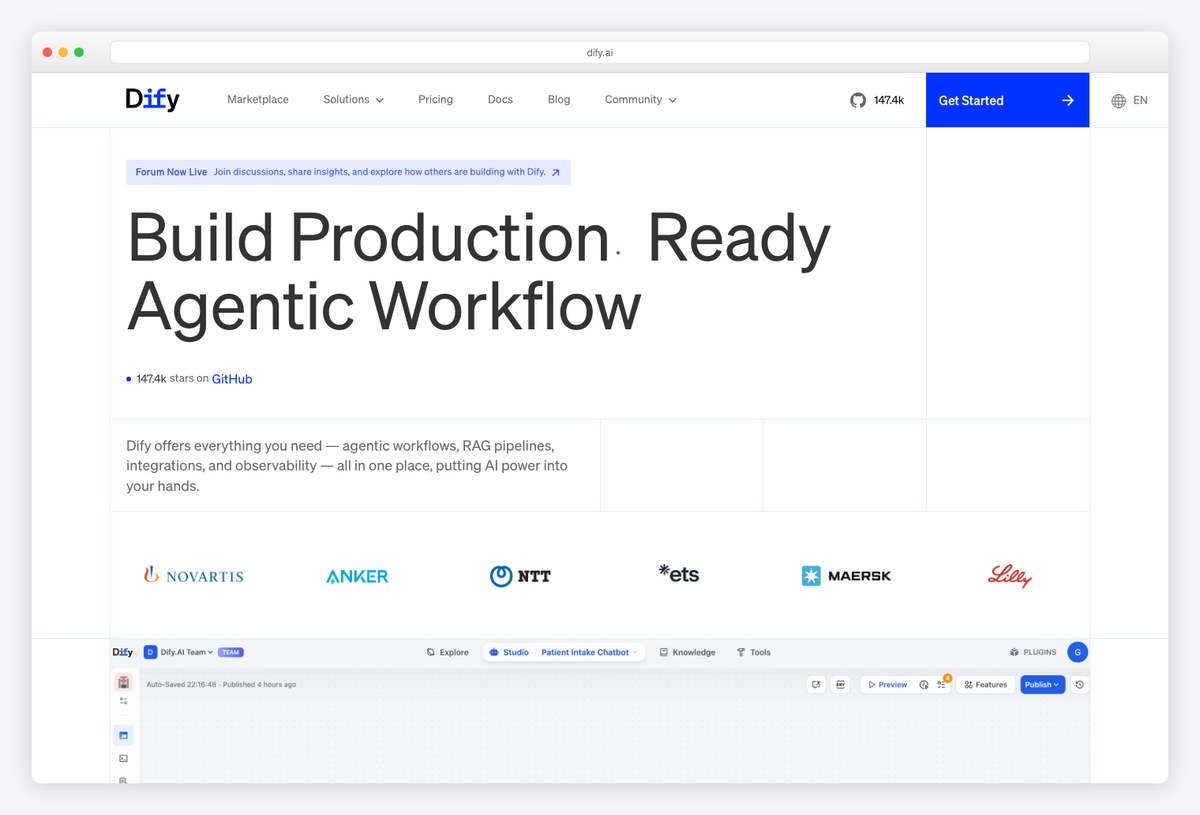
Why we like it: Dify is where “AI dashboard” meets LLMOps: visual workflow building, RAG pipeline management, and observability dashboards (logs, annotations, usage) for the AI apps you ship on it.
Dify packages the operational side of AI apps — prompt orchestration, dataset/RAG management, model switching, and monitoring — behind a clean self-hostable dashboard. Teams use it to build and run assistants and workflows without assembling the plumbing themselves.
Reach for it when you need to operate AI features, not just render them.
10. Flowise
Visual agent-builder dashboard
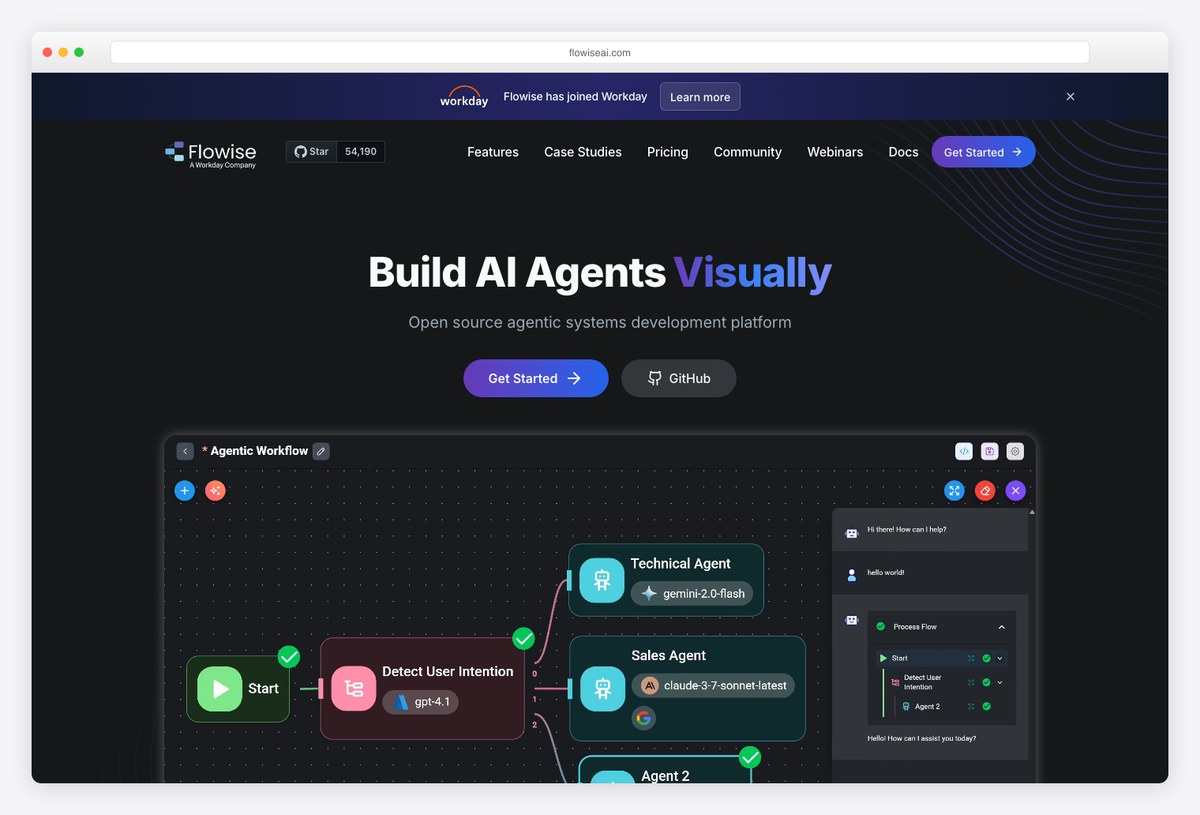
Why we like it: Flowise turns agent construction into a visual dashboard — drag together LLMs, tools, and memory into chatflows and agents, then embed the result in your product with a snippet.
Flowise’s node-based editor makes LLM chains and agentic workflows tangible: connect providers, vector stores, and tools on a canvas, test in place, and expose the flow as an API or embeddable chat. It was the most approachable of the agent-builder dashboards.
Status: the Flowise team archived the project on 13 August 2026. The repository is read-only, issues and pull requests are locked, and the npm packages and Docker images are marked deprecated. The Apache-2.0 code stays available to fork, but for a new build the actively maintained Langflow (MIT) covers the same drag-and-drop agent-building ground.
Agent observability & control dashboards
The dashboards above help you build AI features. A separate and newer category exists to help you run them: once agents are live, you need to see what they did, why a run failed, what it cost, and whether quality is drifting. These are not template kits you restyle — they are tools you deploy — but they are the reference designs worth studying if you are building an agent-facing interface of your own, because they have already solved problems your product will hit.
Langfuse is the most established open-source option and the de facto standard for LLM observability. It records traces — the full nested tree of a request, including every model call, tool invocation, and retrieval step — alongside cost and latency per span, plus evaluation scores and prompt versioning. The trace view is the pattern to learn from: agent runs are recursive, and a flat request log cannot represent them. It publishes a live shared demo project you can explore before signing up for anything.
Helicone takes the lighter-weight approach, sitting as a proxy in front of your model provider so you get request logging, cost tracking, caching, and rate limiting without instrumenting your code. If Langfuse is an observability platform, Helicone is closer to an analytics layer you switch on — useful when you want spend visibility quickly rather than deep trace inspection.
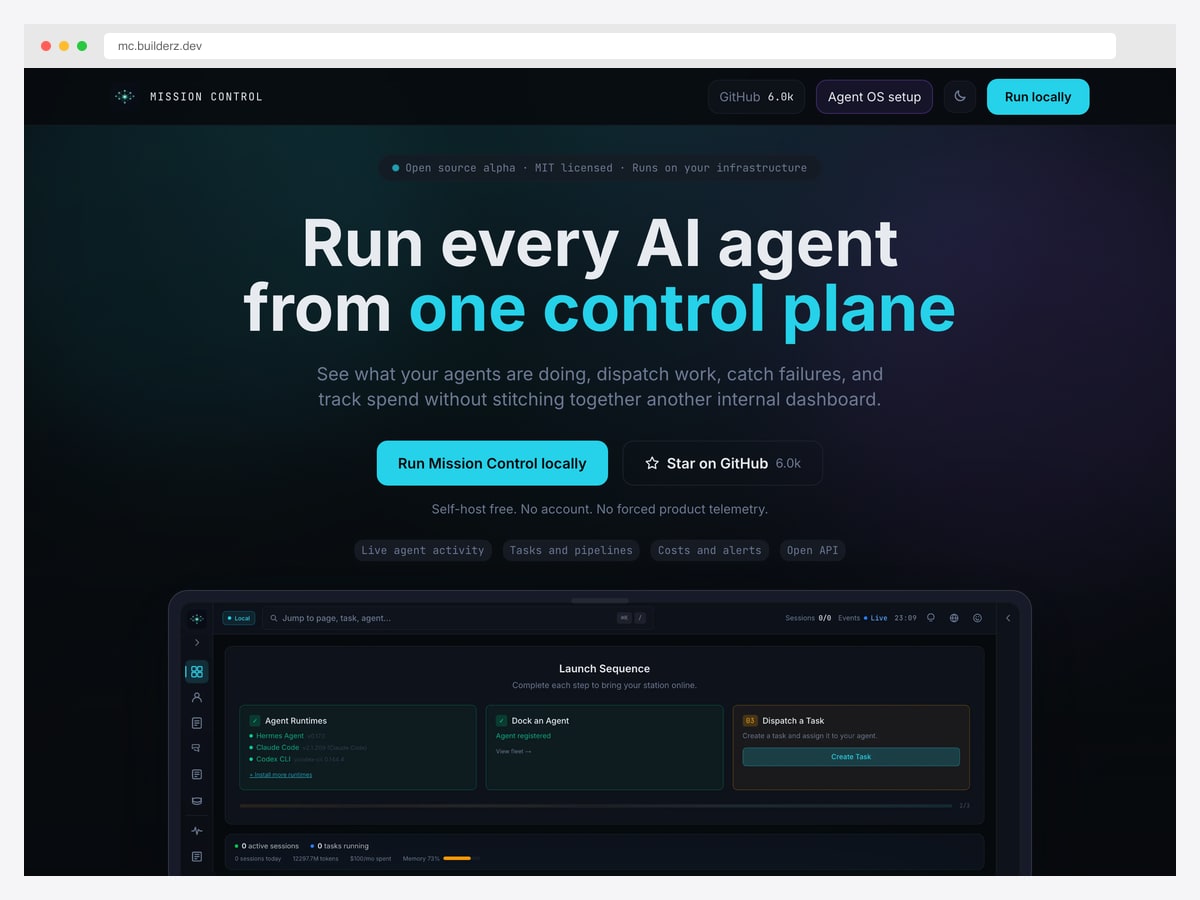
Mission Control is a newer open-source control plane aimed at fleets of coding agents rather than LLM calls in an application. Its dashboard organises registered agent runtimes, dispatched tasks, and live sessions, with token usage and monthly spend on the same screen. It is self-hosted with no account required, which makes it easy to open and inspect.
Three design patterns from this category transfer directly to any agent-facing product you build. Traces beat logs — agent work is a tree of nested steps, and the interface has to show that hierarchy or the failure point stays invisible. Cost belongs beside behaviour, not in a separate billing page, because spend is the constraint teams actually manage day to day. And sessions need a live state — running, waiting, failed — since an agent that is thinking and an agent that is stuck look identical in a plain list.
How to choose an AI dashboard template
Start from the job, not the template:
- Need a ChatGPT-like workspace for people? Lobe Chat for polish, LibreChat for multi-user governance, Open WebUI if models run locally.
- Answers must come from your documents? AnythingLLM — RAG workspaces are its whole design.
- Shipping a branded AI product? Horizon AI — you own the code; add Tremor for the usage-analytics pages.
- Adding AI screens to an existing admin? TailAdmin AI — consistent with a classic Tailwind back office.
- Operating models and pipelines? Dify for LLMOps depth, Langflow for visual agent building (Flowise has been discontinued), UI Bakery for quick internal monitoring.
AI dashboard templates vs AI dashboard builders
Search for “AI dashboard” and you’ll find two very different product categories. Templates — everything in this list — are code you own: clone, restyle, and ship them as part of your product, with no per-seat pricing or platform lock-in. Builders (UI Bakery, Retool, Mokkup and similar) generate or host dashboards for you — faster for internal tools, but you rent the result.
The rule of thumb: building a product UI or self-hosting for compliance? Use a template. Wiring an internal ops dashboard nobody outside the company sees? A builder may be cheaper than developer time. UI Bakery (entry 8) straddles the line — it’s a builder whose AI-dashboard template is a genuinely good starting point.
Frequently asked questions
What makes a dashboard an “AI dashboard”?
Beyond a chat interface, AI dashboards typically combine streaming chat with model controls (provider, temperature, system prompts), token/cost usage metrics, RAG document panels with citations, and admin governance like user roles and rate limits. The best templates cover several of these modules, not just the chat box.
What is the best free AI dashboard template?
For a ready-to-run workspace, Lobe Chat and LibreChat are the strongest open-source options; Open WebUI leads for local models. If you want template code to build your own product on, Horizon AI’s free ChatGPT template and TailAdmin AI’s free tier are the places to start.
Do these templates include an LLM?
No — templates and dashboards provide the interface, and you connect a model behind them: an API provider like OpenAI or Anthropic, or local models through Ollama and other OpenAI-compatible endpoints. That also means you control costs and data flow.
AI dashboard template vs AI dashboard generator — what’s the difference?
Templates (this page) are interfaces for AI products — chat workspaces, usage analytics, agent builders. Generators (tools like Figma AI or mockup builders) use AI to draw a dashboard design for you. If you searched for the latter, you want a prototyping tool rather than any of the codebases here.
I only need the chat component — where should I look?
See our dedicated roundups of shadcn/ui AI chat templates and Next.js AI chatbot templates, which cover component-level kits like the Vercel AI Chatbot, assistant-ui, and shadcn chatbot kits. This page is for the full dashboard around the chat.
Building the rest of the product too? Browse the best shadcn/ui templates and SaaS admin dashboard templates — or start from our roundups of shadcn/ui AI chat templates and Next.js AI chatbot templates for the conversational layer.

You Might Also Like


