
12 Best Nuxt.js Admin Dashboard Templates for 2026

Vue.js developers building internal tools and admin panels need Nuxt for the same reason React developers reach for Next.js — server-side rendering, file-based routing, and a batteries-included framework that handles the plumbing. Nuxt admin dashboards benefit from SSR for faster initial loads, automatic code splitting, and SEO-friendly pages when your admin panel doubles as a client-facing portal. The ecosystem has matured significantly in 2026 with Nuxt 4 reaching stable release.
The biggest shift this year is Nuxt UI v4 making all 125+ components completely free under the MIT license — previously, many were locked behind the Pro tier. This means the official Nuxt dashboard template alone gives you a production-ready admin panel at zero cost. Combined with strong Vuetify 3, shadcn-vue, and Element Plus options, Vue developers now have more high-quality admin dashboard choices than ever before. If you’re exploring the broader Vue ecosystem, our collection of Vue admin templates covers options beyond the Nuxt framework.
Quick Picks
- Best free official option: AdminLTE 4 for Nuxt — MIT-licensed, framework-native, 45+ typed components
- Best premium suite: Haze — Nuxt Edition — the broadest set of prebuilt app screens
- Best Vue + Nuxt pairing: Apex — Vue/Nuxt Edition — one licence covering both
- Most idiomatic Nuxt: Nuxt UI Dashboard — built by the Nuxt team on their own component library
- Best free Vuetify option: Materio Vuetify Nuxt — Material Design with a generous free tier
- Best for charts: Nuxt Charts Dashboard — data visualisation as the starting point
- Best shadcn starter: Shadcn Nuxt Starter — copy-paste components you own outright
- Best full-stack admin: BuildAdmin Nuxt — a complete back office rather than a UI kit
AdminLTE 4 for Nuxt — Free & Official
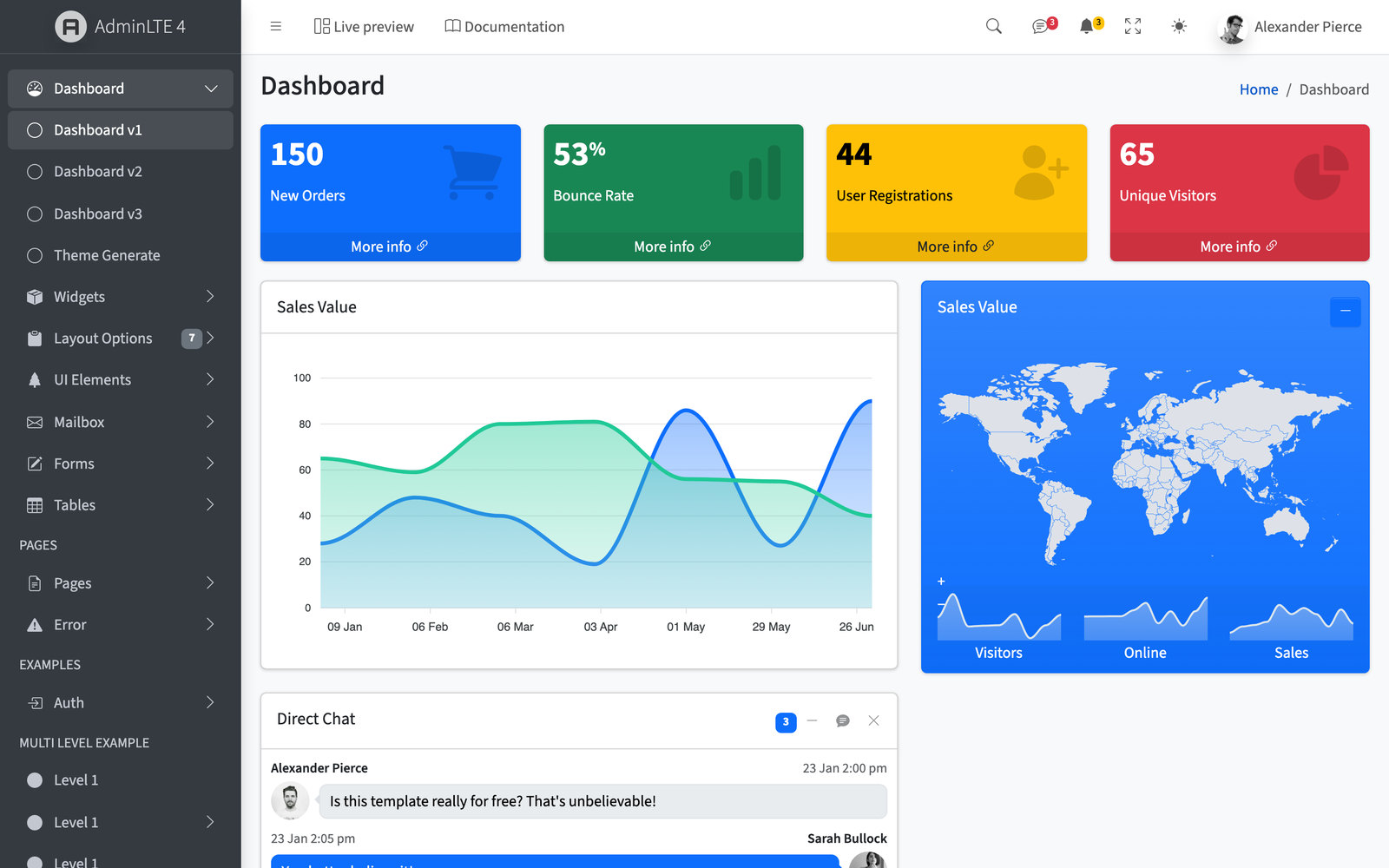
The official AdminLTE 4 for Vue 3 and Nuxt — published as @adminlte/vue with a companion @adminlte/nuxt module — brings 45+ typed components, composables, SSR-safe theming, dark mode, and a ⌘K command palette. Free and open-source under the MIT license, it drops the classic AdminLTE dashboard into any Nuxt project without a license fee — the only free, framework-native option on this list.
1. Haze Dashboard — Nuxt Edition
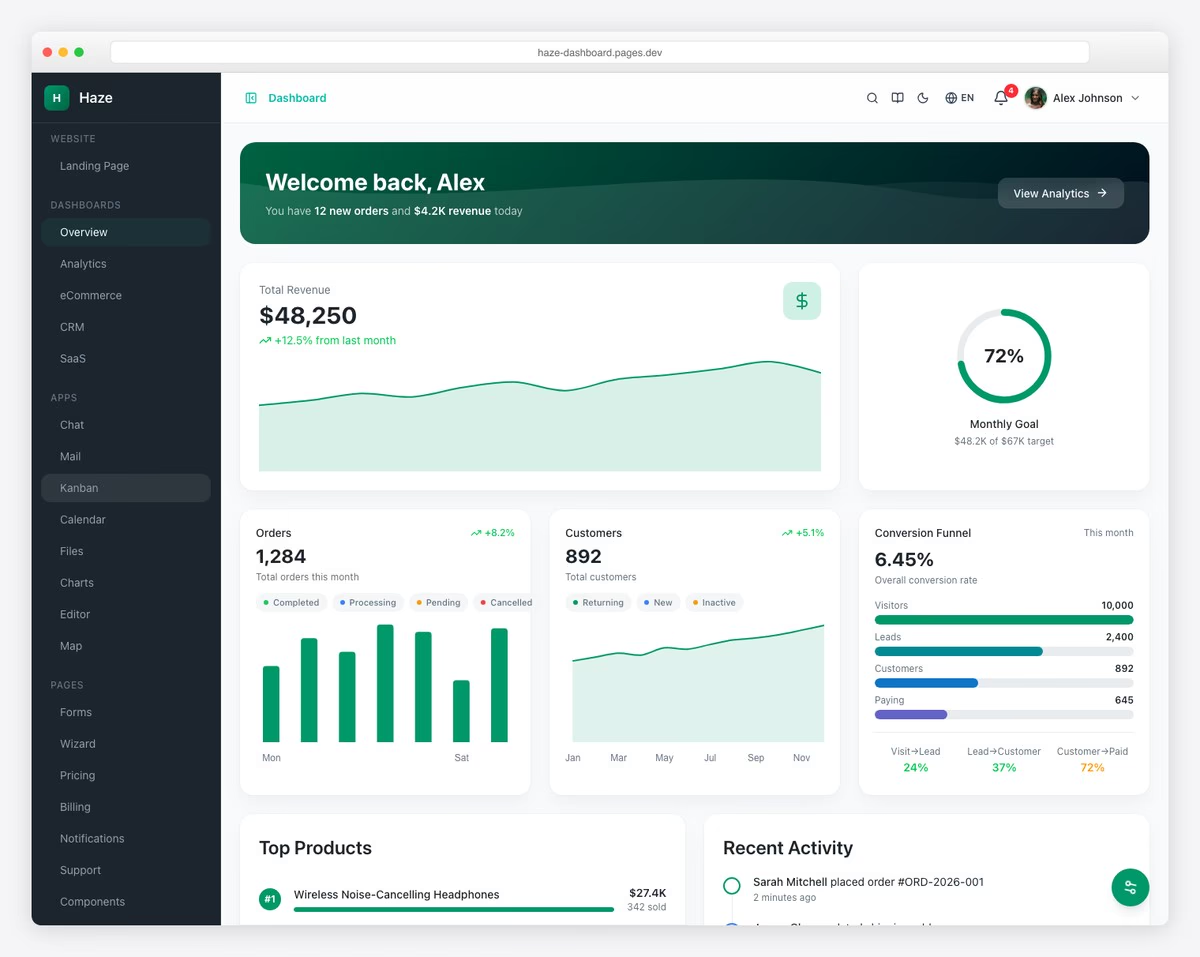
A premium Nuxt 4 admin dashboard built entirely with Nuxt UI v4 and Tailwind CSS v4. Ships with 92+ pages across 5 dashboard variants (Overview, Analytics, eCommerce, CRM, SaaS), 16 application pages including chat, mail, kanban, calendar, file manager, and a rich text editor powered by Tiptap. Full CRUD operations for orders, products, customers, invoices, users, and roles — each backed by 33 mock API routes with pagination, search, and filtering.
What makes Haze stand out in the Nuxt space is its depth of customization: 6 color presets, 3 density levels, dark/light/system modes, RTL support, and 3 languages (English, German, French) — producing over 300 possible visual combinations. TypeScript strict mode is enforced throughout, charts are lazy-loaded via unovis, and the entire template is Docker-ready. At $69–$349 depending on the license, it sits in the premium tier alongside Spike and Materio but offers more dashboard variants and a broader app page set.
2. Apex Dashboard — Vue/Nuxt Edition
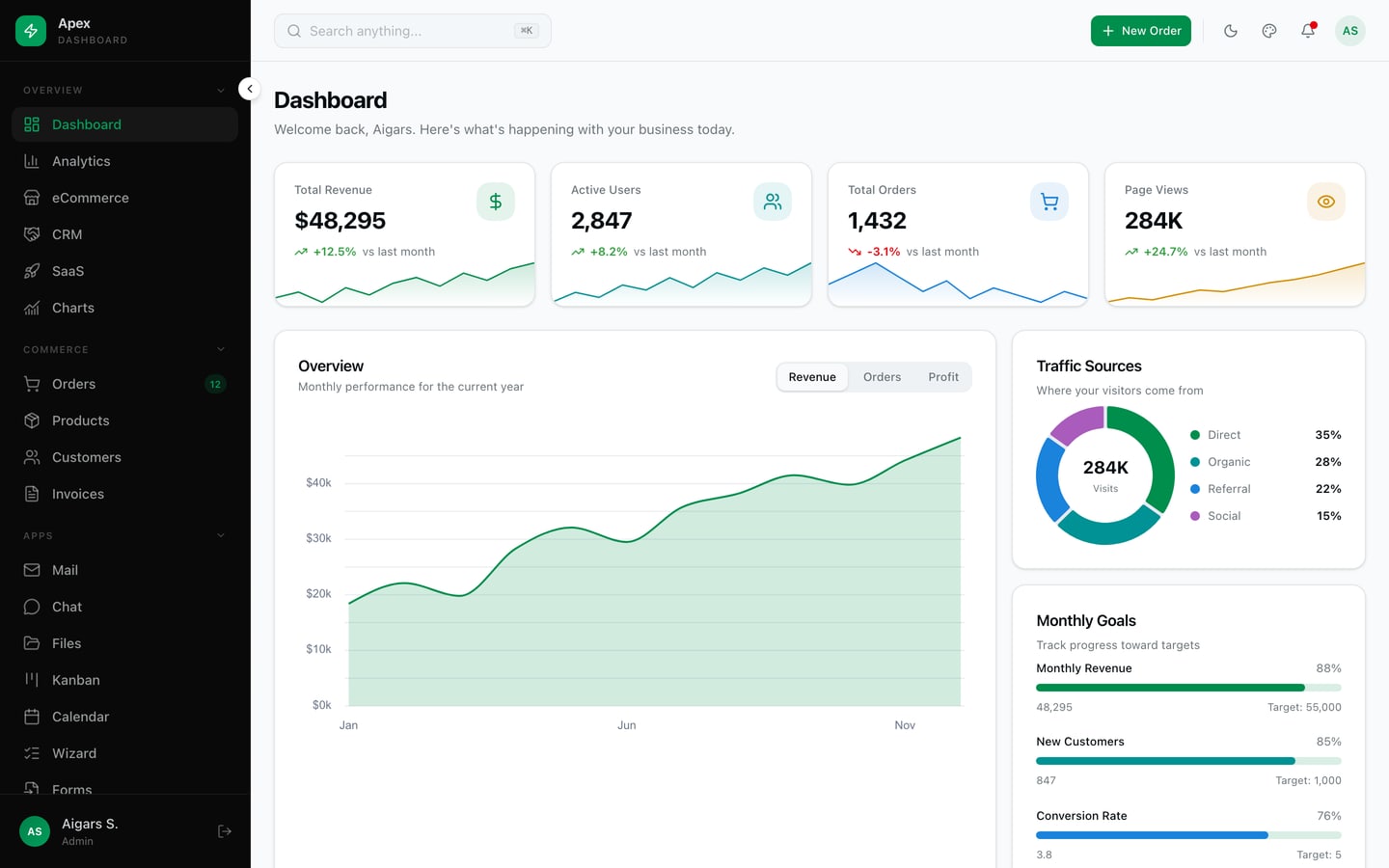
Apex Dashboard — Vue/Nuxt Edition is a production-ready admin template built with Nuxt 4, Vue 3 (Composition API), TypeScript, and Tailwind CSS 4. It ships 58 routes: five dashboards (Overview, Analytics, eCommerce, CRM, SaaS, plus a Charts gallery), commerce data tables for Orders, Products, Customers, Invoices, and Users with detail/edit/new flows, and full app screens — Mail, Chat, Files, Kanban, and Calendar — alongside a complete authentication flow, status pages, and an in-app documentation site.
It uses shadcn-vue primitives on reka-ui, Unovis (@unovis/vue) for area, bar, and donut charts, a ⌘K command palette, a live theme customizer (6 presets, density, sidebar/top-nav, LTR/RTL), i18n (en/de/fr), and drag-and-drop Kanban via vue-draggable-plus. Because Nuxt is Vue, the same codebase runs as a full SSR app or a static Vue 3 SPA — deploy to Vercel, Netlify, Cloudflare, Node, or any static host. $69–$349 depending on license.
3. Nuxt UI Dashboard Template
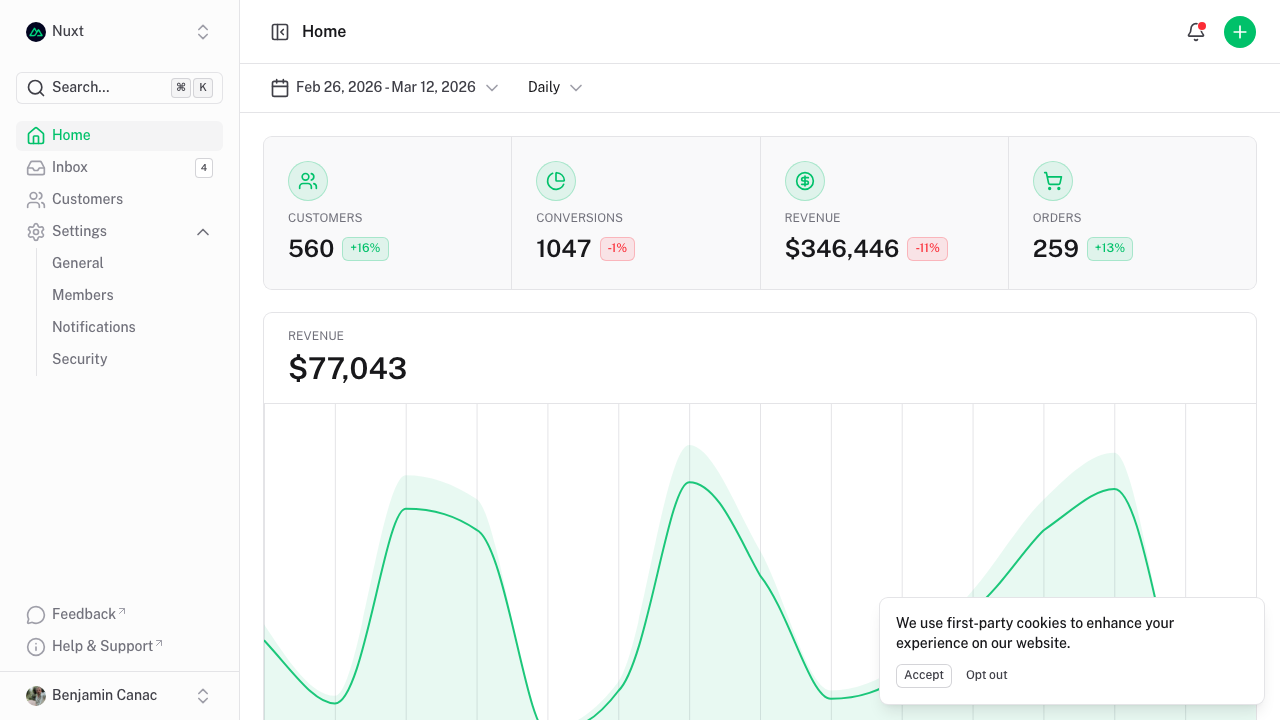
The official dashboard template from the Nuxt team, built entirely with Nuxt UI v4 — which now includes all 125+ components for free under the MIT license. Clean, minimal design with a sidebar layout, data tables, user management, and settings pages. TypeScript throughout, with a well-organized file structure that serves as a reference for Nuxt best practices.
Being the official template means it tracks Nuxt releases immediately and follows every framework convention. The Nuxt UI component library handles theming, dark mode, keyboard shortcuts, and accessibility out of the box. If you want the closest thing to an “endorsed” Nuxt admin panel, this is it.
4. Spike NuxtJS Admin
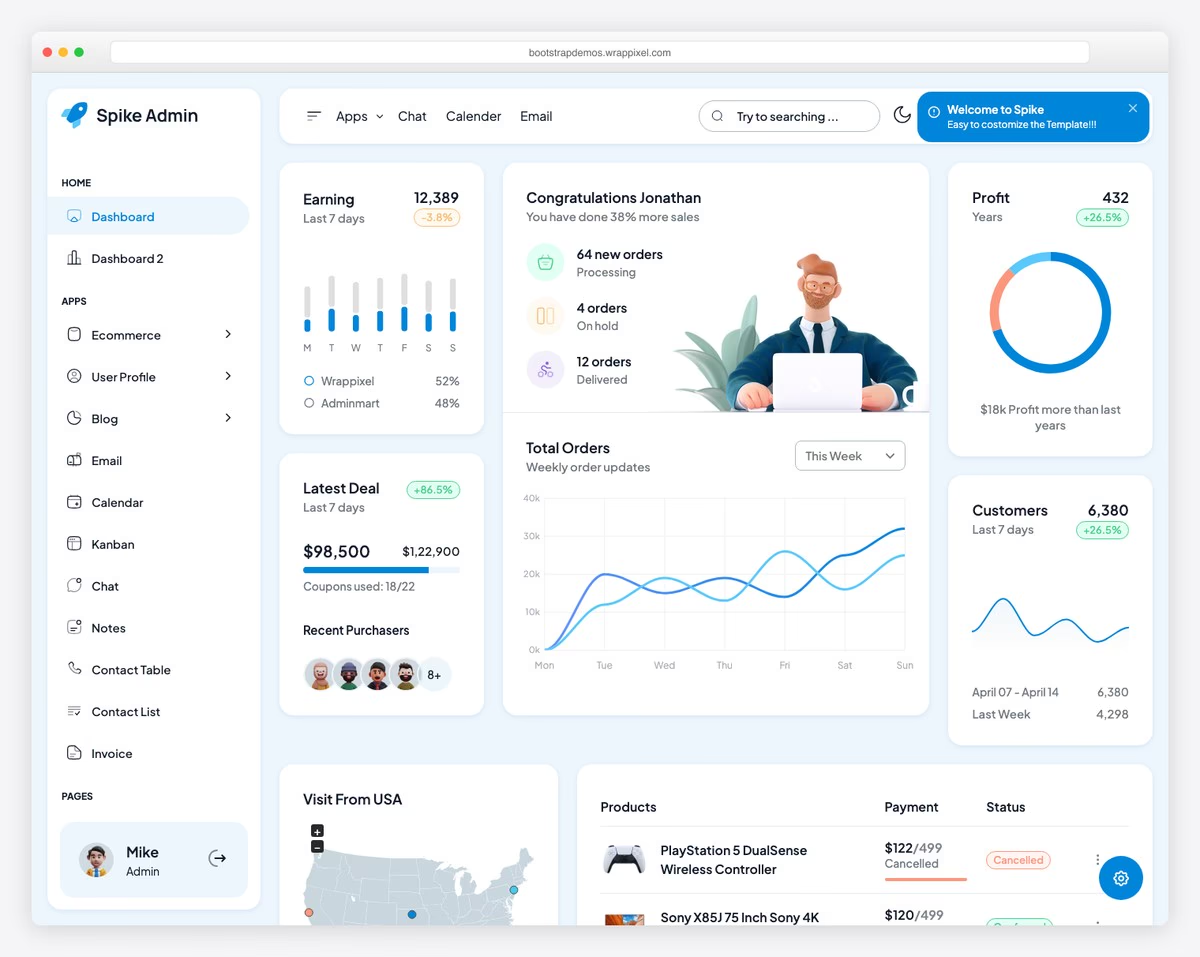
A premium admin template ($59–$299) from WrapPixel built on Nuxt 4.2.1 and Vuetify 3. Ships with 5 unique dashboard demos, 65+ pre-built pages, and full RTL support. Includes data tables, charts, form builders, calendar, kanban board, and email/chat app layouts. TypeScript and JavaScript variants both included.
Spike stands out as one of the few Nuxt admin templates already running on Nuxt 4. The Vuetify 3 integration means you get Material Design components with extensive customization options, and the 5 different dashboard layouts cover analytics, ecommerce, CRM, and more. Best choice for teams that need a polished, production-ready admin with professional support.
5. Materio Vuetify NuxtJS
Maintenance: last commit January 2025 — more than a year and a half ago. The code is still usable, but the framework has shipped major releases since, so budget time to update dependencies yourself and check anything that touches build tooling.
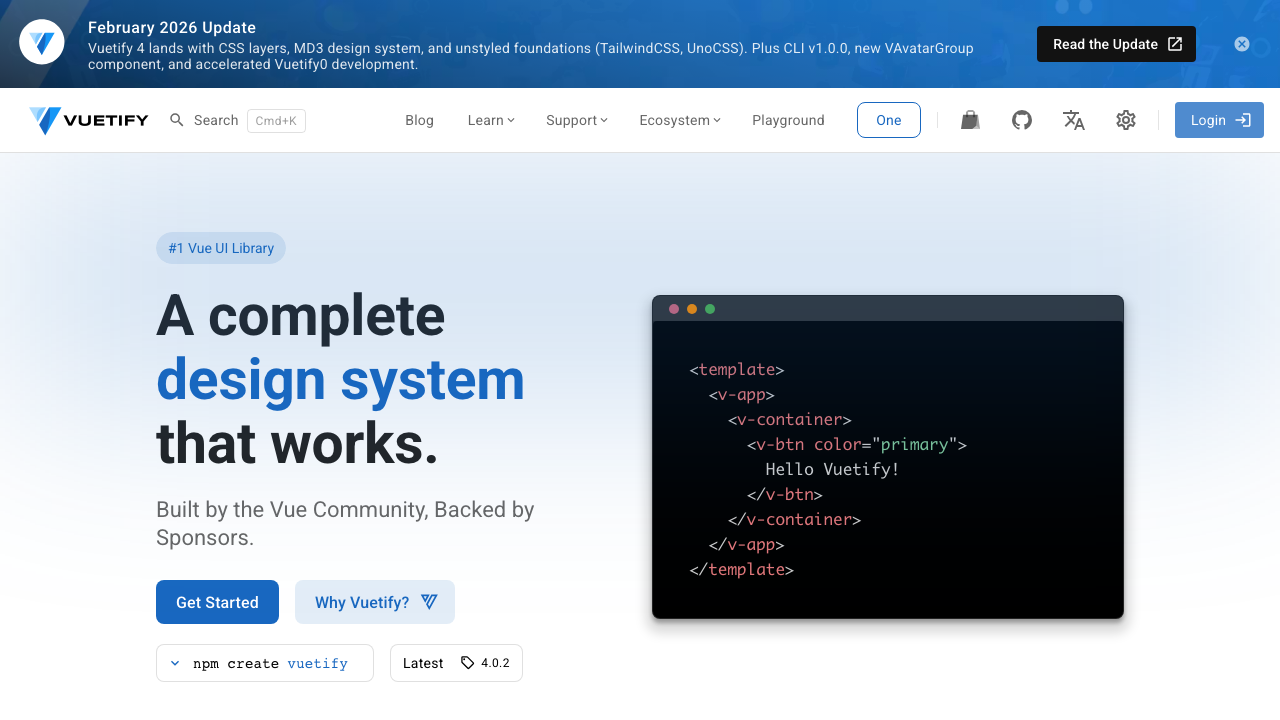
A free MIT-licensed admin template from ThemeSelection combining Vuetify 3, Nuxt 3, and TypeScript. Material Design aesthetic with authentication pages (login, register, forgot password), dashboard with statistics cards and charts, and a clean vertical navigation layout. Includes form elements, tables, icons, and card components.
Materio is one of the most popular free Vuetify admin templates for good reason — the code quality matches many premium alternatives. TypeScript support is thorough, not bolted on as an afterthought. ThemeSelection also offers a Pro version with 200+ pages if you outgrow the free tier. Strong community with active GitHub discussions.
6. Nuxt Charts Dashboard
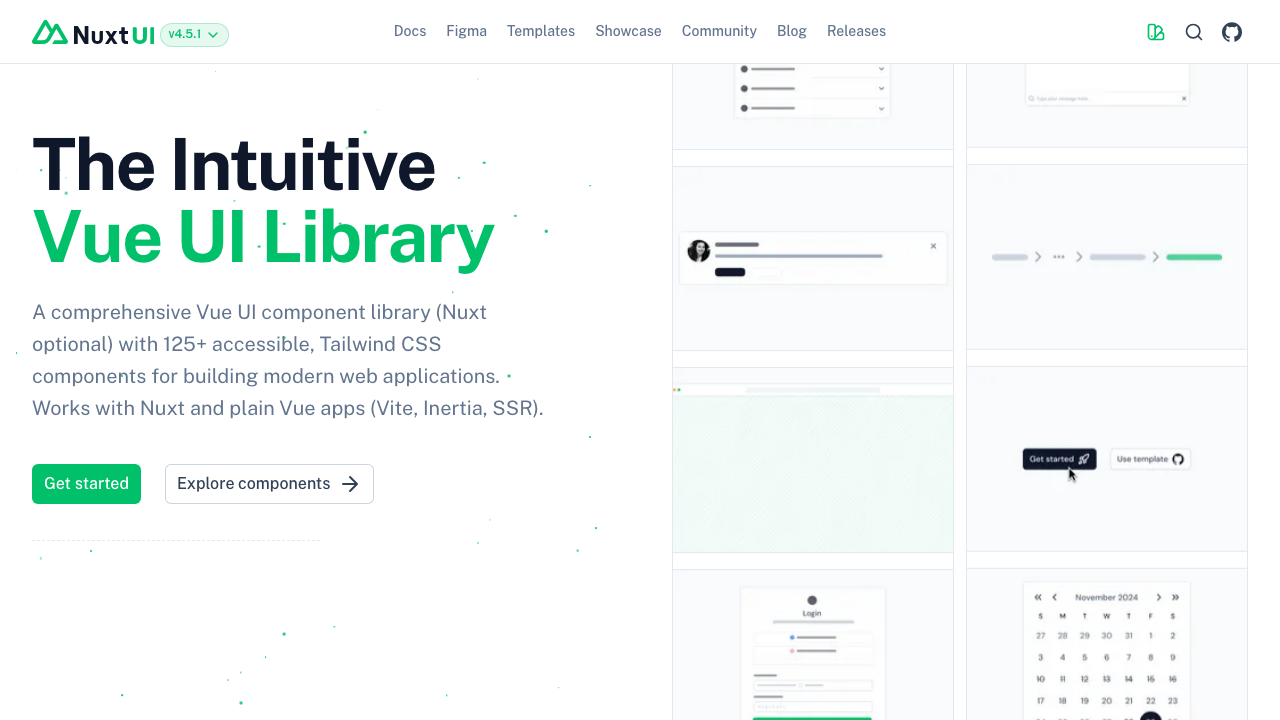
A premium dashboard ($99) focused squarely on data visualization — 20+ chart types, 7 dashboard variants, and built-in kanban board and calendar components. If your admin panel is primarily about displaying metrics, analytics, and reports, this template has more chart options than any other Nuxt dashboard.
The 7 dashboard variants cover analytics, sales, marketing, project management, CRM, finance, and SaaS metrics — each with relevant chart configurations pre-built. Saves significant time compared to wiring up chart libraries yourself. Worth the price if charts and data visualization are your primary admin panel use case.
7. Modernize NuxtJS
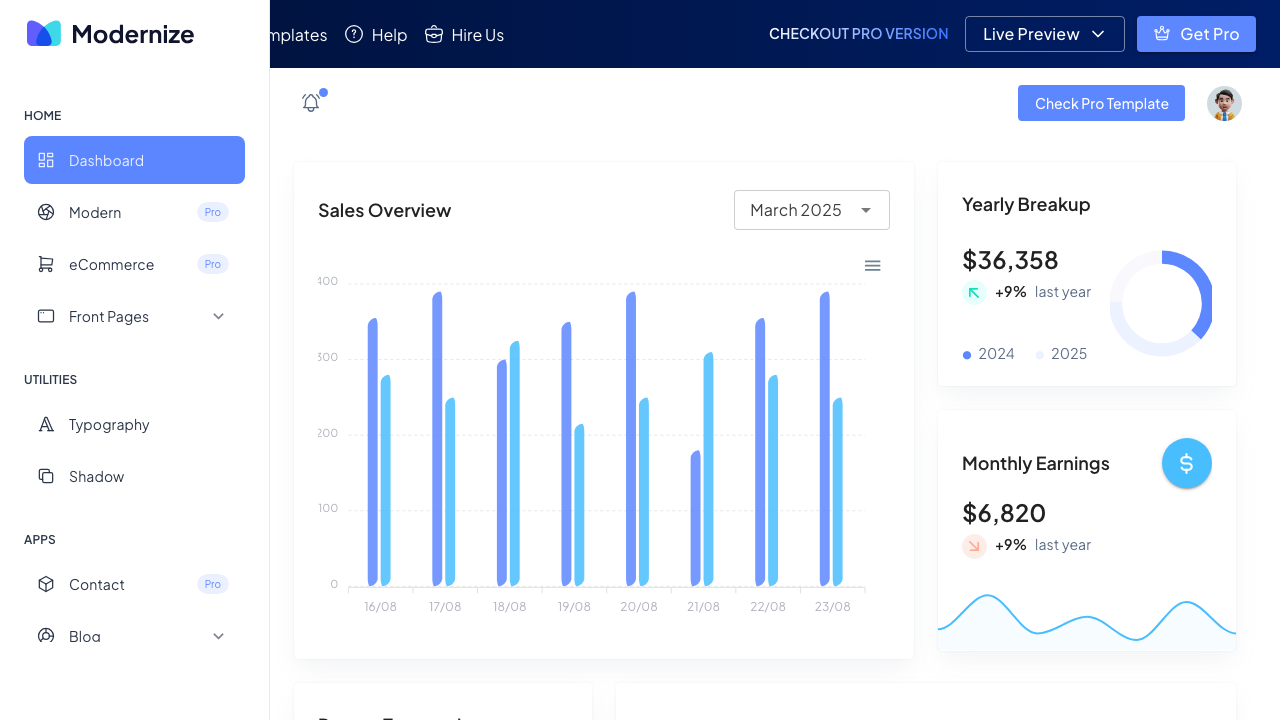
A free MIT-licensed admin dashboard from AdminMart built with Vuetify and TypeScript. Includes Chart.js integration for data visualization, authentication pages, and a modern sidebar layout. Clean design with a focus on simplicity — fewer pages than Materio but faster to customize for a specific project.
Modernize takes a “less is more” approach that works well for developers who want a solid starting point without 100 pages they will never use. The Chart.js integration is well-implemented with responsive charts that look good on mobile. AdminMart maintains both free and pro versions across multiple frameworks, so the patterns are battle-tested.
8. Nuxt 3 Admin Template
Maintenance: last commit March 2025 — more than a year and a half ago. The code is still usable, but the framework has shipped major releases since, so budget time to update dependencies yourself and check anything that touches build tooling.
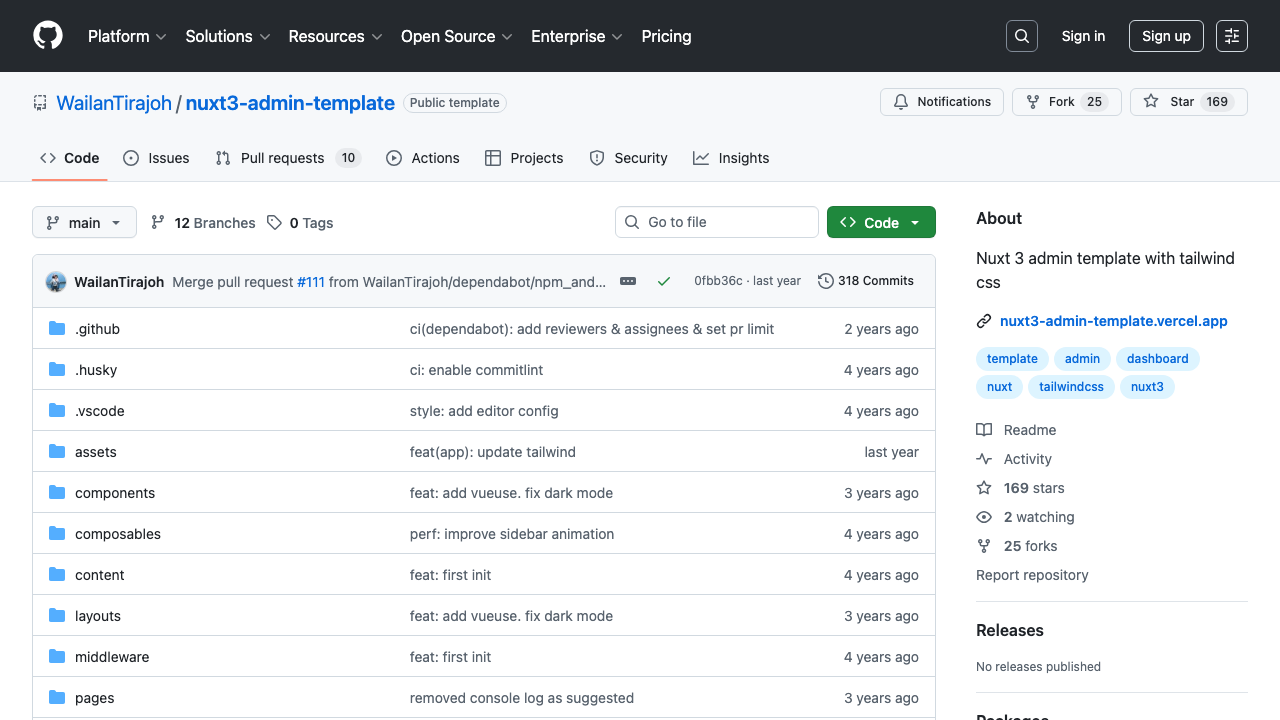
A free community-built admin template by WailanTirajoh with 169+ GitHub stars. Built with Tailwind CSS and TypeScript on Nuxt 3. Includes a dashboard overview, form components, tables, and a sidebar navigation system. Lightweight and unopinionated — a clean canvas for developers who prefer Tailwind over component libraries like Vuetify.
This template fills an important gap: a simple Tailwind-based Nuxt admin that does not force you into a UI framework. If your project already uses Tailwind CSS and you want a matching admin panel without adding Vuetify or Element Plus to the mix, this is a strong starting point. The TypeScript setup is clean and the file structure follows Nuxt conventions. If you’re comparing across frameworks, our guide to the best AdminLTE alternatives covers dashboard options in React, Angular, and Vue.
9. Shadcn-Nuxt-Starter
Maintenance: last commit January 2025 — more than a year and a half ago. It still installs, but the framework has shipped major releases since, so budget time to update dependencies yourself and check anything that touches build tooling.
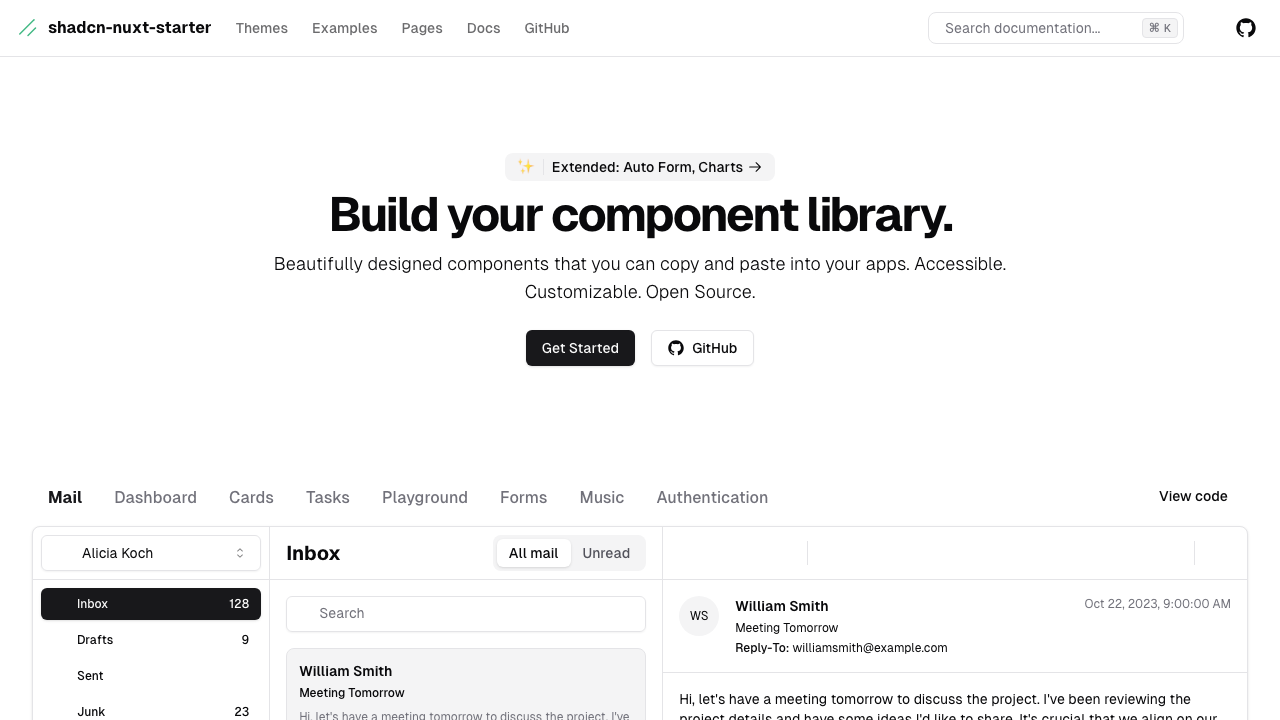
A free MIT-licensed starter that brings the shadcn/ui philosophy to Nuxt via shadcn-vue (built on Radix Vue). Uses UnoCSS instead of Tailwind for atomic CSS, includes PWA support, and targets Nuxt 3 (its package.json has not moved to Nuxt 4 yet). Dashboard layout with sidebar navigation, theme switching, and accessible components that follow WAI-ARIA patterns.
shadcn-vue has become the fastest-growing Vue UI library in 2026, and this starter is the best way to use it with Nuxt. Components live in your project (not in node_modules), so you own and customize every piece. The UnoCSS choice is opinionated but results in smaller CSS bundles. PWA support means your admin panel can work offline — useful for field teams.
10. BuildAdmin Nuxt
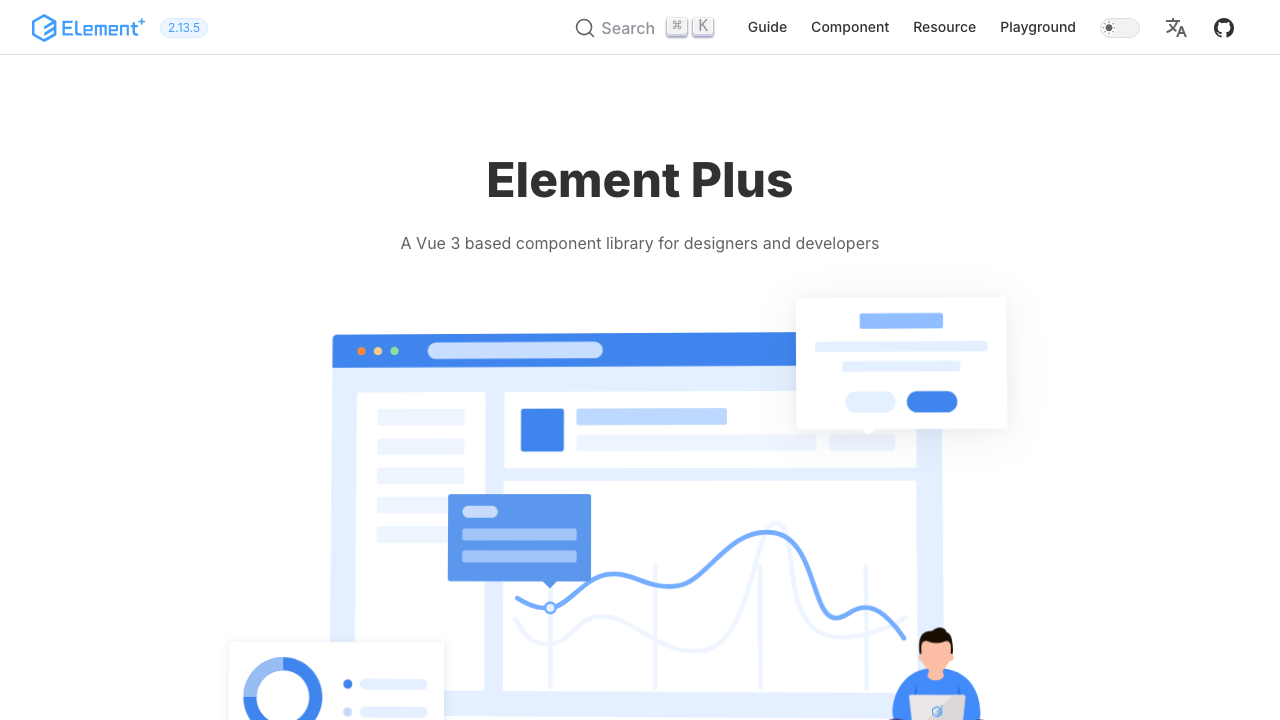
A free Apache 2.0 admin framework built with Element Plus that goes beyond a static template — it includes a visual CRUD generator, web-based terminal, and drag-and-drop page builder. Generate complete admin modules (list, create, edit, delete) from your database schema without writing boilerplate code.
BuildAdmin is the most opinionated entry on this list, and that is its strength. The CRUD generator alone can save days of repetitive admin panel development. The web terminal lets you run server commands from the admin UI, and the drag-and-drop builder allows non-developers to create simple pages. Best for teams building data-heavy internal tools where CRUD operations dominate. Teams building infrastructure tools might also want to check our DevOps monitoring dashboard templates for specialized operations panels.
11. Nuxt 3 Admin Dashboard (story2Dev)
Maintenance: last commit June 2024 — over two years ago. It still installs, but the framework has shipped major releases since, so budget time to update dependencies yourself and check anything that touches build tooling.
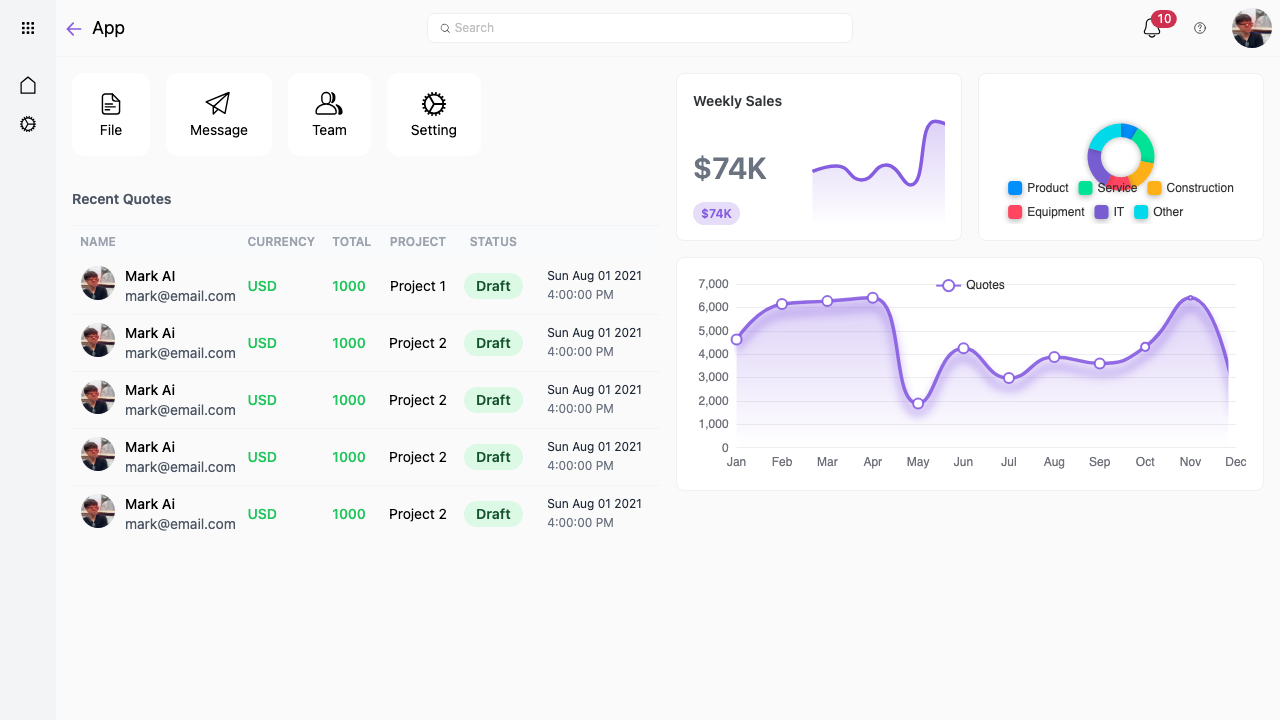
A free admin dashboard built with DaisyUI and Tailwind CSS on Nuxt 3. Includes i18n (internationalization) support, data tables with sorting and filtering, and a clean sidebar layout. DaisyUI provides pre-styled Tailwind components with semantic class names — you write btn btn-primary instead of long utility strings.
DaisyUI is an underrated choice for admin dashboards. It gives you the utility-first benefits of Tailwind with the convenience of component classes, and it supports 30+ built-in themes including dark mode. The i18n integration makes this a good pick for teams serving international users. Lightweight and fast to customize.
12. Nuxt Material Admin
Maintenance: last commit January 2023 — over three years ago. It still installs, but the framework has shipped major releases since, so budget time to update dependencies yourself and check anything that touches build tooling.
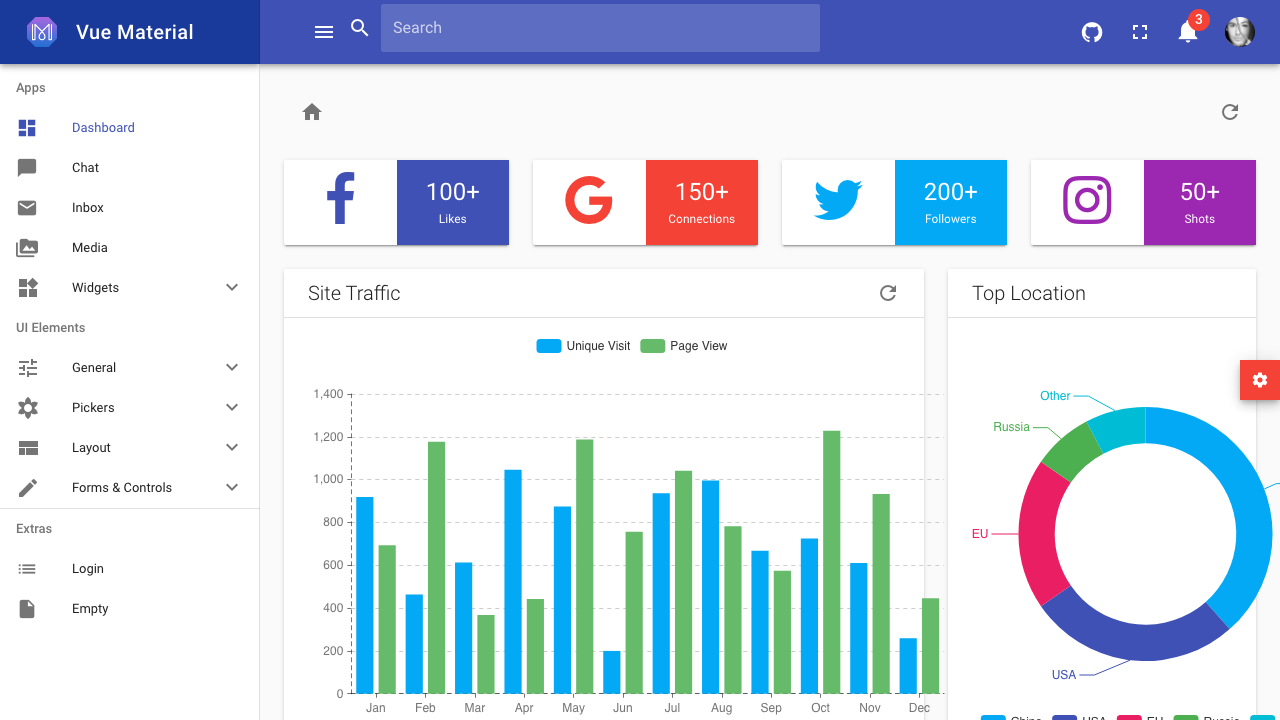
A free MIT-licensed admin template with 410+ GitHub stars, built with Nuxt 2 and Vuetify. Material Design dashboard with charts, data tables, user profiles, maps, and notification components. Full SSR support with server-side rendered pages for fast initial loads.
This is a legacy Nuxt 2 template, so it is best suited for teams maintaining existing Nuxt 2 projects that need an admin panel without upgrading to Nuxt 3. The Vuetify integration is mature and well-tested with 410+ stars worth of community feedback. Not recommended for new projects — use Materio or Modernize instead — but still a solid option for Nuxt 2 codebases.
How to Choose
- Best official option: Nuxt UI Dashboard Template — free, MIT, built by the Nuxt team with all 125+ Nuxt UI v4 components.
- Best premium: Spike NuxtJS Admin — already on Nuxt 4, Vuetify 3, 5 demos, 65+ pages, RTL support.
- Best free Vuetify: Materio (more pages, Pro upgrade path) or Modernize (simpler, faster to customize).
- Best charts: Nuxt Charts Dashboard — 20+ chart types, 7 dashboard variants built for data visualization.
- Best modern stack: Shadcn-Nuxt-Starter — shadcn-vue (Radix Vue), UnoCSS, PWA, Nuxt 4 compatible.
- Best CRUD generator: BuildAdmin Nuxt — visual CRUD builder, web terminal, drag-and-drop pages.
How to Choose a Nuxt Admin Template
The Nuxt admin market is small enough that a few questions narrow it quickly:
- Which component library are you committed to? This decides more than the template does. Nuxt UI is the framework-native choice, Vuetify brings Material Design and the deepest component set, Tailwind-based options give you the most design freedom, and AdminLTE 4 gives you the classic Bootstrap-style admin.
- Do you need a UI kit or a working application? Most entries here are interfaces you wire to your own backend. BuildAdmin Nuxt is a complete back office with authentication and permissions already built — a different starting point entirely.
- Is your admin panel public-facing? If any part of it is indexed or shared externally, Nuxt’s server-side rendering is the reason you are here. Confirm the template actually uses SSR rather than shipping a client-only SPA inside a Nuxt shell.
- How much charting do you need? Data-heavy dashboards are easier to start from Nuxt Charts than to retrofit onto a template whose charts were an afterthought.
- Free or premium? The free options here are genuinely usable — AdminLTE 4 for Nuxt, Materio’s free tier, and several open-source starters. Premium buys breadth of prebuilt screens and support, not permission.
Nuxt Admin Dashboard FAQ
Is there a free Nuxt admin dashboard template?
Yes, several. AdminLTE 4 for Nuxt is MIT-licensed and framework-native, Materio Vuetify Nuxt has a free edition, and Modernize, Nuxt 3 Admin, Shadcn Nuxt Starter, and Nuxt Material Admin are all open source. Free options here are usable in commercial and client work — the trade is fewer prebuilt screens than the premium suites.
Should I use Nuxt or plain Vue for an admin panel?
Nuxt for most admin panels. You get file-based routing, server-side rendering, server routes for your API layer, and automatic code splitting without configuring any of it — which maps closely onto what an admin application needs. Plain Vue with Vite is reasonable only if your panel is strictly internal, entirely client-rendered, and you want the smaller toolchain.
Which component library works best with Nuxt for admin dashboards?
Nuxt UI is the most idiomatic since it is built by the Nuxt team and integrates with the framework directly. Vuetify offers the largest component set and Material Design out of the box. Tailwind-based options such as shadcn-vue give the most design freedom at the cost of building more yourself. AdminLTE 4 for Nuxt is the choice if you want the established admin look with typed components.
Do Nuxt admin templates support Nuxt 4?
The actively maintained ones do, including the official AdminLTE 4 integration and Nuxt UI Dashboard. Older community templates may still target Nuxt 3 — check the last release date and the package versions before adopting one, since migrating a template across a major Nuxt version usually costs more than picking a current one.
Can I use these templates with server-side rendering?
Yes, and it is one of the main reasons to choose Nuxt. Watch for components that touch browser globals during render, which is the usual source of hydration errors — well-built templates guard those or wrap them in client-only components. The official AdminLTE Nuxt module is SSR-safe including its theming, which is the part that most often breaks.
What is the difference between a Nuxt admin template and a Vue admin template?
A Vue admin template is a component library and layout you assemble into an app yourself. A Nuxt template ships as a Nuxt application, so routing, layouts, data fetching, and server routes are already wired the framework way. Several products, such as Apex, ship both editions under one licence so you can pick per project.

You Might Also Like


