
AdminLTE RTL: How to Build Right-to-Left Admin Dashboards

AdminLTE ships a right-to-left stylesheet in every release, and switching a dashboard to RTL takes two lines. Not a fork, not a plugin, not a separate download — the RTL build is generated from the same source as the default one and published alongside it. This guide covers the switch, what mirrors automatically, what does not, and how to regenerate the RTL build if you have customised the SCSS.
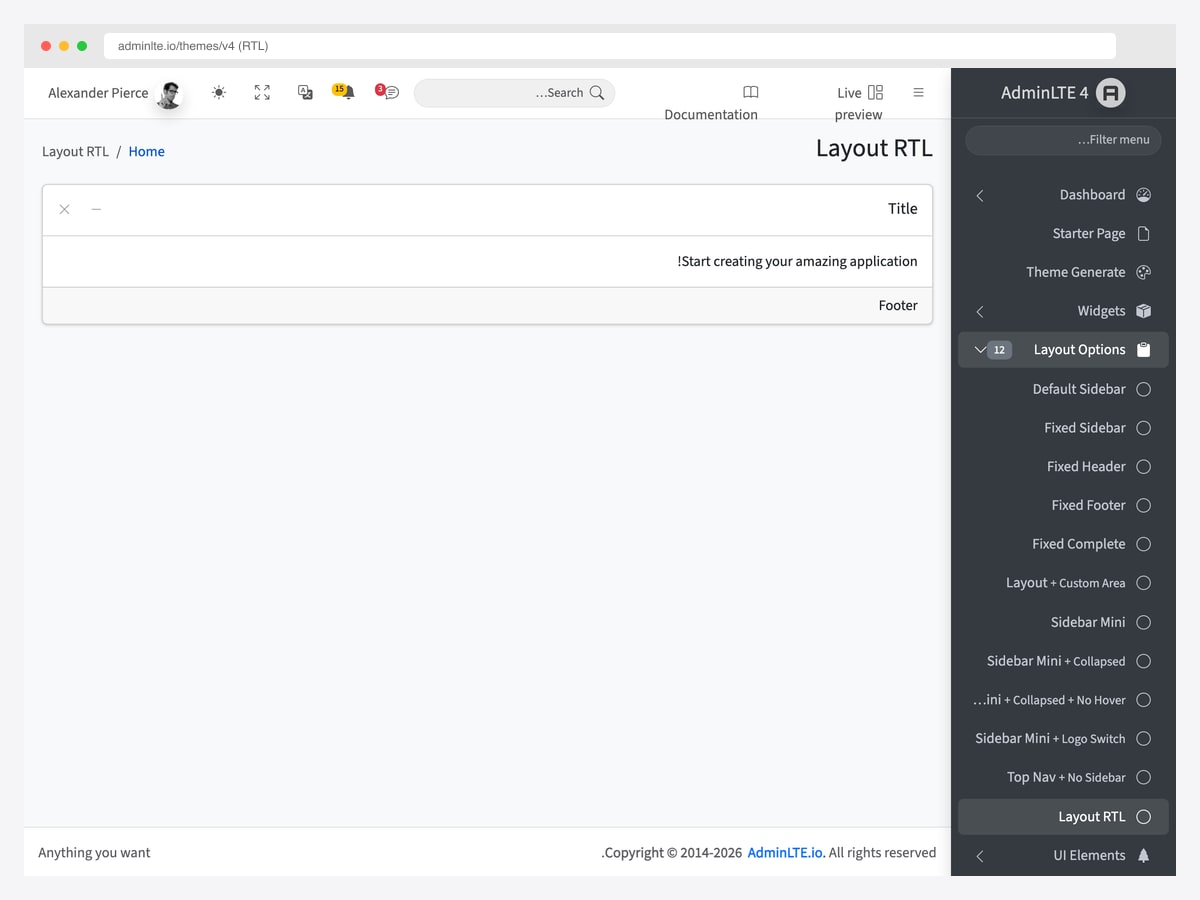
Everything below applies to Arabic, Hebrew, Persian, Urdu and any other right-to-left script. It is about layout direction, not translation — your interface copy stays in whatever language you wrote it.
The two-line switch
Every AdminLTE release publishes an RTL variant of every stylesheet, generated from the LTR source with rtlcss:
dist/css/adminlte.css          ← LTR (default)
dist/css/adminlte.rtl.css      ← RTL
dist/css/adminlte.min.css
dist/css/adminlte.rtl.min.css
To switch a page, swap the stylesheet and set dir="rtl" on the <html> element. The body markup does not change at all:
<html lang="ar" dir="rtl">
  <head>
    <link rel="stylesheet" href="dist/css/adminlte.rtl.min.css" />
  </head>
  <body class="layout-fixed sidebar-expand-lg bg-body-tertiary">
    <!-- ...same markup as LTR -->
  </body>
</html>
That is the whole change. The sidebar docks to the right, scrollbars flip, padding and margin utilities mirror, and the layout reads correctly from the right. Optional stylesheets get the same treatment — the Select2 compatibility theme ships as adminlte-select2.rtl.css alongside its LTR build.
There is a live example in the distribution at layout/layout-rtl.html, which is the screenshot above.
You do not need different Bootstrap classes
This is the part that surprises people coming from older frameworks. Setting dir="rtl" also triggers Bootstrap 5.3’s logical-property pathway, so the same utility class names work in both directions. .ms-3 becomes a right margin instead of a left one. .float-start floats right. .text-start aligns right.
You do not maintain two sets of markup, and you do not swap ms-* for me-* by hand. If you are migrating from Bootstrap 3 or 4, where RTL meant a separate stylesheet and a lot of manual class flipping, this is the thing that has changed.
What flips automatically
| Property | Behaviour in RTL |
|---|---|
margin-left / padding-left |
Swapped to the right |
left / right positioning |
Swapped |
text-align: left / right |
Swapped |
Bootstrap .ms-*, .me-*, .float-start, .float-end |
Mirror via logical properties |
transform: translateX() |
Sign inverted |
| Sidebar position | Docks to the right |
| Dropdown open direction | Flips (Bootstrap handles it) |
What does not flip, and why
Three things stay put, and only one of them is a bug you need to fix.
- Directional icons. Most Bootstrap Icons are direction-neutral, but arrows and chevrons are not.
bi-arrow-rightstill points right in an RTL layout, which is now backwards. Swap those for their-leftsiblings yourself — and when you do, leave thearia-labelalone. A “Next page” control is still “Next page”; only the glyph rotates. - Charts and third-party widgets. Their internal layout does not react to
dir. Chart.js, FullCalendar and Tabulator each have their own RTL option — check the integration rather than assuming the stylesheet covered it. - Numbers. Digits stay left-to-right even inside RTL text. That is standard Unicode bidirectional behaviour, not a rendering fault, and you should not try to “fix” it. It is why the charts in the screenshots below still read left-to-right while everything around them mirrors.
Mixed-direction interfaces
If you need an RTL block inside an otherwise LTR admin panel — an Arabic content field in an English CMS, say — scope the attribute to that element rather than loading a second stylesheet:
<body>
  <!-- LTR app shell -->
  <main dir="rtl" lang="ar">
    <!-- this block only is RTL -->
  </main>
</body>
Bootstrap and AdminLTE both handle nested direction changes correctly; the innermost element’s direction is what applies.
Rebuilding RTL from source
If you have modified the SCSS, the shipped RTL file no longer matches your build and you need to regenerate it:
npm run css-compile   # builds LTR
npm run css-prefix    # adds autoprefixer
npm run css-rtl       # generates *.rtl.css from the LTR output
npm run css-minify
The whole pipeline is wired into npm run css, so in practice that single command is all you need. The conversion runs through postcss and rtlcss, both already in devDependencies — there is nothing extra to install.
Occasionally a rule should not flip. Use an rtlcss control directive in your SCSS to opt it out:
.brand-link {
  /*rtl:ignore*/
  margin-left: .5rem;   /* stays a left margin in both directions */
}
Three gotchas worth knowing first
- The filename order is
.rtl.min.css, not.min.rtl.css. The build script emits the former, and guessing the other way produces a 404 that looks like the RTL build is missing. - Never load both stylesheets on one page. Pick one. For a mixed-direction interface, scope
dir="rtl"to a subtree as shown above rather than loading a second sheet. - Direction is not translation. Switching to RTL mirrors your layout; it does not localise your strings, your dates or your number formats. Those are separate jobs, and a mirrored interface full of untranslated English is a common half-finished result.
RTL in our premium dashboard templates
Disclosure: the five below are our own commercial products. They are not AdminLTE builds — they are Next.js 16 applications with React 19 and Tailwind CSS v4 — but they solve the same problem differently, and it is worth seeing because the mechanism is not the one described above.
Instead of swapping a stylesheet at build time, each ships a direction toggle in its theme customiser. Flipping it sets dir="rtl" on the document, applies a dir-rtl class, and persists the choice to local storage so it survives a reload. Tailwind’s ltr: and rtl: variants then do the mirroring. Every screenshot below is a live demo with that toggle switched on — nothing was mocked up.
Apex Dashboard
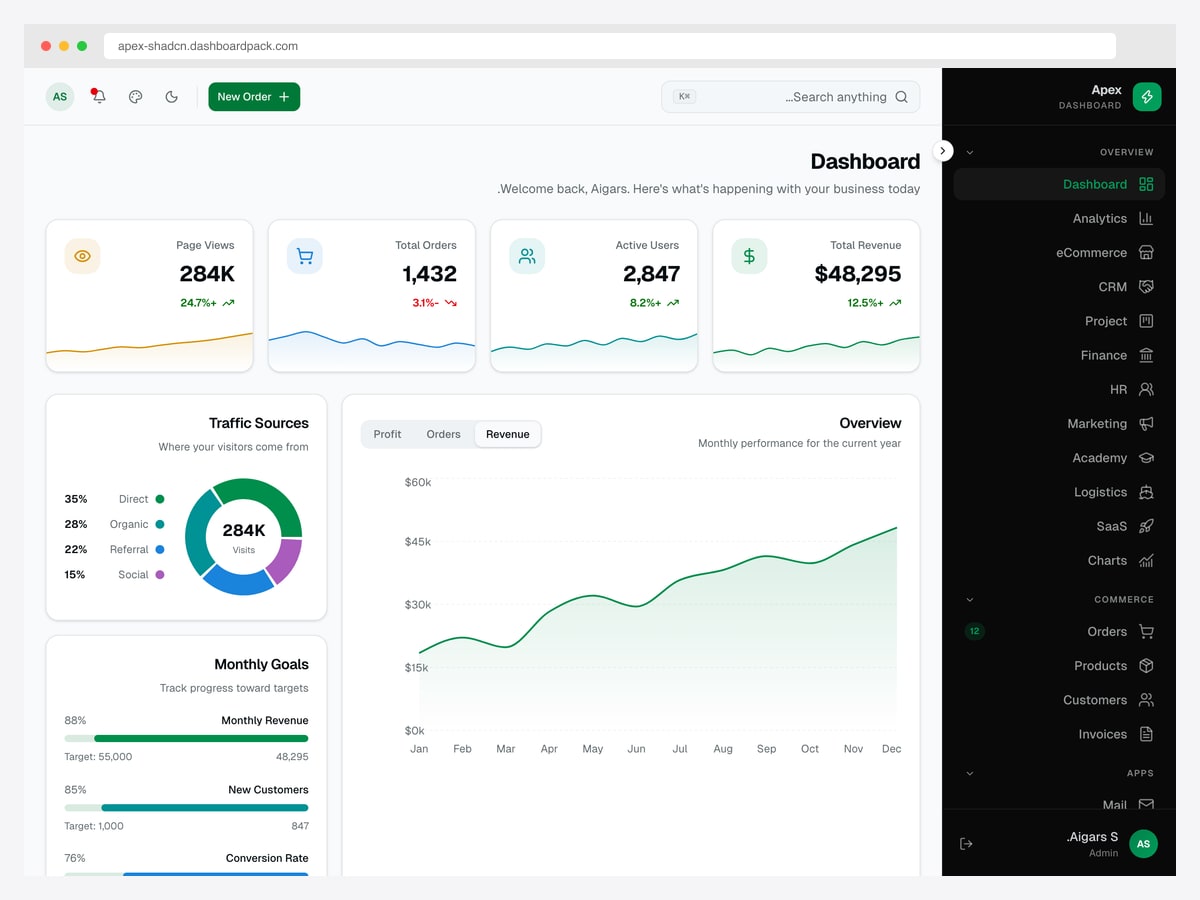
The general-purpose one, with the widest page set of the five — commerce, CRM, HR, finance and SaaS dashboards in a single install. Its RTL handling is the most thoroughly worked through of the group, including a documented caveat that the map component does not mirror.
Zenith Dashboard
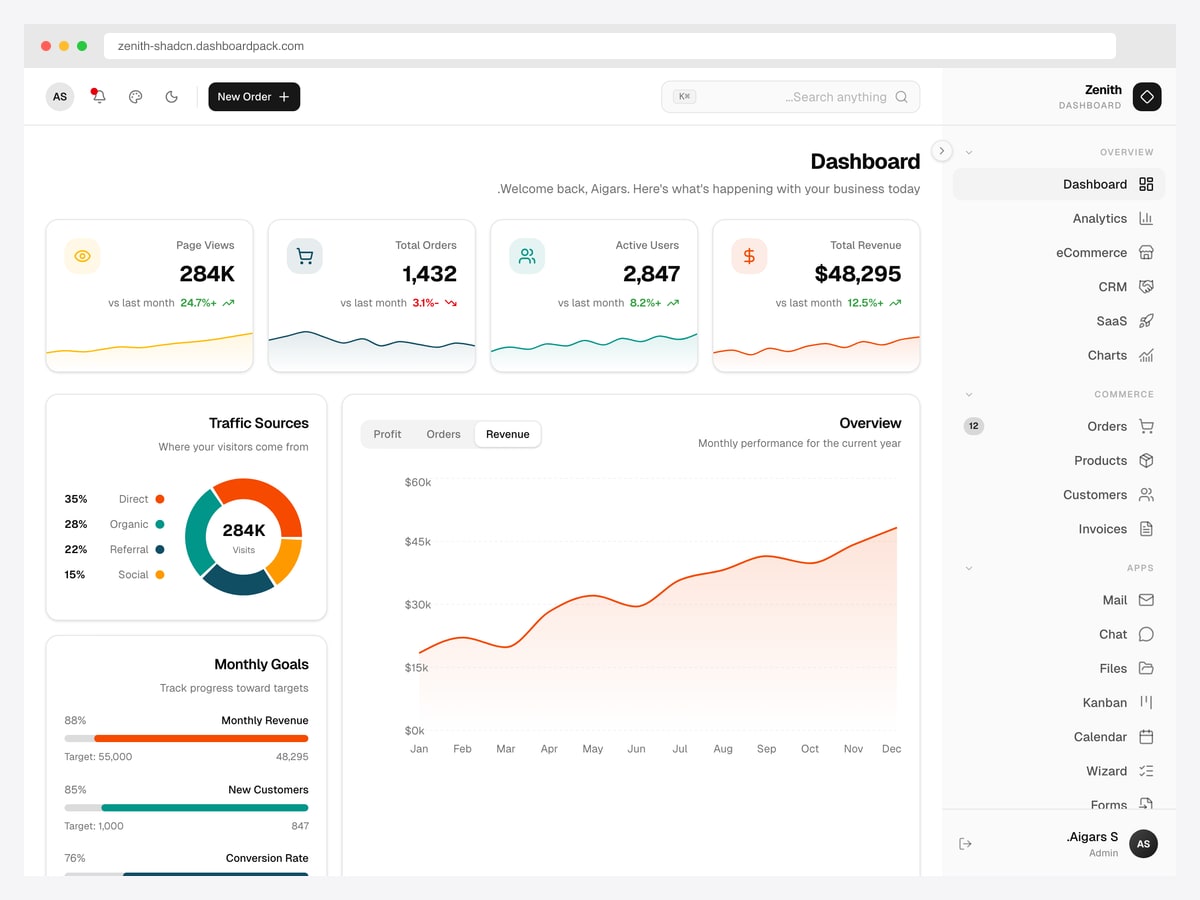
The same feature set as Apex in a warmer, higher-contrast design. If you are choosing between the two, it comes down to which interface you would rather look at all day rather than to any capability gap.
Flux Dashboard
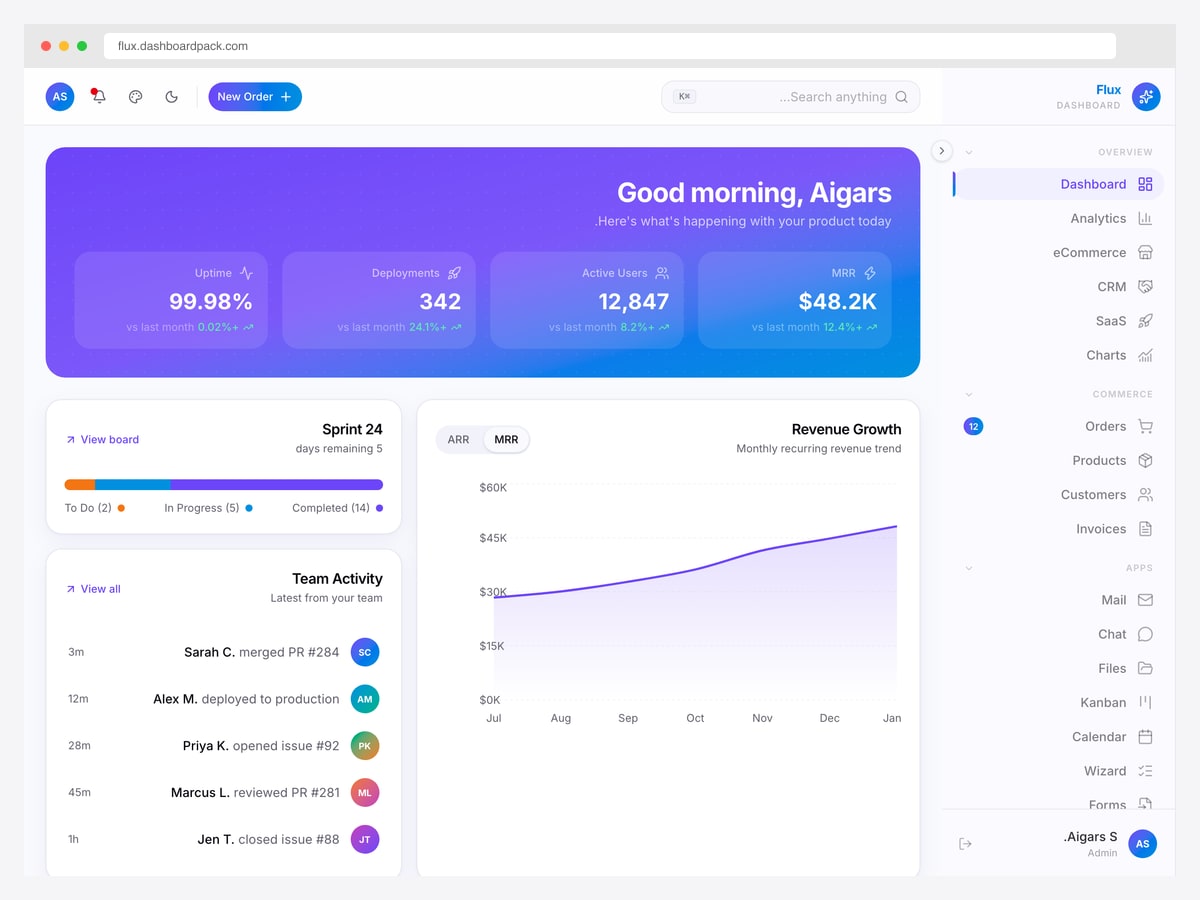
Aimed at product and engineering teams — uptime, deployments, sprint progress and MRR rather than orders and invoices. The gradient hero panel is the most visually distinctive thing in the range, and it mirrors cleanly.
Vault Dashboard
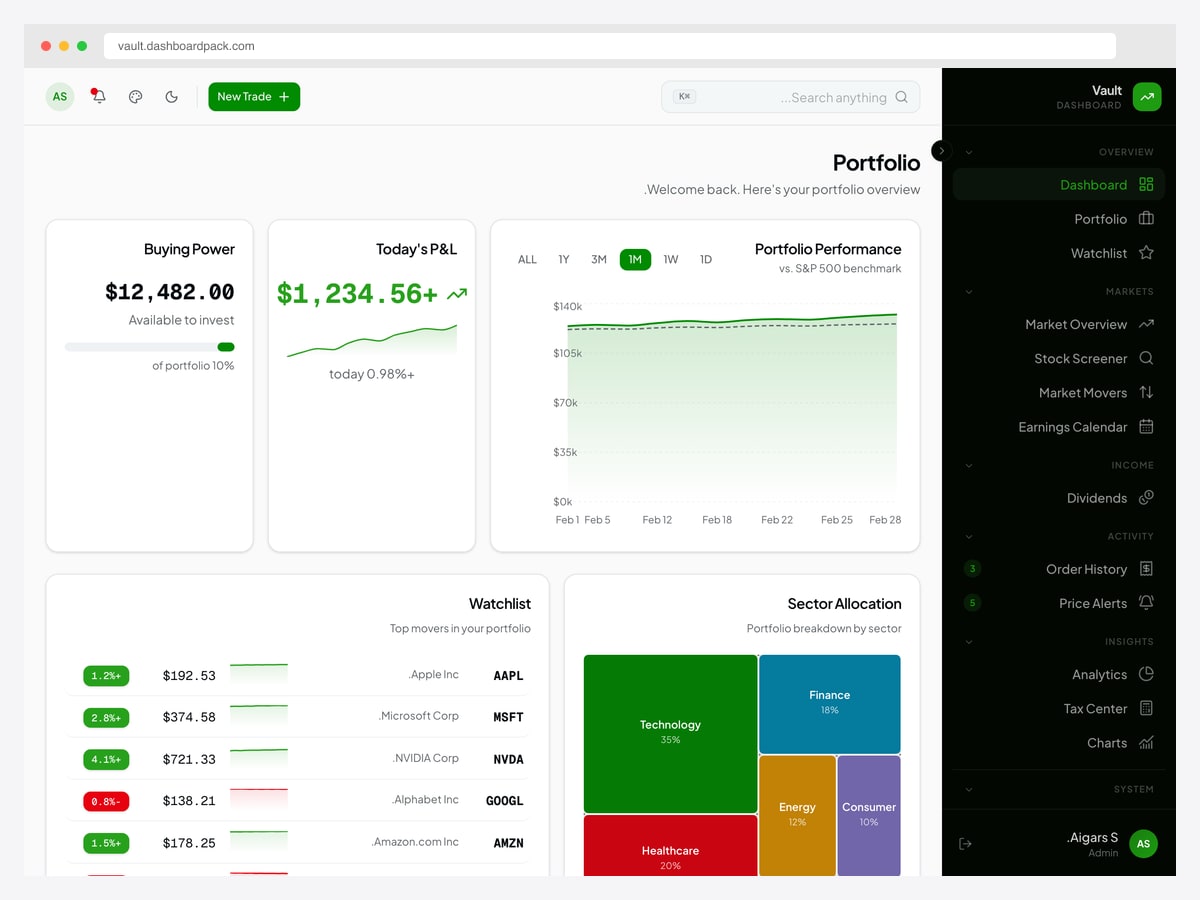
An investment and portfolio template — holdings, allocation, dividends, earnings and a screener. A good stress test for RTL, because financial figures stay left-to-right by design while the surrounding layout mirrors, which is exactly the Unicode behaviour described earlier.
Fortress Dashboard
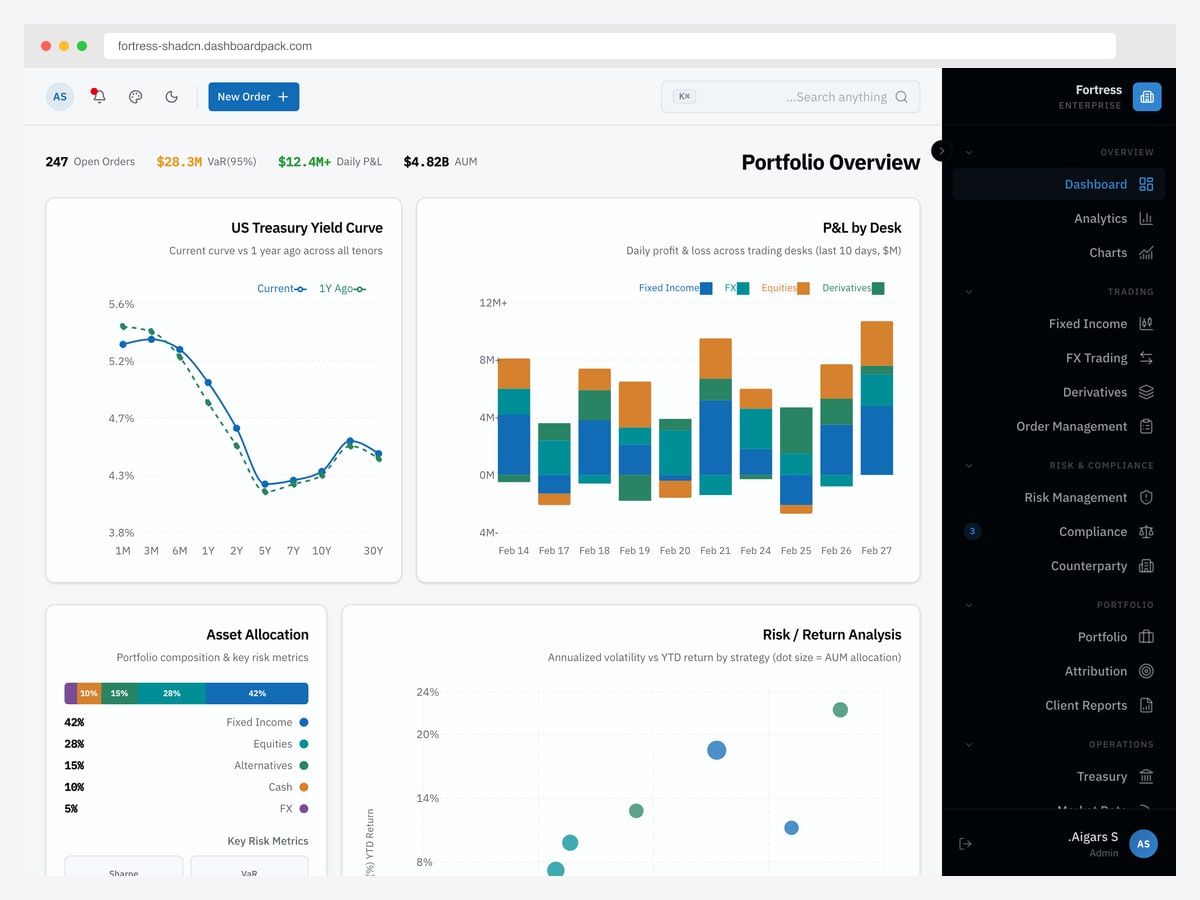
The institutional finance one: yield curves, P&L by desk, risk and compliance, counterparty exposure. The densest layout of the five, which makes it the most useful of the group for judging whether a mirrored interface stays readable when there is a lot on screen.
AdminLTE RTL FAQ
Does AdminLTE support RTL?
Yes. Every release publishes an RTL variant of every stylesheet — adminlte.rtl.css and adminlte.rtl.min.css — generated from the same source with rtlcss. You switch by loading the RTL file and setting dir="rtl" on the <html> element. There is a working example in the distribution at layout/layout-rtl.html.
How do I enable RTL in AdminLTE?
Two changes. Point your stylesheet link at dist/css/adminlte.rtl.min.css instead of adminlte.min.css, and add dir="rtl" to the <html> tag along with the appropriate lang attribute. Your body markup stays exactly the same — no class changes are needed.
Do I need different Bootstrap classes for RTL?
No. Setting dir="rtl" activates Bootstrap 5.3’s logical properties, so the same utility names mirror automatically — .ms-* becomes a right margin, .float-start floats right, .text-start aligns right. This is the main practical difference from Bootstrap 3 and 4, where RTL meant maintaining a second set of classes.
Why do my icons still point the wrong way in RTL?
Because most icons are direction-neutral and are deliberately left alone. Directional glyphs such as bi-arrow-right and bi-chevron-right need swapping to their left-facing equivalents by hand. When you do, leave the aria-label unchanged — a “Next page” button is still labelled “Next page”; only the arrow rotates.
Why are numbers still left-to-right in my RTL dashboard?
That is correct behaviour, not a bug. The Unicode bidirectional algorithm keeps digits in left-to-right order even inside right-to-left text, which is how Arabic, Hebrew and Persian are actually written. Charts and numeric tables will keep reading left-to-right while the layout around them mirrors, and you should not override it.
Do I need to rebuild the CSS after customising the SCSS?
Yes — the shipped RTL file is generated from the stock LTR build, so it will not include your changes. Run npm run css, which compiles, prefixes, generates the RTL variant and minifies in one pass. If a specific rule should not be flipped, mark it with an /*rtl:ignore*/ control directive in your SCSS.
Next steps: the AdminLTE 4 live preview to see the dashboard itself, or our free admin panel templates roundup if you are still choosing a base.

You Might Also Like


