AdminLTE vs CoreUI vs Tabler: Which Admin Template Should You Use?
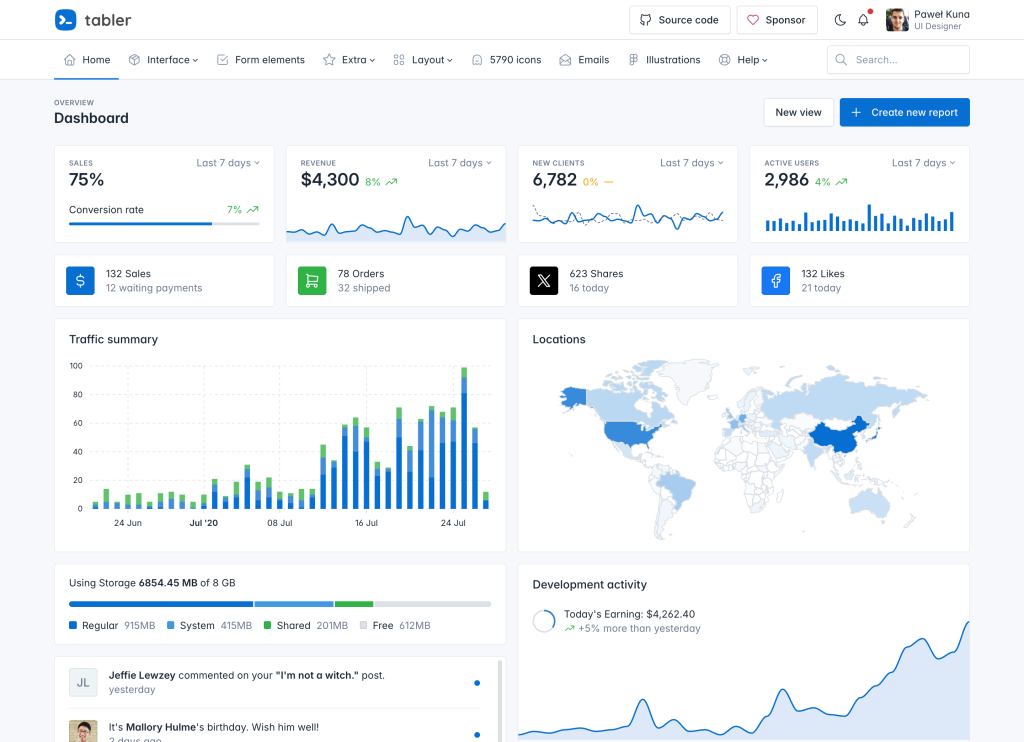
Why These Three Templates Dominate
If you’ve ever searched for an open-source admin dashboard template, three names appear everywhere: AdminLTE, CoreUI, and Tabler. Together, they account for nearly 100,000 GitHub stars and power hundreds of thousands of admin panels, internal tools, and SaaS dashboards worldwide.
Each template takes a different approach to solving the same problem: giving developers a professional, production-ready admin interface without building one from scratch. AdminLTE leans into community scale and accessibility. CoreUI bets on multi-framework support. Tabler leads with design polish and an enormous icon library.
This comparison breaks down the features, pricing, performance, and ideal use cases for all three so you can make an informed decision for your next project. If you want an even wider view, our guide to the best AdminLTE alternatives covers 10 options beyond these three. We’ll be as fair as possible — though full disclosure, AdminLTE is our project, so you know where our bias lies.
AdminLTE = largest community + best free tier. CoreUI = native React/Vue/Angular. Tabler = best design quality.
Quick Overview
Before diving into the details, here’s a high-level comparison of what each template offers:
| Feature | AdminLTE | CoreUI | Tabler |
|---|---|---|---|
| GitHub Stars | 44,000+ | 12,000+ | 40,800+ |
| Bootstrap Version | 5.3.8 | 5 | 5 |
| jQuery Dependency | No (TypeScript) | No | No |
| Dark Mode | Yes (BS5.3 native) | Yes | Yes |
| RTL Support | Yes | Yes | Yes |
| License | MIT | MIT (free) / Proprietary (Pro) | MIT (free) / Proprietary (Pro) |
| Free Version | Full-featured | Limited components | Full-featured |
| Pro Pricing | Premium templates from DashboardPack | $127–$979/year | $29–$69 one-time |
| Framework Support | Bootstrap only | Bootstrap, Angular, React, Vue | Bootstrap only |
| Accessibility | WCAG 2.1 AA built-in | Basic | Basic |
The numbers tell an interesting story. AdminLTE commands the largest community by a wide margin. Tabler has surged in popularity thanks to its design quality. CoreUI, while smaller in star count, differentiates itself with native framework implementations that go well beyond Bootstrap wrappers.
AdminLTE — The Community Standard
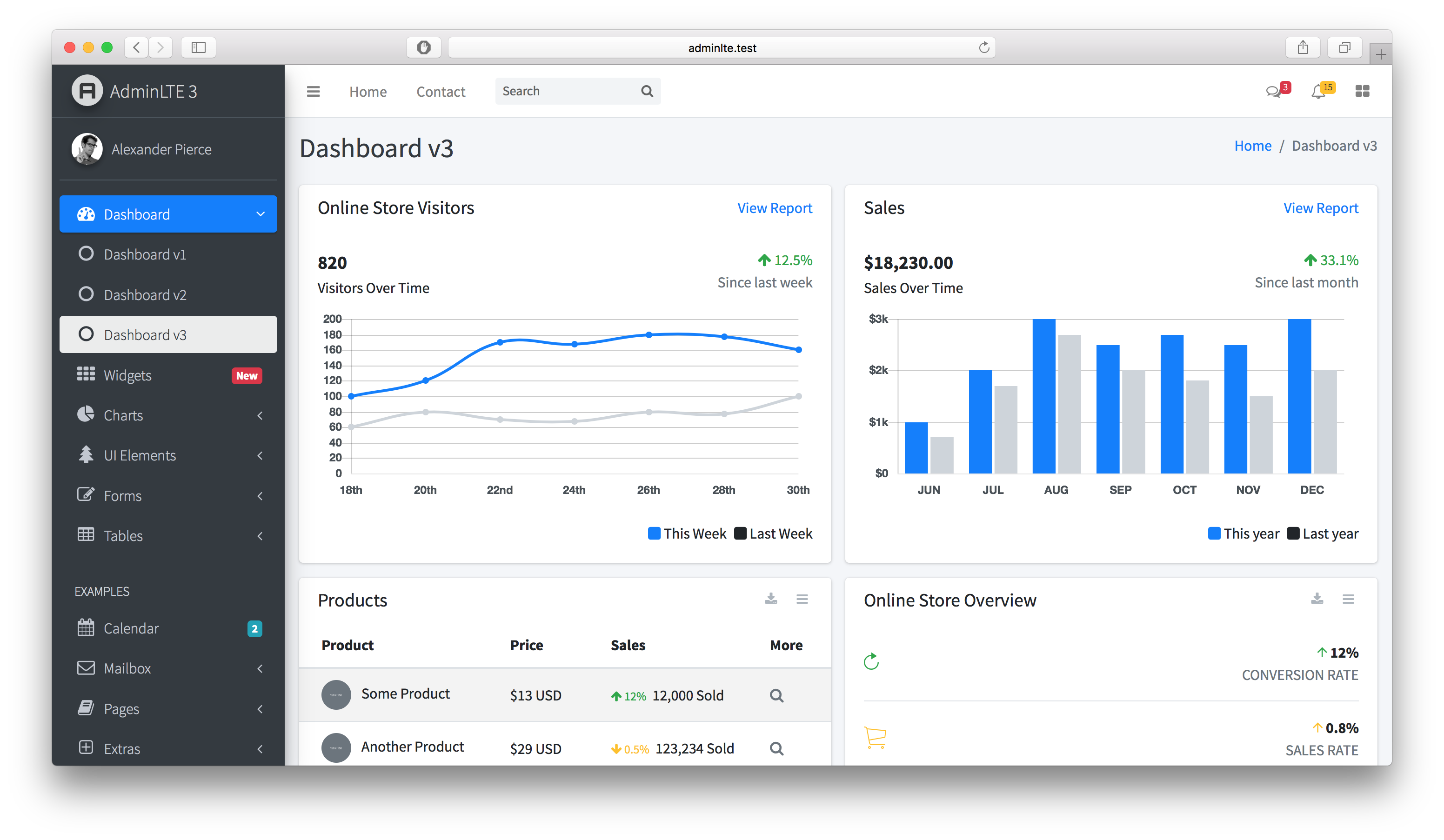
With over 44,000 GitHub stars, AdminLTE is the most popular free admin dashboard template ever created. It has been the go-to choice for developers building internal tools, admin panels, and back-office applications for over a decade — and version 4 represents the most significant rewrite in the project’s history.
AdminLTE v4 is a ground-up rebuild. jQuery is gone entirely, replaced by a modern TypeScript codebase that compiles to clean, dependency-free JavaScript. The new version also ships with a powerful customization system built on CSS custom properties and SCSS variables. The template runs on Bootstrap 5.3.8, taking full advantage of native dark mode support through Bootstrap’s data-bs-theme attribute rather than bolting on a custom implementation.
One area where AdminLTE genuinely leads is accessibility. Version 4 includes a dedicated accessibility module built to WCAG 2.1 AA standards. This isn’t a checkbox exercise — it includes proper ARIA labeling, keyboard navigation, focus management, screen reader support, and high-contrast mode. For teams building applications that need to meet compliance requirements, this matters enormously and can save weeks of remediation work.
The TypeScript plugin system is another v4 highlight. Seven modular plugins — Layout, Treeview, PushMenu, DirectChat, CardWidget, TodoList, and the accessibility module — are individually importable. You only load what you use, keeping bundle sizes lean. Each plugin follows a consistent API pattern with sensible defaults and override options.
AdminLTE’s community is its greatest asset. Thousands of tutorials, Stack Overflow answers, blog posts, and third-party integrations exist for virtually every backend framework: Laravel, Django, Rails, Spring Boot, ASP.NET, and dozens more. When you hit a problem, someone has almost certainly solved it before. The official documentation is extensive, and the GitHub Issues section functions as a living knowledge base.
For developers who want premium, professionally designed templates built on AdminLTE’s foundation, DashboardPack offers a collection of premium admin templates with additional layouts, pages, and components beyond what the free version includes.
Best for: Developers who want the largest community, the most battle-tested solution, built-in accessibility compliance, and a fully-featured free template with zero compromises.
Weakness: AdminLTE is Bootstrap-only. If your project uses React, Vue, or Angular as the primary rendering layer, you’ll be integrating Bootstrap components into your framework rather than using native framework components.
CoreUI — Multi-Framework Powerhouse
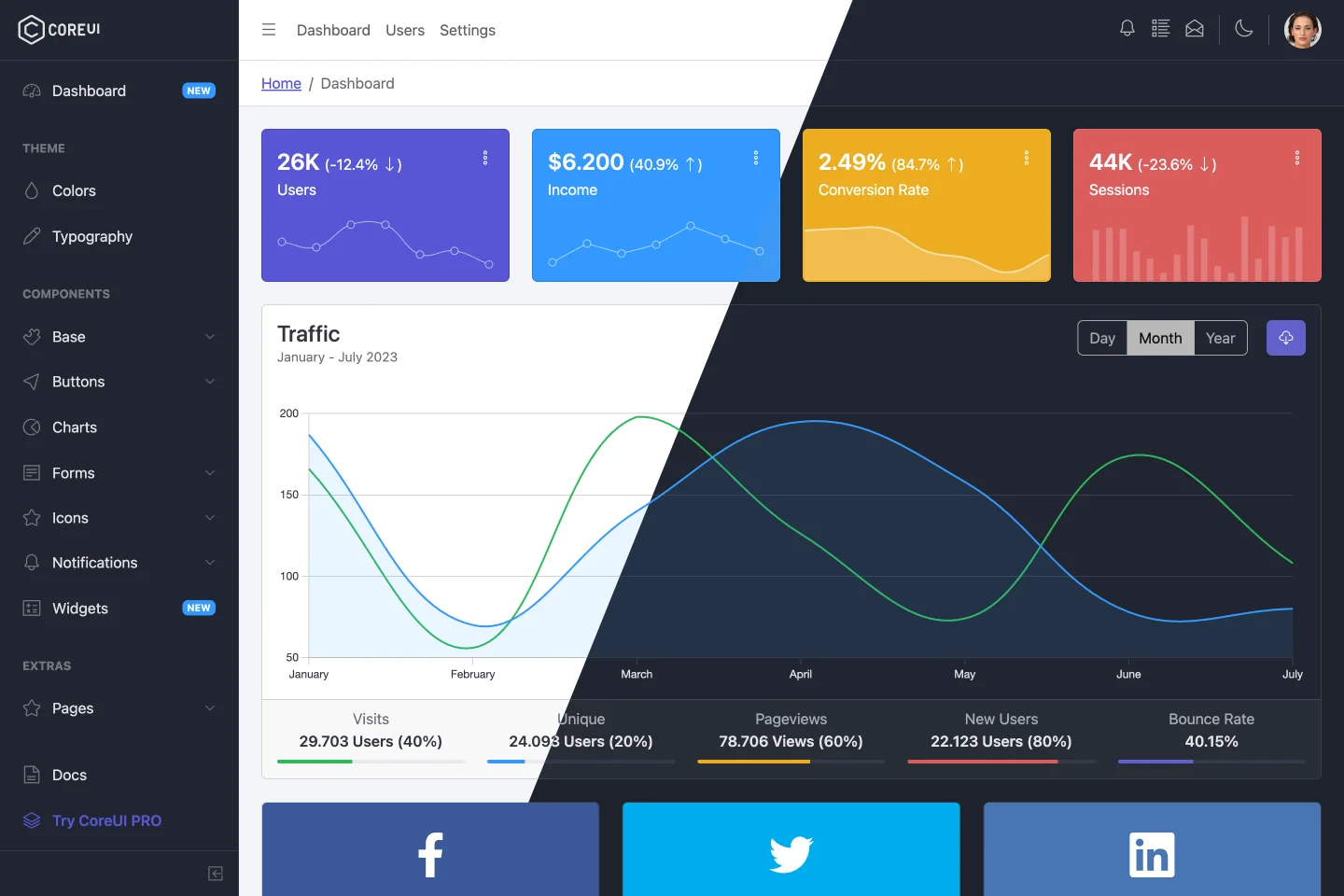
CoreUI takes a fundamentally different approach from AdminLTE and Tabler. Rather than offering a single Bootstrap template with framework adapters, CoreUI maintains native implementations for Bootstrap, Angular, React, and Vue. These aren’t Bootstrap components wrapped in framework bindings — they’re actual framework-specific components built from the ground up.
This distinction matters more than it might seem. A native React component for CoreUI uses React state management, hooks, and rendering patterns. A native Angular component uses Angular’s dependency injection, change detection, and template syntax. The developer experience in each framework feels natural rather than forced.
CoreUI Pro is where the template really flexes. The Pro version includes over 250 components, far more than either AdminLTE or Tabler ship in their free versions. The component library covers advanced data tables, charts, form builders, rich text editors, and specialized widgets that would otherwise require sourcing and integrating third-party libraries.
The theming system is notably robust. CoreUI Pro ships four distinct themes — Default, Light, Modern, and Bright — each available in both light and dark variants. That gives you eight visual starting points before you begin customization. For agencies or freelancers who build multiple admin panels for different clients, this variety saves significant design time.
However, CoreUI’s pricing model is its most polarizing aspect. The free version is noticeably limited compared to what AdminLTE and Tabler offer at no cost. Many of the components that make CoreUI compelling are locked behind the Pro paywall. Pricing starts at $127 per year for a single framework, $197 per year for all frameworks, $492 for a lifetime license, and $979 per year for enterprise use with premium support.
The subscription model for most tiers means you’re paying ongoing costs rather than a one-time fee. For a funded startup or enterprise team, this is a rounding error. For solo developers or bootstrapped projects, it’s a meaningful recurring expense — especially when alternatives offer more in their free tiers.
Best for: Teams using Angular, React, or Vue who want native framework components rather than Bootstrap wrappers, and who have the budget for a commercial license.
Weakness: The free version is significantly limited compared to AdminLTE and Tabler. To unlock CoreUI’s full potential, you need a Pro subscription, and the annual pricing can add up over time.
Tabler — Design-First Approach
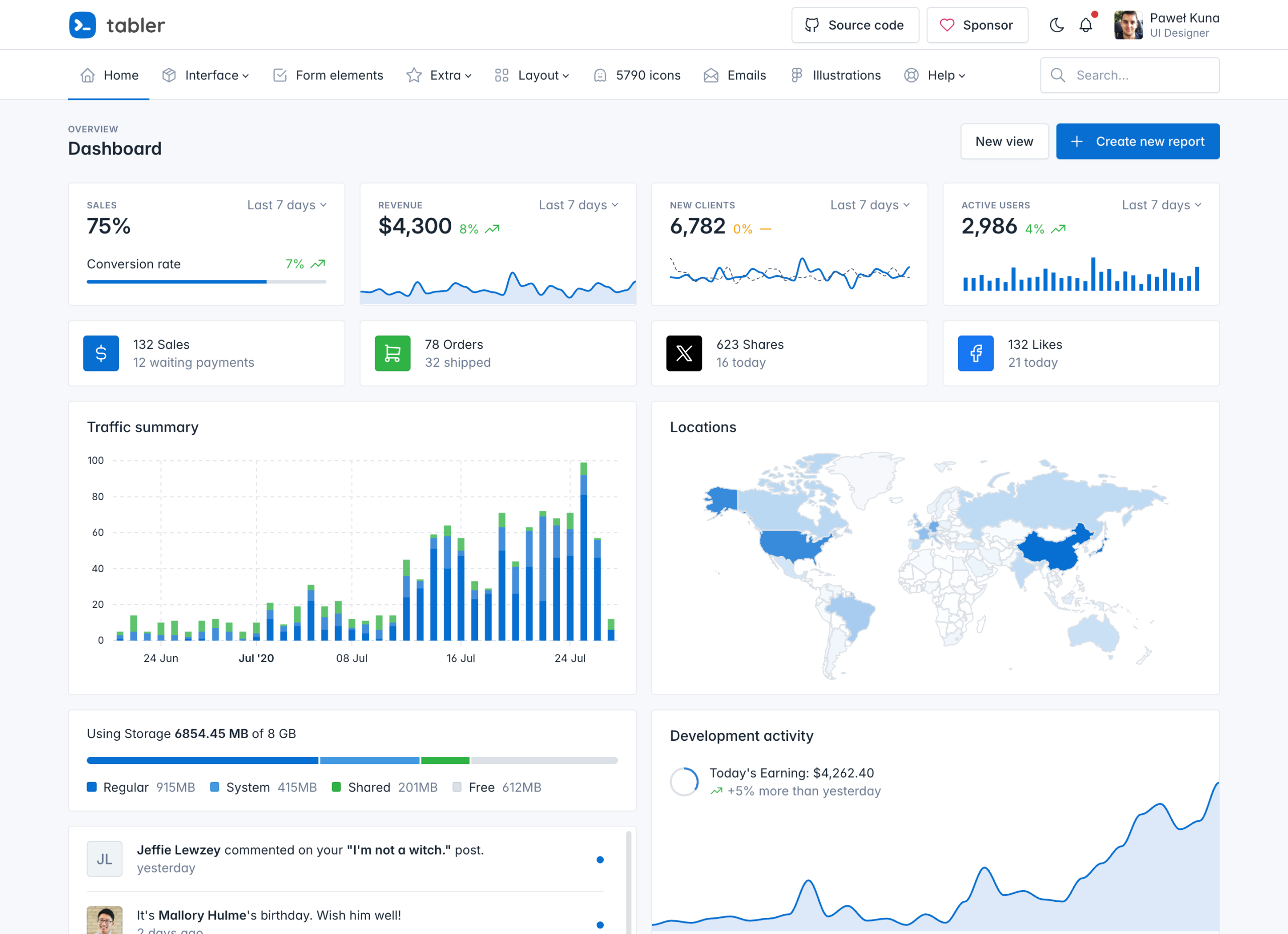
Tabler has experienced remarkable growth, climbing to over 40,800 GitHub stars on the strength of one undeniable quality: it’s beautiful out of the box. While AdminLTE prioritizes functionality and community, and CoreUI emphasizes framework flexibility, Tabler leads with design polish that rivals paid templates.
The visual refinement is immediately apparent. Typography, spacing, color palettes, and component styling feel considered and cohesive in a way that requires minimal customization for most projects. Developers who lack a designer on their team — which describes a huge percentage of admin panel builders — get a professional-looking result without touching CSS.
Tabler’s icon library is a genuine differentiator. With 6,074 custom SVG icons, it dwarfs the icon sets that ship with competing templates. These aren’t recycled Font Awesome icons — they’re purpose-built for dashboard and admin contexts. The breadth means you’re unlikely to need a supplementary icon library, which simplifies your dependency chain.
The Pro package sweetens the deal further with 80 email templates and 110 SVG illustrations. If you’re building a SaaS product that needs transactional emails and marketing pages alongside the admin panel, Tabler Pro covers those use cases without additional purchases.
Perhaps most compelling is the pricing. Tabler Pro costs $29 for the dashboard alone or $69 for the all-inclusive package — both as one-time payments. Compare that to CoreUI’s subscription model, and the value proposition is striking. You pay once, you own it, and updates are included.
Tabler’s free version under the MIT license is genuinely full-featured, similar to AdminLTE’s approach. You get a complete admin template with 100+ components, which is enough for most projects without upgrading to Pro.
Best for: Developers who prioritize visual polish and want a premium-quality design without premium pricing. Especially strong for SaaS products where the admin panel’s appearance directly impacts user perception.
Weakness: Tabler’s component library, while respectable, is smaller than CoreUI Pro’s 250+ components. Documentation, while good, isn’t as extensive as AdminLTE’s, and the community — though growing fast — is smaller. Finding solutions to edge-case problems may require more self-reliance.
Feature Deep Dive
Components and Plugins
What ships out of the box varies significantly between these three templates, and the differences shape what kind of projects each one suits best.
AdminLTE v4’s approach is modular by design. The seven TypeScript plugins — Layout, Treeview, PushMenu, DirectChat, CardWidget, TodoList, and the Accessibility module — are each independently importable. This means your production bundle only includes the functionality you actually use. The plugin API is consistent across all modules: instantiate with a target element, pass an options object, and the plugin handles the rest. AdminLTE also includes all standard Bootstrap 5.3.8 components, which gives you a baseline of buttons, modals, cards, forms, tables, navbars, and more without any additional dependencies.
CoreUI Pro’s 250+ components represent the largest library of the three. Beyond the standard Bootstrap fare, CoreUI includes advanced components like smart tables with built-in sorting, filtering, and pagination; multi-step form wizards; sidebar navigation with deep nesting; and specialized chart components. The free version, however, ships a more limited subset — enough to build a basic dashboard but missing many of the components that make CoreUI attractive in the first place.
Tabler offers 100+ components in its free version, which slots between AdminLTE and CoreUI Free in terms of breadth. Tabler’s strengths are in its data display components — stat cards, activity feeds, and data tables are particularly well-designed. The 6,074 icon set also effectively functions as a component library, since each icon is a ready-to-use SVG element.
Customization
All three templates use SCSS as their primary customization mechanism, but they structure their variable systems differently.
AdminLTE v4 uses a dual-layer approach: $lte- prefixed SCSS variables for compile-time customization combined with CSS custom properties for runtime theming. This means you can override colors, spacing, and typography at the SCSS level for permanent changes, or modify CSS variables dynamically for features like user-selectable themes. The $lte- prefix keeps AdminLTE variables cleanly separated from Bootstrap’s own variable namespace, preventing accidental collisions during Bootstrap upgrades.
CoreUI’s theming system is arguably the most sophisticated. The four built-in themes (Default, Light, Modern, Bright) each define a comprehensive set of variables that cascade through every component. Creating a new theme involves extending one of the base themes and overriding specific tokens. For teams that need to white-label the same admin panel for multiple clients, CoreUI’s architecture makes this straightforward.
Tabler keeps customization simple. Its SCSS variables follow Bootstrap conventions closely, which means anyone familiar with Bootstrap theming can customize Tabler immediately. The tradeoff is less granular control compared to AdminLTE’s dual-layer system or CoreUI’s multi-theme architecture.
Documentation and Community
Community size and documentation quality have an outsized impact on developer productivity, especially when you hit unexpected problems at 11 PM the night before a deadline.
AdminLTE’s 44,000+ stars translate into a massive ecosystem. The official documentation covers installation, configuration, every component, every plugin, and common integration patterns. Beyond the official docs, the sheer volume of community-created content — tutorials, video walkthroughs, blog posts, Stack Overflow answers, and integration guides for frameworks like Laravel, Django, and Spring Boot — means answers are almost always a search away. This is AdminLTE’s most underrated advantage. When you choose a template with this level of community support, you’re not just getting code — you’re getting a support network.
CoreUI maintains professional documentation that is well-organized and thorough, particularly for the Pro version. Each framework implementation (Bootstrap, Angular, React, Vue) has its own documentation section with framework-appropriate examples. The docs are clean, searchable, and include live code samples. Community content is more limited than AdminLTE’s, reflecting the smaller user base, but the official resources are generally sufficient.
Tabler’s documentation is solid and improving. It covers installation, components, and customization clearly. However, the community content ecosystem is thinner. With 40,800+ stars and growing, this gap is closing, but today you’re more likely to need to solve problems independently with Tabler than with AdminLTE.
Performance
All three templates have modernized their stacks to eliminate legacy performance drags. None require jQuery in their current versions, all use Bootstrap 5, and all support tree-shaking or modular imports to keep bundle sizes manageable.
AdminLTE v4’s TypeScript rewrite is specifically designed for performance. The modular plugin architecture means unused code doesn’t ship to production. Bootstrap 5.3.8’s native dark mode support — which AdminLTE leverages — is also more performant than the JavaScript-driven dark mode implementations used by earlier template generations, since it relies on CSS attribute selectors rather than runtime class toggling.
CoreUI’s performance depends heavily on which framework you’re using. The Bootstrap version is comparable to AdminLTE and Tabler. The React, Vue, and Angular versions carry the overhead inherent to those frameworks, which is expected and acceptable since you’d have that overhead regardless of which admin template you chose.
Tabler is lean and fast. Its reliance on SVG icons rather than an icon font means icon rendering is slightly more efficient, and unused icons don’t contribute to page weight the way an entire icon font file would.
In practice, performance differences between these three are minimal for typical admin dashboard use cases. The bottleneck in most admin panels is the data being displayed, not the template rendering it.
Pricing Comparison
Cost structure is often the deciding factor, especially for freelancers, startups, and teams evaluating multiple templates. Here’s how the three compare across their free and paid tiers:
| Tier | AdminLTE | CoreUI | Tabler |
|---|---|---|---|
| Free Version | Full-featured, MIT license | Limited components, MIT license | Full-featured, MIT license |
| Free Components | All Bootstrap 5.3.8 components + 7 custom plugins | Basic component subset | 100+ components + 6,074 icons |
| Pro / Premium | Premium templates via DashboardPack | 250+ components, 4 themes | Pro dashboard + email templates + illustrations |
| Pro Price | Varies by template | $127/year (single framework) | $29 one-time (dashboard) |
| All-Access Price | — | $197/year (all frameworks) | $69 one-time (everything) |
| Lifetime Option | — | $492 (single framework) | Included (one-time purchase) |
| Enterprise | — | $979/year | — |
| Billing Model | One-time | Annual subscription (most tiers) | One-time |
The pricing landscape reveals clear positioning. AdminLTE and Tabler both offer generous free versions that are genuinely usable for production projects. CoreUI’s free version, by contrast, serves more as a trial — you’ll likely need Pro for anything beyond a basic prototype.
AdminLTE’s model is the most straightforward for budget-conscious developers: the core template is fully free and MIT-licensed, with premium templates available through DashboardPack for those who want additional professionally designed layouts and page templates.
Tabler’s pricing is hard to beat on pure value. At $69 for the complete package — dashboards, email templates, illustrations — with no recurring fees, it’s the lowest total cost of ownership for a Pro admin template.
CoreUI’s subscription model makes more sense for teams than individuals. If you’re an agency building multiple client projects on Angular, React, and Vue, the $197/year all-frameworks plan gives you native components across four ecosystems — a capability neither AdminLTE nor Tabler currently matches. The enterprise tier at $979/year adds priority support and SLA guarantees that larger organizations require.
Which One Should You Choose?
After comparing features, communities, pricing, and philosophies, the right choice comes down to three questions: What framework are you using? What’s your budget? And what matters most — community support, framework flexibility, or visual design?
- You want the most popular, battle-tested admin template with the largest community and ecosystem
- Accessibility compliance matters to your project (WCAG 2.1 AA is built in, not bolted on)
- You want a fully-featured free template with zero artificial limitations
- You’re building with Bootstrap and want the deepest integration with the framework
- You value having thousands of existing tutorials, integrations, and community answers available
- You prefer modern TypeScript architecture over legacy jQuery patterns
- Your project uses Angular, React, or Vue and you want native framework components — not Bootstrap wrappers
- You need a large component library (250+ in Pro) and are willing to invest in a commercial license
- You’re building across multiple frameworks and want a consistent component API across all of them
- Your organization has budget for annual licensing and values professional support
- Visual design quality is your top priority and you want something that looks polished immediately
- You need an extensive icon library without adding a separate dependency
- You want an affordable Pro option with one-time pricing and no subscriptions
- You’re building a SaaS product where the admin panel’s appearance directly impacts user perception
Conclusion
AdminLTE, CoreUI, and Tabler are all excellent templates — each leading in different areas. There’s no universally wrong choice among the three, only choices that are better or worse fits for specific projects and teams.
AdminLTE’s combination of community scale, accessibility compliance, modern TypeScript architecture, and a genuinely full-featured free version makes it the safest default choice for most Bootstrap projects. When 44,000+ developers have battle-tested a template across every backend framework and edge case imaginable, you benefit from that collective experience every time you search for a solution.
CoreUI earns its place for teams committed to Angular, React, or Vue. Native framework components are meaningfully better than Bootstrap wrappers, and if your budget accommodates the subscription pricing, CoreUI delivers on that promise.
Tabler is the design-forward choice. If your admin panel’s aesthetics matter as much as its functionality, Tabler gives you a head start that’s hard to match — and at pricing that’s hard to argue with.
Whichever template you choose, you’re building on a solid open-source foundation. For even more options, browse our complete collection of free admin panel templates. And if you want to start with the one that most developers already trust, AdminLTE is on GitHub — free, MIT-licensed, and ready to use. Check out the documentation to get started, or explore premium templates from DashboardPack for professionally designed layouts that extend AdminLTE even further.
You Might Also Like