
19 Best Dark Mode Dashboard Templates & Design Examples (2026)

Dark mode isn’t just an inverted palette — done well, it reduces eye strain, saves battery on OLED screens, and makes data pop. Below are the 16 best dark mode dashboard templates (premium and free) plus 3 real product dashboards worth studying — 19 dark UIs in all, with the design principles that separate a good dark theme from a harsh one.
Whether you’re building an analytics tool, a DevOps console, or a SaaS admin, these give you a dark-ready starting point. Prefer to browse everything? See our full roundup of dashboard templates and free admin panels.
Quick Picks
- Best for DevOps monitoring: Signal — dark-first terminal aesthetic for NOCs
- Best investment UI: Vault — dense financial data that stays readable
- Best trading-terminal look: Fortress — Bloomberg-terminal energy, dark by default
- Best all-round shadcn base: Zenith — CSS-variable dark theme, easy to rebrand
- Best for healthcare: Ember — calm, low-glare theme for clinical apps
- Best modern gradient look: Flux — soft gradients with a developer-tool feel
- Most complete premium suite: Apex — 30+ pages with a consistent dark theme
- Best analytics depth: Admindek — rich widgets that stay legible in dark
- Best for Vue & Nuxt: Haze — the premium Vue option in the range
- Best free Bootstrap pick: AdminLTE 4 — OS-aware dark mode out of the box
- Best own-the-code option: shadcn/ui Dashboard — dark mode via CSS variables you control
- Best free Tailwind breadth: TailAdmin — huge component set with a clean dark toggle
- Best Flowbite fit: Flowbite Admin Dashboard — consistent dark theme on familiar components
- Best free React dashboard: Horizon UI — distinctive purple-accented dark theme
- Best accessibility-first pick: Windmill Dashboard — contrast and focus states hold up in both themes
- Best free analytics design: Mosaic — restrained dark theme with polished charts
- Design study: restraint: Linear — near-black surfaces, one accent color
- Design study: data density: PostHog — heavy analytics kept legible in dark
- Design study: developer polish: Supabase — clear hierarchy with green highlights
What makes a great dark mode dashboard?
The best dark dashboards follow a few consistent rules — borrow these whether you use a template or roll your own:
- Dark gray or navy, not pure black. A #0f172a-style background is softer than #000 and lets you layer surfaces with subtle elevation.
- Off-white text, not pure white. Slightly muted foreground colors (e.g. #e5e7eb) reduce glare and eye strain on dark backgrounds.
- Elevation through surface color, not shadows. In dark mode, lighter surfaces read as “closer” — shadows barely show, so use background steps to separate cards.
- Reserve saturated color for meaning. Keep accents for status, gains/losses, and calls to action; desaturate everything else so charts stay readable.
- Mind contrast and accessibility. Aim for WCAG AA contrast on text and interactive elements — dark mode makes it easy to go too low.
- Design chart palettes for dark. Bright, thin lines and translucent fills read better than the light-mode defaults.
A good template bakes these in — which is why starting from one of the picks below beats theming from scratch.
Dark mode dashboard templates compared
A side-by-side look at the 16 template picks — our premium DashboardPack designs first, then the best free options.
| Template | Stack | Dark mode | Price |
|---|---|---|---|
| Signal | Next.js + shadcn/ui | ✅ Dark-first | Premium |
| Vault | Next.js + shadcn/ui | ✅ Dark-first | Premium |
| Fortress | Next.js + React + Tailwind | ✅ Dark-first | Premium |
| Zenith | Next.js + shadcn/ui | ✅ Dark-first | Premium |
| Ember | Next.js + shadcn/ui | ✅ Dark-first | Premium |
| Flux | Next.js + shadcn/ui | ✅ Dark-first | Premium |
| Apex | Next.js + shadcn/ui | ✅ Dark-first | Premium |
| Admindek | Next.js + shadcn/ui | ✅ Dark-first | Premium |
| Haze | Nuxt + Vue + Nuxt UI | ✅ Dark-first | Premium |
| AdminLTE 4 | Bootstrap 5 / Vanilla JS | ✅ Built-in | Free |
| shadcn/ui Dashboard | Next.js + shadcn/ui | ✅ Built-in | Free |
| TailAdmin | Tailwind + Next.js / HTML | ✅ Built-in | Free |
| Flowbite Admin Dashboard | Tailwind + Flowbite | ✅ Built-in | Free |
| Horizon UI | Tailwind + React | ✅ Built-in | Free |
| Windmill Dashboard | Tailwind + React / Vue | ✅ Built-in | Free |
| Mosaic (by Cruip) | Tailwind + React | ✅ Built-in | Free |
Best dark mode dashboard templates
1. Signal – Dark-First DevOps Dashboard
Terminal aesthetic, built for low-light NOCs
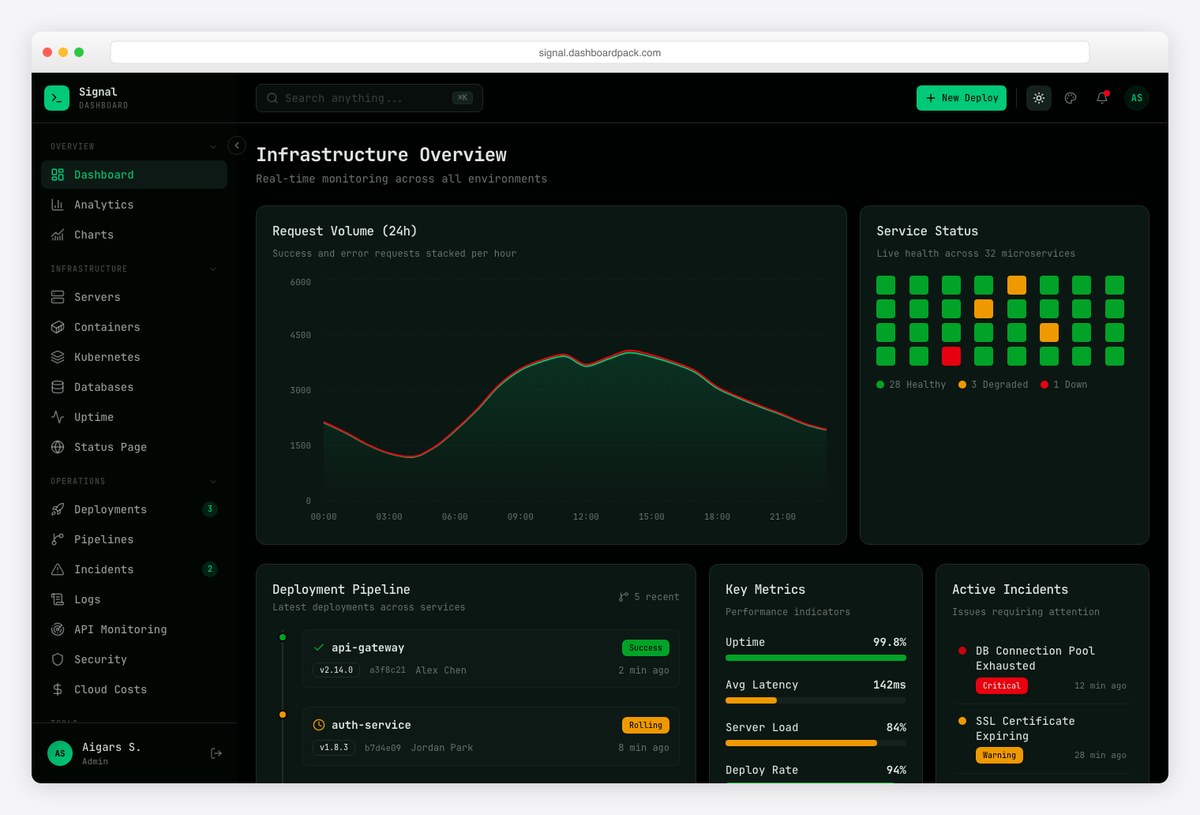
Why we like it: A genuinely dark-first design with a terminal aesthetic and 13 infrastructure pages meant to be glanced at in a dim room — contrast and color are tuned for readability, not just an inverted palette.
Signal treats dark mode as the primary experience. Charts, log streams, and status badges use a restrained green-on-charcoal palette that stays legible during long monitoring sessions.
Built on Next.js and shadcn/ui with TypeScript, it ships the alerting, metrics, and deployment screens a DevOps team actually needs.
2. Vault – Dark Investment Dashboard
Data-dense finance UI, dark by default
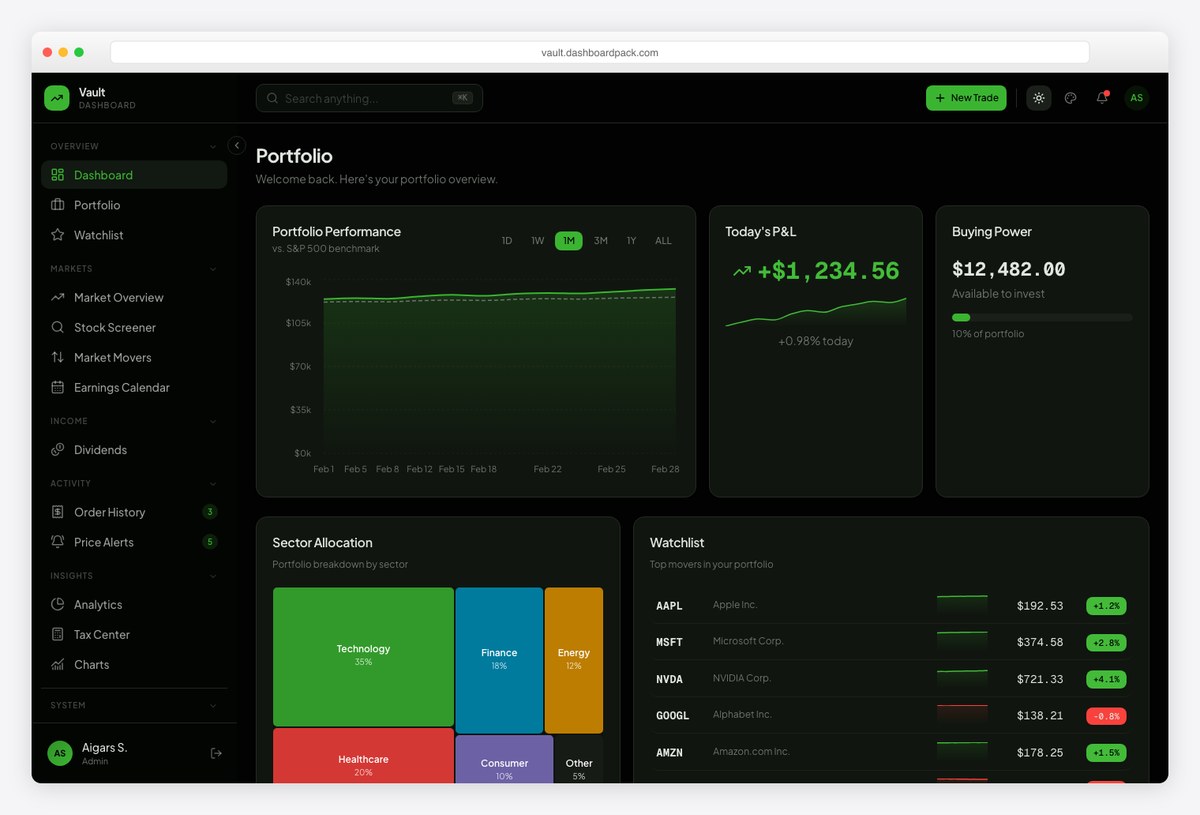
Why we like it: A dark-first investment dashboard where dense financial data stays readable — muted surfaces, tight number formatting, and accents reserved for portfolio movement.
Vault is designed for finance products that live in dark mode. Positions, portfolios, and reporting views keep high-contrast figures front and center.
The modern Next.js + shadcn/ui stack makes it easy to extend with your own data and flows.
3. Fortress – Dark Finance Dashboard
Bloomberg-terminal energy for trading desks
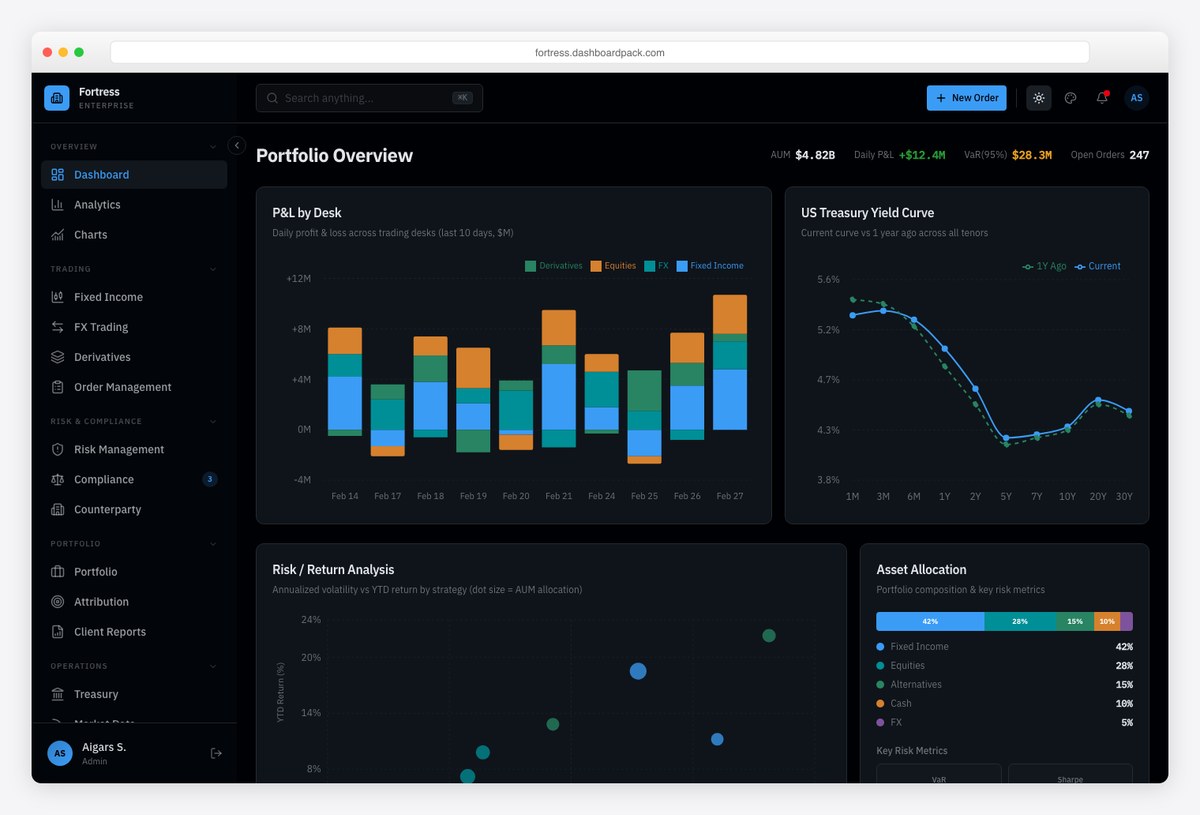
Why we like it: An unapologetically dark, data-dense layout inspired by financial terminals — “Enterprise-Grade Financial Intelligence” with muted surfaces and accents reserved for gains and losses.
Fortress is built for screens that stay open all day. Dark surfaces reduce glare while high-contrast figures keep KPIs readable at a glance.
The stack is modern — Next.js, React, TypeScript, and Tailwind — with the trading and reporting views finance apps expect.
4. Zenith – shadcn/ui Dashboard
Clean shadcn dashboard with polished dark mode
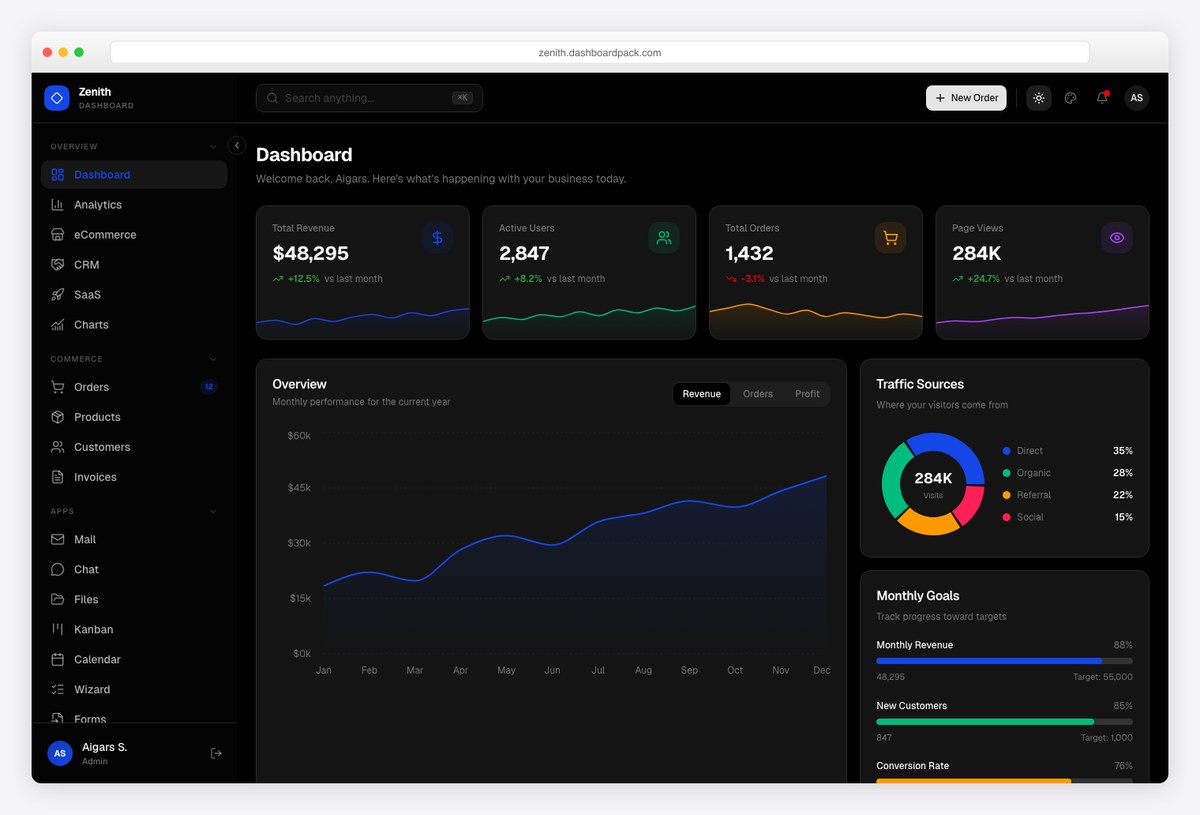
Why we like it: A refined, general-purpose shadcn/ui dashboard whose dark theme is driven by CSS variables, so every card, chart, and table adapts consistently.
Zenith pairs a neutral dark palette with clean typography and well-spaced KPI cards — an easy base for almost any admin app.
As a shadcn/ui build, it restyles through a handful of CSS variables — swap the palette and every component follows.
5. Ember – Healthcare Dashboard
Healthcare-focused, with a calm dark theme
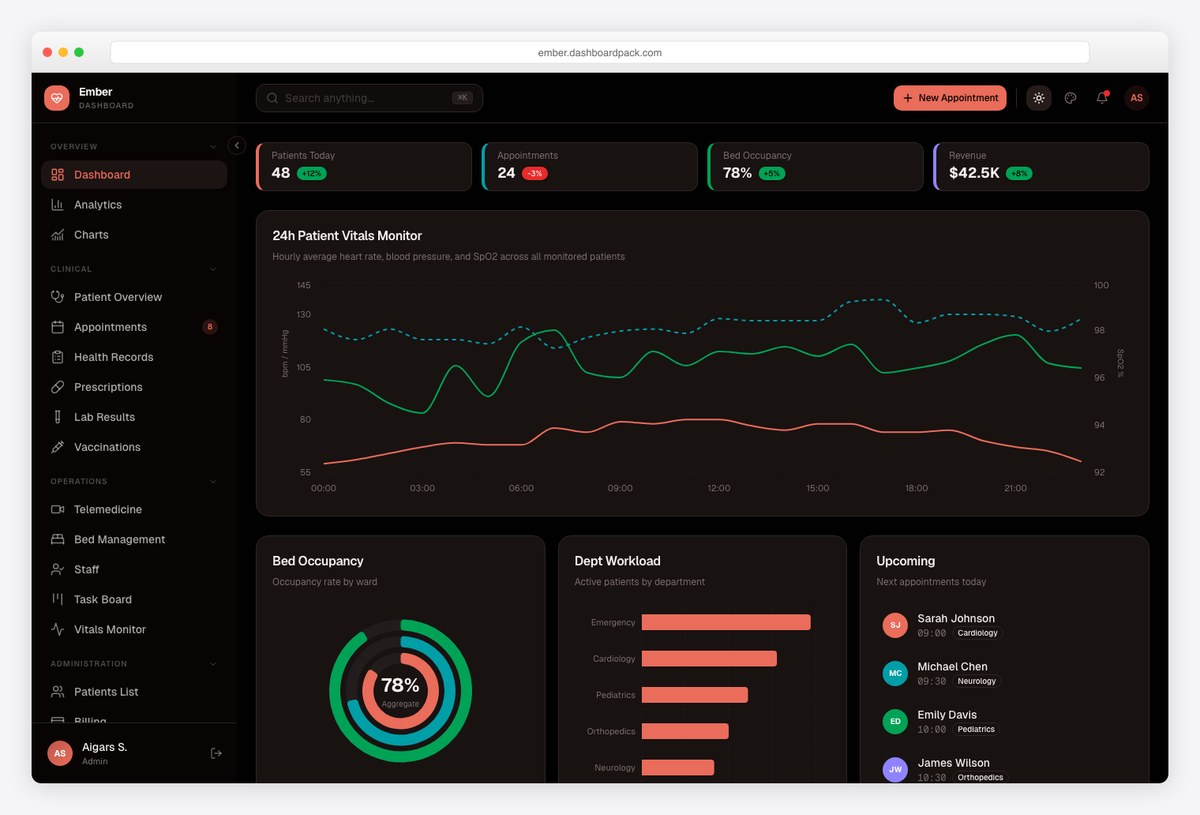
Why we like it: A healthcare-oriented dashboard (“The Healthcare Dashboard Your Team Deserves”) with a calm, low-glare dark theme suited to long clinical shifts.
Ember’s dark mode keeps patient data and metrics readable without harsh contrast — a good fit for information-dense healthcare UIs.
Built on Next.js and shadcn/ui, it’s straightforward to adapt to your workflows.
6. Flux – Modern Dark Dashboard
Subtle gradients, developer-tool feel
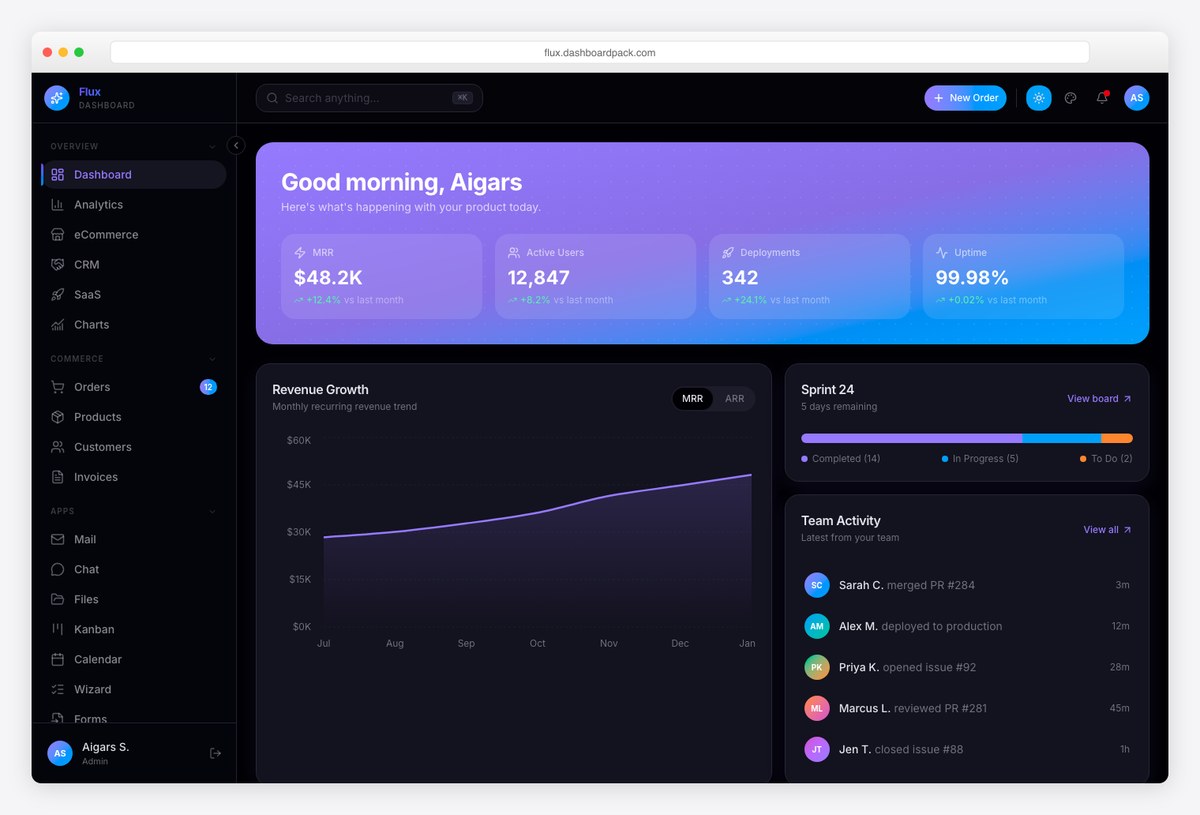
Why we like it: A modern dark UI with subtle gradients and a developer-tool feel — polished without being loud, and easy on the eyes.
Flux leans into soft gradients and a dark surface hierarchy that reads as contemporary while keeping charts and tables clear.
The Next.js + shadcn/ui foundation makes it a fast starting point for CRUD-heavy apps.
7. Apex – Flagship Next.js Dashboard
Feature-rich flagship with a strong dark mode
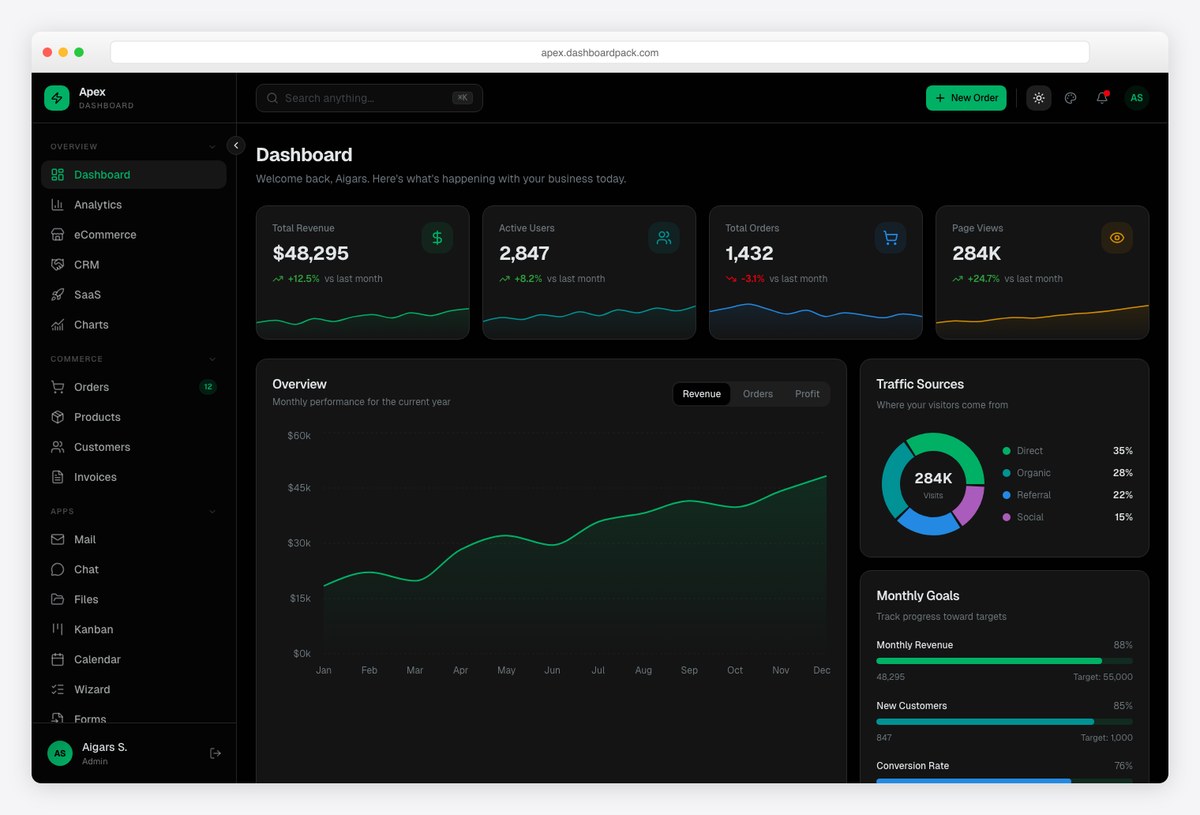
Why we like it: Our flagship dashboard with 30+ pages, a deep component set, and a well-executed dark mode — the most complete option in the range.
Apex covers analytics, tables, forms, auth, and more, all with a consistent dark theme built on shadcn/ui.
It’s the go-to when you want breadth and a production-ready dark UI on day one. Version 3.0 adds 114 copy-paste blocks across 14 categories, six layout presets, a world map built from public-domain Natural Earth data with no runtime map library, an AI assistant with tool calls and streaming citations, and role-based access control with a permission matrix.
8. Admindek – Next.js Dashboard
Feature-complete, analytics-ready, dark
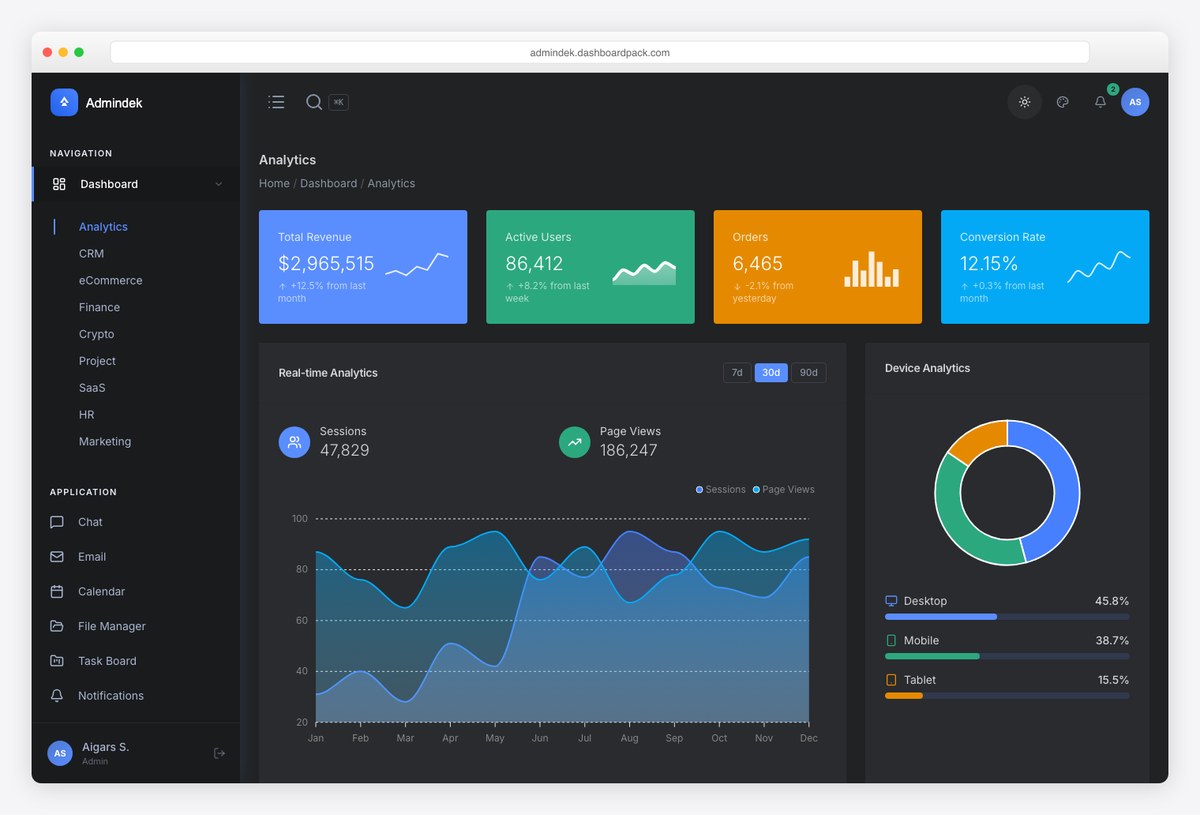
Why we like it: A feature-complete Next.js dashboard with rich analytics widgets and a clean dark theme — a lot of UI out of the box.
Admindek’s dark mode keeps its many charts and data widgets legible, making it a strong pick for analytics-first products.
Built on Next.js, it’s ready to wire up to your data layer.
9. Haze – Vue / Nuxt Dashboard
Premium Vue dashboard, polished dark theme
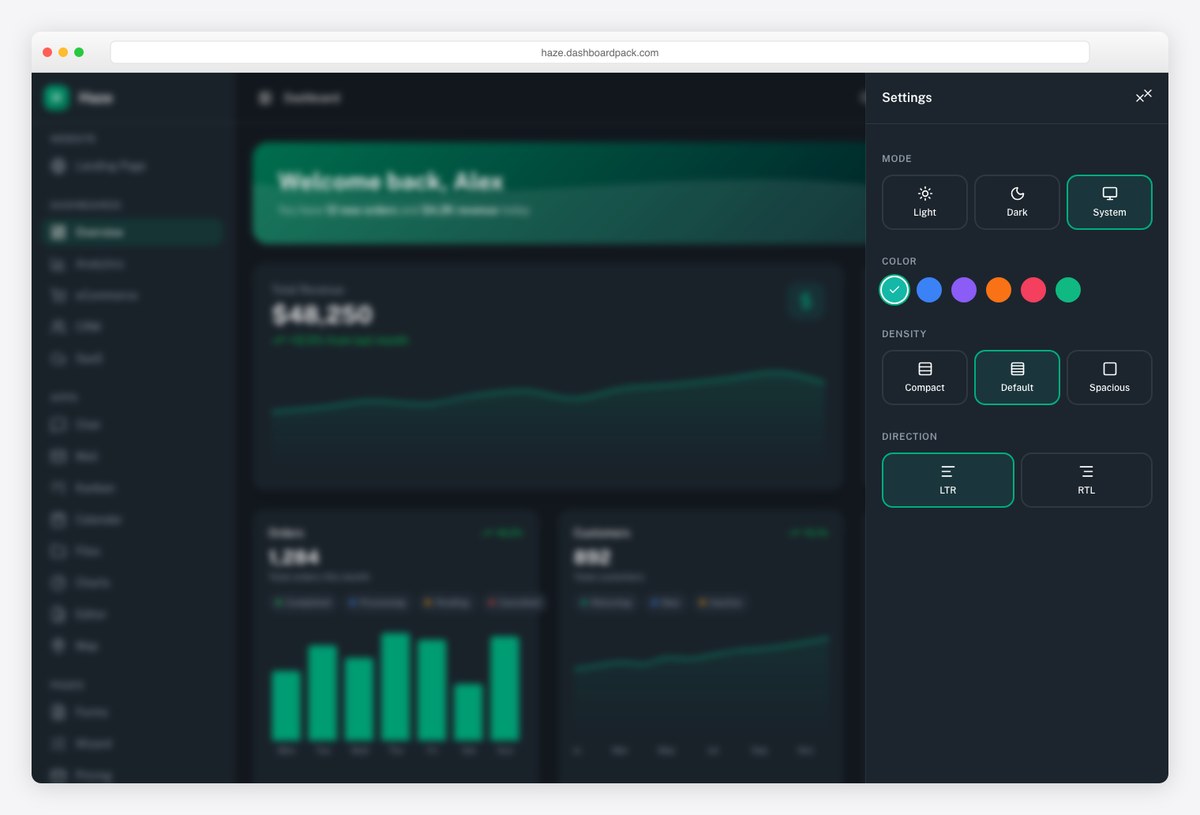
Why we like it: The premium Vue option in the range — a Nuxt-based dashboard with a refined dark theme for teams that prefer Vue over React.
Haze brings the same dark-first polish to the Vue ecosystem, with clean cards, charts, and a welcoming layout.
Built on Nuxt and Nuxt UI, it’s a modern, well-structured starting point.
10. AdminLTE 4
OS-aware dark/light toggle out of the box
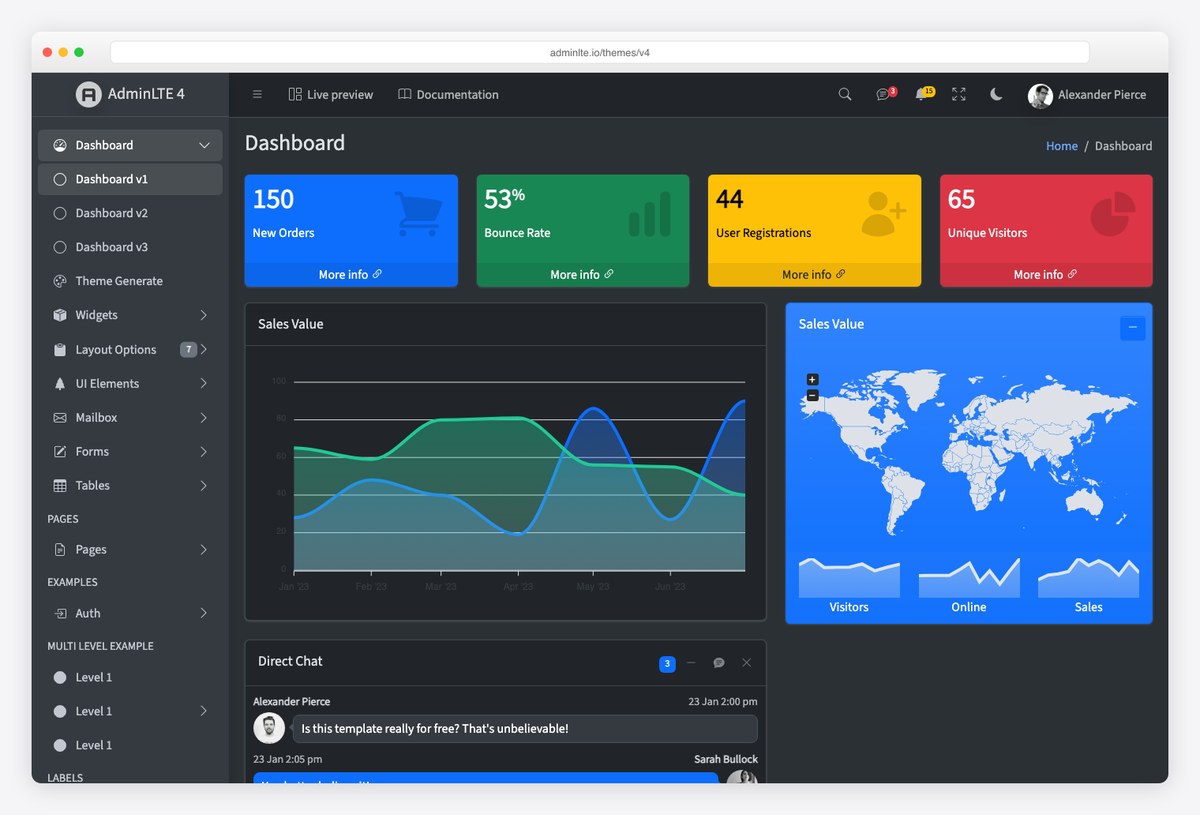
Why we like it: The AdminLTE 4 rewrite ships a built-in dark mode that respects the user’s OS preference on first visit — a polished dark theme with zero setup.
AdminLTE 4 is a full TypeScript + Bootstrap 5 rewrite with first-class dark mode; toggle it manually or let it follow prefers-color-scheme.
It’s free and MIT-licensed — the easiest way to add a credible dark dashboard to a Bootstrap app.
Worth knowing: beyond the classic Bootstrap build, AdminLTE 4 now ships official framework integrations too — React/Next.js, Vue/Nuxt, Angular, Laravel, Django and more — all free and open-source on GitHub.
11. shadcn/ui Dashboard
Dark mode via CSS variables — own the code
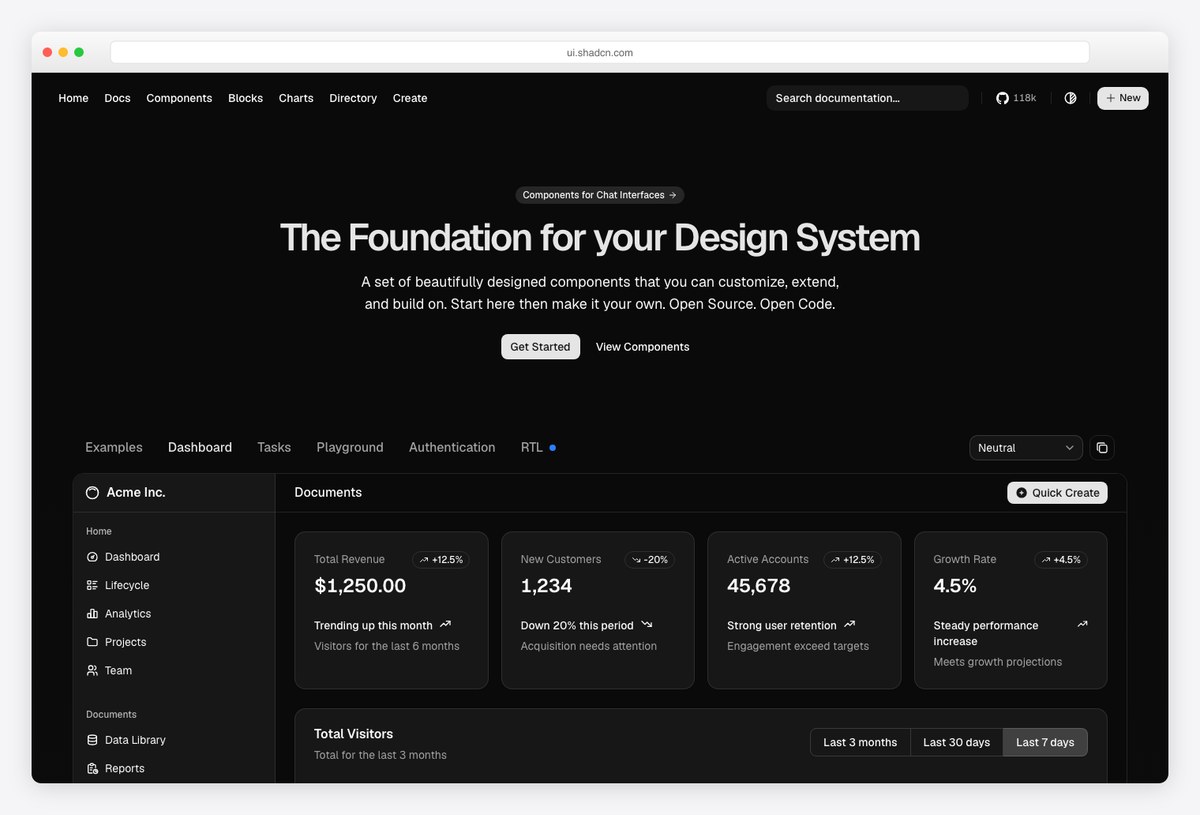
Why we like it: shadcn/ui copies components into your project and themes them with CSS variables, so dark mode is a first-class, fully-customizable part of the design system.
The official shadcn/ui dashboard example is the reference for modern React admin UIs; dark mode is driven by CSS custom properties, so every component adapts.
Because you own the component code, tuning the dark palette to your brand is trivial.
12. TailAdmin
Polished dark toggle, huge component set
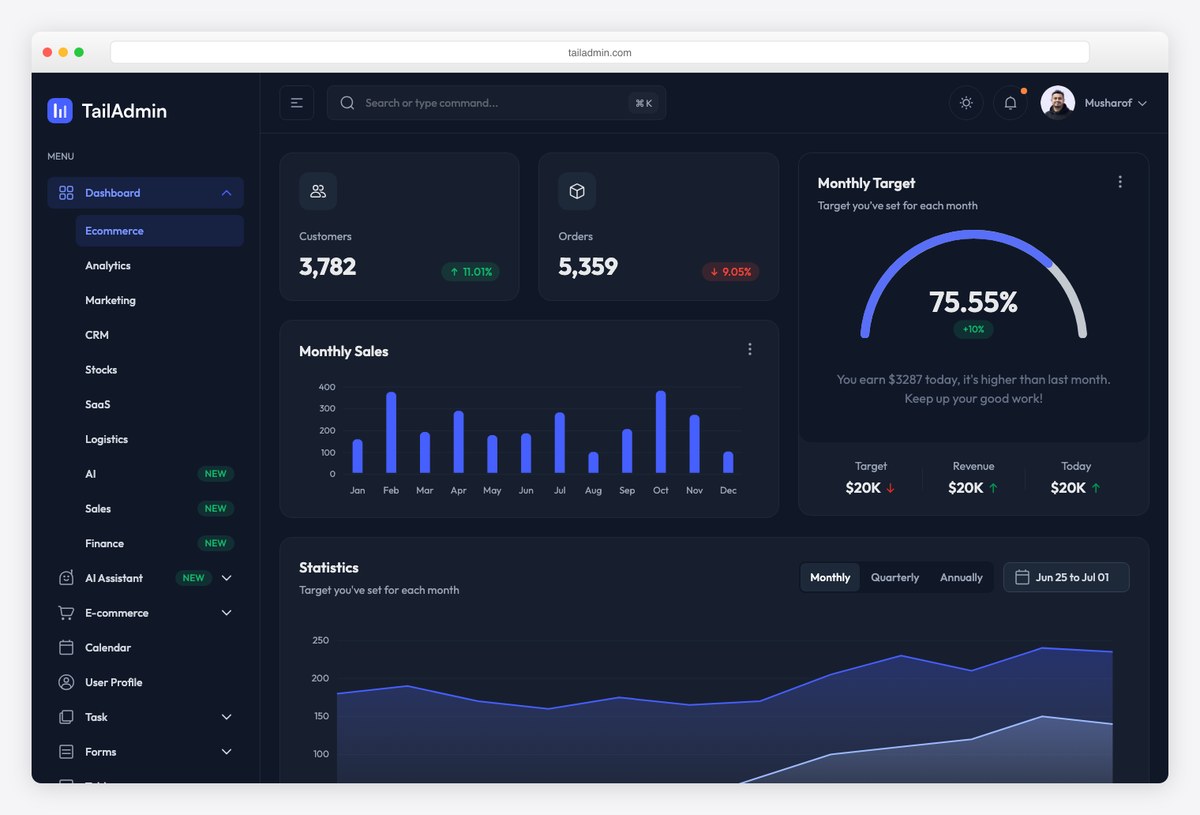
Why we like it: A large, well-maintained Tailwind admin with a clean dark theme and a deep catalog of pages and components — a strong free starting point that scales to Pro.
TailAdmin pairs a soft, readable dark mode with charts, tables, forms, and dozens of ready pages.
It ships in HTML, React/Next.js, Vue, and more, so the same dark design works across stacks.
13. Flowbite Admin Dashboard
Tailwind + Flowbite components, dark-ready
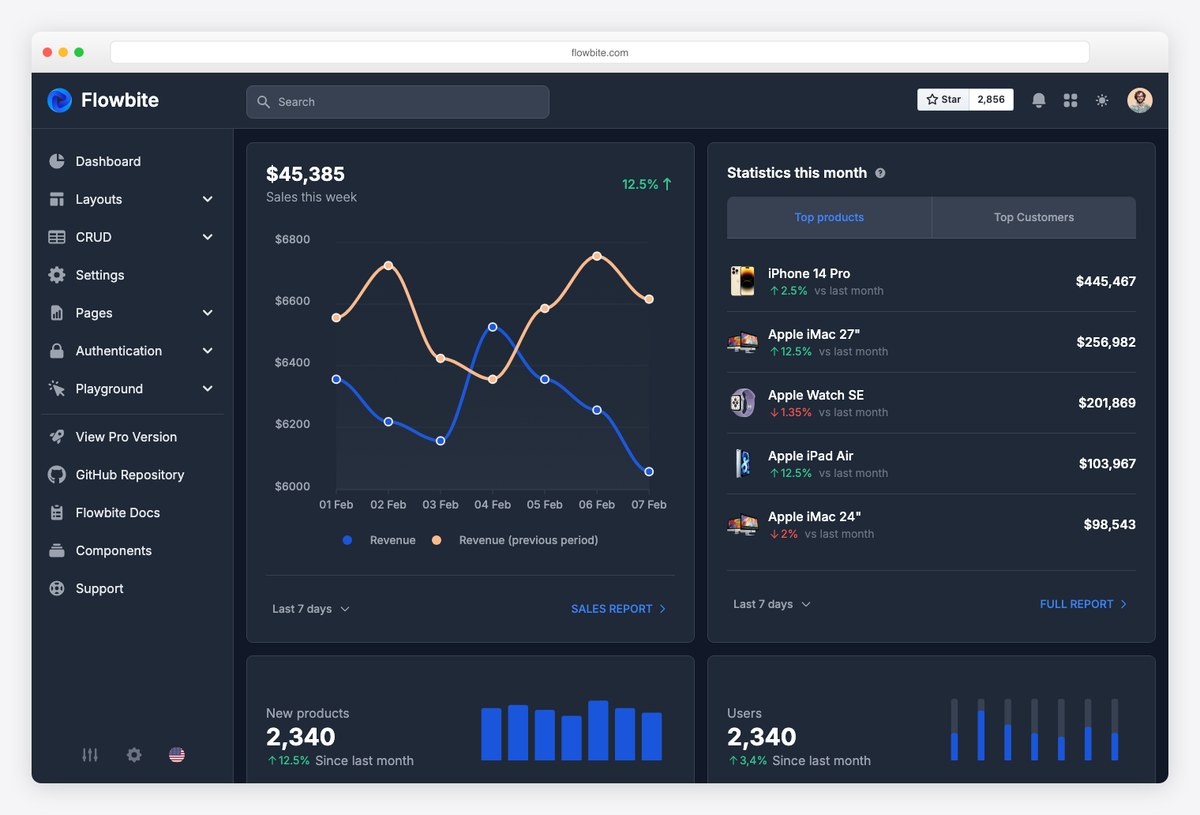
Why we like it: Built on the popular Flowbite component library, its dark theme is clean and consistent across charts, tables, and widgets.
The Flowbite admin dashboard offers a well-balanced dark mode with legible data visualizations and a familiar Tailwind structure.
It’s open source, with a Pro tier for teams that want more.
14. Horizon UI
Popular Tailwind + React dark dashboard
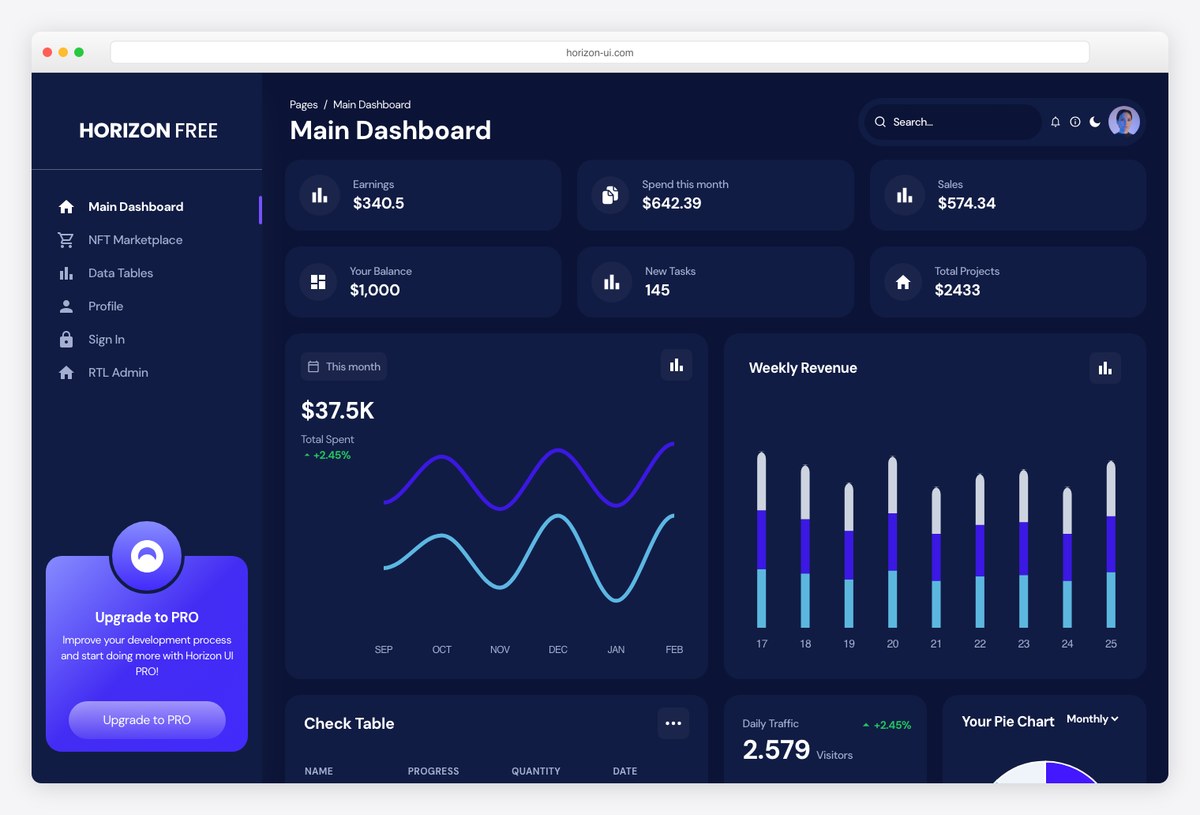
Why we like it: One of the most-used free Tailwind React admin templates, with a distinctive purple-accented dark theme that reads as modern without sacrificing contrast.
Horizon UI’s dark mode leans into subtle gradients and purple accents while keeping charts and cards easy to scan.
The free tier is generous; a Pro version adds more layouts.
15. Windmill Dashboard
Maintenance: last commit July 2020 — over six years ago. Expect dependency conflicts on a fresh install; treat it as a design reference, or budget time to bring the stack up to date yourself.
Accessible, multi-theme, dark built-in
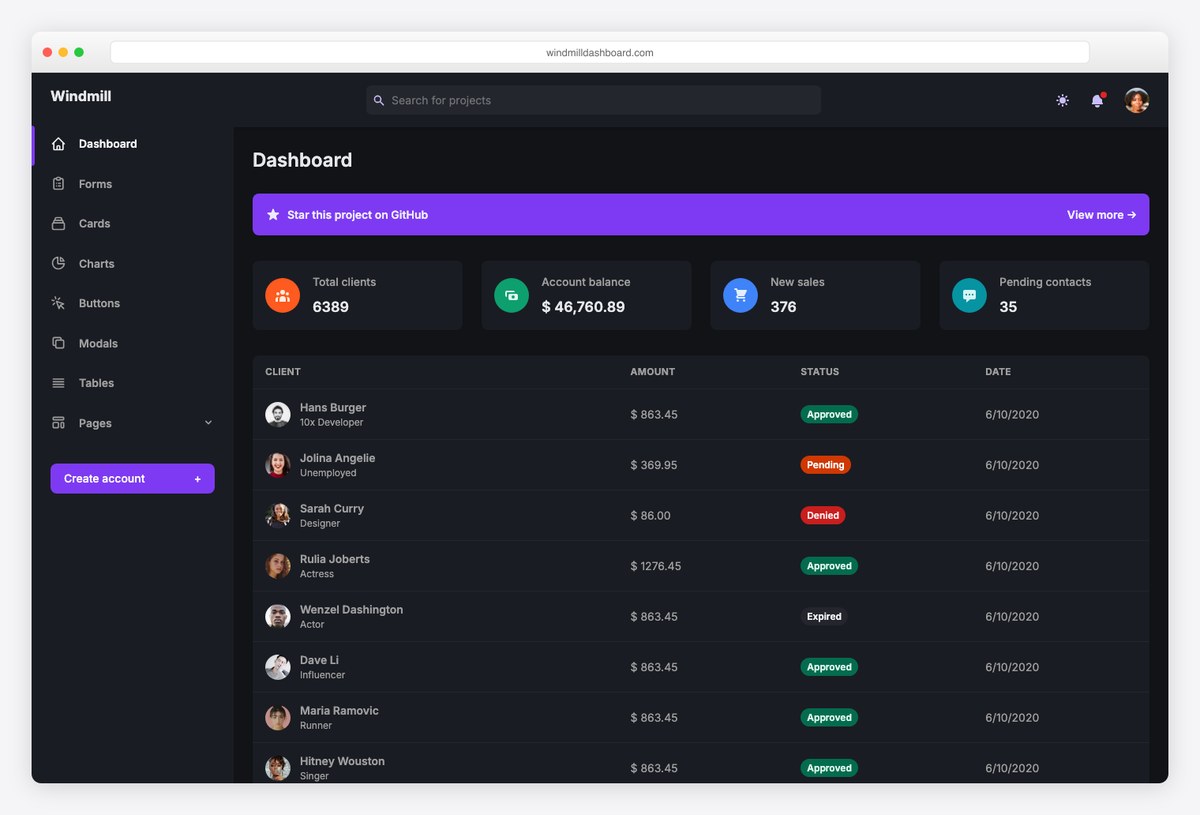
Why we like it: Windmill was built with accessibility and theming in mind, so its dark mode is more than a color swap — focus states and contrast hold up in both themes.
Windmill ships a clean dark theme with accessible components, tables, and charts, available for React and Vue.
It’s free and MIT-licensed — a dependable base when you need dark mode done right.
16. Mosaic (by Cruip)
Refined dark analytics UI
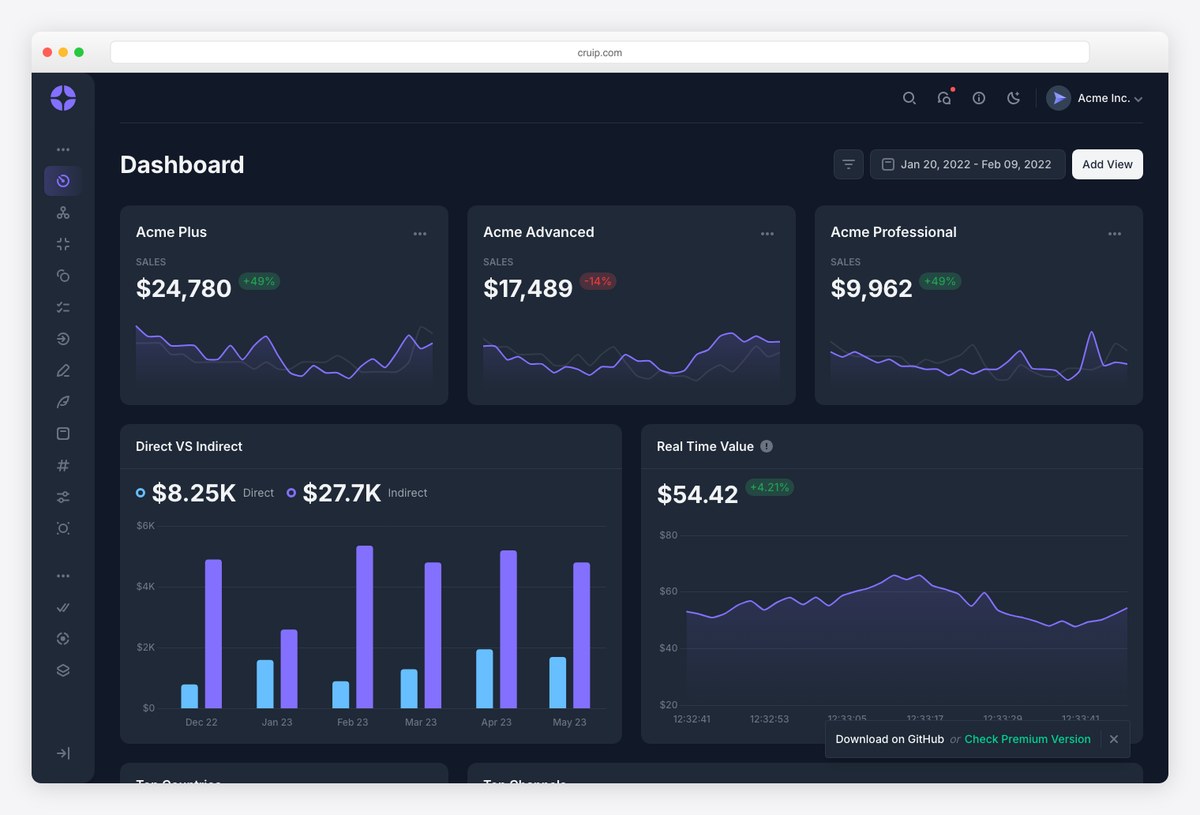
Why we like it: Cruip’s Mosaic has a beautifully restrained dark theme with polished charts — a great reference for analytics-heavy SaaS dashboards.
Mosaic’s dark mode is understated and elegant, with data visualizations that stay clear against dark surfaces.
The template is free with a Pro upgrade for additional pages.
Real dark dashboards worth studying
Templates give you a head start; shipping products show you what “good” looks like in the wild. These three are among the best dark UIs in production right now.
17. Linear
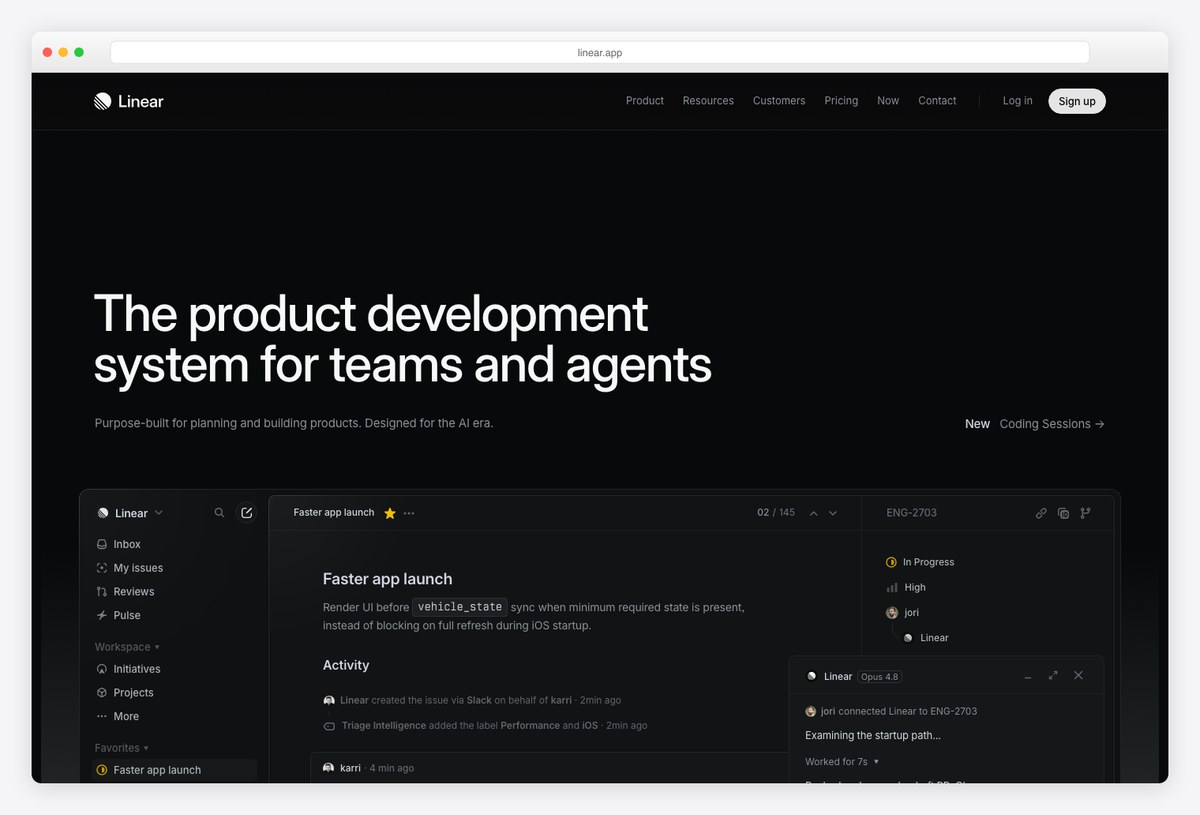
What to study: Restraint. Linear’s dark UI uses near-black surfaces, muted borders, and a single accent color — proof that great dark design is mostly about contrast and hierarchy, not decoration.
18. PostHog
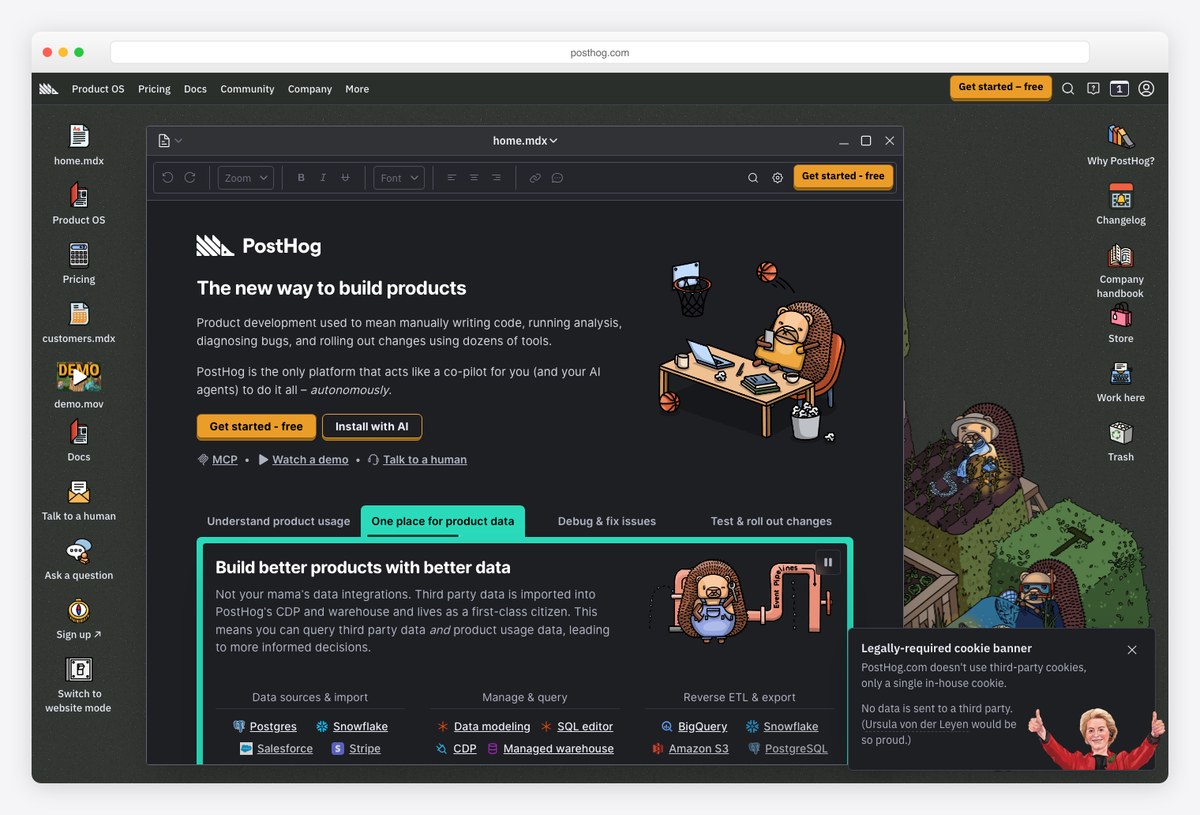
What to study: Data density done right. PostHog packs a lot of analytics into a dark UI while keeping charts and tables legible, using green accents sparingly to guide the eye.
19. Supabase
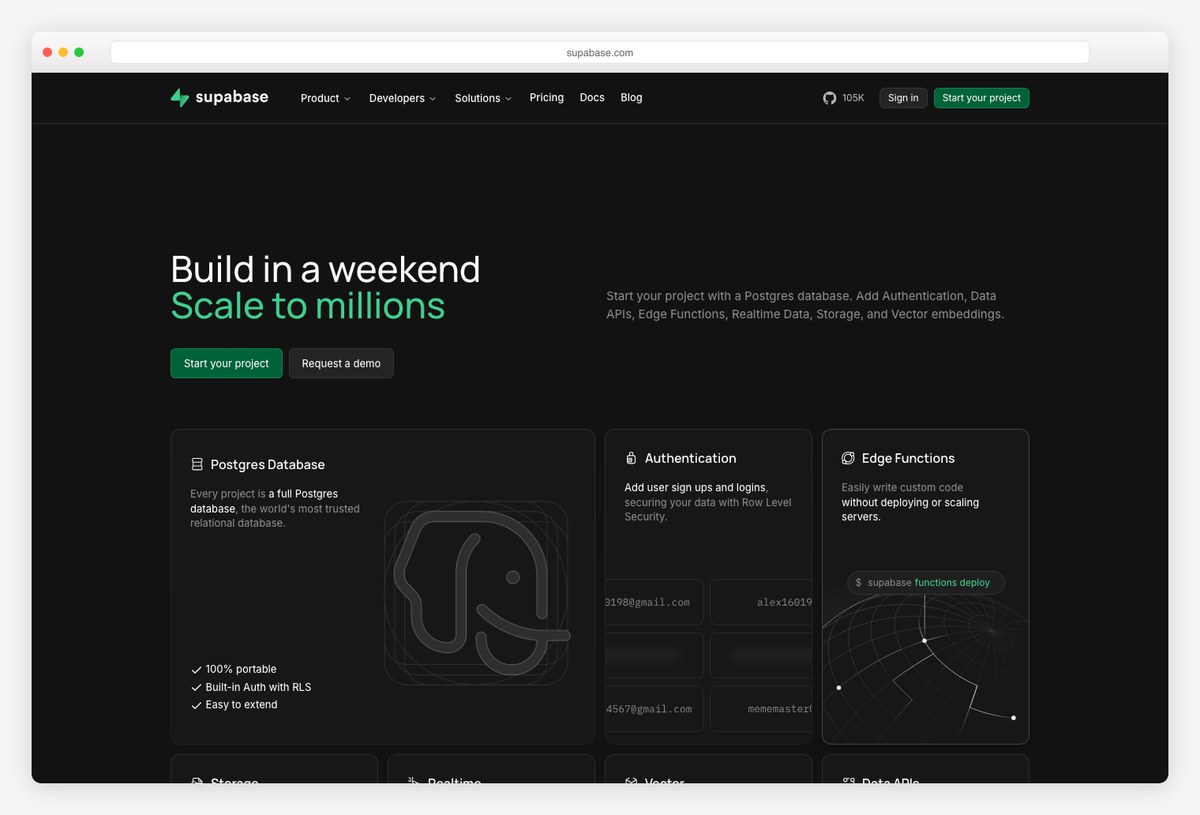
What to study: Developer-tool polish. Supabase pairs dark surfaces with clear typographic hierarchy and green highlights — a clean model for a data-heavy dark dashboard.
Dark mode dashboard trends for 2026
Two shifts are shaping dark dashboards this year: dark-first design (products like Linear and Vercel treat dark as the default, not a toggle) and AI-native layouts that summarize and prioritize for the user instead of leaving them to read raw charts. Expect softer near-black surfaces, restrained accent color, and more OLED-friendly true-dark themes.
How to choose a dark mode dashboard template
The right pick depends on what you’re building:
- Monitoring infrastructure in a dim room? Signal — contrast and color tuned for long sessions, not just an inverted palette.
- Building a finance or trading product? Vault or Fortress — data-dense layouts that are dark by default.
- Want maximum breadth on day one? Apex or Admindek — the deepest page and component sets here.
- On Vue or Nuxt? Haze is the premium option; Windmill ships a free Vue build.
- Need a free Bootstrap base? AdminLTE 4 — built-in dark mode that follows the OS preference.
- Want to own every line of the theme? The shadcn/ui dashboard — dark mode lives in CSS variables you control.
- Accessibility is non-negotiable? Windmill — focus states and contrast hold up in both themes.
Frequently asked questions
Why use dark gray instead of pure black for dashboards?
Pure black (#000) creates harsh contrast with white text and makes elevation impossible to show. A dark gray or navy background (around #0f172a) is easier on the eyes and lets you layer cards with subtle surface steps.
Do dark mode dashboards actually save battery?
On OLED and AMOLED screens, yes — black pixels are switched off, so true-dark themes use noticeably less power. On traditional LCDs the savings are minimal, but the reduced eye strain still applies.
What is the best free dark mode dashboard template?
AdminLTE 4 is the easiest for Bootstrap projects (OS-aware dark toggle built in), and the shadcn/ui dashboard is the best for modern React apps since dark mode is driven by CSS variables you fully control. TailAdmin, Flowbite, Horizon UI, and Windmill are all strong free Tailwind options.
How do I add a dark mode toggle to my dashboard?
Most modern templates use a CSS class (e.g. .dark) or CSS variables plus a small script that reads the user’s choice and prefers-color-scheme, then stores it in localStorage. Frameworks like next-themes make this a few lines in React/Next.js.
Is dark mode good for data visualization?
Yes, if you design the palette for it. Use bright, thin lines and translucent fills, keep gridlines subtle, and reserve saturated color for meaning. The light-mode chart defaults usually need adjusting for dark backgrounds.
Is dark mode accessible? What contrast should a dark dashboard use?
Yes, when contrast is handled deliberately. WCAG calls for at least 4.5:1 contrast for body text and 3:1 for large text and UI components. Use off-white text (not pure white) on dark gray surfaces to avoid halation, and test hover, focus, and disabled states in the dark theme, not just the light one.
The fastest way to a polished dark dashboard is to start from one that was designed dark-first. Browse more options in our dashboard templates and SaaS admin dashboard roundups, or explore color choices in our guide to admin dashboard color schemes.

You Might Also Like


