
7 Best Logistics & Supply Chain Dashboard Templates 2026

Looking for a logistics or supply chain dashboard you can ship this quarter? These 7 picks cover three premium Bootstrap and Next.js admin templates with native logistics widgets, plus four production-ready open-source options spanning purpose-built supply chain management (OpenBoxes), full ERP suites (ERPNext, Odoo Community, Dolibarr), and the licensing tradeoffs between them — with every demo and repository checked live before we republish this page.
A 2026-grade logistics dashboard handles five surfaces: a fleet / vehicle view (on route, late, deviated, errors), a shipment statistics view (deliveries by period, exceptions, returns), a warehouse / inventory view (stock on hand, replenishment, batch + lot tracking), an orders / sales view (countries, lanes, lead times), and a delivery performance view (on-time rate, packages in transit, cost per shipment). Two practical paths: buy a premium template that already wires those surfaces together, or self-host an open-source supply chain or ERP suite when you need full ownership of inventory, accounting, and HR data in one stack.
We’ve grouped the 7 picks below into three premium admin templates (Sneat and Materio from ThemeSelection, Vuexy from Pixinvent — all with logistics-specific dashboards built in), one purpose-built open-source supply chain system (OpenBoxes), and three open-source ERP suites with strong stock modules (ERPNext, Odoo Community, Dolibarr). The premium and OSS halves answer different questions: premium admin templates give you a polished UI that you wire to your own backend; OSS ERP suites give you the entire backend (inventory + accounting + HR + CRM) at the cost of running the stack yourself.
Related reading: our e-commerce admin dashboard templates for the order management side of logistics, project management dashboards for ops planning and route work, finance & banking for the accounting tie-in, and real estate dashboards for property and rental management.
Quick Picks
- Best Bootstrap 5 admin: Sneat Logistics — multi-stack ThemeSelection (BS5, MUI Next.js, Vue, Laravel, Django, Asp.NET)
- Best Material Design: Materio Logistics — same vendor as Sneat, Material visual language
- Best Next.js + MUI: Vuexy Logistics — Pixinvent’s flagship typed Next.js admin
- Best purpose-built OSS supply chain: OpenBoxes — EPL-1.0, weak copyleft, supply chain only
- Best OSS ERP with stock module: ERPNext — GPL-3.0, Python + Frappe, full ERP
- Best free-forever inventory app: Odoo Community Inventory — LGPL-3.0, links with proprietary code
- Best PHP ERP: Dolibarr — GPL-3.0, deployable on shared PHP hosting
What a logistics dashboard needs to show
“Logistics dashboard” covers two jobs that share a mindset but almost no metrics, and picking a template built for the wrong one is the usual reason a rollout stalls.
- A fleet or transport view — where vehicles are, what state they are in, and how their time is spent. Built around routes, drivers, and exceptions in transit.
- A fulfilment or warehouse view — what shipped, what is short, and what it cost. Built around orders, stock on hand, and replenishment.
The premium templates below lean towards the first; the open-source ERP suites lean heavily towards the second. Trying to serve both from one screen usually produces a weak version of each.
Whichever you are building, three design decisions separate a logistics dashboard that gets used from one that gets ignored:
- Treat exceptions as the product, and categorise them by cause. The happy path needs almost no interface — a shipment that arrives on time asks nothing of anyone. All the operational value sits in the small percentage that went wrong, and “42 exceptions” is not actionable while “26 bad addresses, 9 weather, 7 damage in transit” is. Categorise by who fixes it: a bad address is an address-validation project, weather is a customer-communication task, damage is a carrier claim.
- Pair every volume metric with a ratio. Orders shipped, shipments in transit, and vehicles on route all rise with the business and say nothing about whether it is working. Cost per order, on-time percentage, and vehicle utilisation are what reveal whether scale is helping.
- Measure time in state, not just current state. Knowing that forty percent of the fleet is moving matters far less than knowing how long vehicles spend loading, unloading, and waiting. Utilisation is lost in the transitions, and a moving-versus-idle split hides it completely.
Maps deserve a word of caution, since every vendor screenshot in this category has one. Geography is genuinely the status in freight and last-mile delivery — a container’s position on a route predicts its arrival better than any workflow label — so a map earns its space there. It is still a poor way to answer “how many are late”, so pair it with a sortable table. A map on its own is a screensaver.
1. Sneat Logistics (ThemeSelection)
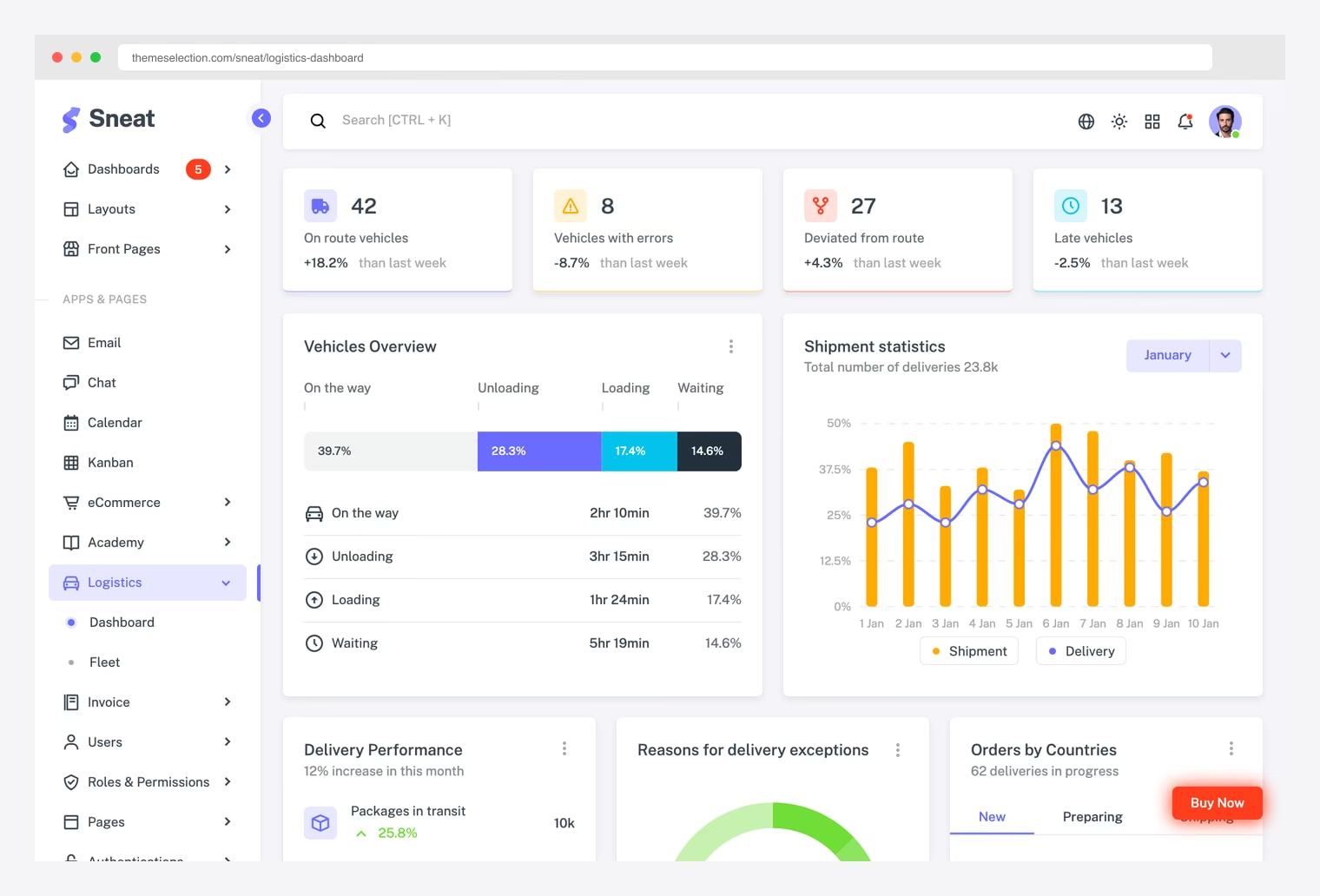
Why we like it: A logistics-specific dashboard inside the wider Sneat catalog — same template family we recommended in our finance, healthcare, and HR roundups. Vehicle status cards, shipment statistics chart, delivery performance, and exception tracking ship out of the box.
Sneat ships native code for Bootstrap 5, MUI Next.js, Vue 3, Laravel, Django, and Asp.NET Core — pick the stack matching your backend rather than porting. Free Lite tier is enough to evaluate the dashboard layout; Pro unlocks the full app pages.
2. Materio Logistics (ThemeSelection)
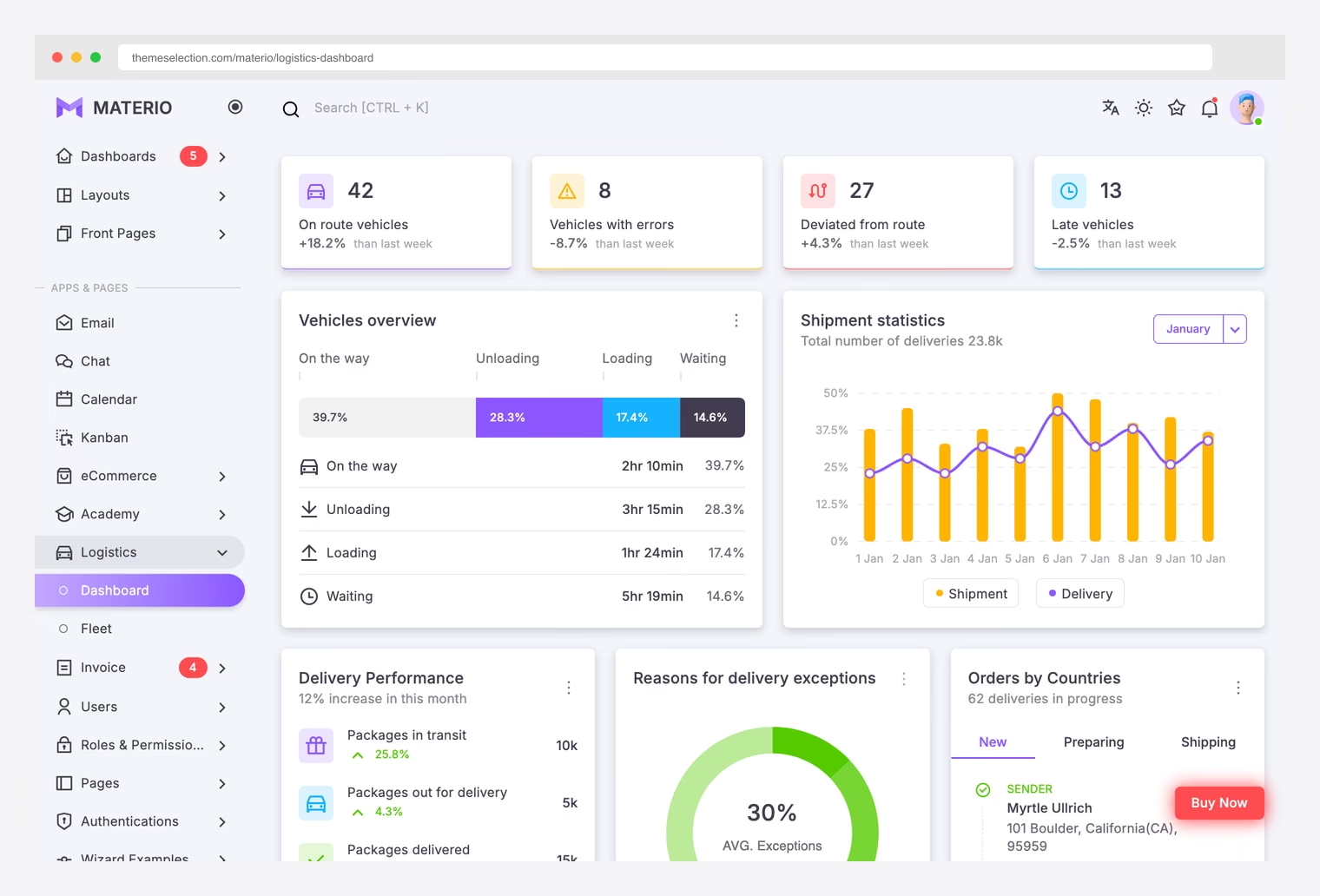
Why we like it: Same vendor (ThemeSelection) and same logistics widget set as Sneat, but rendered in a Material Design visual language. Pick this when Material is your design system and you want a thicker / more stylized look than Sneat’s flat default.
Materio Pro unlocks 5 niche dashboards (eCommerce, Analytics, CRM, Logistics, Academy) plus 35+ pages and 10 fully-built apps (chat, email, calendar, invoice, kanban). Same pricing tiers as Sneat — Free Lite, $59 Pro Personal, $349 Extended.
3. Vuexy Logistics (Pixinvent)
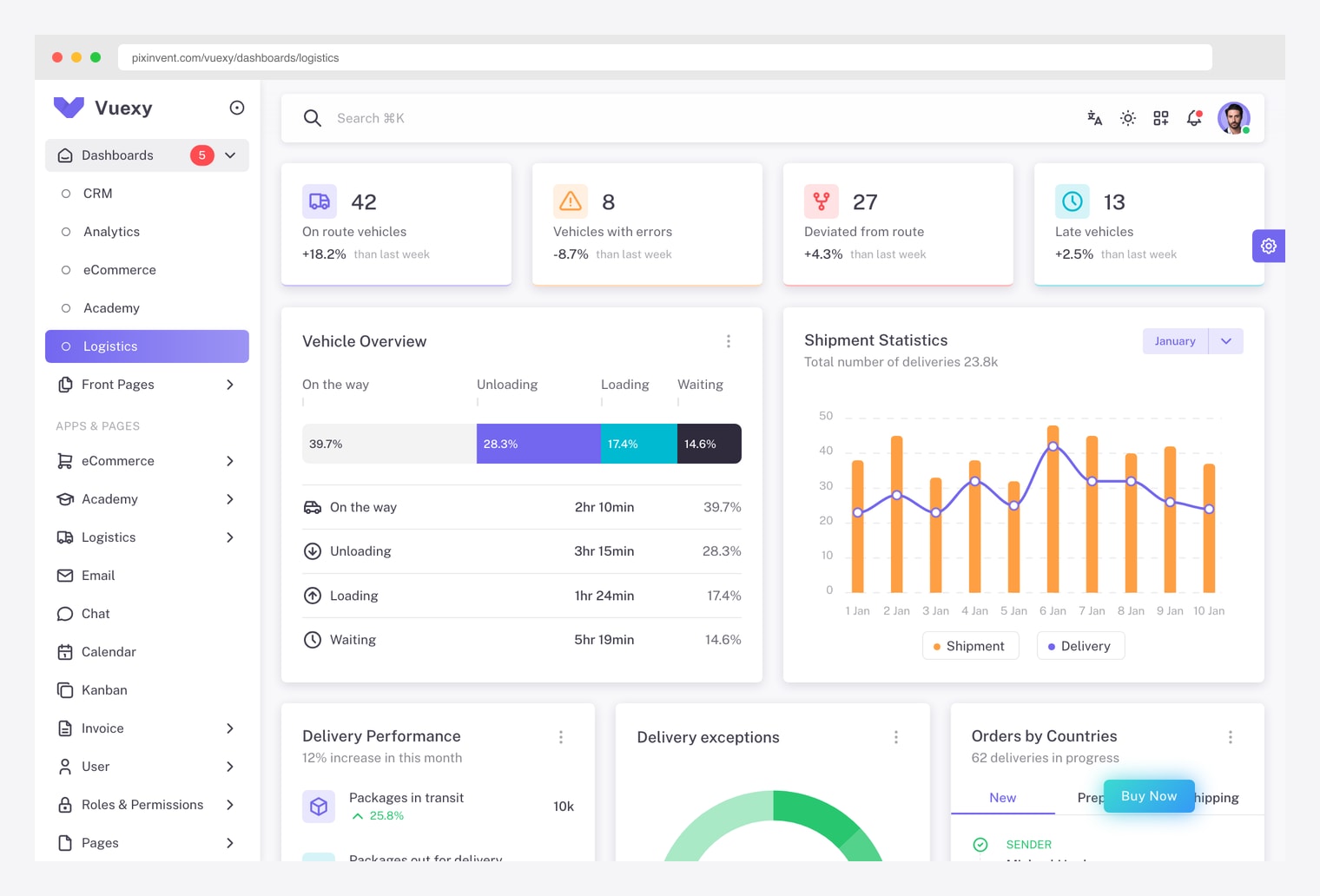
Why we like it: Pixinvent’s flagship admin template — Next.js + MUI + TypeScript with a logistics-specific dashboard variant. Same vehicle / shipment / delivery widget set as Sneat and Materio, but on a fully-typed Next.js stack with MUI primitives instead of Bootstrap.
Includes 5 dashboard variants (Analytics, eCommerce, CRM, Logistics, Academy) plus a polished suite of app pages. Demo credentials are public ([email protected] / admin) — log in to walk through the full app before buying.
4. OpenBoxes
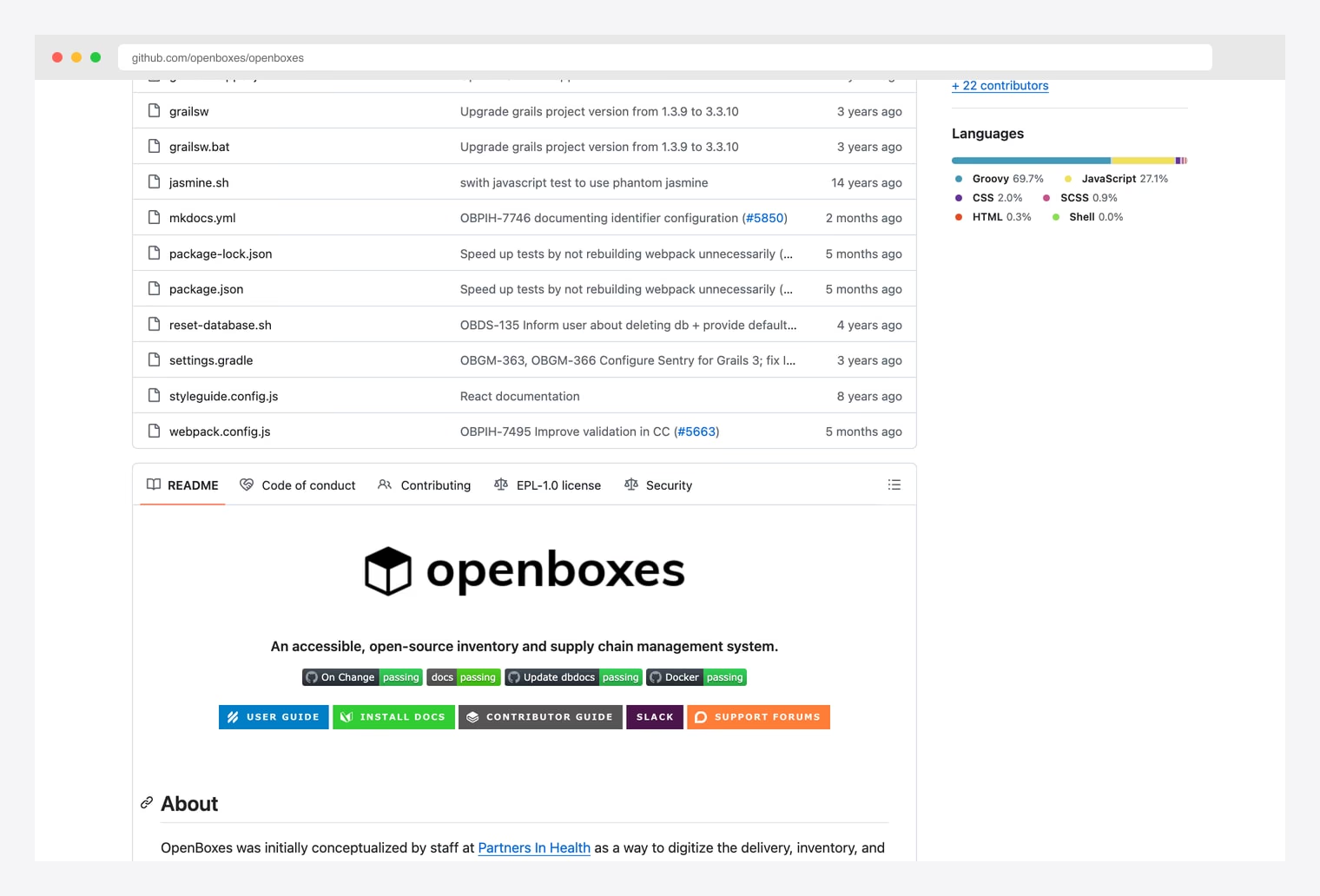
Why we like it: EPL-1.0 inventory and supply chain management system on GitHub. Stock control, requisitions, shipments, products, locations, batches, and lot/expiry tracking out of the box.
Groovy + Grails (JVM) backend, JavaScript/React frontend pieces, MySQL or PostgreSQL. Run it via the published Docker image or build from source. The User Guide and Install Docs are linked from the README.
5. ERPNext (Frappe)
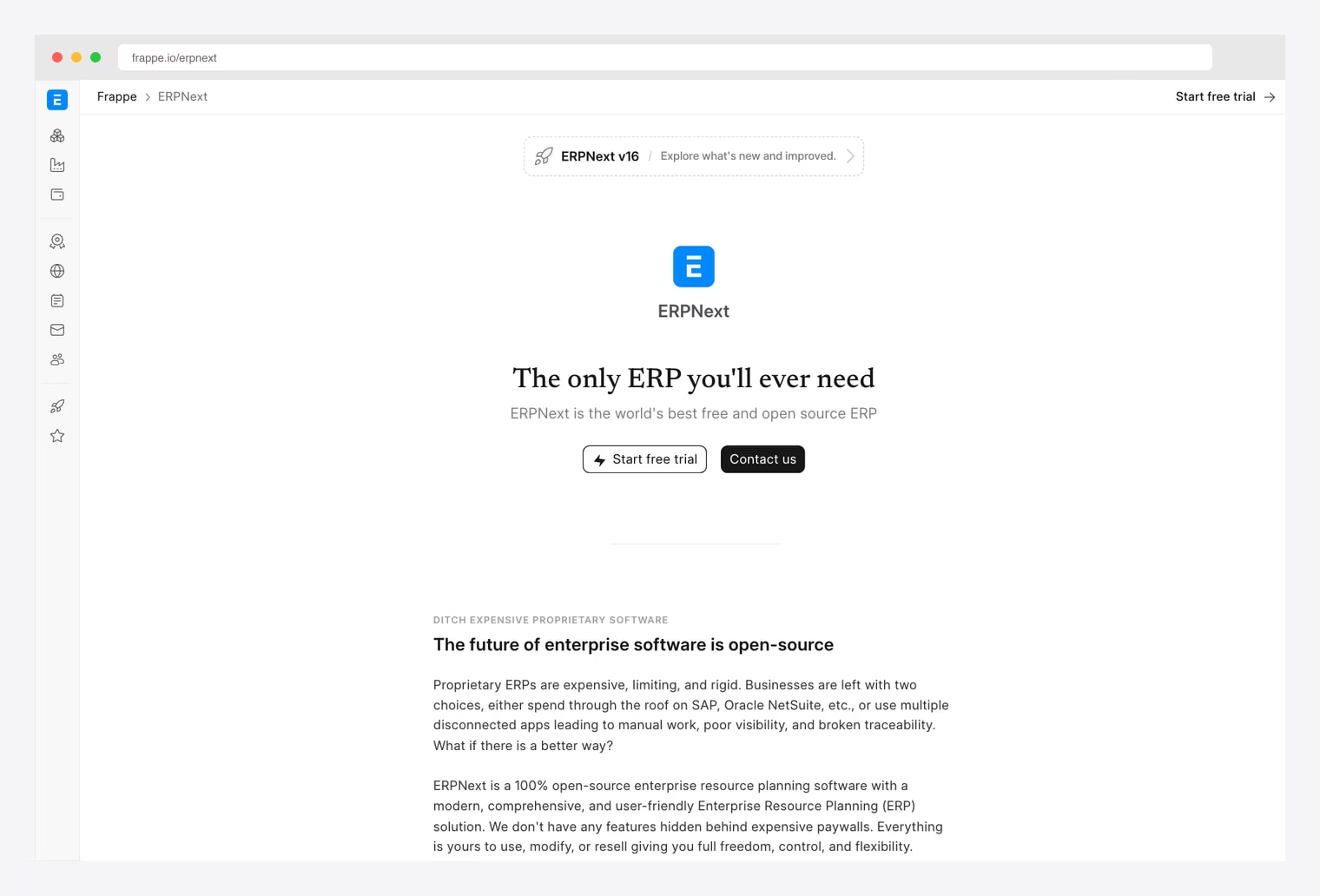
Why we like it: Open-source ERP suite covering Stock, Manufacturing, Accounting, HR, CRM, and Projects in one stack. Stock module includes warehouses, item lifecycles, batch and serial tracking, stock entries, and delivery notes. Same Frappe stack we covered for HR (Frappe HR), healthcare (ERPNext Healthcare), and LMS (Frappe LMS) — if you already run any of those, ERPNext drops into the same instance.
GPL-3.0 license — derivative works that ship binaries must also be GPL. For pure self-hosted use this is fine; for commercial closed-source forks, prefer one of the more permissive picks (OpenBoxes EPL-1.0 or Odoo LGPL-3.0). Frappe Cloud offers managed hosting if you don’t want to run the stack yourself.
6. Odoo Community Inventory
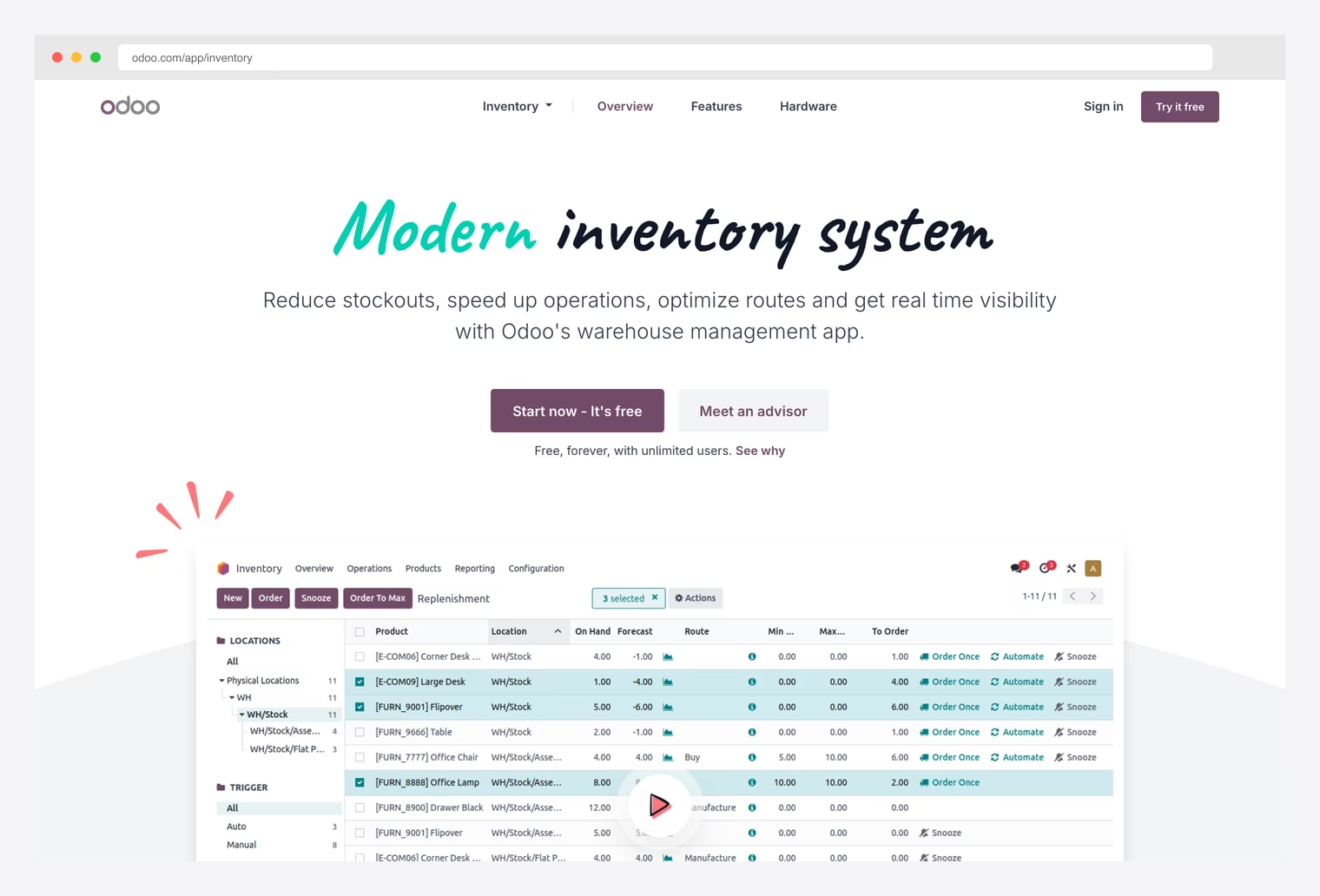
Why we like it: The Inventory app inside Odoo Community — LGPL-3.0 licensed Python suite covering replenishment, stock moves, locations, routes, putaway and removal strategies, and warehouse hierarchies. LGPL-3.0 means you can link with proprietary code (unlike GPL-3.0’s ERPNext or Dolibarr).
Free forever with unlimited users in the Community edition; managed hosting and the Enterprise edition unlock the polished modern UI and additional apps. The Community version covers the full inventory + sales + purchase loop.
7. Dolibarr ERP & CRM
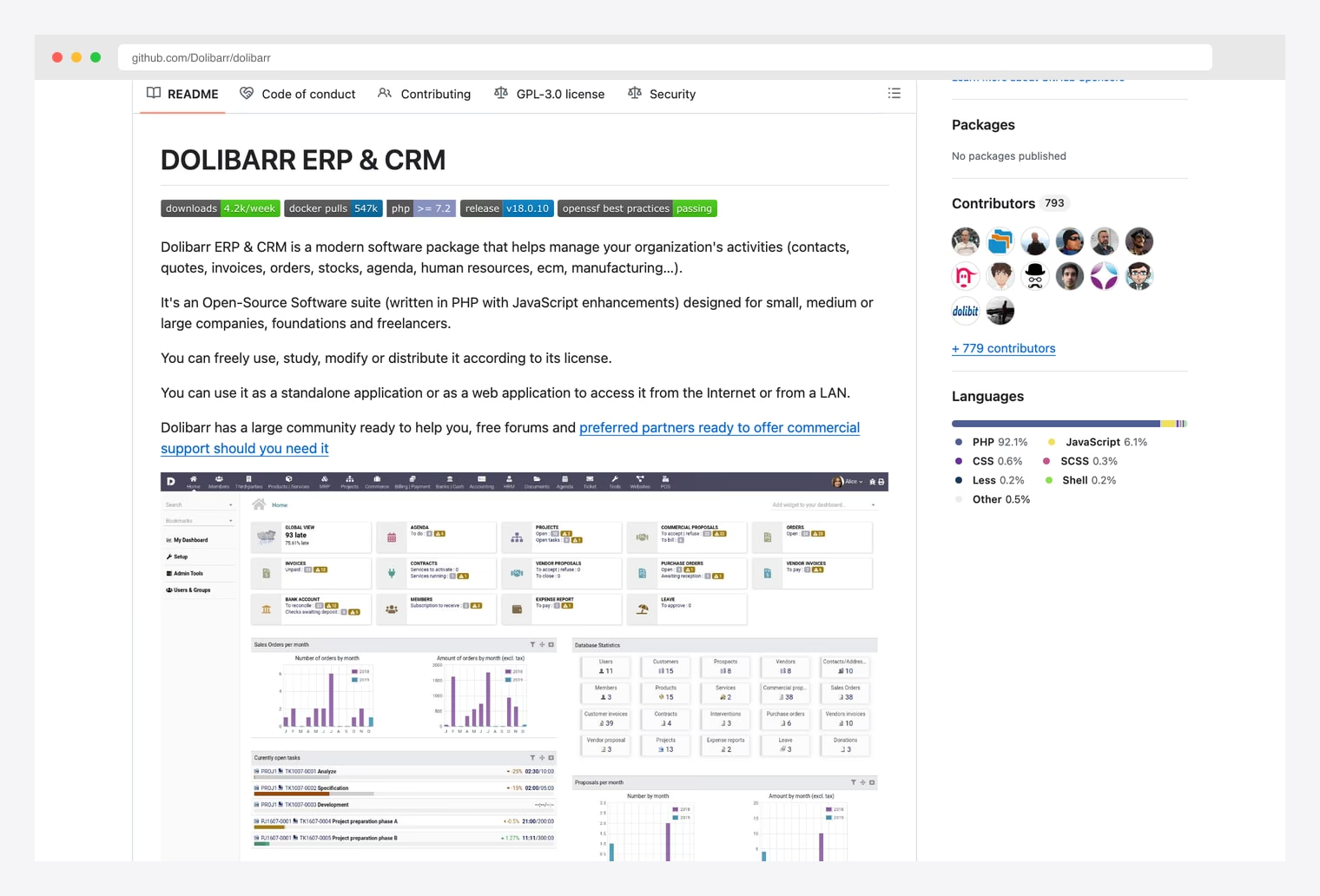
Why we like it: A modern PHP ERP/CRM covering contacts, quotes, invoices, orders, stocks, agenda, HR, and ECM. ~4.2k weekly downloads and 547k Docker pulls — the most popular PHP ERP. Pick this when your team is PHP-fluent and doesn’t want to run a JVM (OpenBoxes) or Python (ERPNext, Odoo) backend.
GPL-3.0 license — copyleft applies the same way as ERPNext. Standalone web app (no SPA framework dependency) deployable on shared PHP hosting; the README screenshot shows the dashboard widgets across sales orders, contracts, projects, and database statistics.
How to Choose the Right Logistics Dashboard
The 7 options split along three practical axes:
By scope
- UI-only admin template (you bring the backend): Sneat, Materio, Vuexy.
- Purpose-built supply chain backend + UI: OpenBoxes — stock, requisitions, shipments, batches, lot/expiry tracking. Use when supply chain IS the application.
- Full ERP (inventory + accounting + HR + CRM in one stack): ERPNext, Odoo Community, Dolibarr. Use when you want one source of truth across departments.
By stack
- Bootstrap 5 (no JS framework dependency): Sneat, Materio — ThemeSelection ships native Bootstrap 5 plus MUI Next.js / Vue / Laravel / Django / Asp.NET variants of each.
- Next.js + MUI + TypeScript: Vuexy — Pixinvent’s flagship; auto-login with [email protected] / admin to explore the demo.
- JVM (Groovy + Grails) + JavaScript: OpenBoxes.
- Python: ERPNext (Frappe + MariaDB), Odoo Community (PostgreSQL).
- PHP + MySQL/MariaDB: Dolibarr — deployable on shared PHP hosting without containers.
By license & copyleft
- Permissive — link with proprietary code freely: Odoo Community (LGPL-3.0) is the most permissive ERP option — closed-source modules can link to LGPL libraries without becoming LGPL themselves.
- Weak copyleft — extend without infecting: OpenBoxes (EPL-1.0) lets you embed and extend in larger commercial works as long as you publish modifications to the EPL files themselves.
- Strong copyleft — derivative works must also be GPL: ERPNext, Dolibarr (both GPL-3.0). Fine for self-hosted internal use; problematic if you want to ship a closed-source SaaS fork.
- Premium one-time license, unlimited projects: Sneat, Materio Pro tiers ship as commercial templates with extended-license tiers for SaaS distribution. Vuexy sells per-app on ThemeForest.
A practical pattern in 2026: prototype with Sneat or Materio for fastest UI delivery on a Bootstrap 5 stack, scale up to Vuexy when you need a fully-typed Next.js + MUI ecosystem, OR self-host OpenBoxes when supply chain is the entire application, Odoo Community when you want a permissive license that links with closed-source modules, or ERPNext / Dolibarr when full ownership of accounting + HR + CRM data alongside inventory matters more than license permissiveness.
Logistics dashboard FAQ
What is a logistics dashboard?
An operational view over the movement of goods, in one of two shapes. A fleet or transport dashboard tracks vehicles and routes — where assets are, what state they are in, and how their time is spent. A fulfilment or warehouse dashboard tracks orders and inventory — what shipped, what is short, and what it cost. They share an exception-handling mindset but almost no metrics.
What metrics should a logistics dashboard show?
Status split by condition rather than a single health score, exceptions categorised by cause, and at least one ratio alongside the volume counts — cost per order, on-time percentage, or vehicle utilisation. Volume alone rises with the business and cannot tell you whether operations are improving. For fleets, add time in each state rather than a simple moving-versus-idle split.
What is the difference between a logistics and a supply chain dashboard?
Logistics is the movement and storage of goods — transport, warehousing, fulfilment. Supply chain is broader, adding procurement, supplier management, demand planning and the financial flows around them. In practice the purpose-built tools here cover logistics well, while the ERP suites reach further up the chain into purchasing and accounting.
Do I need an ERP or just a dashboard template?
A template gives you the interface and expects you to bring the data model, integrations and backend. An ERP suite such as ERPNext, Odoo or Dolibarr brings inventory, purchasing and accounting with it, which is far more to run but nothing to build. Choose the template if you already have a system of record and need a better view of it; choose the ERP if you do not.
What is the best free logistics dashboard?
OpenBoxes is the purpose-built open-source option for supply chain management, while ERPNext, Odoo Community and Dolibarr are full ERP suites with strong stock modules — all four are actively maintained. Check the licence before commercial use, since the copyleft terms differ and matter if you plan to modify and distribute.
Do the premium templates include logistics screens in their free editions?
No. Sneat and Materio both ship a dedicated logistics dashboard, but only in their paid Pro editions — the free releases do not include that page. Their demos are public, so you can inspect the layout in full before deciding whether the licence is worth it.

You Might Also Like


