
10 Best Project Management Dashboard Templates 2026

Looking for a project management dashboard you can deploy this week? These 10 picks run from premium shadcn/ui Kanban kits to enterprise-grade open-source PM platforms, and every demo below is checked live before we republish this page.
A 2026-grade project management dashboard handles four core surfaces: a Kanban or board view for in-flight work, a project / sprint / cycle view for planning iterations, a workload + assignee view for capacity, and an analytics view for velocity and burndown. The good news: you don’t have to build any of this from scratch. Premium shadcn/ui kits ship a complete UI in a single Next.js codebase, while battle-tested open-source PM applications (Plane, Taiga, OpenProject) include the UI and the backend at zero per-user cost.
We’ve grouped the 10 picks below into premium shadcn/ui kits (TheFrontKit, Shadcn UI Kit, Admindek), premium Bootstrap admins with kanban (Sneat), and free open-source PM applications (Plane, Vikunja, OpenProject, Taiga, Leantime, WeKan). Every demo URL is opened and screenshotted before we republish this page.
Related reading: our HR dashboard templates, CRM dashboard templates, and shadcn/ui SaaS starter kits roundups.
Quick Picks
- Best premium shadcn/ui kit: TheFrontKit Kanban PM Kit — Next.js 16 + shadcn/ui, $99
- Best multi-app shadcn dashboard: Shadcn UI Kit Kanban — kanban + 17 other dashboards, one Pro license
- Best Bootstrap option: Sneat Bootstrap Kanban — free Lite + $59 Pro, ThemeSelection
- Best as part of a kit: Admindek Project — DashboardPack, PM + 8 other dashboards in one $69 lifetime license
- Best open-source overall: Plane — Linear-grade UX, AI-powered, self-hostable + air-gapped
- Best for agile teams: Taiga — Scrum + Kanban as first-class workflows, MPL 2.0
- Best for Gantt-driven enterprises: OpenProject — work packages, hybrid PM, GPLv3
- Best for neurodivergent teams: Leantime — ADHD-aware, behavioral-science-rooted, AGPL-3.0
- Best self-hostable Trello alt: WeKan — MIT licensed, Meteor + MongoDB
- Best for full data ownership: Vikunja — Go + Vue.js, EU-hosted Cloud, AGPLv3
What a project management dashboard actually shows
“Project management dashboard” gets used for three different things, and picking from the wrong category is the most common reason a chosen template gets abandoned two weeks in. It is worth thirty seconds to place yourself before scrolling.
- A work surface — the board, list, or backlog where people create items, assign them, and move them between states. This is where contributors live, and it is what a Kanban template gives you.
- A project reporting view — one project’s health: what is done, in progress, overdue, and blocked, plus effort spent against plan. This is what a manager opens, and it is a different screen from the board.
- A programme or portfolio view — many projects at once, rolled up for whoever owns the whole delivery. Covered in its own section further down, because almost no template ships it.
The metrics that belong on a reporting view are narrower than most templates suggest. Split task state into done, in progress, overdue, and blocked rather than averaging them into a completion percentage — a project at seventy percent with a growing overdue pile and one at seventy percent with none need opposite responses, and a single number cannot tell them apart. Pair the counts with effort or time spent, since ten trivial tickets and one two-week migration are not interchangeable and a burndown by count alone will mis-forecast the date. Then show a trend, because the direction of travel is the only part that predicts anything.
What to leave off: a single health score, and contributor leaderboards. Leaderboards measure volume rather than difficulty, which quietly rewards splitting work into small tickets and penalises whoever takes the hard problem. If you want a ranking, rank teams or workstreams instead.
One more distinction that saves money: a project management tool is where the work happens, while a project dashboard is a reporting layer over that work. If you already run Jira, Linear, or Asana, you may need only the reporting layer — a dashboard template you point at their API — rather than a whole new PM application. The picks below are grouped so you can tell which is which.
1. TheFrontKit Kanban PM Kit
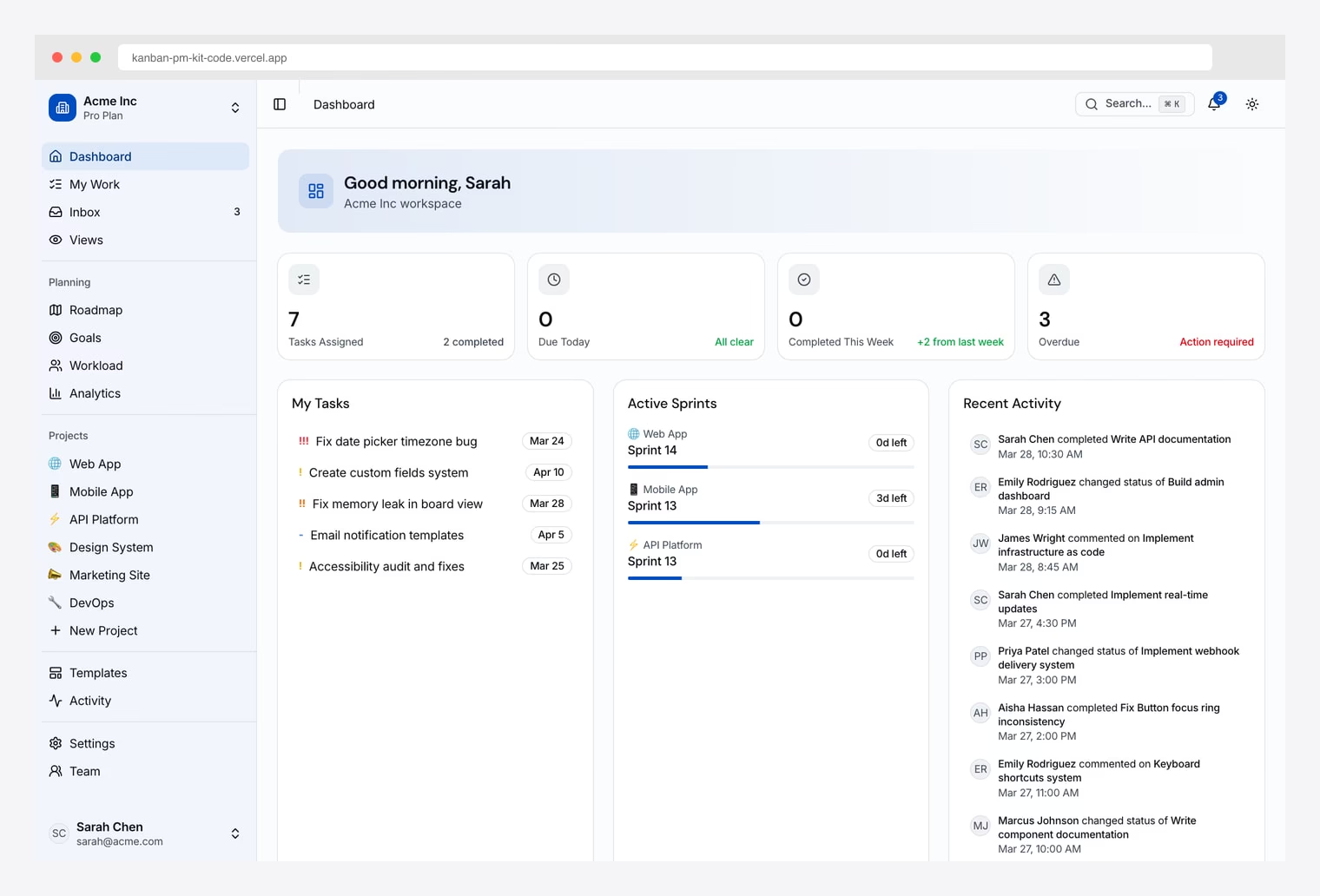
Why we like it: Built on the most current shadcn stack (Next.js 16, Tailwind CSS v4, React 19). Sidebar covers Dashboard, Kanban, Roadmap, Goals, Workload, Analytics. WCAG AA accessibility with keyboard navigation and screen reader support.
Strongest pick when you want to stay on the leading edge rather than inherit a Tailwind v3 codebase. Tailwind v4 design tokens use oklch values for one-pass theming.
2. Shadcn UI Kit Kanban
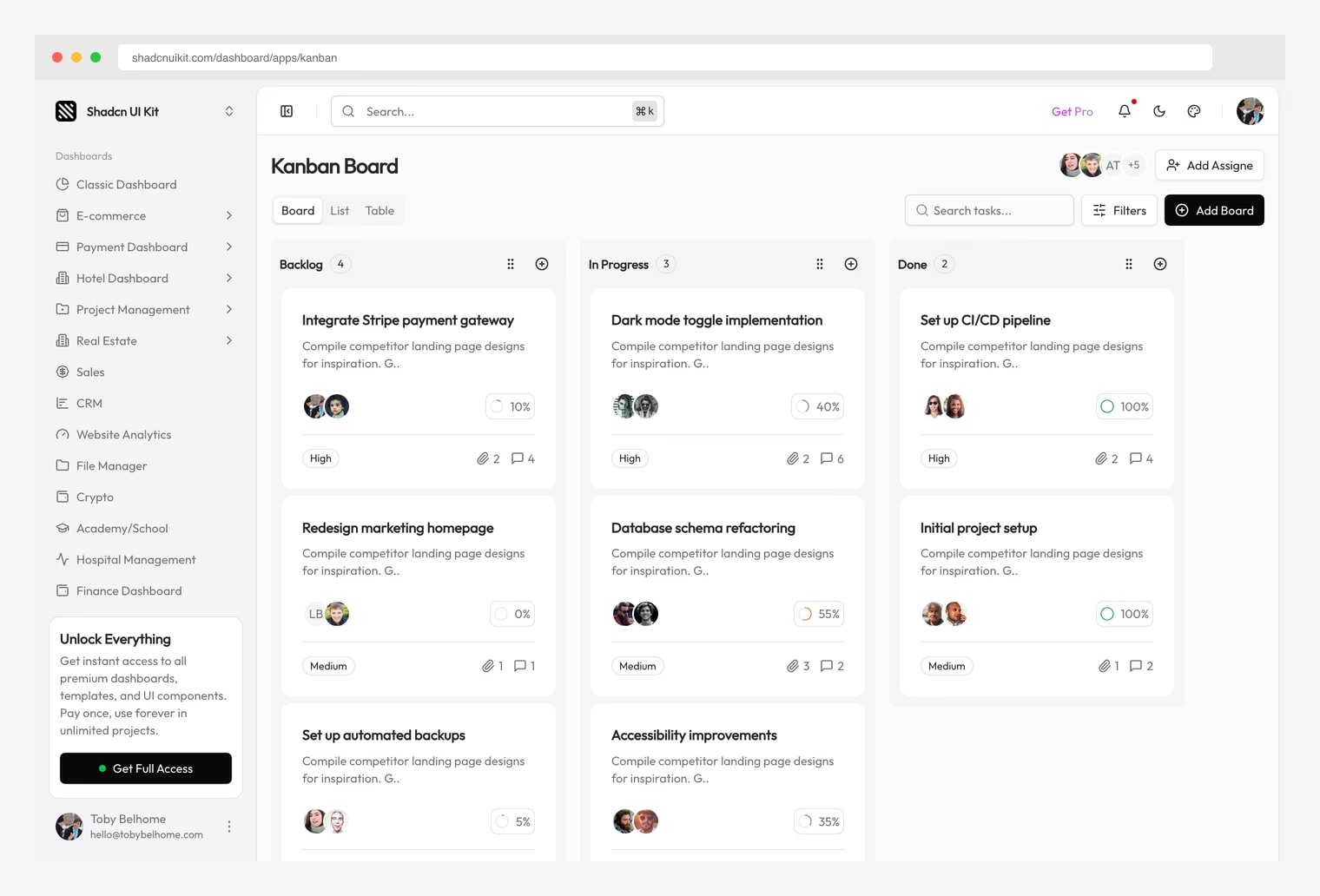
Why we like it: A complete Kanban board app inside the Shadcn UI Kit Pro catalog, with Board / List / Table view modes. One Pro license unlocks all 18 dashboards (Project Management, CRM, Sales, Finance, Hospital, etc.) with light + dark themes, lifetime updates, and unlimited project use.
Same Pro license also covered in our finance, crypto, and LMS roundups — buy once, use across every dashboard surface.
3. Sneat Bootstrap Kanban
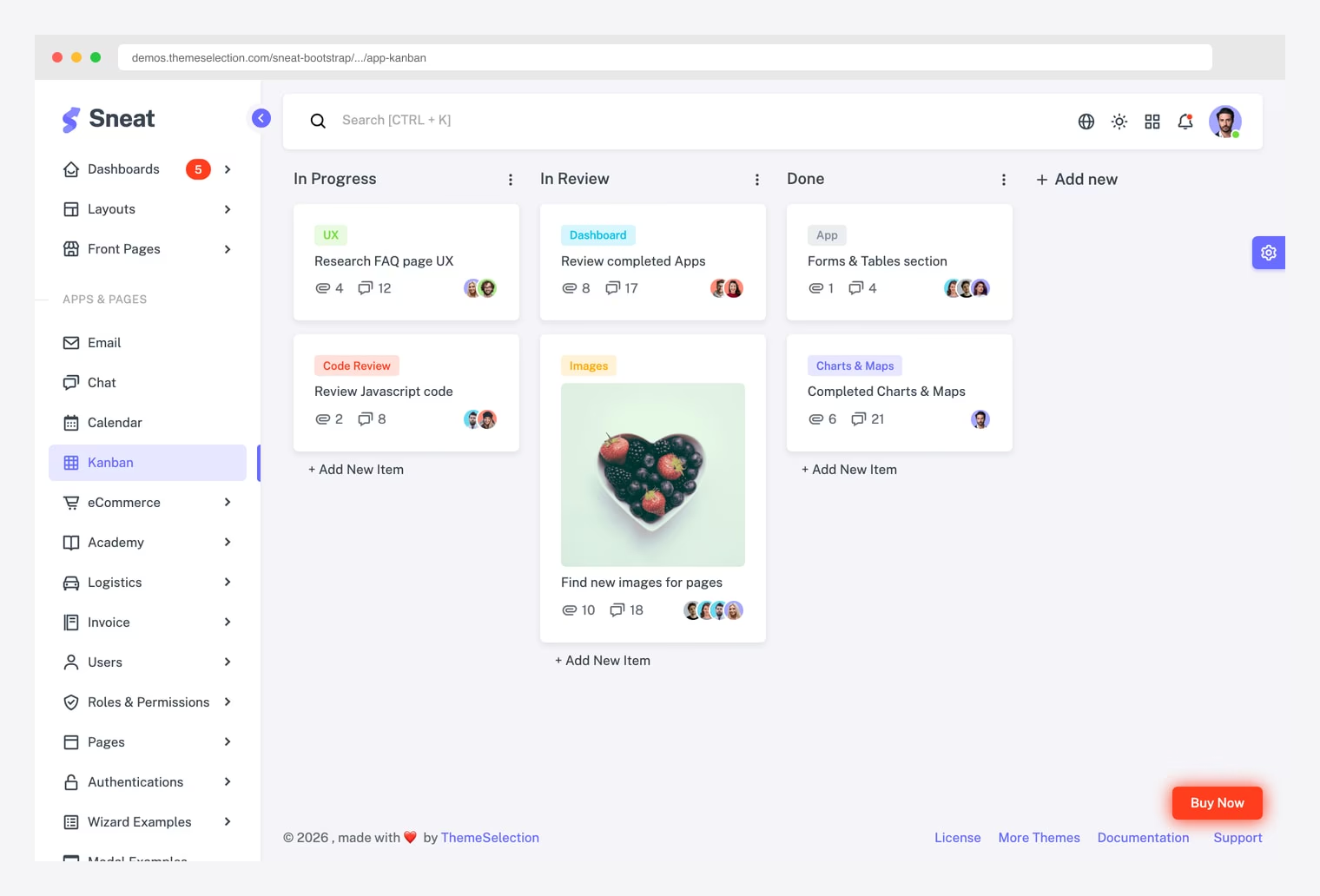
Why we like it: ThemeSelection’s flagship Bootstrap admin. Free Lite is genuinely usable; $59 Pro Personal unlocks the full catalog. Same template ships in HTML, Vue, React, Laravel, Django, .NET, and Asp.NET Core.
Same vendor as the Sneat Academy and Sneat E-commerce variants in our LMS and e-commerce admin roundups. Pair with our free Bootstrap 5 templates roundup if Bootstrap is your preferred stack.
4. Admindek Project Dashboard (DashboardPack)
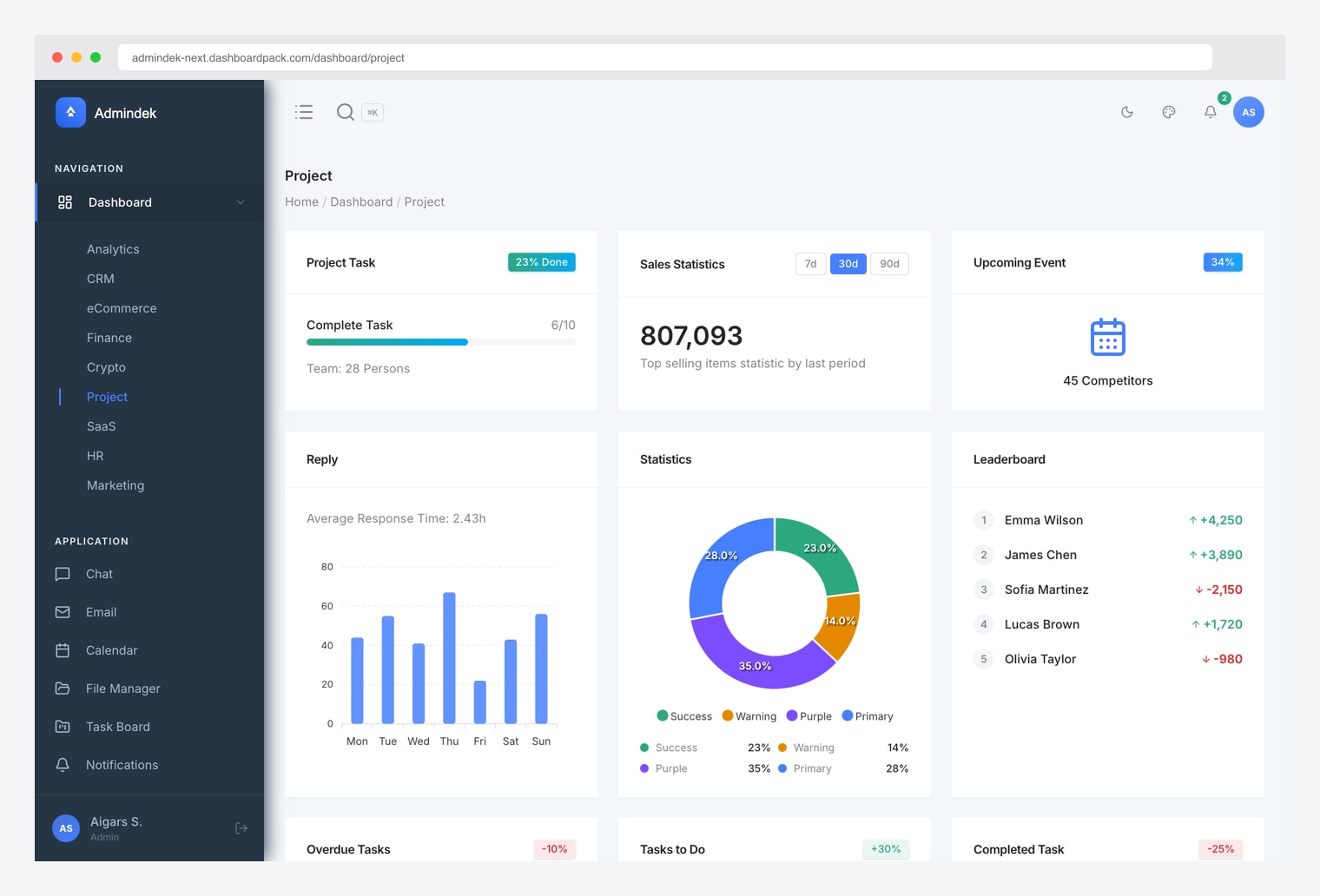
Why we like it: A typed Next.js + shadcn/ui kit with 9 dashboards (Analytics, CRM, eCommerce, Finance, Crypto, Project, SaaS, HR, Marketing) plus Application pages (Chat, Email, Calendar, File Manager, Task Board, Notifications). Light + dark themes, RTL support, lifetime updates.
Same family also covered in our finance, crypto, and HR roundups. Cheaper than TheFrontKit at $69, but on Next.js 15 / Tailwind v3.
5. Plane
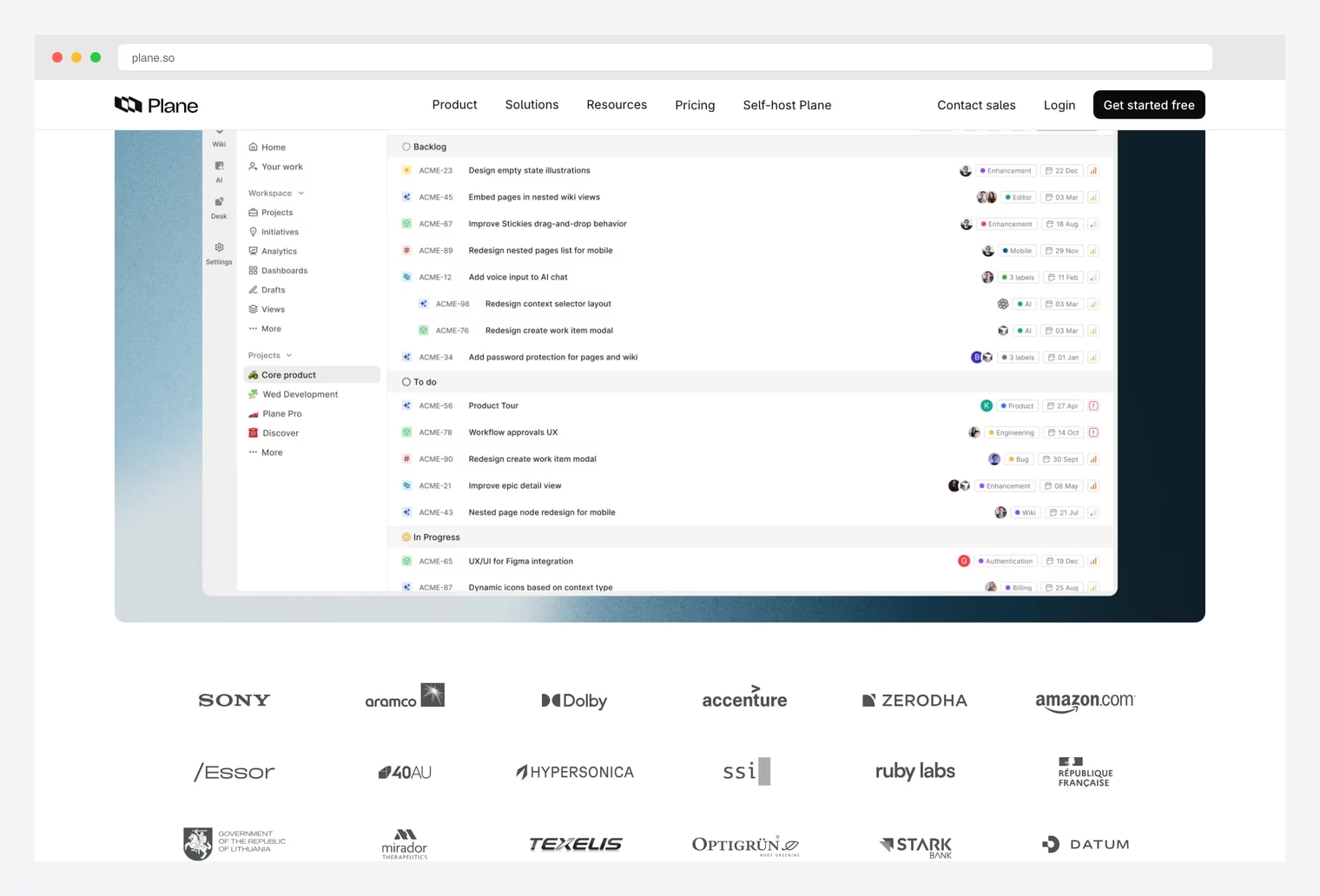
Why we like it: Issues with epics, cycles, modules, and nested pages. Cloud, self-hosted, and air-gapped deployment options — useful for regulated environments where SaaS isn’t allowed. Plane Business adds enterprise features above the Community edition.
AGPL-3.0 license — fine for self-hosted internal use, but if you sell PM as a service the network clause requires you to publish modifications. Plane Cloud is the paid hosted option if you don’t want to self-host.
6. Vikunja
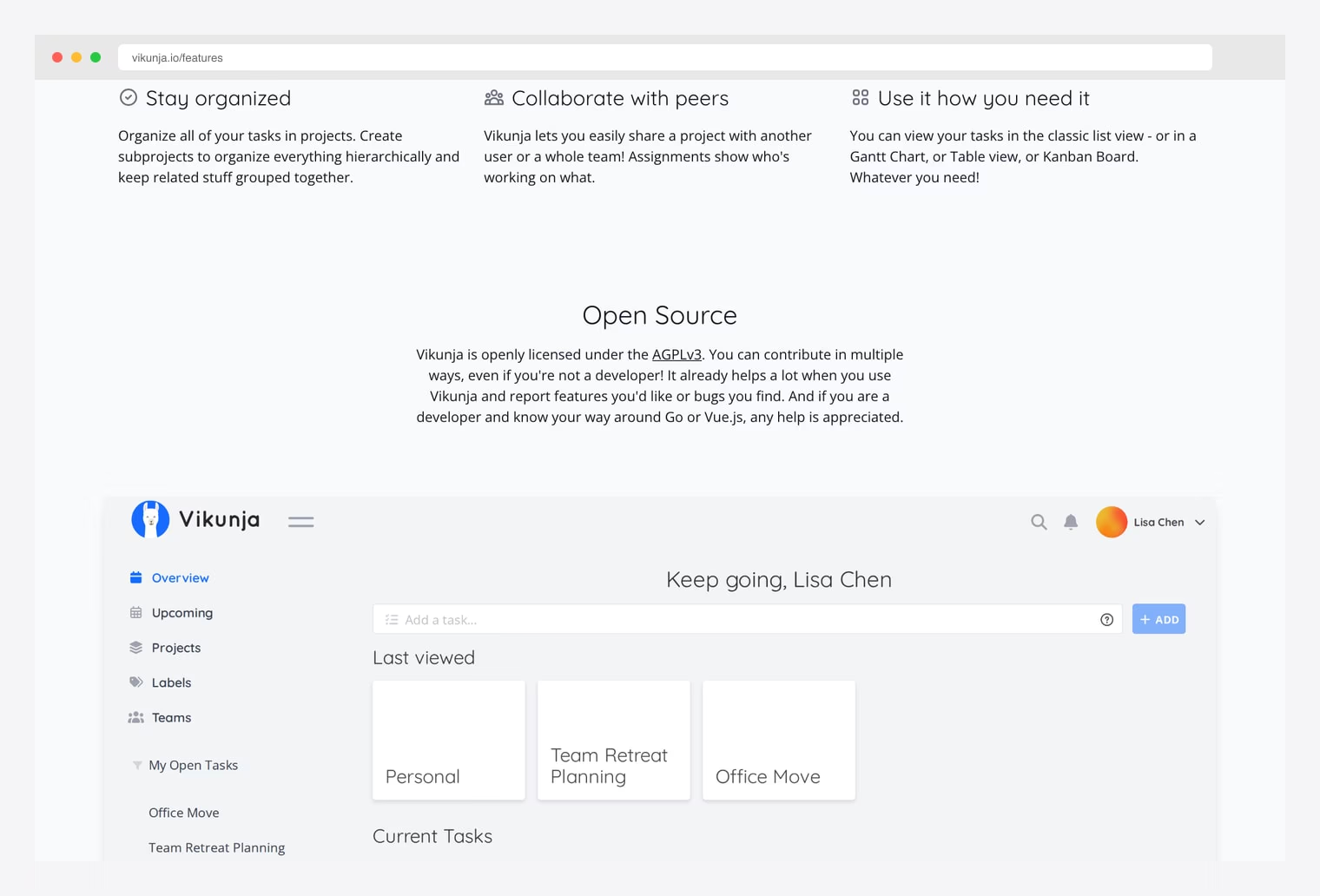
Why we like it: List, Kanban board, Gantt chart, and Table views all in one app. Project hierarchy via subprojects. Go binary backend keeps deployment simple — single executable, optional SQLite storage.
Vikunja Cloud is hosted in the EU (GDPR-friendly). AGPL-3.0 — same network-clause caveat as Plane. The Go + Vue stack is unusual in PM tooling and worth noting if your team prefers it over Python or Ruby alternatives.
7. OpenProject
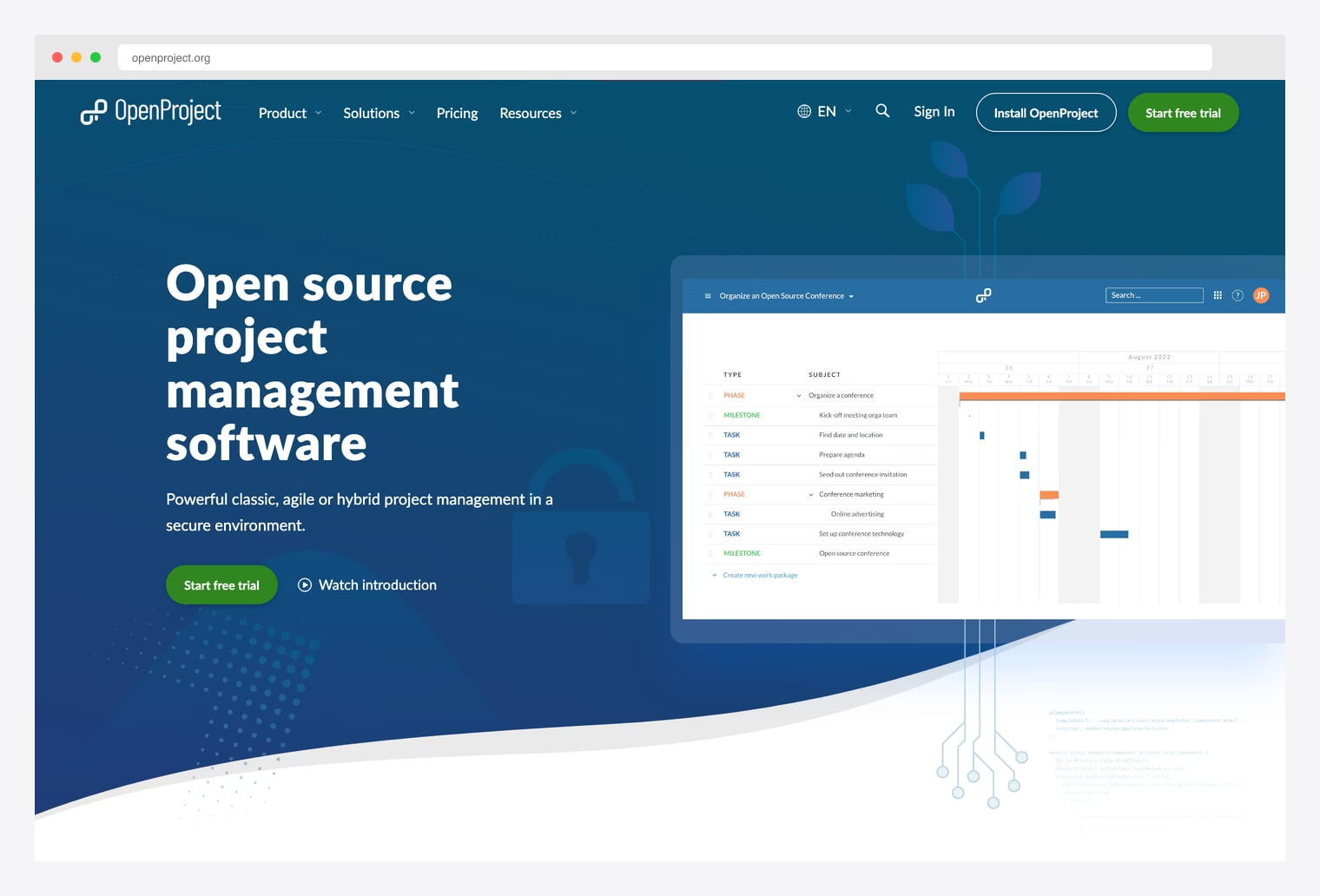
Why we like it: Work packages with custom hierarchies (Phase / Milestone / Task), Gantt timeline visualization, agile boards, sprint planning, time tracking, budgeting, document management, and meeting management. Strong fit for hybrid (Gantt + agile) workflows.
Community Edition (GPLv3) is feature-rich but lacks SSO and some compliance features — Cloud / Enterprise tiers add SLA support, SAML/OIDC, advanced reporting. Used by governments and research institutions where formal PM rigor matters.
8. Taiga
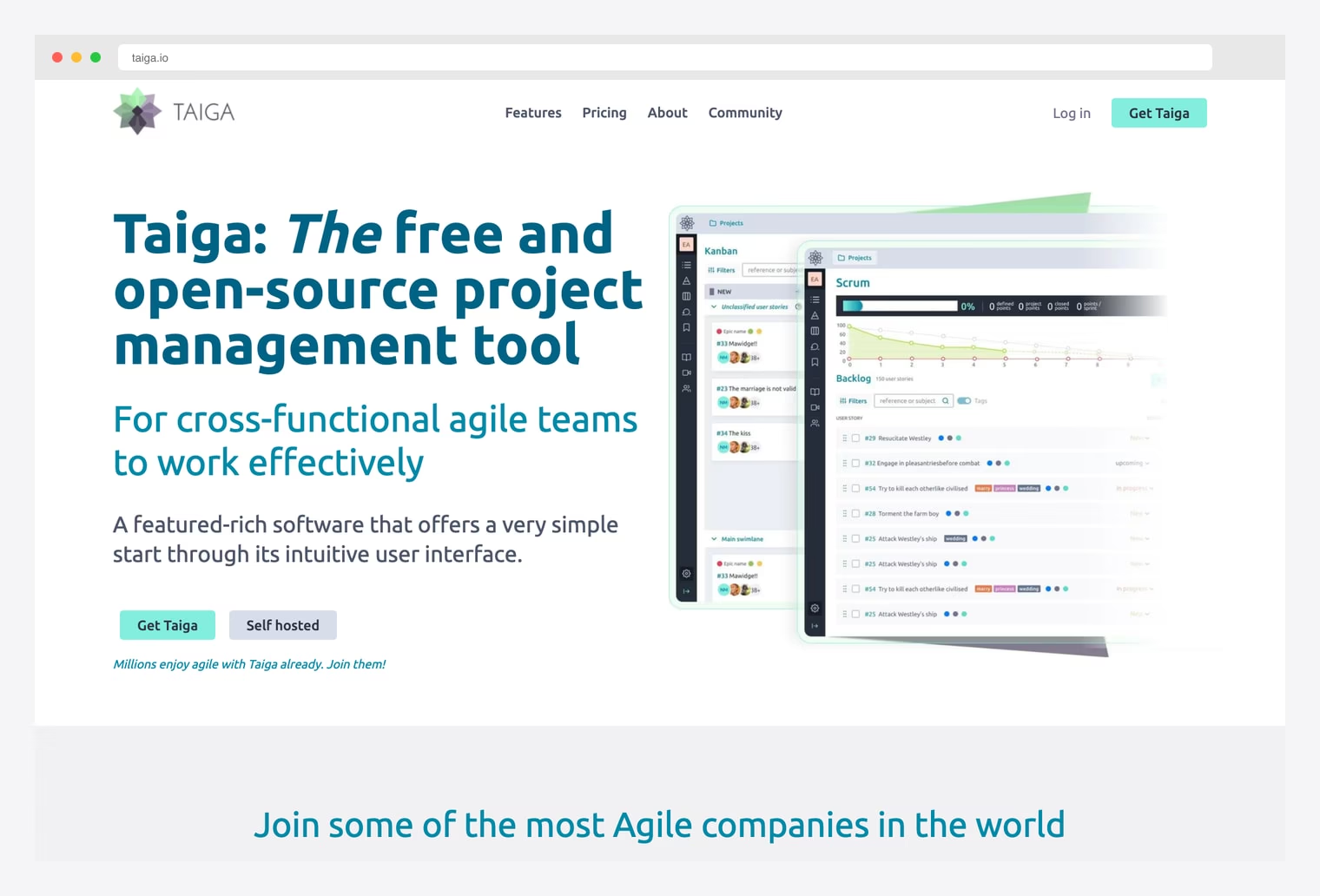
Why we like it: Scrum view (backlog, sprints, story points, burndown, velocity tracking) and Kanban view (WIP limits, swimlanes, custom statuses) are both first-class workflows — neither is bolted on. Strong fit when teams use both methodologies.
MPL 2.0 license is the most permissive of the OSS PM tools in this list — you can mix MPL code into closed-source projects file-by-file, unlike GPL/AGPL which apply to the whole derivative work.
9. Leantime
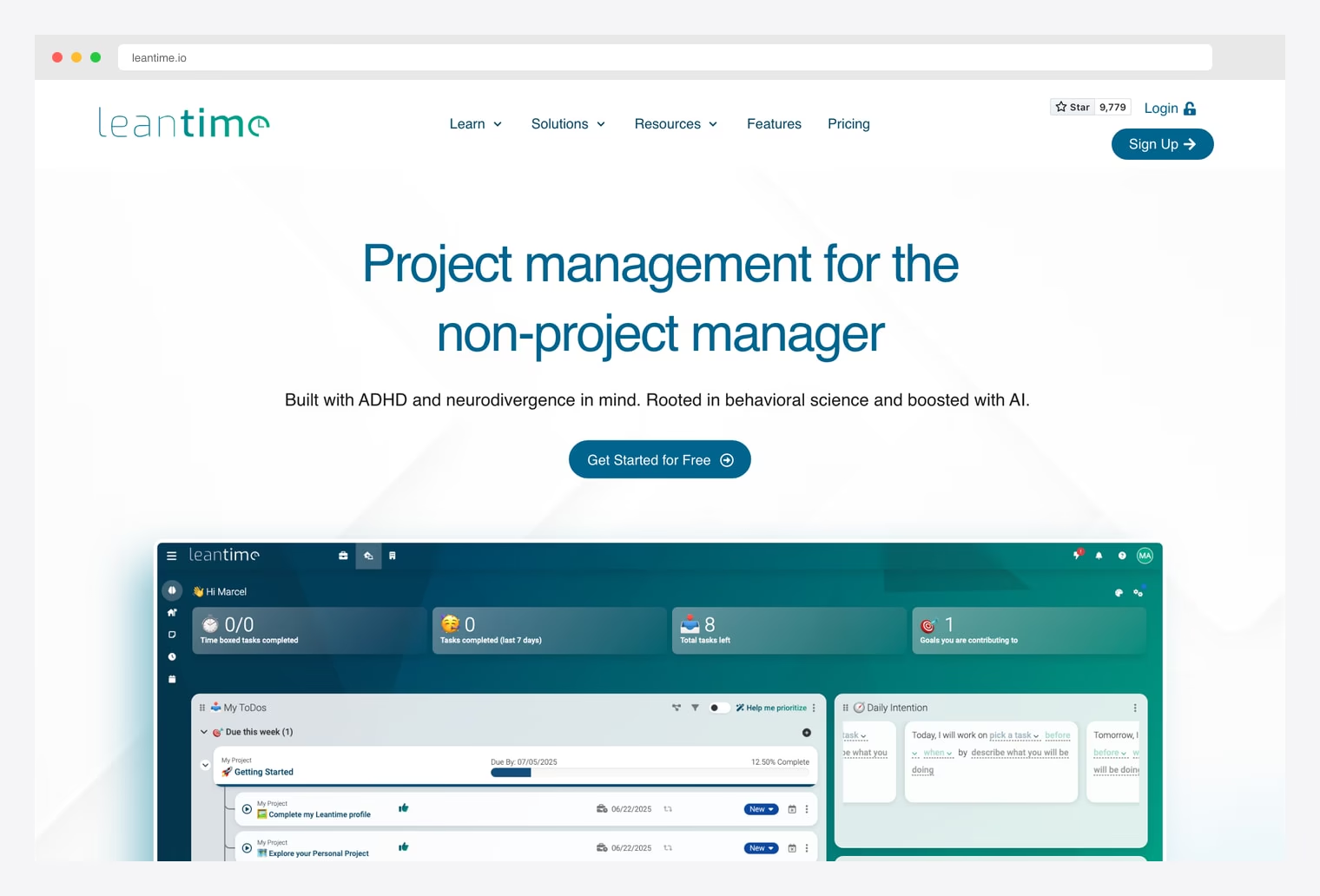
Why we like it: Explicitly designed for neurodivergent users (ADHD, autism, executive function challenges) and rooted in behavioral science. Daily intention prompts, time-boxed tasks, and goal contribution tracking are first-class workflows here, not afterthoughts.
A specialized fit rather than a general PM replacement — strongest pick for solo founders or small teams where executive function and intentional work matter more than enterprise reporting.
10. WeKan
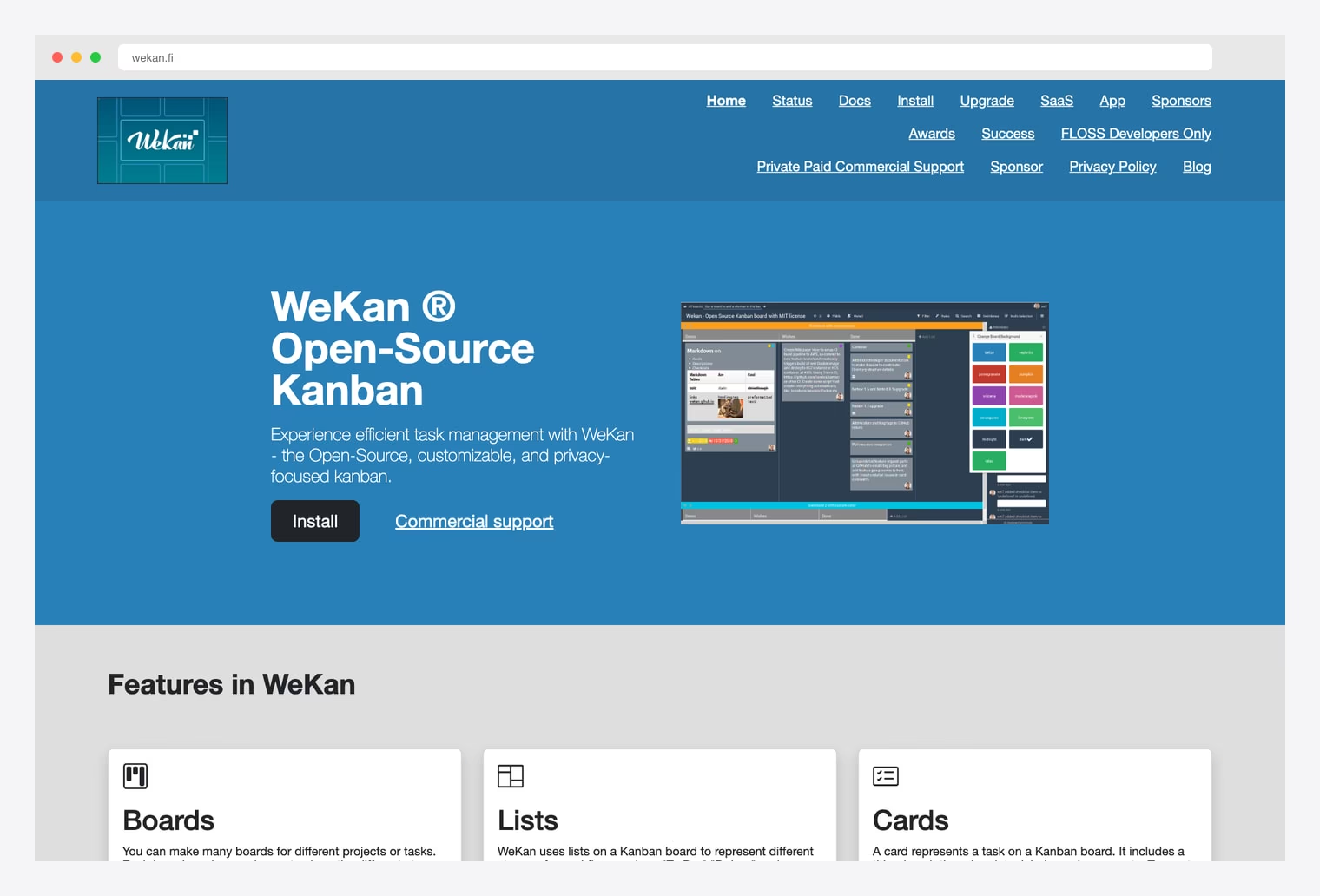
Why we like it: MIT license is the most permissive in this category — rare for an OSS PM tool, and the right pick if you need to wrap or extend it for closed-source commercial distribution. Trello-compatible in concept (board / list / card hierarchy).
Meteor + MongoDB stack is older than the rest of this list — useful only if your team already runs Meteor or wants a simple Mongo-backed deployment. Self-host on Snap, Docker, Kubernetes, or RPM.
Programme and portfolio dashboards: the level above a project
A programme dashboard (or program dashboard, in US spelling) reports on a group of related projects delivering one outcome; a portfolio dashboard reports on everything an organisation has in flight, related or not. Both sit a level above every template on this page, and the distinction matters because the metrics do not simply add up. Rolling ten project dashboards into one screen produces a wall of numbers nobody reads.
What changes at programme level is the question being asked. A project view answers “will this land?”. A programme view answers “which of these needs my attention this week, and what is competing for the same people?” That makes three things primary that barely feature on a single-project screen:
- Cross-project dependencies. The main reason programmes slip is one project waiting on another. Dependencies are a footnote on a project board and the headline on a programme board.
- Shared capacity. Two projects at ninety percent confidence that both need the same three engineers next month are not both at ninety percent. Resource contention is invisible unless you show assignment across projects.
- Exception-first ordering. Sort by what is off track rather than listing projects alphabetically or by start date. A programme lead scanning twenty projects needs the three that moved, not a directory.
Of the options on this page, OpenProject is the one built for this level — it models programmes and portfolios natively, with cross-project work-package views, a portfolio-wide Gantt, and baseline comparison to show drift against the original plan. Plane handles the middle ground through cycles and modules grouped under workspaces, which is enough for a handful of related projects but not for formal portfolio governance. Taiga and WeKan are single-project tools; running a programme in either means one board per project and a spreadsheet on top, which is the pattern this section exists to talk you out of.
If you are building rather than buying, the honest advice is to build the programme view last. It depends entirely on consistent status vocabulary and effort data across every underlying project, and a rollup over inconsistent inputs is worse than no rollup — it looks authoritative and is not. Get one project’s reporting right, make status changes cheap enough that the data stays current, then aggregate.
How to Choose the Right Project Management Dashboard
The 10 options split along three practical axes:
By how much PM you actually need
- Just the Kanban / dashboard UI: TheFrontKit Kanban PM Kit, Shadcn UI Kit Kanban, Sneat Bootstrap Kanban, Admindek Project — beautiful PM dashboards, you bring the backend.
- Full PM application (UI + backend + database): Plane, Vikunja, OpenProject, Taiga, Leantime, WeKan.
By tech stack
- shadcn/ui + Next.js: TheFrontKit, Shadcn UI Kit, Admindek.
- Bootstrap 5: Sneat Bootstrap Kanban.
- Go + Vue.js: Vikunja.
- Python / Django: Taiga.
- Ruby on Rails + Angular: OpenProject.
- PHP + MySQL: Leantime.
- Meteor + MongoDB: WeKan.
- Polyglot / AI-native: Plane (Django + Next.js + AI).
By license & deployment
- Premium one-time license: TheFrontKit ($99), Shadcn UI Kit Pro, Admindek ($69 lifetime), Sneat ($59 Pro).
- Free permissive open-source (MIT / MPL): WeKan (MIT), Taiga (MPL 2.0).
- Free copyleft open-source (GPL / AGPL): Plane (AGPLv3), Vikunja (AGPLv3), OpenProject (GPLv3), Leantime (AGPL-3.0).
A practical pattern in 2026: prototype your PM tool with TheFrontKit Kanban PM Kit or Sneat Bootstrap Kanban if you control the UI, validate the workflows with stakeholders, and either scale up to a premium dashboard kit (Shadcn UI Kit, Admindek) for a custom Next.js build OR migrate to a self-hosted PM application (Plane, OpenProject, Taiga) once you need the full collaboration feature set without per-user pricing.
Project management dashboard FAQ
What is a project management dashboard?
A reporting view over project work that answers whether the project will land — task state split into done, in progress, overdue and blocked, effort spent against plan, and a trend over time. It is distinct from the board or backlog where the work is actually created and moved, which is a work surface rather than a dashboard, and distinct again from a programme view that rolls several projects together.
What metrics should a project dashboard show?
Task state split four ways rather than averaged into a completion percentage; effort or time spent alongside the task counts; overdue and blocked work as their own figures; and a trend rather than a snapshot. Leave off a single health score, which hides everything worth knowing, and contributor leaderboards, which measure volume rather than difficulty.
What is the difference between a project dashboard and a programme dashboard?
A project dashboard covers one project and answers “will this land?”. A programme or portfolio dashboard covers many projects and answers “which of these needs attention, and what is competing for the same people?” The programme level makes cross-project dependencies and shared capacity primary — metrics that barely appear on a single-project view and do not simply add up from one.
Do I need a full PM application or just a dashboard template?
If you already run Jira, Linear, Asana or similar, you likely need only the reporting layer — a dashboard template pointed at their API. Build or buy a full PM application only when you need the work surface too, meaning item creation, assignment and status workflows, or when per-user pricing on a hosted tool has become the larger cost.
What is the best free project management dashboard?
For a complete self-hosted application, Plane, OpenProject, Taiga, Vikunja, Leantime and WeKan are all free and actively maintained, with OpenProject the strongest if you need programme and portfolio views. Check the licence before commercial use: WeKan is MIT and Taiga is MPL 2.0, while Plane, Vikunja, OpenProject and Leantime are copyleft (GPL or AGPL).
Can I use a project dashboard template with my existing backend?
Yes, and that is what the premium kits on this page are for. TheFrontKit, Shadcn UI Kit, Admindek and Sneat ship the UI only, so you connect them to whatever already stores your work items. The open-source options in the second half include their own backend and database, which is more to run but means nothing to build.

You Might Also Like


