
12 Sales Dashboard Templates and Tools

Your CRM already has a sales dashboard. Before looking at anything on this page, open it — pipeline by stage, deals by owner, and a forecast are standard in every CRM sold today, and for a lot of teams that is the whole job done. The reason to look further is a specific one: the built-in view cannot show data the CRM does not hold, and it cannot be handed to somebody who does not have a login.
That splits the answer three ways. 3 self-hosted CRMs whose dashboards come free with the system, 4 reporting layers that sit on top of the CRM you already run, and 5 code templates for putting sales reporting inside software you ship. Every demo below was opened and screenshotted while writing this page.
Which of the three you need
| The situation | What you need | Roughly what it costs |
|---|---|---|
| Your CRM reports fine, you just resent the per-seat price | A self-hosted CRM | Nothing, plus your time running it |
| The numbers you need live in several systems, not just the CRM | A reporting layer on top | A subscription, priced per source or per dashboard |
| Your customers or clients need to see the reporting | A code template and a build | Development time, plus the template |
| You need one number on a wall screen every morning | A reporting layer built for displays | A subscription, and worth it if it changes behaviour |
12 sales dashboard templates and tools
| Option | Type | Cost | Best for |
|---|---|---|---|
| 1. EspoCRM | Self-hosted CRM | Free, self-hosted | Small teams who want a real CRM and its reporting without a per-seat bill |
| 2. Twenty | Self-hosted CRM | Free, self-hosted | Teams who will not adopt a CRM that feels dated |
| 3. SuiteCRM | Self-hosted CRM | Free, self-hosted | Larger sales operations that need forecasting and territory reporting for nothing |
| 4. Databox sales dashboards | Reporting layer | Free tier, then paid | Reporting across a CRM plus other tools without changing systems |
| 5. Klipfolio sales dashboards | Reporting layer | No free tier | Deciding which sales metrics belong on the dashboard in the first place |
| 6. Geckoboard sales dashboards | Reporting layer | No free tier | Sales floors and standing team displays |
| 7. Sales dashboard overview report | Copyable report | Copy free, refresh paid | Seeing a finished connected sales report before deciding to build one |
| 8. Sales Dashboard Kit | Code template | Paid template | Shipping sales reporting inside a product on a modern React stack |
| 9. Shadcn UI Kit sales module | Code template | Paid template | Building a whole application where sales reporting is one screen among many |
| 10. Sales Dashboard template | Code template | Paid template | Server-rendered applications that do not want a JavaScript framework |
| 11. CoreUI React | Code template | Free, MIT | Internal sales reporting on no budget |
| 12. GitHub sales-dashboard topic | Open-source catalogue | Free | Finding something in a language or framework the commercial templates ignore |
Open-source CRMs whose sales dashboard comes free
If the frustration is the per-seat bill rather than the reporting, the answer is not a dashboard at all — it is a CRM you host yourself. All three of these are genuinely free software with sales reporting built in, and the first has a public demo you can click through without installing anything.
1. EspoCRM by EspoCRM
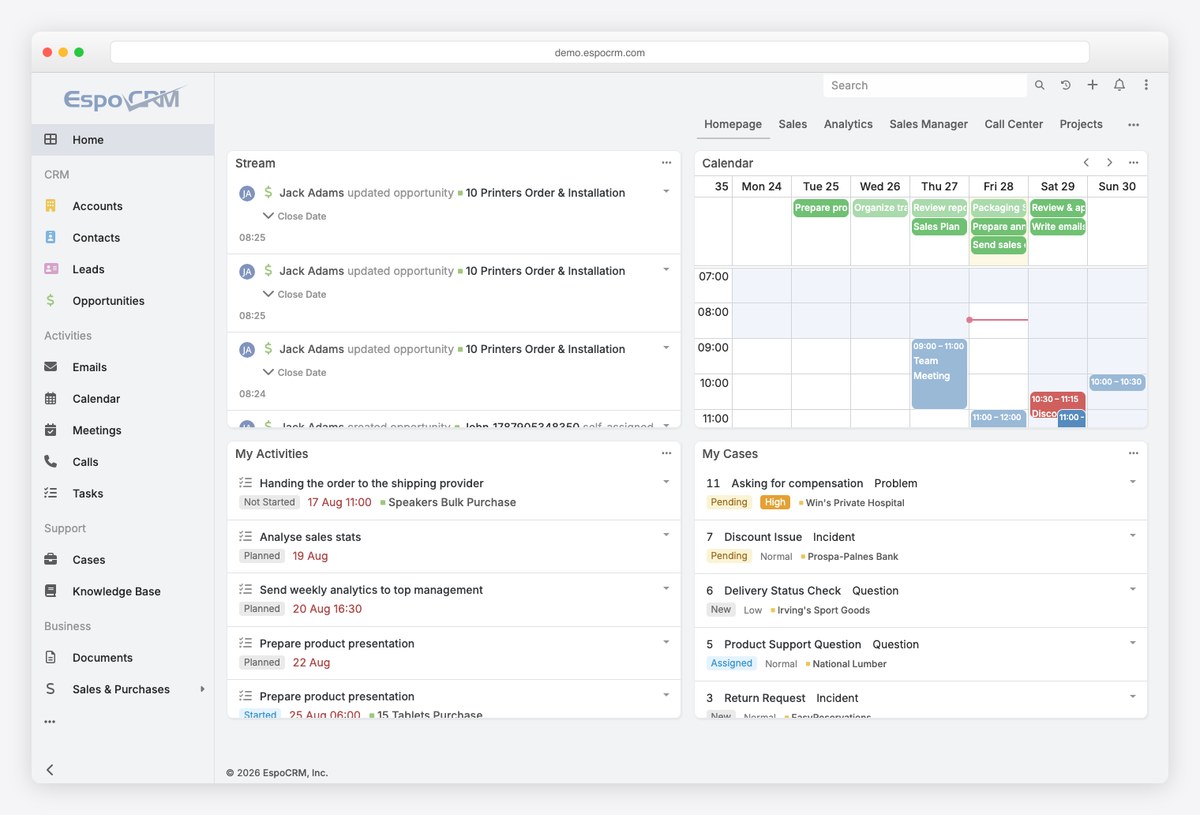
The most convincing free sales dashboard here, because it is a whole CRM and the dashboard reads data the system already holds. The public demo signs you in as an administrator in one click, so you can click through the sales, analytics and call-centre views on populated data before installing anything.
- Best for: Small teams who want a real CRM and its reporting without a per-seat bill
- Type: Self-hosted CRM
- Cost: Free, self-hosted
- Watch out for: Self-hosting means you own updates, backups and security. Free software, not free effort.
2. Twenty by Twenty
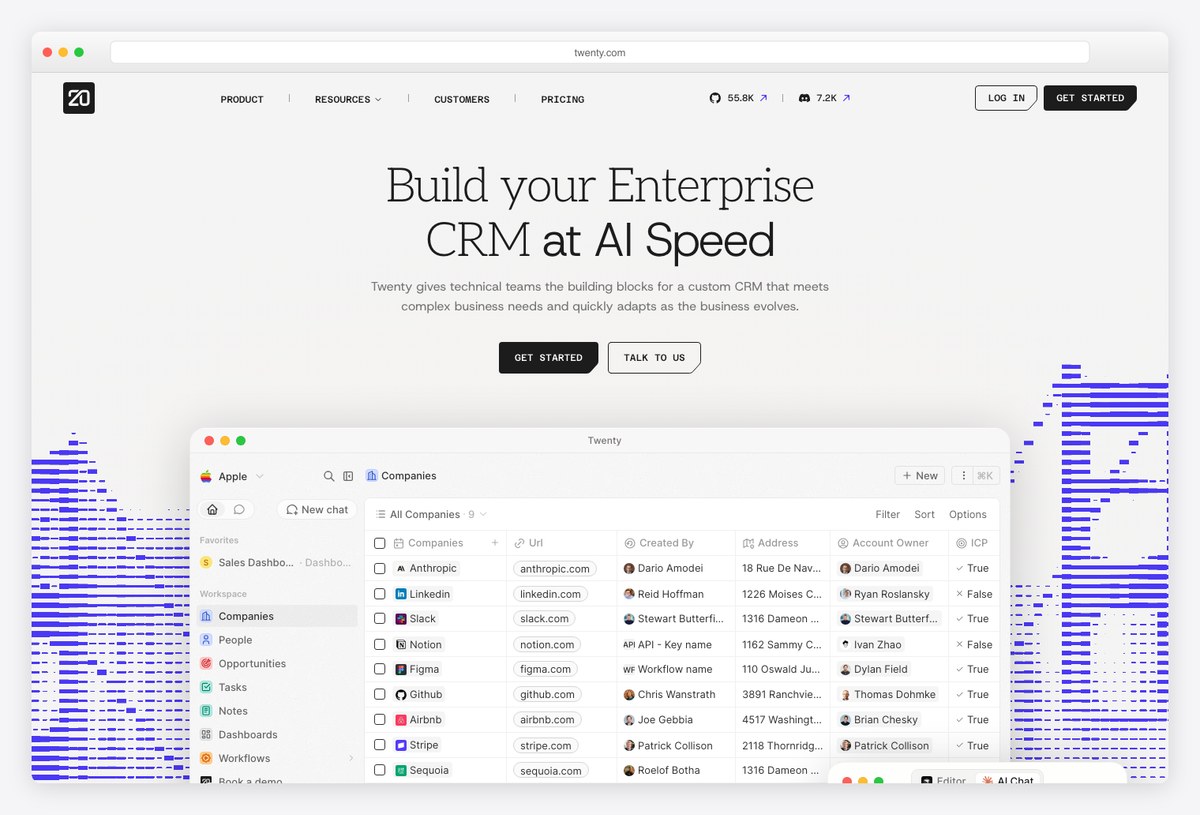
The modern-feeling open-source CRM, built to look like the tools sales teams actually enjoy using rather than like enterprise software from 2010. Newer and thinner on features than EspoCRM, but the interface is a generation ahead.
- Best for: Teams who will not adopt a CRM that feels dated
- Type: Self-hosted CRM
- Cost: Free, self-hosted
- Watch out for: Younger project, so the reporting is less deep than the established alternatives — check it covers your metrics before committing.
3. SuiteCRM by SalesAgility
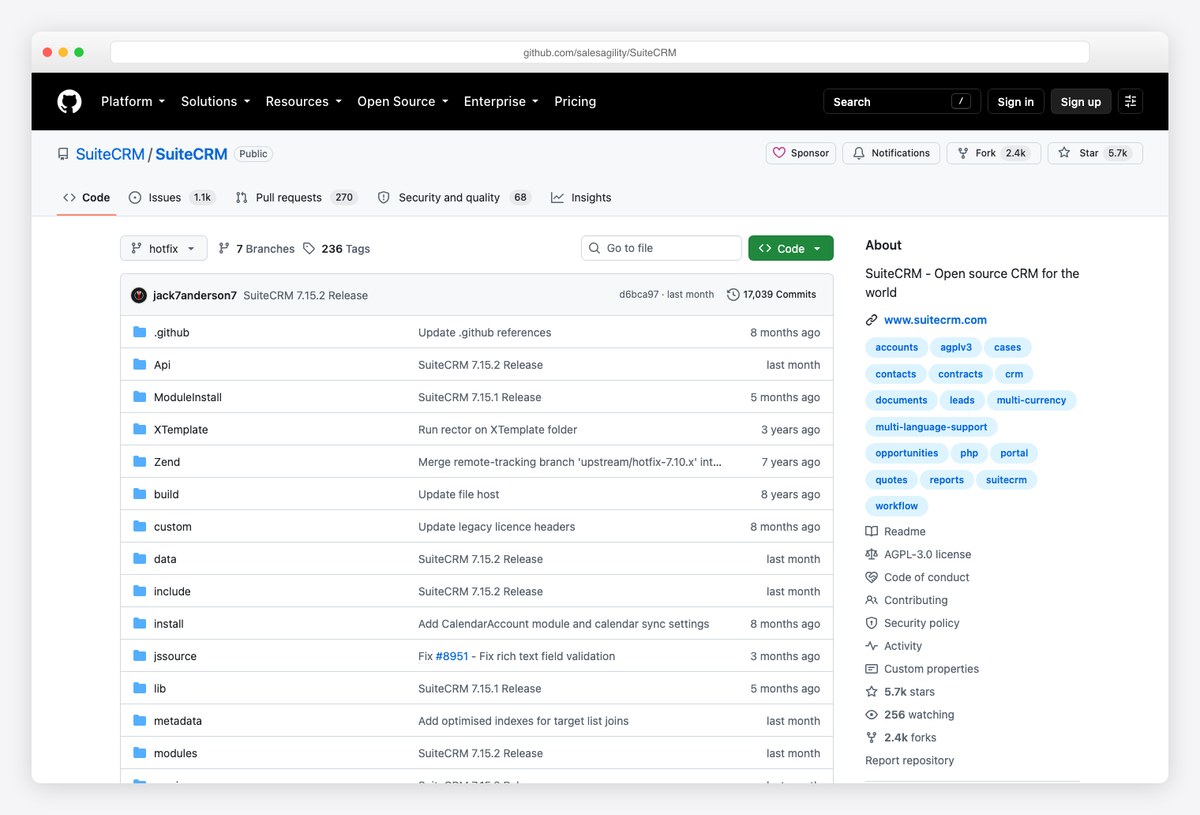
The deepest open-source option, with forecasting, quotas and territory reporting that genuinely rival paid CRMs. It is also the heaviest, and it looks its age — the trade is capability against modernity.
- Best for: Larger sales operations that need forecasting and territory reporting for nothing
- Type: Self-hosted CRM
- Cost: Free, self-hosted
- Watch out for: Dated interface and a real administration burden; budget setup time rather than an afternoon. There is no open public demo — you evaluate it by installing it.
Reporting layers that sit on top of your CRM
These change nothing about how your team works. They read the CRM you already use, usually alongside other sources, and produce the dashboard your CRM cannot — because it can only report on what it holds. This is the right category when the sales picture needs data from finance, marketing or support as well.
4. Databox sales dashboards by Databox
Prebuilt sales dashboards that connect to the CRM you already run, which is the point: you are not replacing anything, only reporting on it. The largest library of the reporting platforms, and the only one of the three with a genuinely free tier.
- Best for: Reporting across a CRM plus other tools without changing systems
- Type: Reporting layer
- Cost: Free tier, then paid
- Watch out for: The free tier stops at three data sources and one dashboard, which a growing sales team passes quickly.
5. Klipfolio sales dashboards by Klipfolio
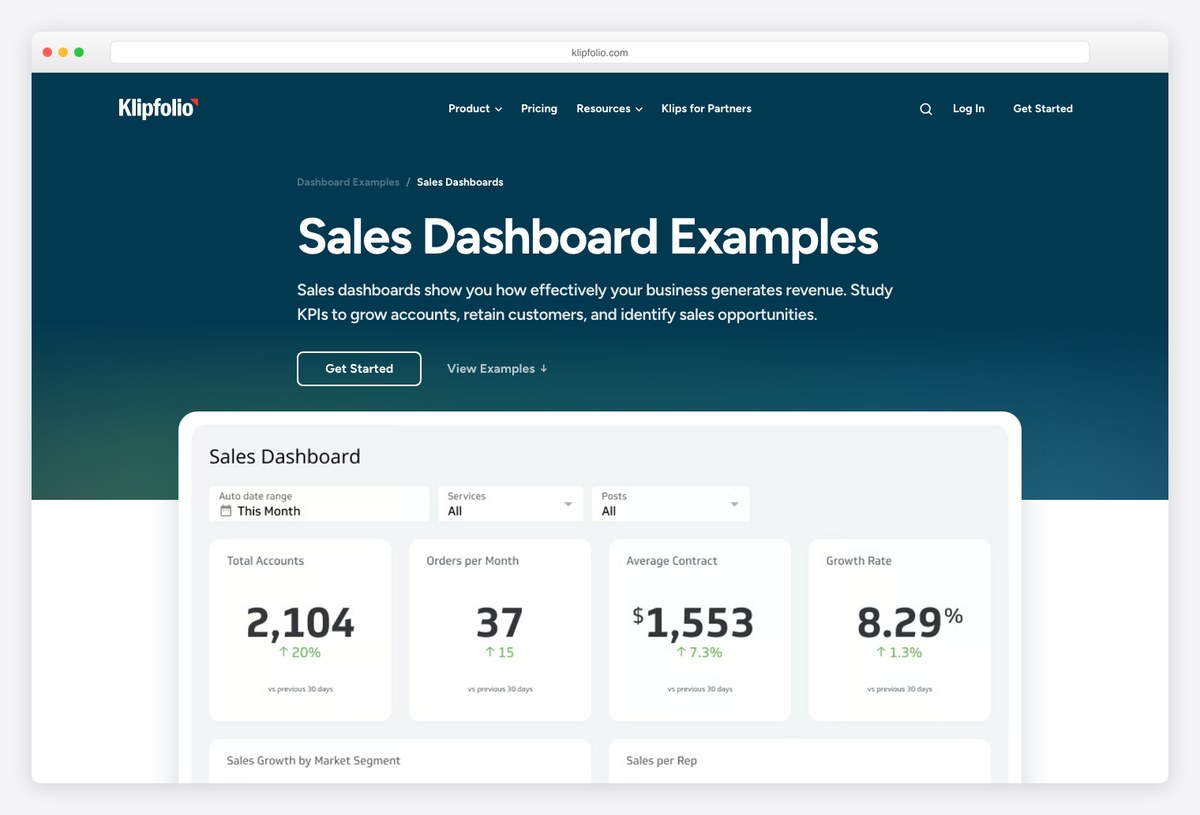
Worth opening even if you never buy it, because the pages explain which sales metrics matter and how each is calculated. As a specification for what your own dashboard should contain, it is the most useful free reading in this list.
- Best for: Deciding which sales metrics belong on the dashboard in the first place
- Type: Reporting layer
- Cost: No free tier
- Watch out for: No free tier and pricing well above the alternatives, so treat it as a reference before a purchase.
6. Geckoboard sales dashboards by Geckoboard
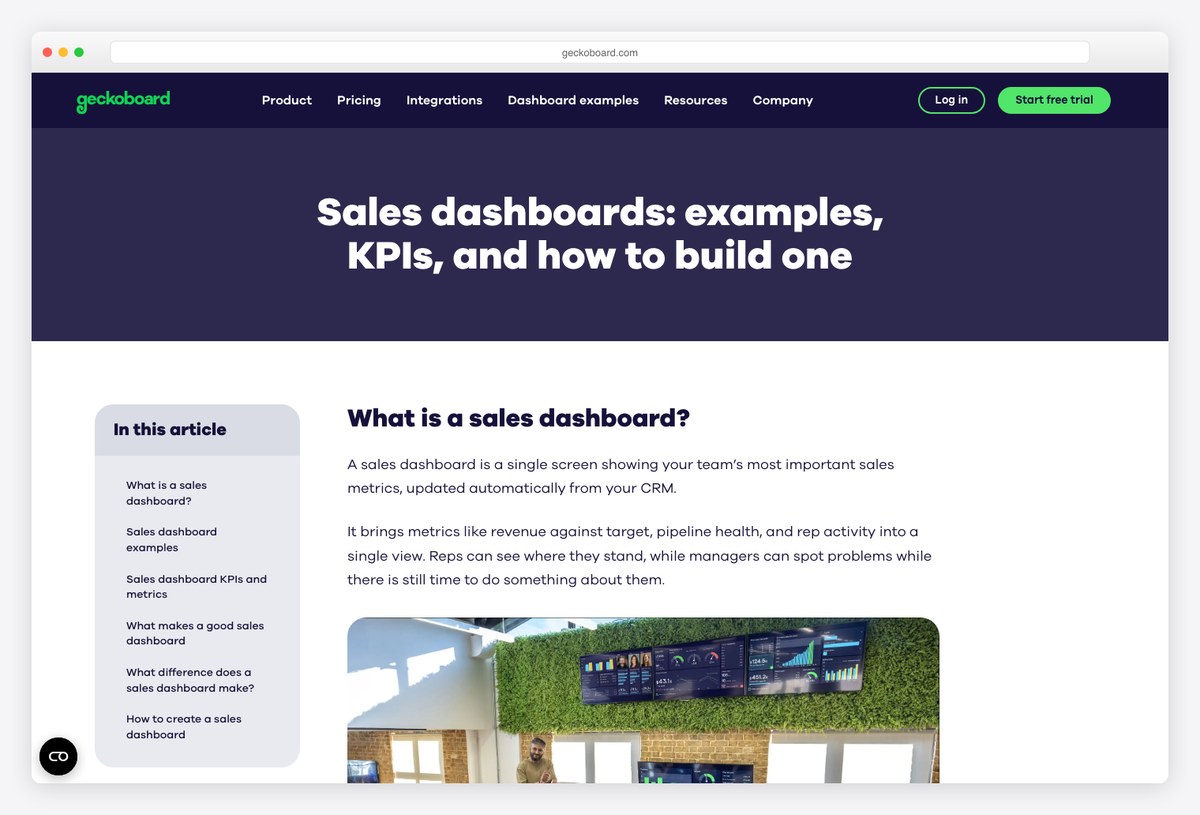
Built for a screen the sales floor can read from across the room, which forces a discipline the other options lack: enormous numbers, very few of them. If your dashboard exists to drive daily behaviour rather than monthly analysis, this is the right shape.
- Best for: Sales floors and standing team displays
- Type: Reporting layer
- Cost: No free tier
- Watch out for: Deliberately shallow. It is a motivation surface, not an analysis tool.
7. Sales dashboard overview report by Coupler.io
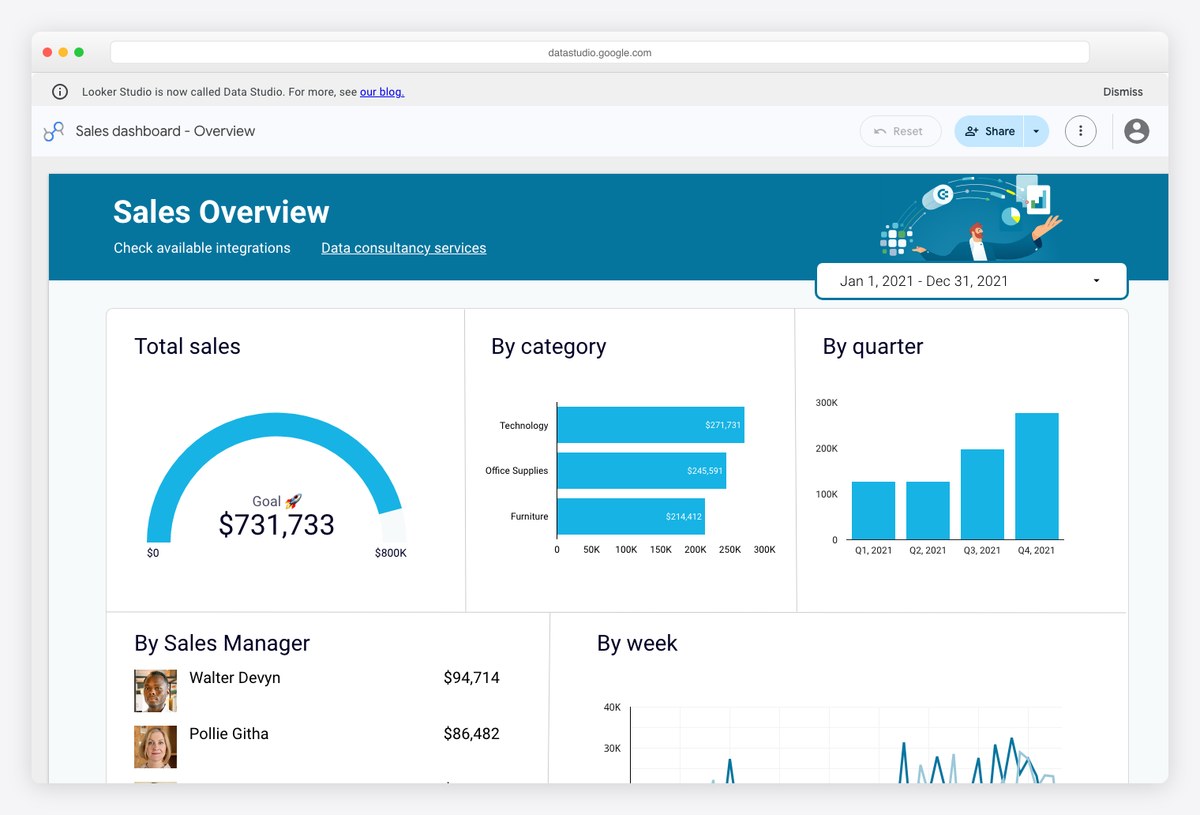
A public report you can open right now to see how a connected sales dashboard is laid out, then copy if you want it. Useful as a free design reference regardless of whether you ever pay for the pipe behind it.
- Best for: Seeing a finished connected sales report before deciding to build one
- Type: Copyable report
- Cost: Copy free, refresh paid
- Watch out for: Free to copy, then a paid connector to populate — the trade-offs are covered in our free Data Studio templates list.
Code templates for sales reporting inside your own product
A different kind of project. Nothing here reports on anything until you connect it, because these are interfaces rather than tools. You need this category when the people reading the dashboard are your customers rather than your colleagues, since no hosted product licenses you to ship its dashboard as part of your software.
8. Sales Dashboard Kit by TheFrontKit
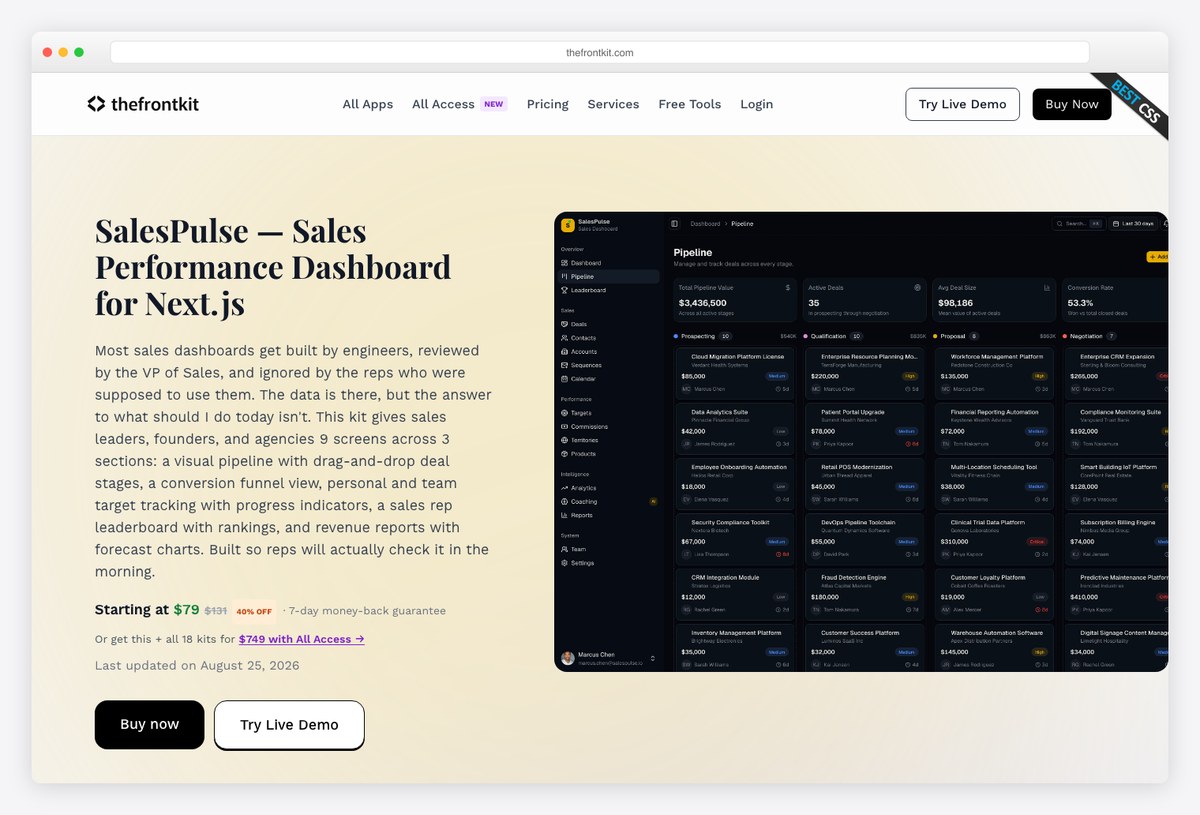
A purpose-built sales front end rather than a general admin theme adapted into one — pipeline, forecasting and rep performance screens already designed, on a current Next.js and shadcn stack. The narrowest and therefore most immediately useful of the code options.
- Best for: Shipping sales reporting inside a product on a modern React stack
- Type: Code template
- Cost: Paid template
- Watch out for: Paid, and opinionated about its stack. If you are not on Next.js the value drops sharply.
9. Shadcn UI Kit sales module by Shadcn UI Kit
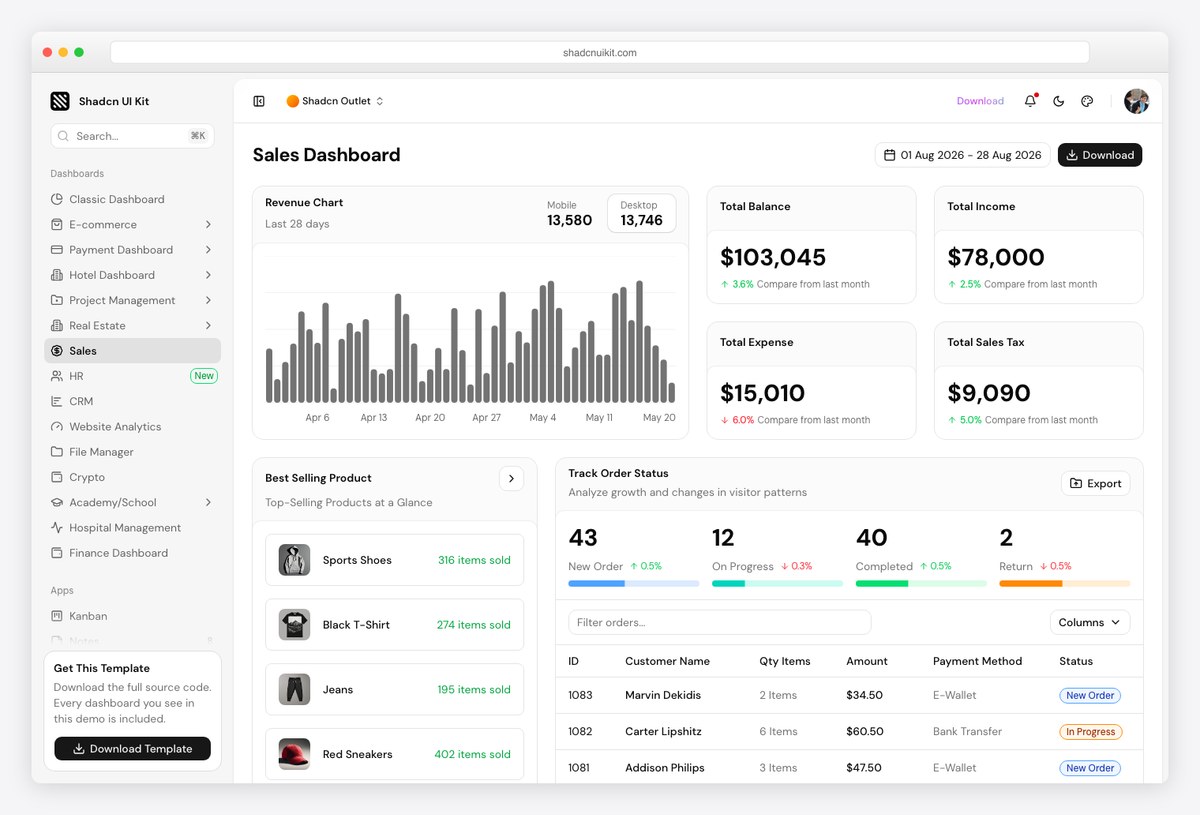
The sales screen from a much larger kit, so you get the dashboard plus everything around it — settings, tables, auth — rather than a single view you then have to surround with your own work.
- Best for: Building a whole application where sales reporting is one screen among many
- Type: Code template
- Cost: Paid template
- Watch out for: You are buying the kit, not the sales module; check the rest of it earns its price for you.
10. Sales Dashboard template by DashboardPack
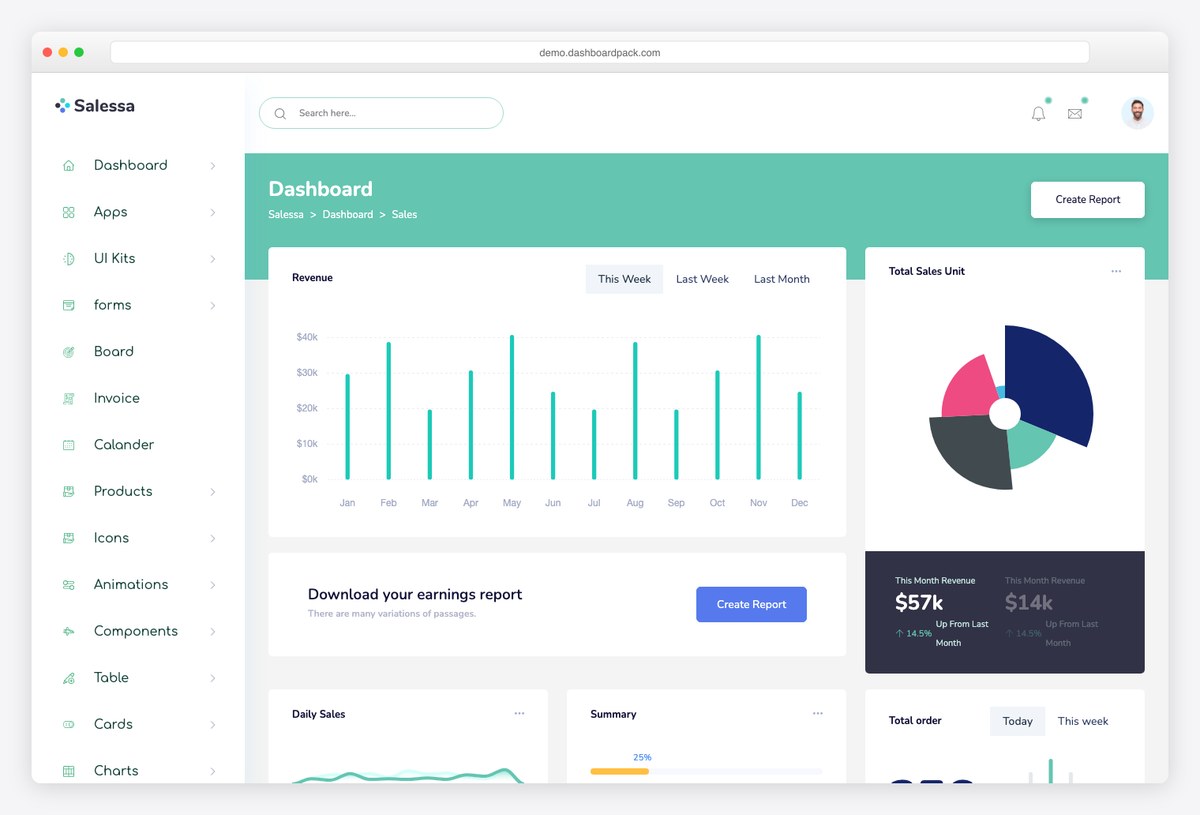
Plain HTML rather than a framework, which sounds like a limitation and is often the opposite — it drops into a Laravel, Django, Rails or PHP application without arguing about your front-end build.
- Best for: Server-rendered applications that do not want a JavaScript framework
- Type: Code template
- Cost: Paid template
- Watch out for: Ships with placeholder data; the data layer is yours to write.
11. CoreUI React by CoreUI
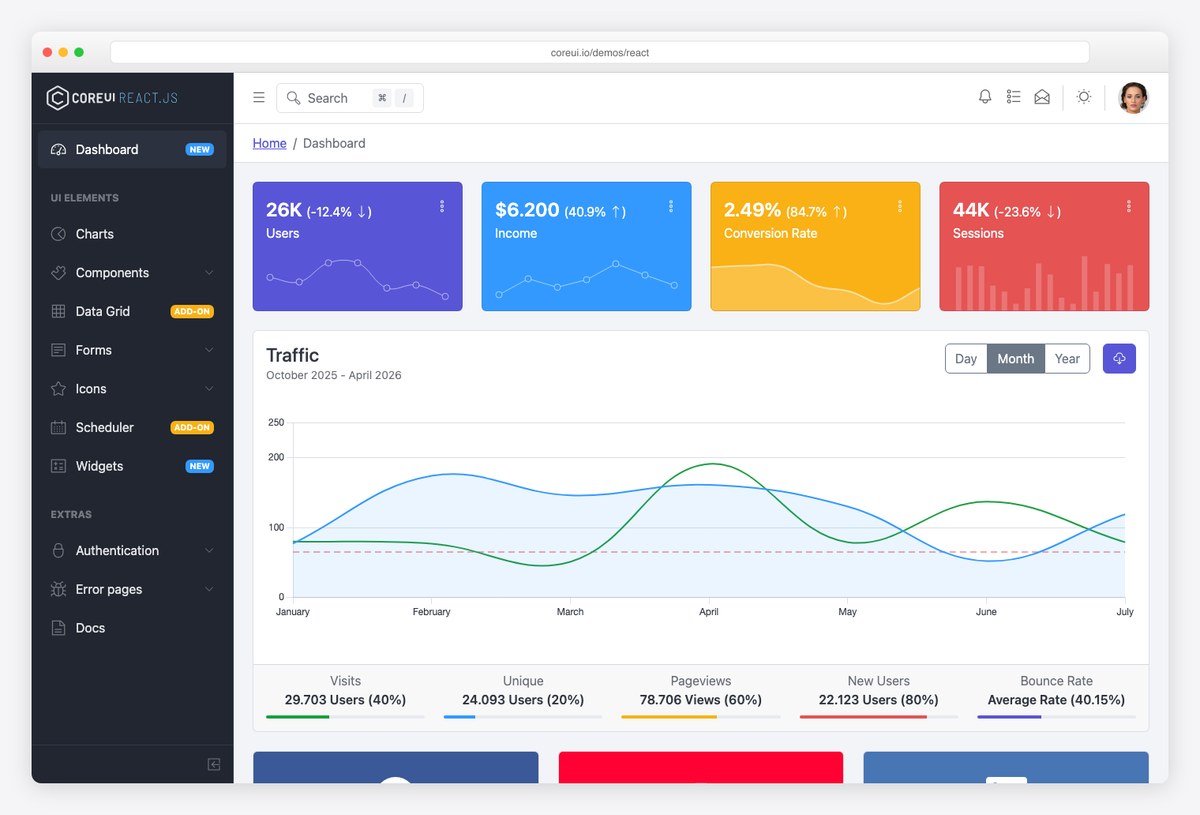
Not a sales template, but a free and well-maintained admin base that adapts into one quickly. The right answer when the reporting is internal, the budget is nothing, and nobody is going to judge the visual design.
- Best for: Internal sales reporting on no budget
- Type: Code template
- Cost: Free, MIT
- Watch out for: Adapting a general admin theme into a sales dashboard is work you are choosing to do instead of paying for.
12. GitHub sales-dashboard topic by GitHub
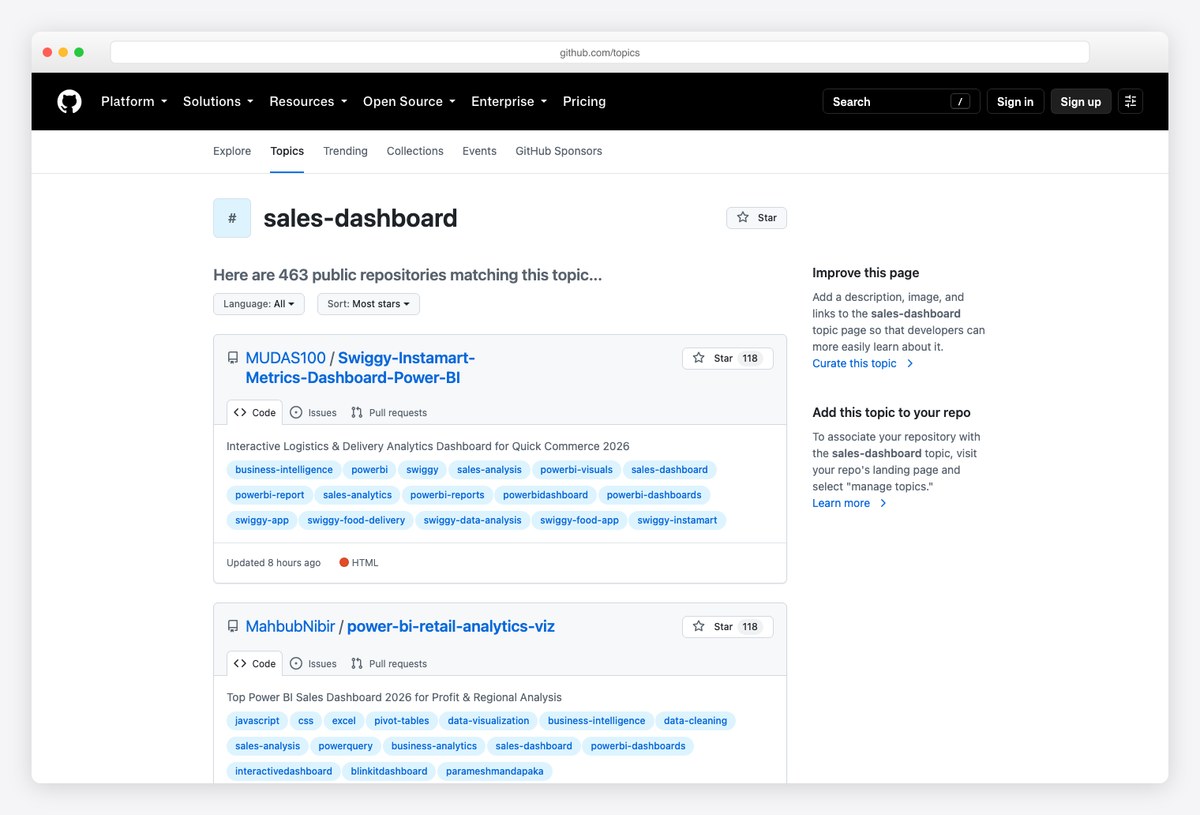
The running catalogue of open-source sales dashboard projects, which is where to look when nothing above fits your stack. Quality varies enormously, so check the commit history before you build on anything you find.
- Best for: Finding something in a language or framework the commercial templates ignore
- Type: Open-source catalogue
- Cost: Free
- Watch out for: Many projects are abandoned. Check the last commit date and the open issues before investing.
What belongs on a sales dashboard
Whichever route you take, the content question is the same, and it is the one most sales dashboards get wrong by answering too generously.
| Reader | The question they have | What to show |
|---|---|---|
| Rep | Am I going to hit my number | Quota attainment, deals in flight, activity against target — their own only |
| Sales manager | Which deals need me this week | Pipeline by stage, deals slipping, ageing opportunities, rep comparison |
| Executive | Will we make the quarter | Forecast against target, coverage ratio, win rate, average deal size |
One metric deserves singling out, because it is the one that quietly breaks sales dashboards: pipeline value without a stage weighting. Totalling every open deal produces a number that is always large, always reassuring and almost never true. Either weight the value by stage probability or show coverage against target instead — a raw pipeline total on a dashboard is a decoration that costs you forecast accuracy.
Sales dashboard FAQ
What should a sales dashboard include?
It depends who is reading it. A rep needs quota attainment, deals in flight and their own activity. A manager needs pipeline by stage, deals slipping and rep comparison. An executive needs forecast against target, coverage and win rate. The mistake almost everybody makes is building one screen for all three, which produces something crowded that none of them opens twice.
Do I need a sales dashboard if my CRM already has one?
Often not. Every CRM sold today ships pipeline, forecast and rep views, and for a single team working entirely inside that CRM they are usually enough. You need something more when the numbers you report on live outside the CRM as well, or when somebody without a CRM login has to see the reporting.
Is there a free sales dashboard?
Yes, in two different senses. Self-hosted CRMs such as EspoCRM, Twenty and SuiteCRM include sales dashboards at no licence cost, and you pay in hosting and administration instead. Separately, free admin templates such as CoreUI let you build a sales dashboard into your own application for nothing but development time. The hosted reporting platforms mostly charge, with Databox the exception at a limited free tier.
What is the difference between a sales dashboard and a sales report?
A dashboard is standing and current: it answers how things are going right now, and nobody assembles it. A report is a snapshot for a period with an argument attached, usually written for a meeting. Most sales teams need the dashboard for the week and the report for the month, and the efficient arrangement is a report that quotes the dashboard rather than rebuilding its numbers.
Can I put a sales dashboard inside my own software?
Not by using a hosted reporting tool — their licences do not permit shipping their dashboard as part of your product. You either pay for an embedded analytics tier, which most business intelligence vendors sell separately and expensively, or you build the screens from a front-end template and connect them to your own API. The last section of this page covers that route.
How often should a sales dashboard update?
Daily is right for a manager’s pipeline view and real-time genuinely helps for a wall display that is meant to change behaviour during the day. Forecast dashboards should update no faster than the underlying discipline: if reps update deal stages weekly, an hourly forecast refresh only shows you noise more often.
Which sales metrics matter most?
Win rate, average deal size, sales cycle length and pipeline coverage against target will carry most decisions between them. Everything else is usually a diagnostic for one of those four. If a metric on your dashboard cannot change a decision somebody makes this week, it is taking up room that a comparison could use.
Should each sales rep get their own dashboard?
Reps should see their own numbers and the team’s, which is not quite the same as a dashboard each. A single view filtered to the logged-in rep, with the team comparison visible alongside, does the motivational job of individual dashboards without the maintenance of building twelve of them.
Choosing between them
Start by opening the dashboard your CRM already gives you, because a surprising number of these searches end there. If it shows the right things and the only complaint is the per-seat price, look at the self-hosted CRMs and be honest about whether you have someone to run them. If the reporting genuinely needs data the CRM does not hold, a reporting layer is the cheapest fix and changes nothing about how the team works.
Only build if the audience is external. Sales reporting your own customers log in to see is a product feature, and no subscription substitutes for it. For the wider question of where reporting should live, see our reporting dashboard templates, and for CRM-specific layouts the CRM dashboard templates list.

You Might Also Like


