
25 Best Free Tailwind Admin Dashboard Templates 2026
Tailwind CSS has pretty much taken over the admin dashboard space at this point. What used to be Bootstrap’s unchallenged territory is now packed with Tailwind-based alternatives that look better, weigh less, and give you way more control over your UI. For a broader overview, check out our Tailwind CSS admin and dashboard templates guide.
We dug through hundreds of GitHub repos to find the ones actually worth your time. No abandoned projects, no broken demos, no templates that haven’t seen a commit since 2022. Every dashboard on this list is free, open-source, actively maintained, and includes a live preview you can test now.
Whether you’re building with React, Vue, Next.js, Angular, or just plain HTML — there’s something here for you. We also have a dedicated roundup of Tailwind CSS templates covering landing pages, portfolios, and more. We’ve also made sure to include options at every complexity level, from minimal starter kits to full-blown admin systems with dozens of pre-built pages.
1. Apex Dashboard
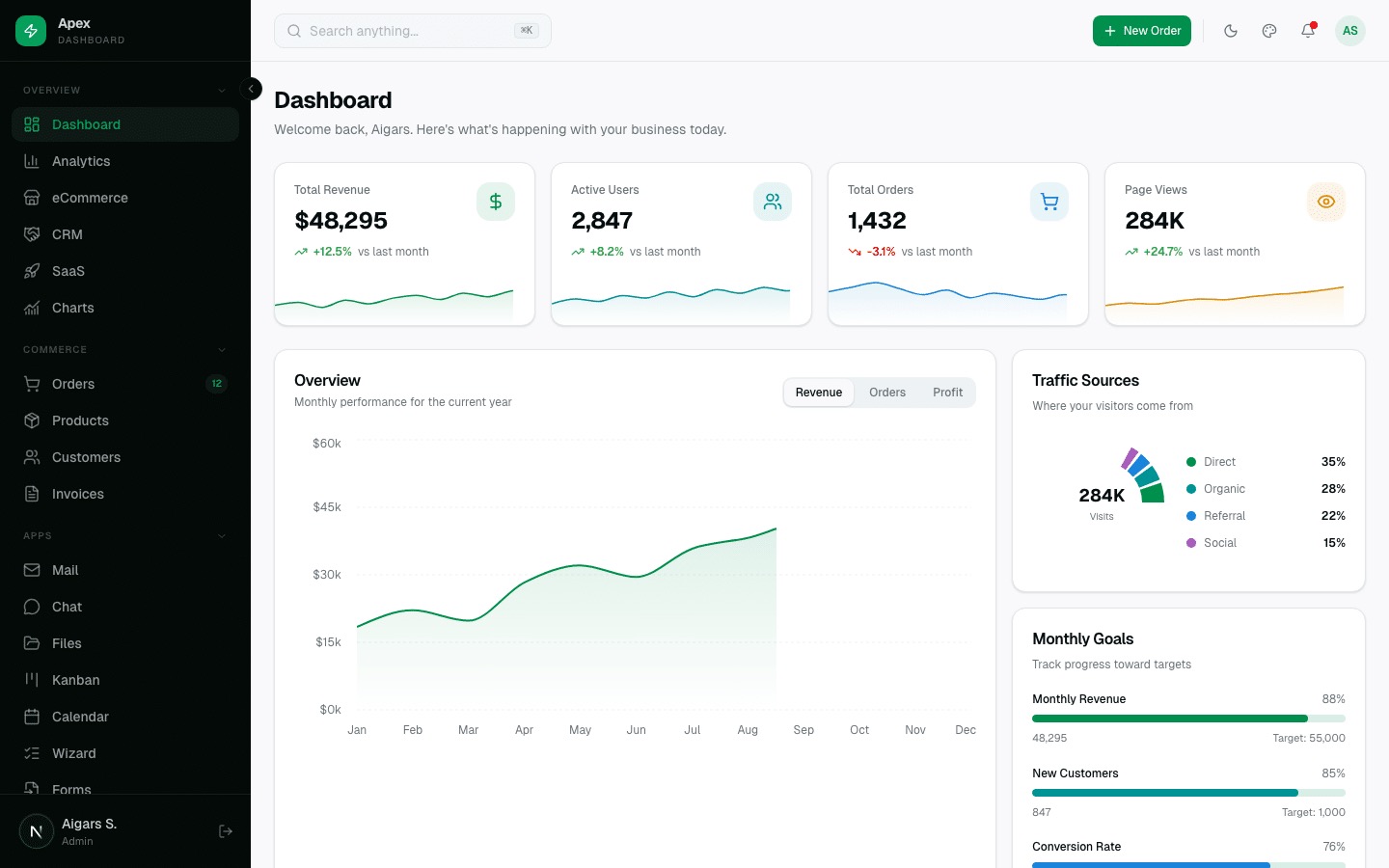
Apex Dashboard is a production-ready Next.js 16 admin template built with React 19, TypeScript 5, Tailwind CSS v4, and shadcn/ui components. It comes with 5 dashboard variations (Overview, Analytics, eCommerce, CRM, SaaS), 20+ application pages including Chat, Mail, File Manager, Kanban Board, and Calendar, plus a live theme customizer with 6 color presets, dark/light modes, and RTL support.
Under the hood, Apex uses Recharts 3 for 10 chart types, TanStack Table v8 for advanced data tables with sorting/filtering/CSV export, React Hook Form with Zod 4 for type-safe forms, and Framer Motion for smooth animations. It also includes a Cmd+K command palette, internationalization (3 languages), built-in documentation, and Storybook with 15 component stories. With 125+ static routes and an MIT license, it’s perfect for building any data-driven application.
2. Flux
$69+ • DashboardPack
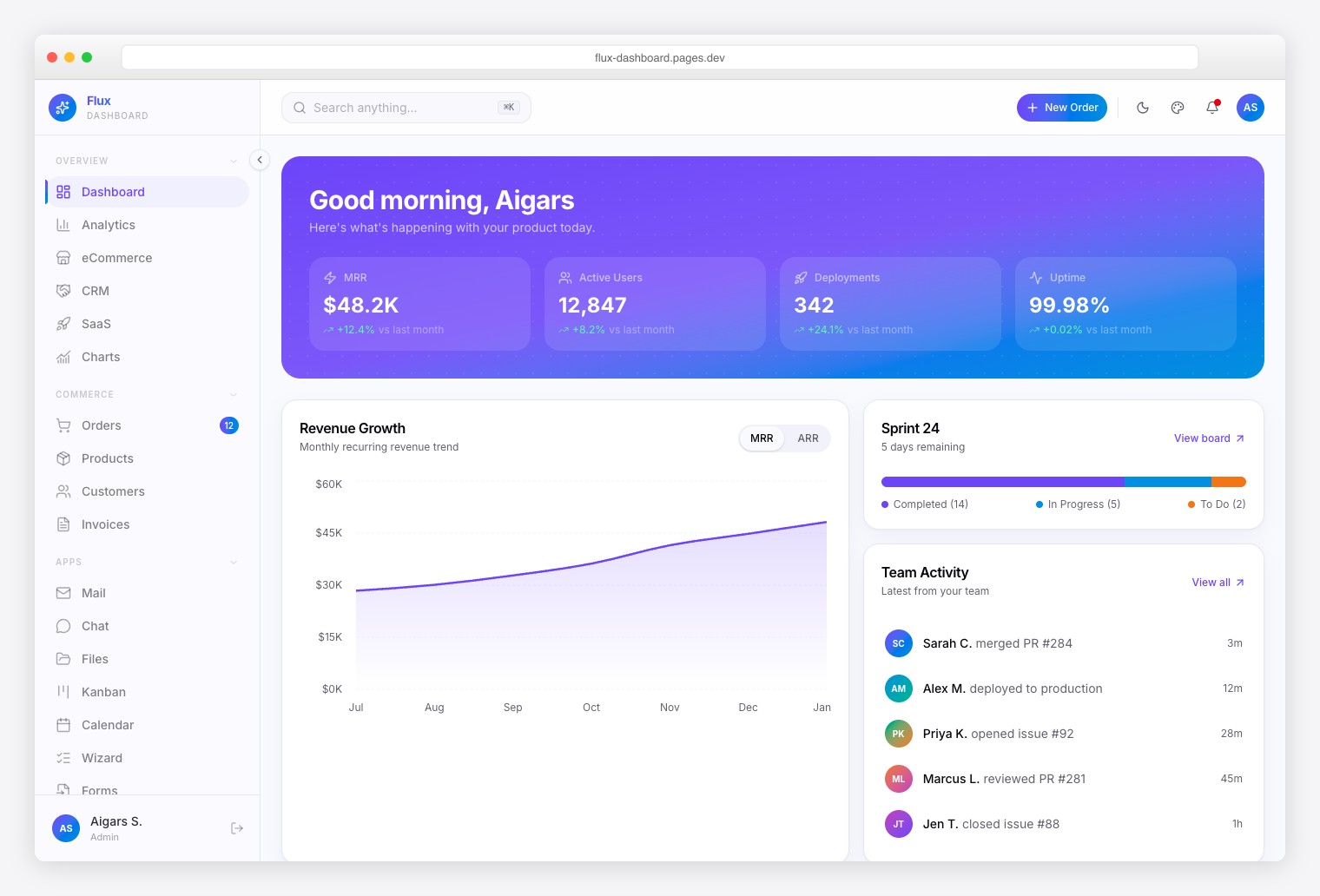
A gradient-forward, animation-heavy admin dashboard purpose-built for dev tools, SaaS products, and startup teams. Ships 64+ pages with 5 dashboard variations plus 7 specialty pages: Roadmap, Feature Flags, Deployment Log, Team Feed, Feedback Board, Sprint Board, and Changelog. Animated page transitions via Framer Motion, command palette with fuzzy search, and CSV export.
3. Zenith
$69+ • DashboardPack
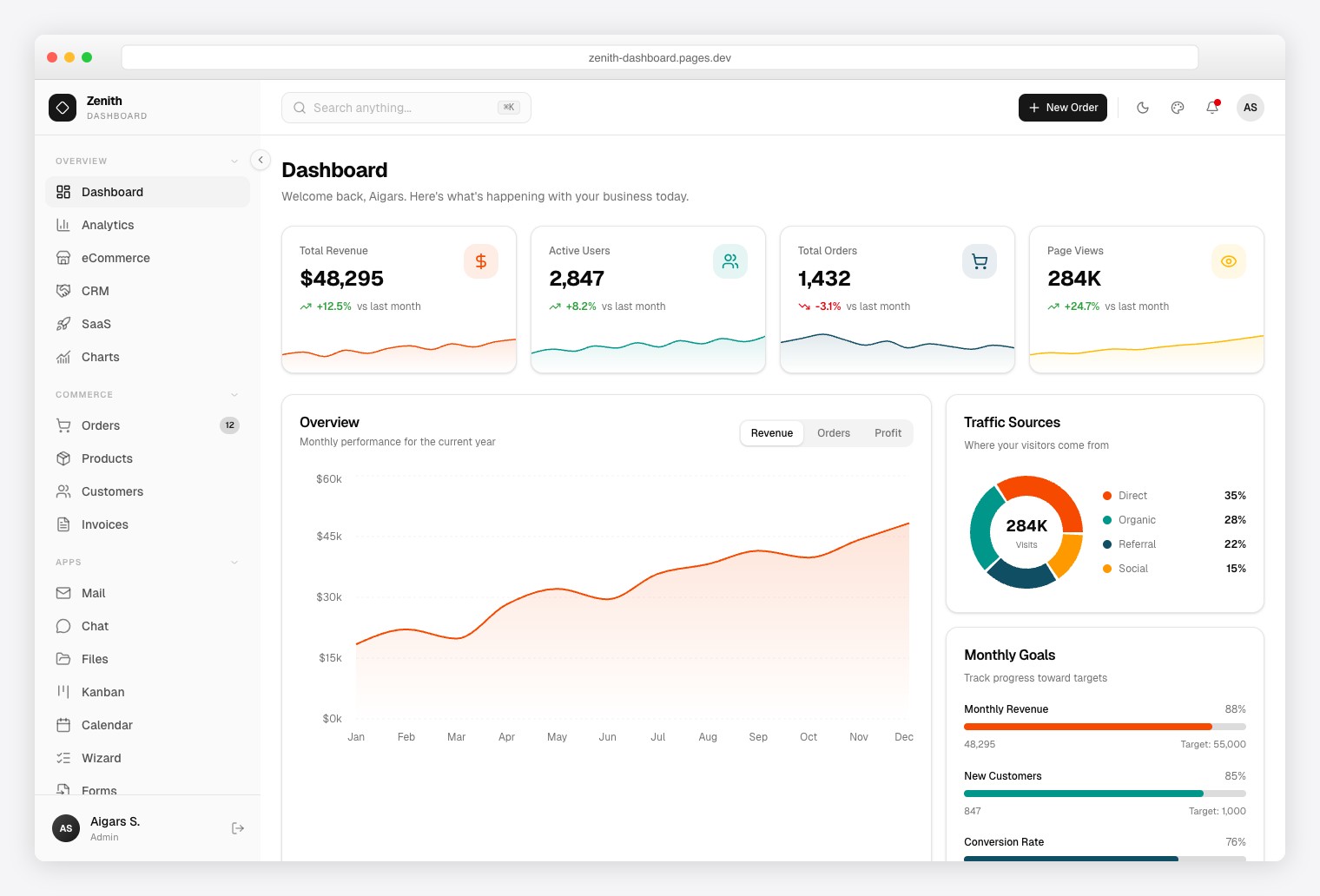
An ultra-minimal, achromatic design — no color noise, just clean typography and precise spacing. Ships 50+ pages with 6 dashboard variations (Overview, Analytics, eCommerce, CRM, SaaS, Finance), 34 vendored shadcn/ui primitives, TanStack Table for advanced data grids, TipTap 3 rich text editor, and Leaflet maps. React Hook Form + Zod for type-safe validation.
4. Ember
$69+ • DashboardPack
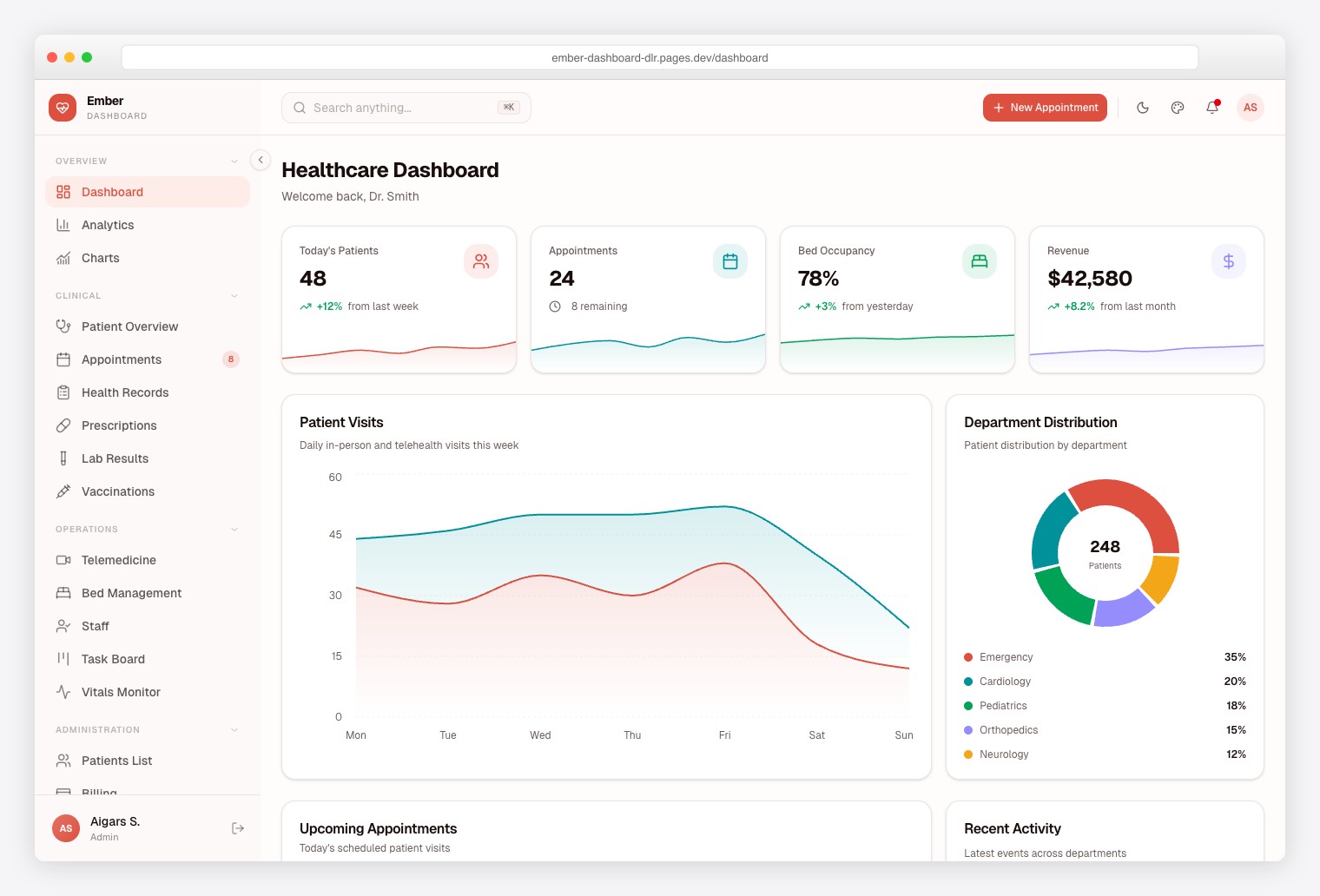
Purpose-built for medical practices, clinics, and healthcare SaaS platforms. Ships 50+ pages with domain-specific modules for Patient Management, Appointments, Telemedicine, Prescriptions, Lab Results, and Vaccinations. Also includes 5 general dashboard variants, Recharts 3 for clinical data visualization, Leaflet maps, and full auth flows with 2FA. i18n and RTL support included.
5. Signal
$69+ • DashboardPack
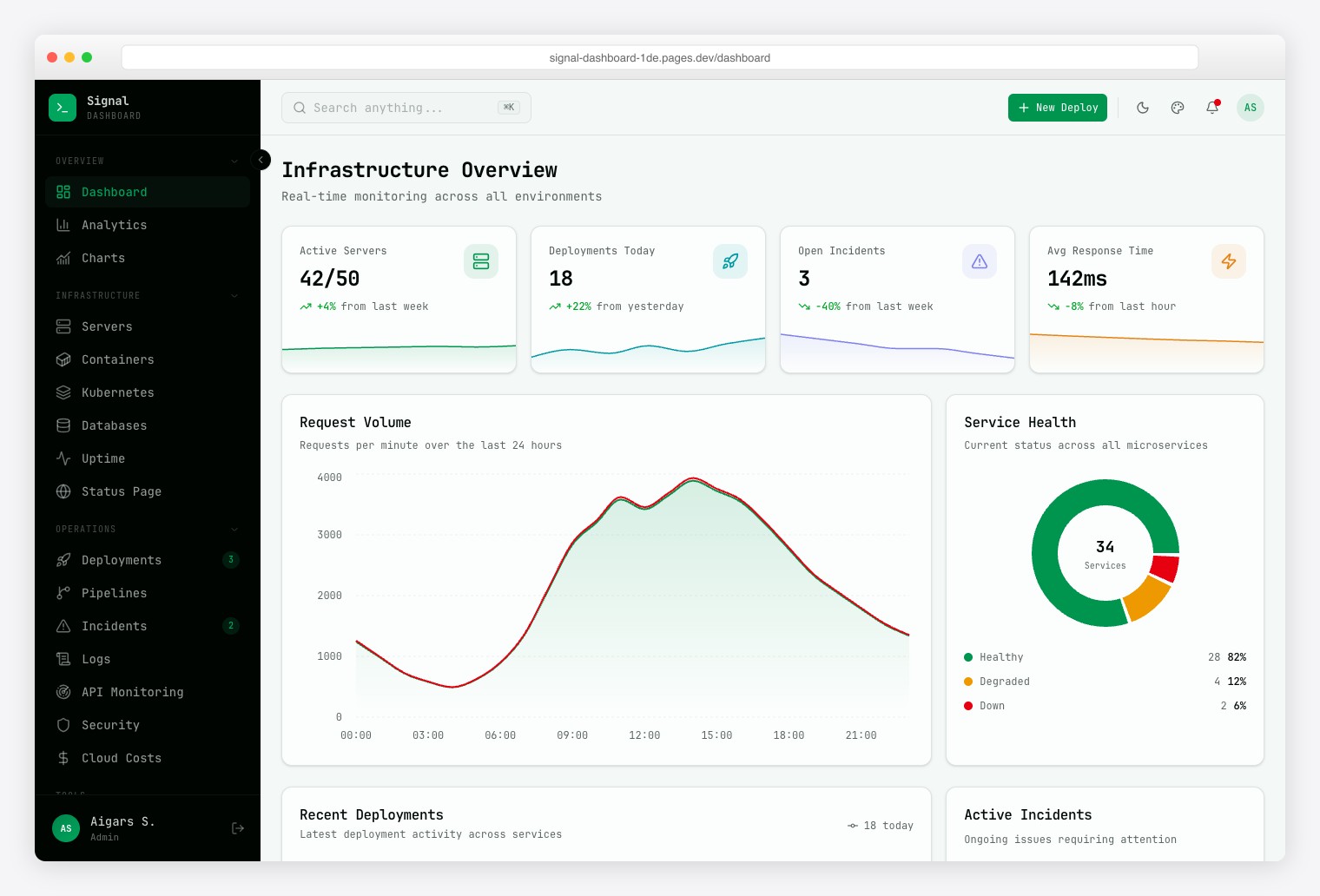
A terminal-inspired DevOps dashboard with dark-first, neon green aesthetic and JetBrains Mono typography. Ships 57+ pages with 13 DevOps modules: Server Fleet, Containers, Deployments, Incidents, Log Explorer, Uptime Monitor, Kubernetes status, Cloud Costs, and API Monitoring with latency percentiles (p50/p95/p99). Command palette, 6 color presets, and 3 density modes.
6. Vault
$69+ • DashboardPack
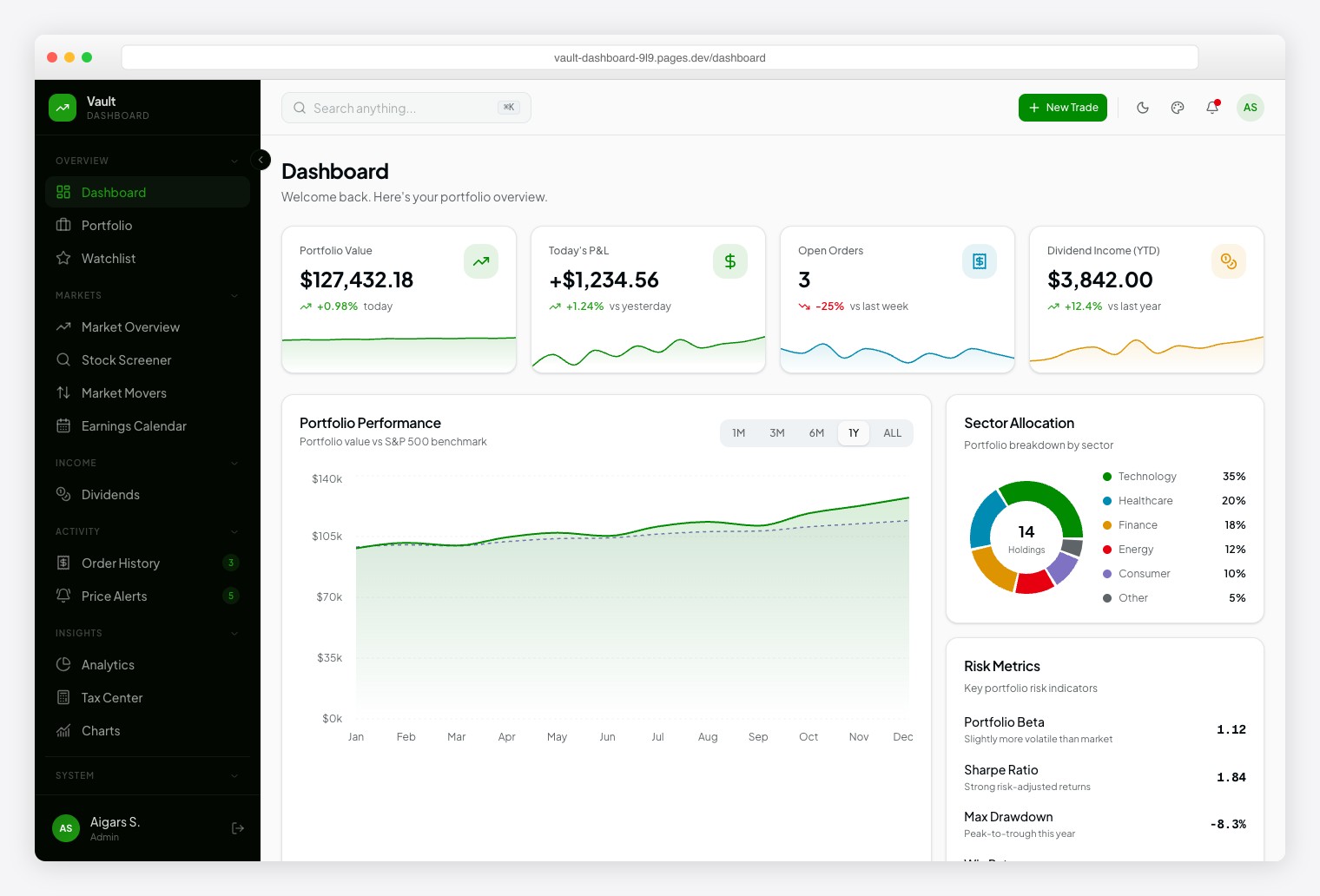
A Robinhood-inspired investment dashboard with Plus Jakarta Sans for readability and Geist Mono for financial data precision. Ships 57+ pages spanning 13 investment modules: Portfolio, Watchlist, Market Overview, Stock Screener, Market Movers, Earnings Calendar, Dividends, Order History, Price Alerts, Analytics, Tax Center, and Stock Detail. Dark/light themes, 6 color presets, 10+ chart types.
7. Fortress
$69+ • DashboardPack
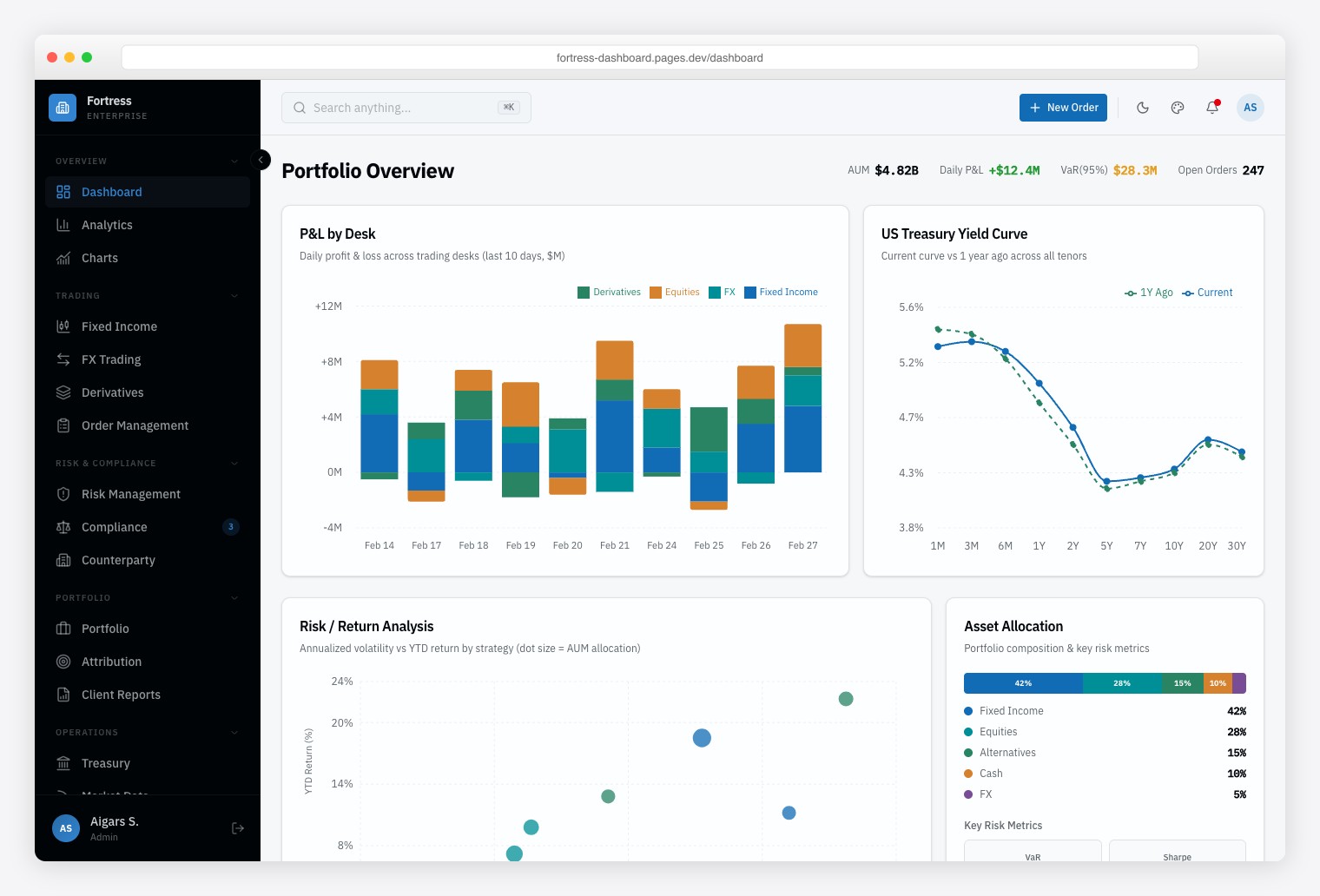
A Bloomberg-inspired institutional finance dashboard built for trading desks, risk management teams, and compliance officers who need dense, data-heavy interfaces. Ships 57+ pages with 13 finance-specific pages covering multi-asset trading (Fixed Income, FX, Derivatives), risk analytics, and regulatory compliance monitoring. Framer Motion animations, Vitest + Playwright testing, and Storybook documentation.
Best Free Tailwind Admin Dashboard Templates
8. TailAdmin Next.js
⭐ 2.3k GitHub Stars
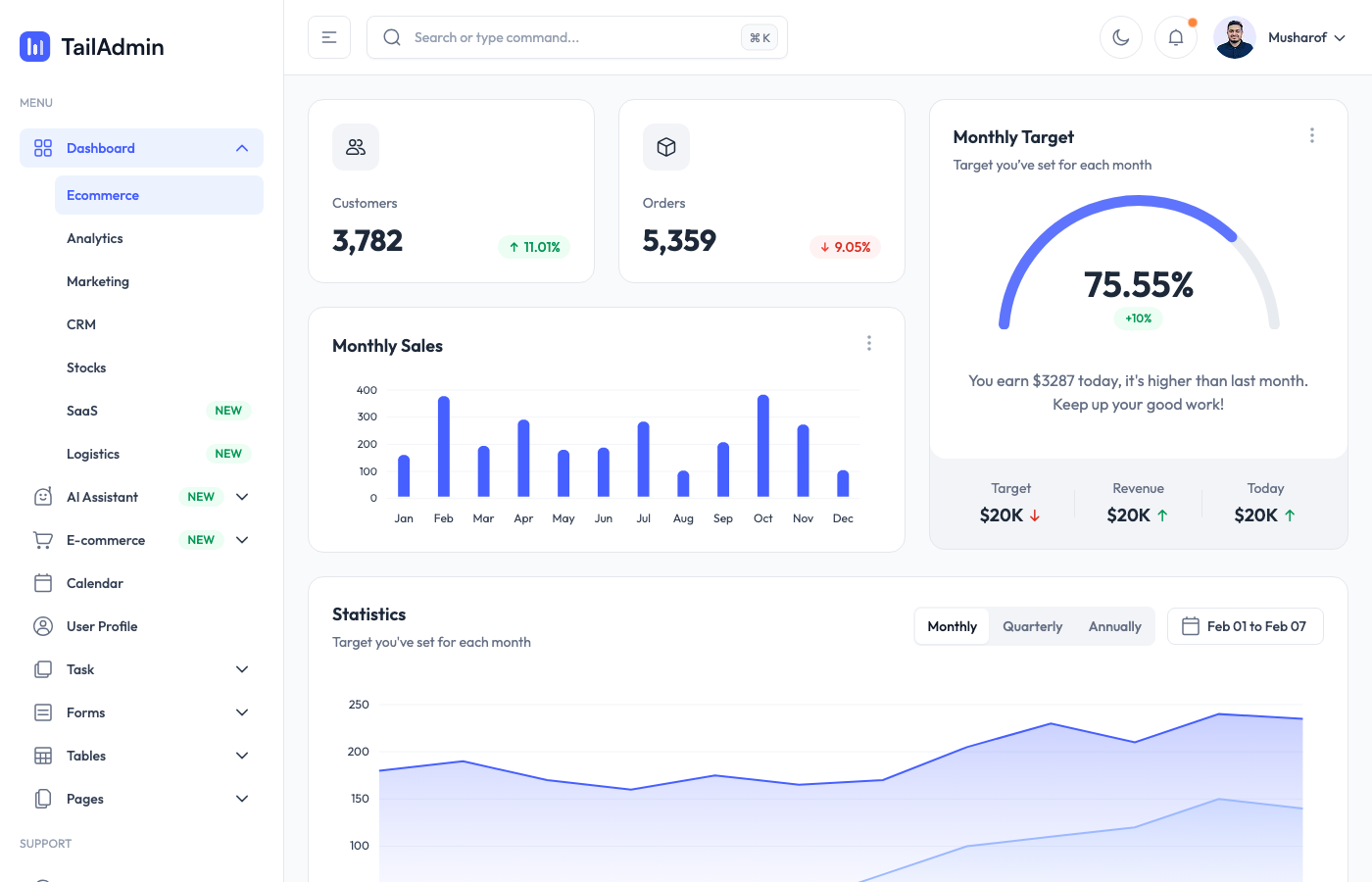
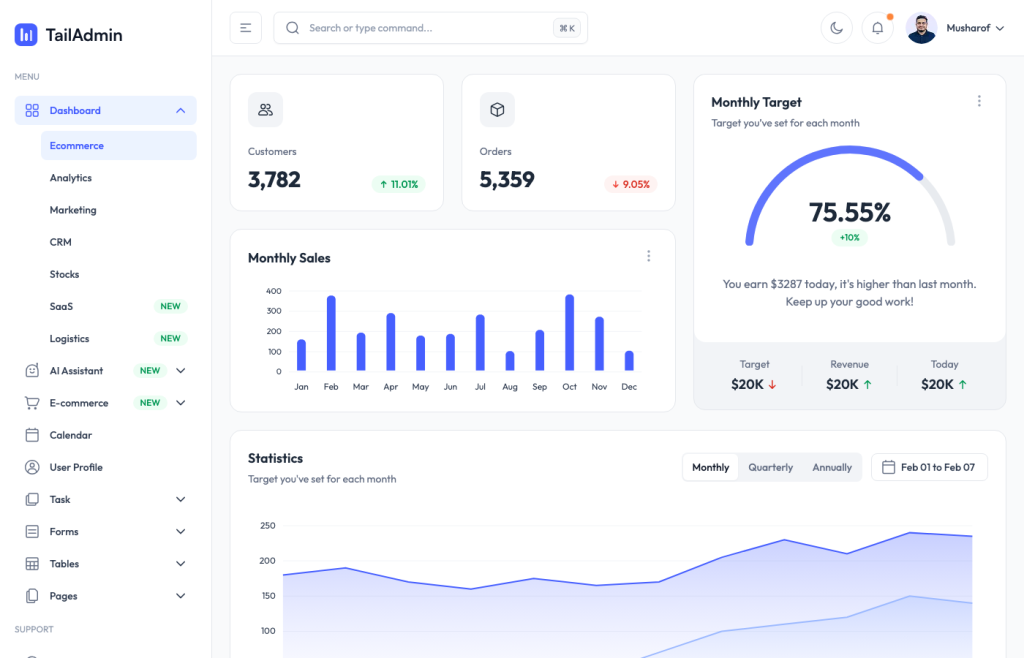
TailAdmin has established itself as the go-to Tailwind admin dashboard, and the Next.js version is their strongest offering. You get seven distinct dashboard layouts out of the box — Analytics, E-commerce, Marketing, CRM, Stocks, SaaS, and Logistics — which is more variety than most premium templates bother to include.
The component count is impressive: 500+ UI elements across 60+ code files, with ApexCharts for data visualization and Flatpickr for date selection. Dark mode works flawlessly, and the sidebar navigation feels snappy even on complex layouts. If you need a production-ready admin panel that covers every standard use case, this is probably where you should start.
For more Tailwind-powered web solutions, check out our collection of best Tailwind CSS templates.
9. Vuestic Admin
⭐ 11k GitHub Stars
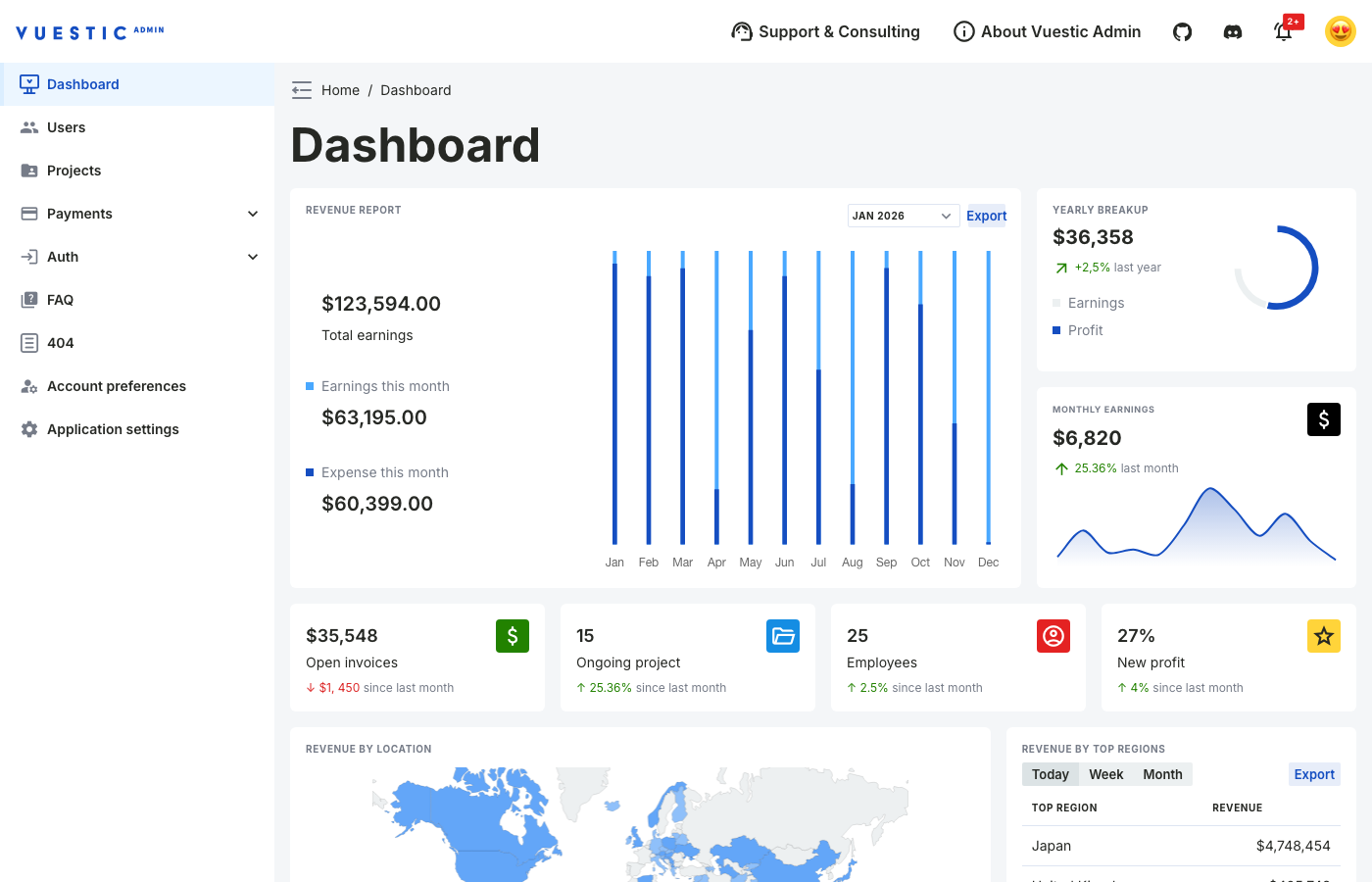
With nearly 11,000 GitHub stars, Vuestic Admin is the most popular Tailwind-compatible admin template in the Vue ecosystem — and it earns that reputation. Built on Vue 3 with Vite and Pinia, it ships with a mature component library (Vuestic UI) that handles everything from form validation to complex data tables.
What makes Vuestic stand out is polish. The dark theme isn’t an afterthought — it’s fully designed. Internationalization comes baked in, not bolted on. Accessibility support goes beyond basic ARIA labels. The dashboard, user management, billing, and auth pages all feel cohesive, which is surprisingly rare in free templates.
Vue developers who want an admin panel that won’t require a complete redesign before production should seriously consider this option.
10. Flowbite Admin Dashboard
⭐ 2.8k GitHub Stars
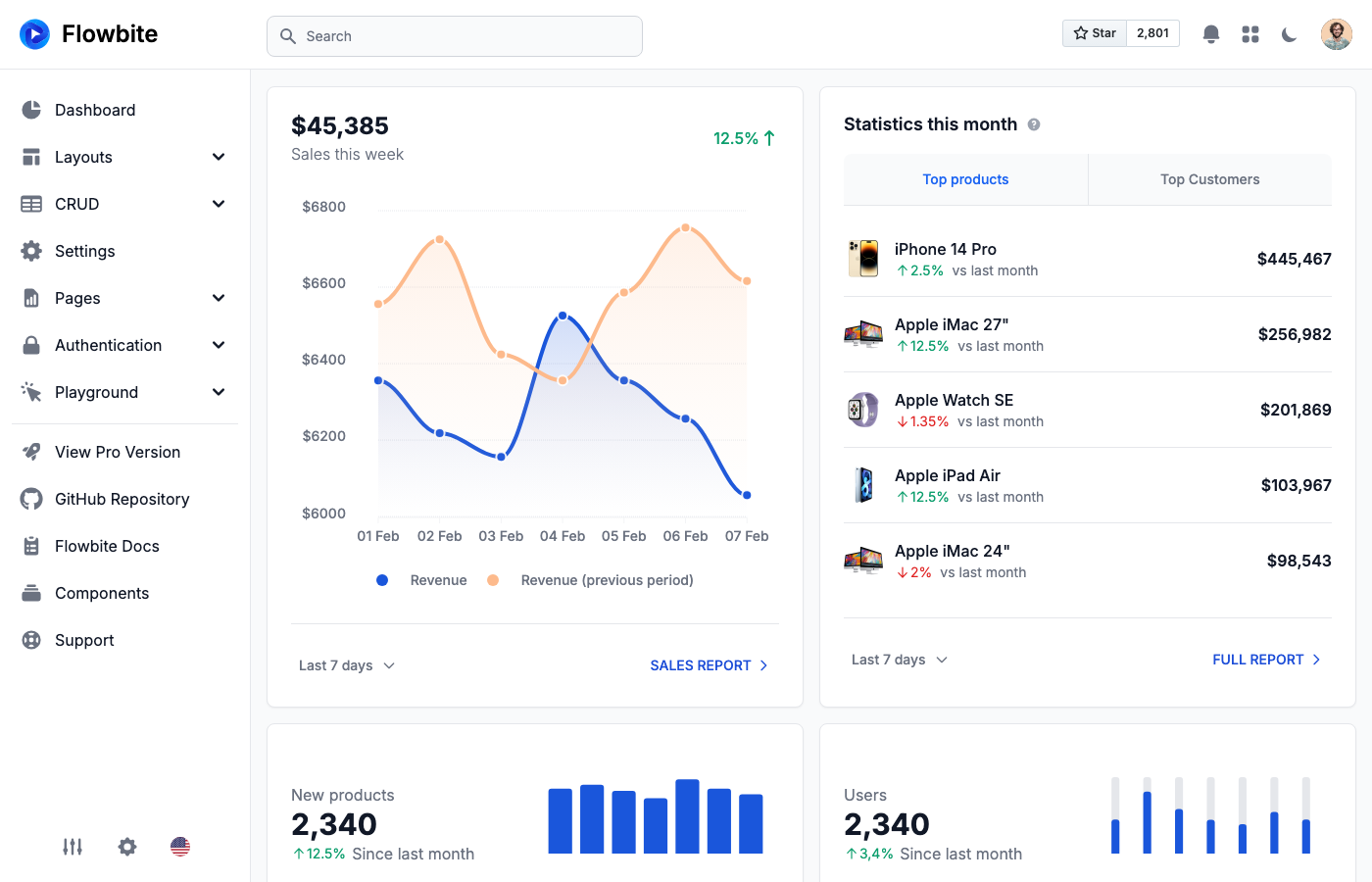
If you want the most pages out of the box without touching a JavaScript framework, Flowbite’s admin dashboard delivers. Twenty-plus pre-built pages including CRUD layouts, a Kanban board, a calendar view, and even e-commerce and marketing-specific pages. All built with plain HTML, Tailwind CSS, and the Flowbite component library.
The demo speaks for itself — weekly sales metrics, traffic analytics, transaction history, interactive charts, and a full navigation system with modals, drawers, and tooltips. Dark mode toggles seamlessly. The learning curve is nearly flat since there’s no framework to learn, making this ideal for backend developers who just need a solid admin interface without the React/Vue overhead.
If you’re exploring more admin panel options beyond Tailwind, browse our best free admin panels collection.
11. Tremor
⭐ 3.2k GitHub Stars
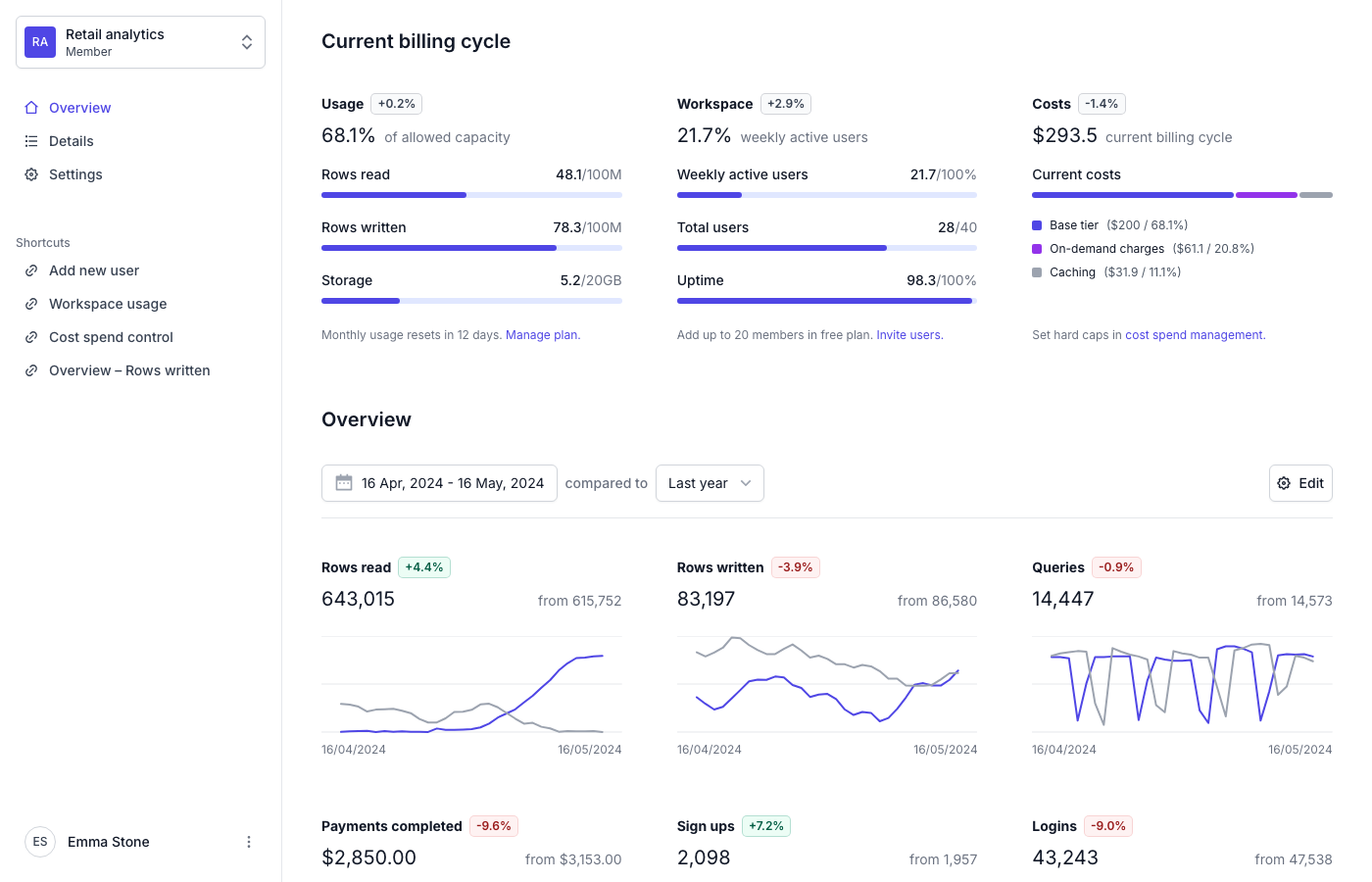
Tremor takes a different approach from every other template on this list. Instead of giving you a monolithic dashboard, it provides 35+ highly composable React components specifically designed for data visualization and analytics interfaces. Built on Radix UI primitives, every component is accessible by default.
Their open-source dashboard template showcases what’s possible: a SaaS analytics interface with workspace usage stats, billing tracking, activity metrics, and overview charts. It’s built with Next.js and looks clean in a way that most admin templates don’t — minimal, purposeful, no visual noise. If you’re building an analytics-heavy product and want components that compose well rather than a rigid template structure, Tremor is the answer.
12. Windmill Dashboard
⭐ 3k GitHub Stars
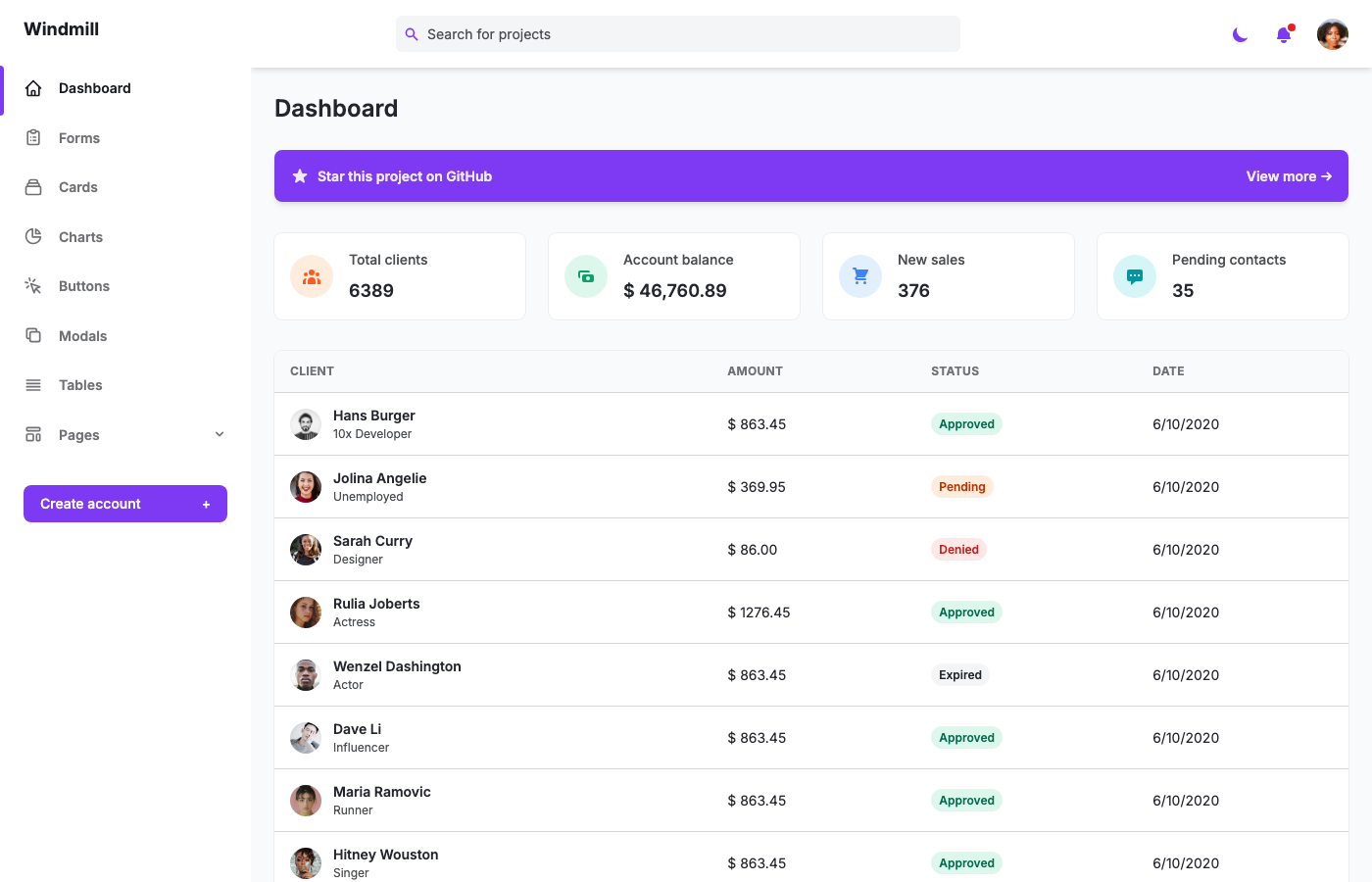
Windmill Dashboard has been around since the early Tailwind days, and it’s aged remarkably well. The HTML version pairs Tailwind with Alpine.js and Chart.js for a lightweight stack that loads fast and stays responsive. Multi-theme support (dark and light) works through CSS custom properties, so switching feels instant.
The real standout here is accessibility. Windmill was built with a11y as a core requirement, not a checkbox item. Screen reader support, keyboard navigation, focus management — it’s all there. It’s also PWA-ready, meaning you can install it on mobile devices for a native-app feel. For teams that take accessibility seriously and don’t need the complexity of a full JavaScript framework, Windmill remains one of the most solid foundations available.
13. Mosaic Lite
⭐ 2.7k GitHub Stars
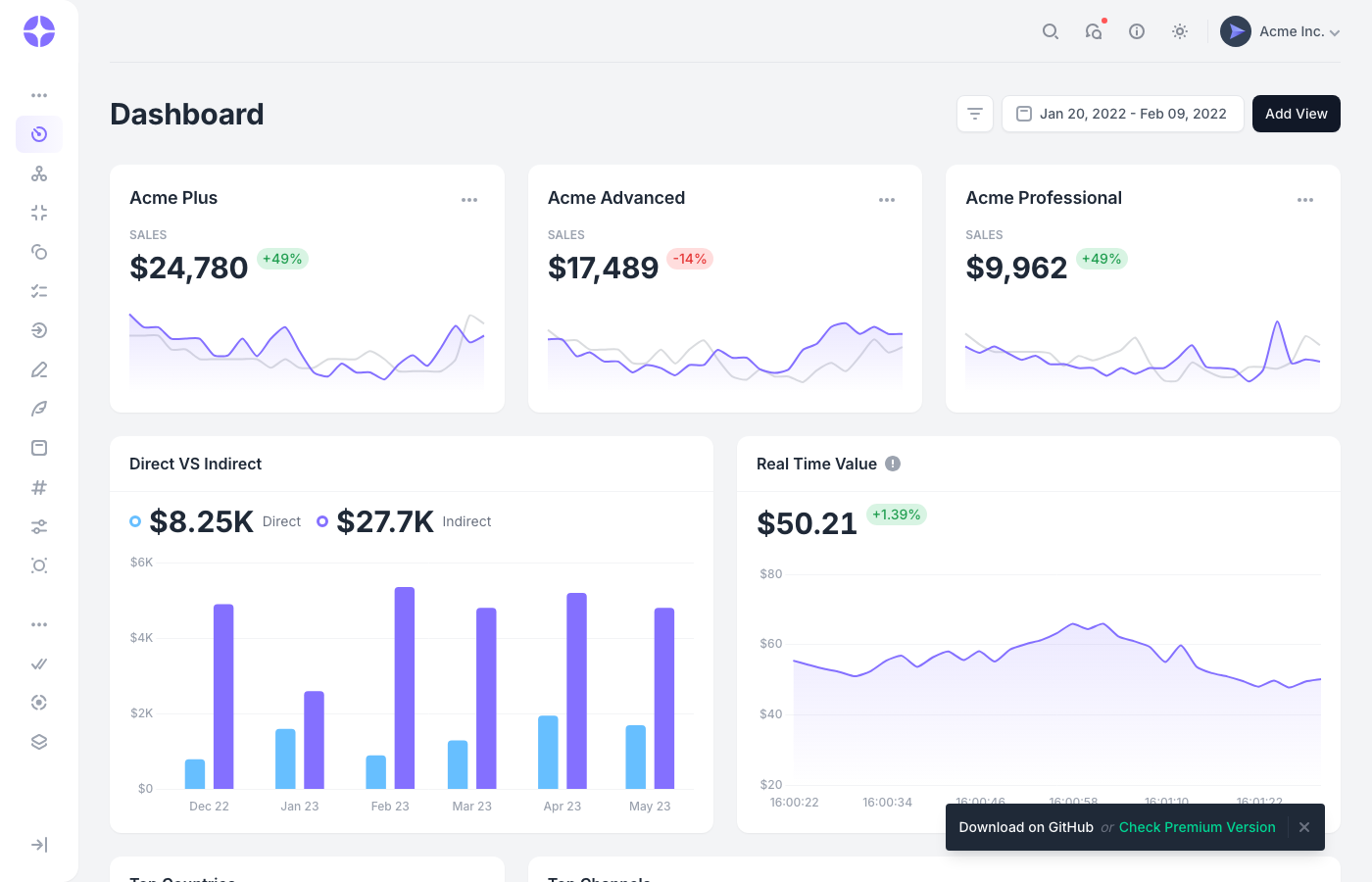
Made by Cruip (who are known for polished starter kits), Mosaic Lite gives you a SaaS-style dashboard that actually looks like a finished product. The pre-coded Chart.js 3 widgets display real-looking analytics data, and the layout adapts smoothly from desktop down to mobile without any layout breaks.
It was recently updated to support Tailwind v4, which puts it ahead of most competitors still running v3. Available in React, Vue, and Laravel flavors, so you’re not locked into one ecosystem. The free version covers the essentials — dashboard layout, charts, data widgets — while the paid version expands into additional pages. Good enough for an MVP or internal tool as-is.
14. Admin One Vue Tailwind
⭐ 2.5k GitHub Stars
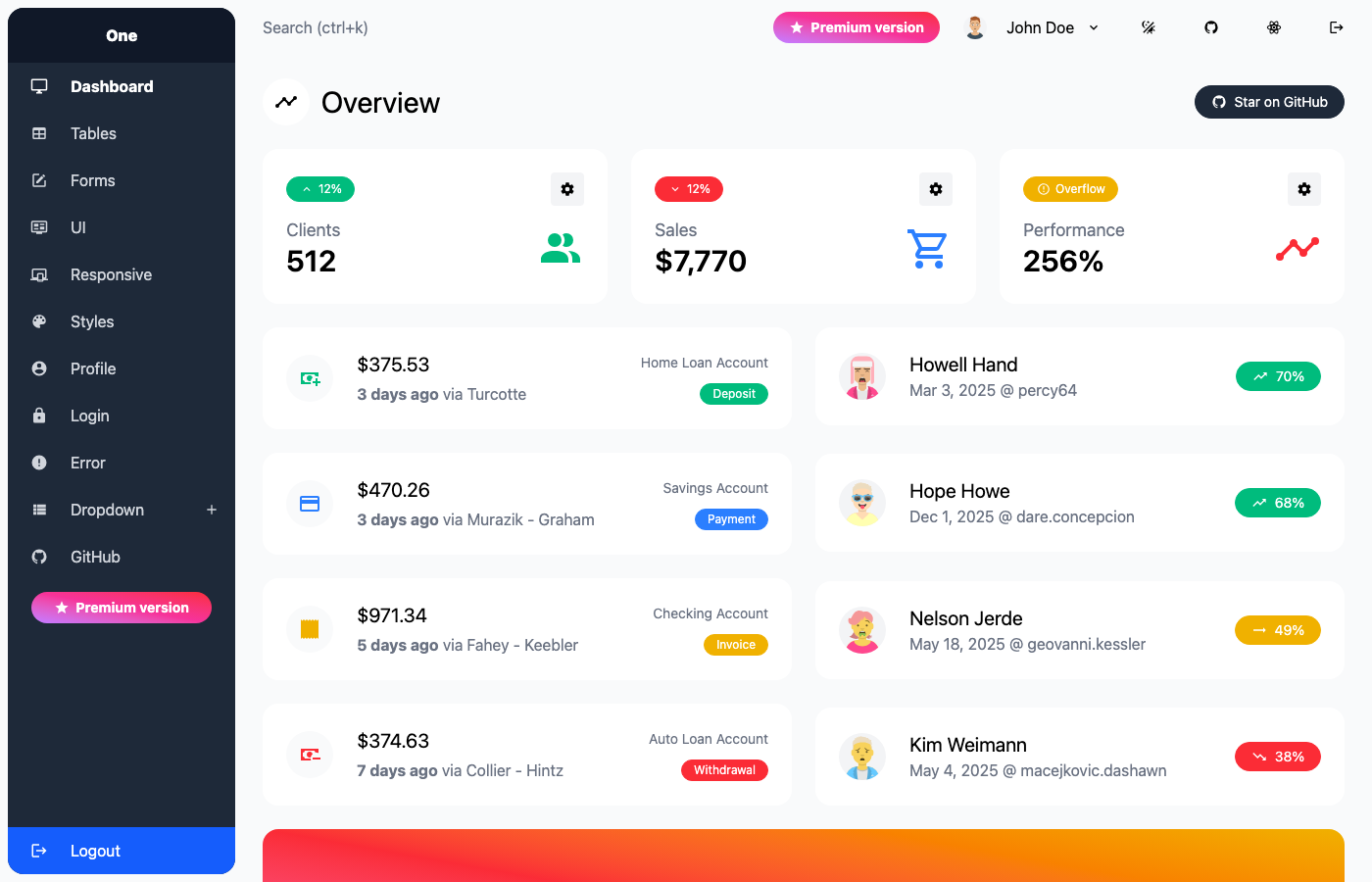
Admin One keeps things refreshingly simple. Where other Vue admin templates try to pack in every widget imaginable, this one focuses on getting the fundamentals right: clean layout, smooth navigation, functional components, and zero unnecessary dependencies. It’s been updated to Tailwind CSS 4.x and Vue.js 3 with Vite, so the dev experience is fast.
Pinia handles state management, and there’s a Laravel integration path if you need server-side rendering. The dark mode implementation is clean, and the responsive design doesn’t just shrink things — the mobile layout genuinely makes sense on smaller screens. A straightforward choice for Vue developers who’d rather start lean and add what they need.
15. Cleopatra
⭐ 1.6k GitHub Stars
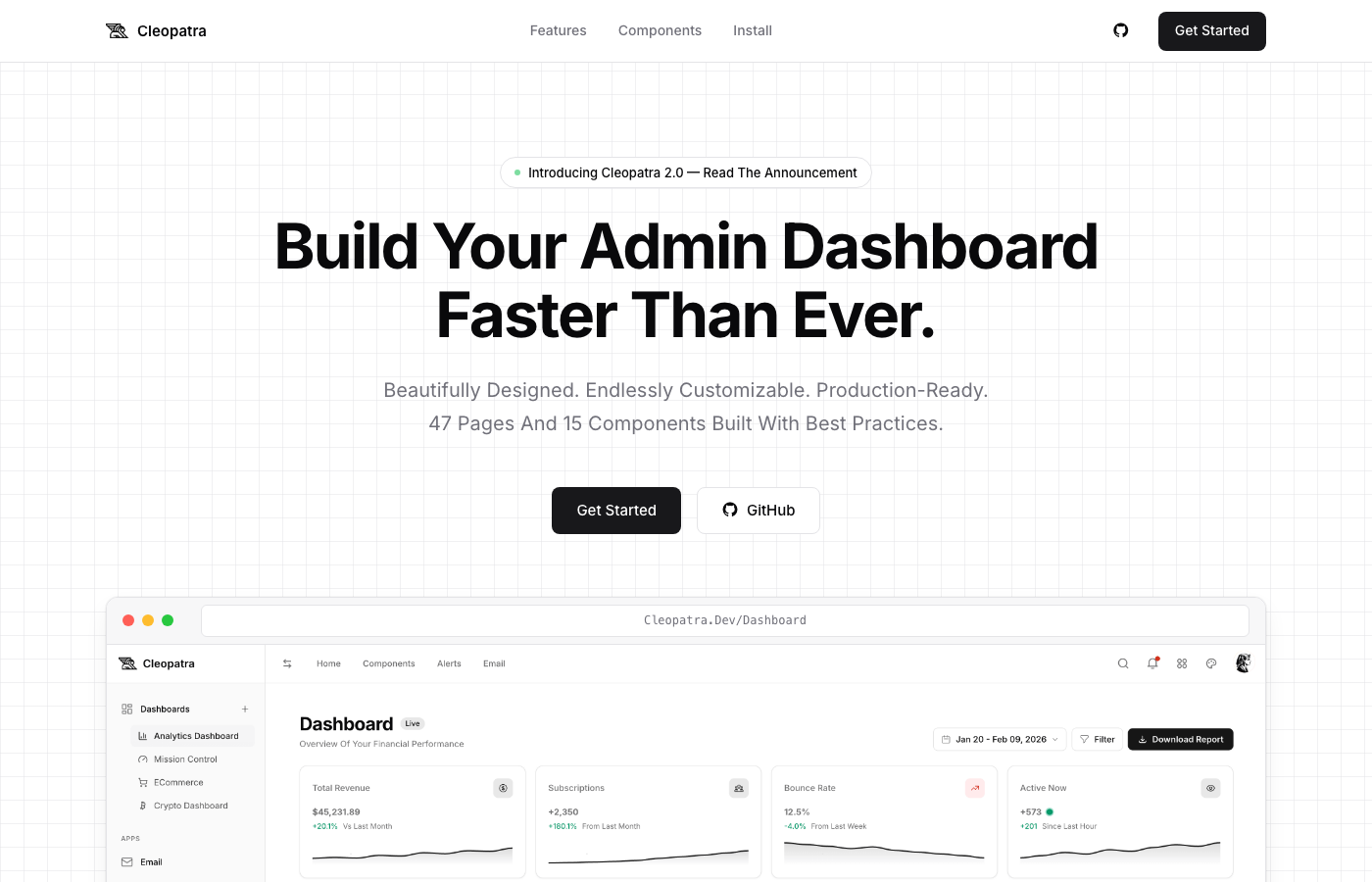
Cleopatra is the best-looking free admin dashboard on this list, full stop. Version 2.0 is a complete ground-up rewrite with Tailwind CSS v4, Vite, and vanilla JavaScript — no framework required. The design quality rivals paid templates: 4 dashboard variants (Analytics, E-commerce, Crypto, Mission Control), 47 pages, and 15 reusable components.
What we appreciate most is the code quality. Everything is well-commented, logically organized, and uses modern build tooling without overcomplicating the stack. No React, no Vue, no Angular — just clean HTML/CSS/JS that any developer can understand and modify in minutes. If you’ve been frustrated by overly complex template architectures, Cleopatra is a breath of fresh air.
16. TailAdmin HTML
⭐ 1.9k GitHub Stars
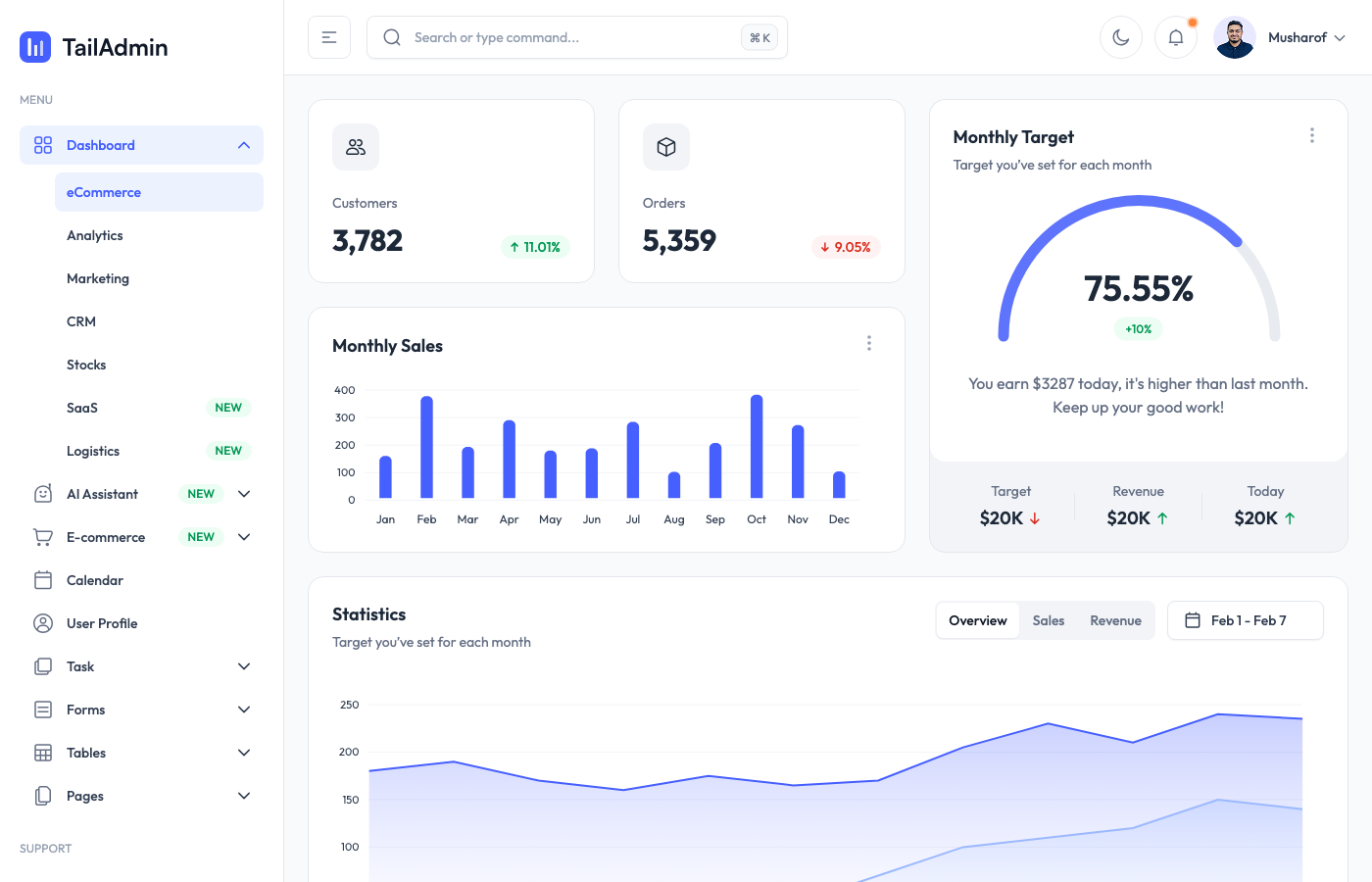
The vanilla HTML version of TailAdmin — same design DNA as the Next.js and React versions, but stripped down to pure Tailwind CSS with Alpine.js for interactivity. This makes it framework-agnostic and easy to integrate into any backend stack, whether that’s Django, Rails, Laravel, or a static site generator.
You still get all the essential dashboard UI components: sidebar navigation, data tables, form elements, charts, and auth pages. The Alpine.js integration keeps things lightweight while still providing dropdown menus, modal dialogs, and toggle behaviors. Actively maintained with frequent updates, which matters more than people think when you’re building something you’ll maintain for years.
17. TailAdmin React
⭐ 1.1k GitHub Stars
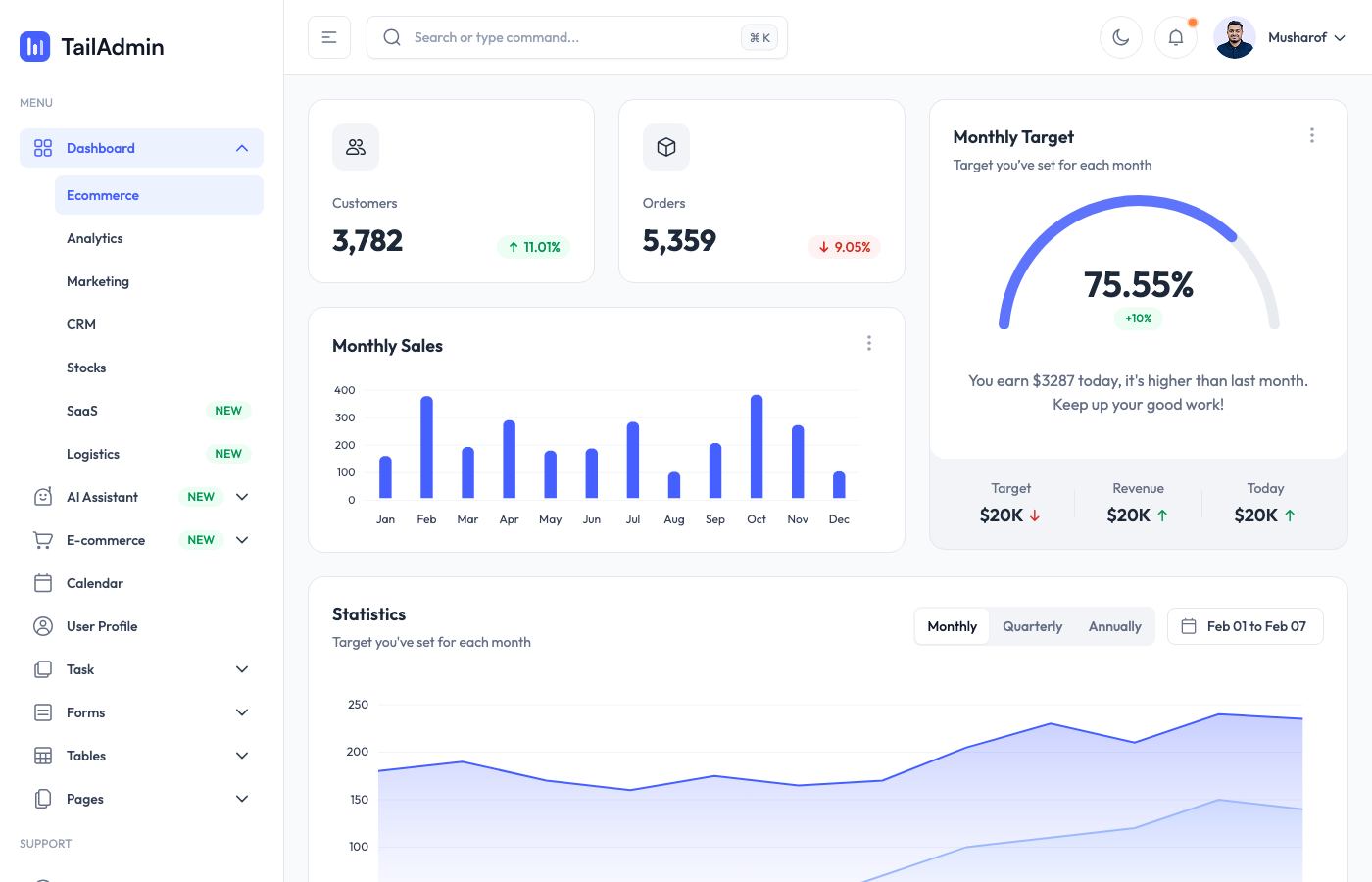
If you’re a React developer but don’t need the full Next.js setup, TailAdmin’s React version gives you a pure client-side dashboard with all the UI components you’d expect. Same visual design as the other TailAdmin variants, but built as a standard React app with ApexCharts for data visualization.
The component architecture follows React conventions properly — no weird workarounds or anti-patterns. State management is straightforward, and the folder structure makes sense. It’s a good middle ground between the complexity of the Next.js version and the simplicity of the HTML version. React teams working on internal tools or MVPs will find this gets them to a working dashboard fastest.
18. Windmill Dashboard React
⭐ 1.1k GitHub Stars
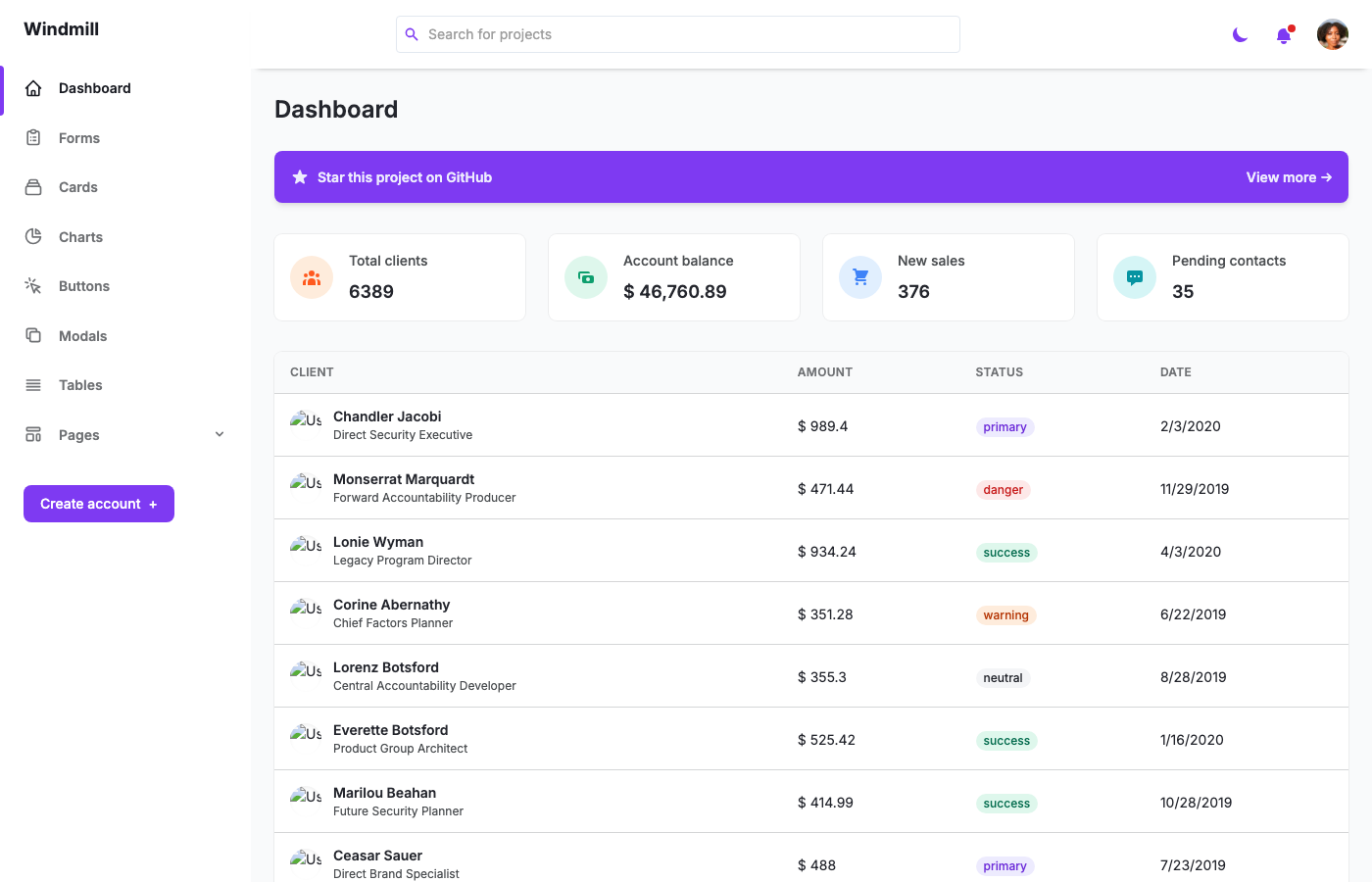
The React counterpart to Windmill Dashboard HTML, built on the Windmill React UI component library with the same strong focus on accessibility and theming. Multi-theme support works through a centralized theme context, and the PWA configuration means you can install it as a mobile app straight from the browser.
Chart.js handles data visualization, and Heroicons provide the icon set. The codebase uses Create React App (could use a Vite migration at this point, honestly), but the component structure and accessibility patterns are solid. If you loved the HTML Windmill dashboard but need React component architecture, this is the natural upgrade path.
19. Windster
⭐ 942 GitHub Stars
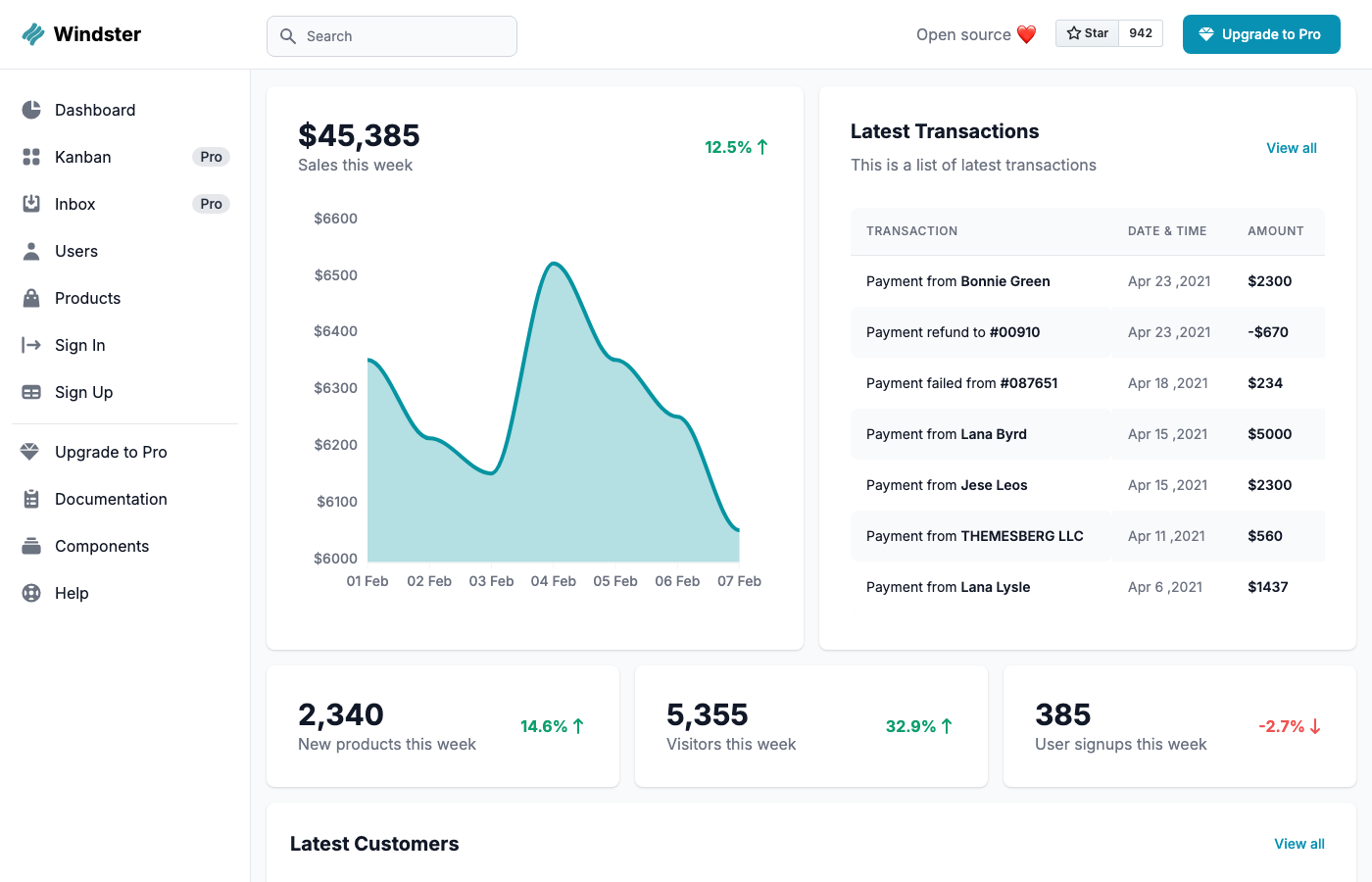
Windster was one of the first Tailwind admin dashboards by Themesberg (the team behind Flowbite), and it still holds up well for simpler projects. Five application pages — main dashboard, login, register, users list, and products with CRUD modals — cover the basics without overwhelming you with options.
The dashboard displays sales metrics, transaction history, customer lists, and traffic analytics in a clean, card-based layout. It’s less feature-rich than Flowbite Admin Dashboard (which is its spiritual successor), but that’s actually a plus if you want a lightweight starting point. Sometimes you don’t need 20 pages — you need 5 good ones and room to build from there.
20. Notus React
⭐ 877 GitHub Stars
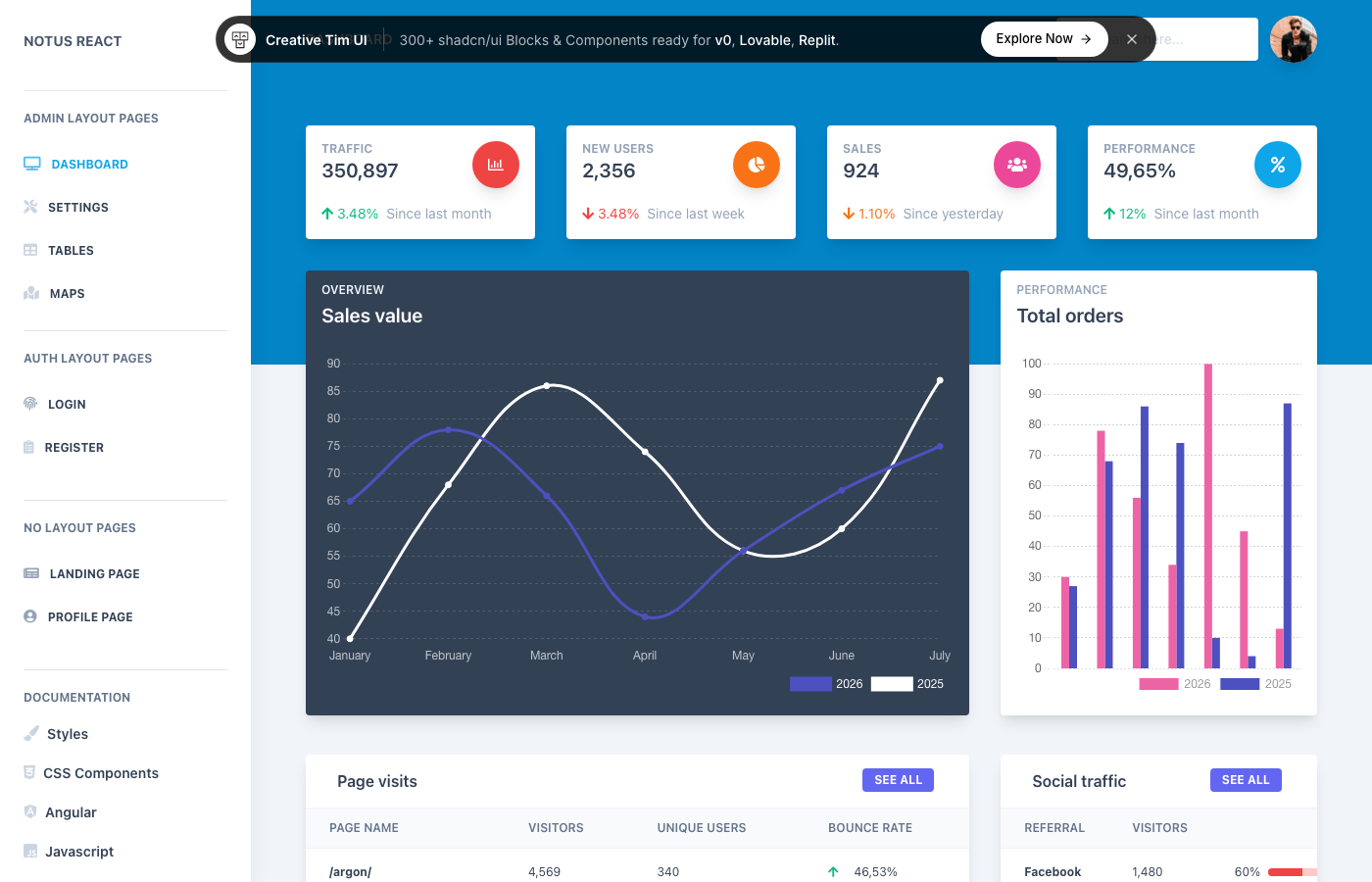
Creative Tim has been making admin templates for years, and Notus React brings their design sensibility to the Tailwind ecosystem. It’s not just a dashboard — it’s a complete UI kit with 120+ frontend components including alerts, buttons, inputs, navbars, tabs, and cards. The admin section sits alongside landing pages and profile pages, making it versatile for full-stack projects.
The design language is distinctly Creative Tim: rounded corners, soft gradients, generous whitespace. If you’ve used Material Dashboard or Argon before, you’ll feel at home here. Also available as Notus JS (vanilla), Notus Angular, and Vue Notus, so you can pick whatever framework fits your stack.
21. K-WD Dashboard
⭐ 699 GitHub Stars
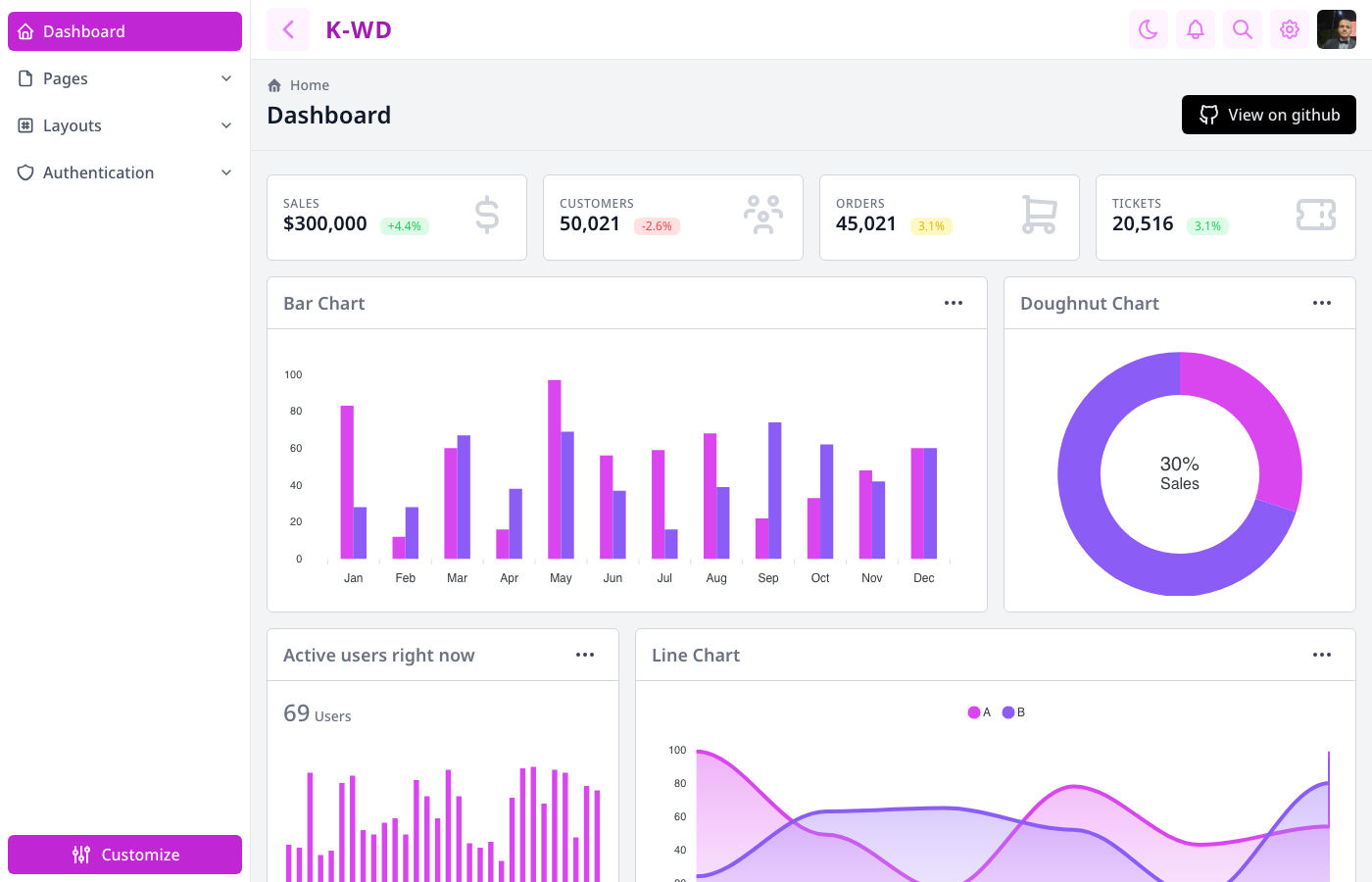
K-WD Dashboard by Ahmed Kamel packs a surprising amount into a lightweight package. Sales metrics, interactive charts, customer data tables, notification panels, and settings views — all built with Tailwind CSS and a minimal JavaScript footprint. The layout is functional without being cluttered, and the color scheme works well in both contexts.
It’s one of those templates that doesn’t try to impress you with feature counts but instead focuses on getting the core dashboard experience right. The code is clean and readable, making customization straightforward. A good pick for developers who want to understand every line of their admin panel rather than inheriting a massive codebase they’ll never fully explore.
22. Angular Tailwind Dashboard
⭐ 512 GitHub Stars
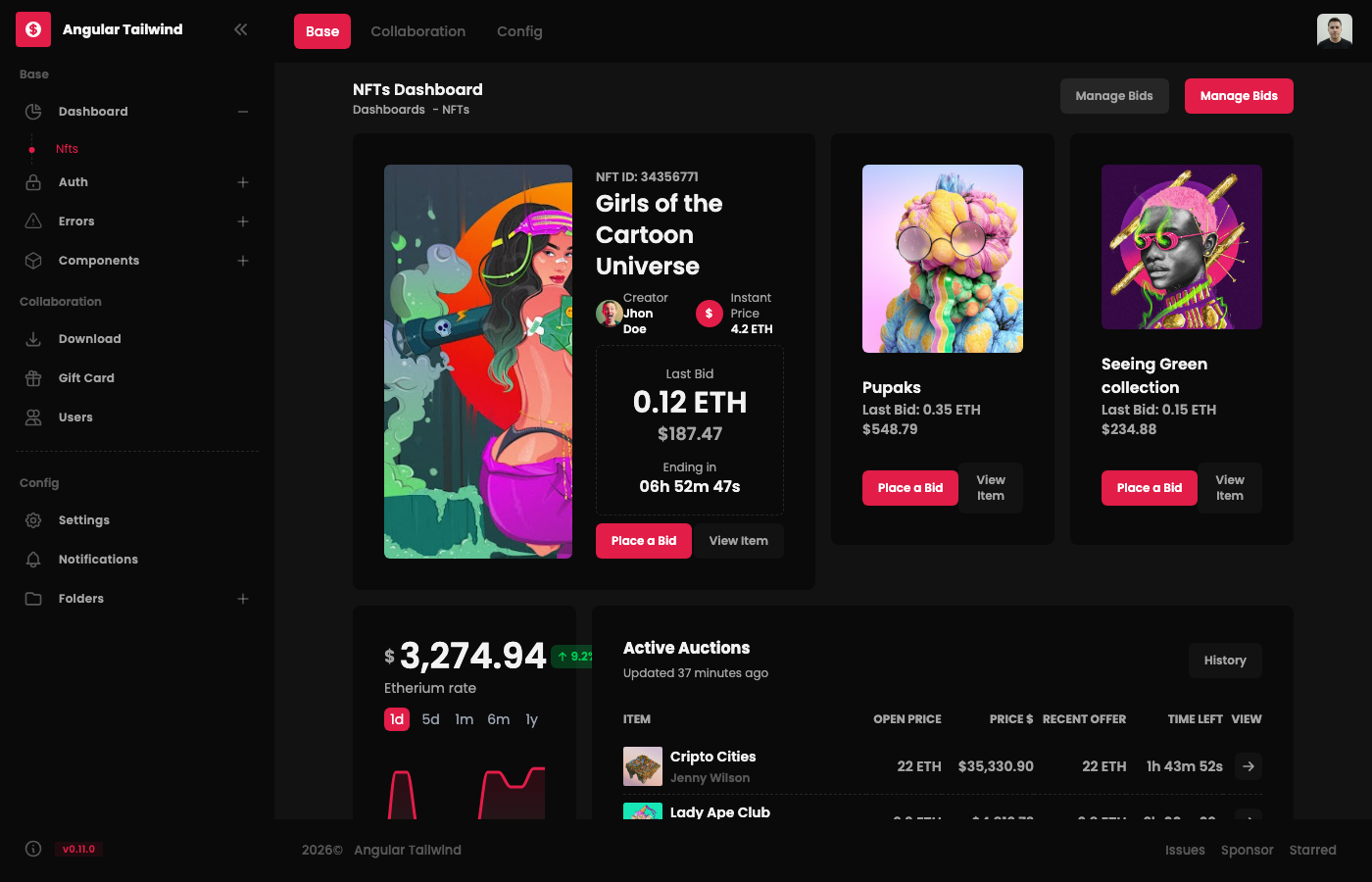
Angular developers don’t get nearly as many free Tailwind admin templates as the React and Vue crowd, which makes this one particularly valuable. It’s a clean, functional dashboard starter kit that pairs Angular’s component architecture with Tailwind’s utility classes — a combination that works better than you might expect.
The dashboard includes standard admin components: navigation, data displays, form elements, and chart widgets. It won’t win any awards for sheer page count, but what’s there is well-built and follows Angular best practices. If your team is committed to the Angular ecosystem and you want Tailwind styling without fighting the framework, this is currently your best free option.
23. Horizon UI
⭐ 472 GitHub Stars
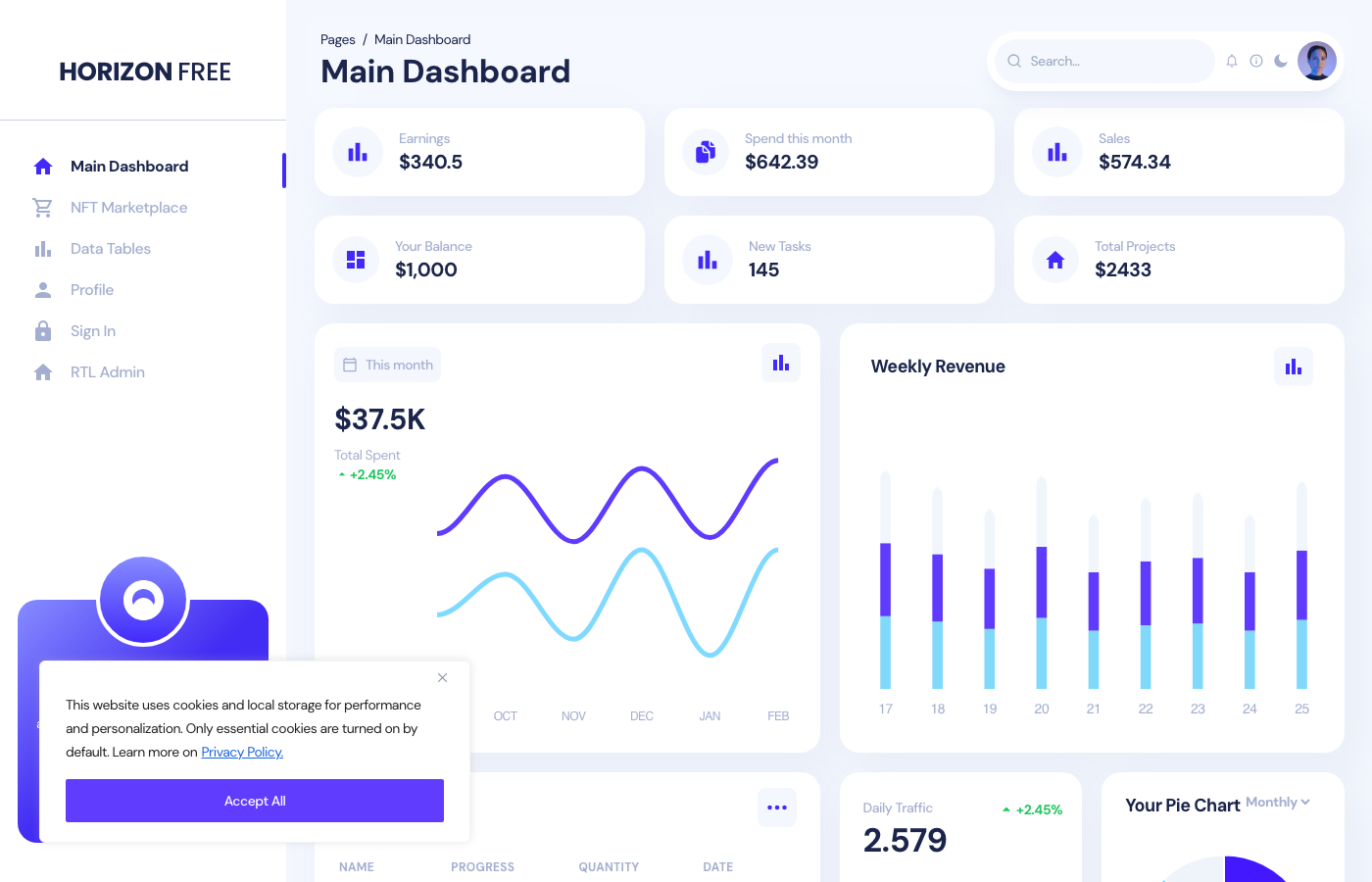
Horizon UI goes for a modern, almost futuristic aesthetic with its dark-themed default layout. Built with React and Tailwind, it includes 70+ components across both dark and light modes. The design stands out from the typical “corporate admin” look — if your product targets a younger or more design-conscious audience, this visual direction could be exactly what you need.
Charts, data tables, kanban boards, and auth pages are all included. The component structure is modular and the theming system makes it easy to adjust colors across the entire dashboard. Not the most feature-packed option on this list, but one of the most visually distinctive.
24. Material Tailwind Dashboard React
⭐ 440 GitHub Stars
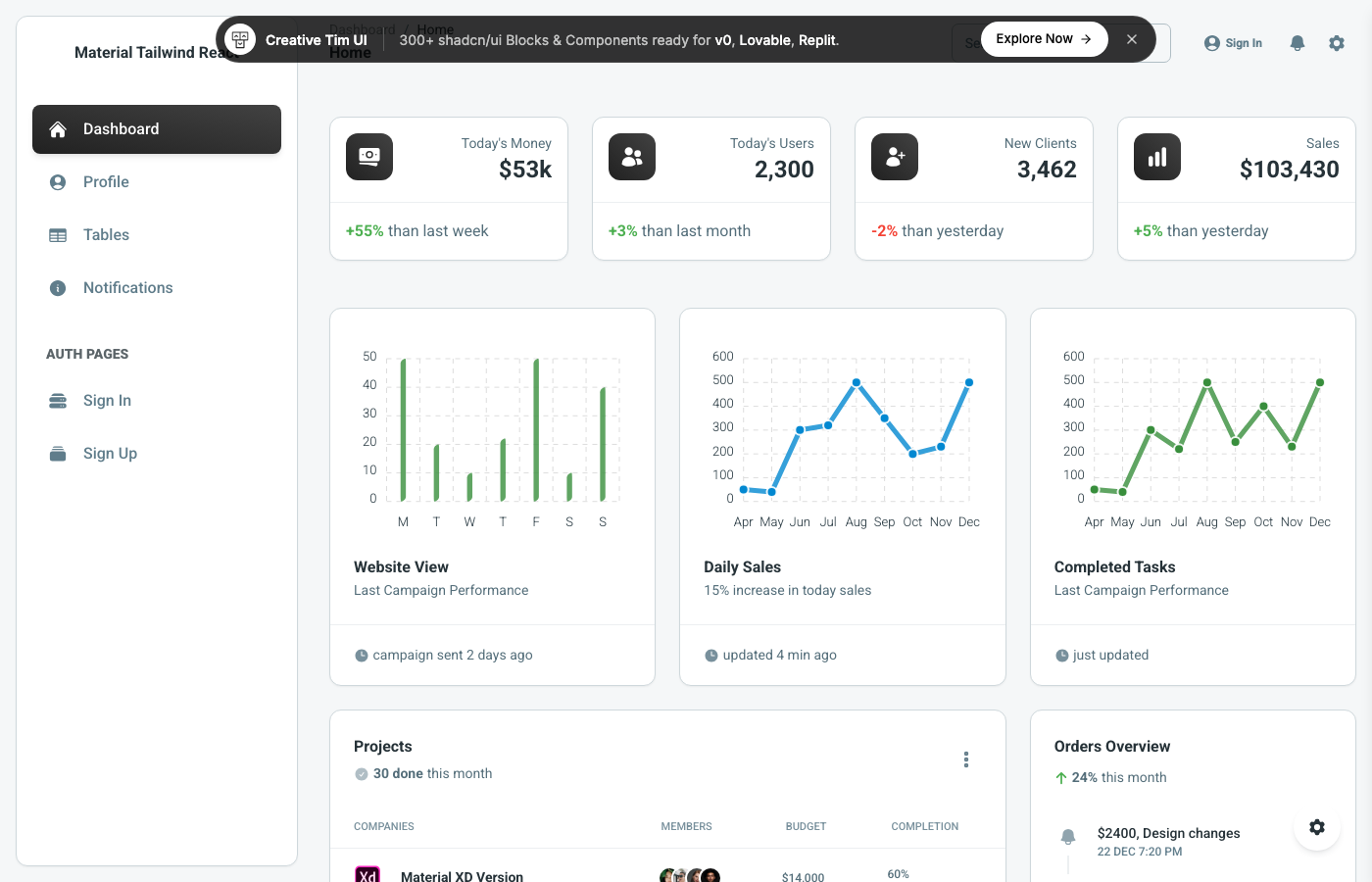
Creative Tim’s Material Tailwind Dashboard brings Google’s Material Design language to Tailwind CSS through the Material Tailwind component library. If your project already uses Material Design guidelines (common in enterprise and B2B apps), this template lets you stay consistent while gaining Tailwind’s utility-first flexibility.
The dashboard includes stat cards, charts, data tables, and a full auth flow. Material Design’s emphasis on elevation, motion, and purposeful color use gives the interface a familiar, professional feel. It’s not trying to reinvent how admin panels look — it’s bringing a proven design system to the Tailwind world, and it does that well.
25. Soft UI Dashboard Tailwind
⭐ 360 GitHub Stars
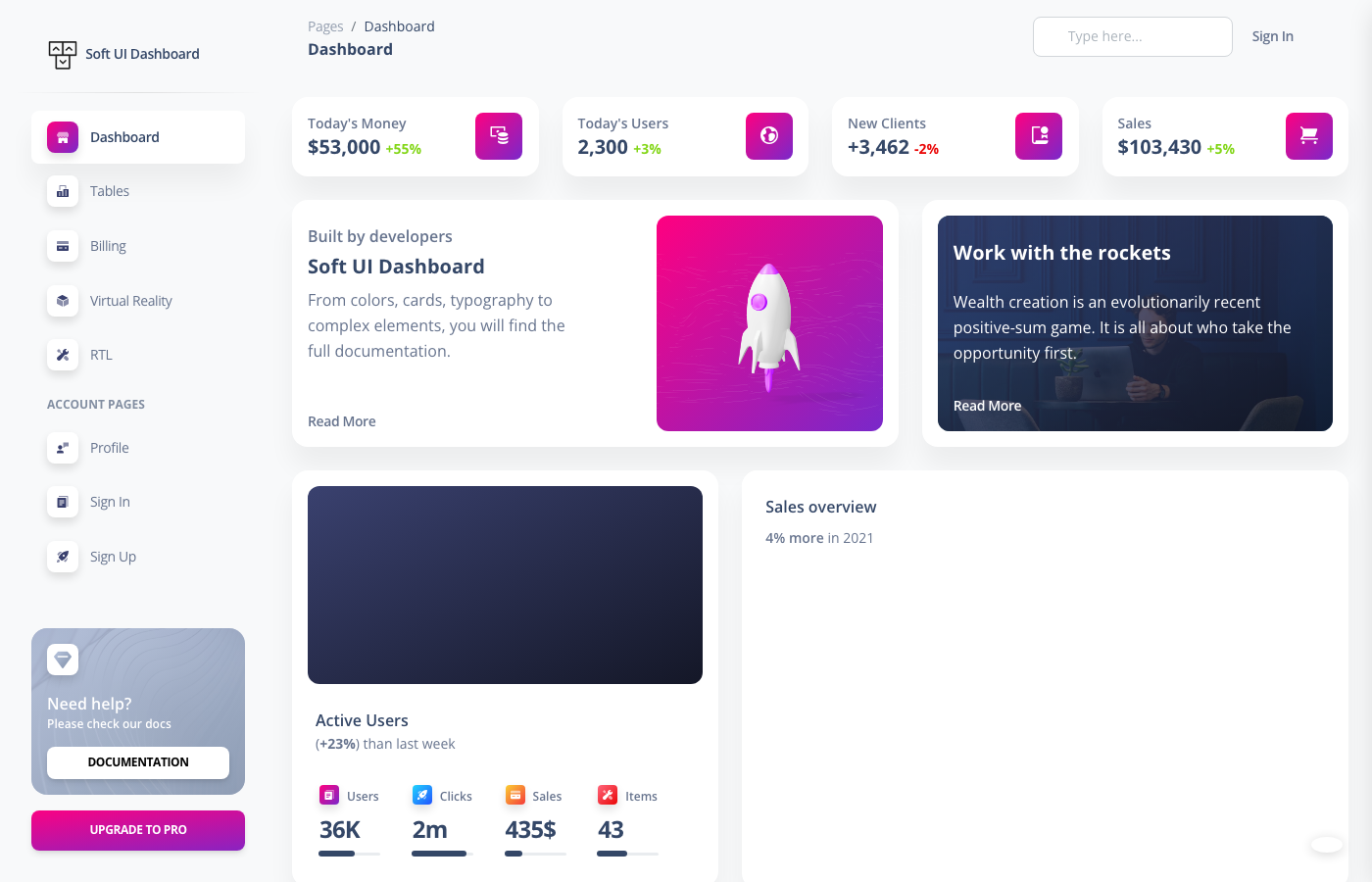
Soft UI Dashboard stands out with its neumorphic design approach — soft shadows, subtle gradients, and rounded elements that give the interface a tactile, almost physical feel. It’s built with plain HTML and Tailwind CSS (no framework dependency), making integration with any backend stack painless.
The free version includes 70+ frontend elements across 7 example pages: dashboard, tables, billing, virtual reality, profile, sign-in, and sign-up. The dashboard page alone showcases $53K revenue tracking, user analytics, project progress tables, and order timelines. Creative Tim also includes a visual configurator panel that lets you switch sidebar colors and navbar styles in real time — handy for client presentations where you need to demo multiple looks quickly.
Picking the Right Tailwind Admin Dashboard
Eighteen templates, and honestly, you can’t go wrong with most of them. But the “best” one depends entirely on your stack and what you’re building. If you need maximum pages and components out of the box, TailAdmin (in whichever framework flavor you prefer) or Flowbite Admin Dashboard will save you the most time. If accessibility is a priority for your project, Windmill Dashboard is the clear winner. For pure design quality without framework overhead, Cleopatra punches well above its weight class.
React developers have the most options (Tremor, TailAdmin React, Windmill React, Notus, Horizon UI, Material Tailwind). Vue developers should look at Vuestic Admin for a complete solution or Admin One Vue for a leaner start. Angular teams — your pickings are slimmer, but the Angular Tailwind dashboard covers the essentials. And if you want to skip frameworks entirely, the HTML options (Flowbite, TailAdmin HTML, Windmill, Cleopatra, Windster, Soft UI) are genuinely production-ready.
One last thing: star counts aren’t everything. Some of the lower-starred templates on this list (K-WD Dashboard, Cleopatra) have cleaner codebases and better design than some higher-starred alternatives. Always check the live demo and browse the source code before committing to a template — what works for a 10,000-star project might not fit your specific needs.
You Might Also Like
Comments (No Comments)