How to Use AdminLTE with Vue & Nuxt (Official Guide, 2026)
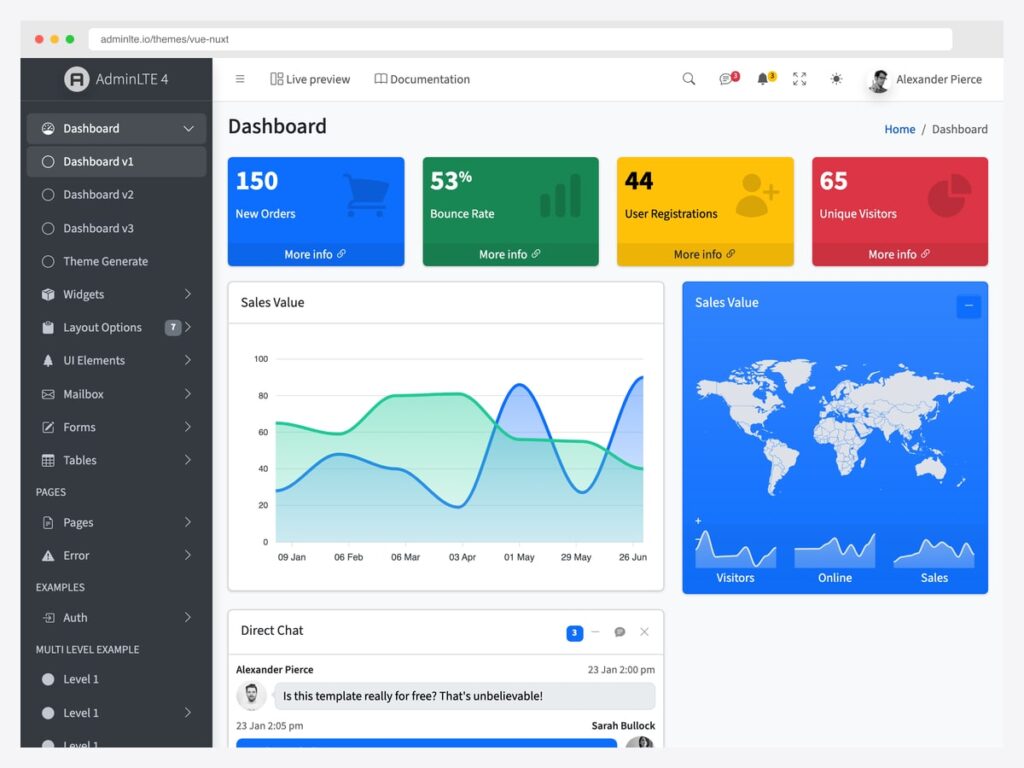
AdminLTE 4 has an official Vue and Nuxt integration, so you no longer need to port its Bootstrap markup into components by hand. It ships as @adminlte/vue with a companion @adminlte/nuxt module — 45+ typed components, composables instead of jQuery, native dark mode, and a command palette, free under the MIT licence. This guide covers the three ways to combine AdminLTE with Vue and when each makes sense.
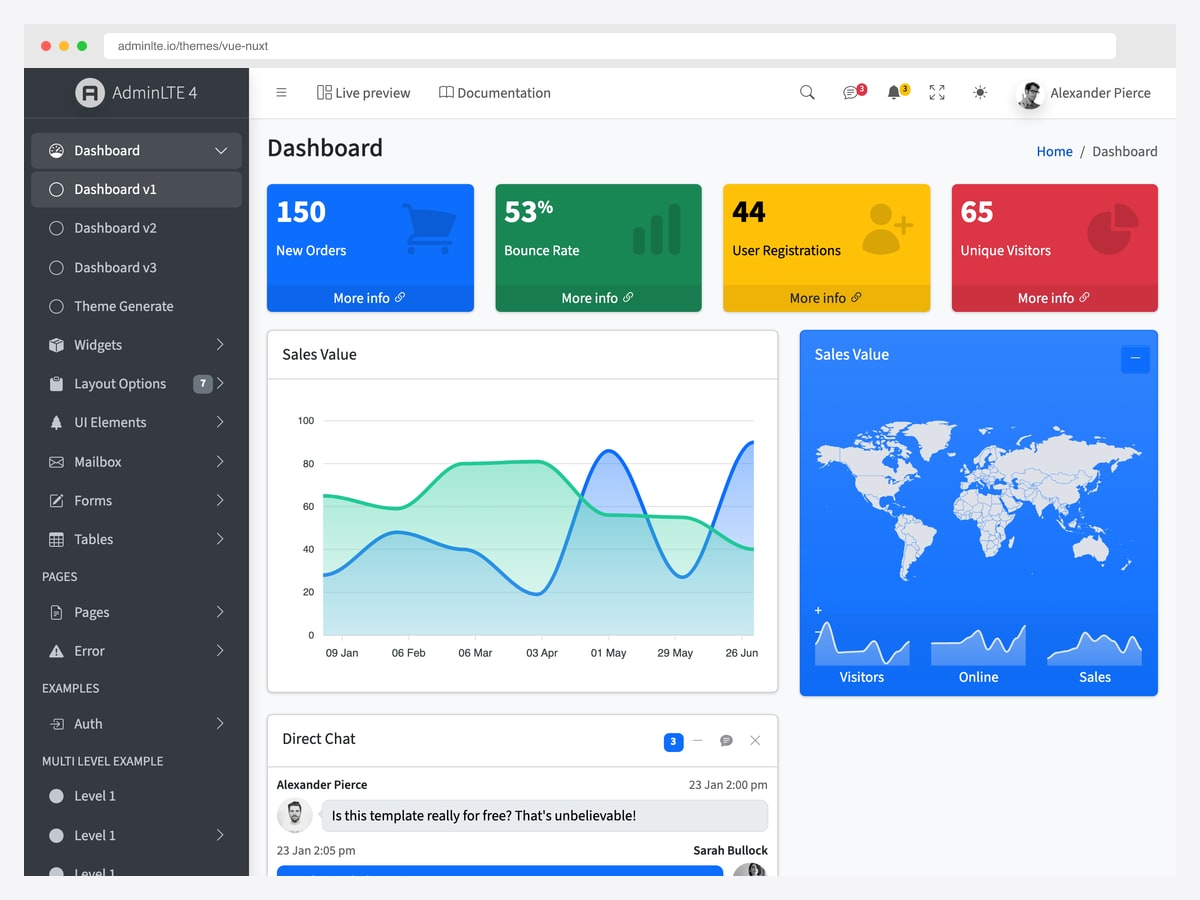
Everything below is taken from the official repository, so the code matches what you will actually install. If you would rather compare options first, our roundup of Vue admin dashboard templates covers the wider market, and Nuxt admin dashboards covers the Nuxt-specific ones.
Three ways to use AdminLTE with Vue
Path 1 — the official library. Install @adminlte/vue (plus the Nuxt module if you are on Nuxt) and use real Vue components. This is the right answer for almost everyone.
Path 2 — manual integration. Pull in AdminLTE 4’s compiled CSS and rebuild the layout markup in your own components. Useful when you need only a fragment of the design, or you are migrating an existing AdminLTE app gradually.
Path 3 — pick a Vue-native admin instead. If you are committed to Vuetify, Element Plus, or a Tailwind design system, AdminLTE’s Bootstrap foundation will fight you. Better to choose a template built on your component library.
Path 1 (recommended): the official @adminlte/vue library
The library is framework-agnostic Vue 3 and works in any Vue app. Under Nuxt, the module adds zero-config auto-imports and SSR-safe theming — same components and same markup either way, only the setup differs.
Nuxt — Step 1: install
npm i @adminlte/nuxt @adminlte/vue bootstrapNuxt — Step 2: register the module
Add the module to nuxt.config.ts. The adminlte.defaults block sets the sidebar theme and layout behaviour, and initialColorMode: 'auto' follows the operating system preference on first visit.
// nuxt.config.ts
export default defineNuxtConfig({
  modules: ['@adminlte/nuxt'],
  adminlte: {
    defaults: { sidebarTheme: 'dark', fixedHeader: true, fixedSidebar: true, initialColorMode: 'auto' },
  },
  css: ['bootstrap-icons/font/bootstrap-icons.css', 'overlayscrollbars/overlayscrollbars.css'],
})
Nuxt — Step 3: define the sidebar as data
The menu is a typed MenuNode[] array rather than nested markup, so navigation is data you can generate, filter by permission, or load from an API. Passing :link-component="NuxtLink" keeps client-side routing intact instead of full page loads.
<!-- app/layouts/default.vue -->
<script setup lang="ts">
import type { MenuNode } from '@adminlte/vue'
const route = useRoute()
const NuxtLink = resolveComponent('NuxtLink')
const menu: MenuNode[] = [
  { type: 'item', text: 'Dashboard', href: '/', icon: 'bi-speedometer' },
  { type: 'group', text: 'Pages', icon: 'bi-files', children: [
    { type: 'item', text: 'Profile', href: '/profile' },
  ] },
]
</script>

<template>
  <LteDashboardLayout :menu-items="menu" :current-path="route.path" :link-component="NuxtLink">
    <slot />
  </LteDashboardLayout>
</template>
Nuxt — Step 4: build pages from components
Components are auto-imported under the Lte prefix, so pages stay short. LteAppContent provides the page header and breadcrumb area, and widgets such as LteSmallBox and LteCard map directly onto the AdminLTE elements you already know.
<!-- app/pages/index.vue -->
<template>
  <LteAppContent title="Dashboard">
    <div class="row">
      <div class="col-lg-3 col-6"><LteSmallBox title="150" text="New Orders" theme="primary" icon="bi-bag" url="#" /></div>
    </div>
    <LteCard title="Welcome" collapsible>It works!</LteCard>
  </LteAppContent>
</template>
Plain Vue 3 with Vite — install and register
Outside Nuxt there is no module to add: install the library, register the plugin, and import the CSS. Bootstrap’s own JavaScript is imported for dropdowns, modals, and offcanvas.
npm i @adminlte/vue bootstrap// main.ts
import { createApp } from 'vue'
import AdminLteVue from '@adminlte/vue'
import '@adminlte/vue/css'
import 'bootstrap-icons/font/bootstrap-icons.css'
import 'bootstrap' // dropdowns/modals/offcanvas
import App from './App.vue'
createApp(App).use(AdminLteVue).mount('#app')From there the components are identical to the Nuxt examples above — the difference is that you import them explicitly rather than relying on auto-imports, and you supply your own router link component instead of NuxtLink.
What you get beyond the layout
The composables replace what jQuery used to do in AdminLTE 3. useSidebar() controls collapse, mini, and mobile-overlay state; useColorMode() exposes light, dark, and auto; useCardWidget() handles per-card collapse, maximise, and remove; and useCommandPalette() opens the ⌘K palette that is generated from your menu. They are provided by LteDashboardLayout through provide and inject, with no Pinia dependency.
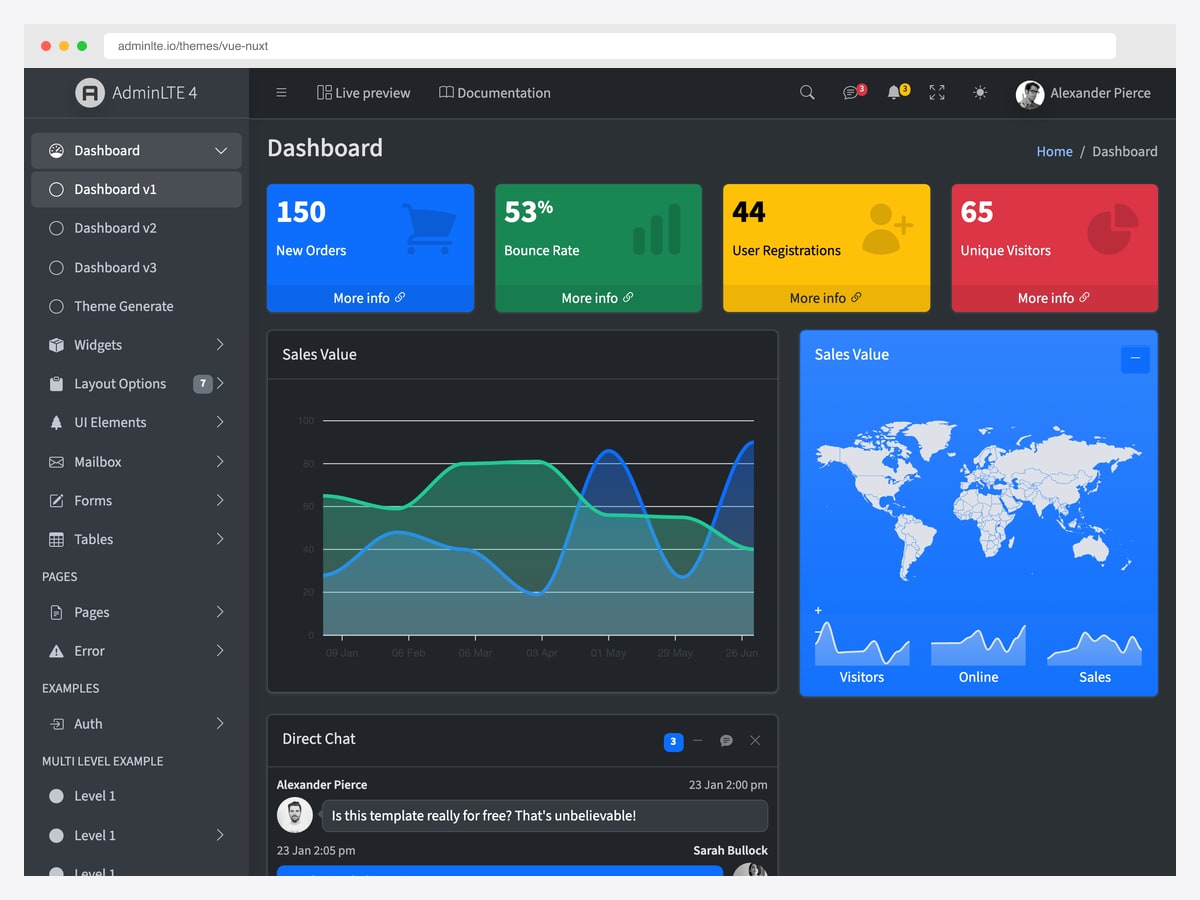
Dark mode toggles Bootstrap’s data-bs-theme on the root element and persists the choice under the lte-theme localStorage key. Under Nuxt the module injects a blocking inline head script that sets the attribute before first paint, which is what prevents the flash of the wrong theme that usually plagues server-rendered dark modes. Plugin wrappers for Chart.js, Tabulator, Quill, Flatpickr, Tom Select, FullCalendar, jsVectorMap, and SortableJS are lazy-loaded and SSR-safe, and they stay optional peers rather than being forced into your bundle.
Path 2: manual integration (any Vue setup)
If you only need part of the design, or you are migrating an existing AdminLTE project a screen at a time, you can skip the library. Install the admin-lte package for its compiled CSS, import that stylesheet once in your entry file, and rebuild the layout structure — sidebar, wrapper, content header — as your own Vue components.
The good news for anyone who did this in the AdminLTE 3 era: AdminLTE 4 dropped jQuery entirely. Behaviour that used to require jQuery plugins is now either Bootstrap 5’s own JavaScript or plain browser APIs, so there is no jQuery-versus-Vue reactivity conflict to work around. The cost of this path is that sidebar state, dark-mode persistence, and card widgets are yours to implement — which is precisely the work the official library already did.
Path 3: when to pick a Vue-native admin instead
AdminLTE is Bootstrap-based. If your project is already committed to a different design system — Vuetify’s Material components, Element Plus, Naive UI, or a Tailwind-based system such as shadcn-vue — then adopting AdminLTE means running two styling philosophies side by side. That is a real maintenance cost and rarely worth paying for the layout alone.
In that case pick a template built on your component library instead. Our Vue admin dashboard templates roundup covers the Vuetify, Element Plus, and Naive UI options, and the Nuxt admin dashboards collection covers Nuxt-specific starters including the official AdminLTE Nuxt module.
Frequently asked questions
Does AdminLTE work with Vue?
Yes. AdminLTE 4 has an official Vue integration published as @adminlte/vue, with a companion @adminlte/nuxt module for Nuxt projects. It provides real Vue components — over 45 of them, typed with script setup — rather than requiring you to copy Bootstrap markup into templates yourself.
Is there an official AdminLTE version for Vue and Nuxt?
There is. It lives at ColorlibHQ/adminlte-vue and is free under the MIT licence, alongside the official React, Angular, and Laravel editions. The library works in any Vue 3 application, and the Nuxt module adds auto-imports and SSR-safe theming on top of the same components.
Does AdminLTE still need jQuery?
No. AdminLTE 4 removed jQuery completely, which is what makes a clean Vue integration possible. The official Vue library uses composables — useSidebar, useColorMode, useCardWidget, useFullscreen — provided through provide and inject, with no Pinia dependency and no jQuery anywhere in the stack.
Can I use AdminLTE with Nuxt and server-side rendering?
Yes, and SSR is specifically handled. The Nuxt module injects a blocking inline head script that sets the theme attribute before first paint, so there is no flash of the wrong theme on a server-rendered page. The plugin wrappers for charts and pickers are lazy-loaded and SSR-safe for the same reason.
How do I define the sidebar menu?
As data rather than markup. You pass a typed MenuNode array to LteDashboardLayout, where each node is either an item with text, href, and icon, or a group with children. Because it is a plain array, you can generate it, filter it by user permission, or fetch it from an API without touching the template.
Is AdminLTE for Vue free?
Yes — MIT licensed and free for commercial use, like the rest of the AdminLTE 4 family. If you need a larger prebuilt application with more screens than the core dashboard provides, the premium Vue and Nuxt templates in our roundups cover that, but nothing here is paywalled.
The library is at ColorlibHQ/adminlte-vue on GitHub, and the live demo shows every component in both themes. If you work in another stack, the same dashboard exists officially for React, Angular, and Laravel.

You Might Also Like