
15 Bootstrap WordPress Themes (+ Free) 2026

We spent much of this year creating this complete list of the best Bootstrap WordPress themes.
We did something extra for you. Instead of going straight to listing some premium solutions, we also added powerful free themes.
You can use the latter for heaps of different projects, even eCommerce!
However, if you would like to unlock the real potential, that’s when you go with the premium Bootstrap theme.
We added tools that are super multi-purpose. In other words, whether you would like to build a blog, an online store, or a business page, it doesn’t matter—these themes will sort you out.
With ease!
Using Bootstrap with WordPress
Picking a ready-made theme is one route. The other is adding Bootstrap to a theme you are building yourself, and it trips people up in a few predictable places. Here is what actually matters.
Does WordPress use Bootstrap?
No. WordPress core does not ship or depend on Bootstrap — the admin area, the block editor and the default themes all use their own styles. Bootstrap enters only when a theme or plugin chooses to load it, which is why two WordPress sites can look and behave completely differently. Nothing in core will conflict with Bootstrap by default, but nothing will help you either: you load it, you scope it, you maintain it.
Loading Bootstrap the right way
The single most common mistake is hard-coding <link> and <script> tags into header.php. That works until a plugin needs the same file, at which point it loads twice. WordPress has a dependency system precisely to prevent this — use it from functions.php:
function mytheme_bootstrap_assets() {
    wp_enqueue_style(
        'bootstrap',
        get_template_directory_uri() . '/assets/css/bootstrap.min.css',
        array(),
        '5.3.3'
    );

    wp_enqueue_script(
        'bootstrap',
        get_template_directory_uri() . '/assets/js/bootstrap.bundle.min.js',
        array(),          // Bootstrap 5 needs no jQuery
        '5.3.3',
        true              // load in the footer
    );
}
add_action( 'wp_enqueue_scripts', 'mytheme_bootstrap_assets' );
Three details worth noting. The bundle build already contains Popper, so dropdowns and tooltips work without a second file. The empty dependency array is correct for Bootstrap 5, which dropped jQuery entirely — Bootstrap 4 required array('jquery') instead, and that difference is behind a lot of stale advice still circulating. And the version string in the fourth argument is what busts browser caches on upgrade, so keep it accurate rather than leaving it as null.
Bundle the files in your theme rather than loading them from a CDN. A local copy means no third-party dependency at render time, no privacy question about visitor IPs reaching another host, and a site that still works if the CDN does not.
The navigation menu problem
This is the part that surprises people. Bootstrap’s navbar expects specific classes — nav-item on each list item, nav-link on each anchor, dropdown-menu on sub-levels — and wp_nav_menu() outputs none of them. Its default markup uses WordPress’s own class names, so a Bootstrap navbar dropped into a WordPress theme renders as an unstyled list.
Two ways out. A custom Nav Walker class extends Walker_Nav_Menu and rewrites the markup as Bootstrap expects; several maintained implementations exist and this is the conventional solution. Alternatively, for a simple single-level menu, the nav_menu_css_class and nav_menu_link_attributes filters can add the classes without a full walker. Anything with dropdowns wants the walker.
Bootstrap and the block editor
Blocks output their own markup and their own classes, and they know nothing about your grid. Two consequences: your Bootstrap styles will not apply to block content unless you write them to, and block alignment classes such as alignwide and alignfull will fight a Bootstrap .container that constrains width. Decide early which system owns page width. Mixing them is the usual cause of “my full-width block is not full width”.
If you want the editor to preview what visitors see, enqueue an editor stylesheet with add_editor_style() and add_theme_support( 'editor-styles' ) — otherwise the editor will look nothing like the front end.
Starter themes, and one to be careful with
UnderStrap combines Underscores with Bootstrap and is the actively maintained option, with a nav walker and build tooling already wired up. It is the sensible starting point if you want the plumbing solved.
WP Bootstrap Starter is the one most people find first, and it deserves a caveat: it has 10,000+ active installations but its last release was in 2021, and WordPress.org lists it as tested only up to WordPress 4.7. It still installs, but adopting an unmaintained theme as the base for a new project means inheriting its security and compatibility debt. Read it for reference; start from something current.
Do you need a plugin?
Generally no. Plugins that “add Bootstrap to WordPress” mostly just enqueue the same two files you can enqueue in four lines, while adding an update dependency and often loading the framework on every page whether or not the current template uses it. If your theme needs Bootstrap, load it in the theme.
Free Bootstrap WordPress Themes
1. Shapely

Out of the free themes, Shapely is our favorite solution. It is versatile and powerful enough to handle all sorts of websites. You can easily integrate it with different plugins, like WooCommerce, Gravity Forms, Yoast and more.
Multiple widget areas are also available to quickly tweak things and customize Shapely your way. Even design-wise, Shapely has enough options to tailor it to your liking. As if that were not enough, Shapely is 100% translatable.
As a free tool, Shapely also includes access to community support to quickly find answers to your questions.
2. Illdy
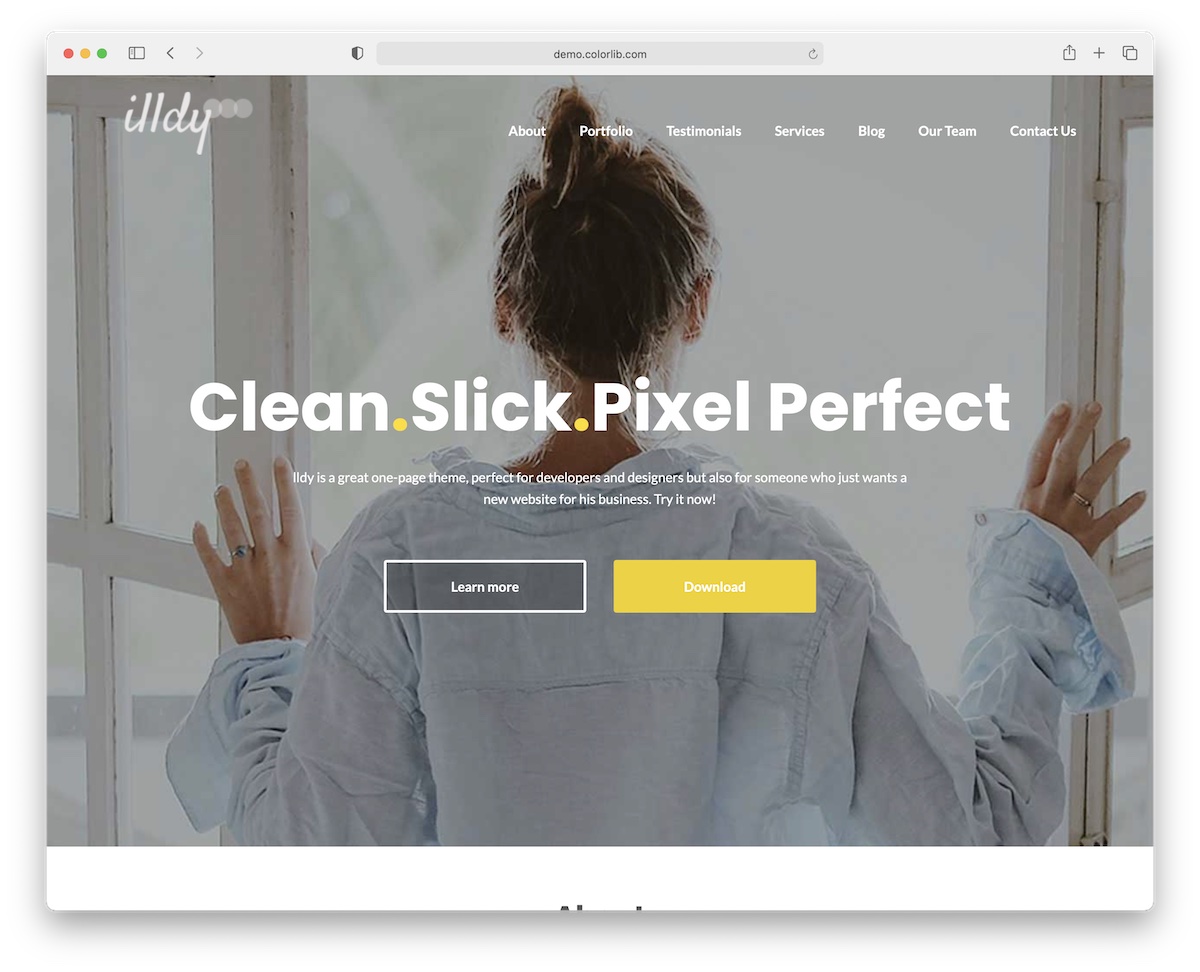
Illdy is another fan-favorite free Bootstrap WordPress theme for business websites. Its core characteristic is the one-page layout.
You can now present your business, services and other whatnot online in a few scrolls apart. No more jumping from page to page to find the necessary information.
Illdy follows all the modern web trends, ensures great performance on mobile, and has fast loading speed. You can create your own color scheme, pick fonts, and edit sections.
Unlike other free themes that limit usage, Illdy goes over and beyond with what’s possible. Documentation is also available, so you enjoy a smoother website creation process.
3. Activello

Activello is a free, flexible, and easy-to-use WordPress theme based on the Bootstrap Framework. There are no set rules for using Activello. In other words, you can create any blog, even mix topics and niches.
Food, travel, lifestyle, business, music, you name it, everything works for Activello.
The layout smoothly reshapes for mobile devices, so everyone can access your blog at any time.
Some other goodies are slider, WooCommerce integration, infinite scroll and easy 3rd-party plugin integration.
If you are ready to start your blogging journey for free, get the ball rolling with Activello. The final product won’t feel free at all!
4. Sparkling

Sparkling is another free Bootstrap WordPress theme that perfectly fits the creation of (any) blog. It has a flat design with a minimal touch that easily adapts to your ideas and wishes.
But you don’t need to stick to the default configurations. You can always step in with your creative touches and improve Sparkling accordingly.
Moreover, Sparkling features a gallery and plenty of practical shortcodes for instant integration. It even comes with an about page, a contact section, a widget-rich sidebar, and footer areas.
Achieve premium looks without spending a dime. That’s what you can accomplish without sweat when working with Sparkling.
5. Dazzling
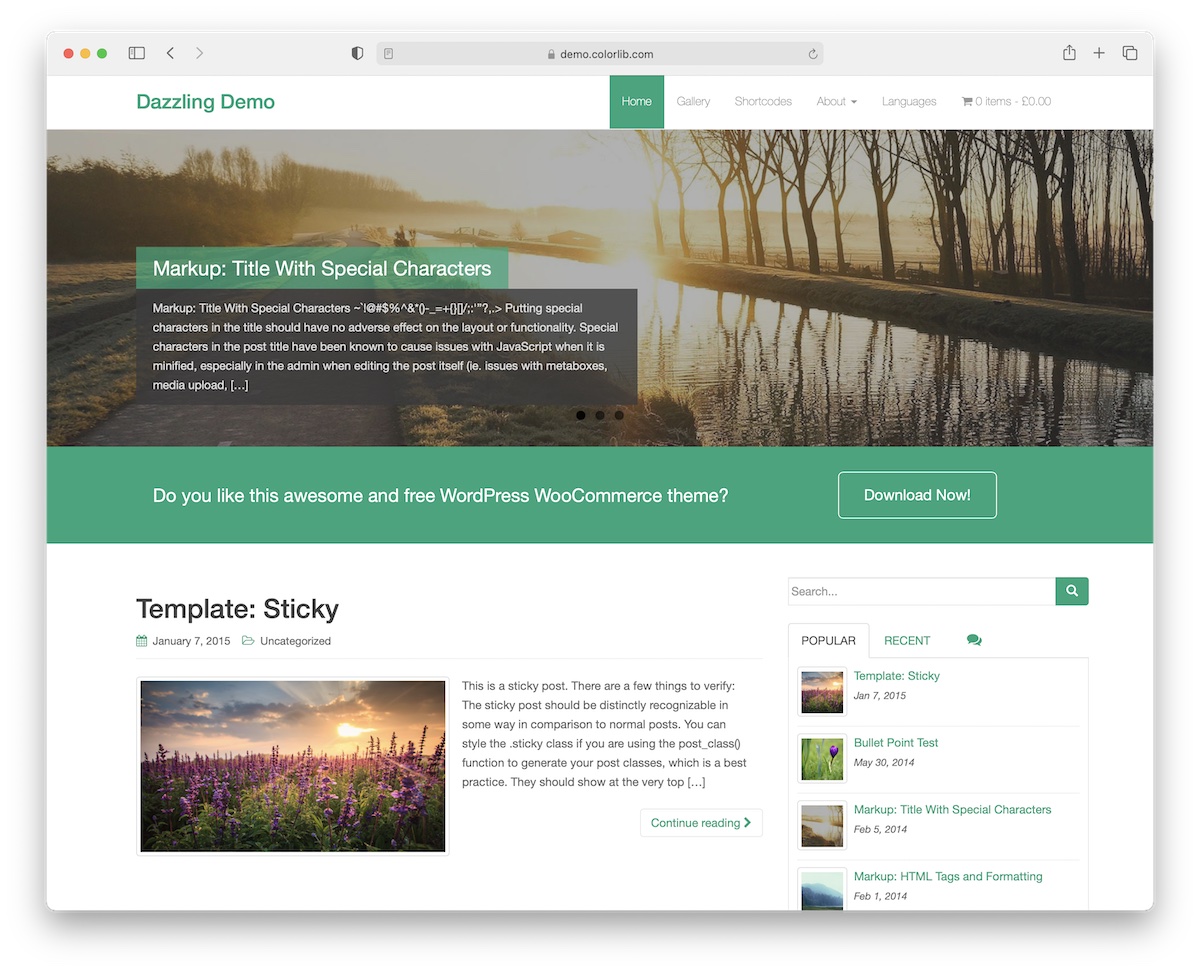
To some extent Dazzling and Sparkling themes are pretty similar, but when you look again, they are quite different. Yeah, yeah, I know, I’m complicating things.
It should be better for me to say that Dazzling is awesome! Which, of course, it is.
The theme distributes content well regardless of the device or platform you use. It includes load more and back-to-top buttons, Font Awesome icons, a featured slider, and a drop-down menu, to name a few.
You can now create a modern blog without spending a hefty fee on a professional to do it for you. Enjoy.
6. UnApp
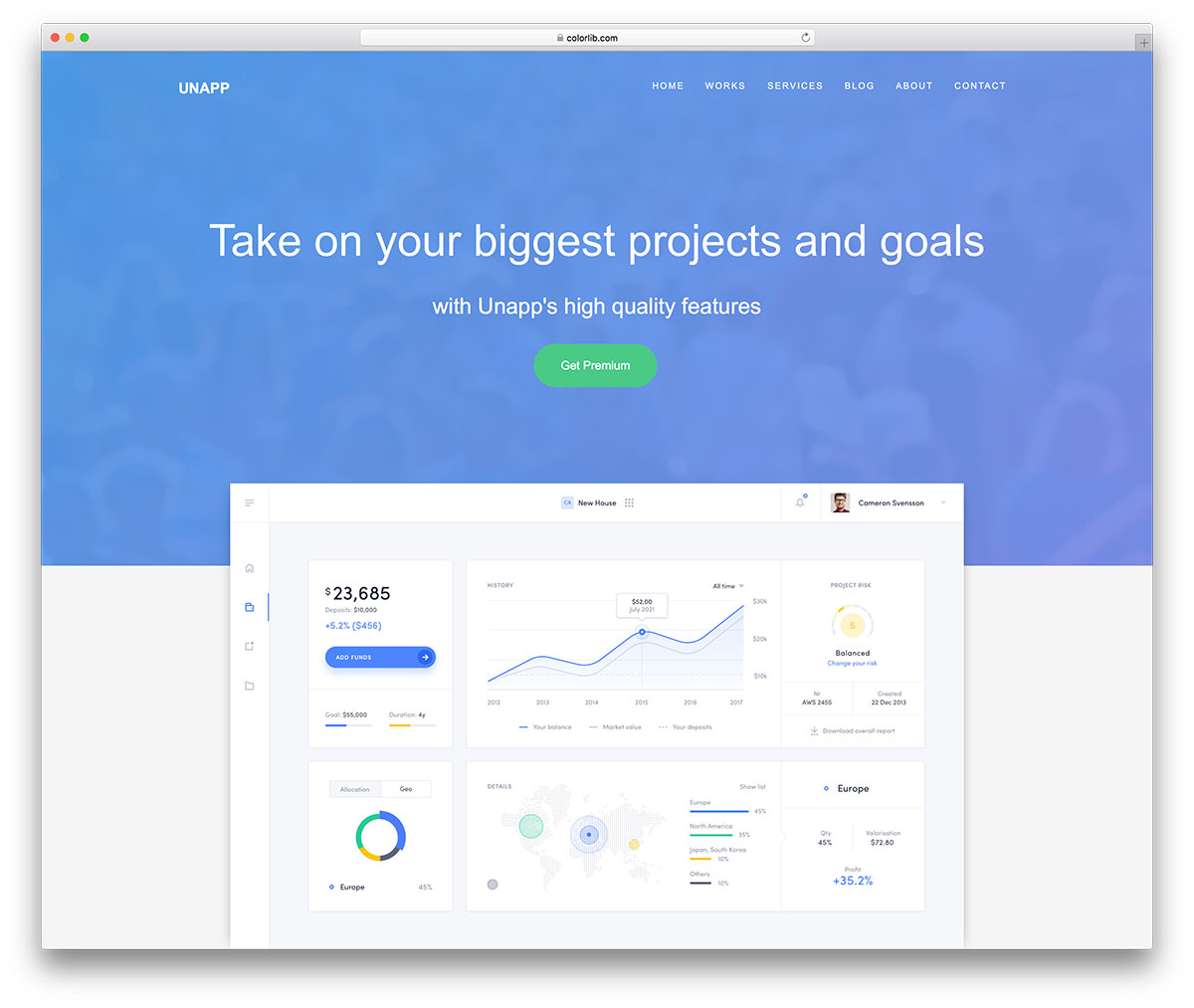
UnApp is a stunning free WordPress theme designed for mobile app landing pages. Built on Bootstrap, it features parallax scrolling, animated counters, a pricing table, and a testimonial carousel — everything a SaaS or app startup needs to convert visitors into downloads.
The theme is fully responsive, retina-ready, and compatible with major page builders. With one-click demo import and extensive customizer options, you can have a polished app landing page live in under an hour.
7. Philosophy
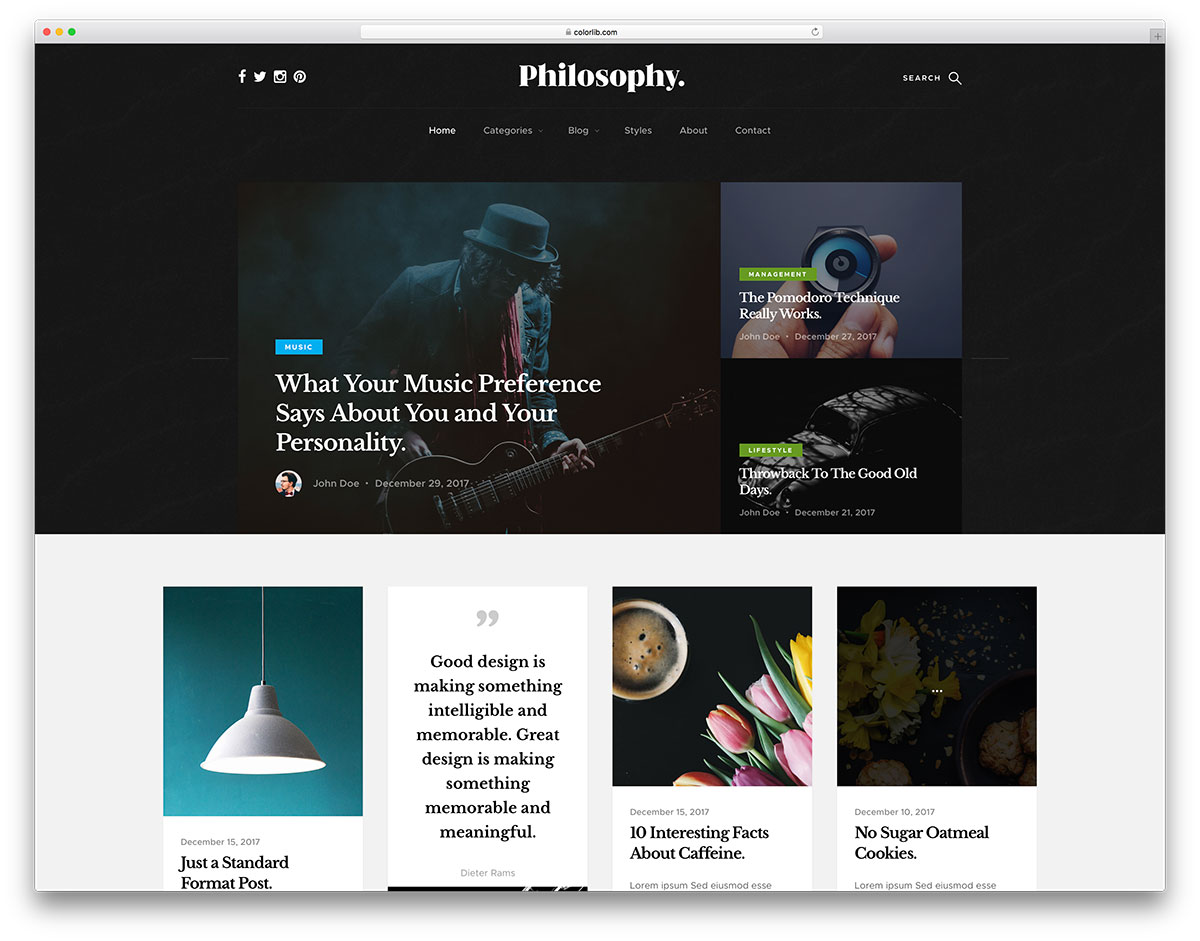
Philosophy is a versatile free WordPress theme ideal for bloggers, writers, and content creators. Its clean, magazine-style layout puts your content front and center with beautiful typography, a featured slider, and multiple post format support including video, audio, and gallery.
Built on Bootstrap, Philosophy includes a custom comment system, social sharing integration, and a built-in Instagram feed widget. The theme is SEO-optimized and translation-ready, making it perfect for international audiences.
8. Pixova Lite
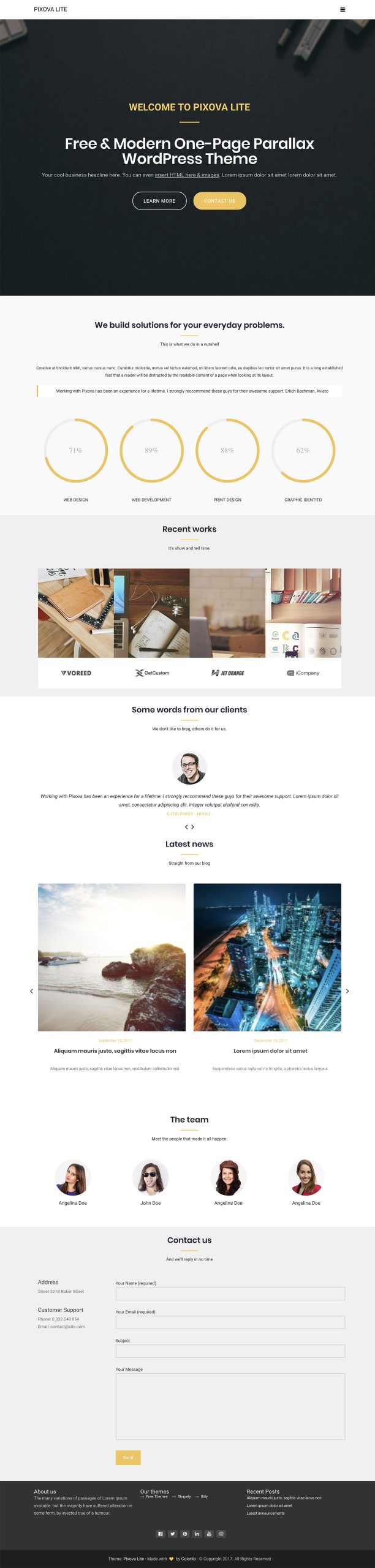
Pixova Lite is a creative one-page WordPress theme built on Bootstrap that combines parallax scrolling with a modern flat design. It is perfect for agencies, freelancers, and creative professionals who want a visually striking portfolio site without writing a line of code.
The theme includes sections for services, portfolio, team members, testimonials, and a contact form — all customizable through the WordPress Customizer. Its lightweight codebase ensures fast load times, and the responsive layout looks great on every device.
9. Tyche
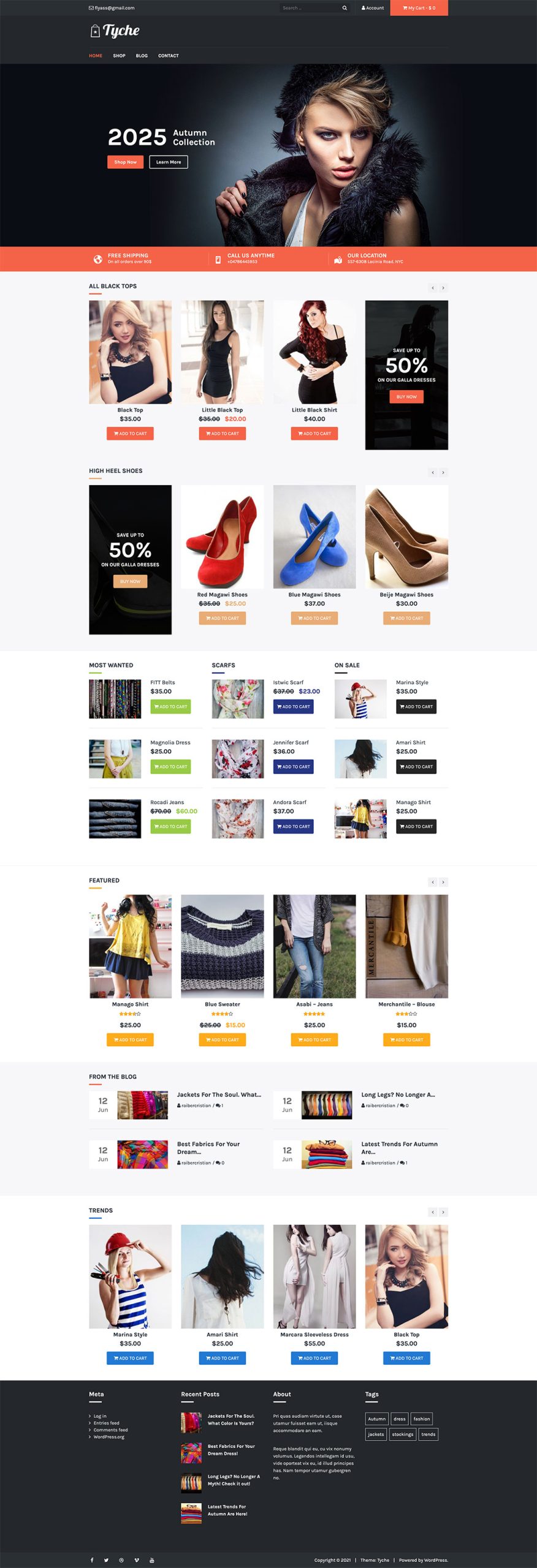
Tyche is a free WooCommerce-ready WordPress theme built on Bootstrap, designed specifically for online stores. It features a clean, modern storefront layout with product carousels, category showcases, and prominent call-to-action banners that drive sales.
With full WooCommerce integration, you get a product grid, cart page, checkout flow, and order management out of the box. Tyche also includes a blog section, social media integration, and multiple header layout options.
10. Newspaper X
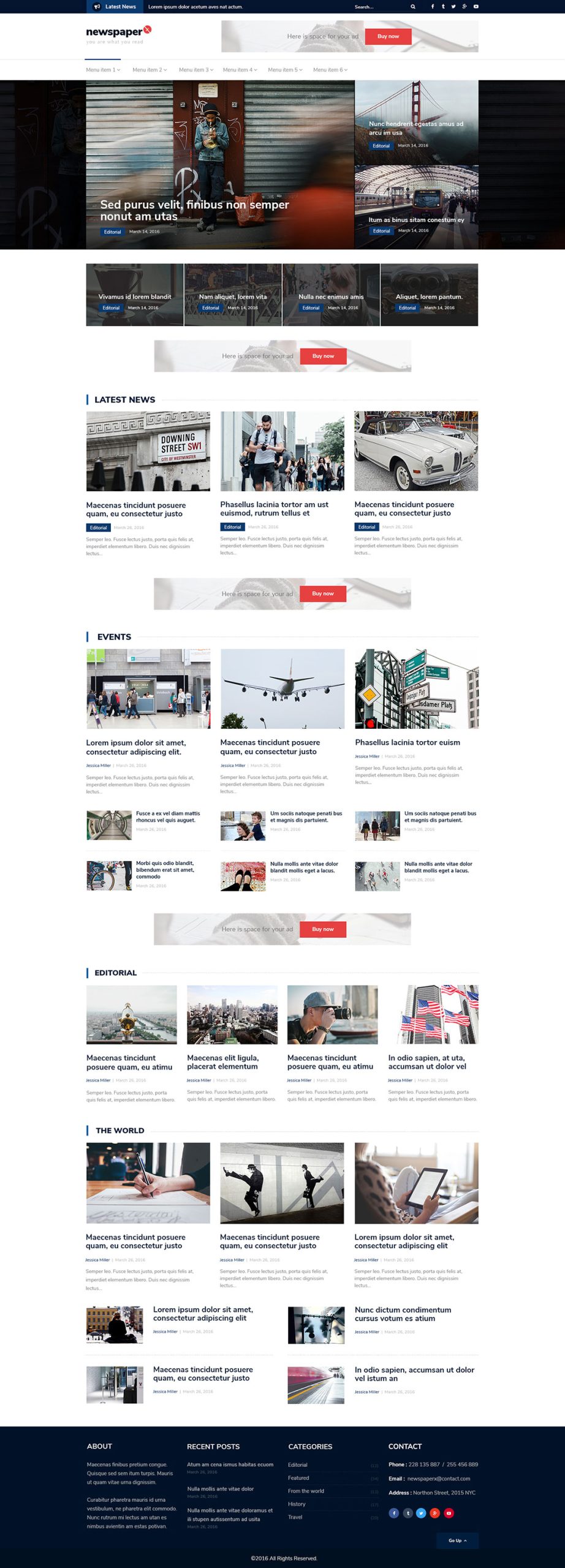
Newspaper X is a free Bootstrap-based WordPress theme tailored for news sites, online magazines, and content-heavy blogs. Its grid-based layout supports multiple content zones with featured stories, category blocks, and sidebar widgets — mimicking the structure of professional news portals.
The theme integrates seamlessly with popular plugins like Jetpack, Yoast SEO, and WPForms. With five custom widgets, color customization, and responsive breakpoints, Newspaper X gives you the foundation for a credible news publication.
Premium Bootstrap WordPress Themes
11. Essentials

If the options with free themes are too little for you then these premium alternatives are the way to go.
Essentials is one of the fastest-growing Bootstrap WordPress themes currently available. There’s a catch. This tool does things differently and offers OH SO MANY options and possibilities – unlimited, if you will.
Over 35 demos, over 660 templates, optional WPBakery and Elementor samples, and more.
As a multi-purpose theme, Essentials easily covers all types of websites. You can customize everything to the very last detail, enriching it with your ideas.
Make a PRO website with little effort now, thanks to Essentials.
12. Sway
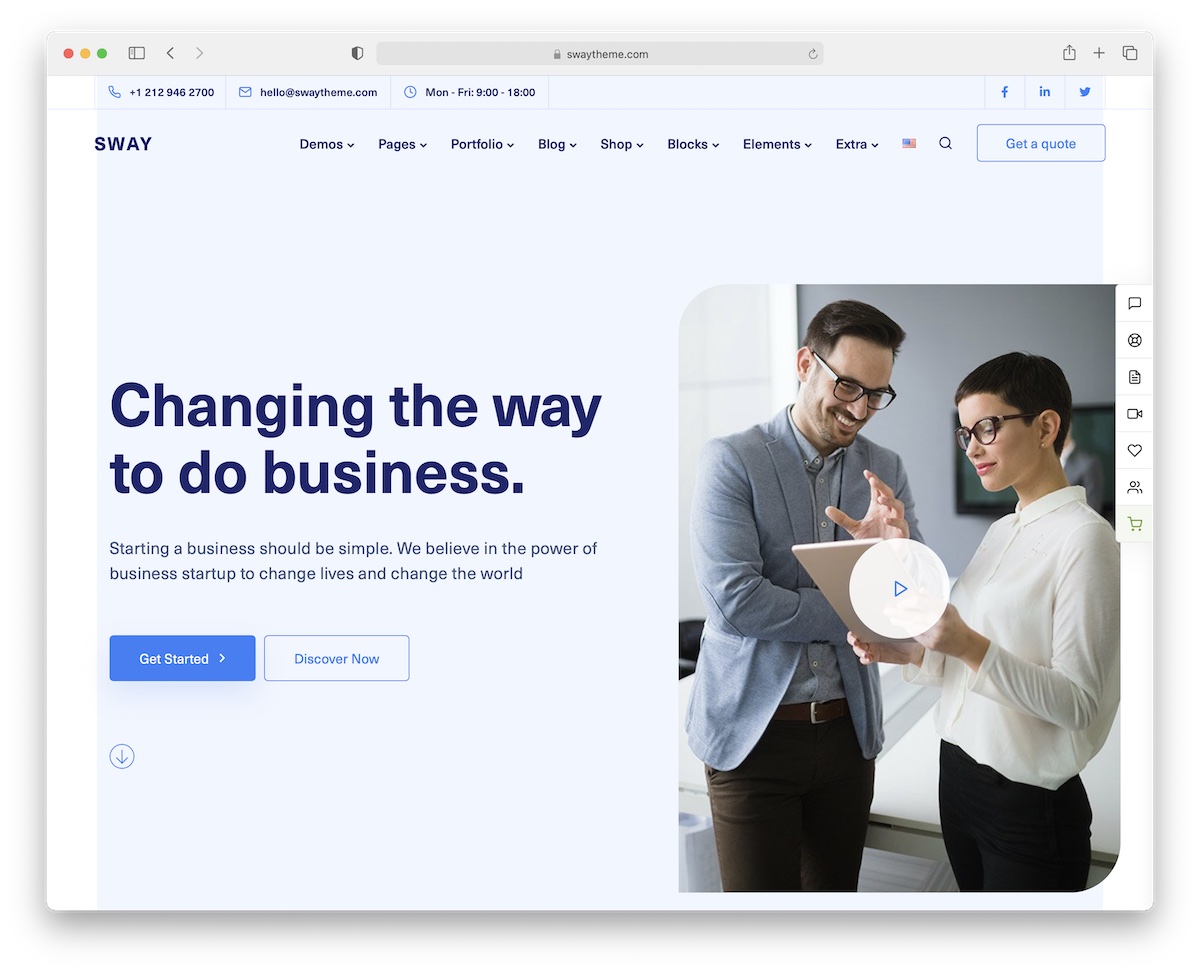
Sway is another Bootstrap theme that offers you to create over fifty full-blown websites by default. But once you modify all those website demos, the possibilities are endless.
It’s your imagination that may limit you, nothing else.
Other Sway goodies include regular updates, 5-star ratings, one-click installation, and performance optimization. You don’t need skills and experience to work on your next project successfully.
Sway is for everyone.
What’s cool is that you also get a few premium plugins free of charge. You save money with Sway, which only costs $39 (price may vary).
13. Snowlake
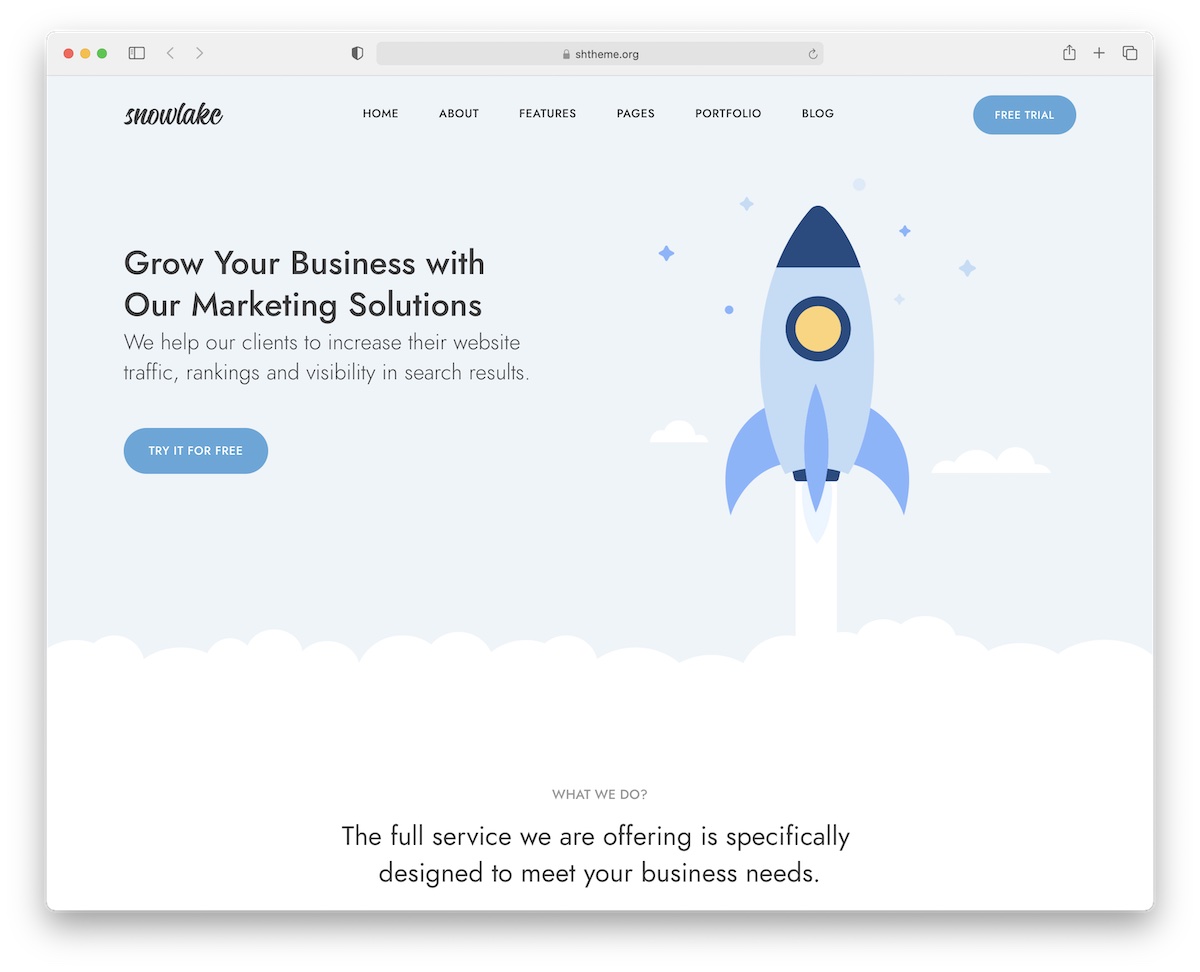
Businesses and startups will greatly benefit from the power of Snowlake. This Bootstrap WordPress theme has many goodies that will take your online presence to the next level.
Always shoot for the stars, and you achieve excellent results with Snowlake without a shadow of a doubt.
You get a total of over 150 pages and 300+ UI elements, coupled with the practical Elementor page builder. Snowlake comes with video installation, documentation, and professional support, so no beginner will feel lonely.
Other great features of Snowlake include predefined header and footer styles, ready-to-use color skins, a blog module, a contact form, and neat animation.
Create a business page that feels very friendly.
14. Remake
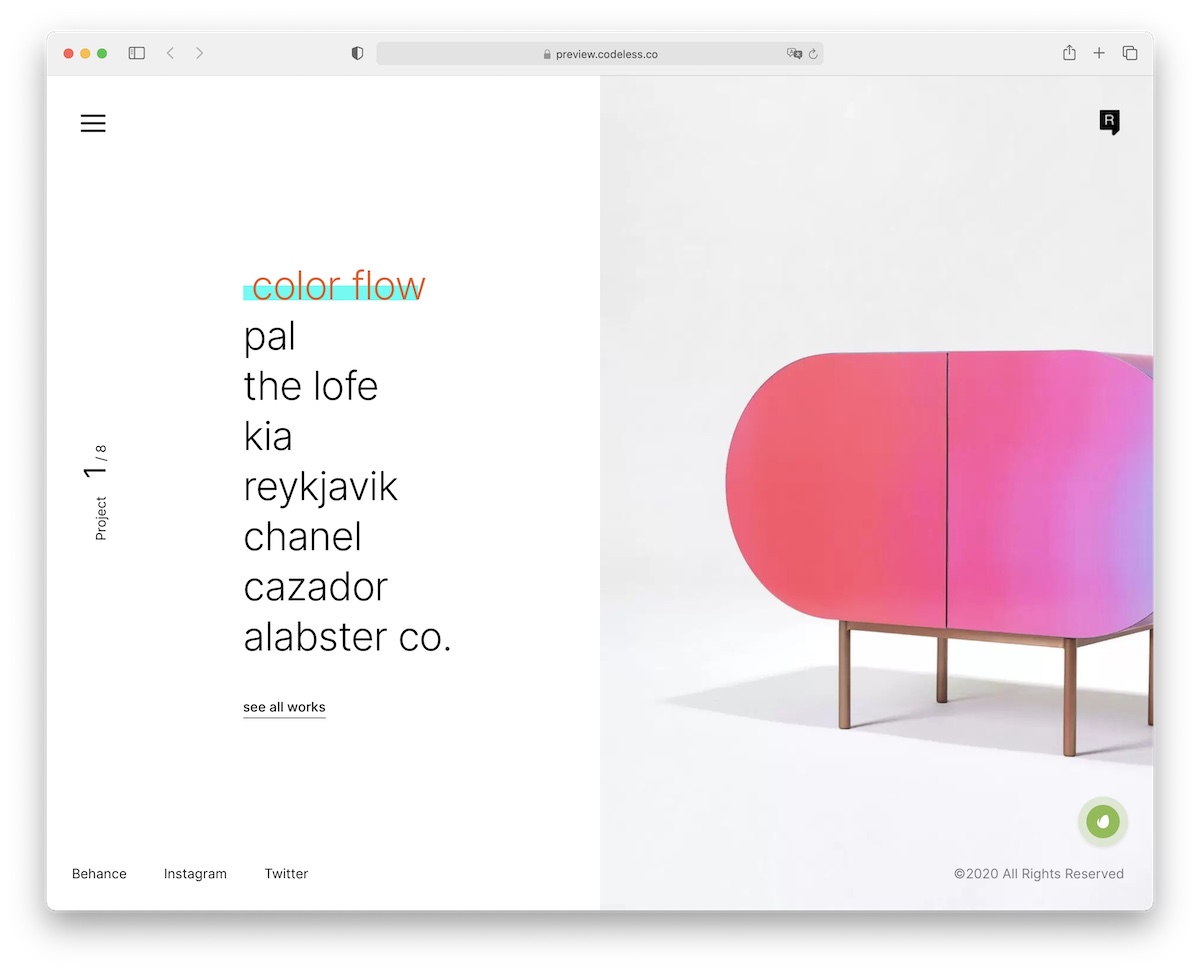
Yes, we didn’t forget about all the creatives out there. Building an online portfolio happens in a little breeze with Remake.
This Bootstrap WordPress theme has a clean, modern, distinct style that will make you stand out. You can even opt for dark mode, which is beautiful.
Remake makes it all work very well. Thus, you are welcome to use the tool out of the box and modify it.
You can start a blog, create an online store, or whatever! Remake can do many great things, so don’t miss out on checking it out.
You’ll love it!
15. Goya

But if you exclusively want to create an eCommerce website, there’s no better Bootstrap theme than Goya. With thousands of downloads and high ratings, you know Goya is doing something right.
When you start investigating its live demo preview, you get hit with awesomeness. You know why it received such success.
Not only does Goya comes with every section a successful eCommerce requires, but you can also pick between variations.
Product quick view, mini cart, single-page checkout, different menus, and Ajax live search are just a small portion of the practicality that Goya offers.
You can build one or ten different stores with Goya. Easily.
Bootstrap WordPress FAQ
Does WordPress use Bootstrap?
No. WordPress core does not include or depend on Bootstrap — the admin area, block editor and default themes all use their own styles. Bootstrap is present only when a theme or plugin loads it deliberately. Nothing in core conflicts with Bootstrap by default, but nothing assists you either: loading, scoping and maintaining it is the theme’s job.
How do I add Bootstrap to a WordPress theme?
Enqueue it from functions.php with wp_enqueue_style and wp_enqueue_script hooked to wp_enqueue_scripts, rather than hard-coding link and script tags into header.php — the enqueue system prevents duplicate loading when a plugin needs the same files. Use the bundle build so Popper is included, pass an empty dependency array since Bootstrap 5 needs no jQuery, and bundle the files in your theme instead of loading them from a CDN.
Does Bootstrap 5 still need jQuery in WordPress?
No. Bootstrap 5 removed the jQuery dependency entirely, so the script can be enqueued with an empty dependency array. Bootstrap 4 did require jQuery, which is why a lot of older tutorials still pass array(‘jquery’) — following that advice on Bootstrap 5 loads jQuery for no reason. WordPress may still load jQuery for other plugins regardless.
Why does my Bootstrap navbar not work in WordPress?
Because wp_nav_menu() does not output the classes Bootstrap needs. A Bootstrap navbar expects nav-item, nav-link and dropdown-menu, while WordPress emits its own class names, so the menu renders unstyled. The conventional fix is a custom Nav Walker extending Walker_Nav_Menu; for a simple single-level menu the nav_menu_css_class and nav_menu_link_attributes filters are enough.
What is the best Bootstrap starter theme for WordPress?
UnderStrap is the maintained choice, combining Underscores with Bootstrap plus a nav walker and build tooling. WP Bootstrap Starter is more widely found and has over 10,000 installations, but its last release was in 2021 and WordPress.org lists it as tested only to WordPress 4.7 — worth reading for reference rather than building a new project on.
Do I need a plugin to use Bootstrap with WordPress?
Almost never. Such plugins typically enqueue the same two files you can enqueue yourself in a few lines, while adding an update dependency and often loading the framework site-wide whether a given template uses it or not. If your theme needs Bootstrap, load it from the theme.

You Might Also Like


