
15 Best Free Astro Templates for Developers (2026)

Looking for a free Astro template? These 15 open-source picks cover marketing sites, documentation, blogs, portfolios and SaaS landing pages, and each entry tells you which Astro version it actually runs on.
Astro ships zero JavaScript by default and only hydrates the interactive islands you ask for, which is why its templates tend to score well on Core Web Vitals without extra work. The framework also moves fast: several templates that were popular a couple of years ago are now stuck several major versions behind. So instead of assuming every theme is current, we read each repository’s package.json and opened every live demo. Most of the list runs on Astro 7; the few that lag behind are flagged in their entries so you know what upgrade work to budget.
The free list starts with the widest-use starters (AstroWind, Starlight, AstroPaper, ScrewFast), moves through blog, portfolio and SaaS themes, and ends with two older templates that are still the best free option in their niche. After that, a short section covers premium Astro templates from Colorlib for when you want a finished, niche-specific design.
Related reading: our larger roundup of Astro website templates, free Tailwind CSS landing page templates, Tailwind portfolio templates, and Next.js vs Remix vs Astro if you are still choosing a framework.
Quick Picks
- Best all-rounder: AstroWind — 30+ section widgets, blog, dark mode and RTL
- Best for documentation: Starlight — the Astro team’s own docs theme
- Best blog theme: AstroPaper — Pagefind search, drafts, dynamic OG images
- Best marketing site + docs: ScrewFast — landing, blog, catalog and Starlight docs in one
- Best for posts and notes: Astro Cactus — minimal blog with a separate notes feed
- Best multilingual starter: Astroplate — 15+ pages, search and a Git-based CMS
- Best for accessibility: Accessible Astro Starter — built to WCAG 2.2 AA
- Best SaaS landing page: Foxi — pricing, features and blog pages ready to go
- Best blog + portfolio: Dante — single-author theme with a portfolio collection
- Most distinctive portfolio: Astro Bento Portfolio — bento grid, themes, guestbook
- Best multi-author blog: Bookworm Light — author pages, categories, related posts
- Lightest blog: Astro Micro — no UI framework, Pagefind and Giscus built in
- Docs you fully own: CelestialDocs — docs, blog and product pages in one repo
- Quick startup site: Astroship — classic startup layout, needs an Astro upgrade
- Only free admin dashboard: Flowbite Astro Admin — a design reference, not a drop-in
Best Free Astro Templates
1. AstroWind
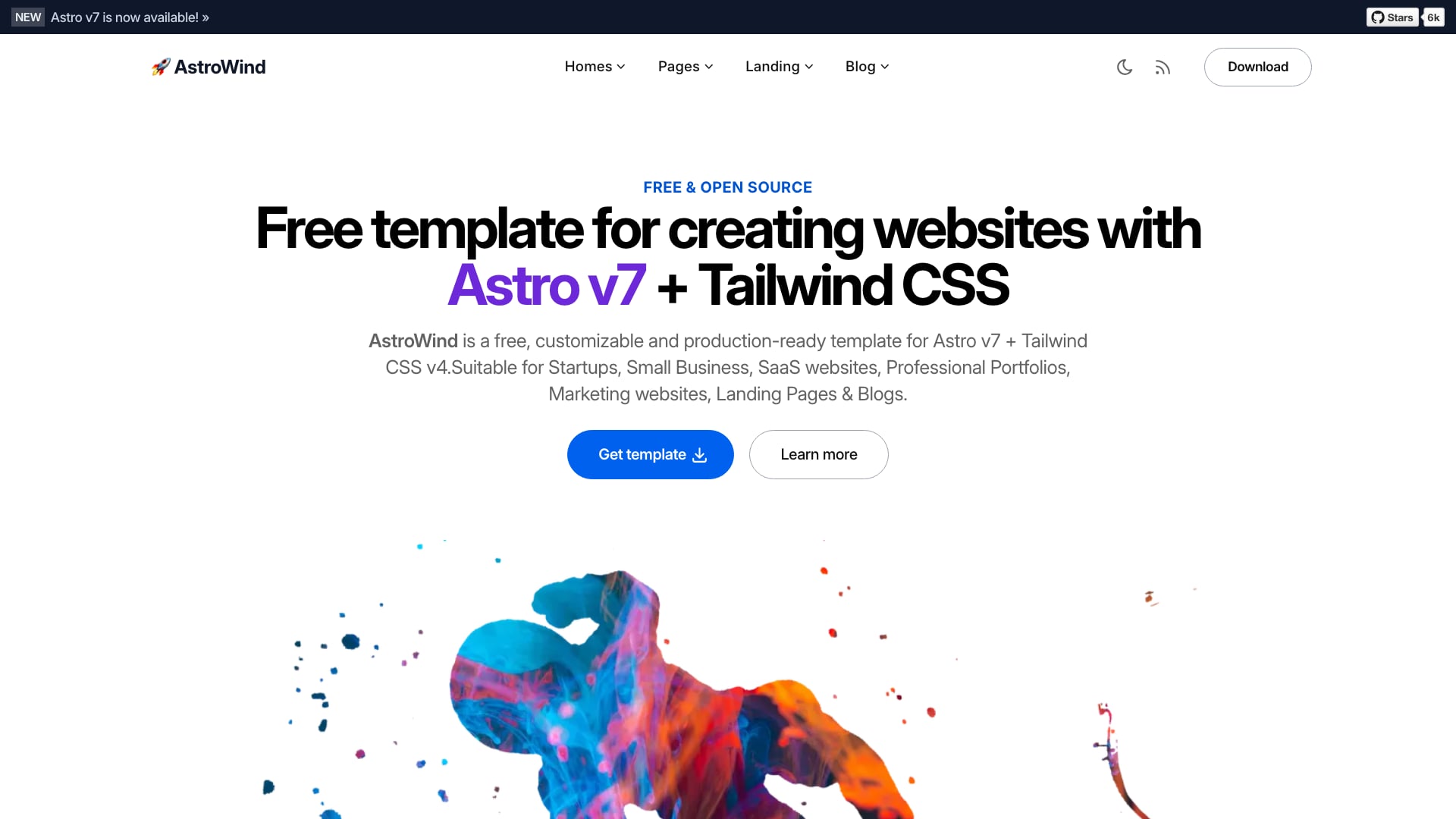
Why we like it: The most-starred Astro theme gives you 30+ ready page-section widgets (heroes, bento grids, pricing with a comparison table, FAQ, testimonials, team, timeline) plus a blog with MDX, categories, tags and RSS, so most marketing sites can be assembled rather than designed.
Dark mode and right-to-left layouts are built in, and the theme exposes shadcn/ui-compatible design tokens, so shadcn-style components pick up your colors without extra wiring. The repository moved from the onwidget account to arthelokyo/astrowind; old links redirect, but clone from the new location.
2. Starlight
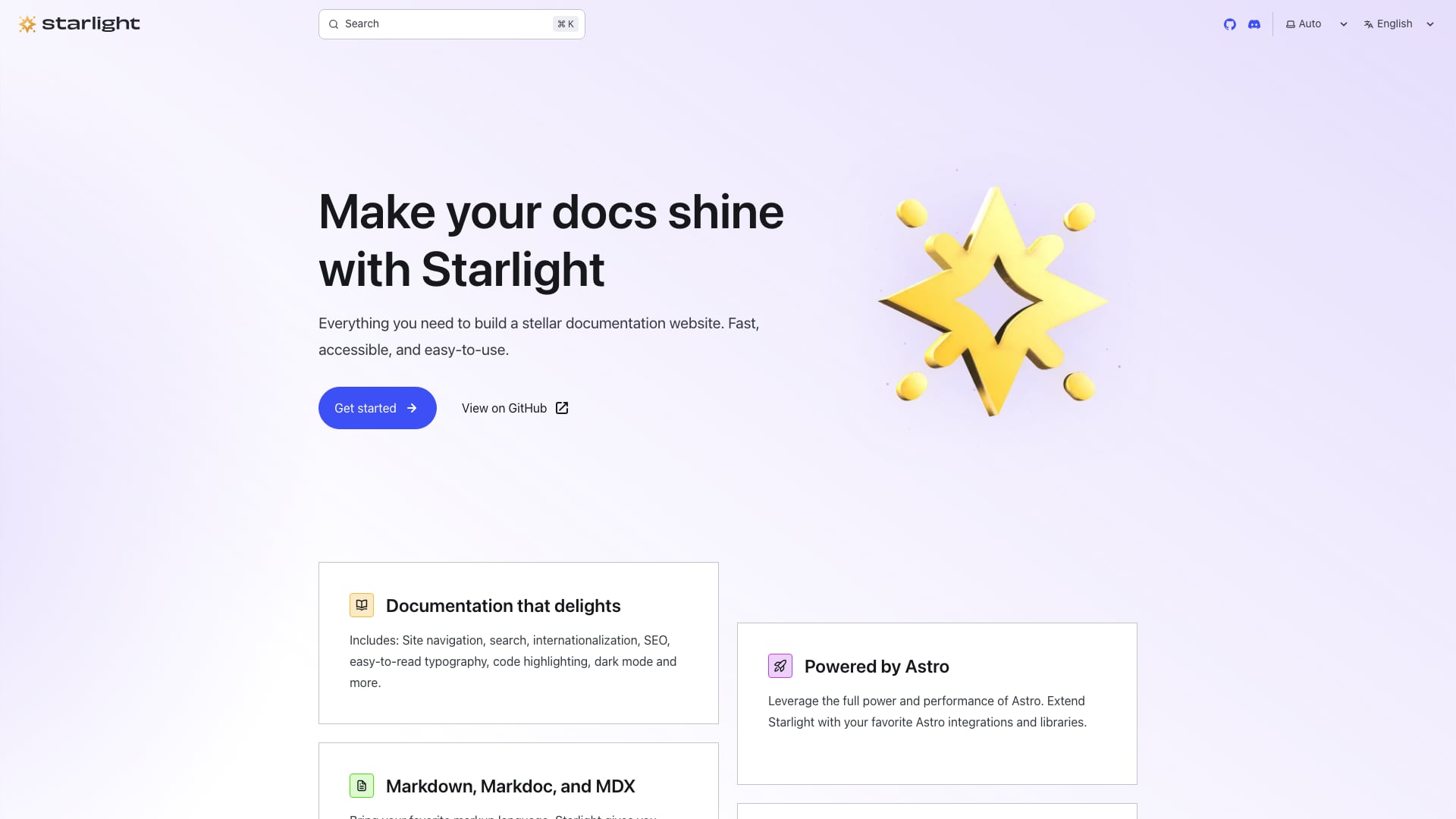
Why we like it: Starlight is the documentation theme maintained by the Astro team itself, with site navigation, Pagefind search, internationalization, SEO metadata, code highlighting and dark mode out of the box, and content written in Markdown, Markdoc or MDX.
Unlike the other entries, Starlight is installed as a package rather than forked: npm create astro@latest -- --template starlight gives you a project, and future updates arrive as a normal dependency bump instead of a merge from someone else’s repository. If you want a marketing site wrapped around it, ScrewFast already combines the two.
3. AstroPaper
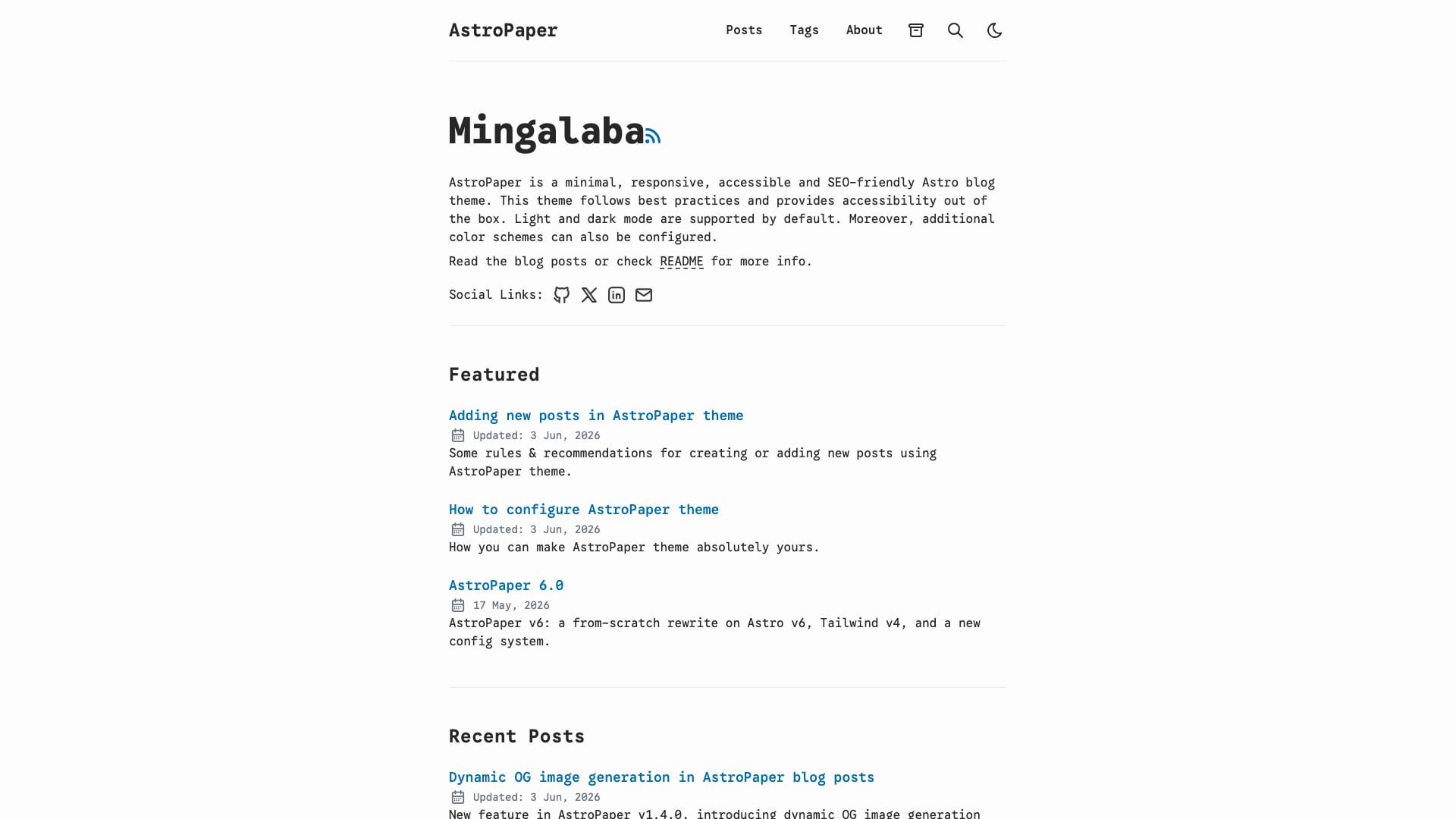
Why we like it: A minimal, accessible blog theme with Pagefind static search, draft posts, pagination, a sitemap and RSS feed, and Open Graph images generated per post at build time, so shared links look right without making images by hand.
Posts live in src/content/posts/, and subfolders become part of the URL, which keeps a growing archive organized. Light and dark color schemes are configurable, and the theme is i18n-ready if you publish in more than one language.
4. ScrewFast
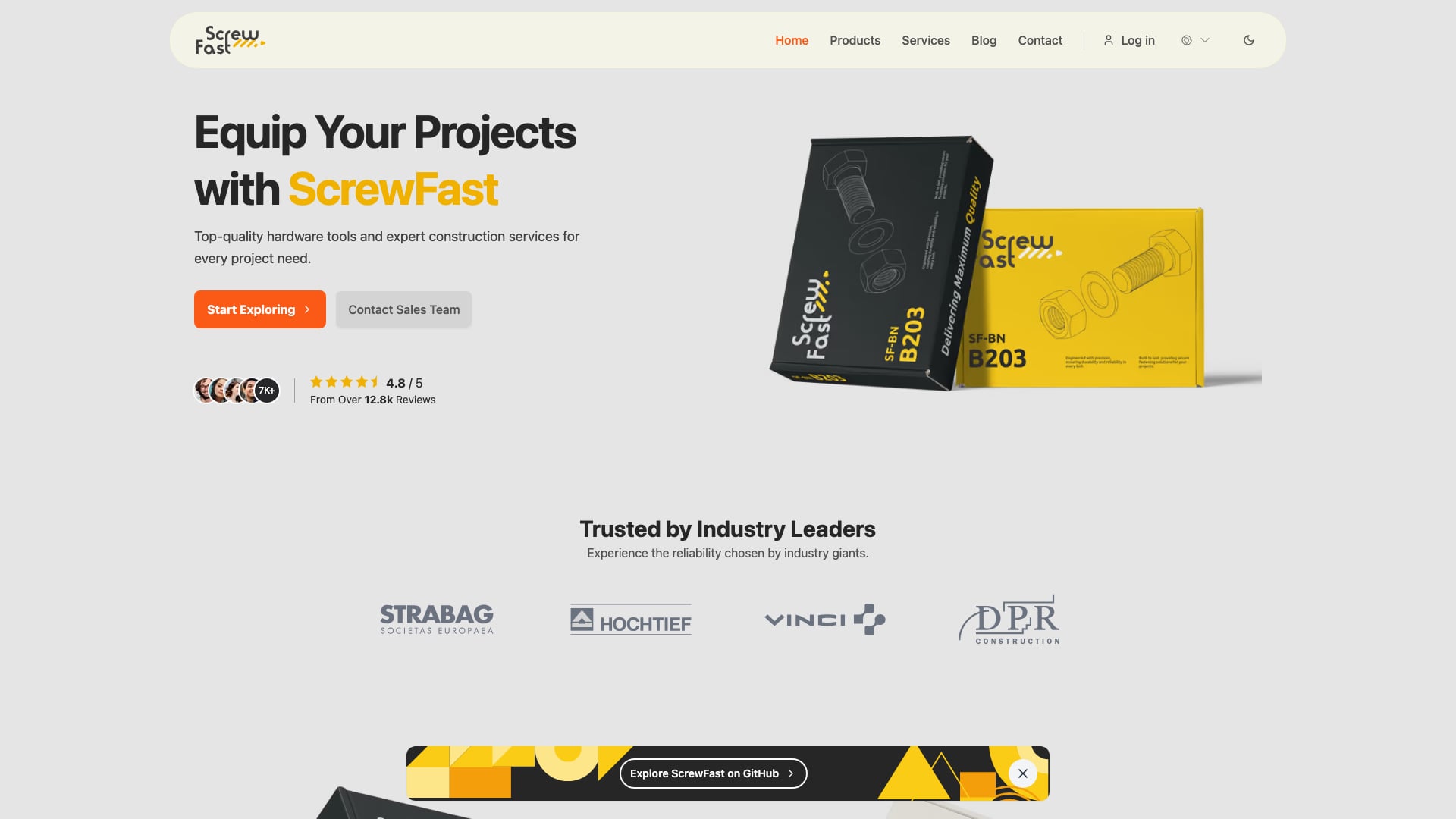
Why we like it: Four site types share one layout, navbar and footer: a landing page, a blog, a product catalog and Starlight-powered documentation. Few free templates cover that much of a real company website.
Marketing pages ship in English and French, and the docs are translated into seven languages with right-to-left support; a monolingual-site branch strips the i18n plumbing if you only need one language. Titles, Open Graph tags and JSON-LD are generated from a central config, and GSAP animates the product pages. The contact, newsletter and sign-in forms are front-end placeholders, so plan to connect them to a backend or form service.
5. Astro Cactus
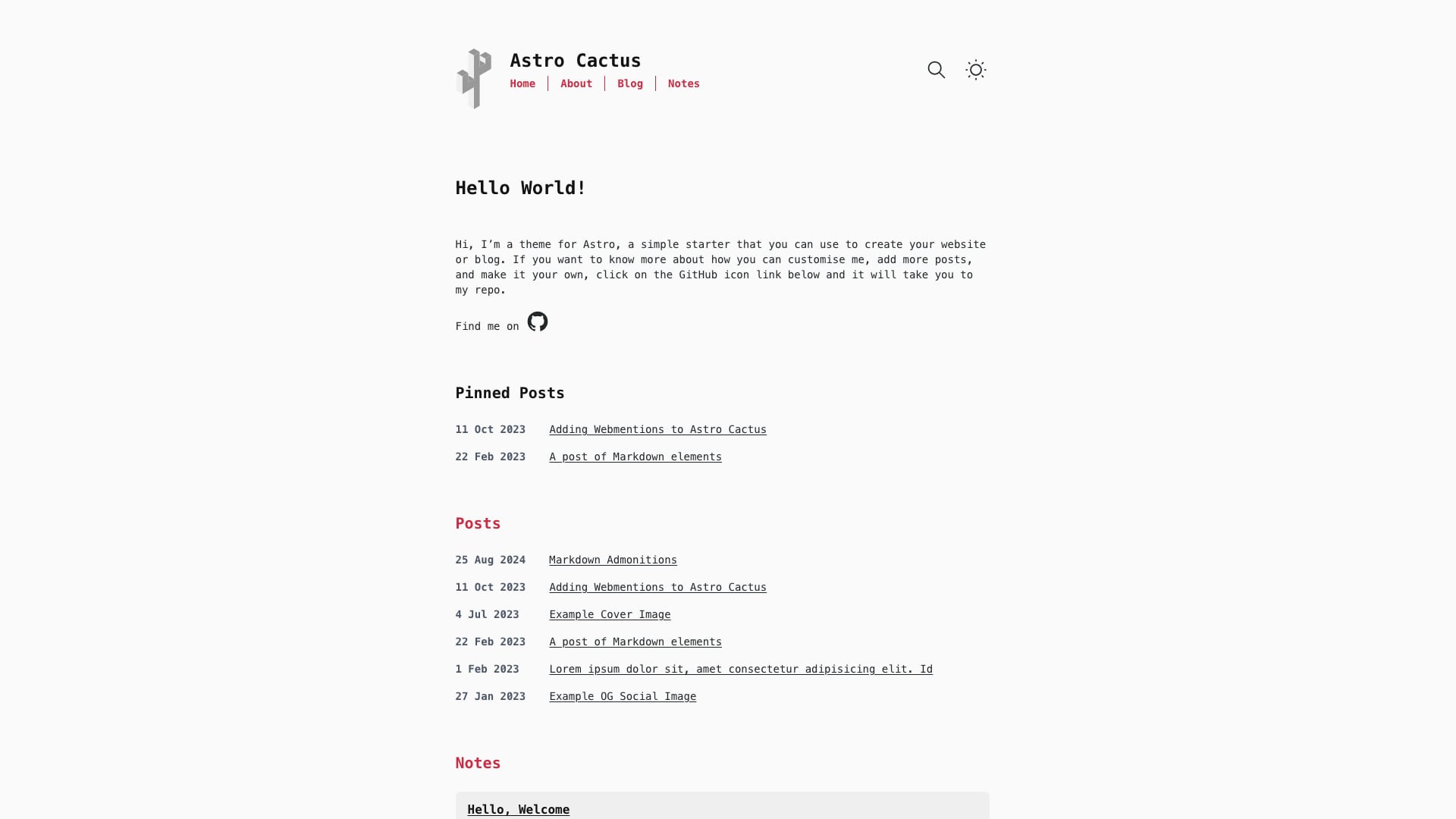
Why we like it: An opinionated, text-first blog that separates long-form posts from short notes, with Pagefind search, admonition blocks, Satori-generated Open Graph images and webmention support already wired up.
RSS feeds, a sitemap, robots.txt and a web app manifest are generated automatically, and the design stays out of the way of code-heavy writing. It suits developer blogs, product changelogs and internal knowledge bases where content matters more than visual flourish.
6. Astroplate
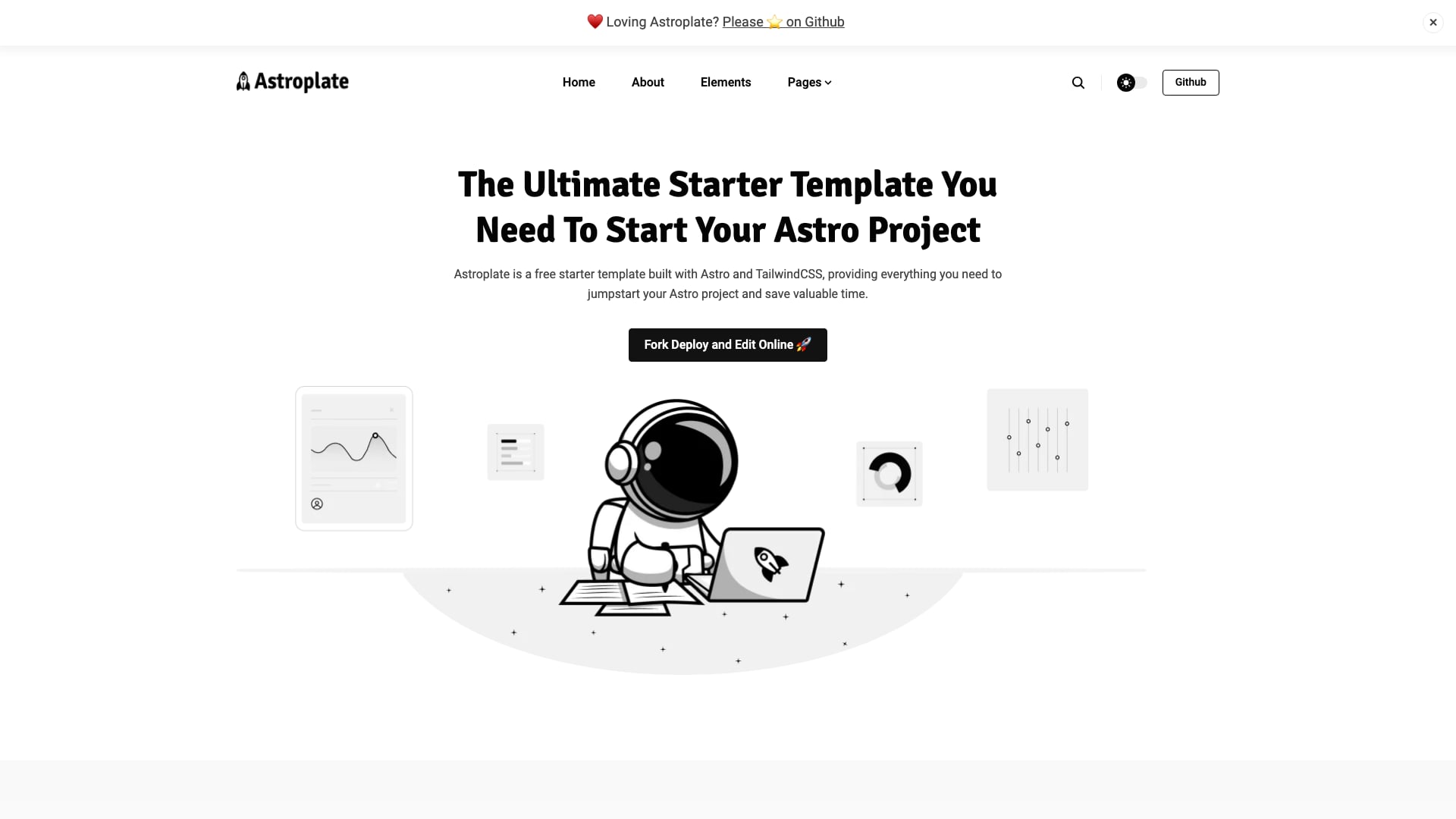
Why we like it: A general-purpose starter with 15+ pre-designed pages (blog, authors, elements, contact and more), multilingual support, site search and dark mode, plus the Sitepins Git-based CMS preconfigured so a marketing team can edit content without touching code.
The maintainers publish a separate multilingual demo alongside the main one, so you can see how translated routes behave before you commit. Content lives in Markdown and MDX, which keeps it portable if you later swap the CMS.
7. Accessible Astro Starter
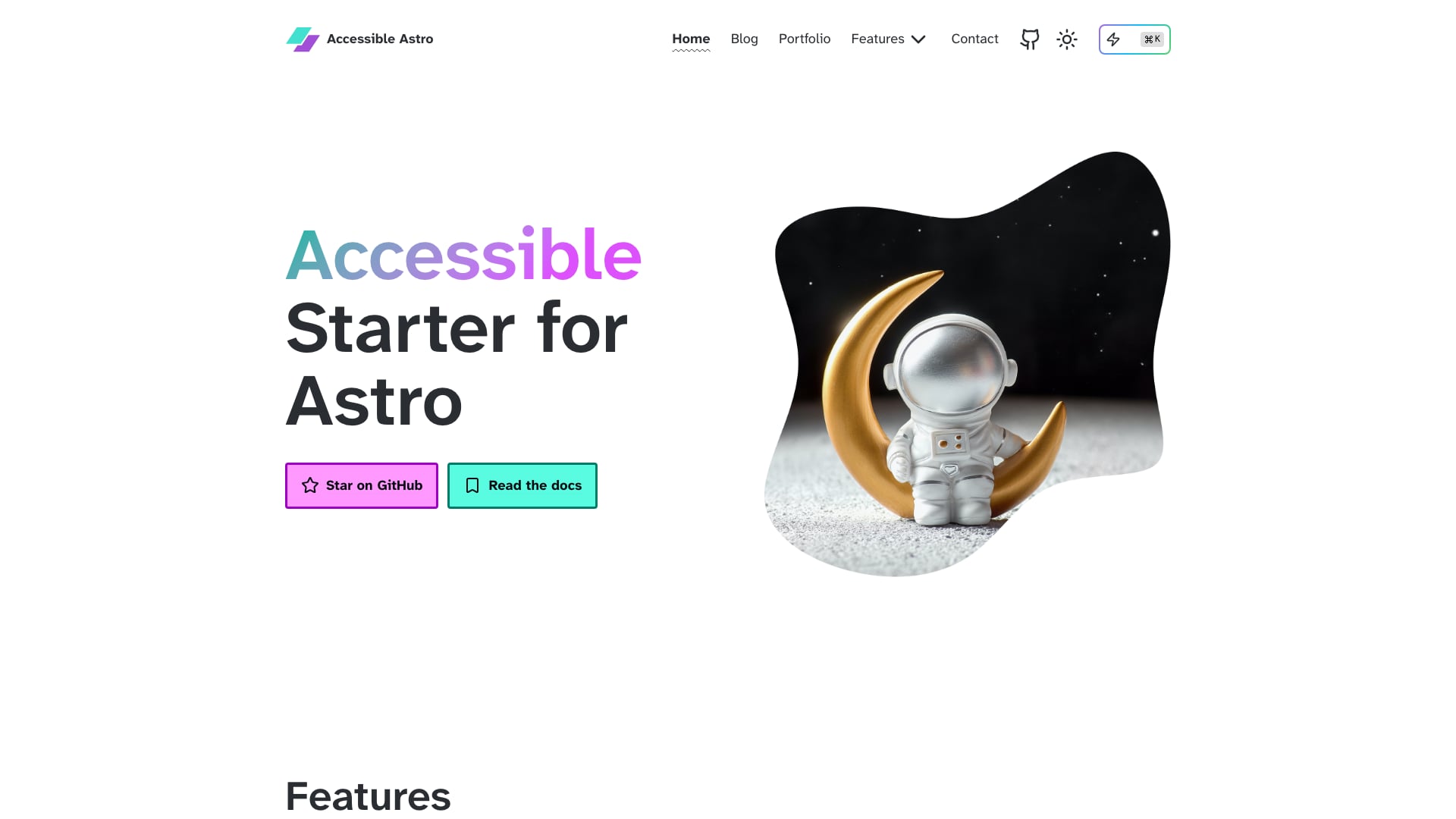
Why we like it: Built to WCAG 2.2 AA guidelines with the European Accessibility Act in mind, it gives visitors toggles for dark mode, high contrast and reduced motion, and ships accessible form components (inputs, checkboxes, radios, fieldsets) with validation already handled.
Its setup script lets you start from a full site, a blog, a portfolio, a minimal build or a barebones shell. The components have had external accessibility audits, but the content you add still needs its own review; a template can only keep you from starting with accessibility debt.
8. Foxi
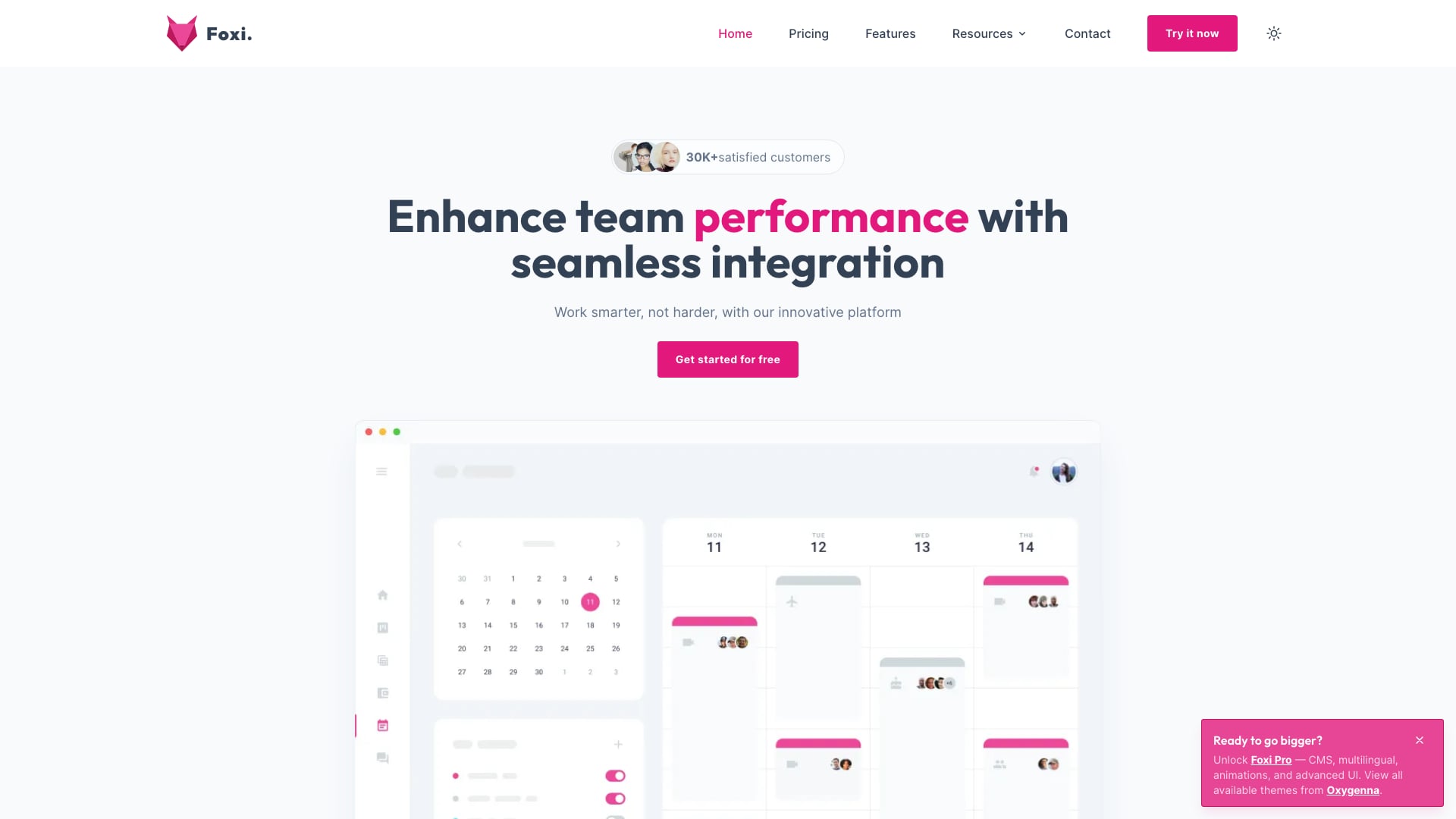
Why we like it: Foxi covers the standard SaaS marketing set (home, pricing, features, contact and more) with light and dark modes, a blog with MDX and tags, and the authors report perfect PageSpeed scores on desktop and mobile.
Components come from WindUI, and site settings live in typed config files under src/config. The free edition is still on Tailwind CSS 3, and features such as i18n, the Sitepins CMS and blog author pages are reserved for the paid Pro version, so check the comparison table in the README before you build around them.
9. Dante
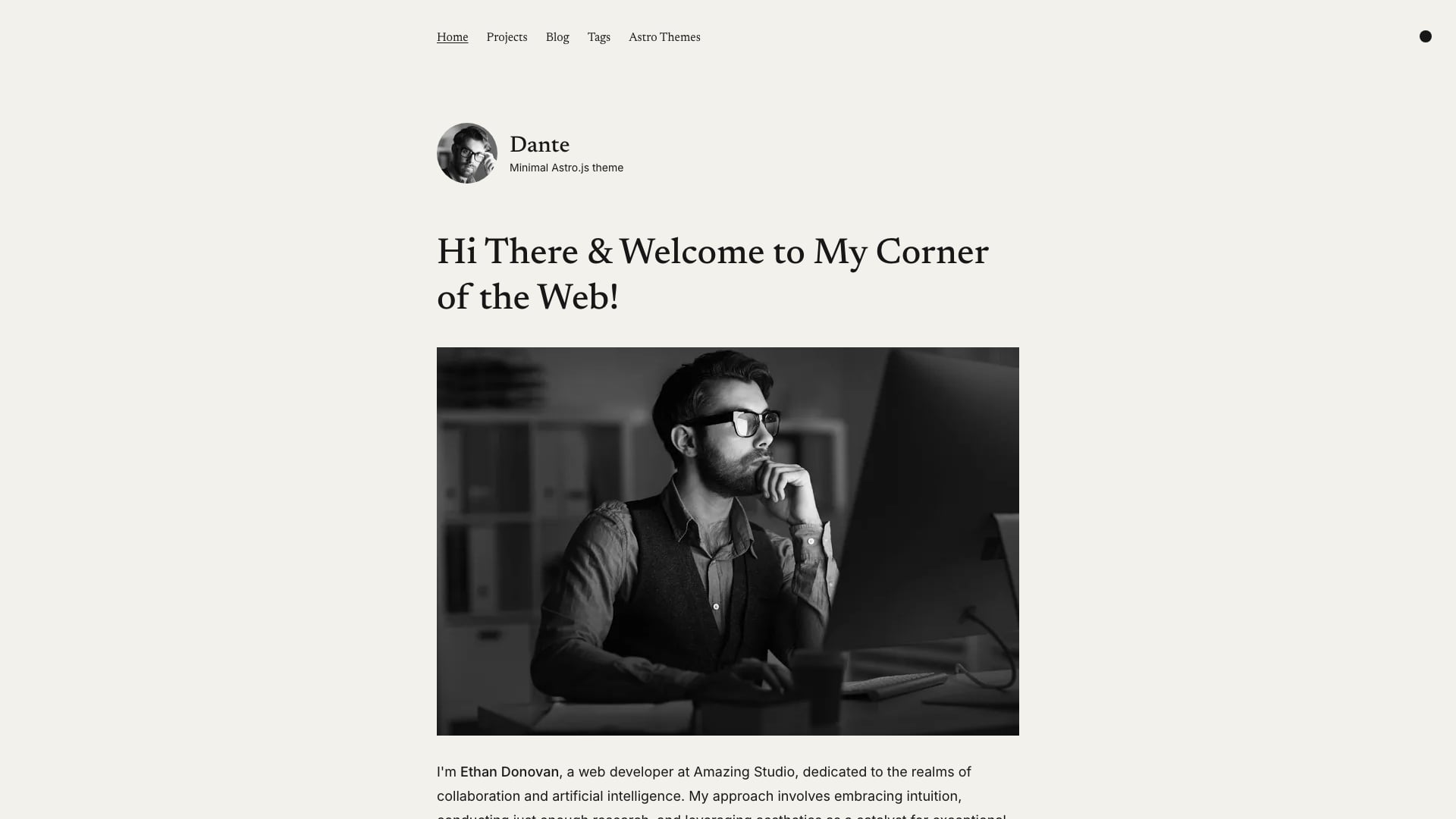
Why we like it: A single-author theme that pairs a blog with a portfolio collection, a hero with your bio, a subscription form and view transitions, all driven from one site-config.ts file.
Tags, pagination, RSS, a sitemap and canonical URLs with Open Graph data are included, and images go through Astro’s Image component. Dante is GPL-3.0 rather than MIT, which is fine for running your own site but matters if you plan to redistribute a modified version as a theme.
10. Astro Bento Portfolio
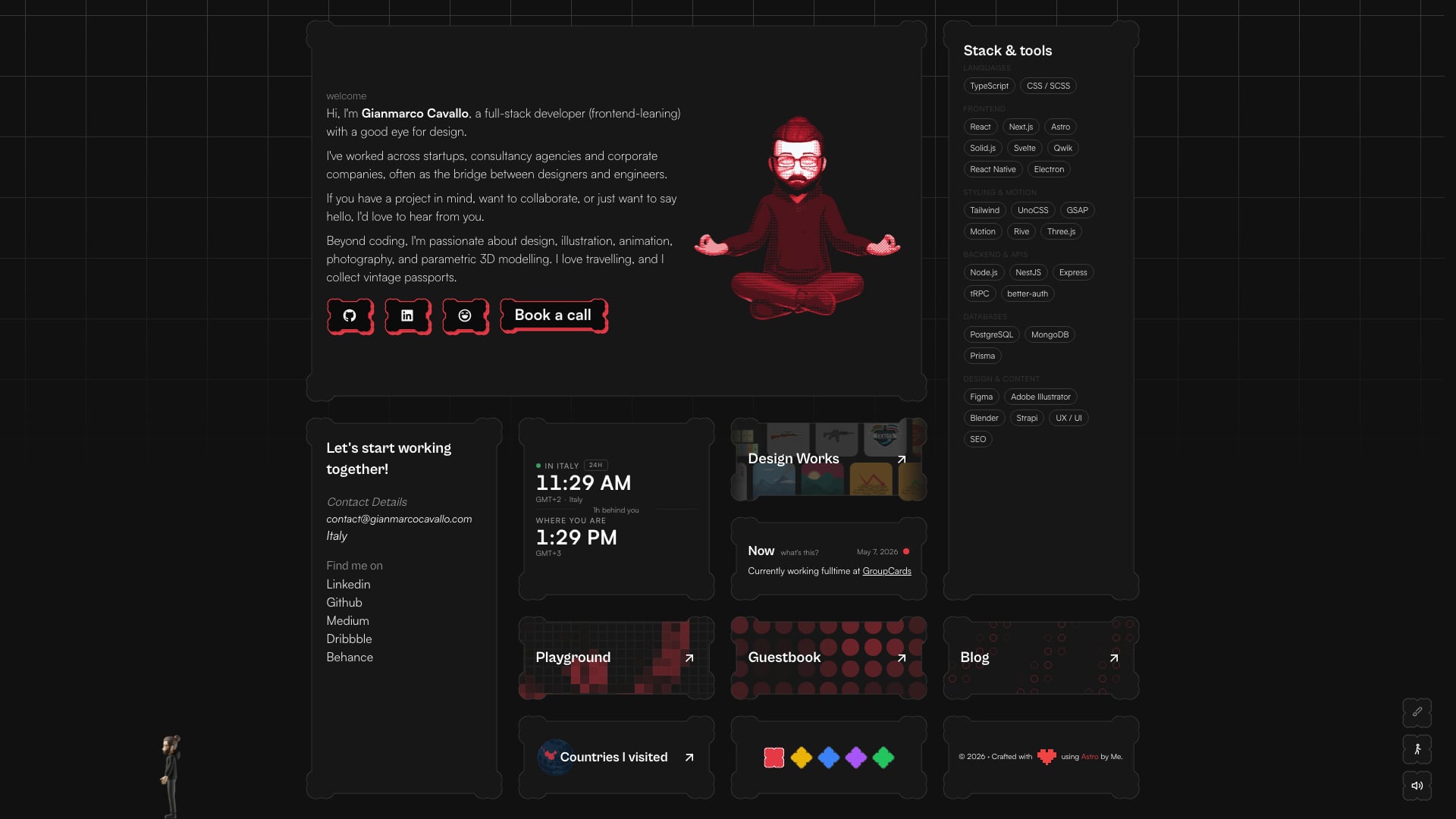
Why we like it: A bento-grid portfolio with switchable glass, sharp, neon and paper UI themes, a blog with RSS, a visitor guestbook, an interactive 3D globe and travel map, and a playground of GSAP and Rive animation experiments.
It is more involved than a static theme: the demo is the author’s own live site, it runs server-rendered on the Netlify adapter, and the guestbook needs a libSQL/Turso database. Budget time to replace the personal content, or remove the guestbook if you want a purely static build. It uses UnoCSS rather than Tailwind. For simpler Tailwind options, see our Tailwind portfolio templates.
11. Bookworm Light
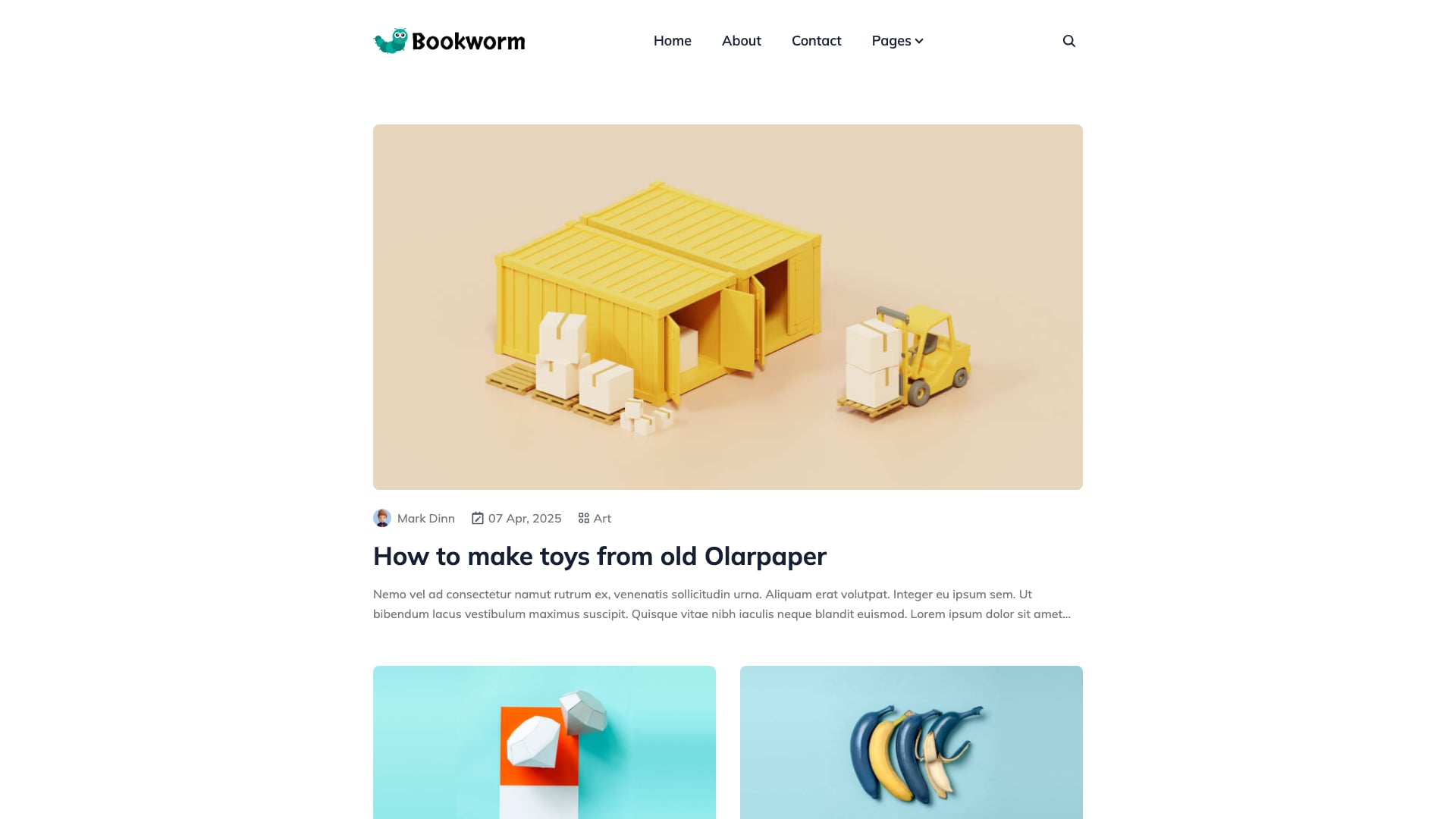
Why we like it: One of the few free Astro themes built for multiple authors, with an authors index, individual author pages, categories and tags, similar-post suggestions, social sharing and client-side search powered by Fuse.js.
Draft pages and posts, a contact form, Open Graph images and auto-imported MDX components are included, and Netlify settings come preconfigured. ThemeFisher maintains it alongside several other free Astro themes, so updates arrive regularly.
12. Astro Micro
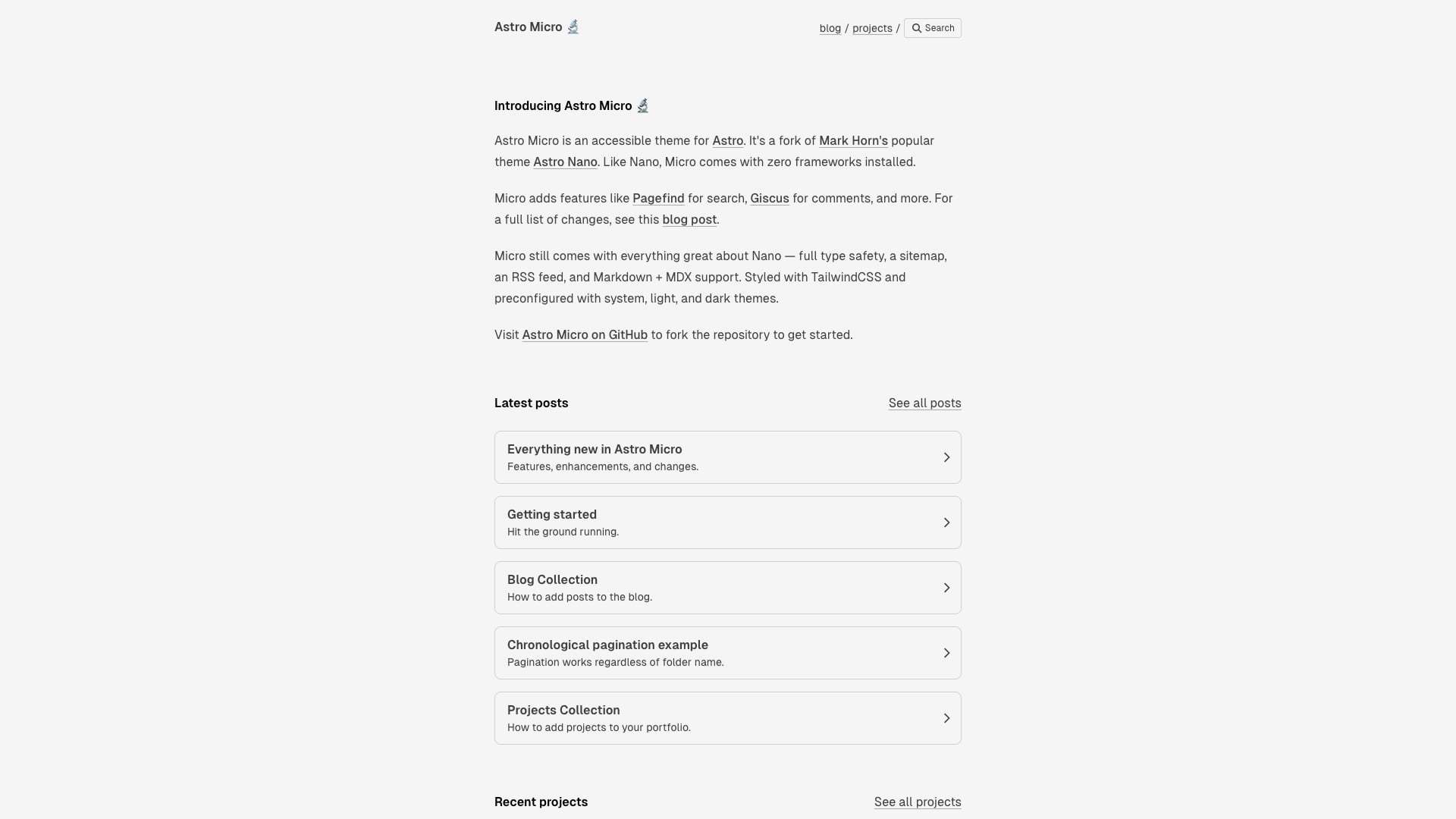
Why we like it: A fork of the popular Astro Nano that keeps its zero-UI-framework approach but adds Pagefind search and Giscus comments, so you get a searchable blog with discussions and nothing extra to keep updated.
Type safety, a sitemap, an RSS feed, Markdown and MDX, and system, light and dark themes all carry over from Nano. Its package.json still targets Astro 6, one major behind the rest of this list; npx @astrojs/upgrade is the quickest way to move it forward.
13. CelestialDocs
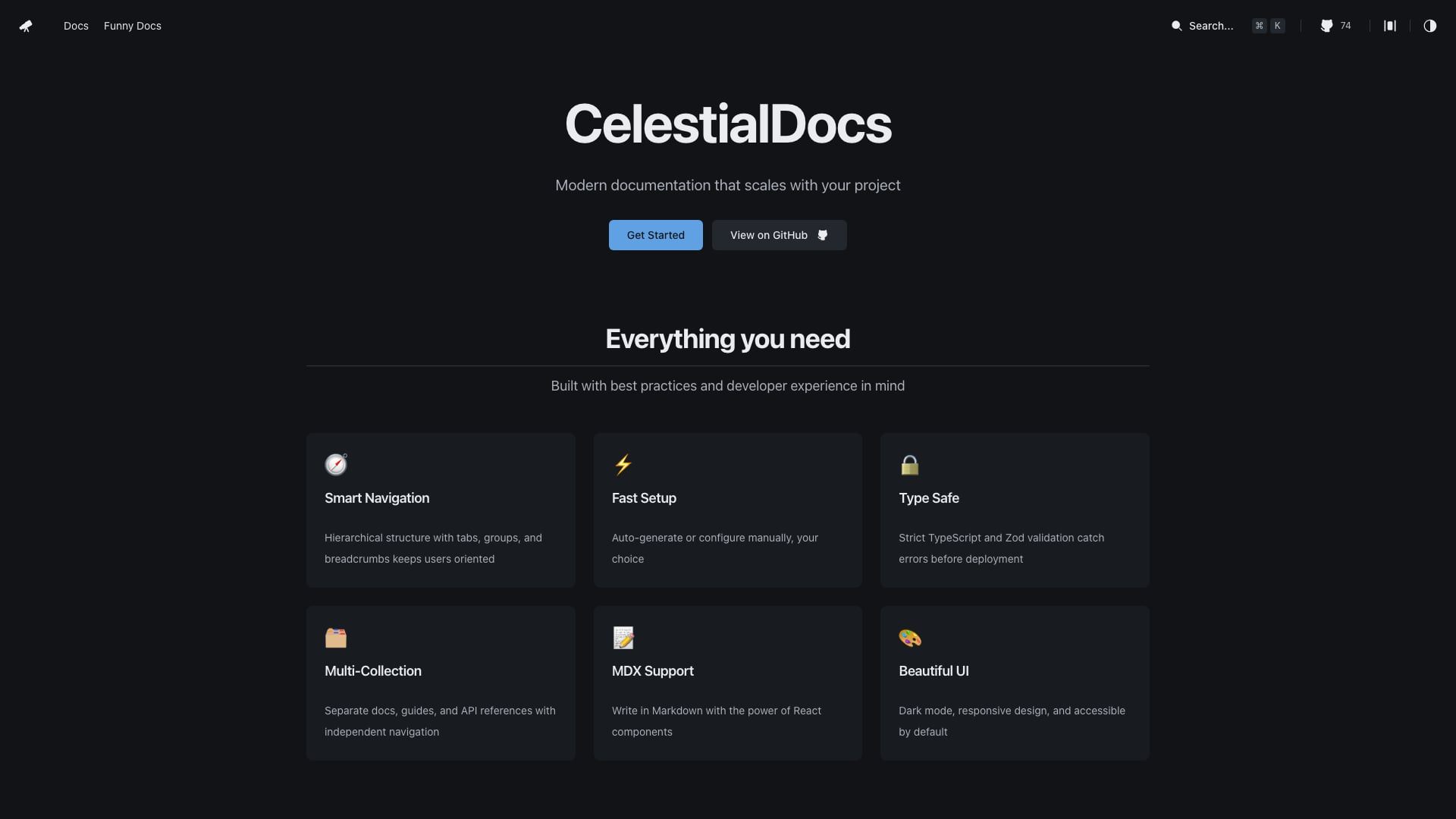
Why we like it: Instead of a docs package you configure from the outside, CelestialDocs is a repository you clone and own, with separate collections for docs, blog and product pages sharing one foundation.
The UI is React with shadcn/ui components, but Astro lets you drop in Vue, Svelte or Solid components wherever you prefer. Configuration sits in one typed data/config.ts file. The community is much smaller than Starlight’s, so choose it when full control over the source matters more than a large ecosystem.
14. Astroship
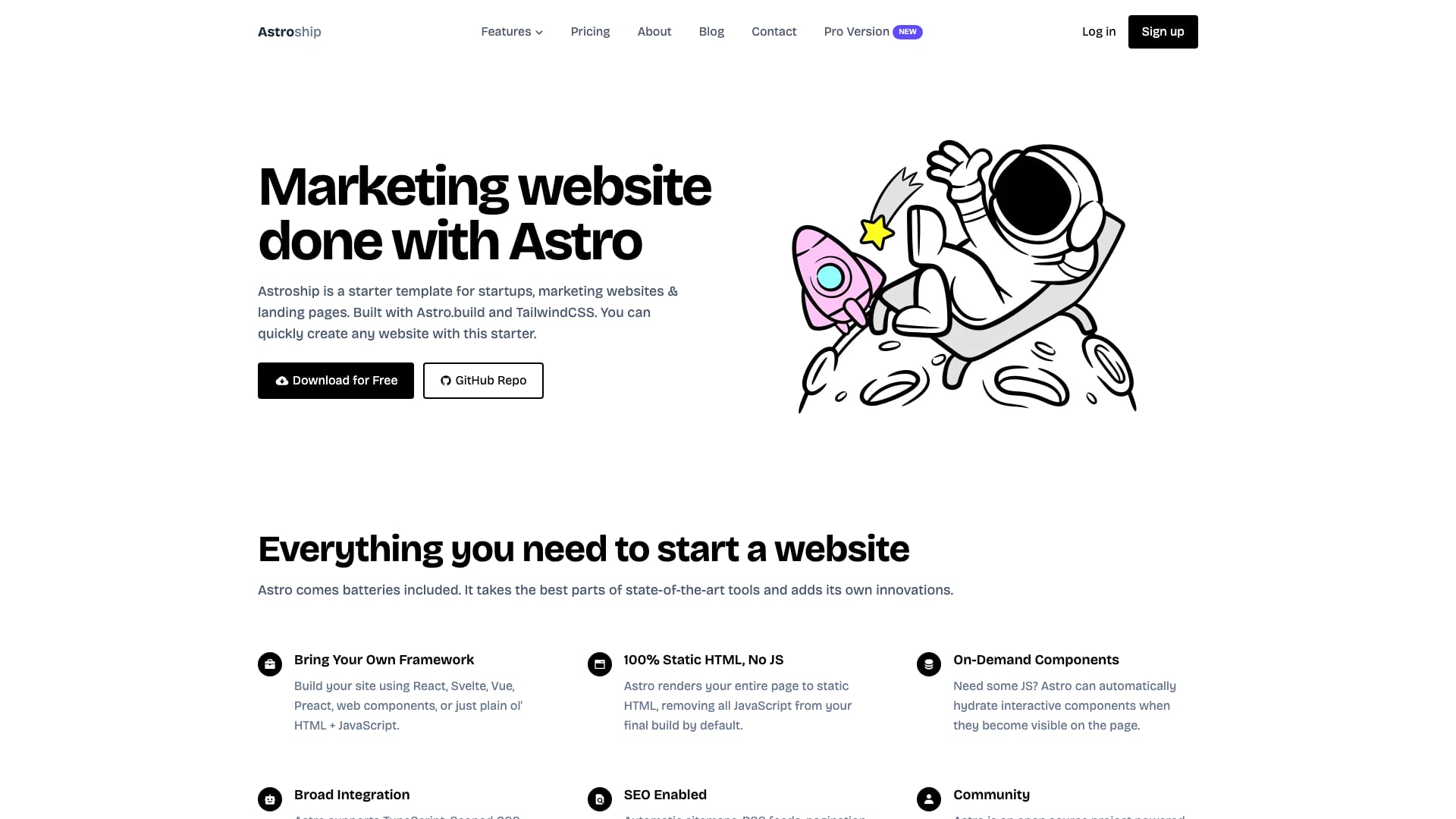
Why we like it: A clean, widely used startup layout with a hero, feature grid, pricing, testimonials and a blog, and a small codebase that is easy to understand in an afternoon.
Note: Astroship has not been updated since March 2025 and still targets Astro 5, two majors behind most of this list. It builds, but expect to run npx @astrojs/upgrade and fix a few breaking changes. If you would rather start current, AstroWind and Foxi cover the same ground.
15. Flowbite Astro Admin Dashboard
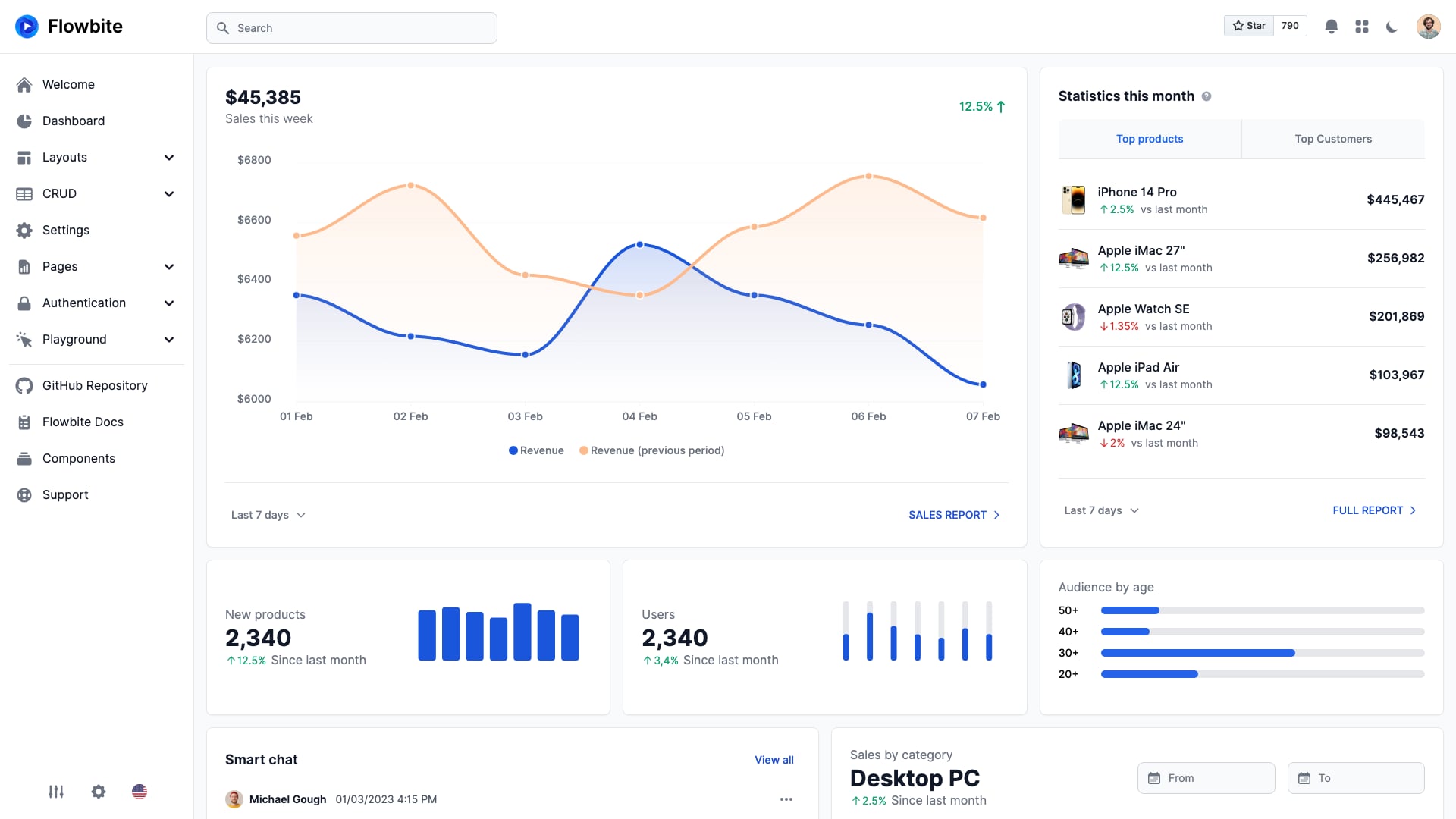
Why we like it: It is still the only free Astro admin dashboard with real depth: 15 example pages covering a sales dashboard, CRUD tables for products and users, settings, sign-in and sign-up flows, pricing, and 404, 500 and maintenance pages.
Note: the repository has not been updated since late 2023 and is built on Astro 2, five majors behind. Treat it as a layout and component reference to port into a fresh Astro project rather than something to install and extend. If you need a maintained admin panel, AdminLTE is plain HTML, CSS and Bootstrap 5, so its pages move into .astro files with little friction; our free admin templates list has more options.
Premium Astro Templates from Colorlib
The free templates above are strong foundations, but most are generic by design. If you would rather start from a finished site for a specific kind of product, Colorlib sells a collection of Astro templates built on Astro 7 and Tailwind CSS 4. Each ships with dark mode, and page content is driven from data files, so rebranding is mostly a matter of editing copy. A single template is $29, and a Colorlib Membership covers the whole collection. Disclosure: Colorlib and AdminLTE.io are run by the same team.
These six are the ones most relevant to developers and software products. The full set, including business niches such as restaurants, clinics and trades, is in Colorlib’s Astro template category and in our Astro website templates roundup.
SaaSify — SaaS Landing Page
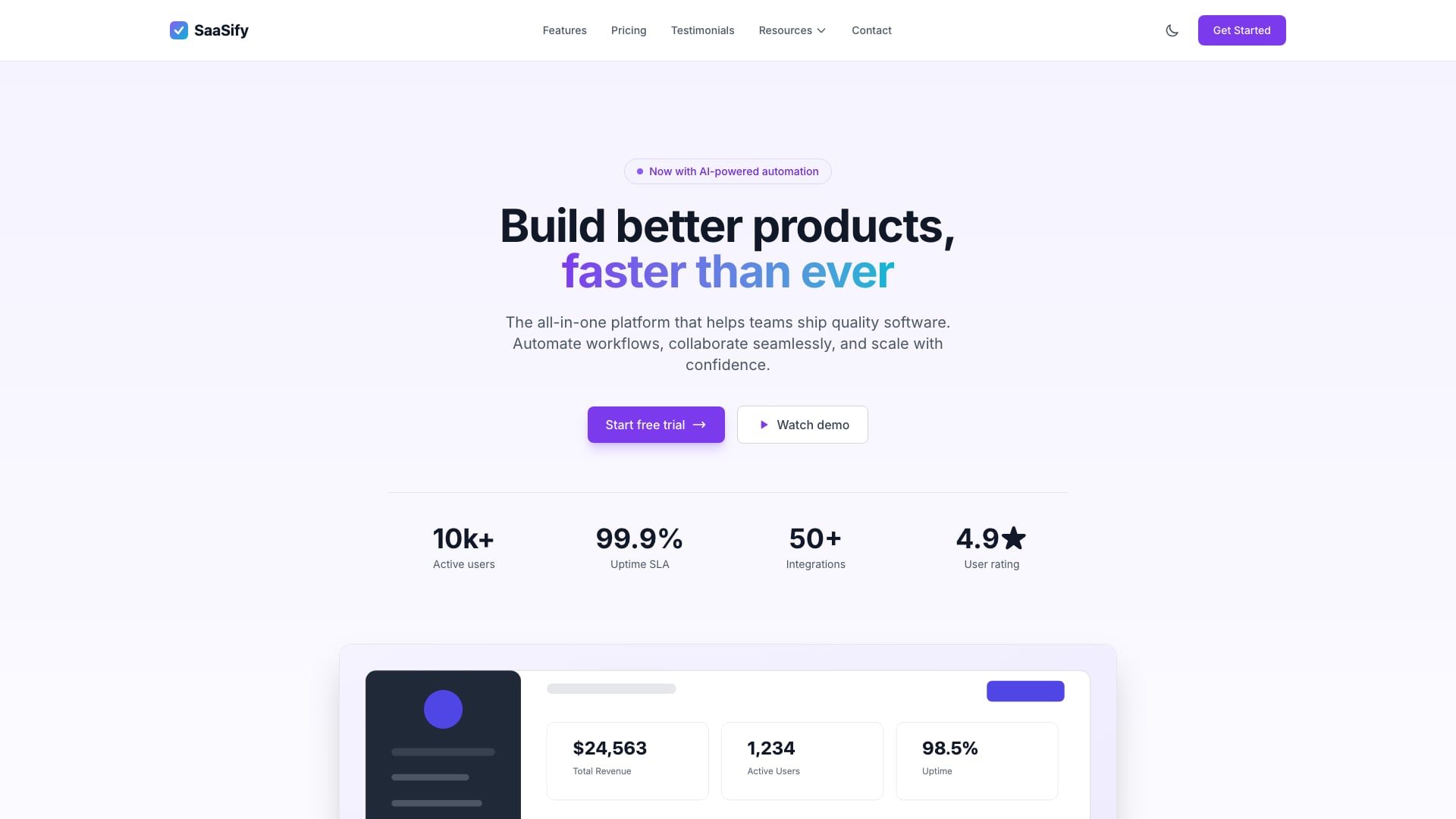
Why we like it: A conversion-focused SaaS homepage with tiered pricing and a monthly/yearly toggle, a feature comparison grid, integration logos, testimonials and an FAQ, plus docs, help and blog pages for the content around the launch.
APIForge — Developer Tools and APIs
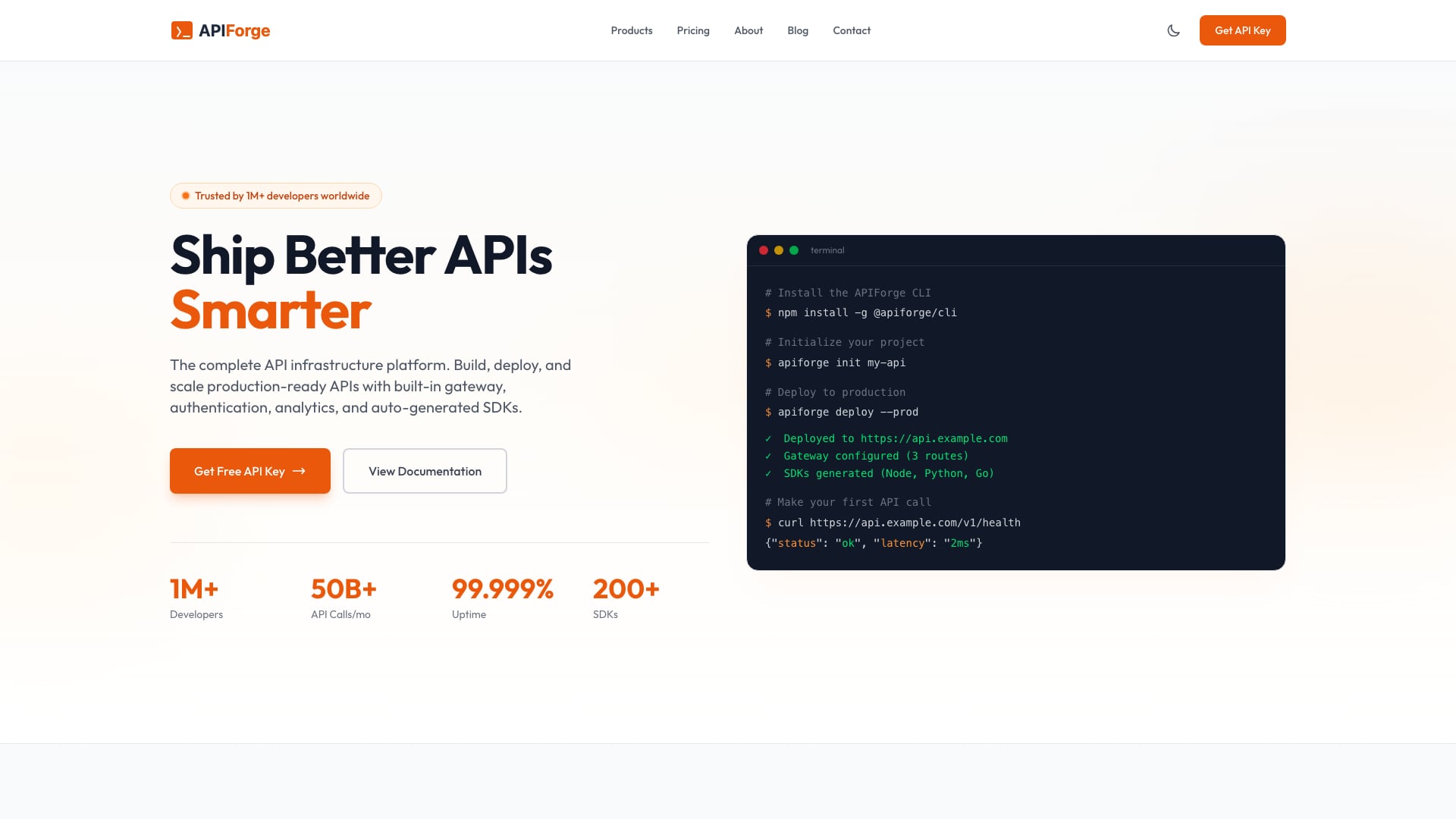
Why we like it: Written for a technical audience from the hero down, with terminal-style code samples, SDK quickstart sections, pricing tiers by API usage, an integrations page and a changelog that signals the product is actively maintained.
AgentForge — AI Agent Platform
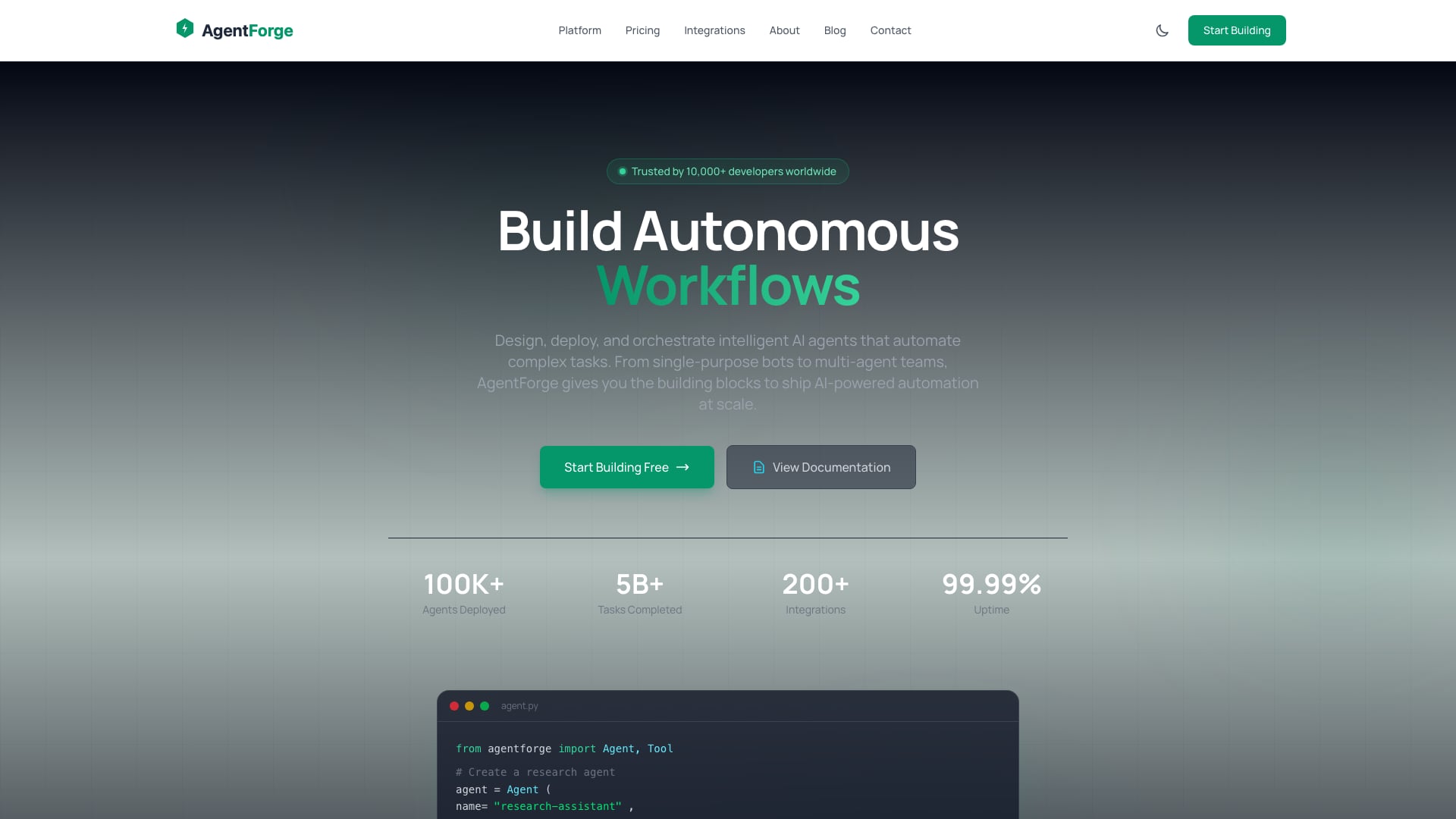
Why we like it: Makes an abstract product concrete with an agent-builder preview, use-case scenarios, an agent template marketplace section and SDK code samples, alongside pricing, integrations, changelog and blog pages.
CloudNest — Hosting and Cloud Platforms
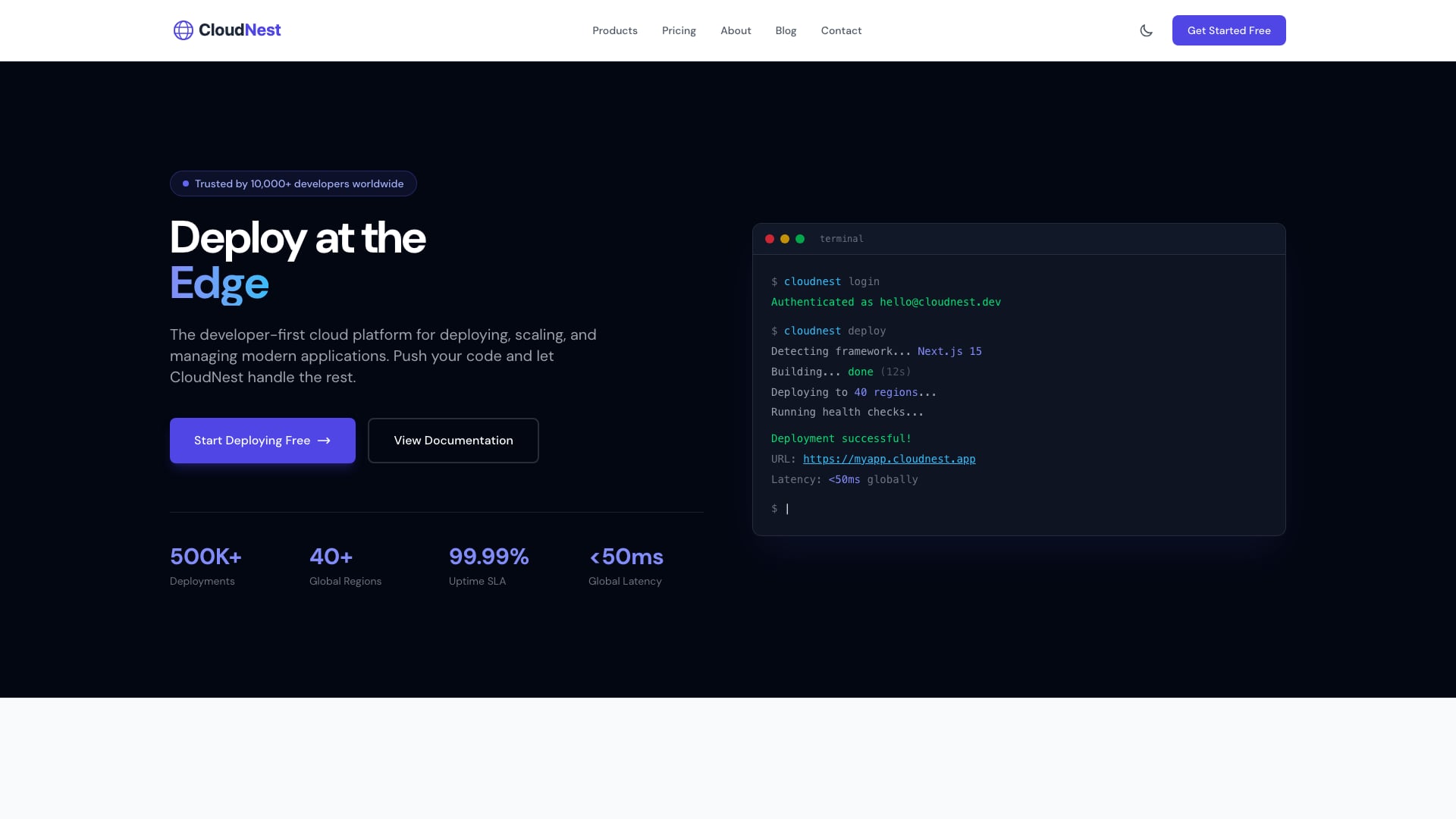
Why we like it: Built around the details hosting buyers compare: plan tables with server specs, uptime SLA badges, data-center locations and migration messaging, with a CLI-style deploy demo in the hero.
Shopper — E-commerce Storefront
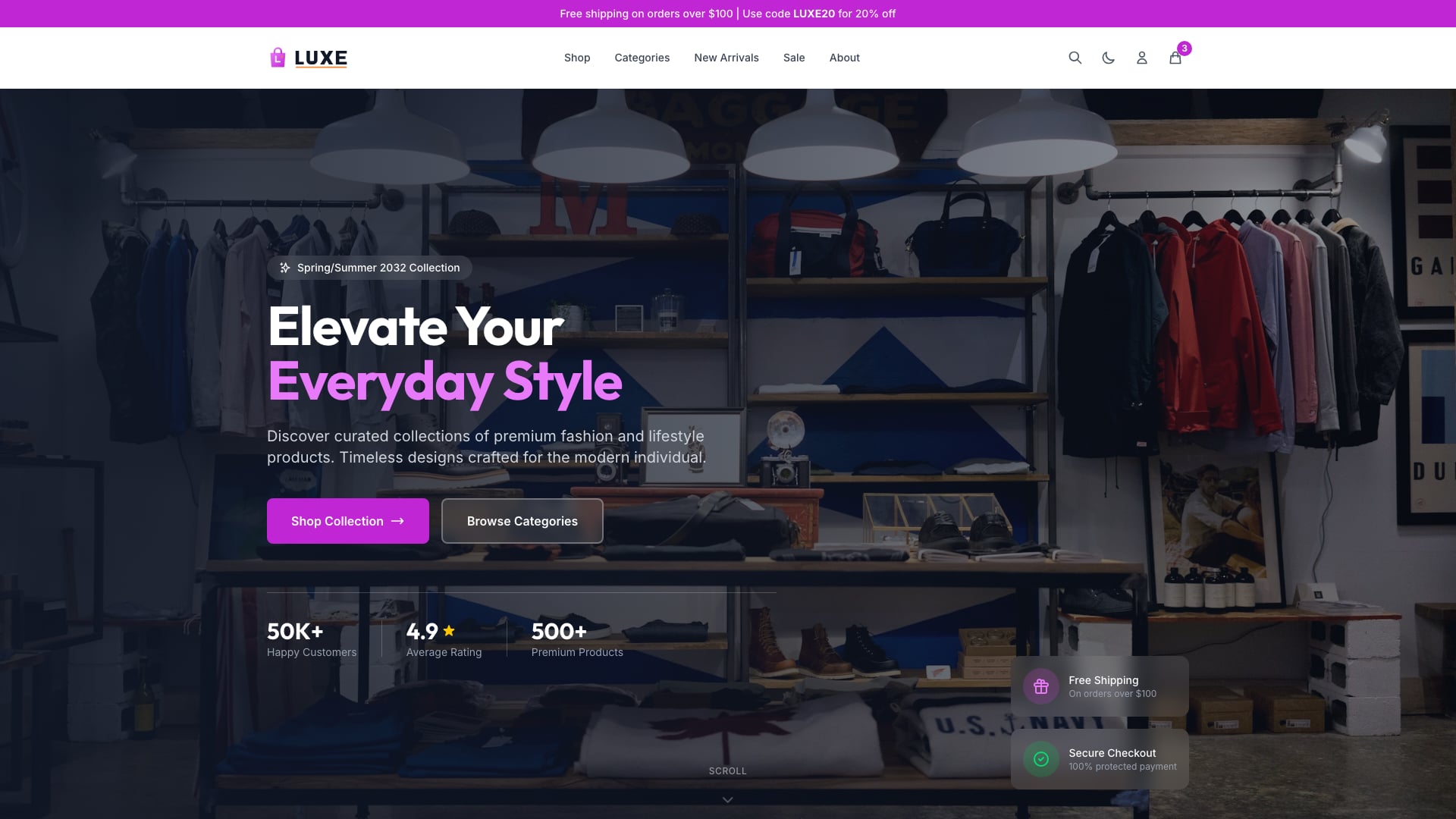
Why we like it: A fashion-style storefront with product listings, category pages, product detail pages, a cart with quantity controls and a wishlist, which is more complete than any free Astro e-commerce template we found.
The cart runs client-side, so connect it to Shopify, Snipcart, Stripe or your own API for real checkout.
Kinetic — Animated Agency and Showcase Site
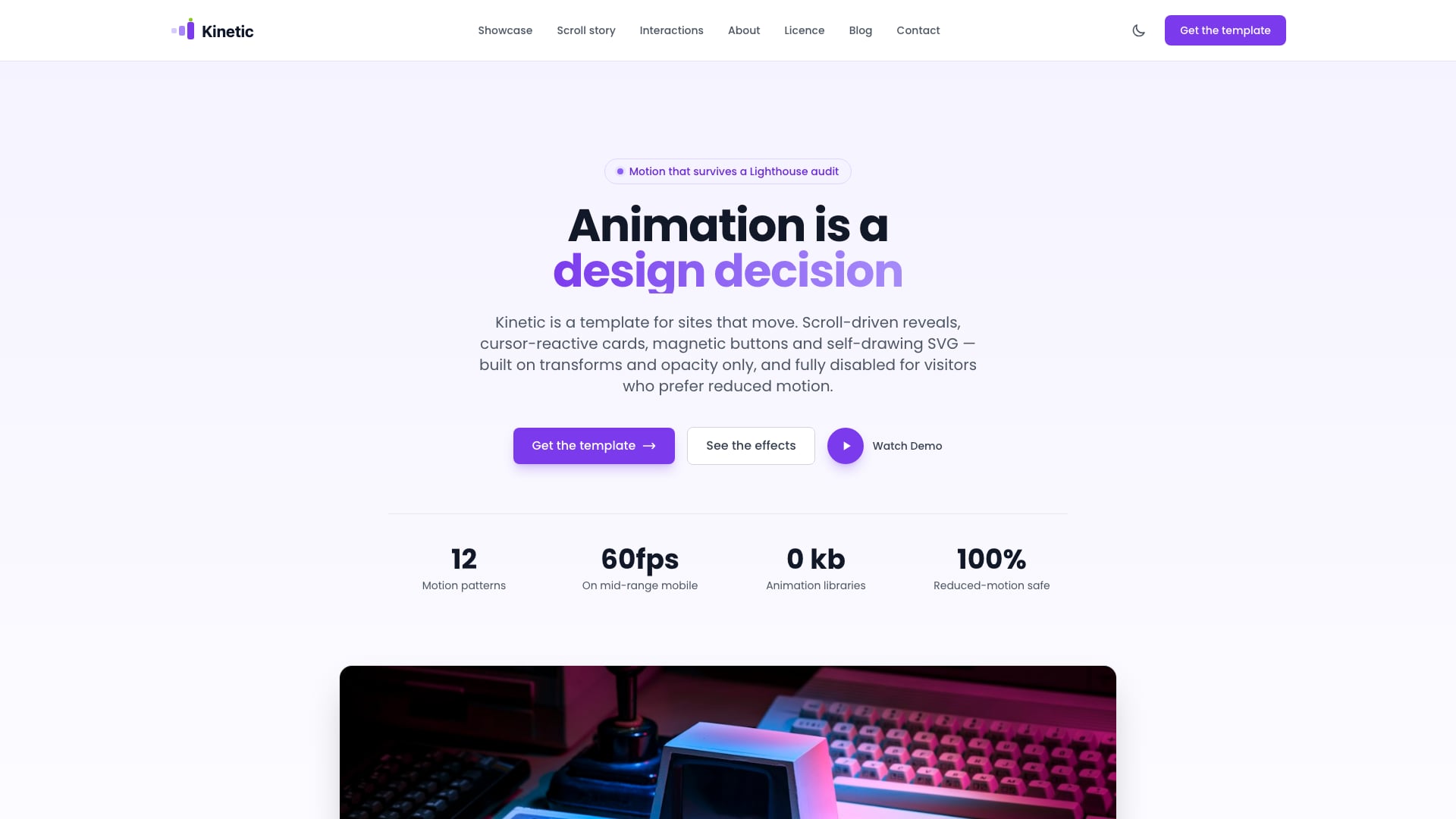
Why we like it: Scroll-driven reveals, tilt cards, magnetic buttons, an infinite marquee and a self-drawing SVG story, built without an animation library and switched off entirely for visitors who prefer reduced motion.
How to Choose a Free Astro Template
The right pick depends on what you are building:
- Company or marketing site? AstroWind for the widest set of sections, or ScrewFast if you also need a product catalog and docs.
- Documentation? Starlight in almost every case. Choose CelestialDocs only if you want to own and rewrite the docs engine itself.
- Personal or engineering blog? AstroPaper for features, Astro Cactus for posts plus notes, Astro Micro for the fewest dependencies.
- Blog with several writers? Bookworm Light, since it is the one theme here with author pages built in.
- Portfolio? Dante for a calm blog-and-portfolio site, Astro Bento Portfolio for something visually memorable.
- SaaS landing page? Foxi or AstroWind for free; Colorlib’s SaaSify, APIForge or AgentForge if you want a finished product page.
- Accessibility requirements or multiple languages? Accessible Astro Starter for the former, Astroplate or ScrewFast for the latter.
Whichever you choose, check its package.json before you start. Being one Astro major behind is a short upgrade; being several behind can turn into a rewrite.
Getting Started
Every template here follows the same workflow. Check the repository’s .nvmrc or engines field first, because recent Astro versions need a recent Node.js LTS release.
# Clone the template (or use GitHub's "Use this template" button)
git clone https://github.com/arthelokyo/astrowind.git my-site
cd my-site

# Install dependencies and start the dev server
npm install
npm run dev

# Build static files for production
npm run build

# Bring an older template up to the newest Astro release
npx @astrojs/upgrade
The dist/ folder that npm run build produces deploys to any static host, including Netlify, Vercel, Cloudflare and GitHub Pages. The exception is Astro Bento Portfolio, which needs a server adapter.
Free Astro Templates FAQ
Which Astro version do these templates use?
Most run on Astro 7. Astro Micro targets Astro 6, Astroship targets Astro 5, and the Flowbite admin dashboard is still on Astro 2. Each entry shows the version from the template’s own package.json, and npx @astrojs/upgrade moves an older project forward.
Can I use these free Astro templates for commercial projects?
Yes. All of them except Dante and Astroship are MIT licensed, which allows commercial use as long as the license notice stays in the source. Dante and Astroship are GPL-3.0, which is fine for running your own or a client’s website but requires releasing your changes under the same license if you redistribute the theme itself.
Is there a free Astro admin dashboard template?
Flowbite Astro Admin Dashboard is the only substantial one, and it has not been updated since late 2023, so use it as a design reference. Many teams build the public site in Astro and run the admin as a separate app. AdminLTE is plain HTML and Bootstrap 5, so it also ports into Astro pages easily.
What is the best free Astro template for documentation?
Starlight, the Astro team’s own documentation theme, with search, i18n and code highlighting built in. ScrewFast wraps Starlight in a full marketing site, and CelestialDocs is the alternative if you want the entire docs engine in your repository.
Do Astro templates require React or another UI framework?
No. Most templates here use only Astro components and ship little or no client-side JavaScript. Astro can add React, Vue, Svelte or Solid components as interactive islands when you need them. CelestialDocs uses React and Astro Bento Portfolio uses SolidJS and Svelte, but the rest have no framework dependency.
What do premium Astro templates add over free ones?
Mostly finished, niche-specific design and content structure: a hosting site with plan tables, an API product with code samples, a storefront with cart and product pages. Free templates are usually generic starters. Colorlib’s templates also share one architecture and are maintained together, so they stay on the same Astro and Tailwind versions.
How do you keep this list accurate?
We read each template’s package.json for its Astro version, check the date of its last commit and open the live demo. Templates that have gone dormant and fallen several Astro versions behind are replaced or flagged. Every demo is re-checked before we republish this page.

You Might Also Like


