
21 Best Next.js Admin Dashboard Templates 2026
Next.js has become the default React framework for building production-grade web apps, and admin dashboards are no exception. Between the App Router, server components, and built-in API routes, you get a full-stack foundation that most standalone React setups simply can’t match. The ecosystem has matured significantly — between premium solutions from DashboardPack and a growing collection of free, open-source options, there’s a Next.js admin dashboard for every budget and use case.
We’ve assembled the 19 best Next.js admin dashboard templates available right now. The list kicks off with five premium DashboardPack dashboards that offer production-ready features like 125+ pages, healthcare modules, DevOps views, and full i18n/RTL support — followed by 14 of the best free, open-source alternatives. The UI library diversity is worth noting: you’ll find options built with shadcn/ui, Material UI, Tailwind CSS, Chakra UI, and Bootstrap — so whatever design system your team prefers, there’s a Next.js admin panel that fits.
Whether you’re spinning up an internal tool, prototyping a SaaS admin panel, or just need a head start on your next client project, one of these should save you a few weekends of boilerplate work.
Best Next.js Admin Dashboard Templates
1. Apex
💰 Premium – $69+
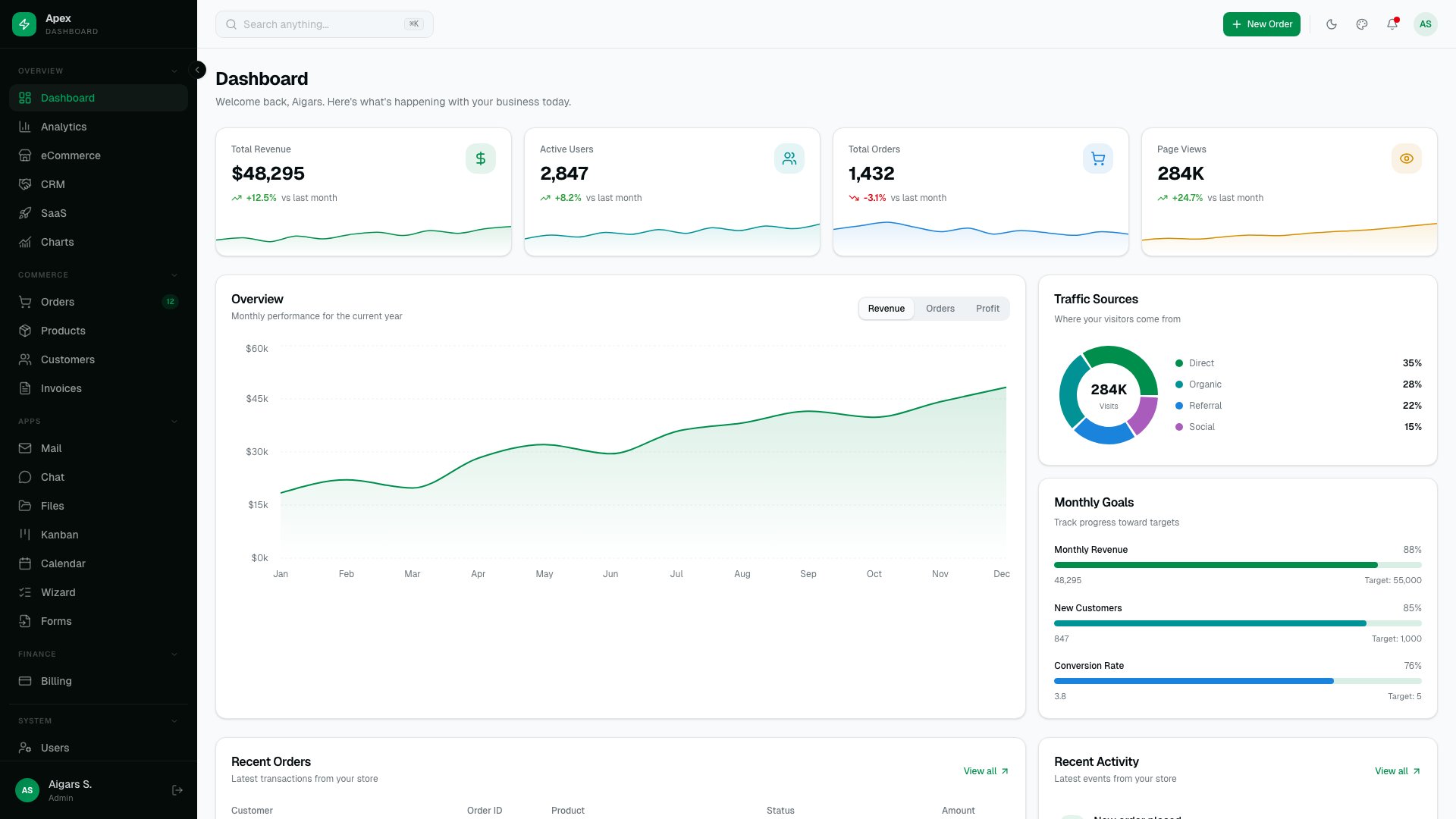
The most comprehensive Next.js admin dashboard on the market. Apex ships with 125+ routes, five layout variants, 35 shadcn/ui primitives, and 20+ fully built app pages including TanStack Table data grids, Recharts 3 analytics, and a Command Palette for power-user navigation. Authentication covers email/password, social login, and two-factor authentication flows.
What puts Apex in a different category is the depth of polish. The theme customizer lets you tweak every design token in real time, i18n support is built into the routing layer, and every page is responsive down to mobile. If you’re building a serious SaaS admin panel and want to skip months of UI development, Apex is the template that gets you there fastest.
2. Signal
💰 Premium – $69+
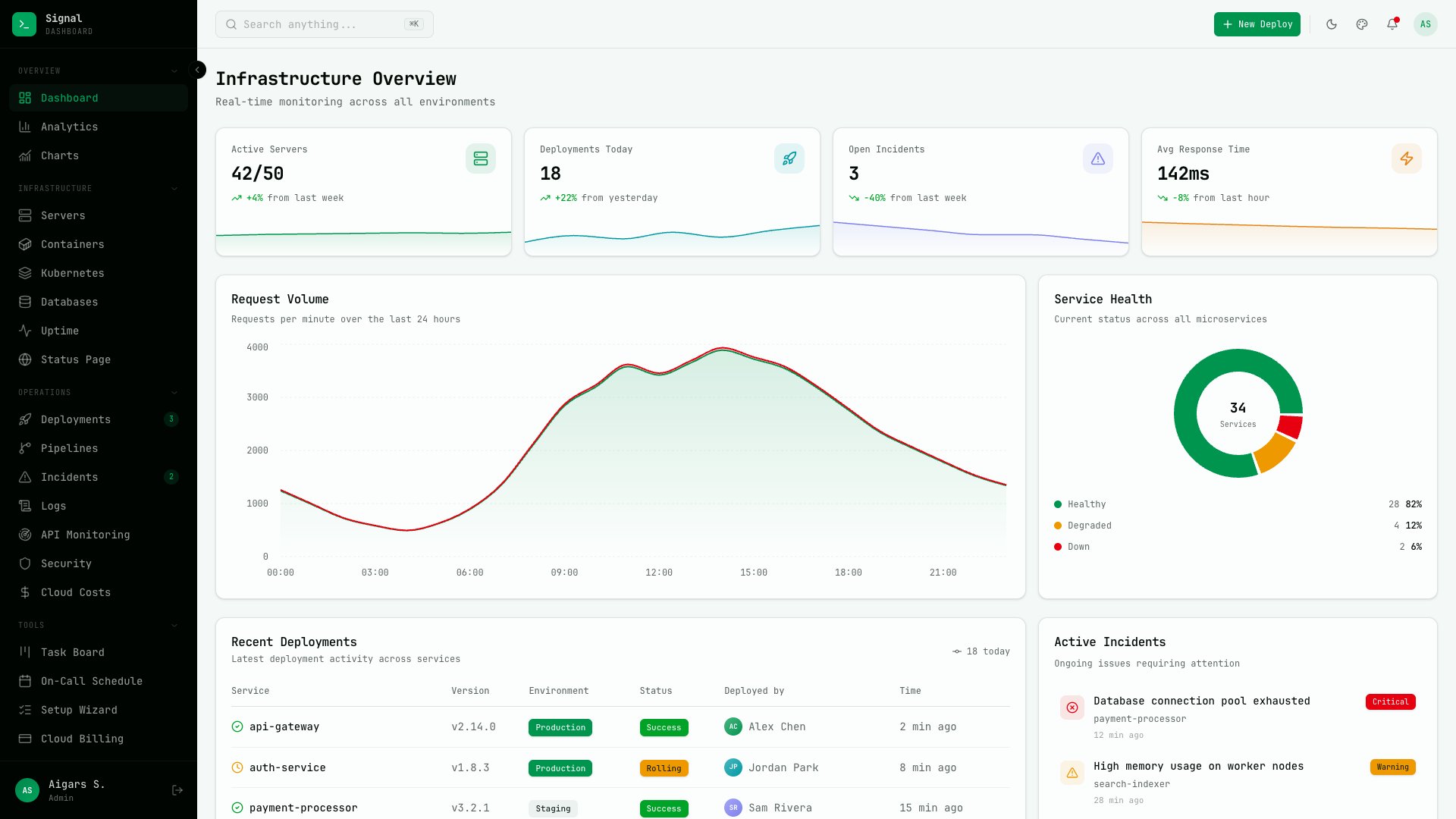
Signal takes a completely different design direction — a terminal-inspired aesthetic built for DevOps and infrastructure teams. JetBrains Mono typography, 57+ pages, and 13 dedicated infrastructure monitoring views give it a focused, technical personality that generic dashboards can’t match. Six color presets and three density modes let you dial in the exact look your team wants.
This isn’t a general-purpose admin panel repurposed for DevOps — it’s designed from the ground up for teams that monitor servers, track deployments, and manage infrastructure. If your users live in terminals and prefer data-dense interfaces over whitespace-heavy designs, Signal speaks their language.
3. Flux
💰 Premium – $69+
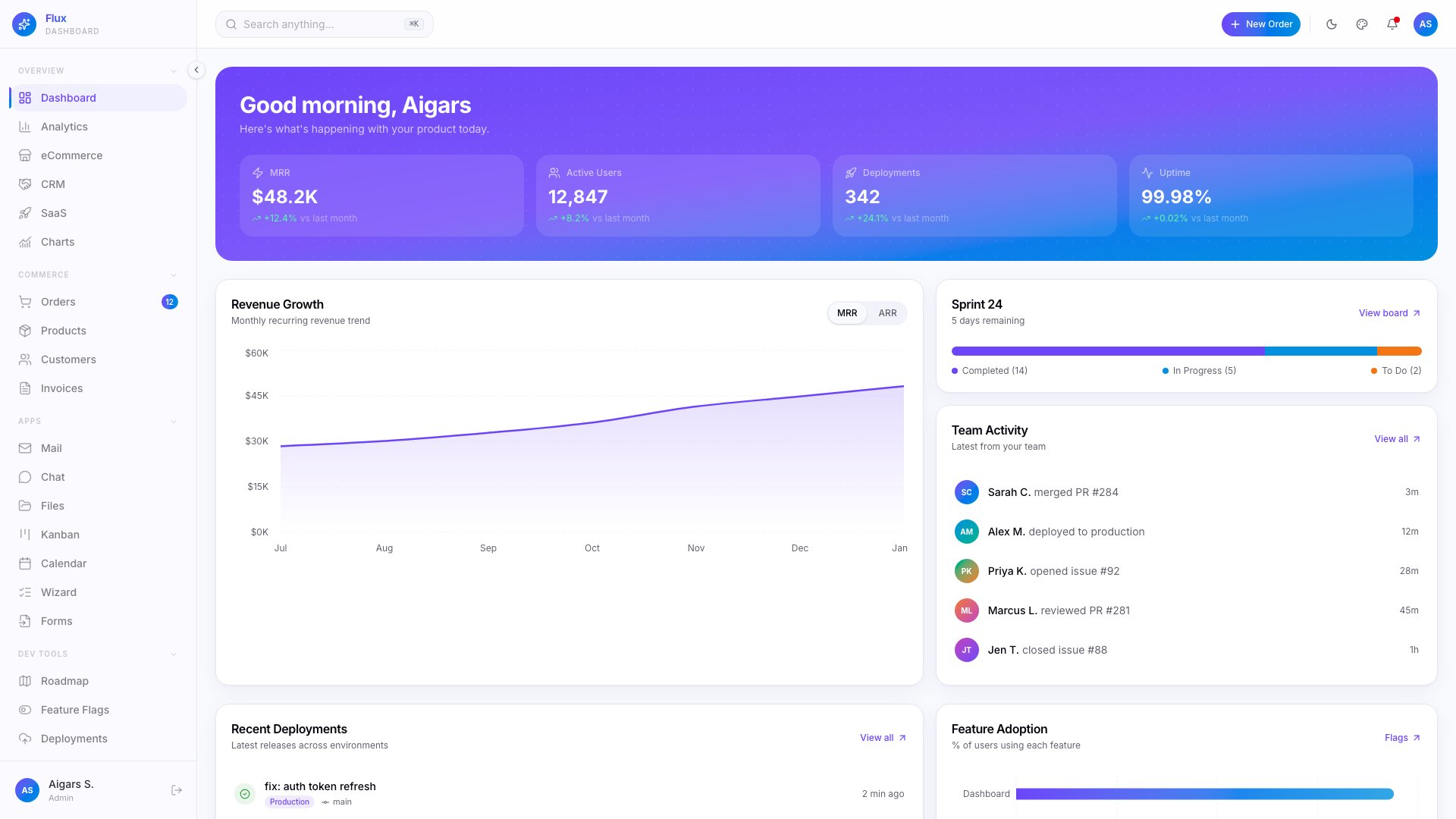
Flux brings a gradient-forward design language to the Next.js admin dashboard space. With 64+ pages, five layout variants, and 7 specialty pages, it covers the full SaaS admin workflow. The real standout is the color system: 300+ gradient combinations let you create a branded admin experience without touching CSS. Full RTL support, i18n routing, and Framer Motion animations are included out of the box.
The gradient approach isn’t just cosmetic — it creates clear visual hierarchy across dashboard sections, making dense data interfaces more scannable. If your product’s brand leans colorful and modern rather than minimal and monochrome, Flux gives you a design foundation that matches without fighting the framework.
4. Ember
💰 Premium – $69+
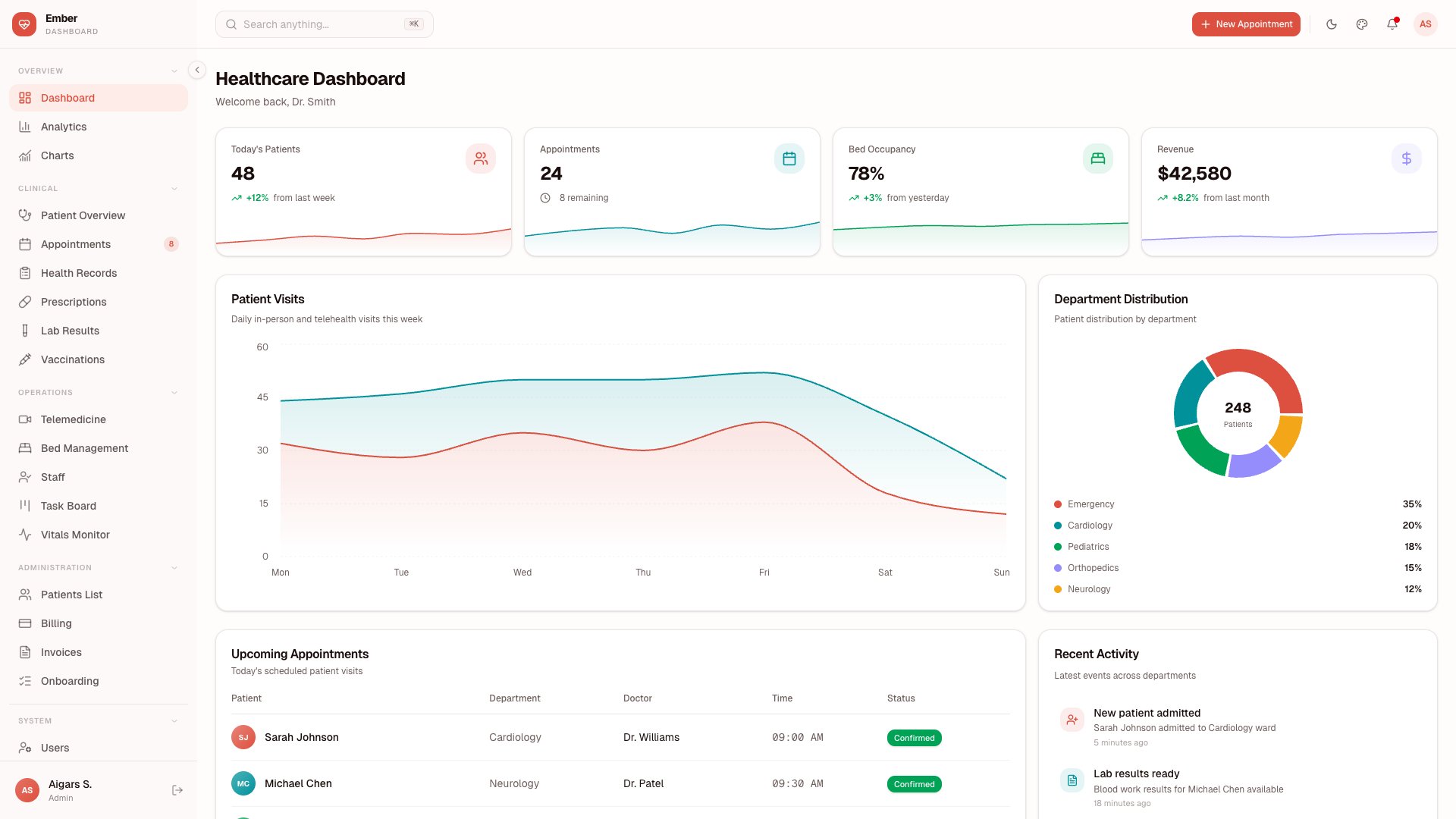
Ember is purpose-built for healthcare applications. With 50+ pages covering Patient Management, Appointments, Vitals tracking, Prescriptions, Lab Results, Health Records, Telemedicine, and Billing, it delivers a complete medical practice management interface. This isn’t a generic dashboard with healthcare labels slapped on — every module is designed around actual clinical workflows.
Finding a Next.js dashboard with genuine healthcare domain knowledge is rare. Most teams building medical software end up designing these interfaces from scratch, which is expensive and error-prone. Ember gives you a tested UI foundation that already understands the data relationships between patients, appointments, prescriptions, and billing — saving months of domain-specific UI work.
5. Zenith
💰 Premium – $69+
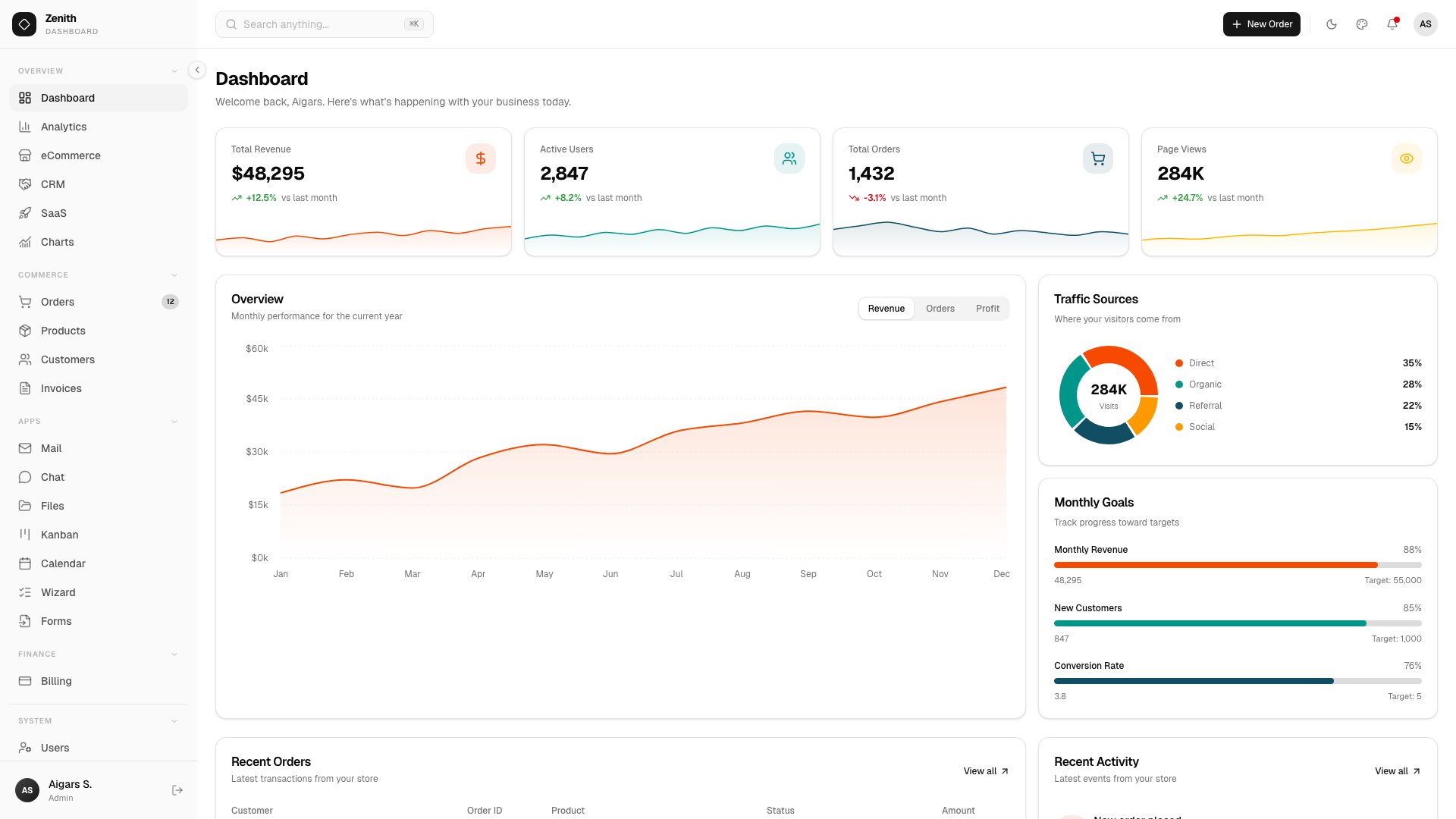
Zenith takes the opposite approach to Flux — an ultra-minimal, achromatic design that lets your content do the talking. With 50+ routes, six layout variants, and 34 shadcn/ui components, it covers serious ground while maintaining visual restraint. The feature set includes AI Chat, Kanban boards, Calendar, TipTap 3 rich text editor, Leaflet maps, and full Storybook documentation for every component.
The achromatic palette isn’t a limitation — it’s a deliberate design choice that makes Zenith the easiest DashboardPack template to rebrand. Drop in your brand colors and the entire interface adapts without clashing. The Storybook integration is a bonus that most premium templates skip, giving your design team a living component reference alongside the working dashboard.
6. Vault
$69+ • DashboardPack
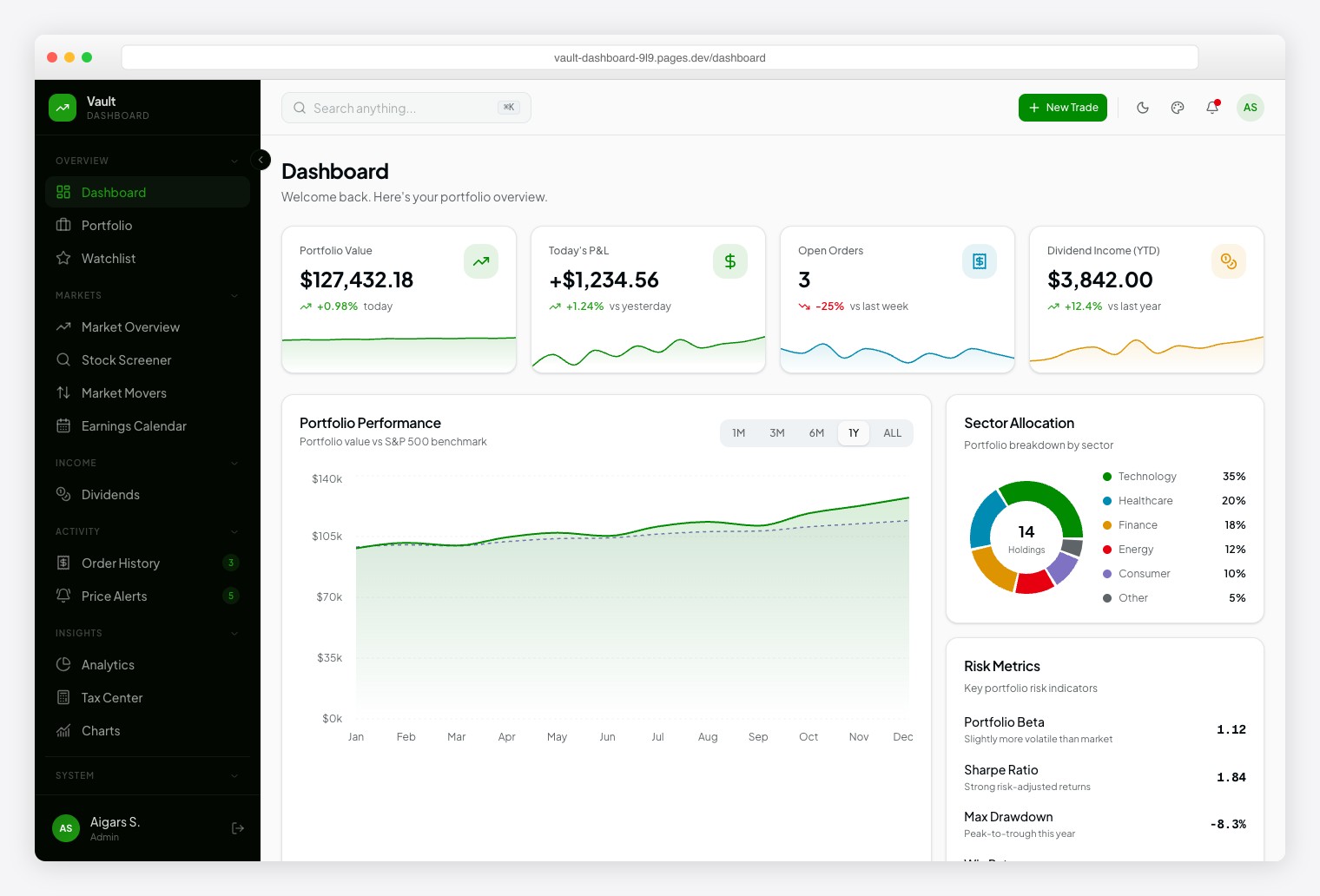
A Robinhood-inspired investment dashboard with Plus Jakarta Sans for readability and Geist Mono for financial data precision. Ships 57+ pages spanning 13 investment modules: Portfolio, Watchlist, Market Overview, Stock Screener, Market Movers, Earnings Calendar, Dividends, Order History, Price Alerts, Analytics, Tax Center, and Stock Detail. Dark/light themes, 6 color presets, 10+ chart types.
7. Fortress
$69+ • DashboardPack
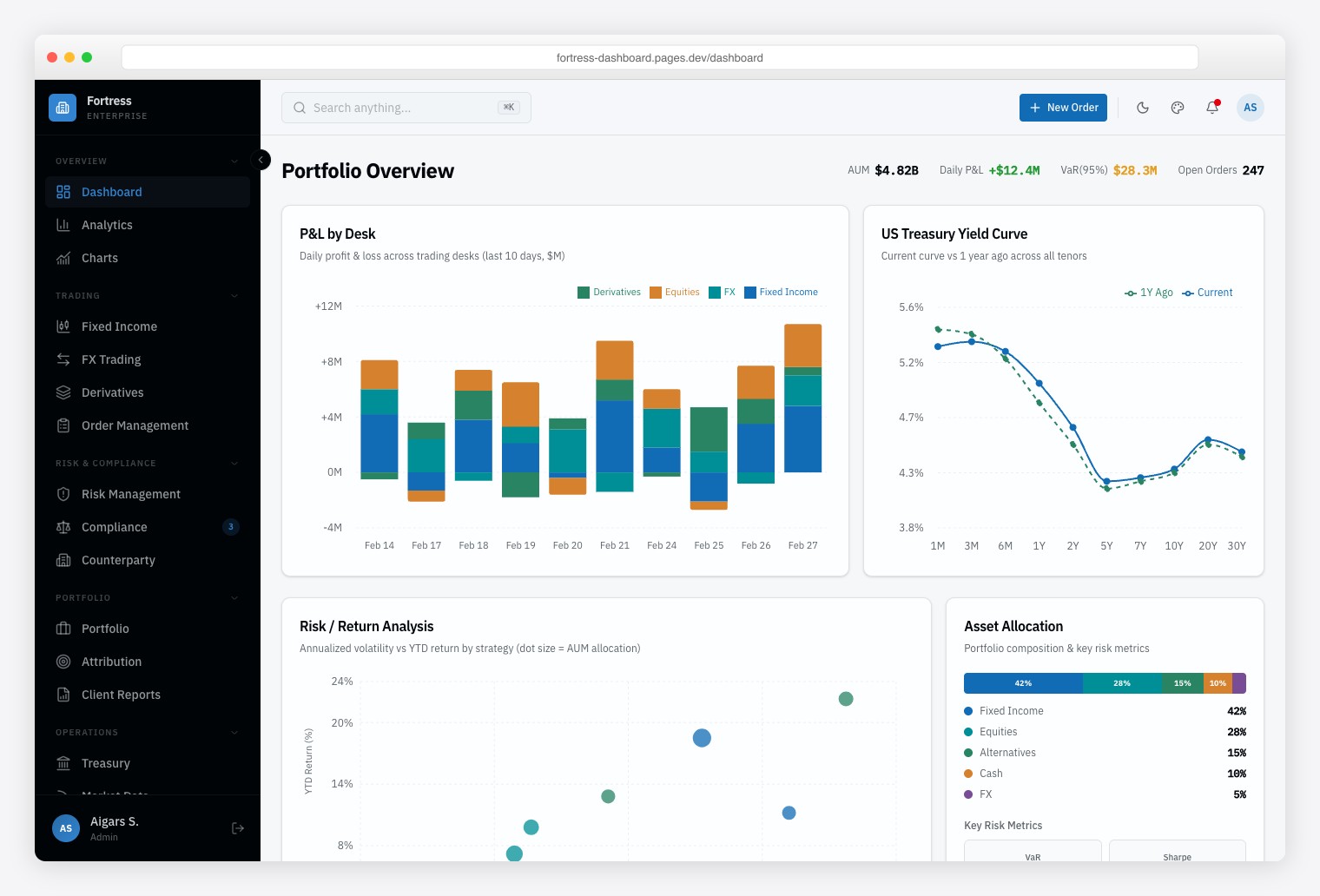
A Bloomberg-inspired institutional finance dashboard built for trading desks, risk management teams, and compliance officers who need dense, data-heavy interfaces. Ships 57+ pages with 13 finance-specific pages covering multi-asset trading (Fixed Income, FX, Derivatives), risk analytics, and regulatory compliance monitoring. Framer Motion animations, Vitest + Playwright testing, and Storybook documentation.
Looking for free alternatives? Here are the best open-source Next.js admin dashboards:
8. Next.js shadcn Dashboard Starter
⭐ 5.9k GitHub Stars
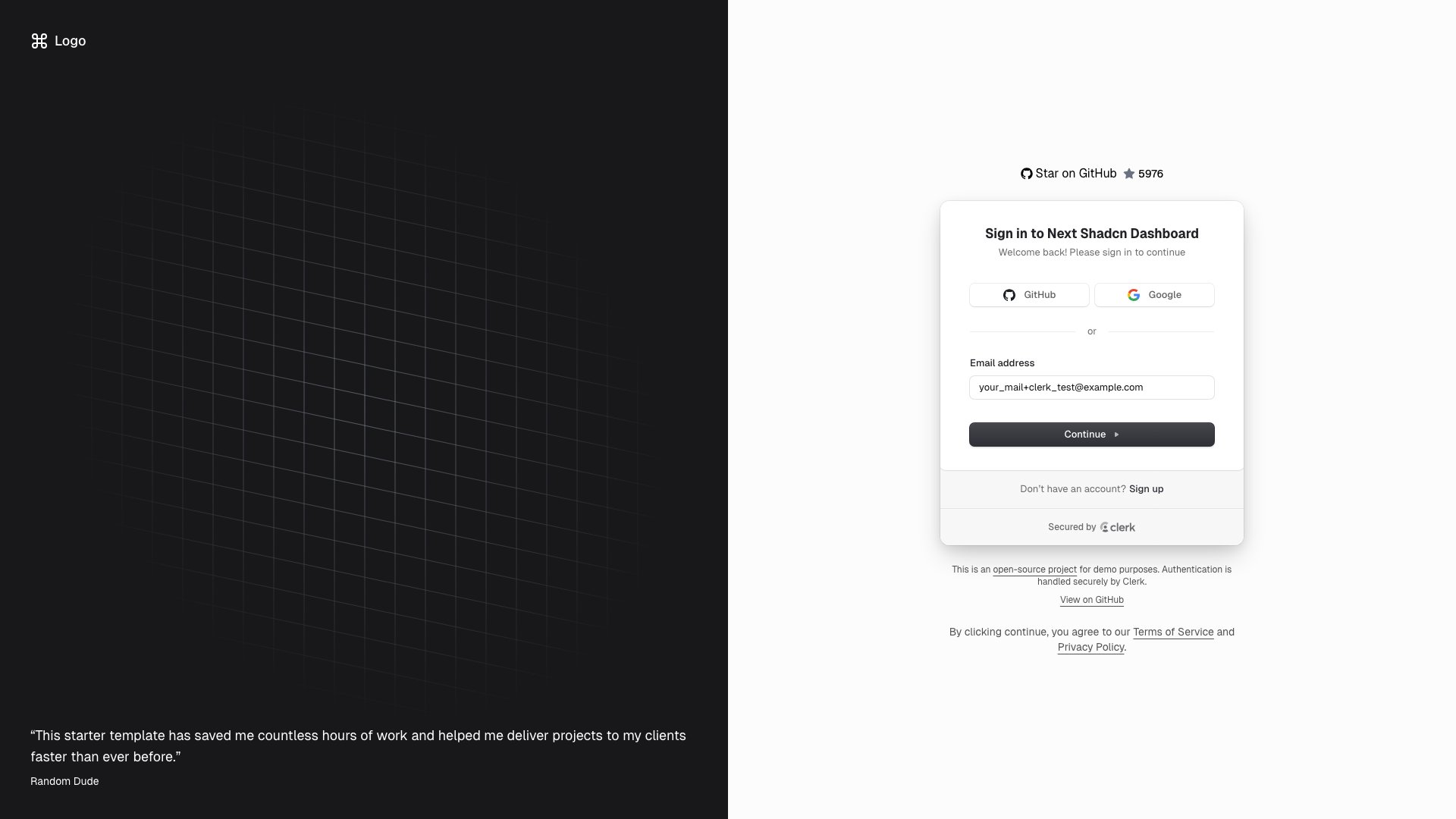
The most popular open-source Next.js admin dashboard on GitHub, and it’s easy to see why. Built on Next.js 16 with shadcn/ui and Tailwind CSS, it includes a Kanban board, user management tables, analytics charts, authentication pages, and a collapsible sidebar with built-in search. The App Router setup means you get server components where they matter and client interactivity where you need it.
What really sets this apart is how actively it’s maintained — commits are landing weekly, and the codebase follows TypeScript best practices throughout. The Kanban board alone is worth studying if you’re building project management features. If you’re starting a new Next.js admin project in 2026 and want the safest bet, this is it.
9. Devias Kit
⭐ 5.6k GitHub Stars
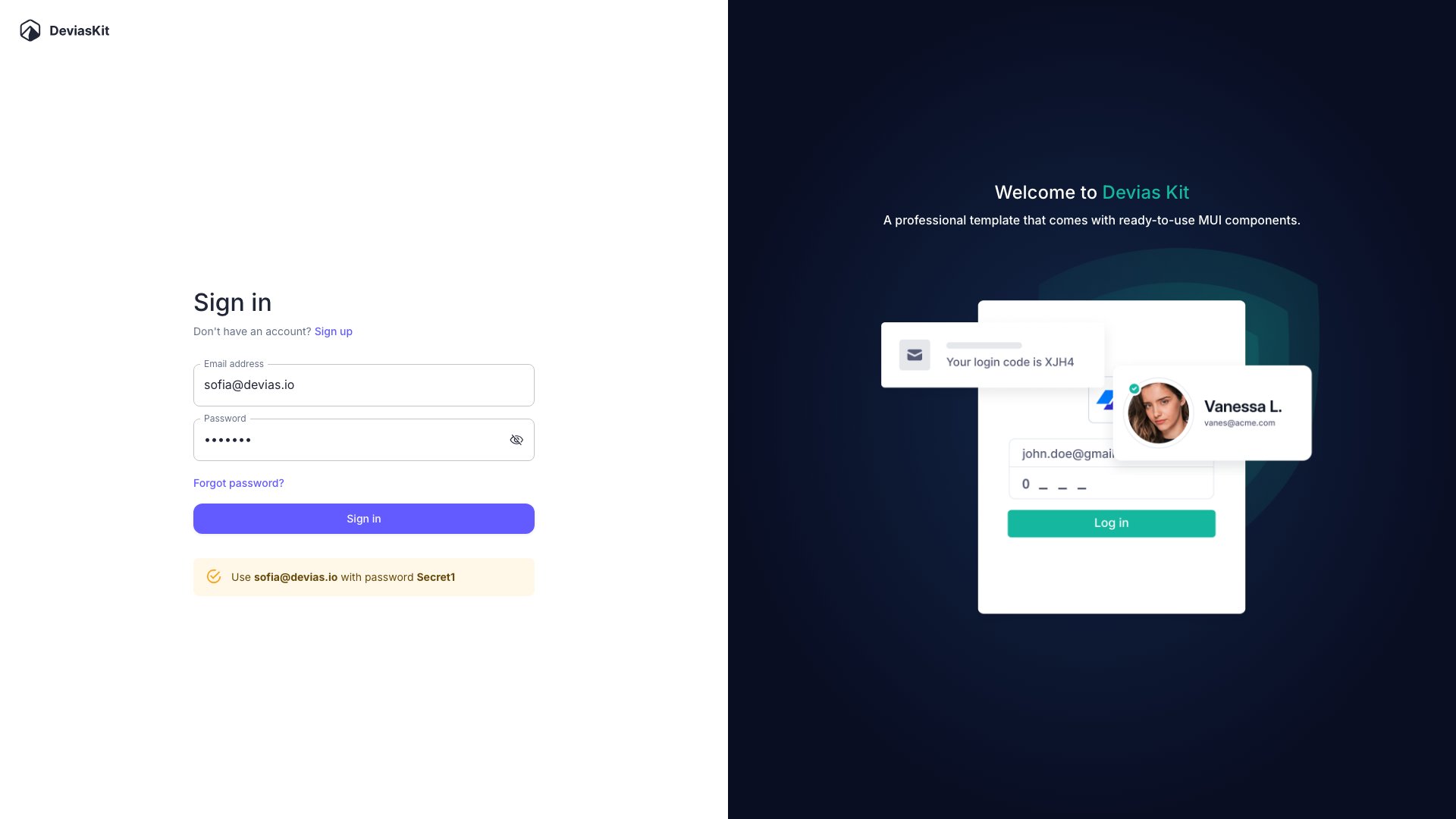
Devias Kit has been a staple in the React dashboard space for years, and the latest version pairs Next.js with Material UI for a polished, enterprise-ready admin panel. The free tier gives you an analytics overview, customer management tables, product listings, account settings, and full authentication pages with Firebase and Auth0 integration paths.
The dark theme toggle isn’t an afterthought here — both modes look intentionally designed. The sidebar navigation is responsive and well-organized, and the overall code architecture is clean enough to use as a reference for your own MUI projects. If your team is already invested in Material Design, this is the most complete free option available.
Looking for more admin panel options across different frameworks? Check out our roundup of the best admin templates.
10. TailAdmin Next.js
⭐ 2.3k GitHub Stars
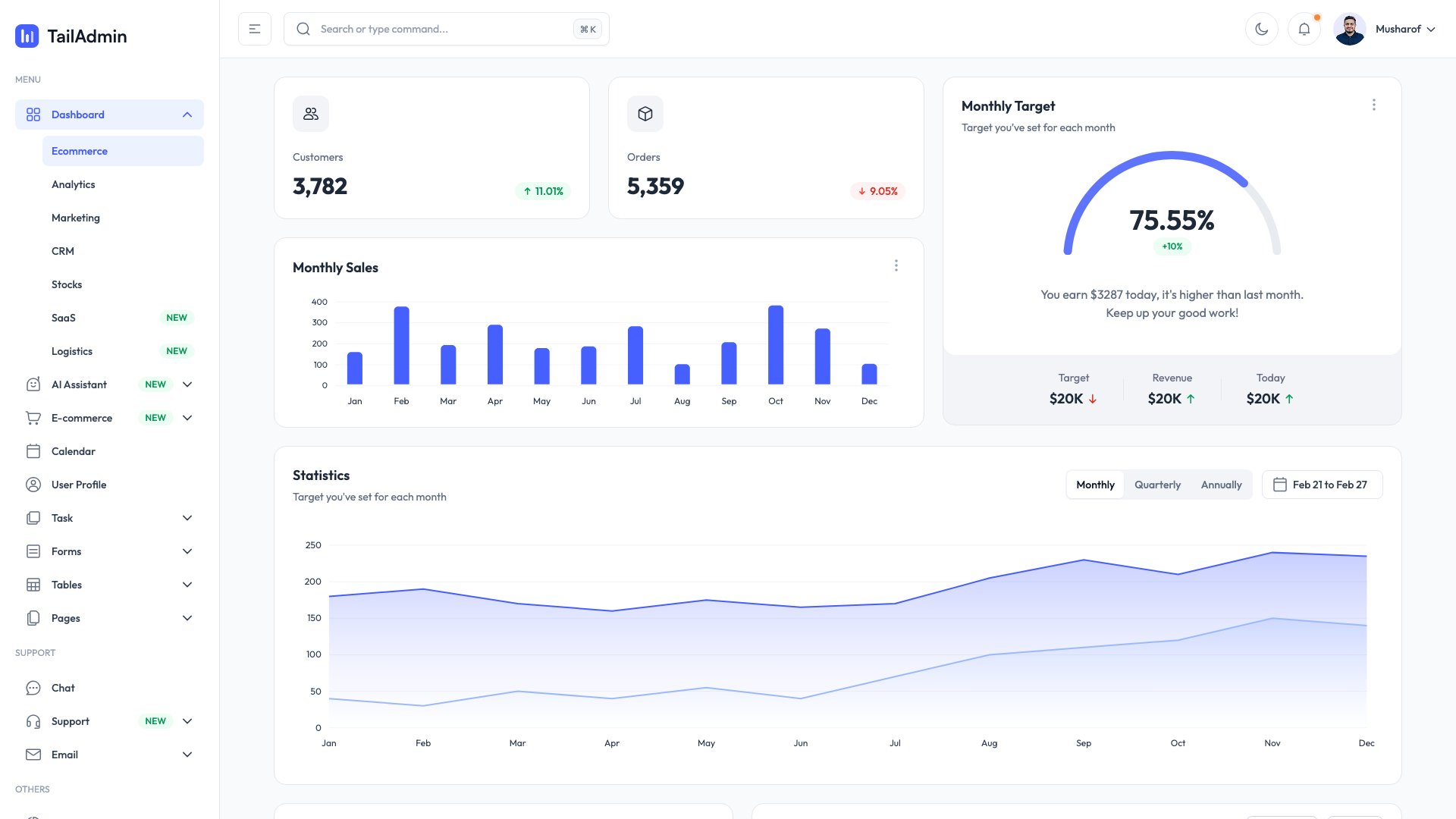
TailAdmin’s Next.js version is arguably the most feature-rich free dashboard on this list. You get 200+ UI components, ApexCharts for data visualization, a calendar view, data tables with sorting and filtering, form elements, profile pages, auth flows, and a settings panel. That’s more functionality than some paid templates bother to include.
The Tailwind CSS styling is well-organized and the component structure follows Next.js conventions properly. Dark mode works across every component without visual glitches. If you need a dashboard that covers every standard admin use case without writing custom components for basic things like date pickers or chart widgets, TailAdmin will save you serious development time.
11. Materio MUI Next.js
⭐ 1.9k GitHub Stars
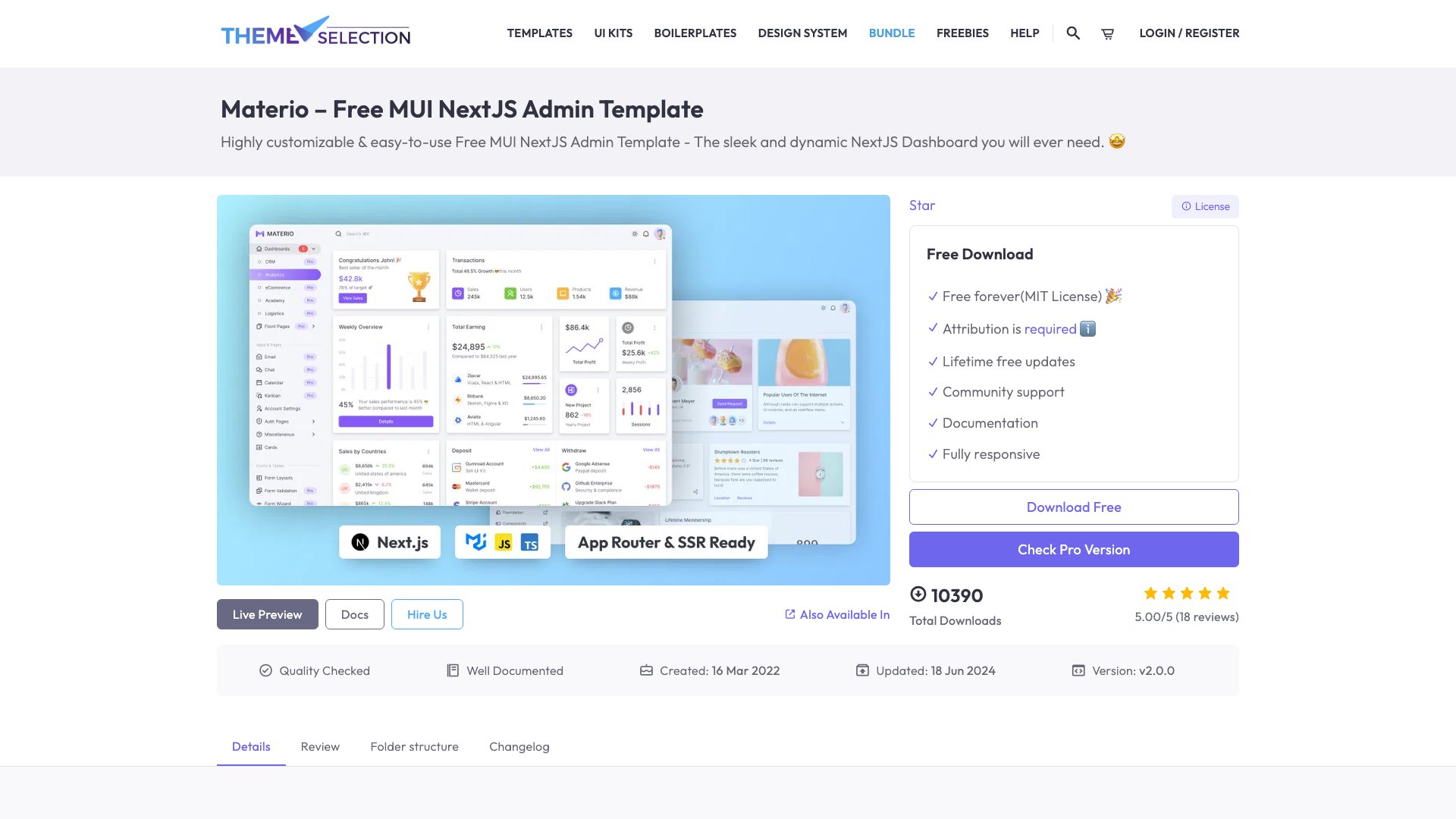
ThemeSelection’s Materio brings an enterprise-grade Material Design admin panel to Next.js 14 with the App Router. The free version includes dashboard analytics, form layouts, table management, account settings, authentication pages, and a comprehensive icon set. It ships with ESLint, Prettier, and VSCode configs pre-configured, which is a nice touch for team projects.
The MUI theming is handled properly — not just slapped on top of defaults. Color customization, spacing, and typography all flow through the theme provider. If you’ve worked with ThemeSelection’s other templates (Sneat, Vuexy), you know they care about code quality. Materio continues that standard in the Next.js ecosystem.
12. Next.js shadcn Admin Dashboard
⭐ 1.6k GitHub Stars
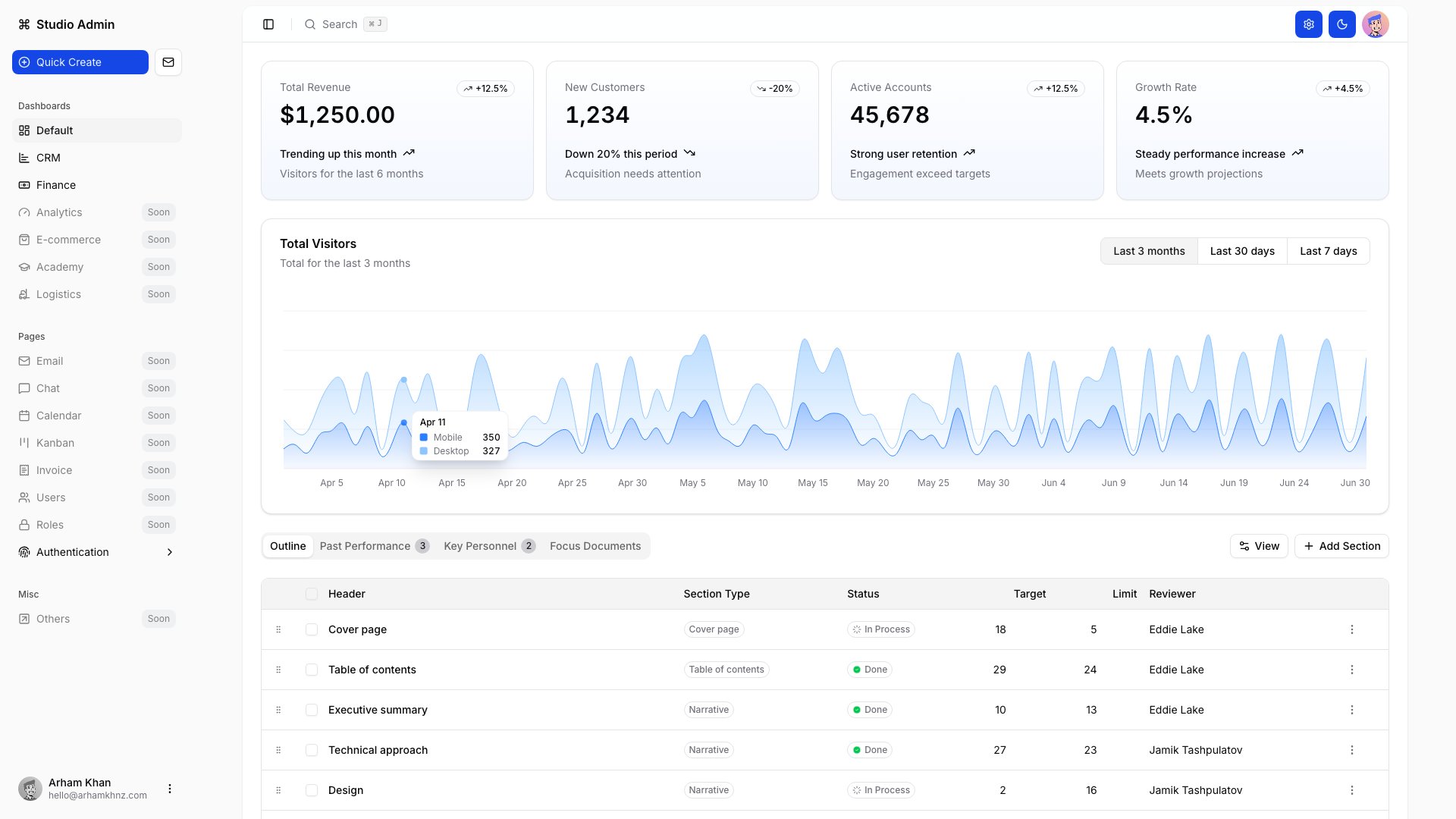
Another strong shadcn/ui entry, but this one differentiates itself with a polished collapsible sidebar, breadcrumb navigation, and a more complete notification system. The analytics charts look genuinely useful (not just decorative), and the data tables support pagination, sorting, and column visibility toggles out of the box.
Built on Next.js 16 with TypeScript throughout, the component architecture is clean and well-documented. Dark mode support is seamless. If you tried the #6 entry and want a slightly different layout approach or more emphasis on navigation patterns, this is worth comparing side by side.
For Tailwind-focused dashboard options beyond Next.js, see our list of Tailwind admin dashboard templates.
13. Vercel Admin Dashboard
⭐ 1.6k GitHub Stars
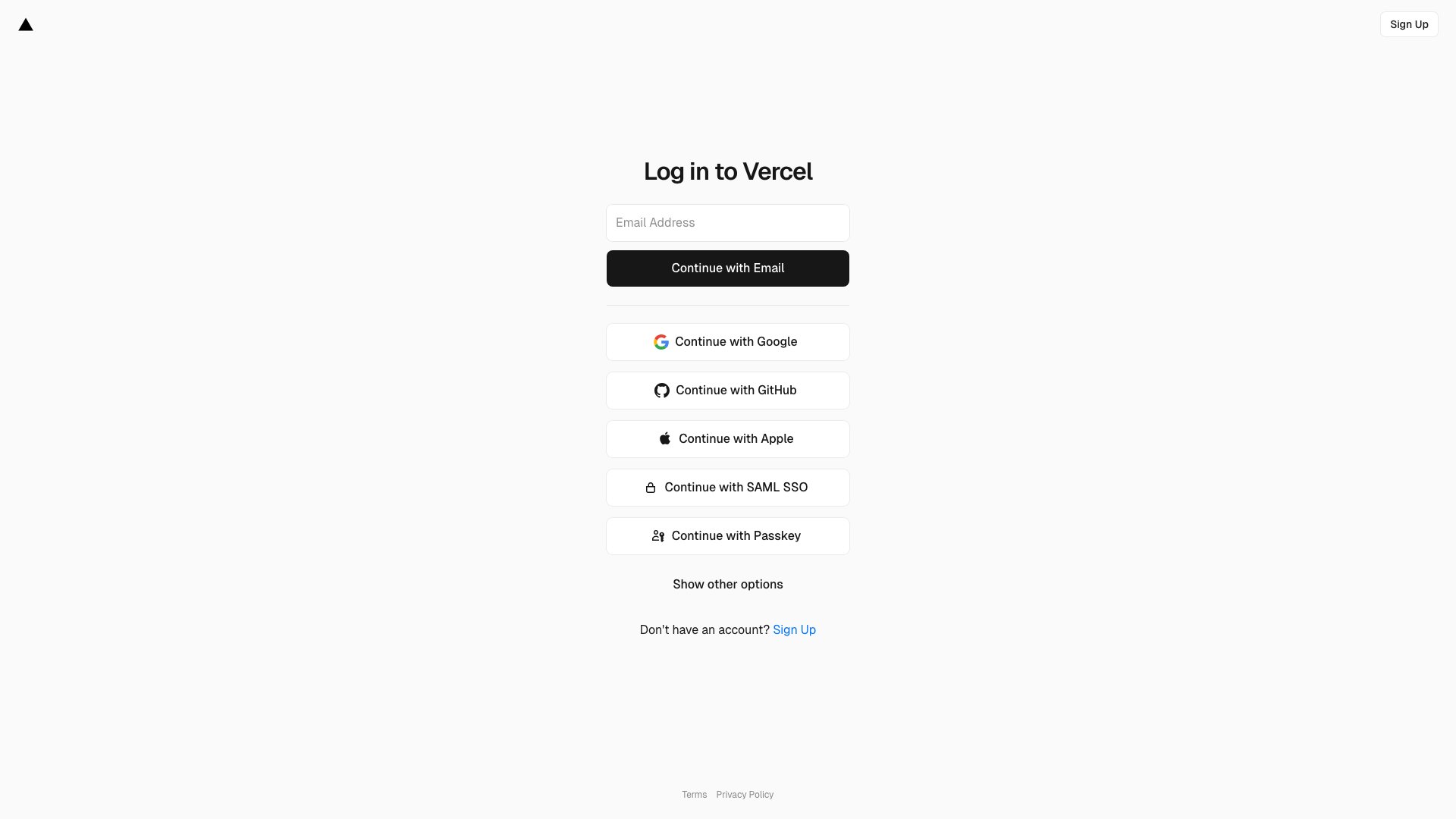
This one comes straight from Vercel, so you know the Next.js patterns are going to be canonical. It’s a full-stack starter with NextAuth.js authentication, Vercel Postgres database integration, a user management table with search and filter, and a clean, minimal admin layout. Not a lot of pages, but everything that’s there is production-ready.
The real value here is the backend integration. Most templates give you a pretty frontend and leave you to figure out the data layer. This one ships with a working database connection, auth flows, and server actions. If you’re deploying on Vercel and want the shortest path from clone to production, this is your template.
14. Notus Next.js
⭐ 1.5k GitHub Stars
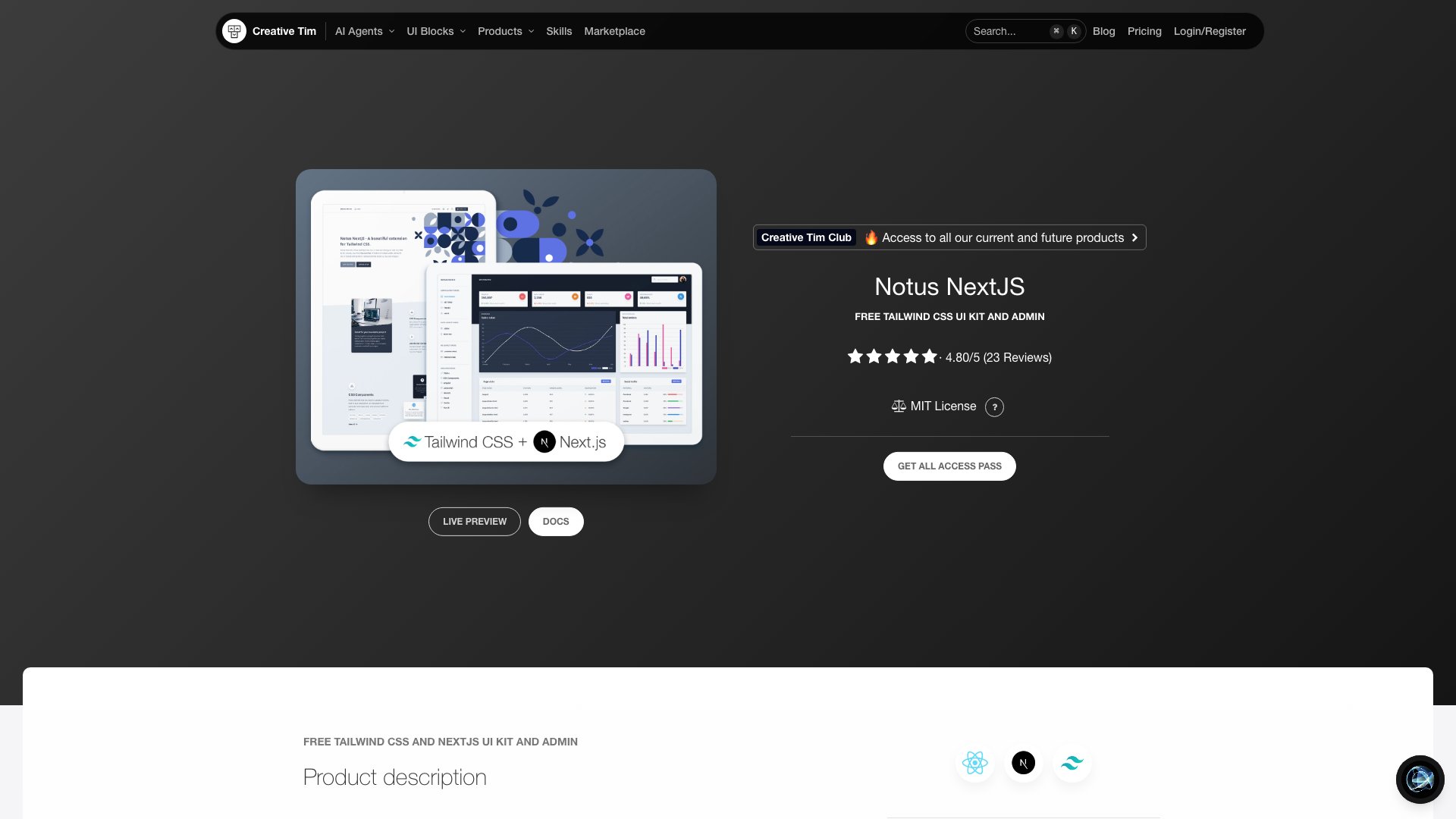
Creative Tim’s Notus line is well-known in the template world, and the Next.js version bundles a dashboard with charts, card statistics, tables, maps, profile pages, and auth screens. Plus over 100 individual components with multiple color and style variants. It doubles as a UI kit, which means you’re not limited to admin pages — landing pages and profile views are included too.
The Chart.js integration handles the data visualization side, and the Tailwind styling is consistent throughout. It’s not the most modern Next.js architecture (no App Router), but the sheer volume of pre-built components makes it a solid choice if you need variety and don’t mind Pages Router patterns.
15. CoreUI Next.js Dashboard
⭐ 684 GitHub Stars
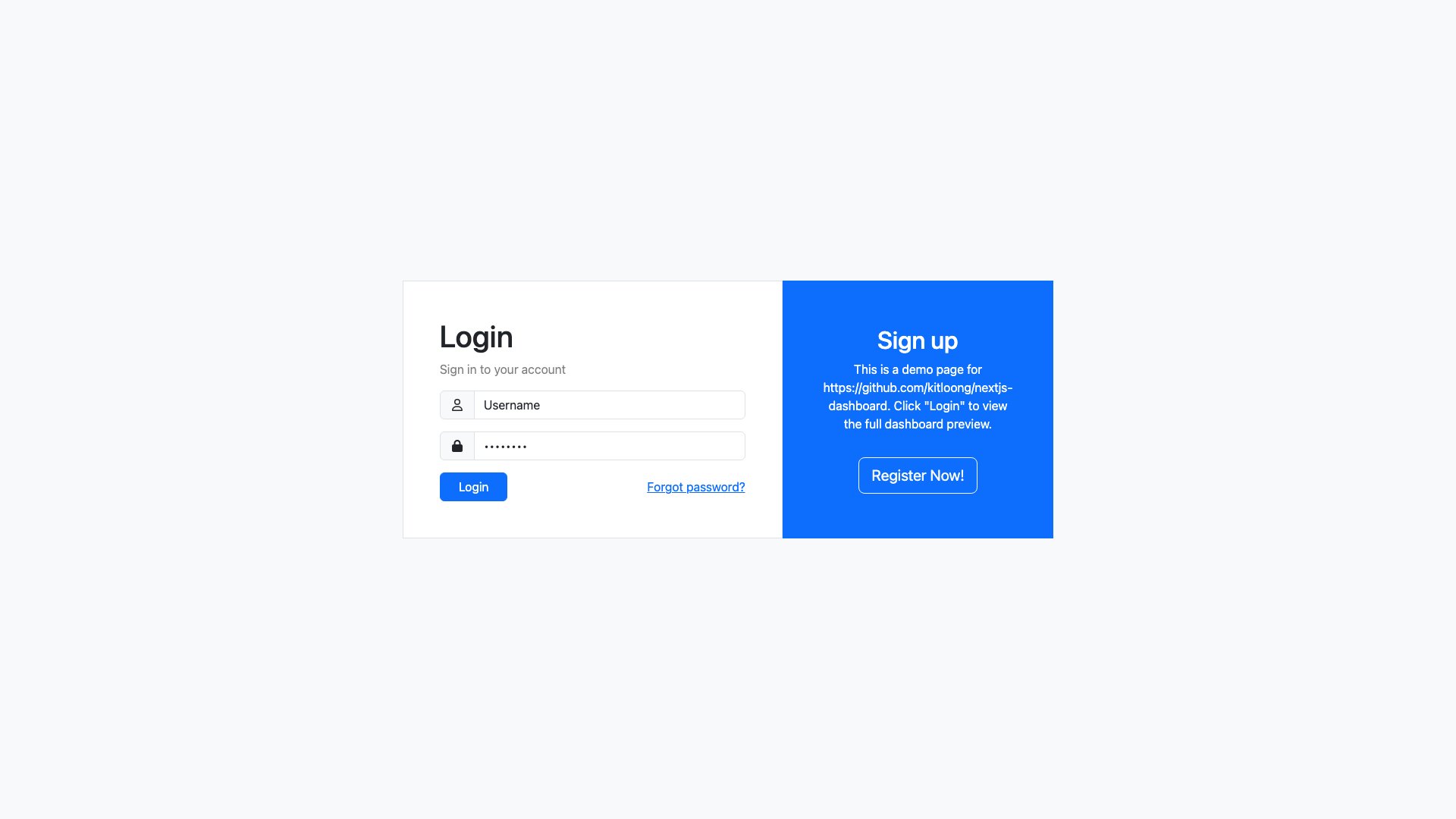
If you prefer Bootstrap over Tailwind, CoreUI’s Next.js port gives you a battle-tested admin dashboard with widgets, charts (line, bar, doughnut), data tables, form elements, buttons, alerts, modals, and sidebar navigation with dropdown menus. CoreUI’s component library has been around for years and the design is mature — no rough edges or half-finished pages.
The Bootstrap 5 foundation means you get a familiar class-based styling approach, which can actually be an advantage if your team already knows Bootstrap. TypeScript support is included, and the folder structure maps cleanly to Next.js conventions. A pragmatic choice for teams that don’t want to learn Tailwind just to get an admin panel running.
Interested in React-specific admin solutions? Browse our curated list of React admin templates.
16. Horizon UI shadcn Boilerplate
⭐ 621 GitHub Stars
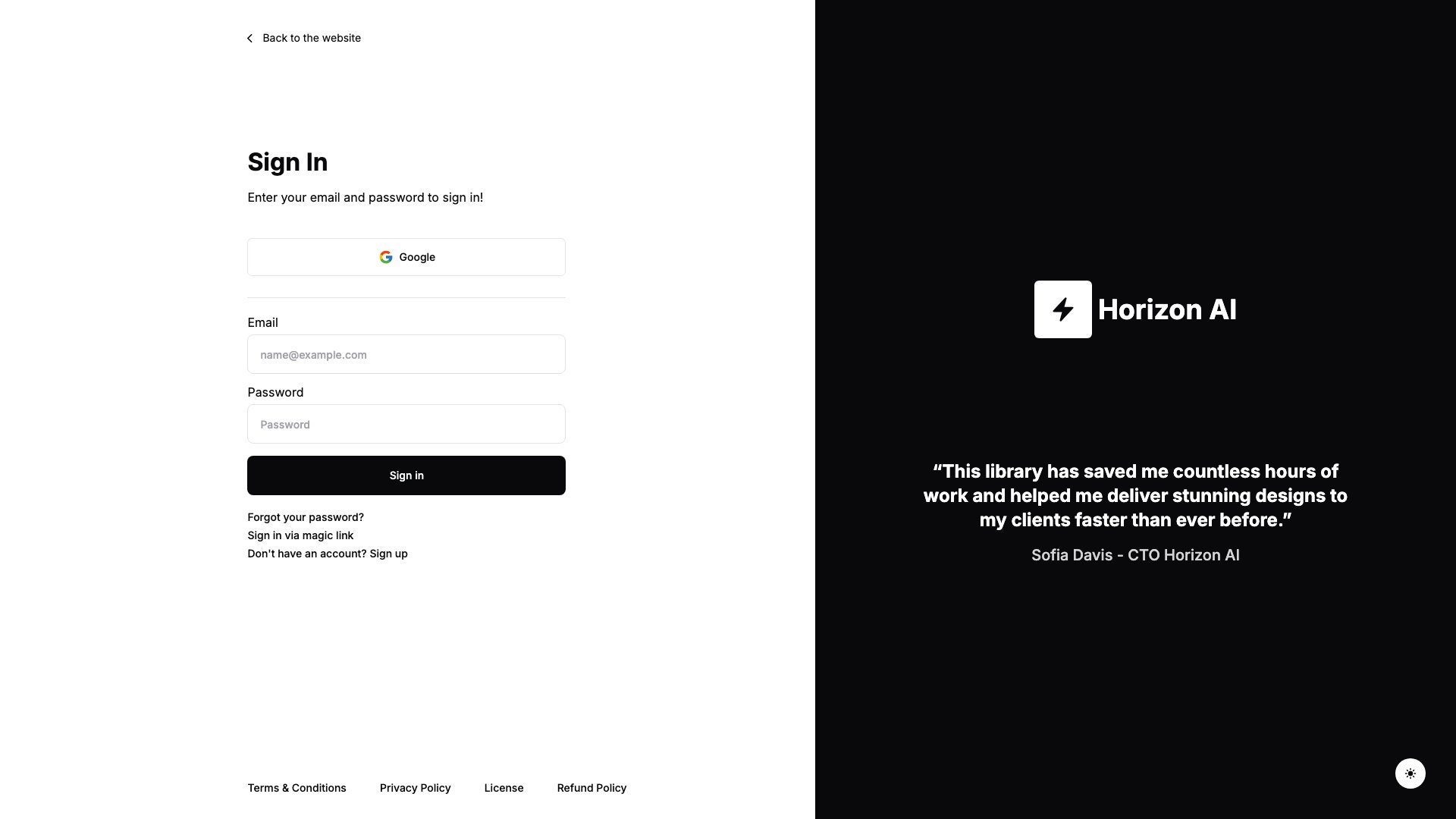
Horizon UI’s shadcn boilerplate takes a different angle — it’s designed around AI product interfaces. The standout feature is a ChatGPT-style chat UI baked right into the dashboard, alongside analytics views, data tables, auth pages, and a sidebar with dark mode toggle. If you’re building an AI/SaaS product and want the admin panel to match that vibe, this saves you from retrofitting a generic dashboard.
The shadcn/ui and Tailwind CSS combo keeps the bundle lean, and the TypeScript codebase is well-organized. It’s more opinionated in its design direction than most entries on this list, which is either a pro or a con depending on your project. For AI-adjacent products, it’s a clear win.
17. Shadboard
⭐ 580 GitHub Stars

Shadboard is arguably the most comprehensive free Next.js dashboard when it comes to page count. You get multiple dashboard variants (analytics, e-commerce, CRM), plus an inbox, chat interface, calendar, kanban board, file manager, user profile, settings, pricing pages, authentication flows, and even 404/500 error pages. That’s an entire SaaS application skeleton, not just a dashboard.
Built on Next.js 15 with shadcn/ui, Radix UI primitives, and Tailwind CSS, the architecture is modern and the component quality is high. The fact that this much functionality ships for free under MIT license is genuinely impressive. If you want the most pages out of the box and don’t mind a larger codebase, Shadboard delivers.
18. Admin One React Tailwind
⭐ 575 GitHub Stars
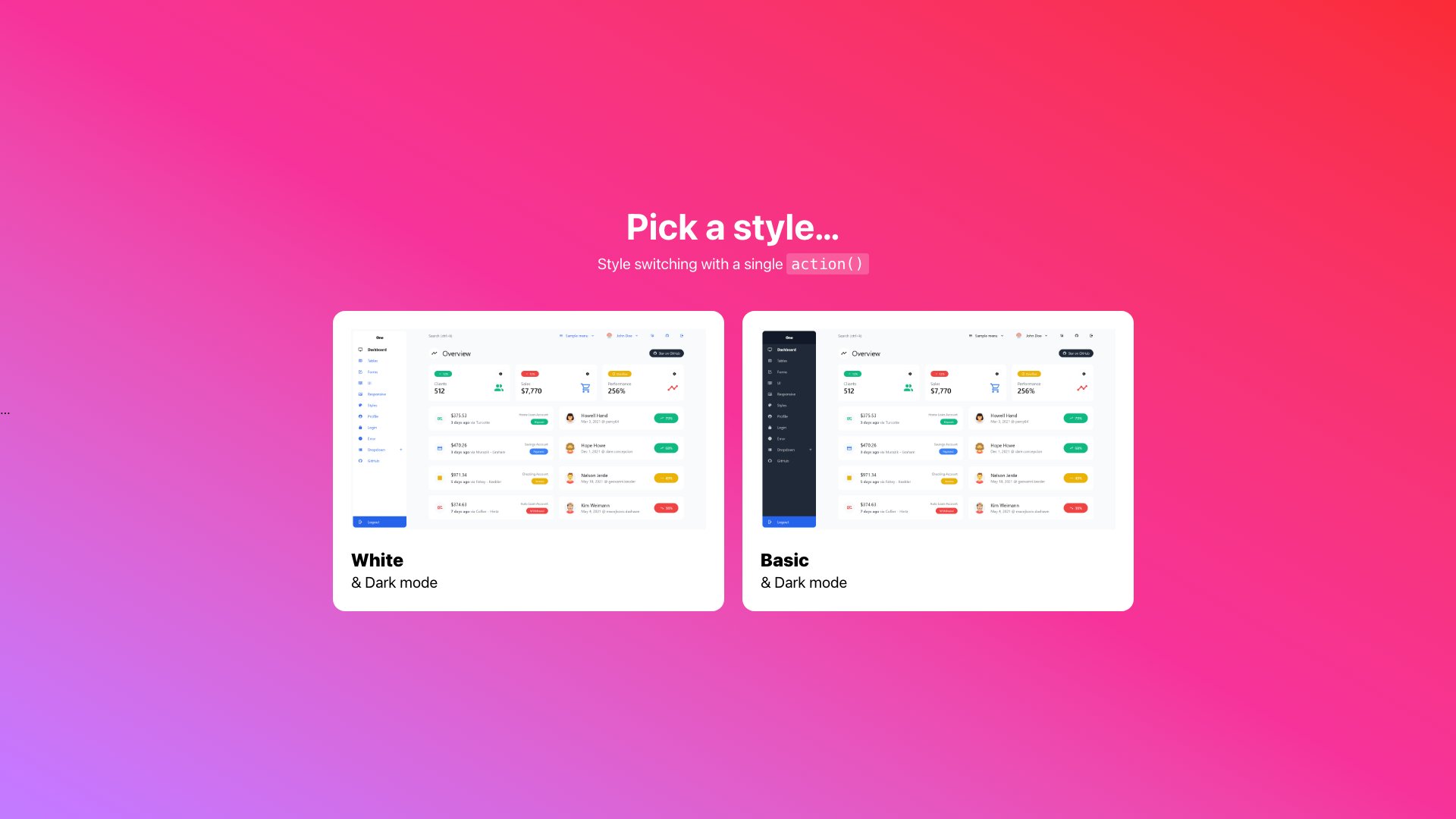
Admin One keeps things refreshingly lean. Chart widgets, tables, forms, profile page, login/signup, dark mode toggle, and a customizable sidebar — all built with Tailwind CSS 4.x and zero heavy UI framework dependencies. No MUI, no Chakra, no component library abstractions. Just Tailwind utility classes and clean TypeScript.
This lightweight approach means faster builds, smaller bundles, and a codebase you can actually read through in an afternoon. The responsive layout doesn’t just shrink things down — the mobile views are genuinely thoughtful. Developers who’d rather start lean and add complexity on their own terms will appreciate the philosophy here.
For a broader look at Tailwind-based web templates, check out our best Tailwind CSS templates collection.
19. Tremor Dashboard Template
⭐ 498 GitHub Stars
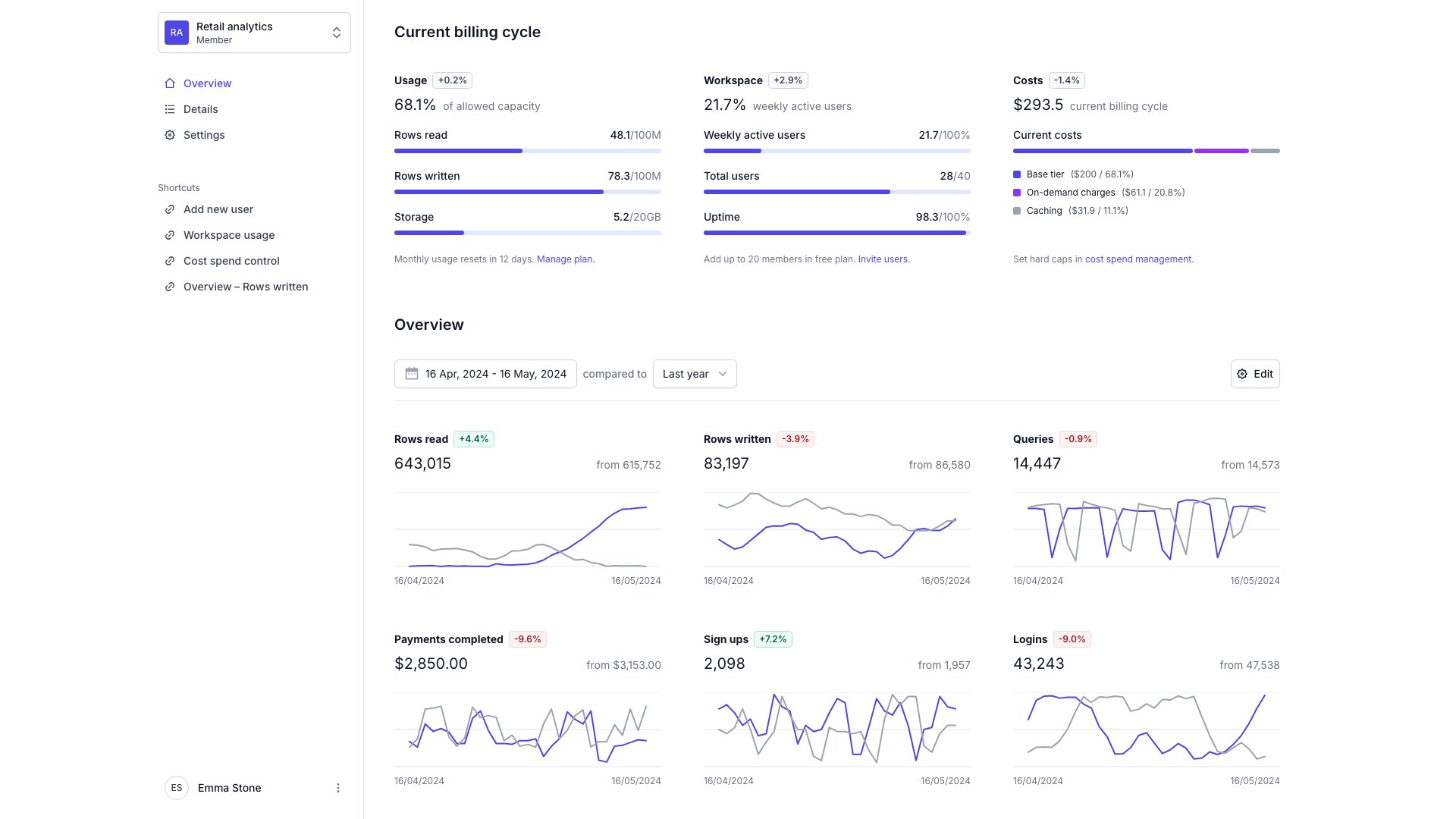
The Tremor team (behind the popular React charting library) built this dashboard template to showcase what their components can do, and the result is one of the cleanest analytics interfaces you’ll find for free. KPI overview cards, area charts, bar charts, donut charts, and filterable data tables — all composed from Tremor’s Radix UI + Recharts primitives.
The design philosophy is “show the data, hide the chrome.” No flashy gradients or decorative elements — just clear data visualization in a minimal layout. If you’re building a metrics dashboard, an analytics product, or any interface where the charts are the main event, Tremor’s template is purpose-built for exactly that use case. Apache 2.0 licensed.
20. shadcn Dashboard + Landing Template
⭐ 472 GitHub Stars
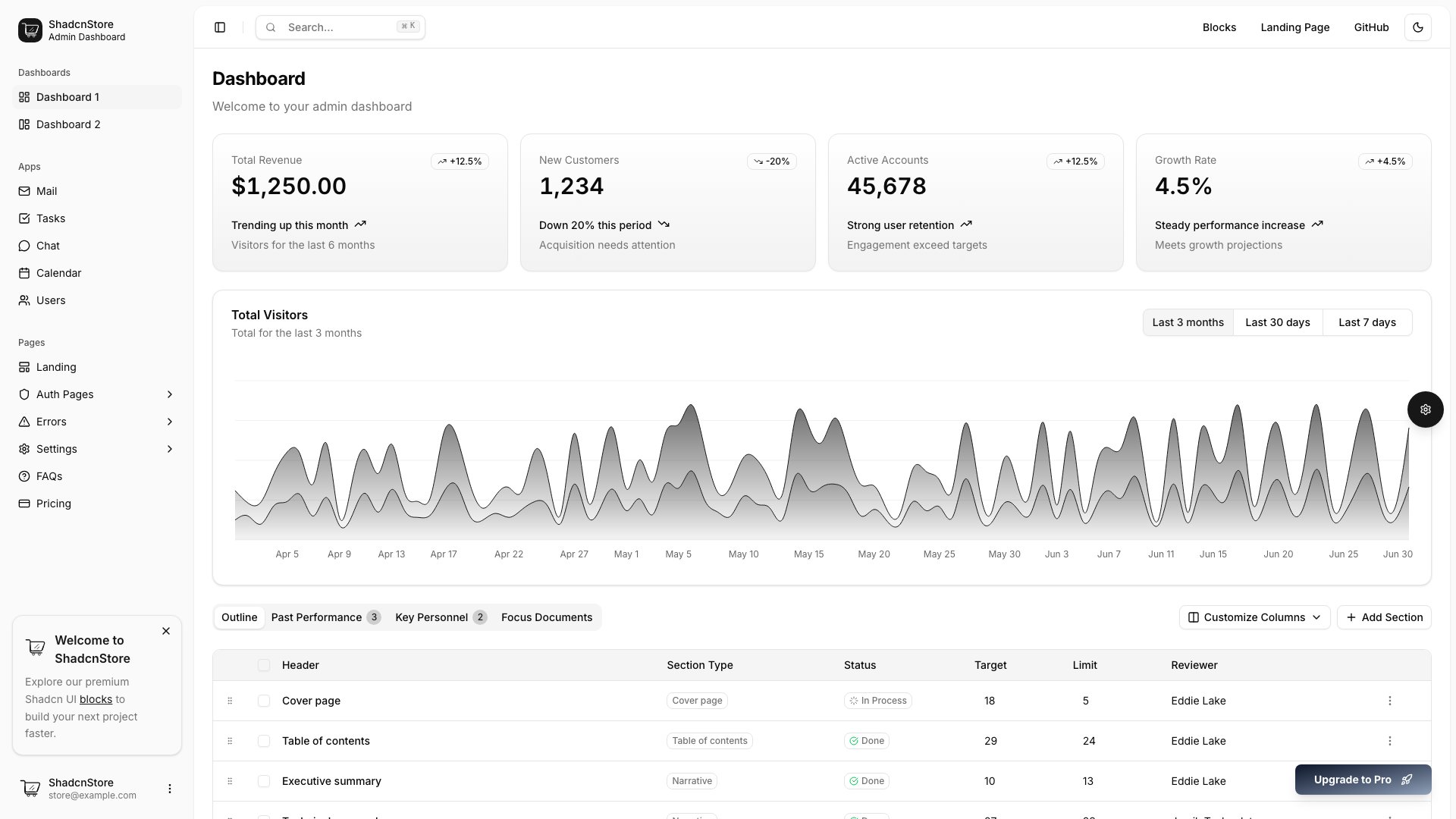
This template pulls double duty: you get both an admin dashboard and a marketing landing page in the same project. The dashboard side has analytics, charts, sidebar navigation, and data tables, while the landing page gives you a polished public-facing homepage. Dark mode is supported across both views.
It also ships with a Vite-React variant if you don’t need the Next.js server-side features. The dual-purpose approach is smart — most SaaS products need both a dashboard and a marketing site, and having them share the same design system from day one prevents the inevitable “redesign the landing page to match the app” phase later.
Need more options? Explore our comprehensive guide to free admin panels across all frameworks.
21. NextAdmin
⭐ 451 GitHub Stars
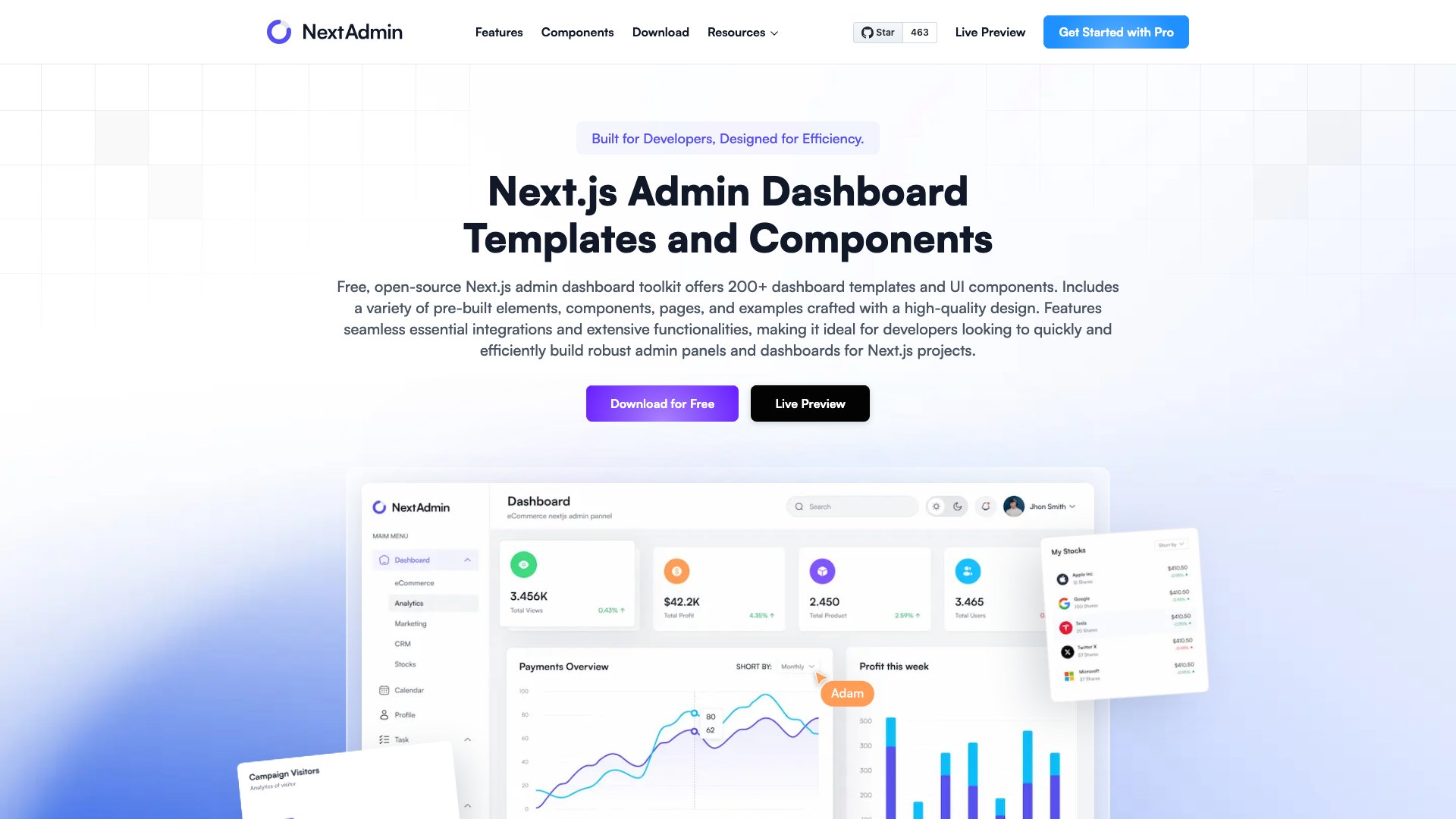
NextAdmin is built on Next.js 15 with Tailwind CSS and ships with pre-built UI components, charts, form elements, tables, and authentication pages. The design is polished — not the typical “free template” look — and the layout system feels well thought out for real-world admin use cases.
The component library is growing actively, with new elements being added regularly. The one caveat: check the license situation before using it commercially, as the repo doesn’t specify a license file at the time of writing. For personal projects and prototyping, it’s a solid pick with a clean, modern aesthetic.
Choosing the Right Next.js Admin Dashboard
Nineteen templates should give you a clear shortlist. On the premium side, Apex (#1) is the most comprehensive option with 125+ pages and five layout variants, while Signal (#2) and Ember (#4) stand out for their domain-specific focus on DevOps and healthcare respectively. For maximum community support among free options, Next.js shadcn Dashboard Starter (#6) and Devias Kit (#7) lead the pack with nearly 6k stars each. If you need the most pre-built pages and components without spending a dollar, Shadboard (#15) and TailAdmin (#8) give you entire application skeletons. For analytics-heavy products, Tremor (#17) is purpose-built for data visualization. And if you want a full-stack starter with real database integration, the Vercel Admin Dashboard (#11) is the only free template on this list that ships with a working backend.
The UI library split is worth paying attention to: the five DashboardPack premium templates all use shadcn/ui with Tailwind CSS, while the free options span shadcn/ui, standalone Tailwind CSS, Material UI, Bootstrap, and Chakra UI. Pick the design system your team already knows — switching UI libraries mid-project is nobody’s idea of a good time. The premium entries justify their price through domain-specific features (healthcare workflows, DevOps monitoring) and production polish (i18n, RTL, theme customizers) that free templates rarely include. But don’t sleep on the lower-starred free entries either — templates like Shadboard and Admin One punch well above their star counts in terms of code quality and design. Always check the live demo and browse the source before committing — the right template is the one that fits your specific project, not the one with the highest star count or price tag.
You Might Also Like

Comments (No Comments)