15 Best Free Bootstrap 6 Admin Dashboard Templates & UI Kits 2026
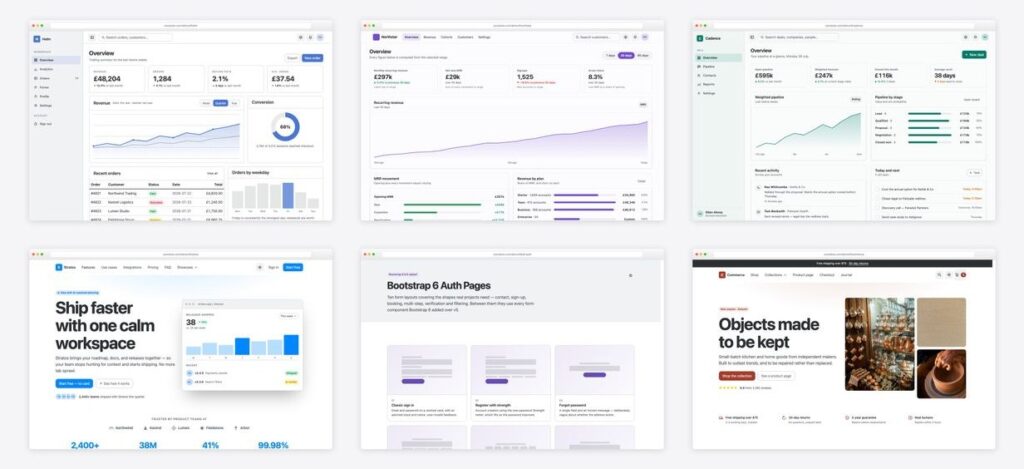
Bootstrap 6 is the biggest rework of the framework since v5 dropped jQuery — native <dialog> modals and drawers, an OKLCH-based color system, ESM-only JavaScript, and a set of form components (Datepicker, Combobox, Stepper, OTP input, password Strength, Chip input) that previously always meant third-party plugins. Below are the 15 best free Bootstrap 6 admin dashboard templates, web app templates and UI kits you can download today — every one with a live demo.
One honest note before the list: Bootstrap 6 is still pre-release and not yet published to npm. Every template here vendors the framework at a pinned build inside the download, so nothing here breaks when upstream changes — you unzip it and it works, no build step, no dependencies.
Quick Picks
- Best all-round admin: Helm — eight-page shell, zero chart-library dependencies
- Best SaaS analytics: Northstar — a date-range control that genuinely recomputes everything
- Best CRM: Cadence — weighted pipeline board that does the maths
- Best full product kit: Stratos — marketing site + dashboard + component gallery in one
- Best new-components showcase: Locale — Combobox, Chip, Range and Datepicker doing real filtering
- Best copy-paste value: Bootstrap 6 Auth Pages — OTP input and Strength meter, no plugins
What actually changed in Bootstrap 6
Knowing what is new explains why these templates look and behave differently from every Bootstrap 5 collection you have seen:
- Native dialogs. Modal is now Dialog and Offcanvas is now Drawer, both real
<dialog>elements — the browser handles the top layer, focus trapping and Escape. - New form components. Datepicker, Combobox (searchable and multi-select), Stepper, OTP input, password Strength meter, Chip input and Range sliders with live value bubbles — all first-party, no plugins.
- OKLCH color system. The palette is generated with
color-mix()in OKLCH, so theming means changing a handful of custom properties instead of recompiling Sass. - ESM-only JavaScript. The bundle ships as ES modules loaded with
<script type="module">— no jQuery, no UMD builds. - Navigation rework.
.navbar-collapseis gone (mobile menus are dialog drawers), Dropdown became Menu, Nav overflow is new, breadcrumb separators are real elements, and ScrollSpy runs on IntersectionObserver. - Tables that reflow. The new
.table-stackedturns rows into labelled blocks on small screens instead of forcing horizontal scroll.
Best free Bootstrap 6 admin dashboard templates
1. Helm
The full admin shell with zero chart dependencies
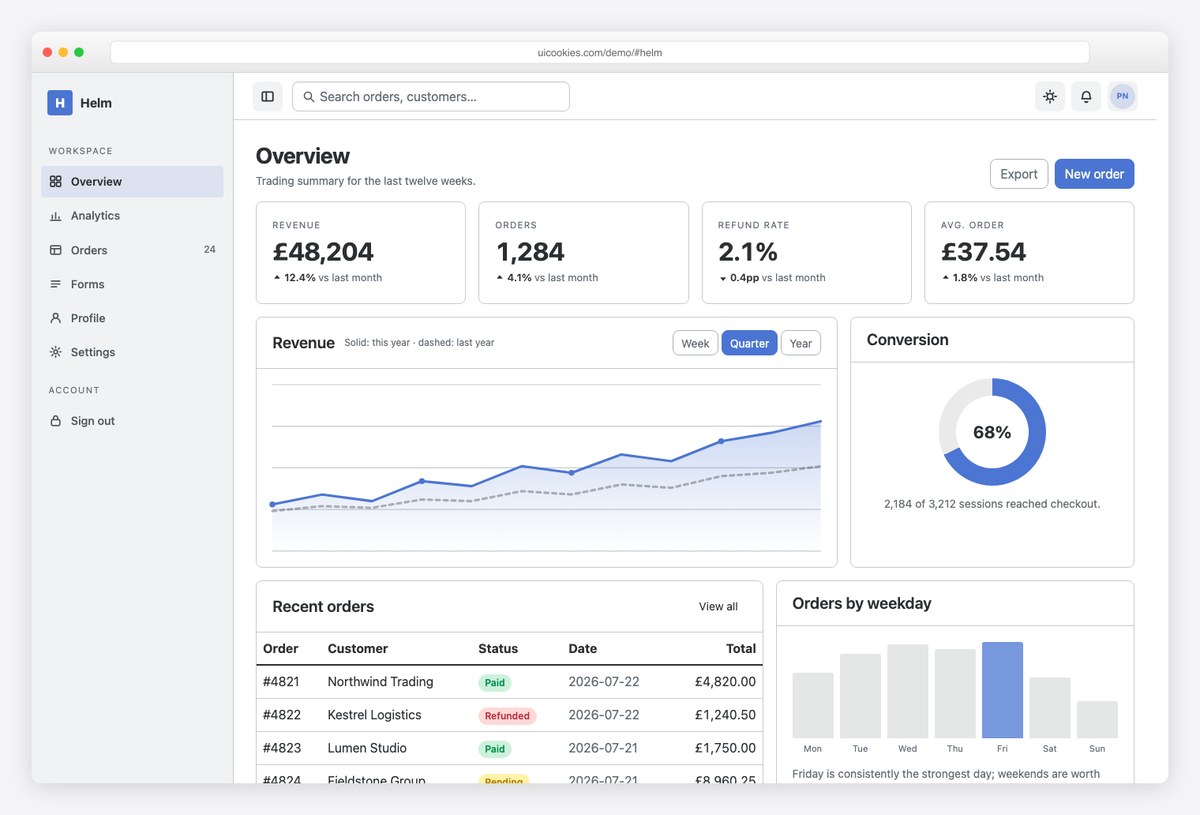
Why we like it: Eight admin pages on one shell — and no chart library anywhere. The line and area charts are inline SVG, the bars are flex rows, and the donut is a single conic-gradient, so there is nothing to rip out before wiring in your own stack.
Helm covers the whole back-office surface: overview, analytics, orders, forms, profile, settings, sign-in and a 404, all sharing a sidebar that collapses to an icon rail on tablets and becomes a native drawer on phones. The data tables are selectable and the form set is complete.
The no-chart-library decision is the smart part. A dashboard template that depends on Chart.js is really a Chart.js template — Helm hands you clean markup and lets your team bring whatever charting your product already uses.
2. Northstar
A SaaS analytics dashboard whose date-range control actually works
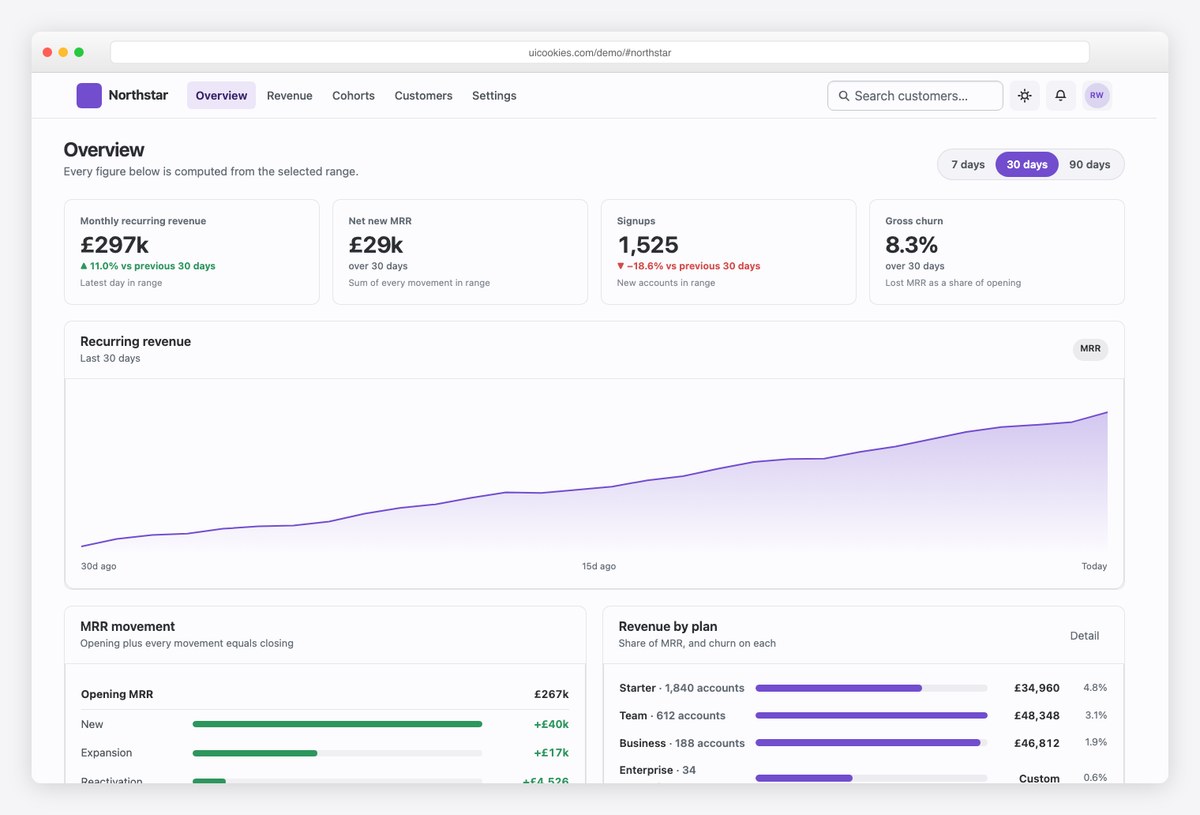
Why we like it: Most templates ship a decorative “Last 30 days” dropdown next to hardcoded numbers. Northstar carries a 90-day dataset on the page and derives everything from it — switch to 7, 30 or 90 days and the KPIs, deltas, chart paths, axis labels and MRR waterfall all recompute together.
Northstar runs on a top-bar layout rather than a sidebar — closer to how modern analytics products (think Stripe or Plausible) actually look — with overview, revenue, cohorts, customers and settings pages plus full light and dark modes.
The derived-data approach means the numbers can never contradict each other: deltas compare against the preceding window of equal length, and where no earlier window exists the card says so instead of inventing one. That honesty carries straight into your implementation.
3. Cadence
A CRM dashboard whose pipeline board does the maths
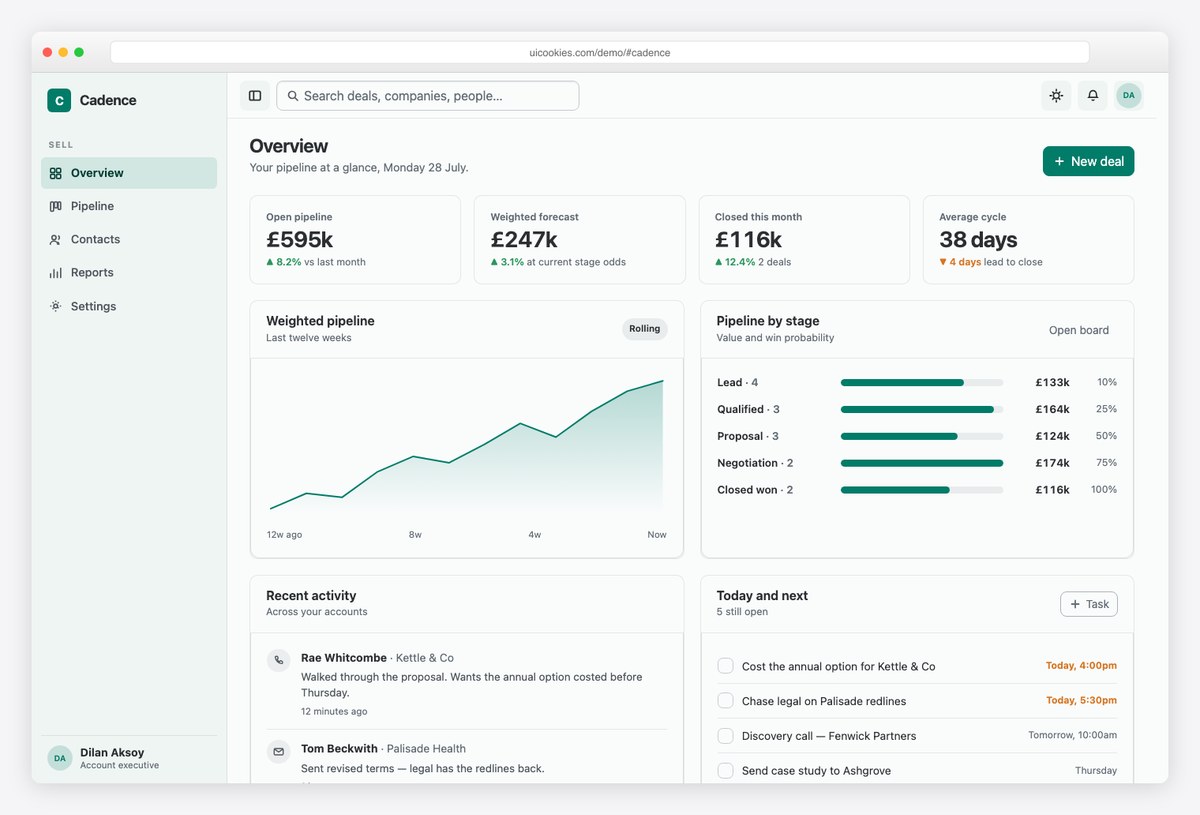
Why we like it: Each pipeline stage carries a win probability and each deal a value, so the forecast is computed, not typed into the HTML — move a deal between stages and the open pipeline, weighted forecast, deal count and stalled count all follow.
Cadence is a five-page CRM: overview, a weighted pipeline board, contacts, reports and settings, on a collapsing-sidebar shell with light and dark modes. Deals track how long they have sat in their current stage, and stages declare an expected age — so stalled flags reflect where a deal is now, not where it started.
If you are prototyping a sales tool or teaching a team how kanban-with-numbers should behave, this is the rare free template where the demo logic is worth keeping rather than deleting.
4. Stratos
Marketing site and product UI in one download
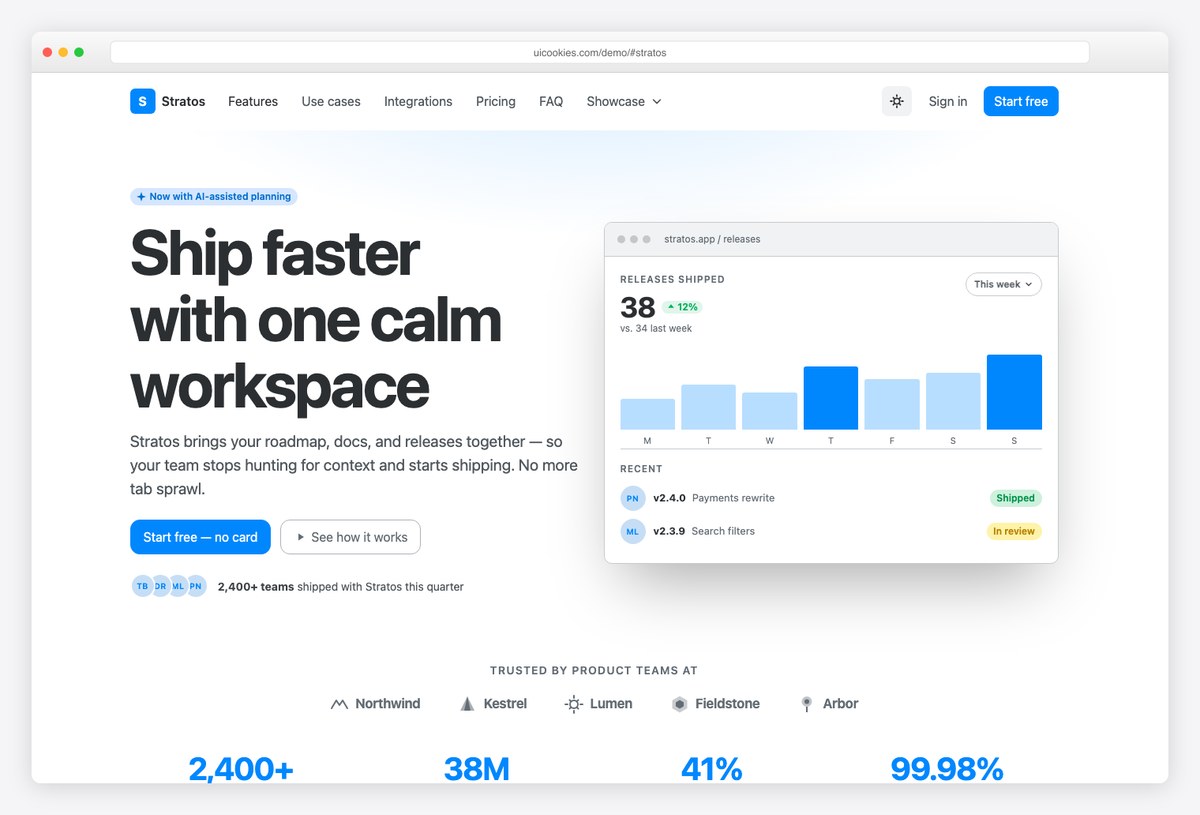
Why we like it: Seven pages that cover both sides of a SaaS: a full marketing landing page, a pricing page and a blog layout for the sales site, plus an application dashboard, a component gallery and a forms showcase for the product side.
Stratos is the broadest single download in this list. The component gallery doubles as a living reference for Bootstrap 6 itself — useful while official docs for the new version are still settling — and the dashboard page gives you an app shell that visually matches the marketing pages around it.
Start here if you want one consistent design system from homepage to logged-in product without stitching two templates together.
Free Bootstrap 6 web app templates
These five sit between marketing site and application — storefronts, boards and booking flows that exercise the new component set hardest. For pure marketing and business sites, see the companion roundup of free Bootstrap 6 website templates on Colorlib.
5. Commerce
The whole buying journey, built on the new form components
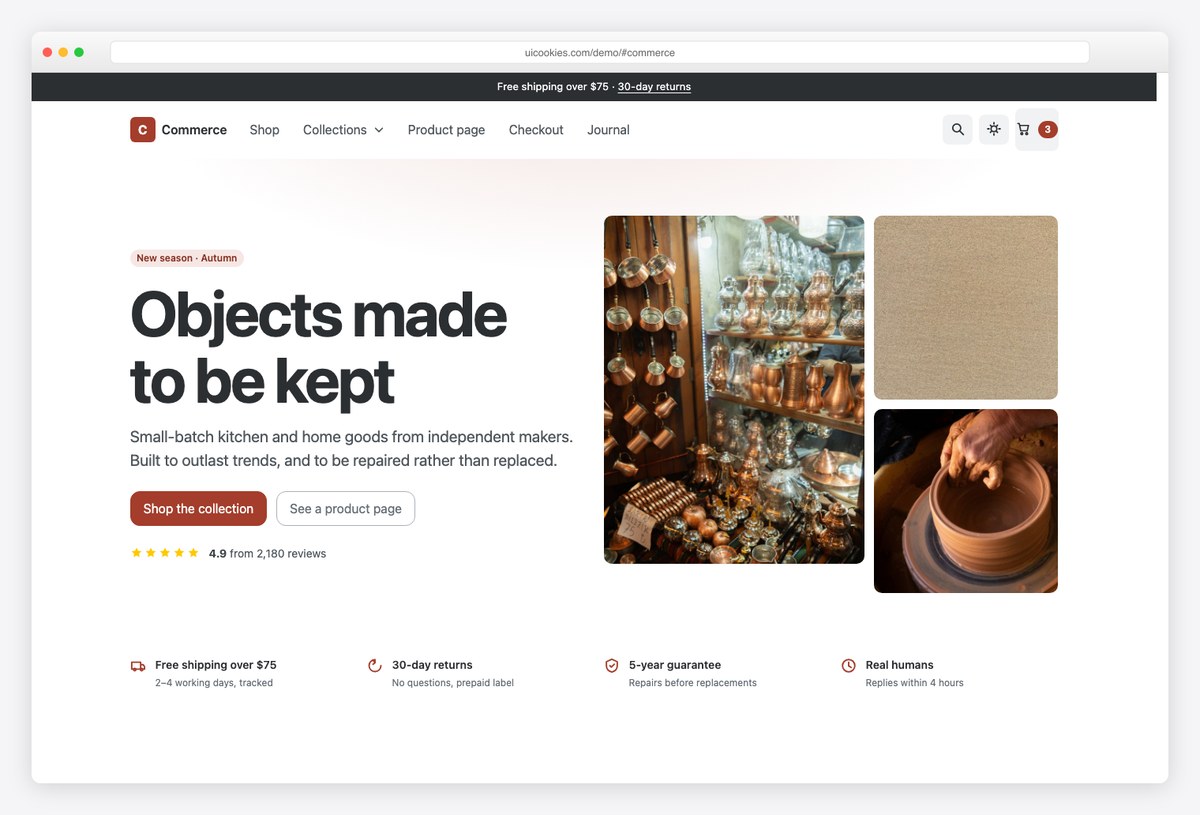
Why we like it: Storefront, product detail and a three-step checkout — with the filters and checkout built on components that did not exist in Bootstrap 5: Combobox pickers, Range with a value bubble, Chip input for promo codes, OTP input for payment verification, and the new Stepper driving the flow.
Commerce covers the full journey rather than a single landing page: a filterable product grid, a complete product page, and a checkout that walks address, delivery and payment as real steps.
It is also the fastest way to see what Bootstrap 6 form controls feel like under commerce pressure — the category Combobox is multi-select, the price filter is a live Range, and the promo field is a Chip input, all without a plugin.
6. Roundtable
A forum whose Hot, New and Top buttons genuinely reorder the board
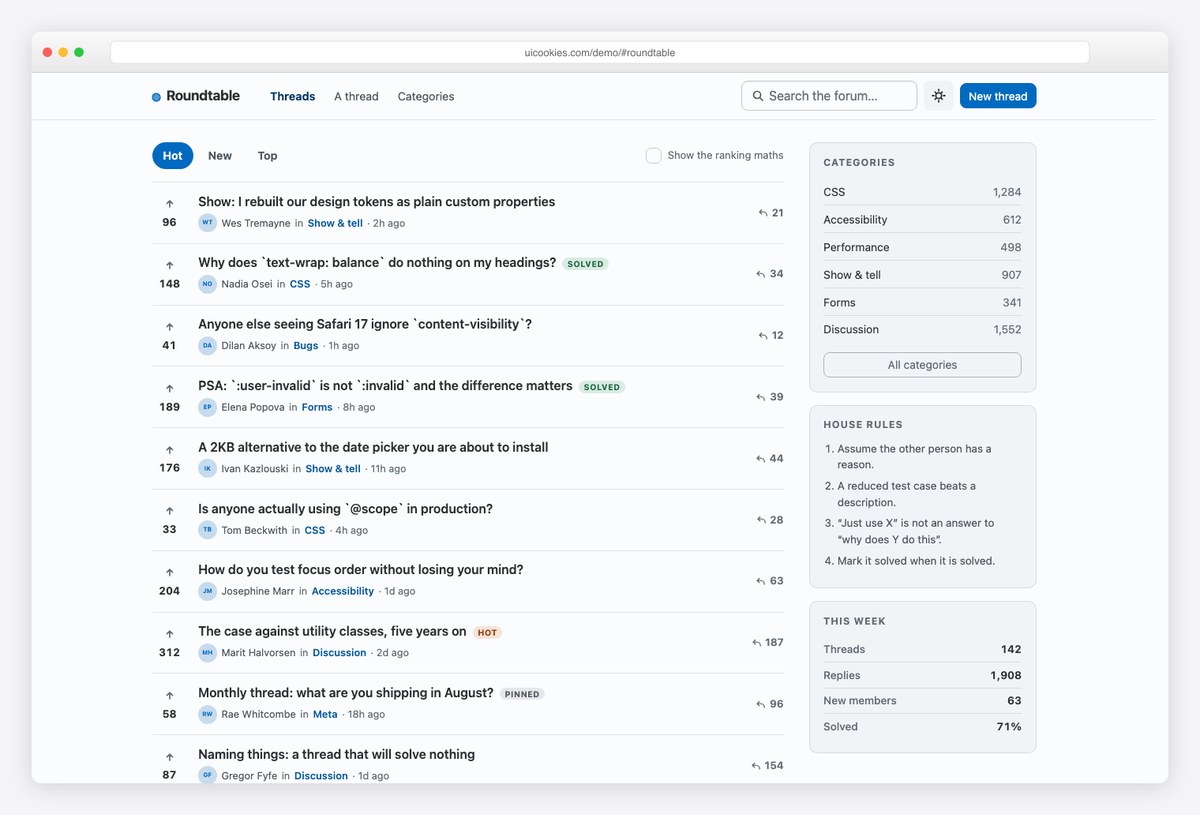
Why we like it: Every thread carries its votes and age, and the Hot sort is computed with the same decay curve Hacker News uses — switch tabs and the board actually reorders, instead of an underline moving over one hardcoded list.
Roundtable ships the board, a full thread page with nested replies, and a category index, with a sticky header, right rail and complete light and dark modes.
A debug checkbox even prints each thread’s computed score beside it, which turns the template into a small lesson in ranking algorithms — genuinely useful if you are building any feed-ordered product.
7. Meridian
Clinic site with a real booking flow and OTP patient portal
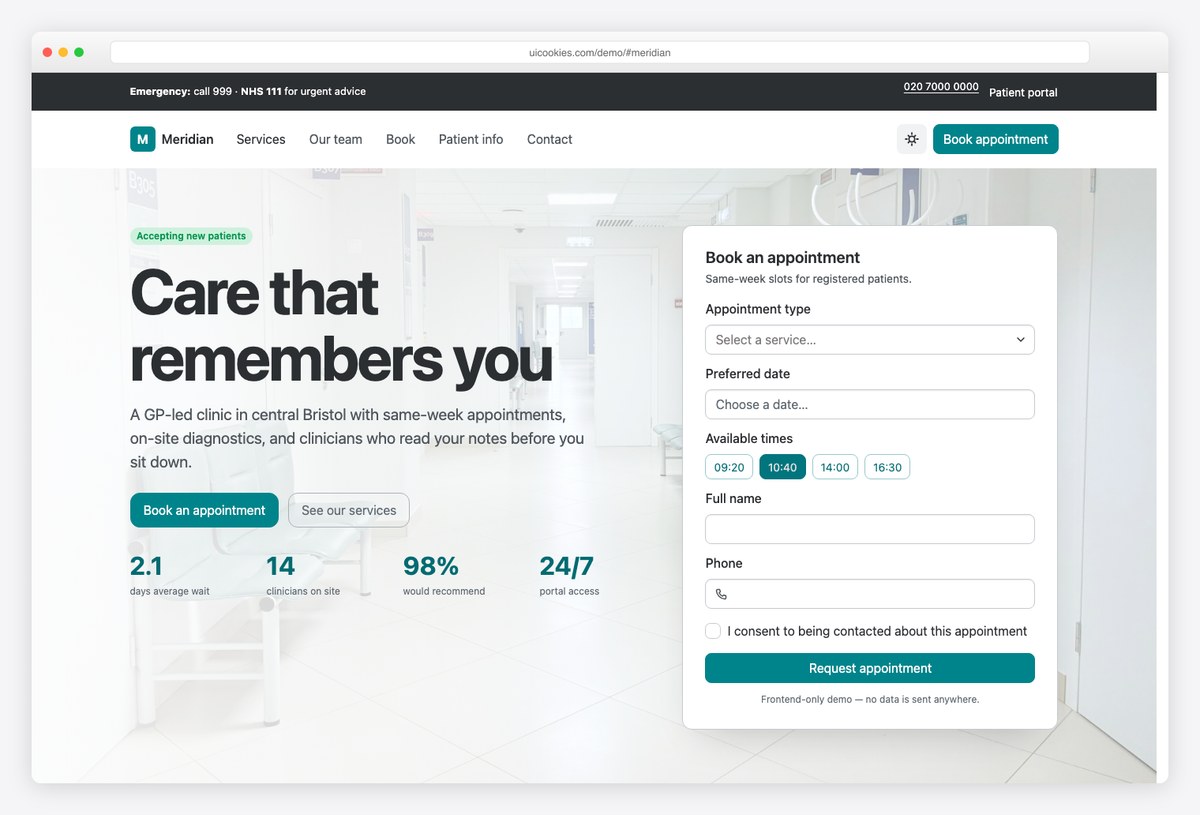
Why we like it: Healthcare sites live or die on booking, and Meridian puts Bootstrap 6 to work exactly there: the appointment form uses the new Datepicker and a searchable Combobox for service type, and the patient portal demonstrates OTP two-factor sign-in and the password Strength meter.
The clinic homepage covers services, clinicians, opening hours and inline appointment booking; the service detail page handles what-to-expect, preparation and costs — the pages patients actually read.
None of the booking components here exist in Bootstrap 5 without third-party plugins, which is why clinic templates on the older framework always ship with a jQuery datepicker bolted on. This one needs nothing.
8. Locale
The strongest showcase of Bootstrap 6 filtering, in a directory
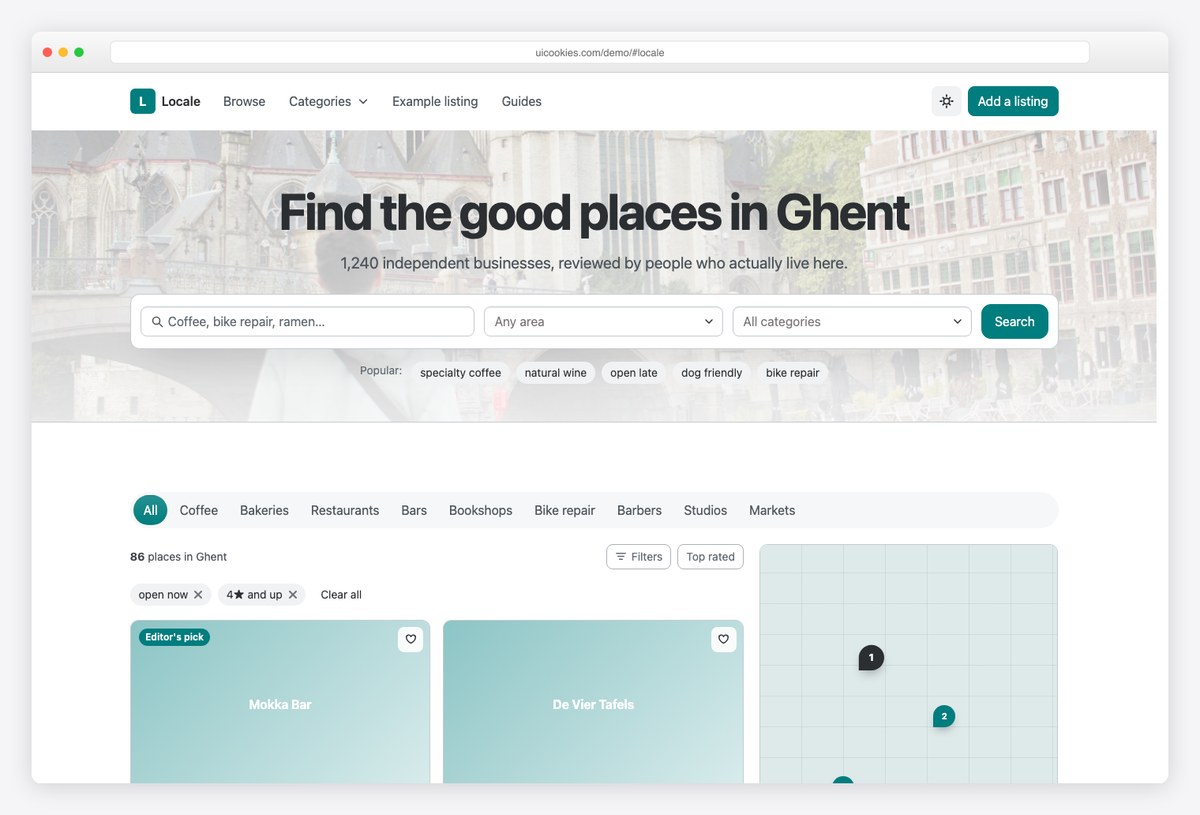
Why we like it: The search bar uses searchable and multi-select Comboboxes, the category nav folds extra items into a menu with the new Nav overflow as the viewport narrows, and the filter drawer combines Chip input, Range with a value bubble and the Datepicker — not one of those exists in Bootstrap 5.
Locale pairs a filterable results page — search bar, category nav, map rail and listing grid — with a complete business detail page covering reviews, hours, photos and a review form.
If you evaluate one template to judge whether Bootstrap 6 is worth adopting for app-like interfaces, make it this one; it is the template that makes the strongest case for the new component set.
9. Shortlist
A job board with an editorial spine: every listing shows salary
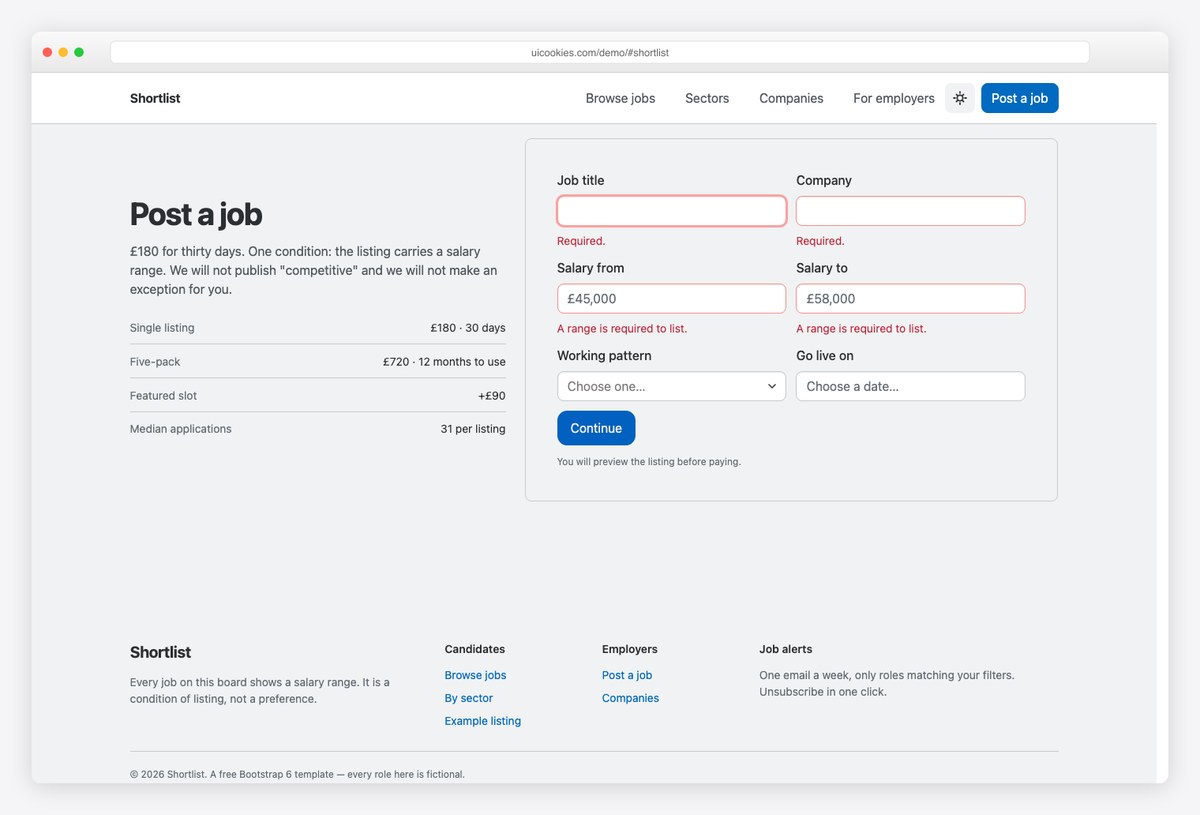
Why we like it: The filter rail leads with a salary-floor Range slider rather than a keyword box, the post-a-job form makes both salary fields required, and the one role without a range is explicitly badged “salary not disclosed” instead of being quietly styled like the rest.
Shortlist pairs the full board — search, sticky filter rail, listings, sectors, hiring companies and a post-a-job form — with a job detail page built around a sticky apply rail.
That salary-transparency stance is not just editorial garnish: it is the product decision that makes modern boards feel trustworthy, and the template enforces it in the markup and forms.
Free Bootstrap 6 UI component packs
Six packs of standalone pages you can lift markup from directly — the fastest way to bring Bootstrap 6 patterns into an existing project without adopting a full template.
10. Bootstrap 6 Auth Pages
Eight authentication screens, including the previously-awkward ones
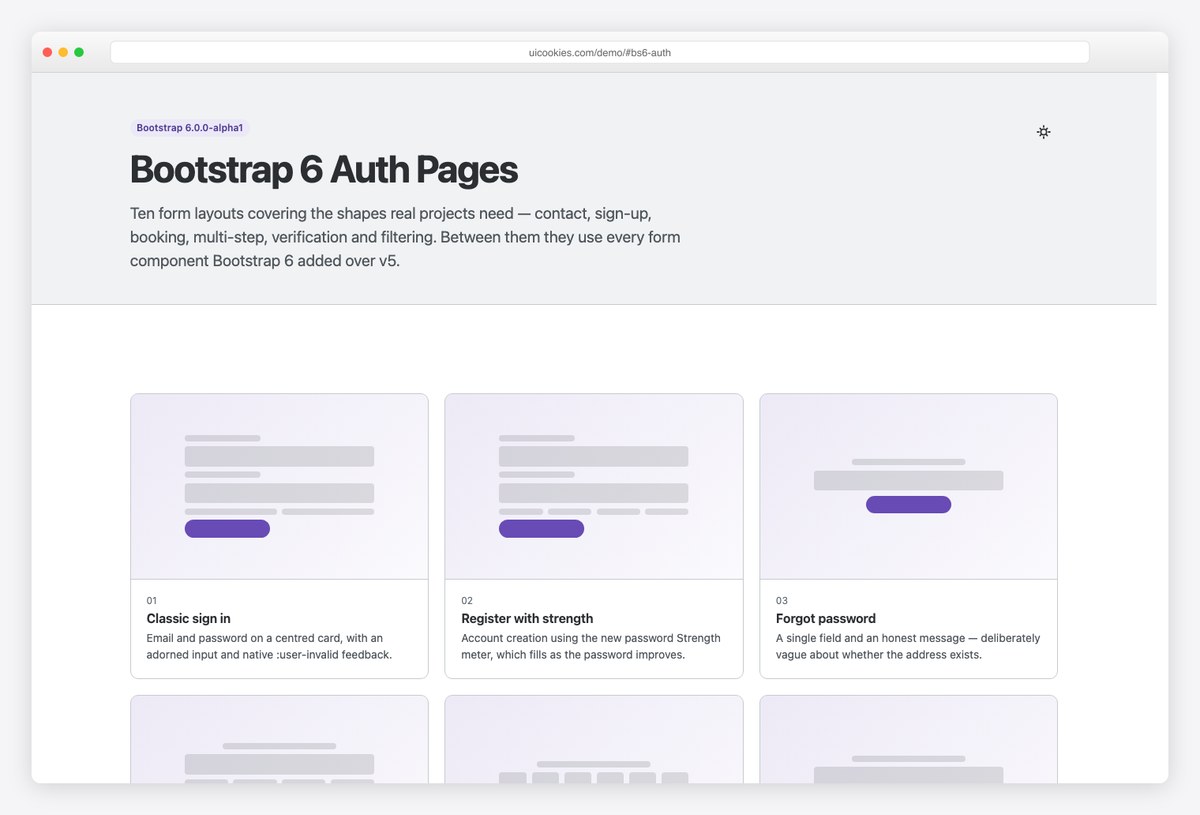
Why we like it: Two-factor verification uses the new OTP input — per-character boxes, paste handling, one-time-code autofill — and registration uses the new password Strength meter. Both were genuinely awkward to build in Bootstrap 5 without third-party plugins.
The pack covers the whole account journey: sign in, register, forgot password, reset, two-factor, passwordless magic link, SSO and a lock screen, each on its own standalone page.
Because every screen is self-contained you can lift the markup straight into an existing project — this pairs naturally with any of the dashboards above.
11. Bootstrap 6 Forms
Every new form component, exercised in real layouts
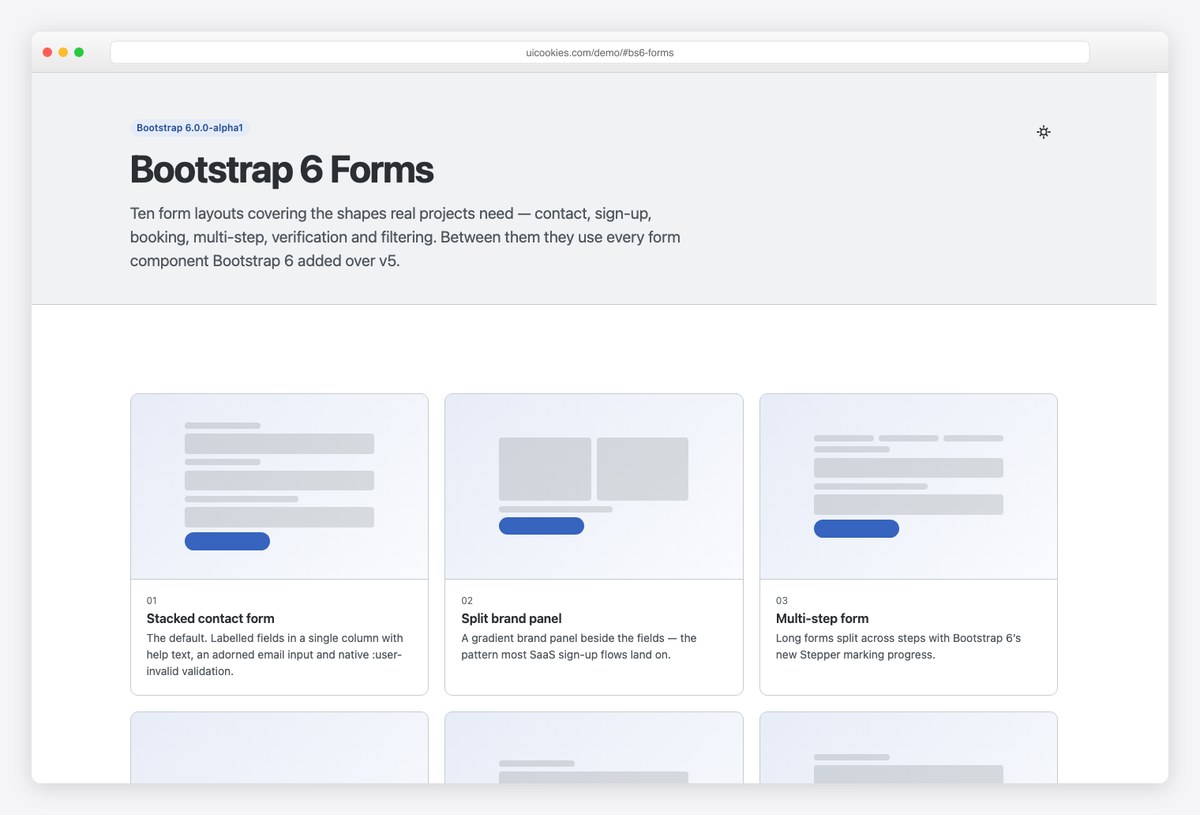
Why we like it: Between ten layouts this pack uses every form component Bootstrap 6 added over v5 — Combobox (searchable and multi-select), Datepicker, OTP input, password Strength, Chip input, Range with live value bubbles, and form adorns.
The shapes are the ones real projects need: contact, sign-up, appointment booking, multi-step, verification, filtering and billing, each a standalone page whose markup copies straight out.
The contact form also demonstrates native :user-invalid validation — a browser feature that removes another chunk of hand-rolled JavaScript from your form code.
12. Bootstrap 6 Tables
Admin-grade tables without a datatable library
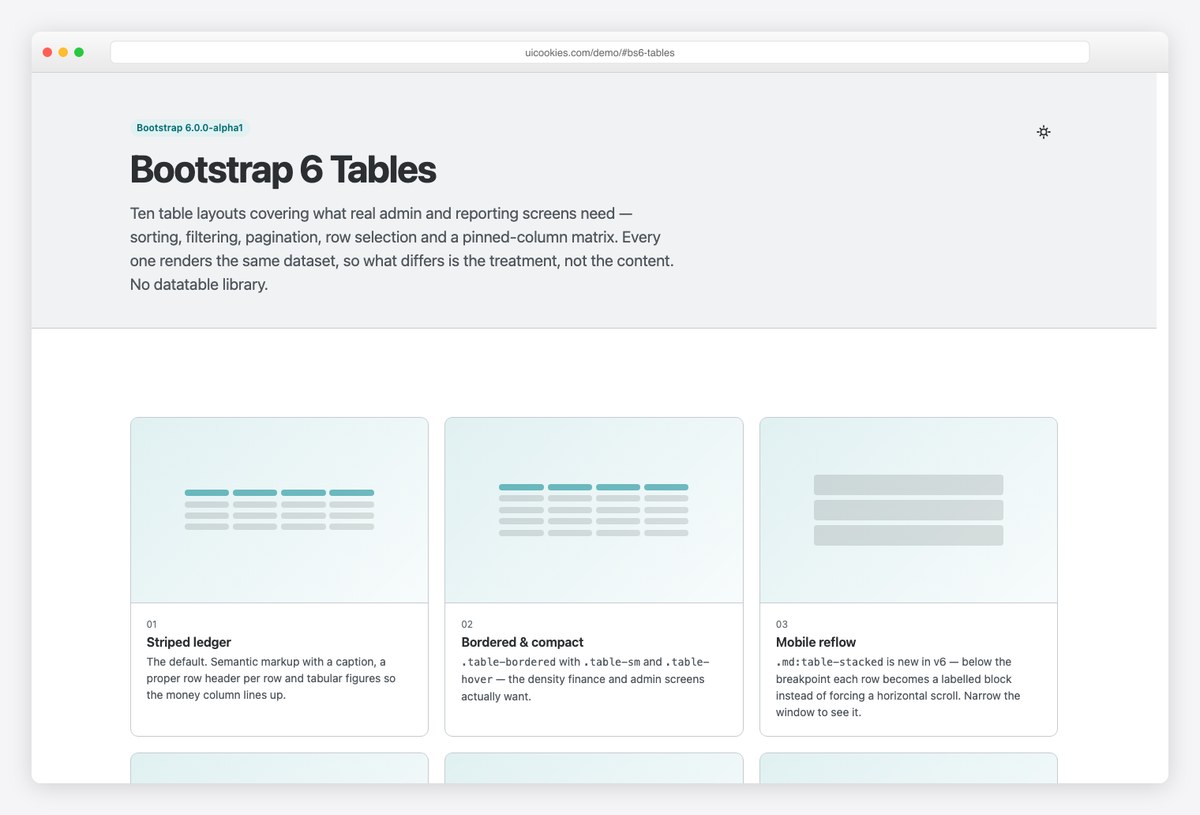
Why we like it: The headline is the new .table-stacked: below the breakpoint each row becomes a labelled block instead of forcing horizontal scroll, with header cells supplying the labels — no data-label duplication to maintain.
Ten variants render the same invoice dataset — sorting, filtering, pagination, row selection, sticky headers, pinned columns and a pricing matrix — so what changes between them is treatment, not content.
The interactive variants are a few dozen lines of vanilla JavaScript operating on rows already in the DOM. For most admin screens that replaces an entire datatable dependency.
13. Bootstrap 6 Cards
Ten card patterns with nothing to re-license
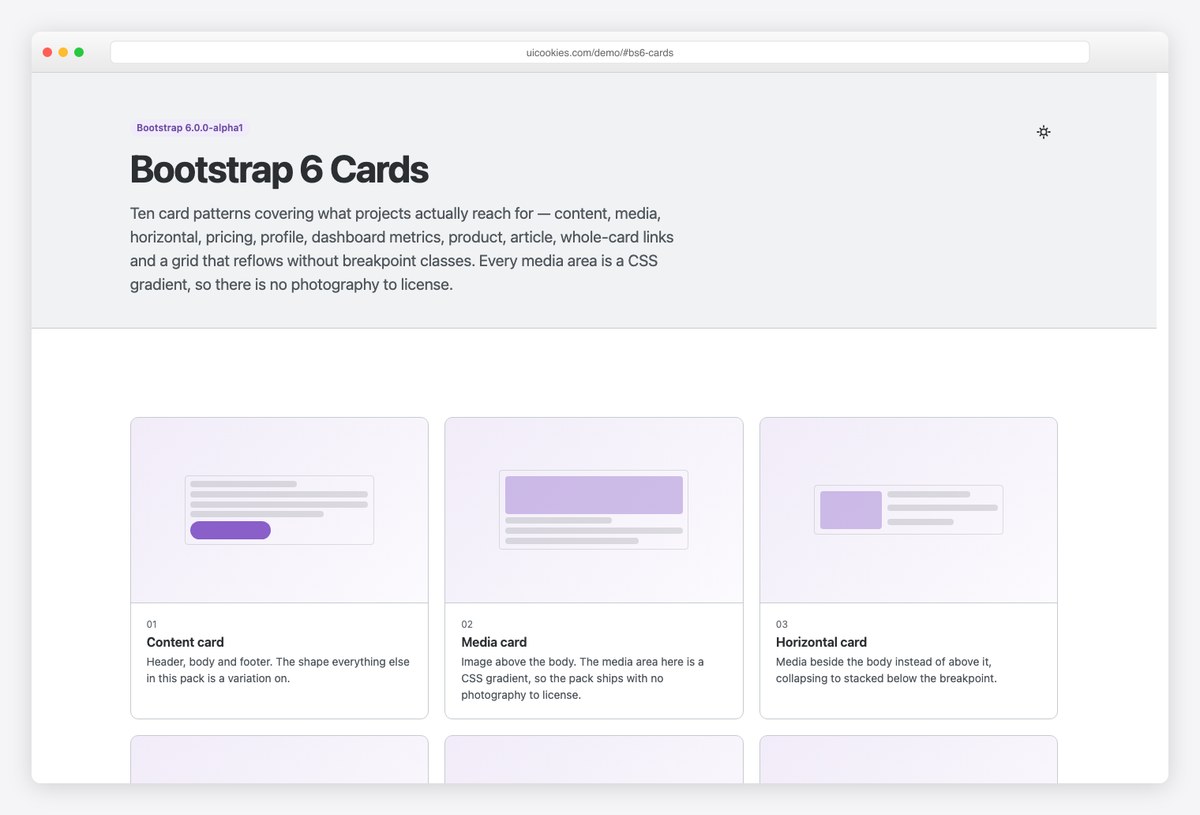
Why we like it: Every media area is a CSS gradient rather than a bundled photo — nothing to replace before shipping — and the metric card ships a pure-CSS sparkline that drops straight into a dashboard.
The set covers content, media, horizontal, pricing, profile, metric, product, article and whole-card-link patterns, plus a grid that reflows without breakpoint classes.
It also settles the clickable-card question properly: instead of wrapping the card in an anchor (which swallows inner buttons and wrecks the accessible name), the whole-card variant stretches a single title link with a pseudo-element.
14. Bootstrap 6 Navigation
Eight nav patterns that double as a v5 → v6 migration reference
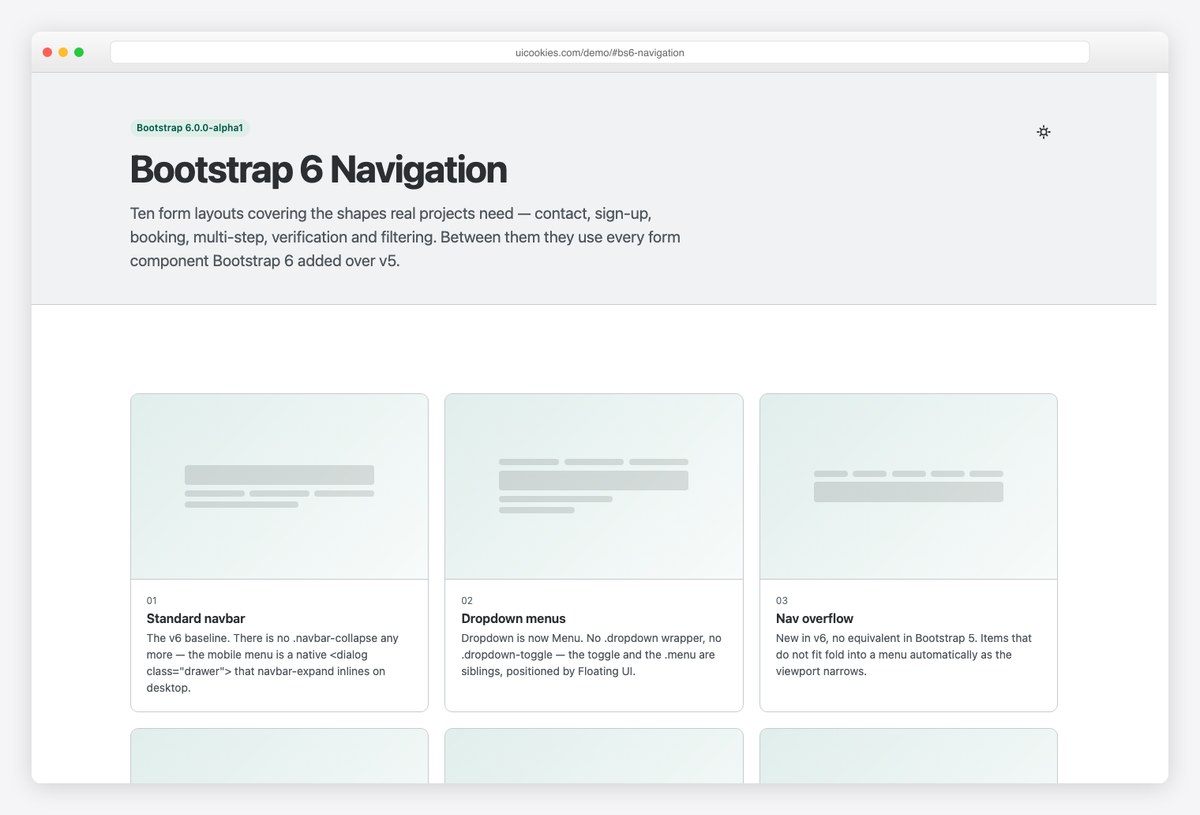
Why we like it: Navigation changed more between v5 and v6 than any other part of the framework — .navbar-collapse is gone (the mobile menu is a native dialog drawer), Dropdown became Menu, Nav overflow is new, and ScrollSpy was rebuilt on IntersectionObserver. Every example calls out what moved and why.
The eight patterns cover the standard navbar with the new drawer, menus, nav overflow, tabs, a sidebar rail, a centered masthead and breadcrumbs — each on its own page with prev/next navigation.
If you maintain Bootstrap 5 projects, this pack is worth downloading purely as documentation: it shows the after state of every navigation API that changed.
15. Bootstrap 6 Dialogs & Drawers
Native-dialog modals: the top layer, focus trapping and Escape, free
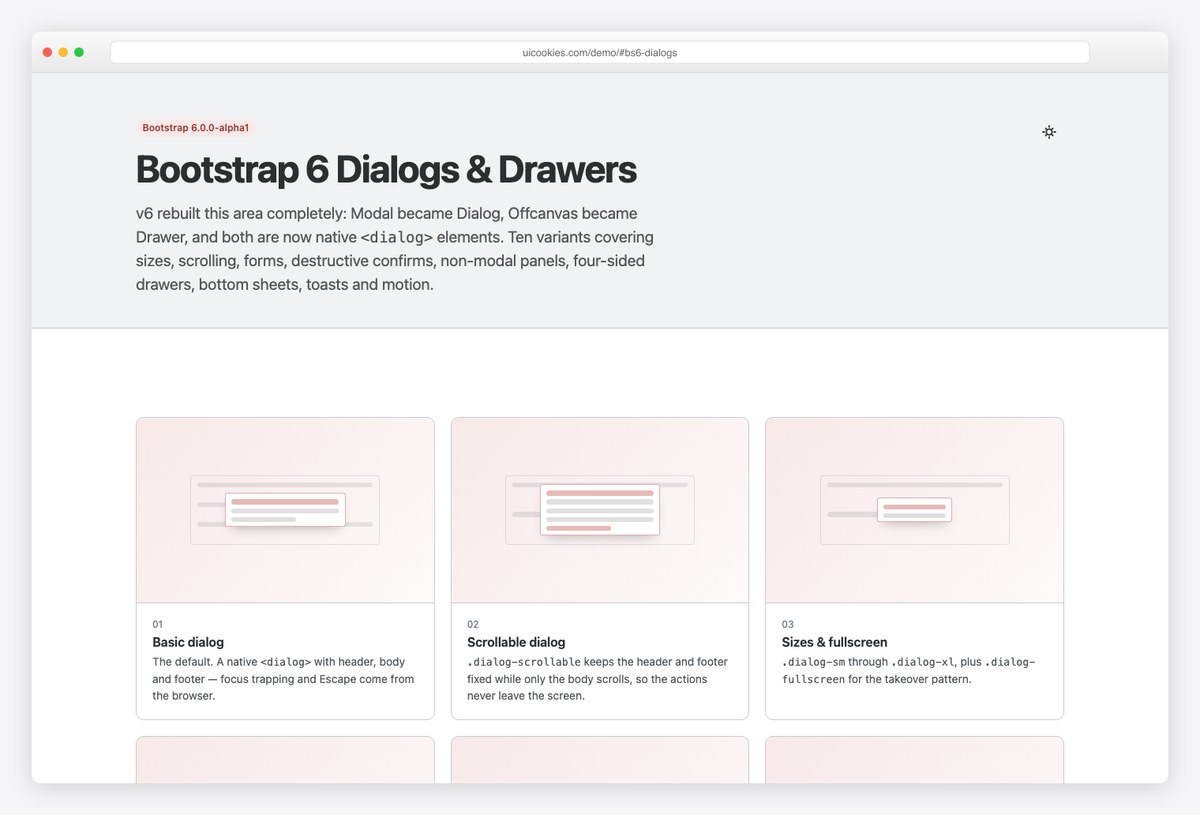
Why we like it: Bootstrap 6 rebuilt this area completely — Modal became Dialog and Offcanvas became Drawer, both as native <dialog> elements. The browser now supplies the top layer (no z-index fights), focus trapping, focus-restore on close, Escape handling and inert page content — all hand-rolled JavaScript in v5.
The ten shapes cover sizes, scrolling, form dialogs, destructive confirms, non-modal panels, drawers on all four sides, bottom sheets, toasts and entry animations.
One sharp edge the pack documents well: the markup must be a real <dialog> element. A <div class="dialog"> styles perfectly, looks finished, and never opens.
How to choose
- Building a back-office or internal tool? Helm — the most complete admin shell, chart-library-agnostic.
- Analytics or metrics product? Northstar for top-bar SaaS analytics, Cadence if the core object is a pipeline.
- Need marketing site + app in one design system? Stratos.
- App-like product with heavy filtering? Locale or Commerce — the strongest demonstrations of the new form components.
- Keeping your existing project, just want the new patterns? Start with the Auth, Dialogs and Navigation packs.
Frequently asked questions
Is Bootstrap 6 officially released?
Not yet — Bootstrap 6 is still pre-release and has not been published to npm; the latest stable release remains Bootstrap 5. The templates in this list vendor the framework at a pinned build inside each download, so they work today and keep working regardless of what changes upstream before the stable release.
Are these Bootstrap 6 templates really free?
Yes. All fifteen are free downloads from uiCookies, each with a live demo you can inspect before downloading. There is no build step and no npm install — the framework is included in the zip, so you unzip and open index.html.
What new components does Bootstrap 6 add over Bootstrap 5?
The headline additions are first-party form components — Datepicker, Combobox (searchable and multi-select), Stepper, OTP input, password Strength meter, Chip input, and Range sliders with live value bubbles — plus native-dialog Modals (now Dialog) and Offcanvas (now Drawer), a new Nav overflow component, and the .table-stacked responsive table variant. In Bootstrap 5 every one of those required a third-party plugin or custom JavaScript.
Can I use Bootstrap 6 templates in production today?
Yes, with the right expectations. Because each template pins the exact framework build it ships with, your site is as stable as any static template — the pre-release status of Bootstrap 6 only matters if you plan to swap in newer framework builds yourself, where class names and APIs may still change before stable.
Do Bootstrap 6 templates work with jQuery?
Bootstrap 6 is ESM-only vanilla JavaScript and none of these templates use or need jQuery. You can still load jQuery alongside for legacy code, but the framework itself no longer touches it — the jQuery era effectively ended with Bootstrap 5, and v6 removes the last UMD-style loading patterns too.
Still on the stable framework? See the best free Bootstrap 5 templates and free admin panel templates — or, if you work in React, the React Bootstrap templates roundup. For business and marketing sites on the new framework, Colorlib’s free Bootstrap 6 website templates collection covers 25 more.
Related reading: our Bootstrap forum templates roundup.

You Might Also Like