
31 Best Free & Premium Dashboard Templates 2026

A good dashboard template saves you weeks of frontend development. Instead of building sidebar navigation, chart components, data tables, and responsive layouts from scratch, you start with a polished, production-ready interface and focus on your application logic. The best free dashboard templates in 2026 rival premium offerings. If you’re specifically looking for free admin panels, we have a dedicated collection in design quality, component coverage, and code maintainability.
We’ve curated the 31 best dashboard templates available today — a mix of premium picks from DashboardPack and the most popular free open-source dashboards from the community. Whether you need Bootstrap dashboards, Tailwind CSS, React, or Vue — there’s a template here that fits your stack and gets you shipping faster.
Quick Picks
- Best overall (free): AdminLTE 4 — 45K+ stars, Bootstrap 5, TypeScript, zero jQuery
- Best premium (Next.js): Apex — 125+ routes, shadcn/ui, TanStack Table, 2FA built-in
- Best for React: Shadcn Admin — 11K+ stars, Vite + React 19 + Tailwind v4
- Best for Vue: Vuestic Admin — 11K+ stars, Vue 3 + Tailwind, 150+ components
- Best for Tailwind: TailPanel — React 19 + Tailwind v4, modular page modules
- Best Bootstrap design: Tabler — 40K+ stars, 100+ responsive components, premium look
Best Free & Premium Dashboard Templates
1. AdminLTE 4
⭐ 45,000+ GitHub Stars • Free (MIT)
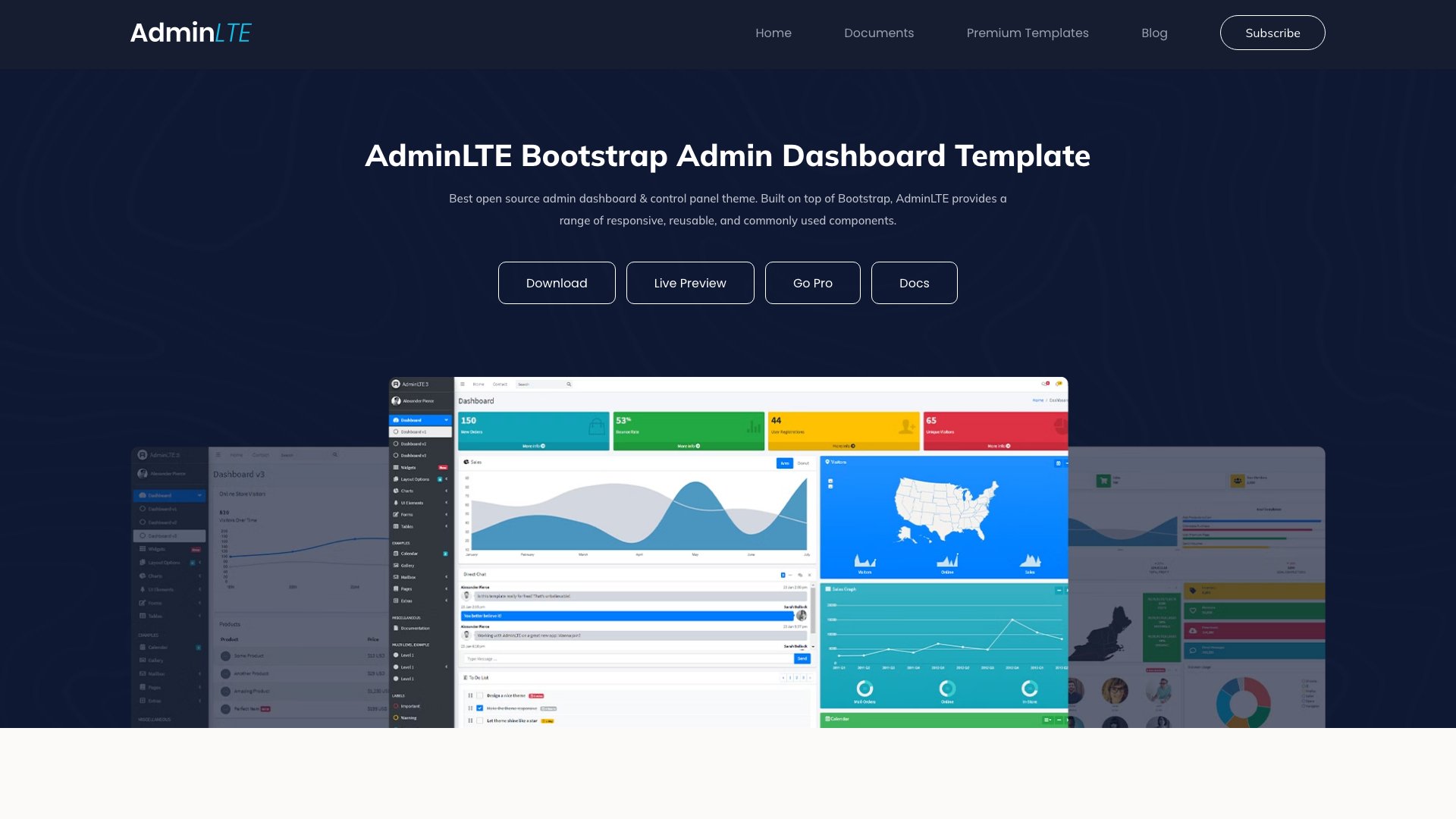
Why we like it: AdminLTE is the most downloaded admin dashboard template in the world, with over 8.5 million downloads and 45,000+ GitHub stars.
AdminLTE is the most downloaded admin dashboard template in the world, with over 8.5 million downloads and 45,000+ GitHub stars. Version 4 is a complete modernization: Bootstrap 5.3.8, pure TypeScript (no jQuery), Astro 5.x for documentation, and a zero-vulnerability dependency tree. The template includes 6 customizable color skins, dark mode, RTL support, sidebar state persistence, and 18+ integrated plugins out of the box.
What makes AdminLTE unbeatable at its price point (free) is the ecosystem. A decade of community contributions means every edge case has been handled, every browser quirk documented, and every integration pattern established. Whether you need it for Laravel, Django, Flask, Express, or static HTML, AdminLTE has a proven integration path. The v4 release brings it fully up to date with modern tooling while maintaining the reliability that made it the industry standard.
2. Apex
💰 From $69 • DashboardPack
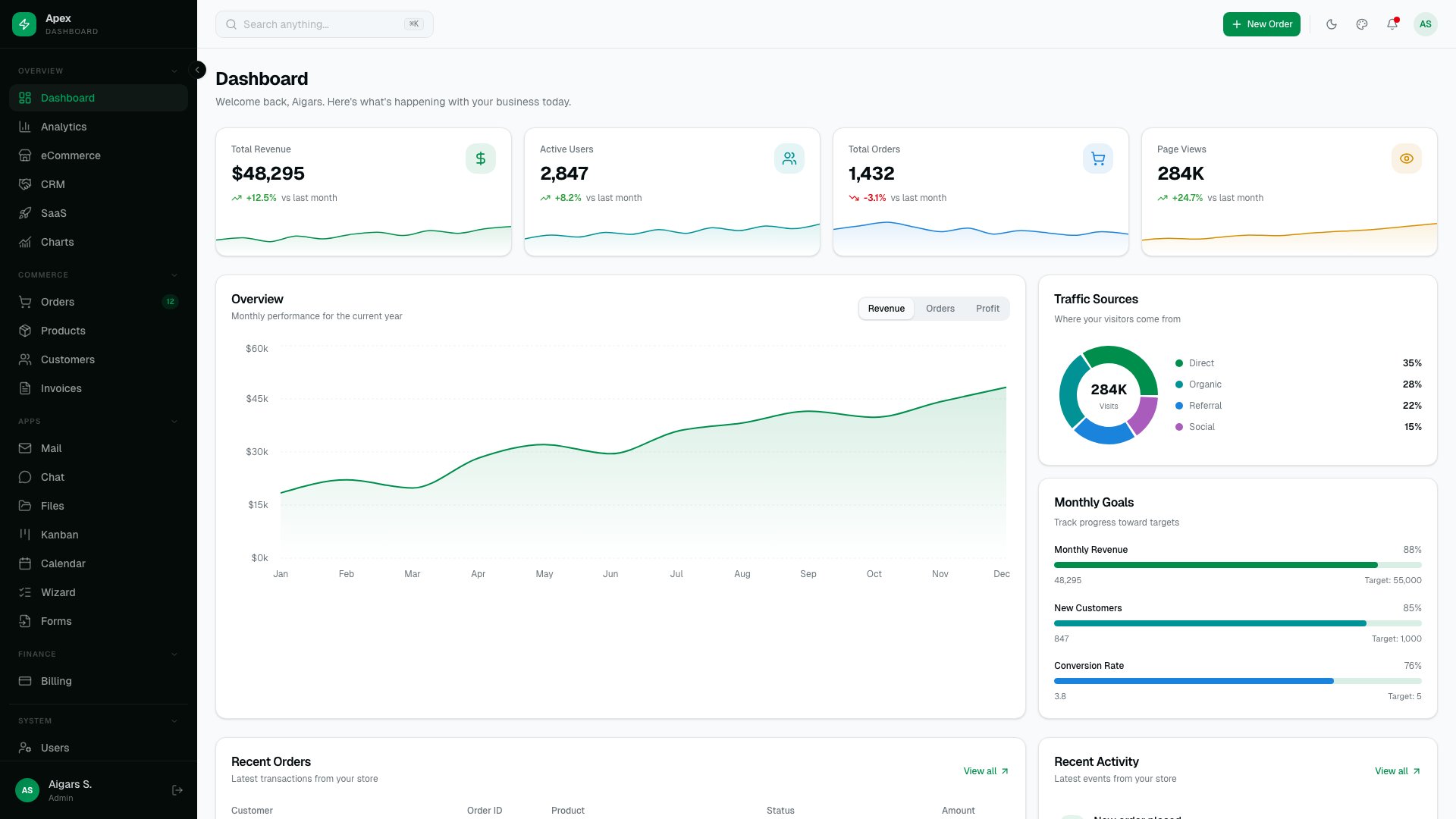
Why we like it: Apex is the most comprehensive admin dashboard in our lineup, with 125+ routes, five layout variants, 35 shadcn/ui primitives, and 20+ fully built app pages.
Apex is the most comprehensive admin dashboard in our lineup, with 125+ routes, five layout variants, 35 shadcn/ui primitives, and 20+ fully built app pages. TanStack Table handles data grids, Recharts 3 powers visualizations, and the auth system includes two-factor authentication out of the box. A Command Palette, i18n support, and a live theme customizer round out the developer experience. Built on Next.js 16 + React 19 + Tailwind v4.
For teams building large-scale SaaS products or enterprise tools, Apex eliminates months of boilerplate. The five variants let you match different product aesthetics without starting over, and the shadcn/ui foundation means every component is fully customizable — copied into your project, not locked behind a dependency. If you need one dashboard to cover every use case, Apex is it.
3. ArchitectUI HTML PRO
💰 From $69 • DashboardPack
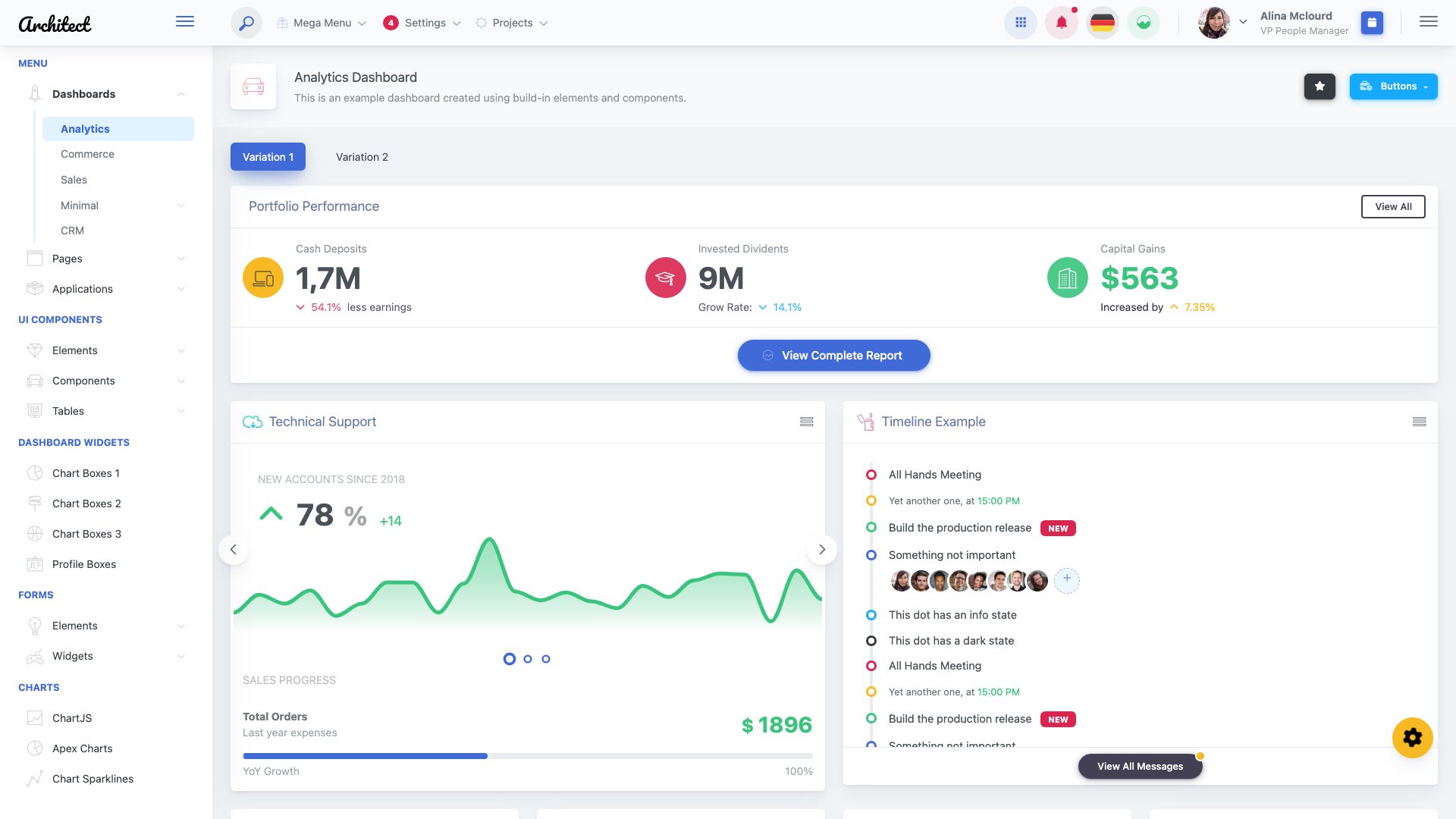
Why we like it: ArchitectUI is our flagship premium dashboard template, and it’s included on this free list because the free version gives you a solid starting point while the Pro unlocks the full power.
ArchitectUI is our flagship premium dashboard template, and it’s included on this free list because the free version gives you a solid starting point while the Pro unlocks the full power. The Pro version ships with 250+ components, 9 distinct dashboard designs, 10 color schemes with 300+ combinations, and 3+ layout arrangements. Built on Bootstrap 5 with ES6, jQuery, Webpack, and SCSS, it covers everything from mailbox and chat apps to FAQ pages and advanced form layouts.
ArchitectUI PRO is available across four frameworks — HTML, React 19, Angular 21, and Vue 3 — so your team can use the same design system regardless of stack. The free versions of each framework variant are available on GitHub, making it easy to evaluate before upgrading. For teams that need a professional-grade dashboard with extensive customization options, ArchitectUI delivers premium quality backed by dedicated support.
4. TailPanel
💰 From $69 • DashboardPack
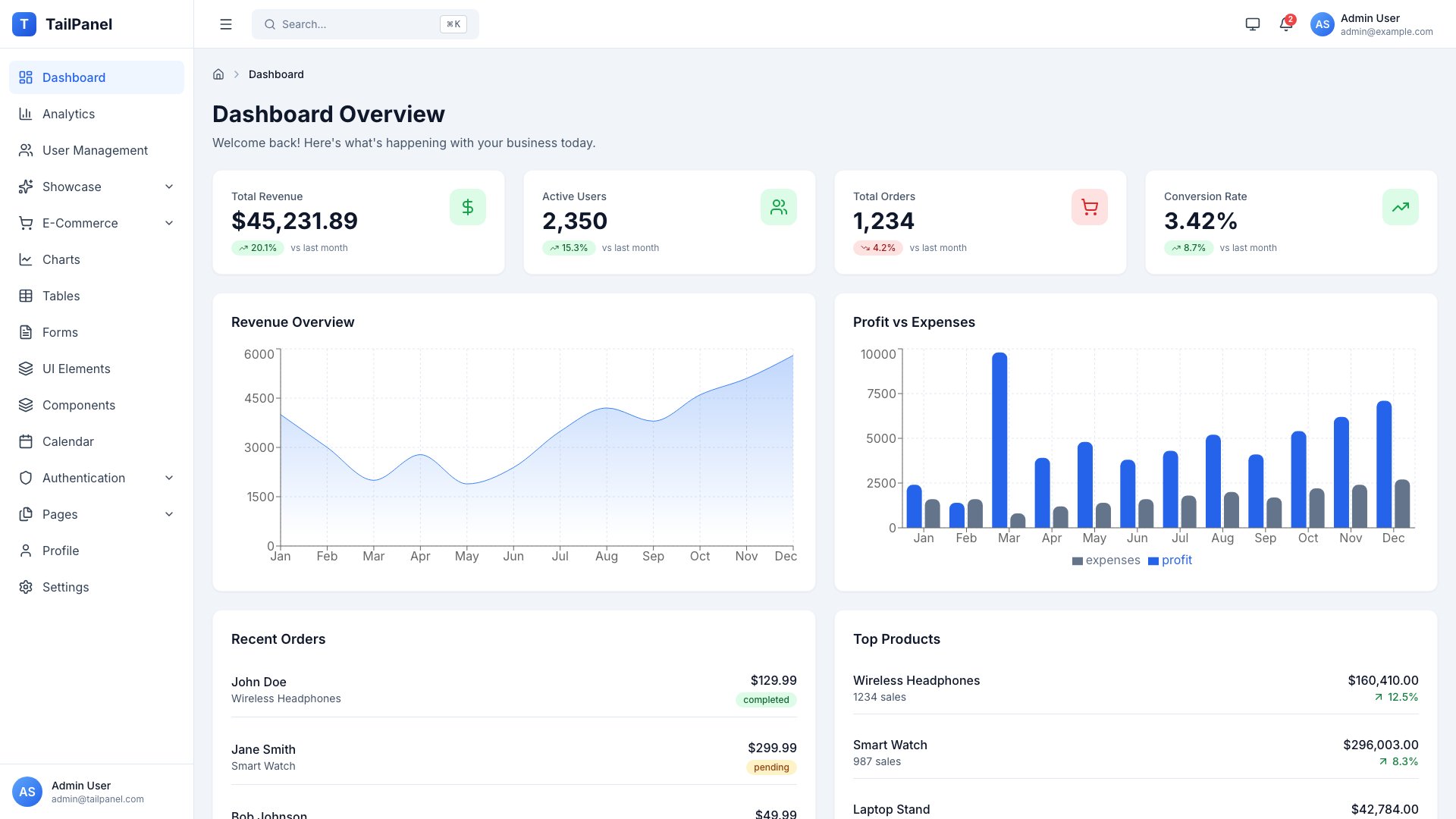
Why we like it: TailPanel is our newest dashboard template, built from the ground up with React, TypeScript, Tailwind CSS, and Vite.
TailPanel is our newest dashboard template, built from the ground up with React, TypeScript, Tailwind CSS, and Vite. It represents the modern stack that developers actually want to work with in 2026: Zustand for state management, React Hook Form with Zod validation, TanStack Table for data grids, Recharts for visualizations, and 500+ Lucide icons. The result is a fast, type-safe dashboard with excellent developer experience.
The template includes 14 complete dashboard pages covering analytics, e-commerce, charts, tables, forms, calendar, profile, settings, and authentication. Dark mode with system preference detection works out of the box, and the mobile-first responsive design adapts seamlessly from phone to desktop. For teams building with Tailwind CSS and React, TailPanel provides a premium foundation that skips months of boilerplate.
Looking for more Tailwind options? Check out our list of free Tailwind admin dashboard templates.
5. Admindek
💰 From $69 • DashboardPack
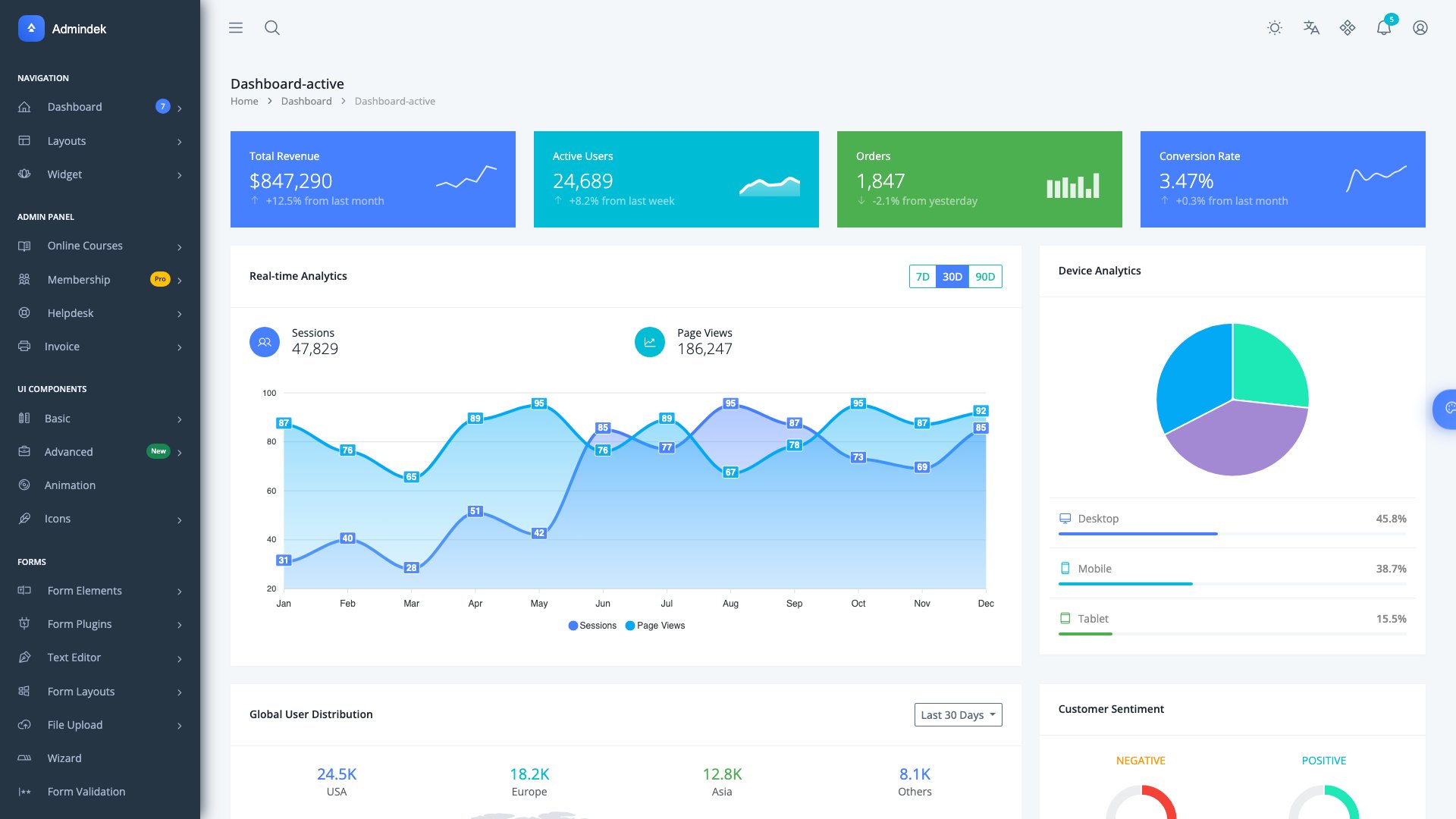
Why we like it: Admindek takes the zero-dependency approach: Bootstrap 5 with pure vanilla JavaScript and Vite 7 as the build tool.
⚠️ Note: jQuery dependency. Consider for legacy projects or plan to upgrade.
Admindek takes the zero-dependency approach: Bootstrap 5 with pure vanilla JavaScript and Vite 7 as the build tool. No React, no Vue, no jQuery — just clean, fast, framework-free code. This makes it ideal for server-rendered applications (Laravel, Django, Rails, Express) where you want a lightweight admin UI without pulling in a JavaScript framework. The template includes 100+ UI components, 200+ customized elements, 9 dashboard designs, 10 color presets, dark/light themes, and RTL support.
The Vite 7 build system means instant hot reload during development and optimized production bundles. ApexCharts handles data visualization, DataTables powers sortable/filterable grids, and the SCSS architecture makes theming straightforward. For developers who prefer keeping their frontend simple and dependency-free while still getting a polished admin interface, Admindek is the right choice.
6. Adminty
💰 From $69 • DashboardPack
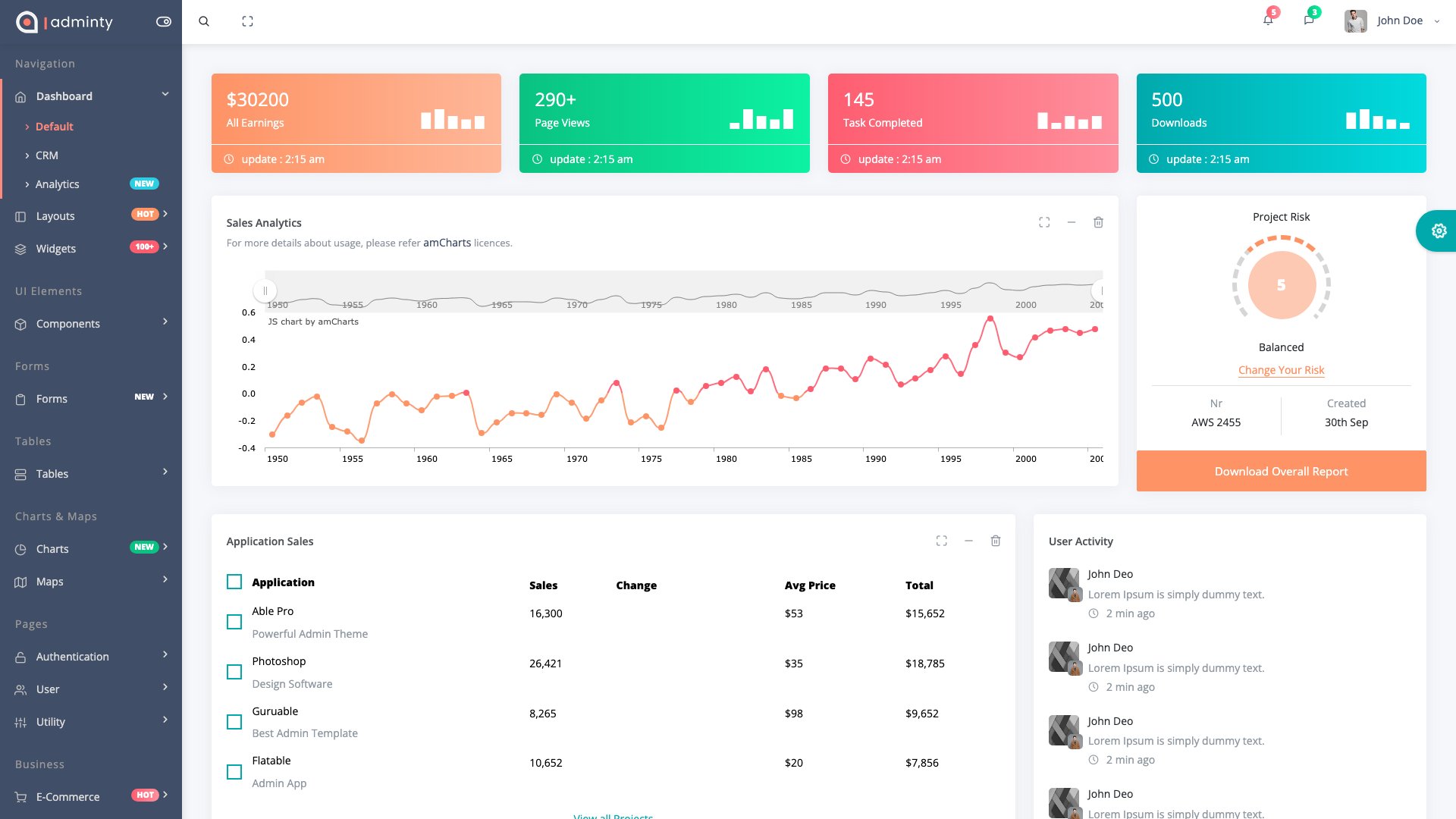
Why we like it: Adminty is our most feature-packed Bootstrap dashboard template, built on Bootstrap 5.3.8 with an npm build system featuring live reload.
Adminty is our most feature-packed Bootstrap dashboard template, built on Bootstrap 5.3.8 with an npm build system featuring live reload. The numbers tell the story: 160+ pre-built pages, 50+ UI components, 3 dashboard designs, 9 layout configurations, and support for RTL, dark mode, drag-and-drop, tree views, and rating systems. Four chart libraries (Chart.js 4.x, ECharts, Chartist, Sparkline) cover every data visualization need.
What sets Adminty apart is the depth of its page library. Beyond the standard dashboard layouts, you get DataTables with advanced features, Handsontable spreadsheets, FullCalendar 6.x integration, 2,000+ icons (Font Awesome 7.1 + Feather), and 5 responsive email templates ready for transactional notifications. Data export to Excel, PDF, and CSV is built in. For teams that need maximum page coverage out of the box, Adminty eliminates the need to build common admin pages from scratch.
Looking for more admin panel options? Browse our comprehensive free admin panels collection.
7. Signal
💰 From $69 • DashboardPack
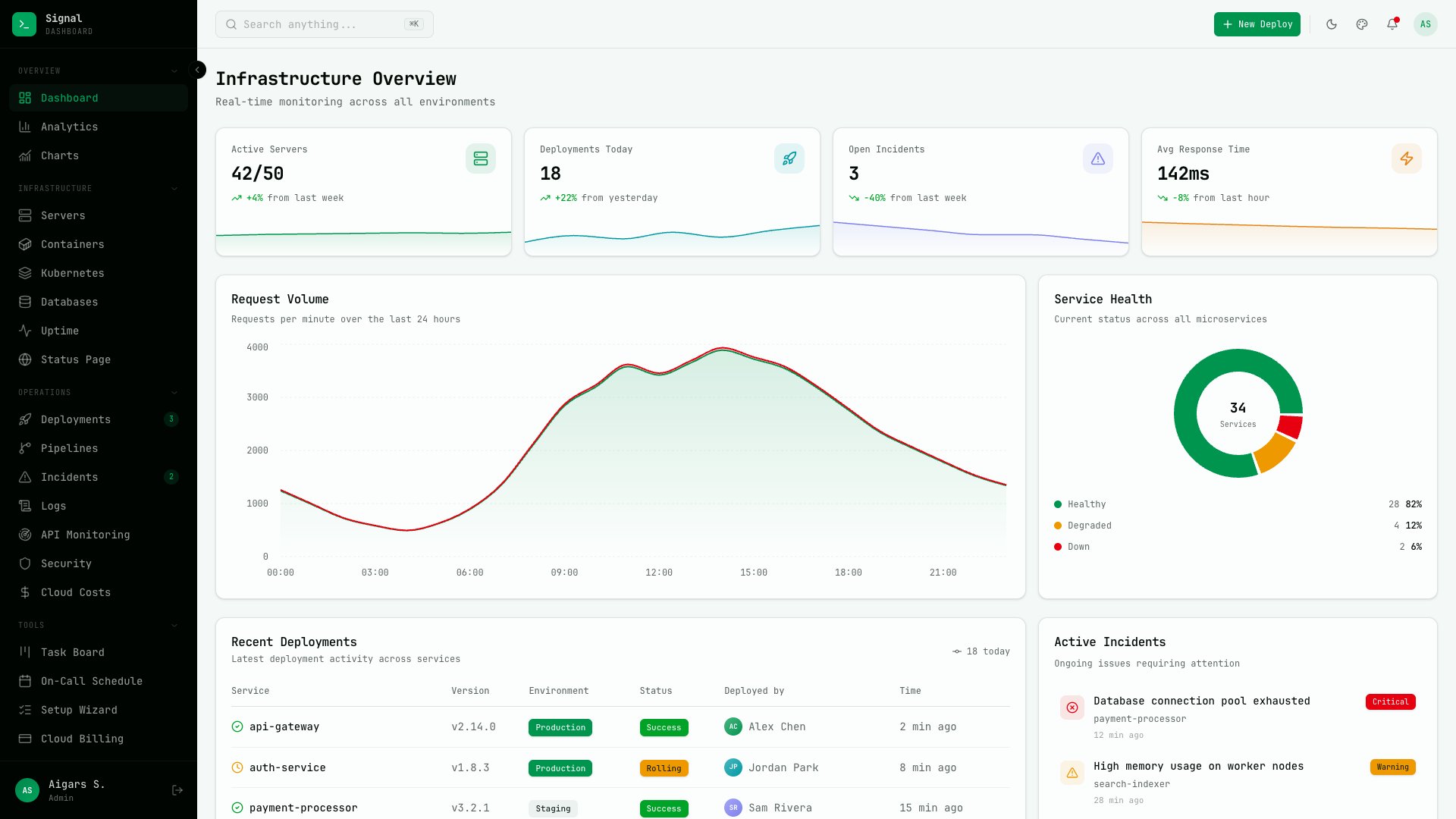
Why we like it: Signal takes a bold design direction with a terminal-inspired aesthetic built around JetBrains Mono typography.
Signal takes a bold design direction with a terminal-inspired aesthetic built around JetBrains Mono typography. Purpose-built for DevOps and infrastructure teams, it ships with 57+ pages, 13 dedicated infrastructure views, six color presets, and three density modes that let you switch between comfortable and information-dense layouts. Built on Next.js 16 with shadcn/ui components.
The infrastructure-first approach sets Signal apart from generic dashboards. Server monitoring, deployment pipelines, log viewers, and alert management pages are designed by developers who understand the DevOps workflow. The terminal aesthetic isn’t just cosmetic — the monospaced typography and high-contrast color presets improve readability for the kind of data-heavy screens that infrastructure teams stare at all day.
8. Flux
💰 From $69 • DashboardPack
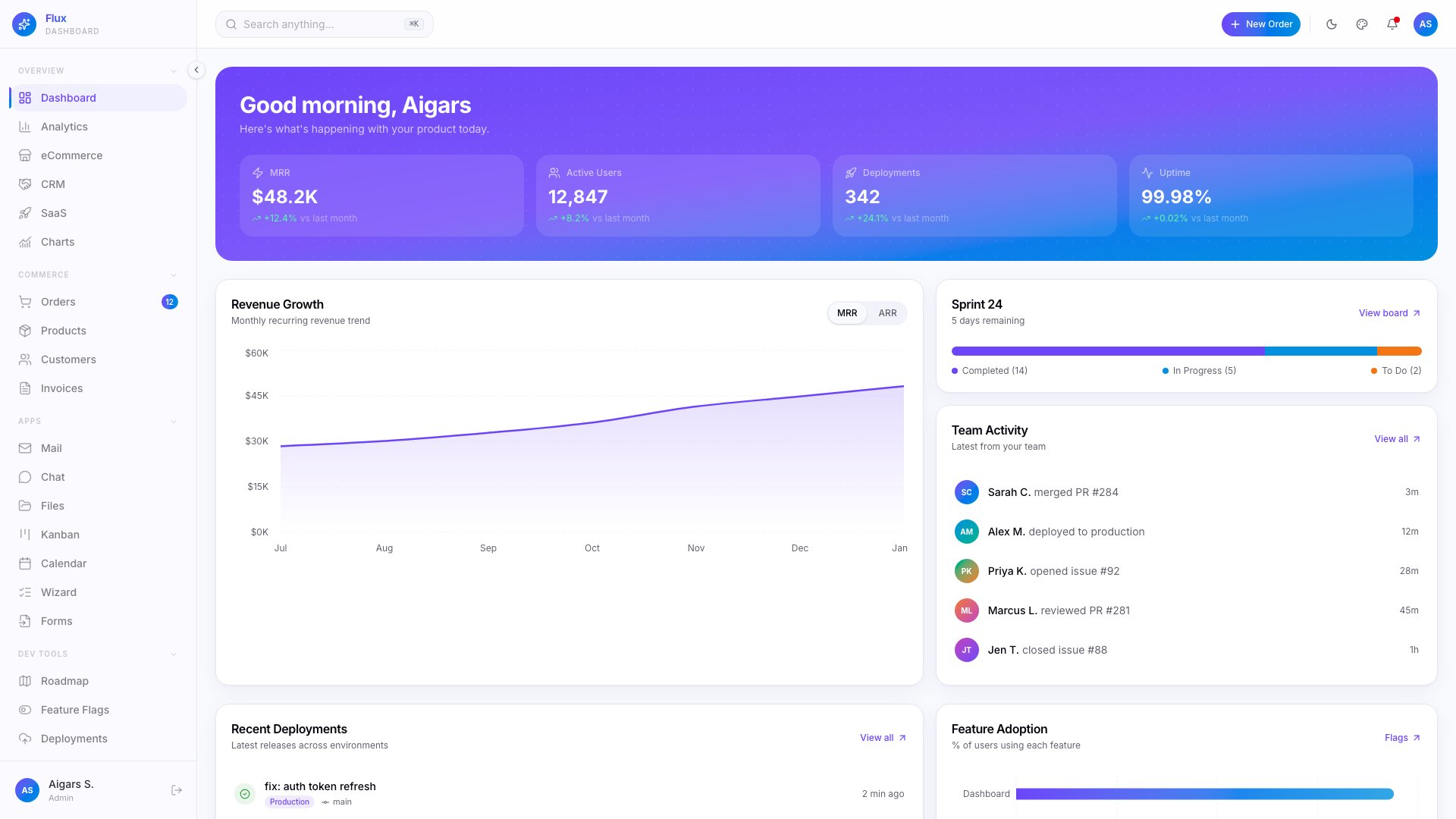
Why we like it: Flux brings a gradient-forward design language to SaaS dashboards, with 64+ pages, five layout variants, and 7 specialty pages tailored for subscription businesses.
Flux brings a gradient-forward design language to SaaS dashboards, with 64+ pages, five layout variants, and 7 specialty pages tailored for subscription businesses. The color system generates 300+ gradient combinations across dark, light, and system themes, and RTL support plus i18n make it ready for global audiences. Framer Motion powers smooth page transitions and micro-interactions throughout.
Where most dashboards stick to flat or Material design, Flux leans into gradients and animated transitions to create a more dynamic, modern feel. The SaaS-specific pages — subscription management, usage analytics, billing — save significant development time for teams building B2B products. If your product needs a dashboard that feels polished and contemporary rather than corporate and utilitarian, Flux delivers that energy.
9. Zenith
💰 From $69 • DashboardPack
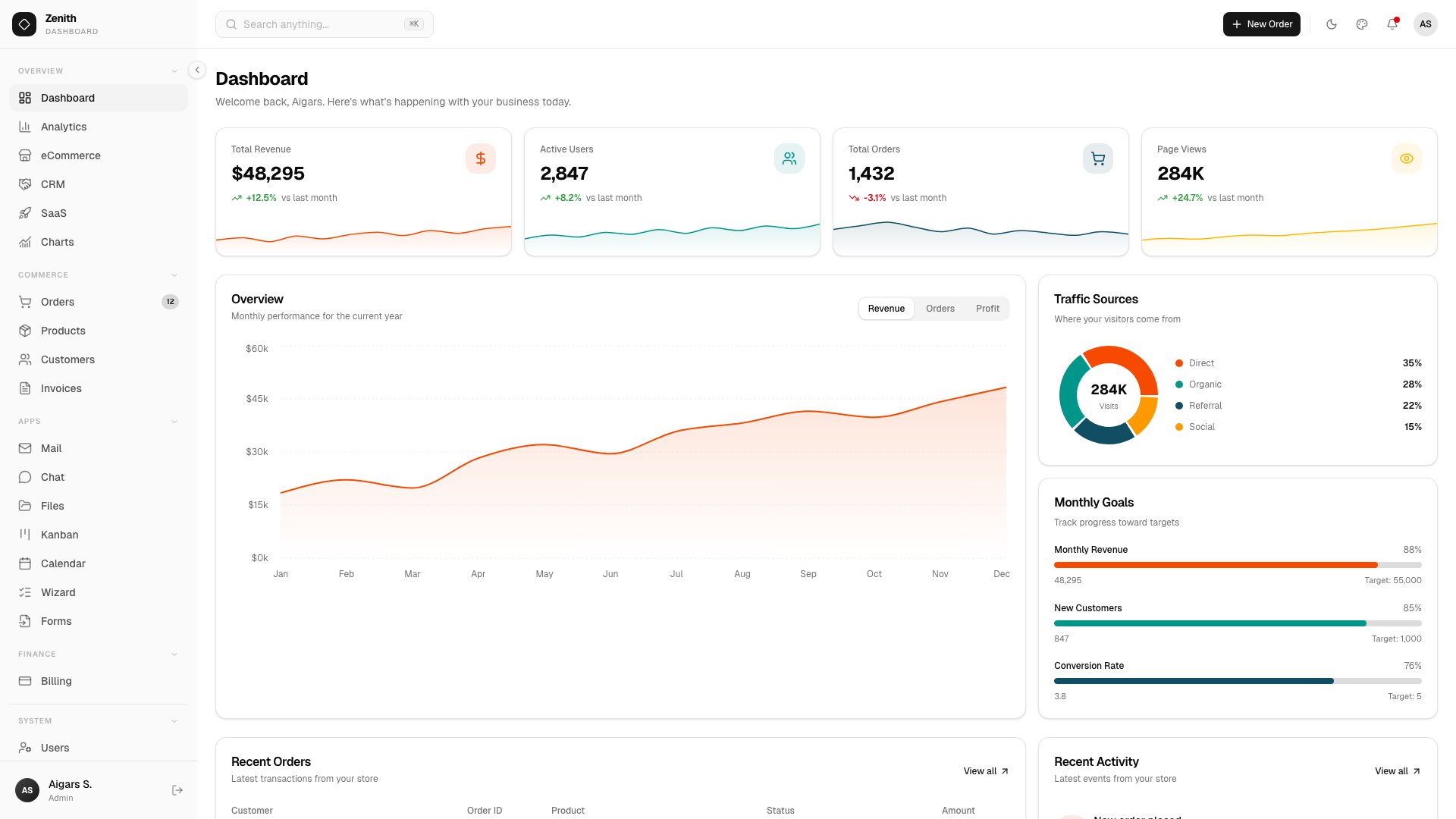
Why we like it: Zenith embraces ultra-minimal, achromatic design with 50+ routes, six layout variants, and 34 shadcn/ui components.
Zenith embraces ultra-minimal, achromatic design with 50+ routes, six layout variants, and 34 shadcn/ui components. The feature set goes deep: AI Chat, Kanban boards, Calendar, TipTap 3 rich text editor, and Leaflet-powered interactive maps. Storybook documentation covers every component, making onboarding new developers seamless.
The achromatic palette is a deliberate design choice — by stripping away color, Zenith lets your content and data take center stage. This makes it particularly effective for analytics dashboards, content management systems, and productivity tools where visual noise competes with information. The six variants offer subtle layout differences while maintaining the same minimal philosophy, and the shadcn/ui foundation keeps everything customizable.
10. SvelteForge Admin
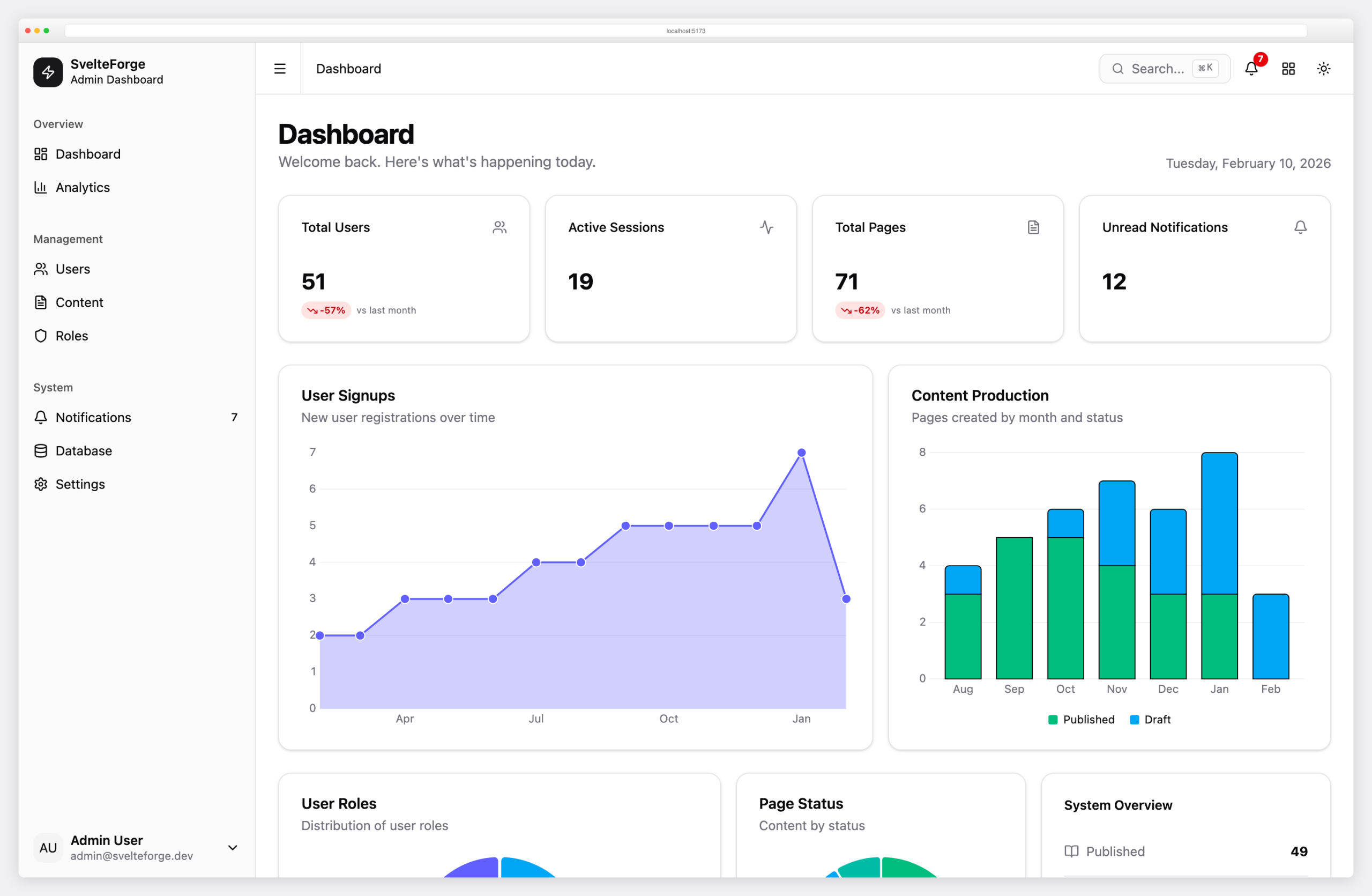
Why we like it: SvelteForge Admin is a full-stack admin dashboard built with SvelteKit 2, Svelte 5, Tailwind CSS 4, and shadcn-svelte.
SvelteForge Admin is a full-stack admin dashboard built with SvelteKit 2, Svelte 5, Tailwind CSS 4, and shadcn-svelte. Unlike most admin templates that are UI-only, SvelteForge includes real authentication (session-based with SHA-256 hashed tokens + Argon2id passwords), optional OAuth (Google & GitHub), three-tier RBAC (admin, editor, viewer), and a SQLite database via Drizzle ORM. Interactive charts, user management with export, content CMS, Cmd+K command palette, notifications, and dark/light mode are all included. MIT licensed and actively maintained by the Colorlib team.
11. Ember
💰 From $69 • DashboardPack
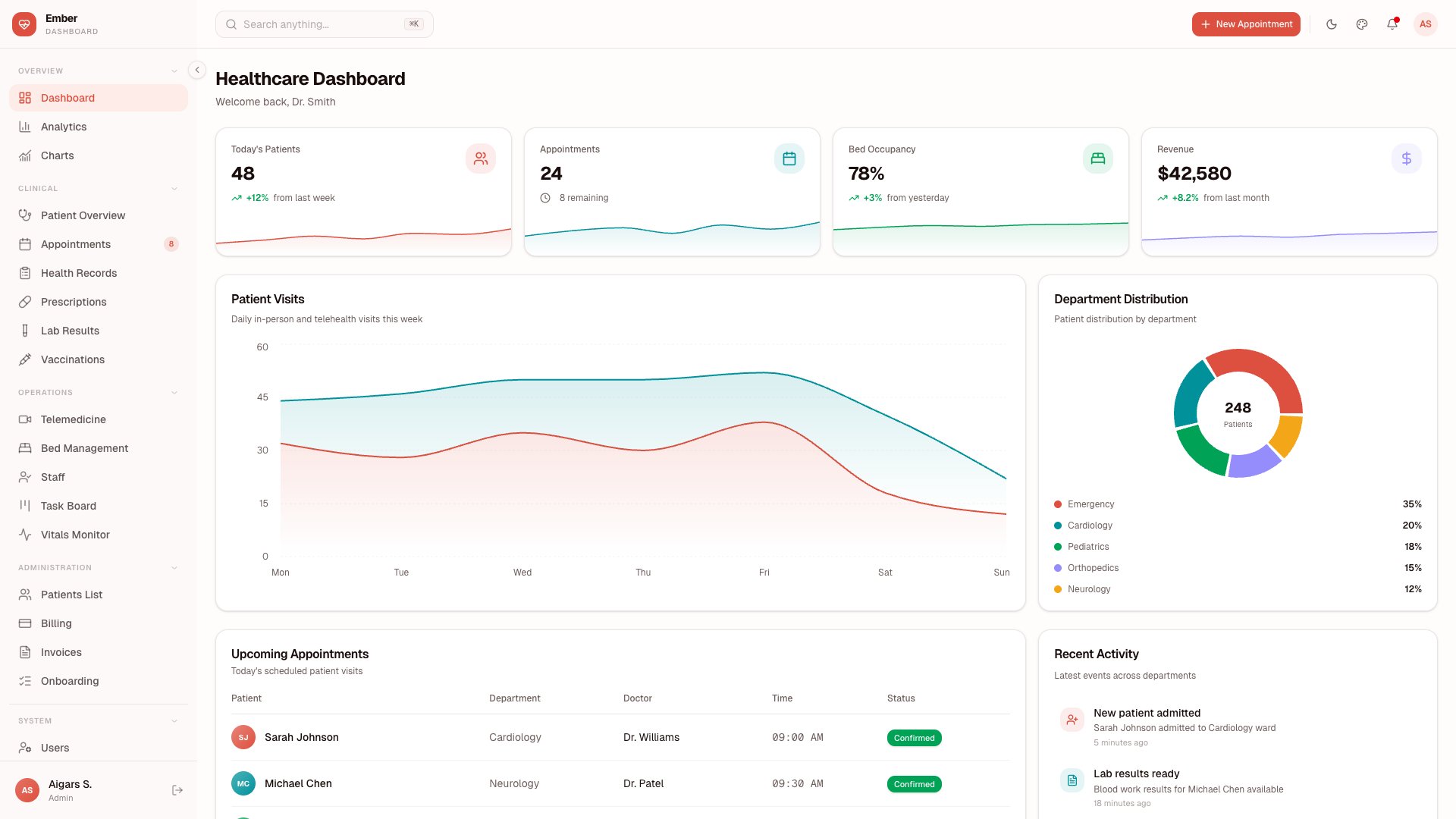
Why we like it: Ember is a healthcare-focused dashboard with 50+ pages designed specifically for medical practices and health tech products.
Ember is a healthcare-focused dashboard with 50+ pages designed specifically for medical practices and health tech products. Patient Management, Appointments, Vitals tracking, Prescriptions, Lab Results, Health Records, Telemedicine, and Billing modules cover the full clinical workflow. Storybook documentation and a testing suite ensure code quality from day one.
Niche dashboards are rare, and a well-executed healthcare dashboard is even rarer. Ember saves health tech startups and medical software teams from adapting a generic admin template to clinical requirements — the domain-specific pages, data models, and UI patterns are already built. The Storybook integration means designers and developers share a single source of truth for every component.
12. Vault
$69+ • DashboardPack
Why we like it:
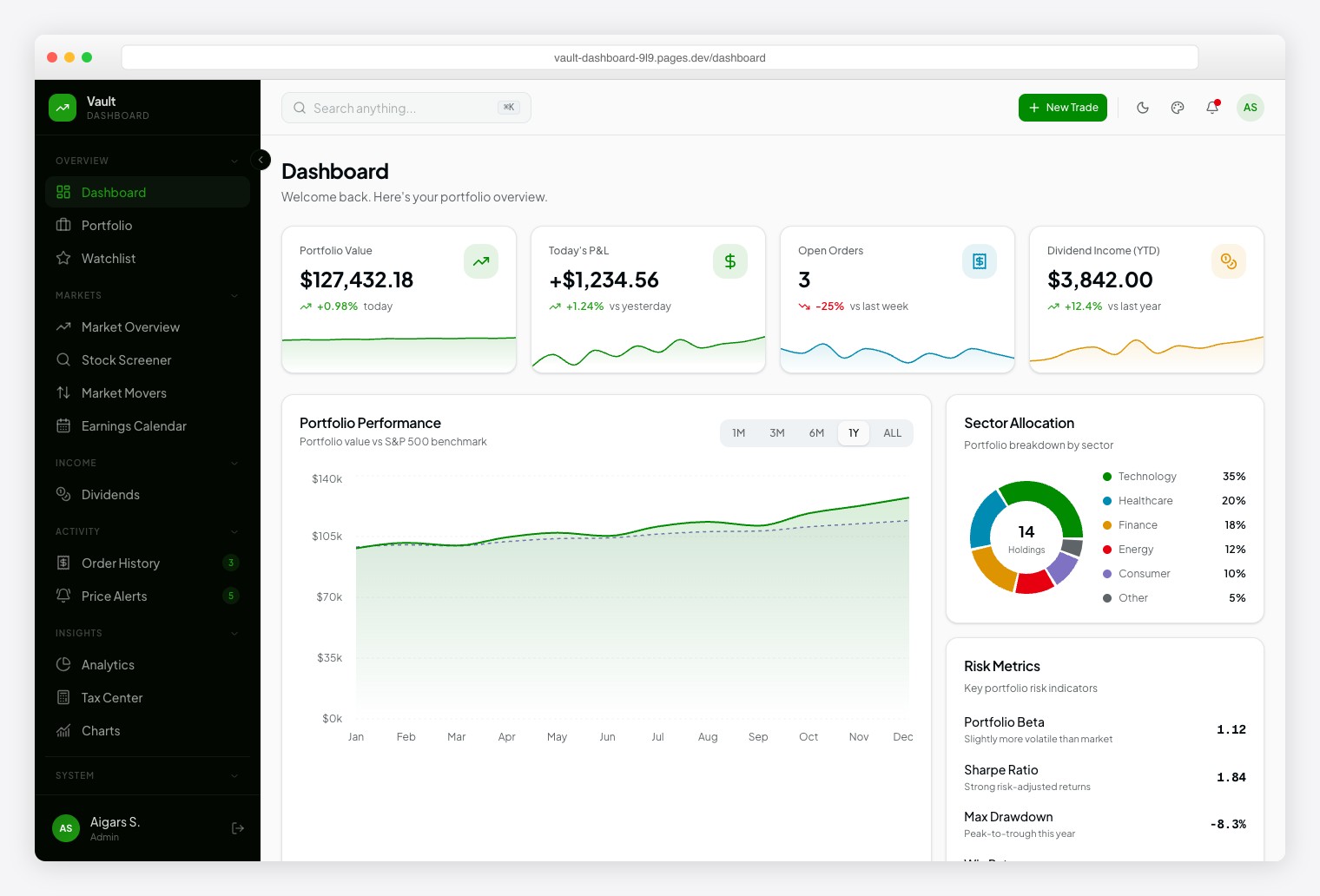
A Robinhood-inspired investment dashboard with Plus Jakarta Sans for readability and Geist Mono for financial data precision. Ships 57+ pages spanning 13 investment modules: Portfolio, Watchlist, Market Overview, Stock Screener, Market Movers, Earnings Calendar, Dividends, Order History, Price Alerts, Analytics, Tax Center, and Stock Detail. Dark/light themes, 6 color presets, 10+ chart types.
13. Fortress
$69+ • DashboardPack
Why we like it:
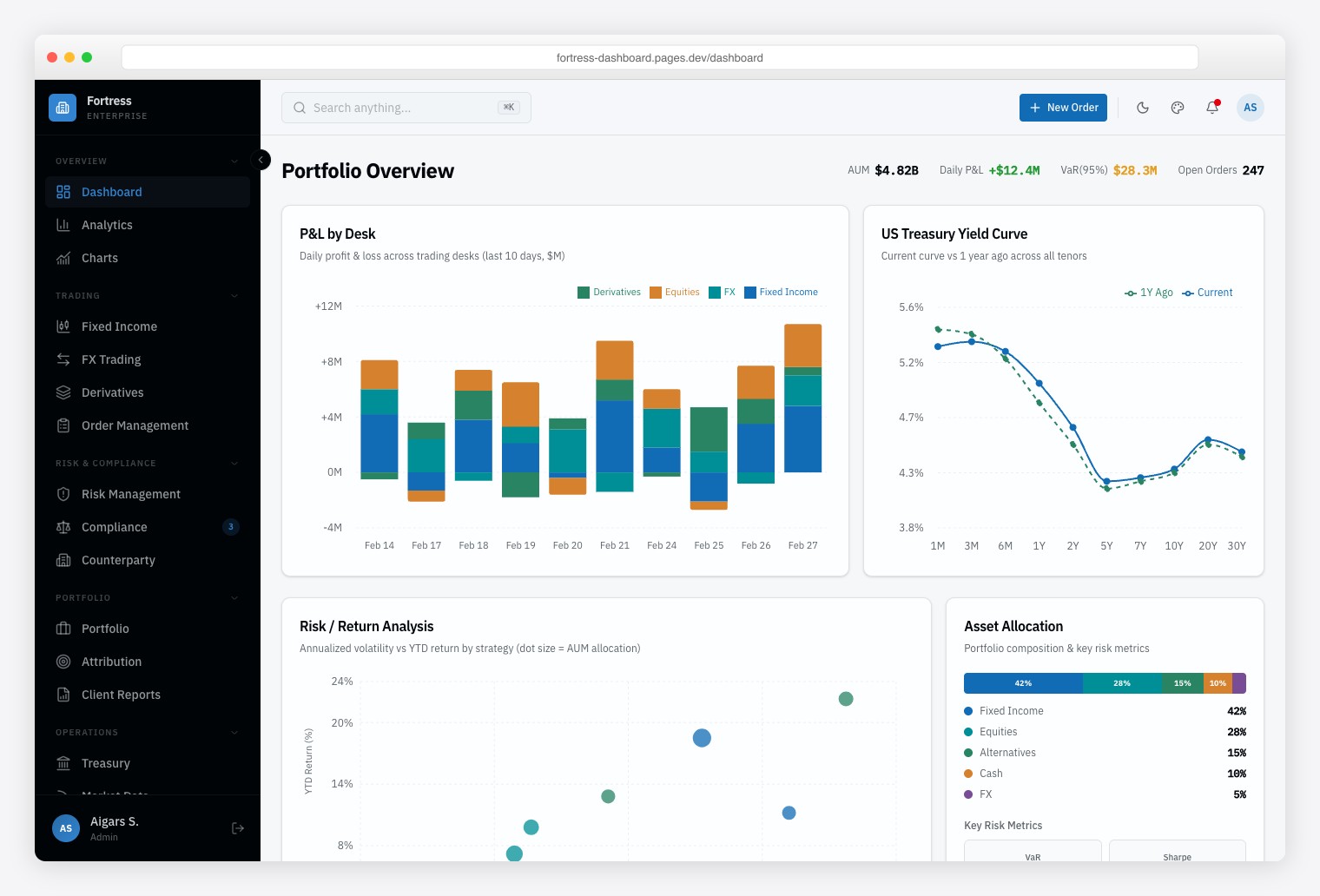
A Bloomberg-inspired institutional finance dashboard built for trading desks, risk management teams, and compliance officers who need dense, data-heavy interfaces. Ships 57+ pages with 13 finance-specific pages covering multi-asset trading (Fixed Income, FX, Derivatives), risk analytics, and regulatory compliance monitoring. Framer Motion animations, Vitest + Playwright testing, and Storybook documentation.
14. Apex Dashboard Laravel
$69+ • DashboardPack
Why we like it:
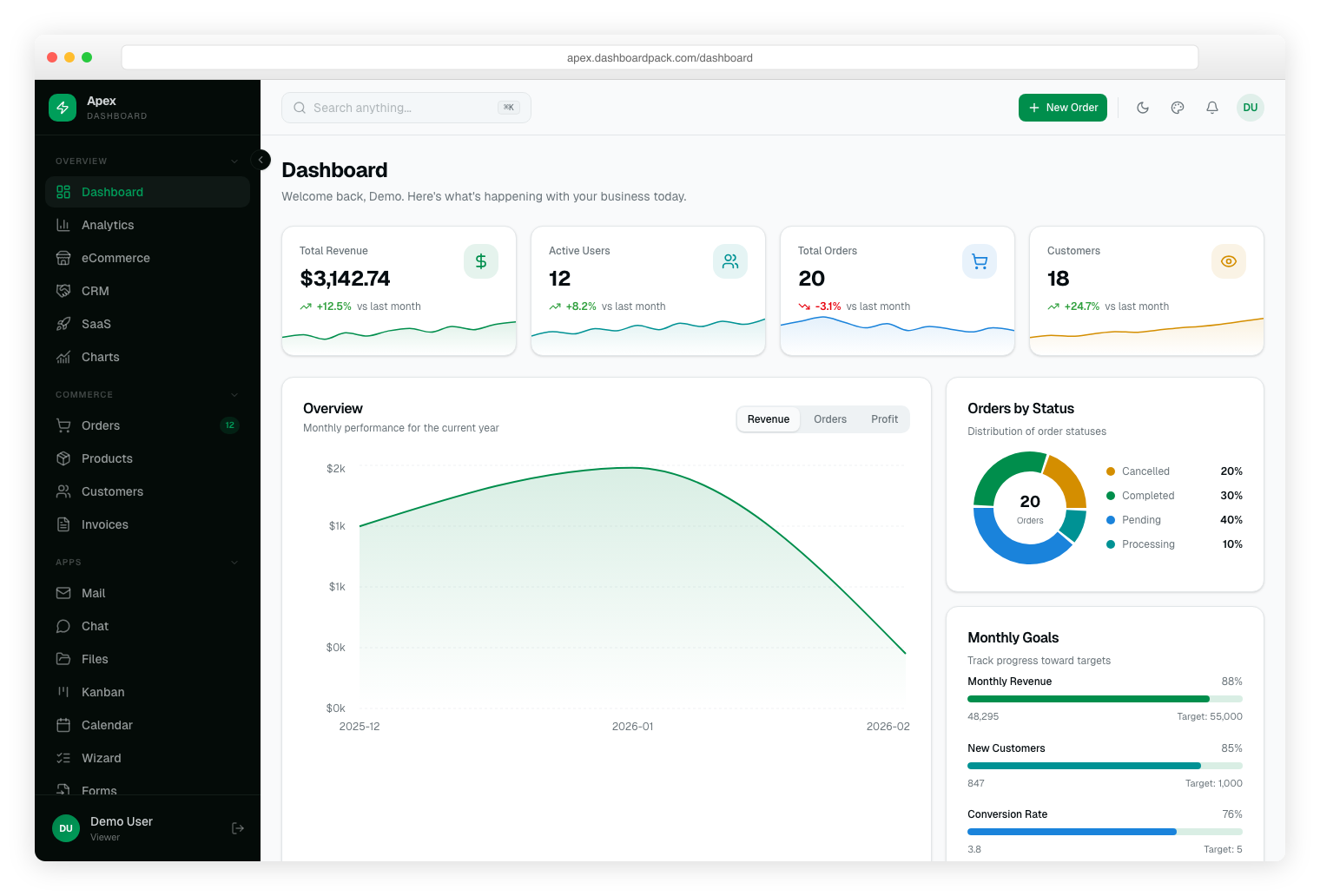
The most comprehensive Laravel admin dashboard available, with 30+ pages built on Laravel 13, Inertia.js 2, React 19, TypeScript, and Tailwind CSS v4. Full backend with Eloquent ORM, Spatie role-based access control, Fortify authentication with 2FA, and CRUD operations for orders, products, customers, and invoices. Includes 5 dashboard views, Kanban, Calendar, Charts, and a live theme customizer with 6 color presets.
15. Zenith Dashboard Laravel
$69+ • DashboardPack
Why we like it:
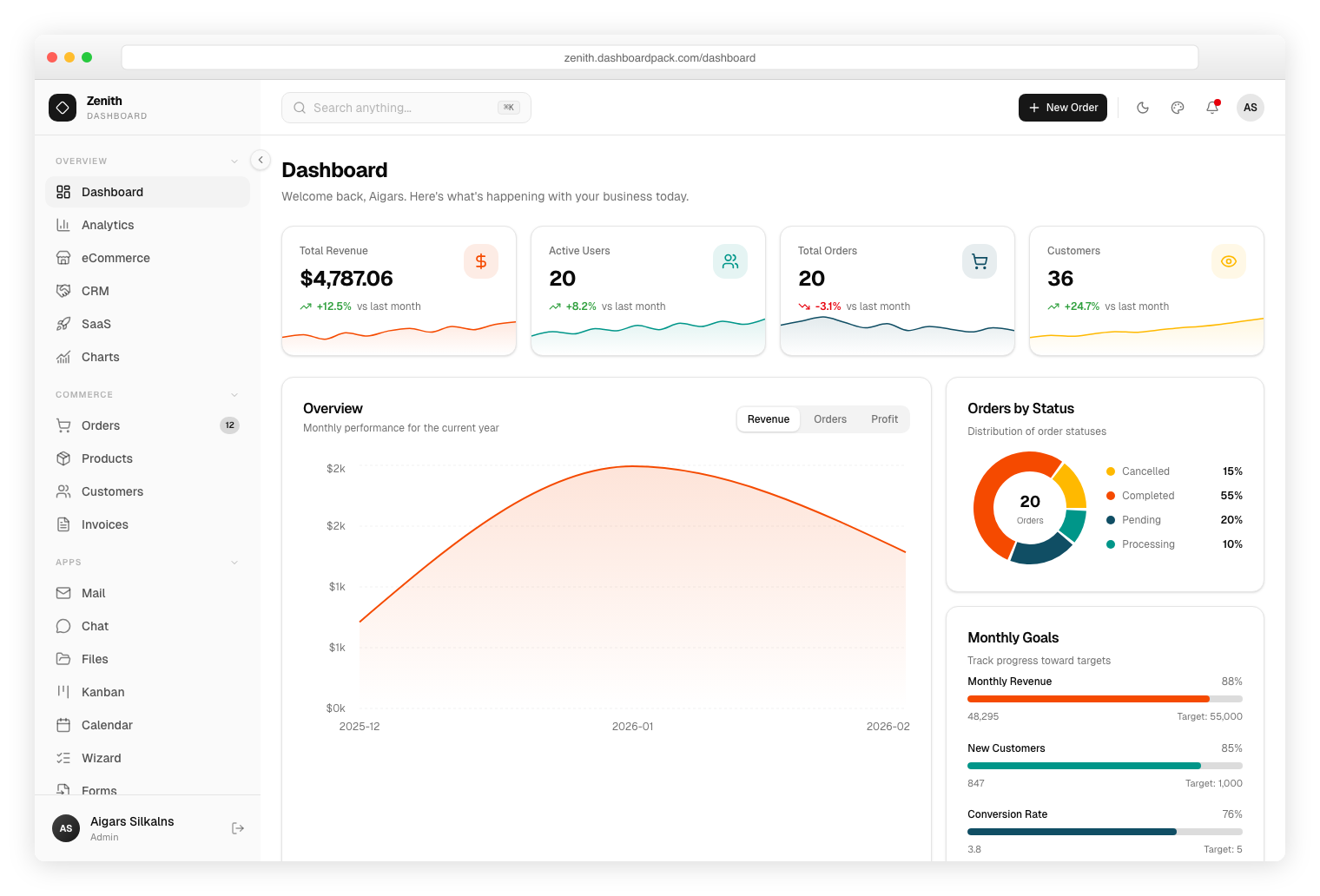
An ultra-minimal, achromatic Laravel dashboard with clean typography and precise spacing. Built on Laravel 13, Inertia.js 2, and React 19 with full Eloquent backend, Spatie permissions, and Fortify auth. Ships 30+ pages including eCommerce CRUD, Analytics, Kanban, Calendar, and vendored shadcn/ui components. SQLite by default with MySQL/PostgreSQL support.
16. Signal Dashboard Laravel
$69+ • DashboardPack
Why we like it:
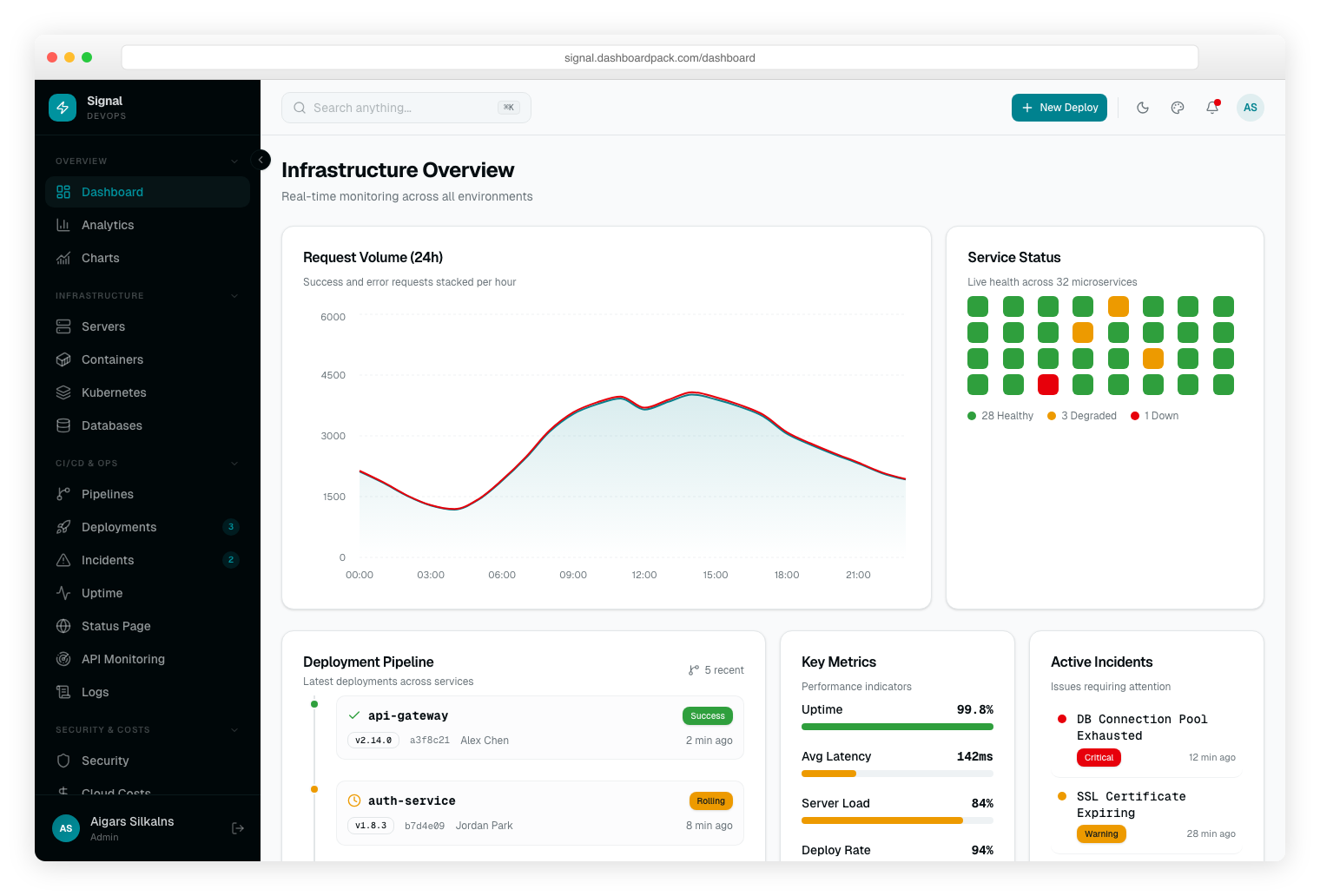
A terminal-inspired DevOps Laravel dashboard with dark-first neon green aesthetic and JetBrains Mono typography. Built on Laravel 13, Inertia.js 2, and React 19 with full Eloquent backend, Spatie role-based access, and Fortify authentication. Ships 30+ pages with eCommerce CRUD, Analytics, Kanban, Calendar, and OKLCh color tokens.
17. Tabler
⭐ 40,700+ GitHub Stars • Free (MIT)
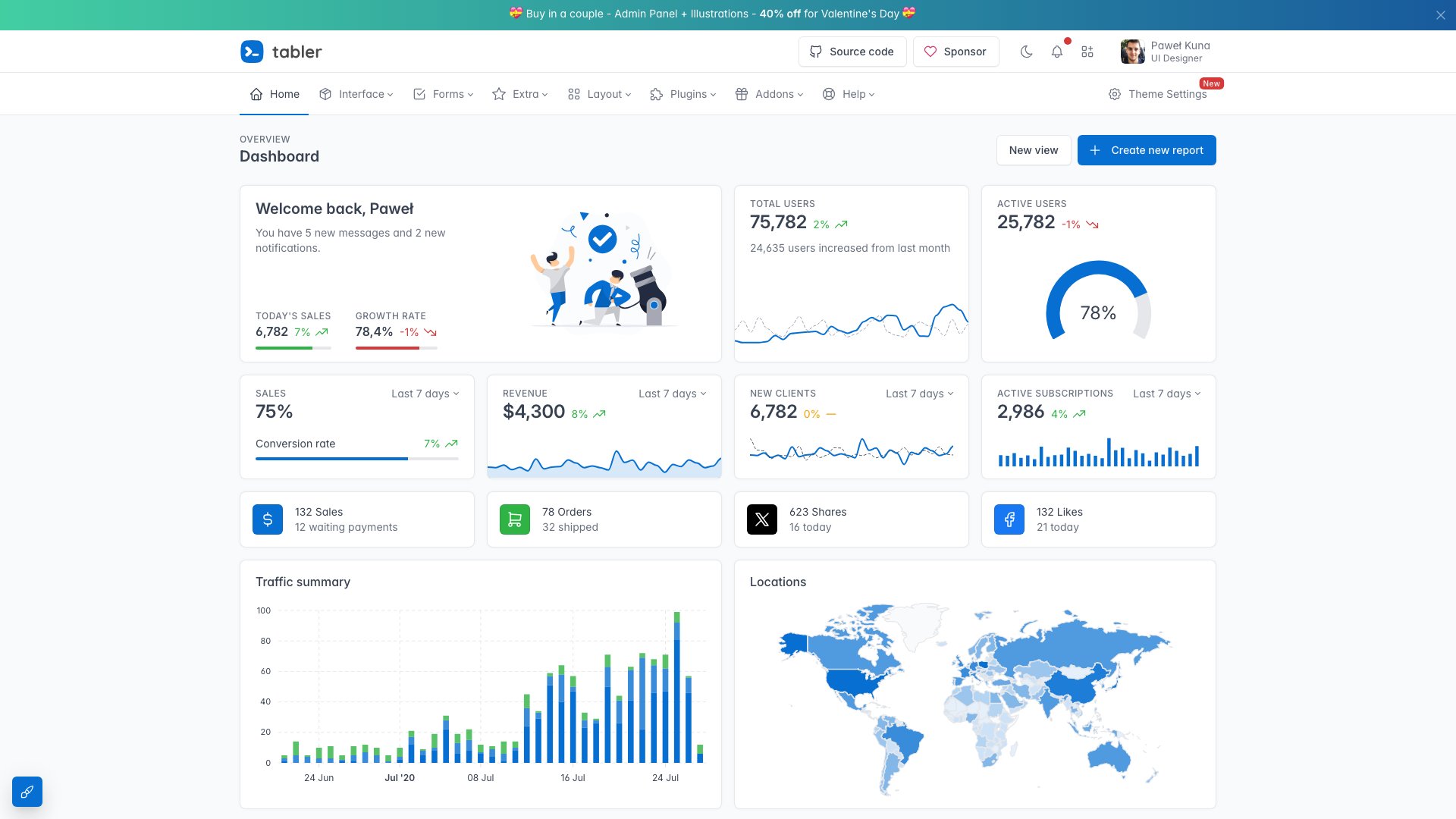
Why we like it: Tabler is arguably the best-designed free admin template available.
Tabler is arguably the best-designed free admin template available. With 40,700+ GitHub stars, it combines Bootstrap 5 with a clean, modern design system featuring 200+ responsive components, custom SVG icons, and thoughtful typography. The attention to design detail — consistent spacing, refined color palette, polished micro-interactions — makes Tabler look and feel like a premium template that happens to be free.
The component library covers everything you need: dashboard cards, charts, data tables, forms, modals, alerts, navigation patterns, pricing pages, authentication flows, and error pages. The lightweight codebase loads fast and the documentation is excellent. For developers who want a free Bootstrap 5 dashboard that doesn’t look “free,” Tabler sets the standard.
18. CoreUI
⭐ 12,200+ GitHub Stars • Free (MIT)
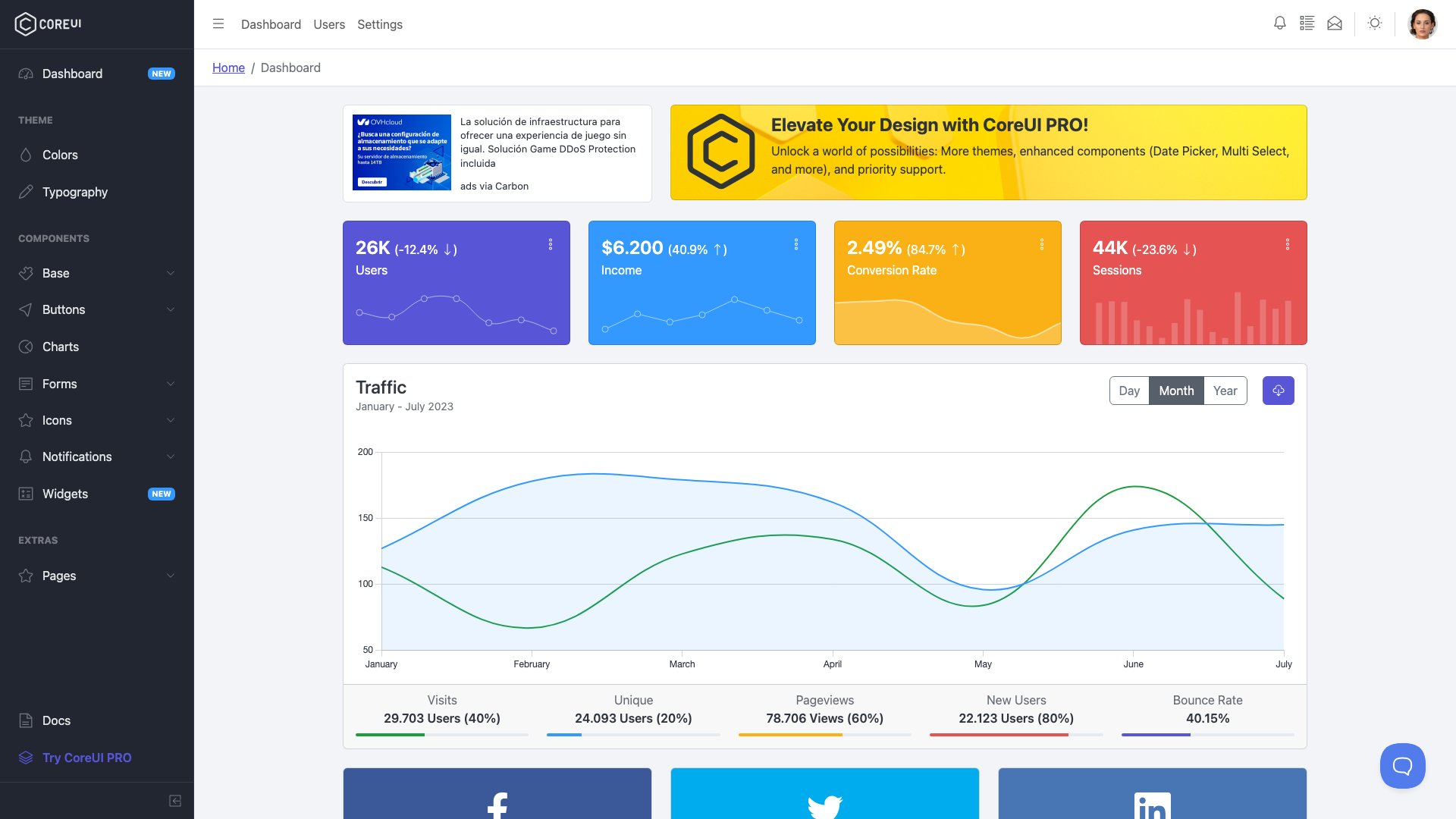
Why we like it: CoreUI stands out by offering free versions across four frameworks: Bootstrap (12,200+ stars), React (4,900+ stars), Vue (3,400+ stars), and Angular (1,800+ stars).
CoreUI stands out by offering free versions across four frameworks: Bootstrap (12,200+ stars), React (4,900+ stars), Vue (3,400+ stars), and Angular (1,800+ stars). The free versions are genuinely usable — not stripped-down demos — with a clean admin layout, dashboard components, charts, and responsive navigation. The CoreUI component library extends Bootstrap with additional widgets tailored for admin interfaces.
The multi-framework approach is CoreUI’s killer feature. If your team works across different tech stacks or you’re building multiple admin panels, CoreUI provides a consistent design language everywhere. The free version is production-ready for internal tools, and the Pro upgrade adds more components and premium support. Regular releases keep all framework variants current.
For Bootstrap-specific options, explore our Bootstrap dashboard examples.
19. Shadcn Admin
⭐ 11,000+ GitHub Stars • Free (MIT)
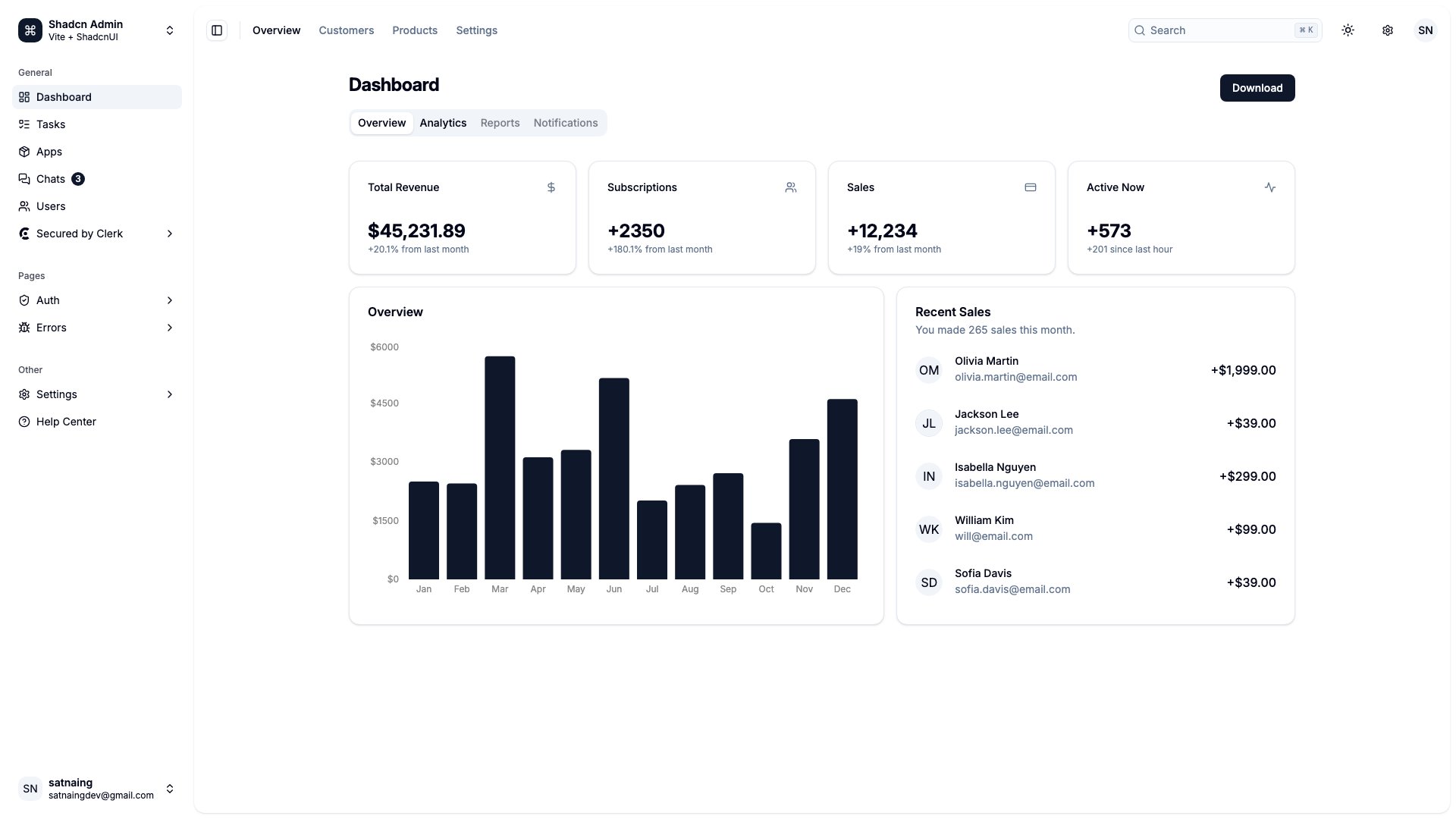
Why we like it: Shadcn Admin is the fastest-growing admin dashboard on GitHub, reflecting the massive adoption of shadcn/ui in the React ecosystem.
Shadcn Admin is the fastest-growing admin dashboard on GitHub, reflecting the massive adoption of shadcn/ui in the React ecosystem. Built with React, Vite, shadcn/ui, Tailwind CSS, and TypeScript, it includes 10+ pages, a collapsible sidebar, global command search (cmdk), light/dark mode, and full RTL support. The design is minimal, accessible, and production-ready.
What makes Shadcn Admin special is the developer experience. shadcn/ui components are copied into your project (not installed as a dependency), giving you full control over every line of code. The TypeScript-first approach catches errors at compile time, and the Tailwind CSS styling means rapid customization without fighting CSS specificity. For modern React teams, this is the dashboard template that feels most native to the 2026 development workflow.
Check out our full list of Shadcn admin dashboard templates.
20. Vuestic Admin
⭐ 11,000+ GitHub Stars • Free (MIT)
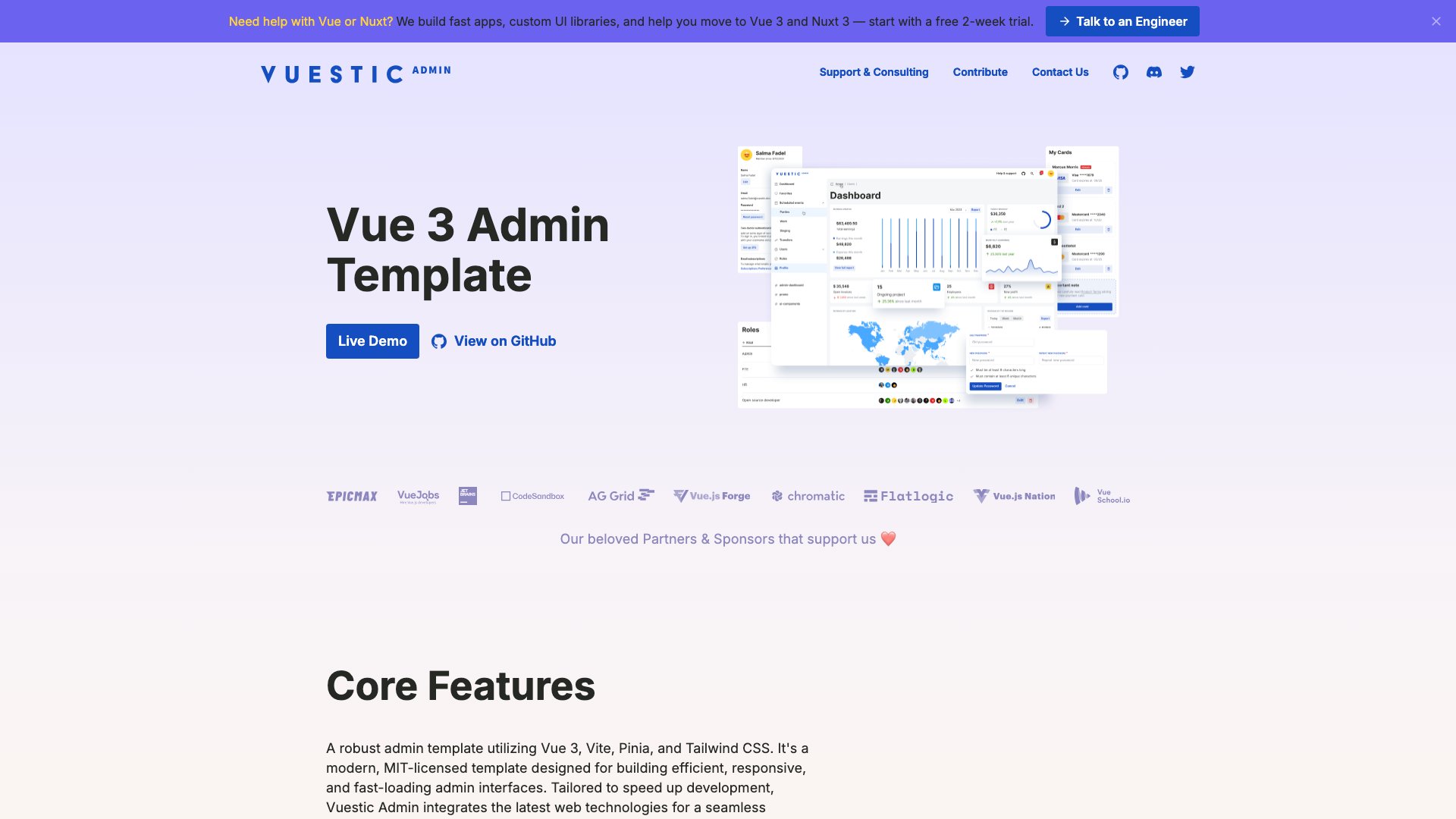
Why we like it: Vuestic Admin is the most popular admin dashboard in the Vue ecosystem, built on Vue 3 with the Vuestic UI component library, Tailwind CSS, Vite, and Pinia for state management.
Vuestic Admin is the most popular admin dashboard in the Vue ecosystem, built on Vue 3 with the Vuestic UI component library, Tailwind CSS, Vite, and Pinia for state management. The template delivers a polished admin interface with 40+ UI components, chart integrations, data tables, form elements, and comprehensive layout options. Accessibility is a first-class concern with proper ARIA labels throughout.
Maintained by Epicmax, Vuestic Admin benefits from professional development practices and regular updates. The Tailwind CSS integration means you get utility-class styling alongside the component library, giving you flexibility in how you customize the interface. For Vue 3 teams who want a mature, well-maintained dashboard with a modern tech stack, Vuestic Admin is the clear leader.
More Vue options in our Vue admin dashboard templates collection.
21. Mazer
⭐ 3,000+ GitHub Stars • Free (MIT)
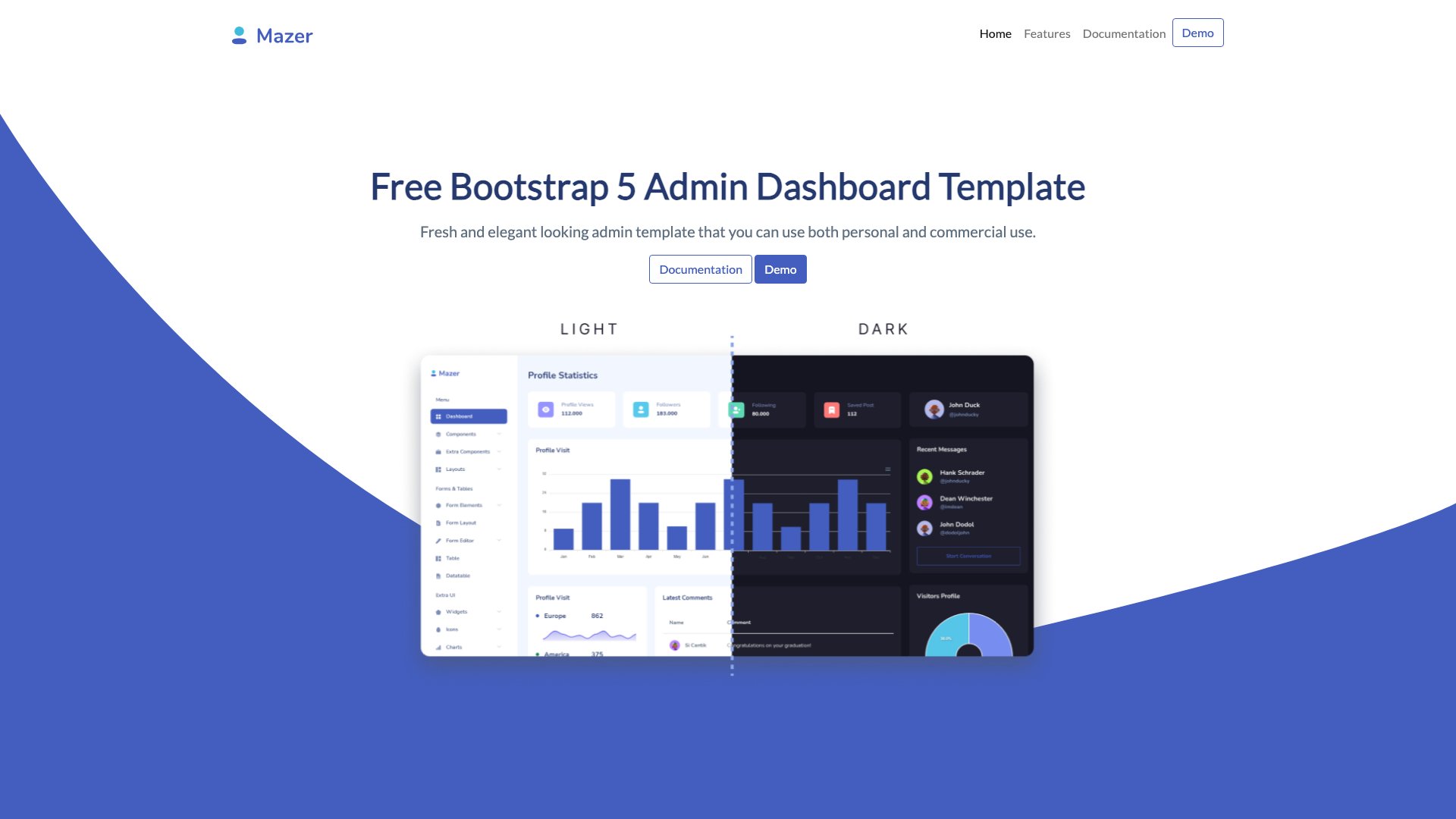
Why we like it: Mazer is a minimalistic, jQuery-free Bootstrap 5 admin template that proves you don’t need heavy dependencies for a great admin dashboard.
Mazer is a minimalistic, jQuery-free Bootstrap 5 admin template that proves you don’t need heavy dependencies for a great admin dashboard. The clean interface includes widgets, ApexCharts visualizations, a chatbox component, to-do lists, maps, authentication pages, and error pages. The community has built official integrations for Nuxt, Laravel, and Django, extending its reach across backend frameworks.
What sets Mazer apart is its simplicity. While other templates pack in hundreds of components, Mazer focuses on the essentials and does them well. The result is a lightweight, fast-loading dashboard that’s easy to understand, customize, and maintain. For developers who want a clean Bootstrap 5 starting point without the bloat, Mazer is refreshingly straightforward.
22. Flowbite Admin Dashboard
⭐ 2,800+ GitHub Stars • Free (MIT)
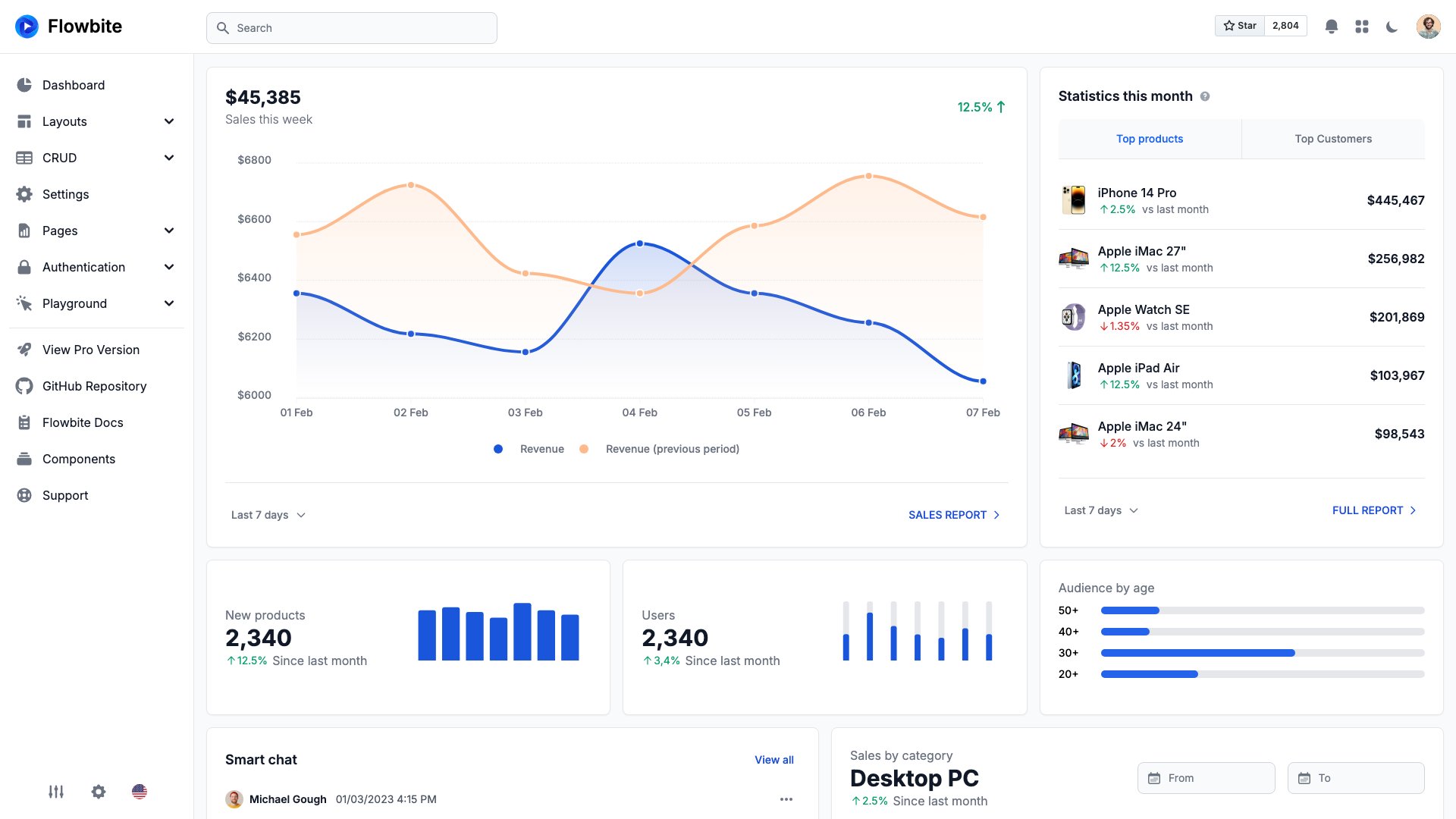
Why we like it: Flowbite Admin Dashboard is the most page-complete free Tailwind CSS admin template available.
Flowbite Admin Dashboard is the most page-complete free Tailwind CSS admin template available. It ships with 15 advanced example pages, two dashboard layouts, charts powered by ApexCharts, widgets, sortable data tables, date pickers, CRUD pages, and authentication flows. The Flowbite component library provides interactive elements (dropdowns, modals, tooltips) that work without a JavaScript framework.
Available in HTML, React, Svelte, and Astro variants, the Flowbite ecosystem covers the most popular frontend frameworks. Dark mode is built in and the responsive design works well on all screen sizes. For teams standardized on Tailwind CSS who need a complete admin interface without pulling in Bootstrap, Flowbite delivers the most out-of-the-box functionality.
Browse more options in our Tailwind CSS admin and dashboard templates roundup.
23. Gentelella
⭐ 21,000+ GitHub Stars • Free (MIT)
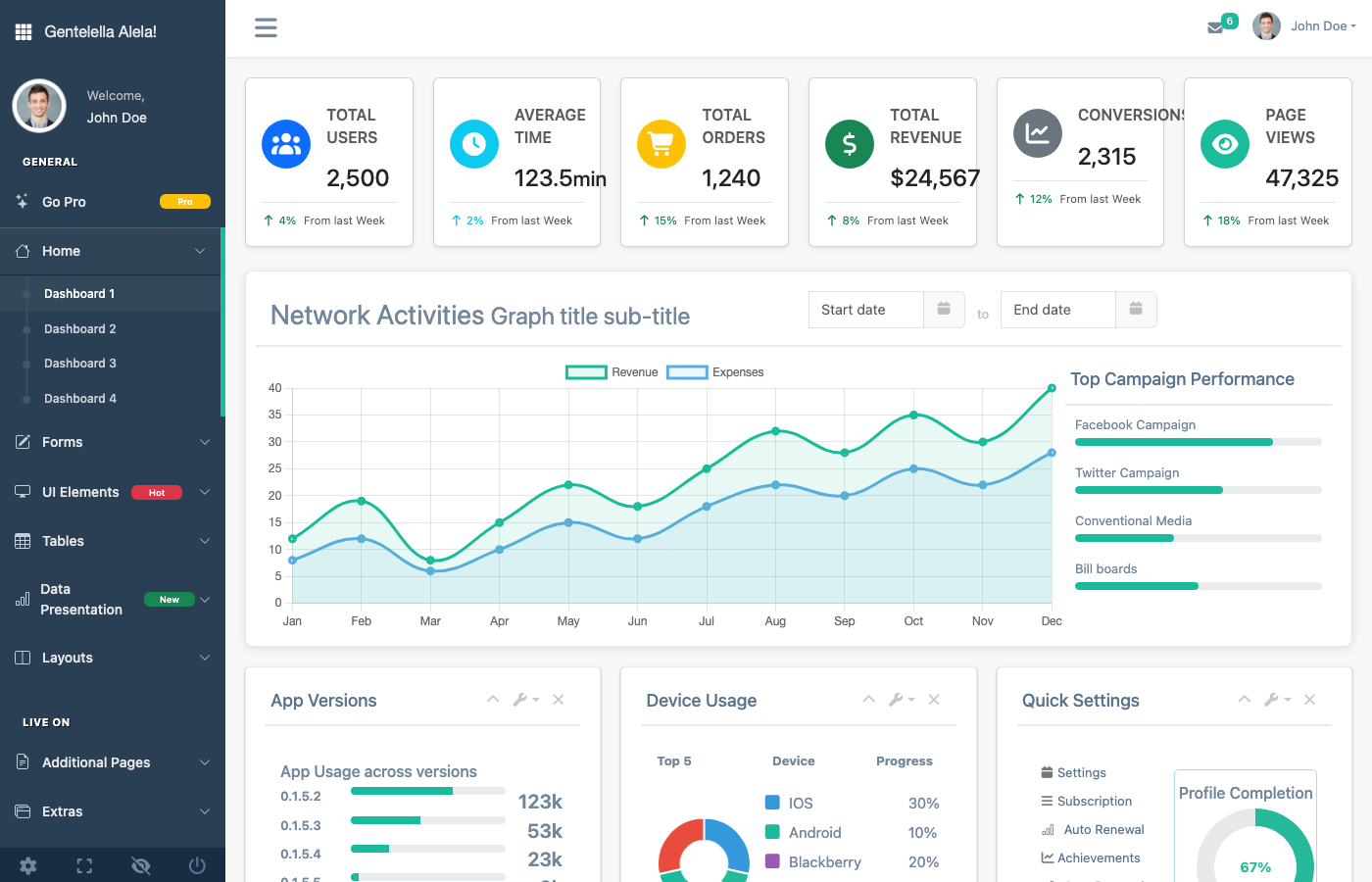
Why we like it: Gentelella is one of the most starred free admin dashboard templates on GitHub, with over 21,000 stars earned through years of reliable service.
Gentelella is one of the most starred free admin dashboard templates on GitHub, with over 21,000 stars earned through years of reliable service. Recently modernized with a Vite build system, performance optimizations, and Bootstrap 5, it provides a comprehensive admin interface with progress bars, notifications, animations, calendars, sortable tables, and chart components. The flat design aesthetic remains clean and professional.
As part of the ColorlibHQ family alongside AdminLTE, Gentelella benefits from the same commitment to long-term maintenance and community support. It’s an excellent choice for developers who want a feature-rich free dashboard with a proven track record and active development. The MIT license means you can use it in any project, commercial or otherwise.
24. Minimal UI Kit
⭐ 2,700+ GitHub Stars • Free (MIT)
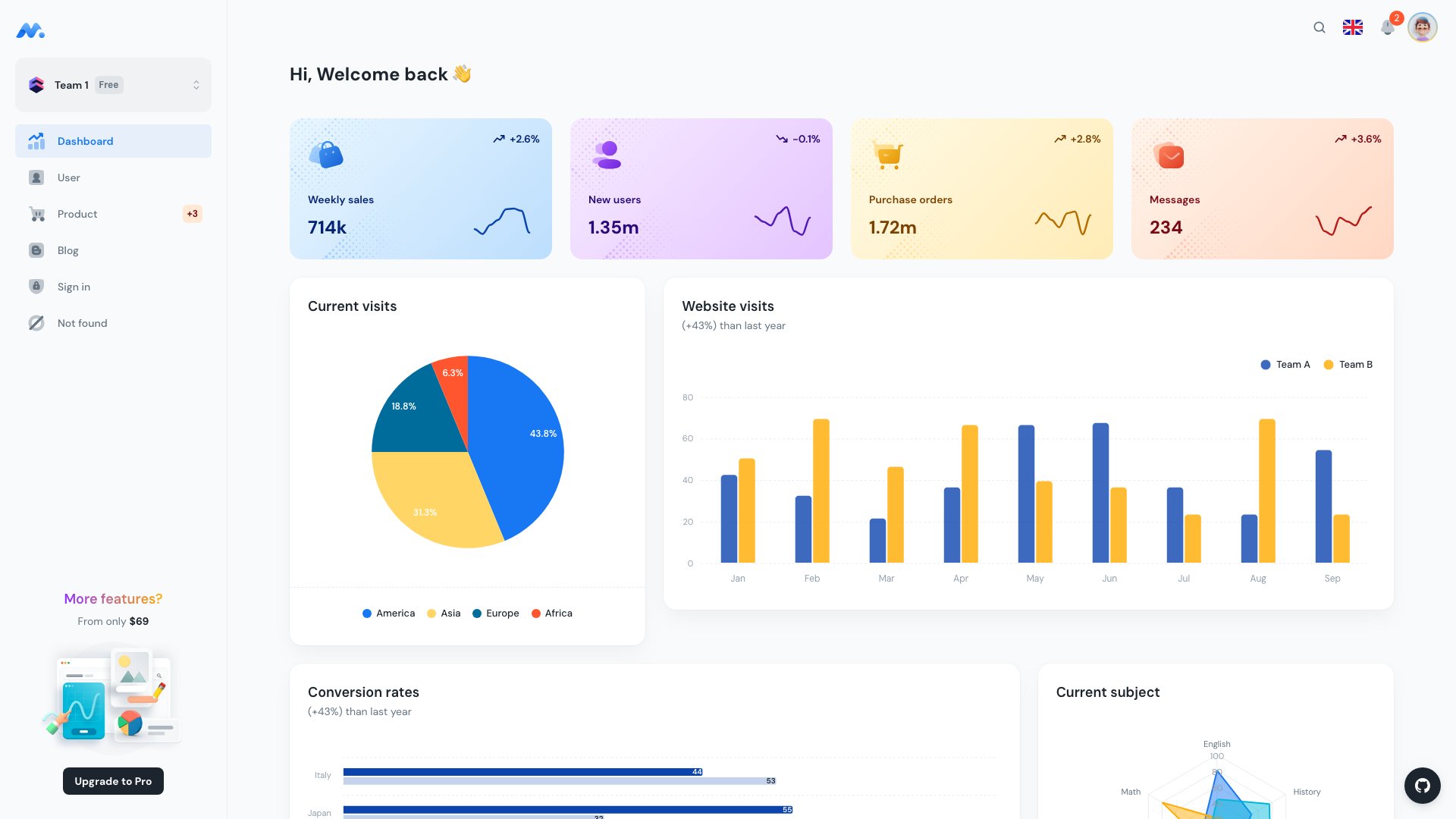
Why we like it: Minimal UI Kit earns its name with a design philosophy that prioritizes whitespace, clean typography, and refined component styling.
Minimal UI Kit earns its name with a design philosophy that prioritizes whitespace, clean typography, and refined component styling. Built on React 19, MUI v7, and Vite 6, it delivers an analytics dashboard, user management, product listings, blog pages, and authentication flows — all with the kind of visual polish that makes most other free templates look cluttered by comparison.
The design quality is Minimal UI’s standout feature. Every component looks intentional, every spacing decision considered. For developers building a SaaS dashboard or client-facing admin panel where aesthetics matter, Minimal UI Kit provides a free foundation that genuinely looks premium. The MUI v7 base means excellent component coverage and Material Design consistency throughout.
25. Volt Dashboard
⭐ 2,700+ GitHub Stars • Free (MIT)
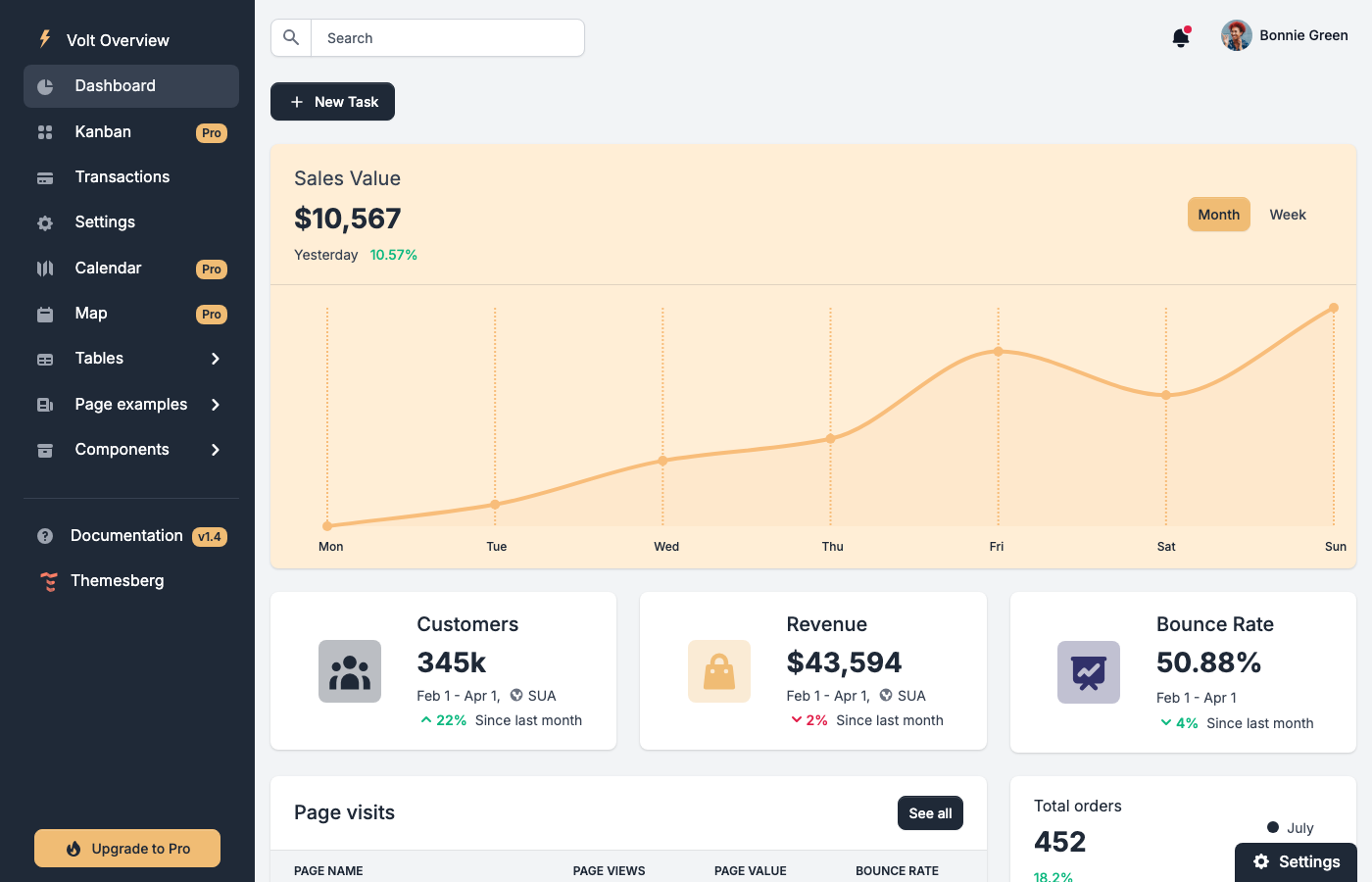
Why we like it: Volt is a jQuery-free Bootstrap 5 dashboard by Themesberg (the team behind Flowbite).
Volt is a jQuery-free Bootstrap 5 dashboard by Themesberg (the team behind Flowbite). It includes 100+ components, 11 example pages, and 3 plugins — all built with vanilla JavaScript and modern Bootstrap practices. The clean design uses soft colors and generous spacing, and the documentation is thorough with code examples for every component.
While Volt hasn’t seen major updates recently, the stable codebase is production-ready and the Bootstrap 5 foundation means it integrates smoothly with any backend framework. For teams that want a proven, well-documented Bootstrap 5 dashboard without jQuery overhead, Volt remains a solid choice. The React version is also available for teams that prefer a component-based approach.
26. Berry Dashboard
⭐ 2,100+ GitHub Stars • Free (MIT)
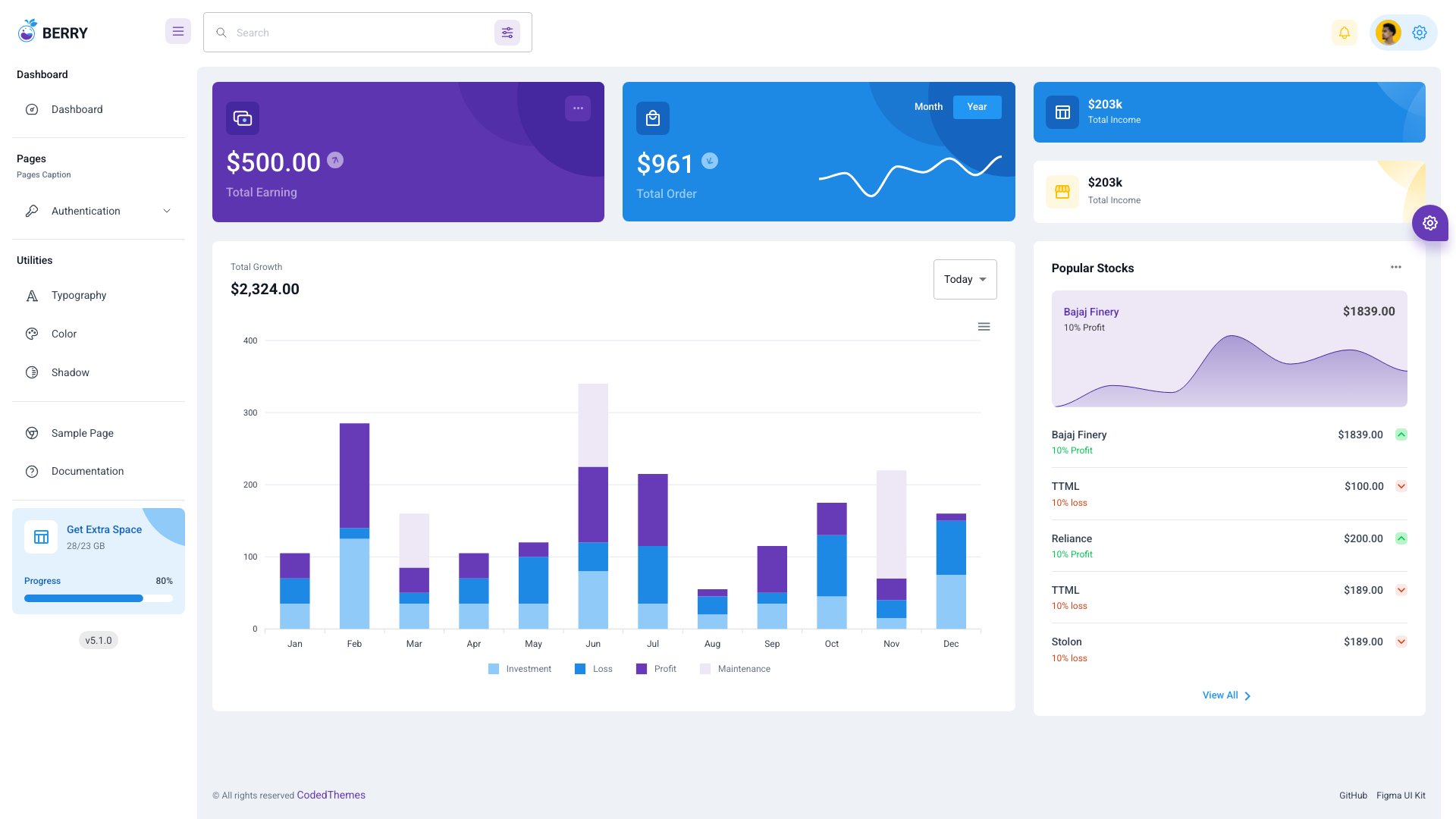
Why we like it: Berry by CodedThemes is one of the most visually distinctive free React dashboards available.
Berry by CodedThemes is one of the most visually distinctive free React dashboards available. The warm color palette, soft rounded corners, and refined component styling set it apart from the typical gray-and-blue admin template. Built on React with Material UI v7, Berry includes a complete dashboard layout with charts, tables, and form components. CodedThemes keeps it actively updated with the latest MUI releases.
The free version is genuinely usable for production projects, with a clean dashboard page, sample components, and authentication flows. The Pro version ($149) extends to 70+ components and 7 pre-built applications. For teams that want a React admin dashboard that looks polished enough for client-facing SaaS products, Berry delivers design quality that most free templates can’t match.
For more React options, see our React admin dashboard templates roundup.
27. TailAdmin
⭐ 1,900+ GitHub Stars • Free (MIT)
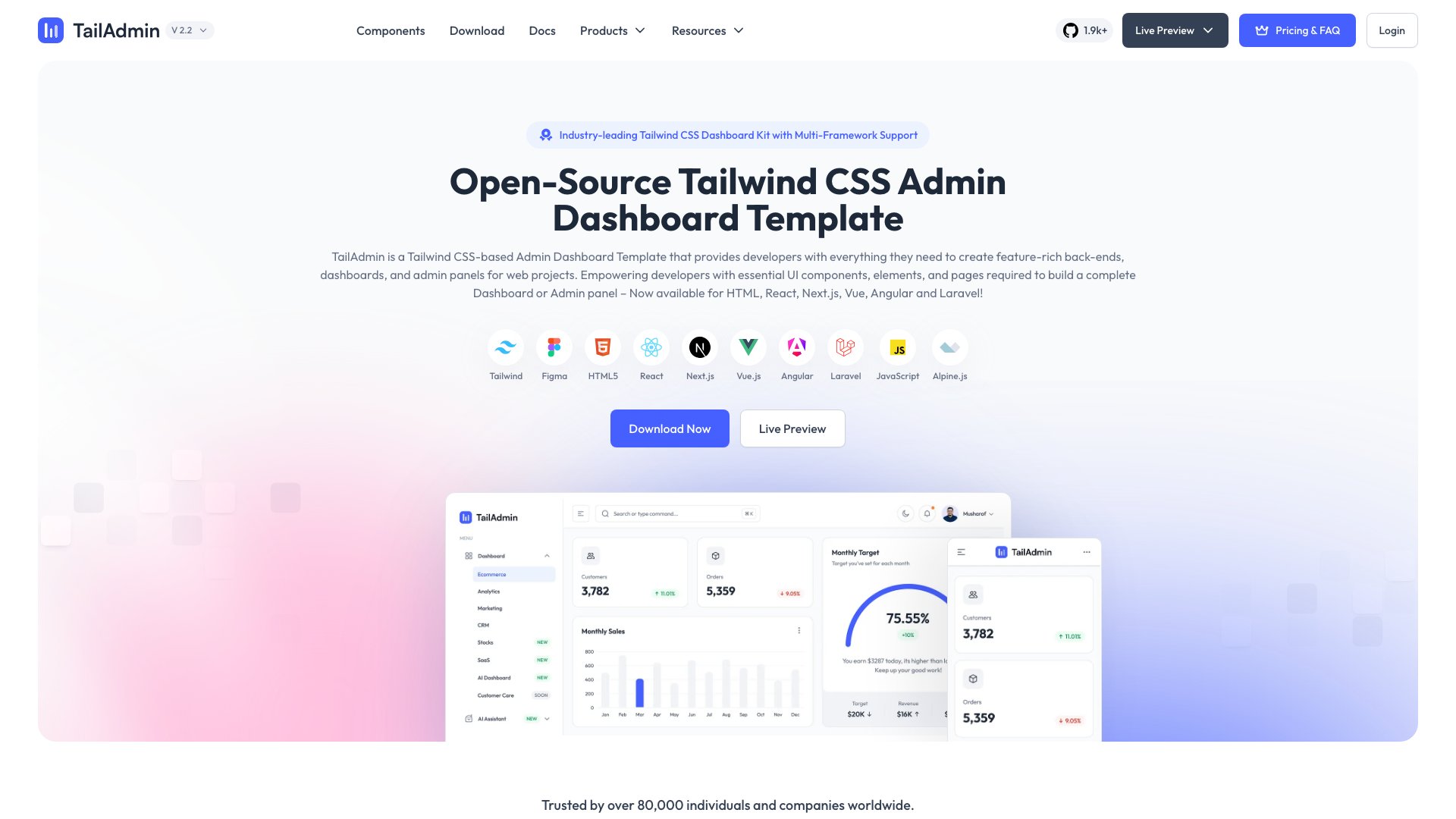
Why we like it: TailAdmin offers 500+ pre-built UI components and 6 dashboard variations in a pure Tailwind CSS + HTML template.
TailAdmin offers 500+ pre-built UI components and 6 dashboard variations in a pure Tailwind CSS + HTML template. The free version is surprisingly complete, with analytics, e-commerce, marketing, CRM, stocks, and logistics dashboard layouts. Actively maintained with Tailwind CSS v4 support, TailAdmin also has Next.js, React, Vue, and Angular variants available.
The multi-framework availability makes TailAdmin a versatile choice for teams working across different tech stacks. The Tailwind utility-class approach means customization is fast and intuitive, and the responsive design adapts well to mobile screens. For a free Tailwind dashboard with genuine variety in dashboard layouts, TailAdmin delivers impressive value.
28. AdminKit
⭐ 1,600+ GitHub Stars • Free (MIT)
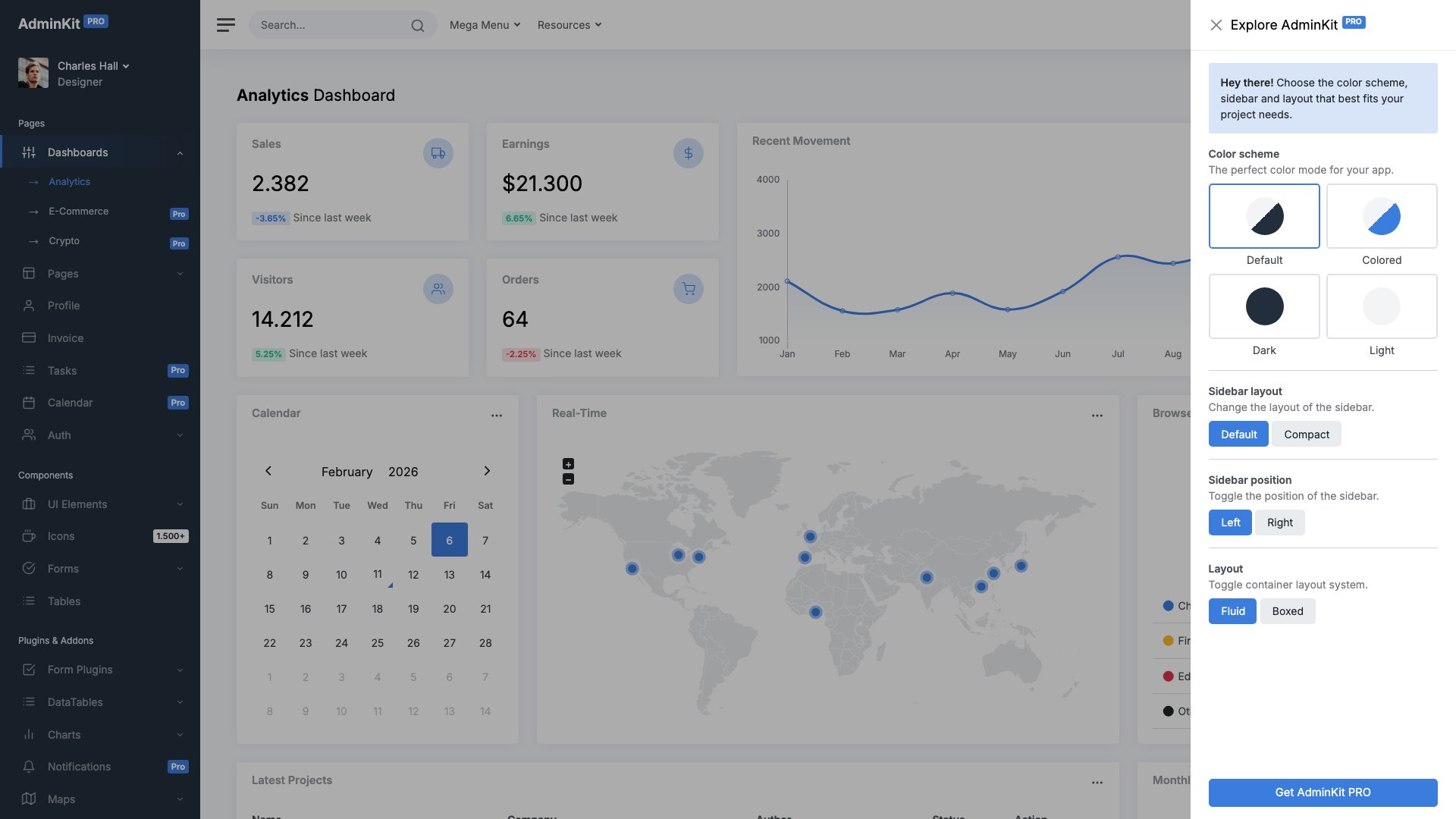
Why we like it: AdminKit takes a clean, minimal approach to Bootstrap 5 admin templates.
AdminKit takes a clean, minimal approach to Bootstrap 5 admin templates. The lightweight codebase prioritizes fast loading and easy customization over component quantity. Dashboard charts, data tables, form elements, and responsive navigation are included with a focus on doing the basics well rather than overwhelming you with options. The documentation is clear and the code is well-organized.
Actively maintained with recent updates in February 2026, AdminKit is a good choice for developers who want a simple, no-frills Bootstrap 5 dashboard to build upon. The clean starting point means less time removing features you don’t need and more time building the ones you do. For quick prototypes and internal tools, AdminKit gets you from zero to dashboard faster than most alternatives.
29. Sneat
⭐ 1,200+ GitHub Stars • Free (MIT)
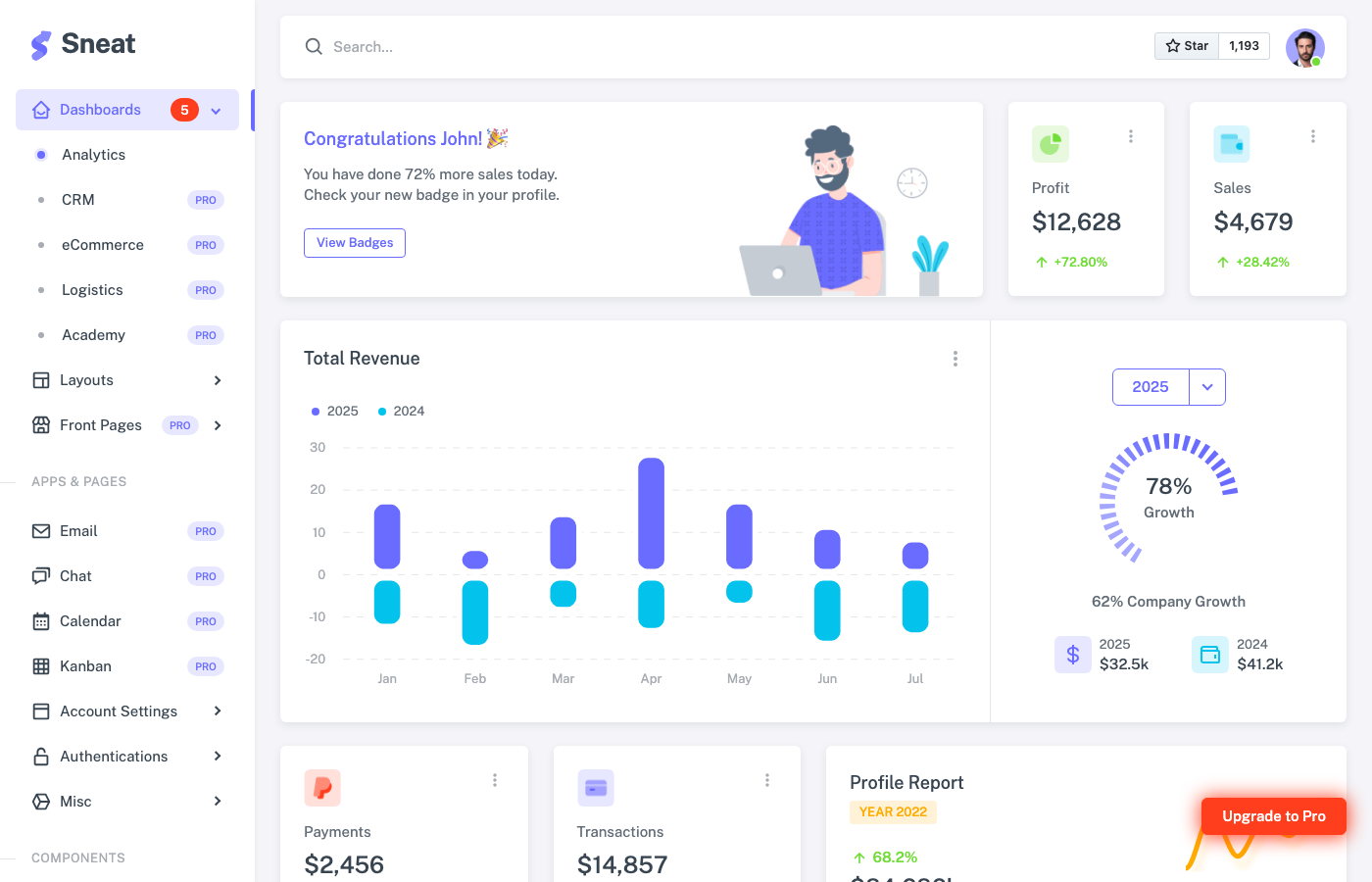
Why we like it: Sneat by ThemeSelection is a comprehensive Bootstrap 5 admin dashboard that punches above its star count.
Sneat by ThemeSelection is a comprehensive Bootstrap 5 admin dashboard that punches above its star count. The free version includes a polished dashboard layout, form components, tables, charts, and authentication pages. Version 3.0 brought significant improvements, and the template is available across Laravel, Vue/Vuetify, Nuxt, Django, and ASP.NET Core MVC variants.
ThemeSelection’s approach of offering the same design across multiple backend frameworks makes Sneat particularly valuable for agencies that work with different tech stacks. The Bootstrap 5 foundation is solid, the component styling is modern with rounded corners and subtle gradients, and the documentation covers integration patterns for each framework variant.
Need more admin template options? See our full list of best admin templates.
30. Mantis Dashboard
⭐ 900+ GitHub Stars • Free (MIT)
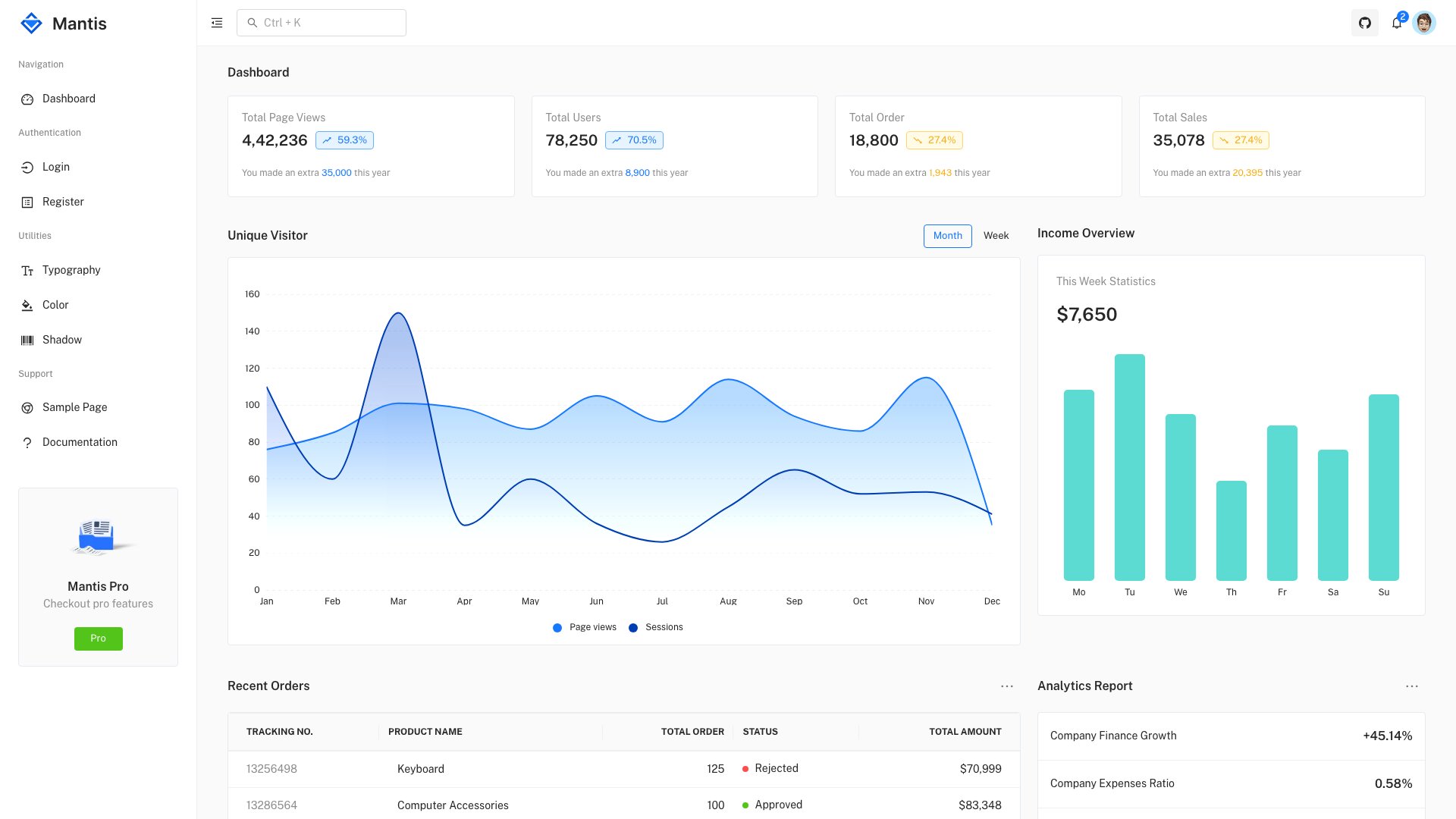
Why we like it: Mantis is CodedThemes’ enterprise-oriented React dashboard, designed for data-dense admin interfaces where information density matters more than visual flair.
Mantis is CodedThemes’ enterprise-oriented React dashboard, designed for data-dense admin interfaces where information density matters more than visual flair. Built on React with MUI v7, it combines Material UI components with Ant Design principles for a hybrid approach that balances aesthetics with functionality. The dashboard layout prioritizes metrics, tables, and charts.
From the same team that builds Berry, Mantis targets a different audience: developers building internal tools, analytics dashboards, and enterprise admin panels where clear data presentation trumps design flourishes. The free version is production-ready, and the Pro extends the component and page library for more complex use cases.
31. Argon Dashboard
⭐ Free (MIT) • Creative Tim
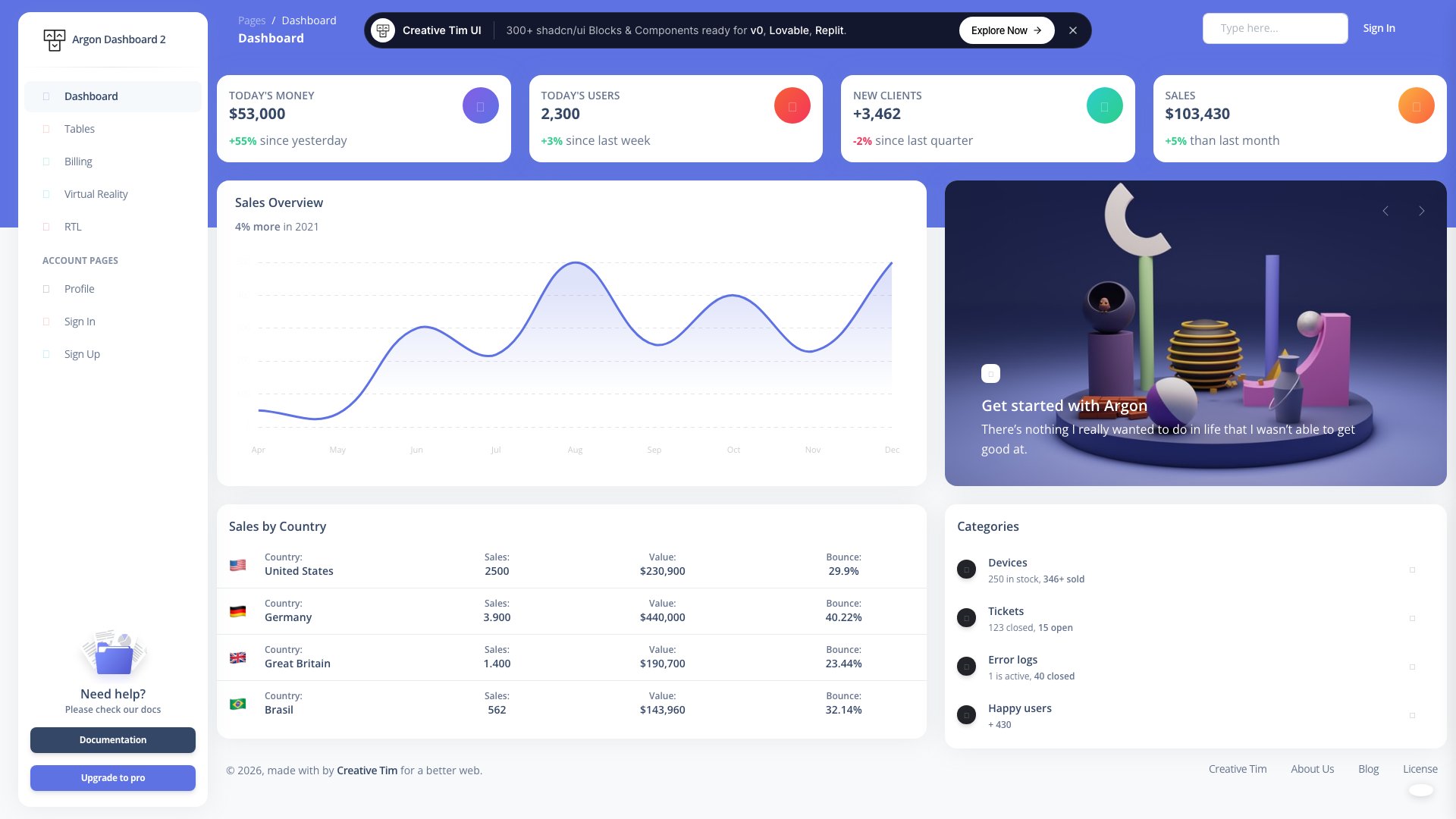
Why we like it: Argon Dashboard by Creative Tim is a clean, well-documented Bootstrap 5 admin template with 100+ frontend components, 4 plugins, and 6 practical pages including a full dashboard, profile, tables, billing, RTL, and authentication.
Argon Dashboard by Creative Tim is a clean, well-documented Bootstrap 5 admin template with 100+ frontend components, 4 plugins, and 6 practical pages including a full dashboard, profile, tables, billing, RTL, and authentication. The design uses Creative Tim’s signature gradient style with smooth transitions and modern card layouts. SASS files are included for easy theming.
Part of Creative Tim’s extensive free template ecosystem, Argon is also available in React, Angular, and Material UI variants. The large user community means plenty of tutorials, integrations, and third-party extensions are available. For developers familiar with Creative Tim’s design language, Argon provides a consistent, reliable free dashboard foundation that’s been proven across hundreds of thousands of projects.
Choosing the Right Dashboard Template
Your choice depends on your tech stack and project requirements. For the most comprehensive free option, AdminLTE 4 (#1) with 45K+ stars and Bootstrap 5 is the industry standard. For premium quality with dedicated support, Apex (#2) delivers 125+ routes with shadcn/ui, while ArchitectUI PRO (#3) and TailPanel (#4) cover Bootstrap and Tailwind CSS respectively. For Next.js teams, Signal (#7) targets DevOps workflows, Flux (#8) covers SaaS, and Zenith (#9) offers ultra-minimal design. For SvelteKit teams, SvelteForge Admin (#10) is the only full-stack Svelte dashboard with real auth and RBAC. Tabler (#17) delivers the best design quality among free Bootstrap templates, while Shadcn Admin (#19) leads the React + Tailwind space.
For Vue teams, Vuestic Admin (#20) is the clear leader with 11K+ stars. For minimal, lightweight starting points, Mazer (#21) and AdminKit (#28) keep things simple. For niche use cases, Ember (#11) covers healthcare and Vault (#12) targets investment dashboards. And if you want a dashboard that looks polished enough for client-facing products, Berry (#26) and Minimal UI Kit (#24) deliver premium-level design quality at zero cost. Pick the framework your team knows best, clone the repo, and start building.
You Might Also Like


Comments (No Comments)