
10 Best Client Dashboard & Portal Design Examples (2026)

Client dashboards have one job the usual analytics dashboard doesn’t: reassure someone who didn’t build it. Below are 10 real client dashboard and client portal design examples — from agency reporting tools (AgencyAnalytics, DashThis, Whatagraph) to modern portals (Assembly, SuiteDash, Moxo) — each with a fresh screenshot and the pattern worth stealing, plus the design rules that make client-facing dashboards work and a build-your-own path.
Short on time? AgencyAnalytics is the reporting reference, Assembly sets the portal design bar, and Data Studio is the free workhorse.
Quick Picks
- Reporting reference: AgencyAnalytics — white-label reports + AI summaries
- Radical simplicity: DashThis — designed for the least-technical viewer
- Visual personality: Whatagraph — reports that double as brand work
- Free workhorse: Data Studio — live shareable dashboards, $0
- Portal design bar: Assembly — the client portal as polished software
- Most portal per dollar: SuiteDash — deep white-label, flat pricing
- No-code from your data: Softr — Airtable/Sheets → permissioned portals
- Guided workflows: Moxo — next-step flows over KPI grids
- Lightweight & free: Notion portals — one shared page per client
- Build your own: Zenith — white-label React/Tailwind template (ours)
Design rules for client-facing dashboards
- Design for the skeptical skimmer. Clients read dashboards in under a minute, looking for “are things okay?” — lead with a verdict (status, trend, summary sentence), not a wall of charts.
- White-label completely. Logo, colors, domain, and emails — any vendor branding leaks trust (SuiteDash and AgencyAnalytics treat this as core, not cosmetic).
- Explain every number. Whatagraph’s annotations and AgencyAnalytics’ AI summaries exist because a metric without a sentence invites a worried email.
- Show the next step. Moxo’s flow-first design answers the client’s real question — “what happens now, and is it my move?”
- Scope visibility per client. One system, per-client views (Softr’s per-record permissions) — never one dashboard per client to maintain by hand.
The examples at a glance
| Product | Category | Pricing | Study it for |
|---|---|---|---|
| AgencyAnalytics | Client reporting · SaaS | Paid | Automated marketing reports clients read |
| DashThis | Client reporting · SaaS | Paid | Fast, friendly marketing dashboards |
| Whatagraph | Client reporting · SaaS | Paid | Colorful reports that feel branded |
| Data Studio | Google · free BI | Free tier | Shareable dashboards at zero cost |
| Assembly (formerly Copilot) | Client portal · SaaS | Paid | A branded portal that feels like software |
| SuiteDash | Client portal · SaaS | Paid | All-in-one portals on a budget |
| Softr | No-code builder | Free tier | Portals built on Airtable/Sheets in a day |
| Moxo | Client portal · SaaS | Paid | Step-by-step client processes |
| Notion Client Portals | Templates · Notion | Free tier | Freelancers and small studios |
| Zenith Dashboard | React/Tailwind · template | Paid | Agencies/SaaS building custom portals |
10 client dashboard & portal examples worth studying
1. AgencyAnalytics
The client-reporting reference for agencies
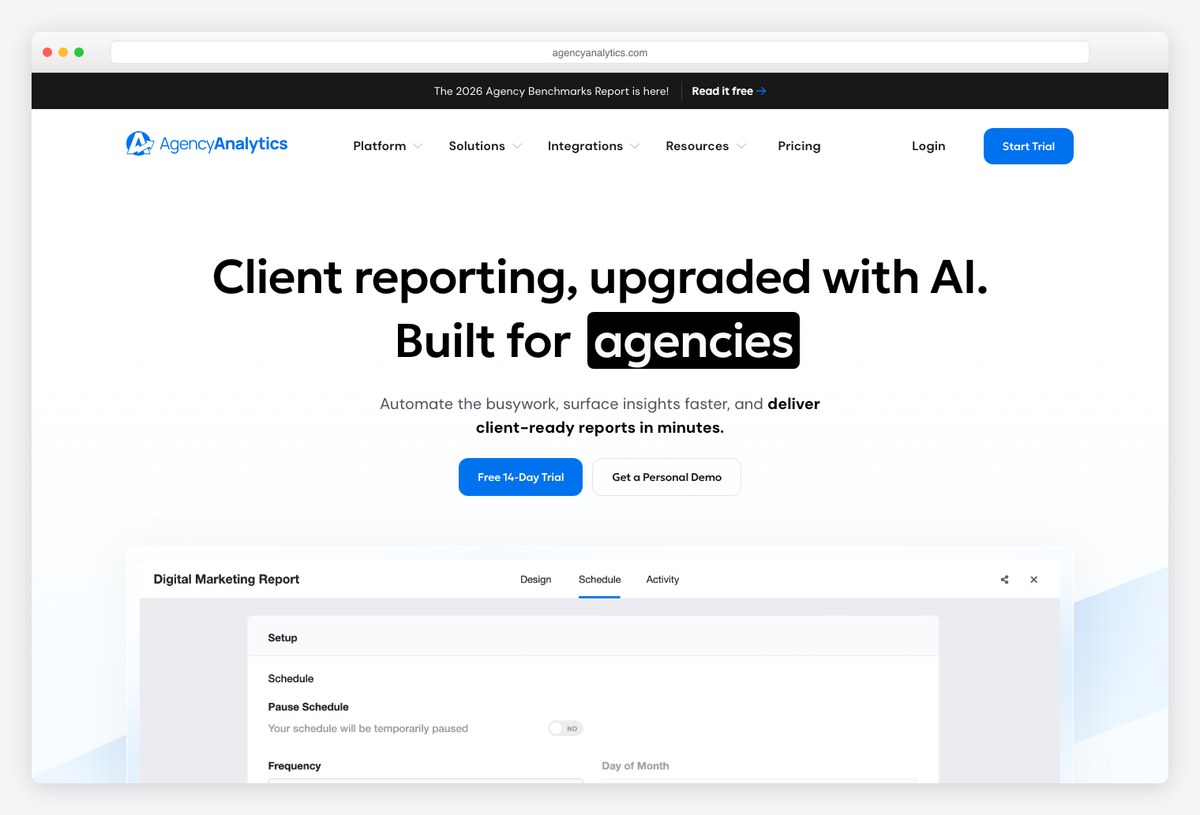
What to steal: Purpose-built client dashboards: white-labeled reports that assemble themselves from 80+ marketing integrations, with AI summaries on top — the pattern every agency dashboard now copies.
AgencyAnalytics is the clearest expression of what a client dashboard is for: not exploration, but reassurance. Prebuilt SEO/PPC/social sections, scheduled PDF sends, client logins with scoped visibility, and plain-language AI insights that explain the charts to non-analysts.
Steal its report hierarchy: one summary page a client can read in 60 seconds, detail behind it.
2. DashThis
Simplicity as the whole product
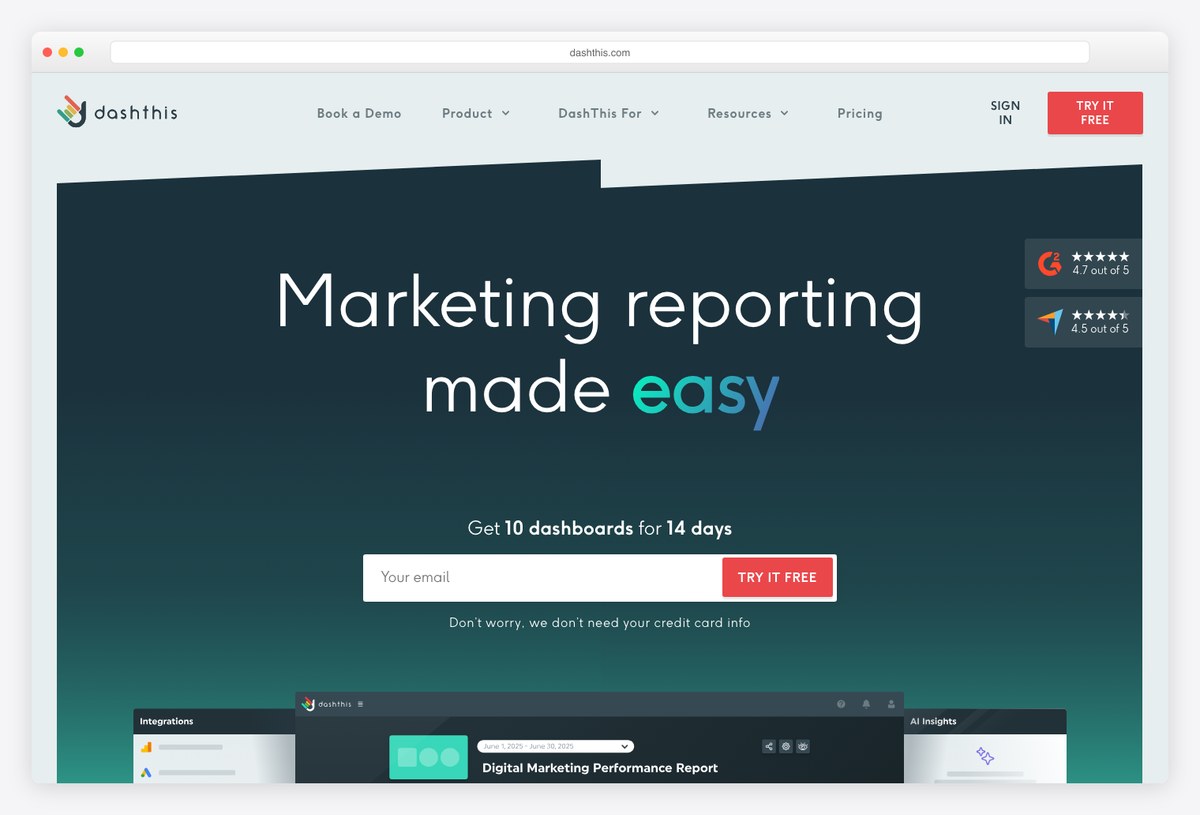
What to steal: DashThis bets everything on ease: preset dashboard templates per channel, drag-in widgets, and a visual language soft enough that clients never feel tested by their own report.
Where analytics tools intimidate, DashThis soothes — rounded cards, generous spacing, and metric widgets that pair every number with a trend arrow. It’s a masterclass in designing for the least-technical viewer in the room.
Steal its widget grammar: metric + comparison + sparkline, nothing else.
3. Whatagraph
Cross-channel reports with visual personality
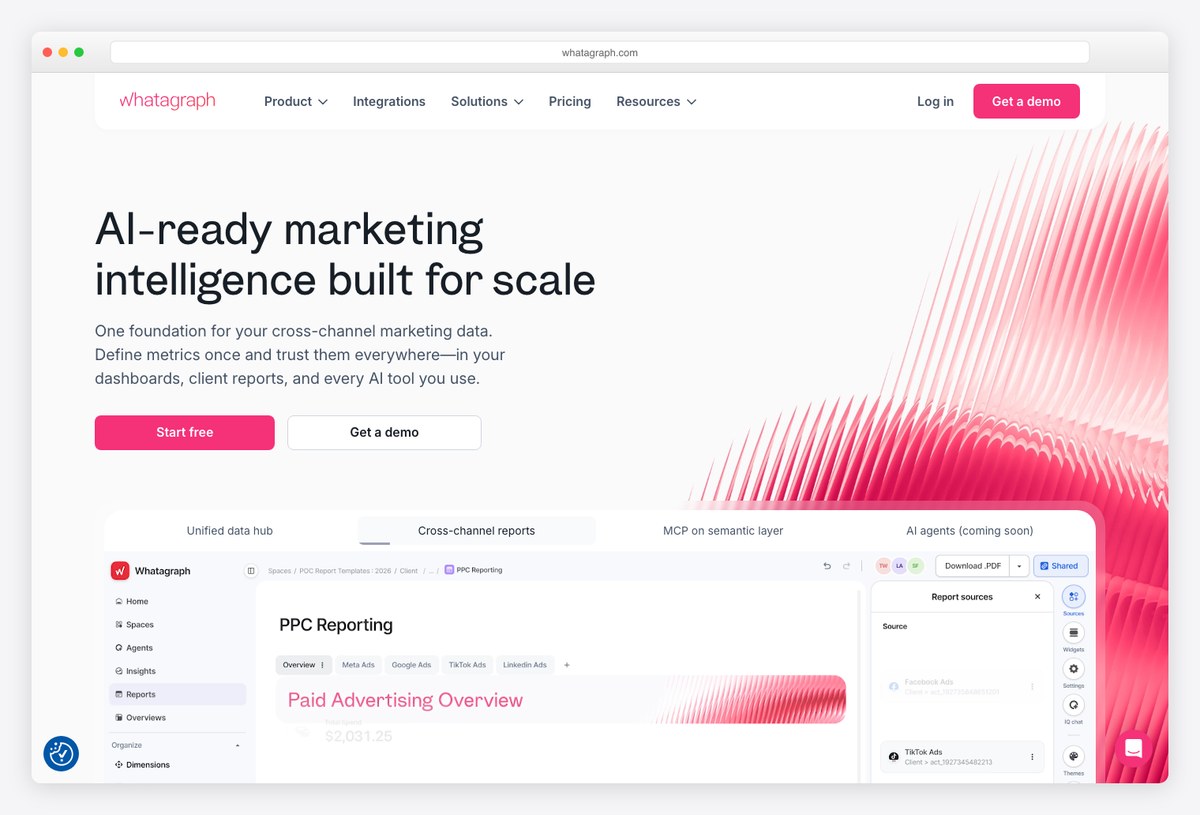
What to steal: Whatagraph leans into color and layout personality — client reports that look designed rather than exported — while unifying cross-channel marketing data underneath.
Its report canvas mixes KPI blocks, channel sections, and annotation space with a bolder palette than most B2B tools dare. For agencies whose brand is creativity, the report itself becomes a portfolio piece.
Steal the annotation pattern: numbers plus a human sentence explaining what the agency did about them.
4. Data Studio (formerly Looker Studio)
The free client dashboard workhorse
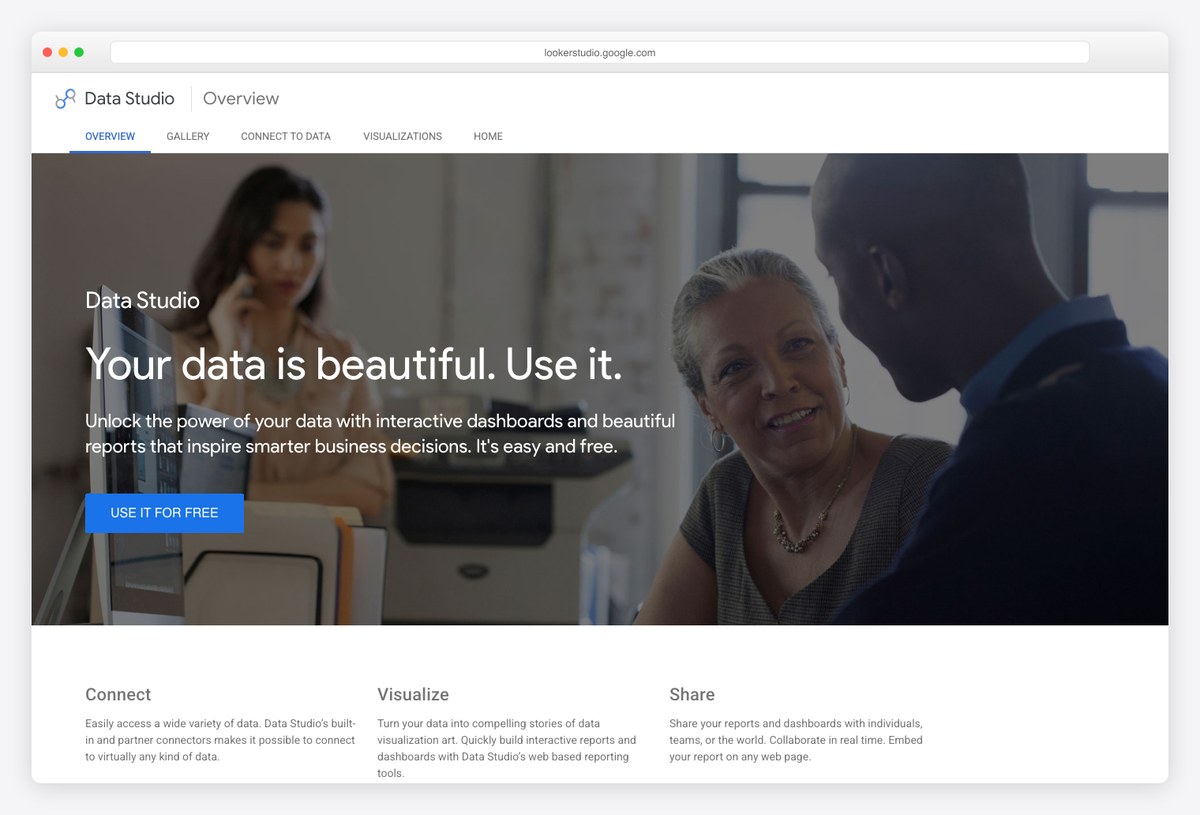
What to steal: Google’s Data Studio remains the free default for client dashboards — connect GA4/Ads/Sheets, design a page, share a live link. Half the client reports on the internet are quietly built on it.
Data Studio’s design ceiling is real but so is its price: free, live-updating, embeddable dashboards with granular sharing. The template gallery covers most agency use cases, and clients need no account to view.
Steal the share model: a live URL beats an attached PDF for trust and freshness.
5. Assembly (formerly Copilot)
The modern client-portal benchmark
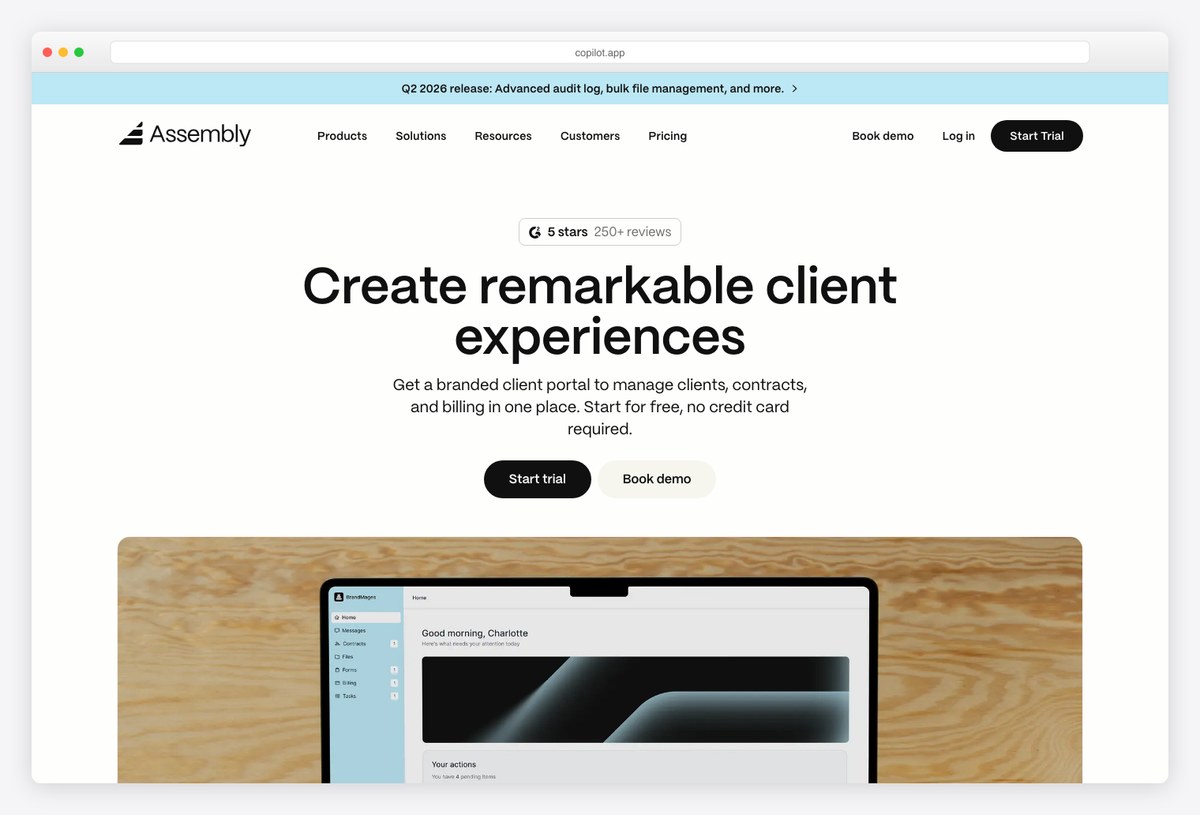
What to steal: Assembly turned the client portal into a designed product: messaging, files, invoices, forms, and dashboards behind one branded login, with AI increasingly doing the orchestration.
The product formerly known as Copilot sets the visual bar for portals — Linear-adjacent restraint, crisp module cards, and a client-side experience that feels like using a polished app rather than visiting a vendor’s back office. Service businesses use it to look like software companies.
Steal the module structure: every client need (pay, sign, ask, read) is one obvious card.
6. SuiteDash
Maximum portal, one subscription
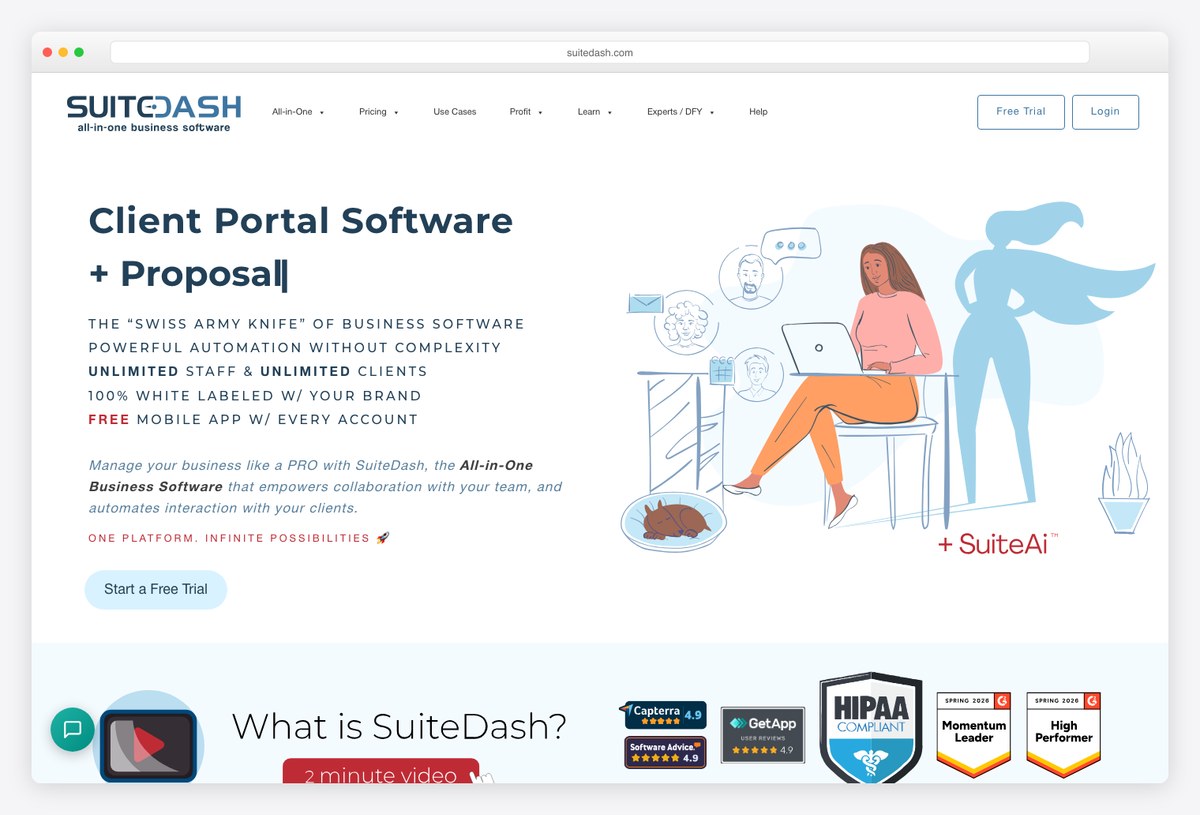
What to steal: SuiteDash crams CRM, invoicing, file exchange, LMS, and white-label client portals into one flat-priced product — the design is denser than Assembly’s, but the scope per dollar is unmatched.
SuiteDash’s appeal is operational: fully white-labeled portals (your domain, your logo, even your mobile app) with automation flows connecting every module. The UI carries its feature load visibly — study it for scope, not minimalism.
Steal the white-label depth: clients should never see the vendor’s brand, including in the URL.
7. Softr
No-code client portals from your data
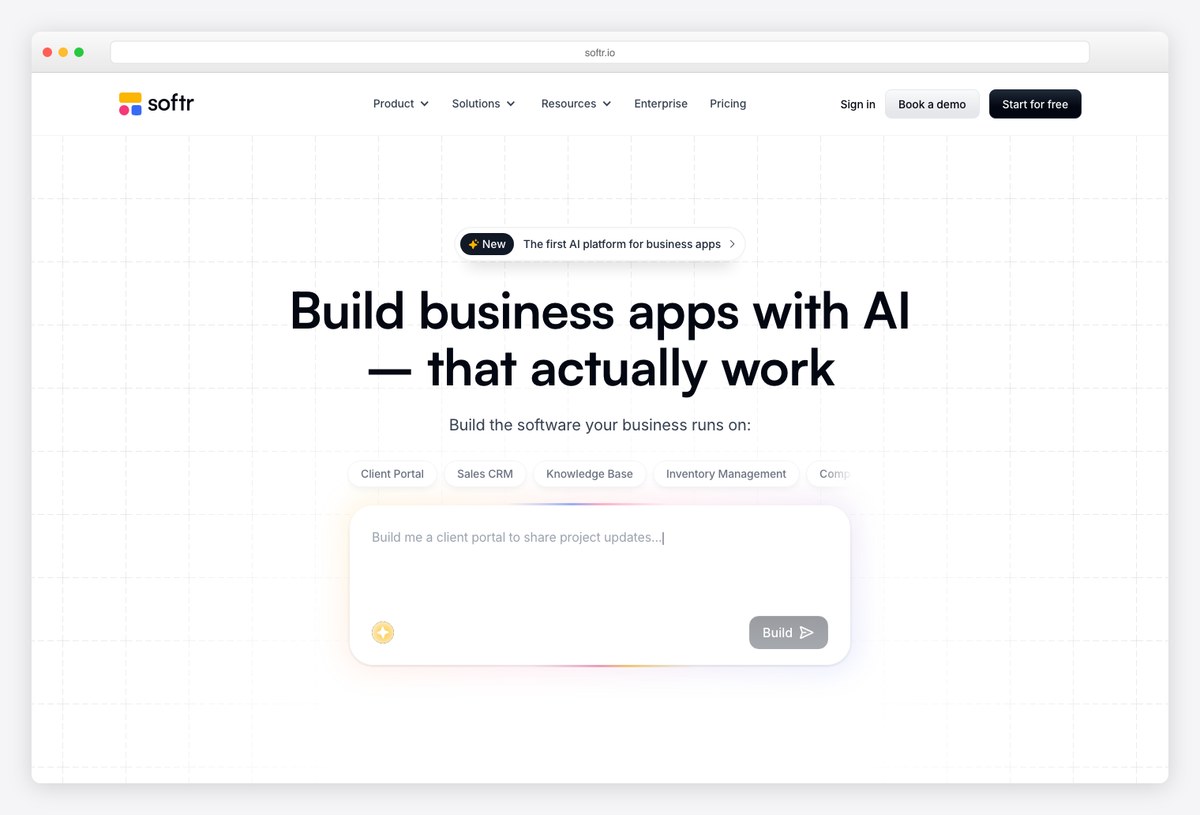
What to steal: Softr generates client portals and dashboards from data you already have — Airtable, Sheets, SQL — with permissioned views per client and AI-assisted building.
For teams without frontend capacity, Softr is the fastest honest answer: pick a portal template, bind it to your records, and each client sees only their slice. The blocks look contemporary out of the box, which is most of the design battle.
Steal the per-record permissioning: one portal, many clients, zero duplicated dashboards.
8. Moxo
Client workflows as guided flows
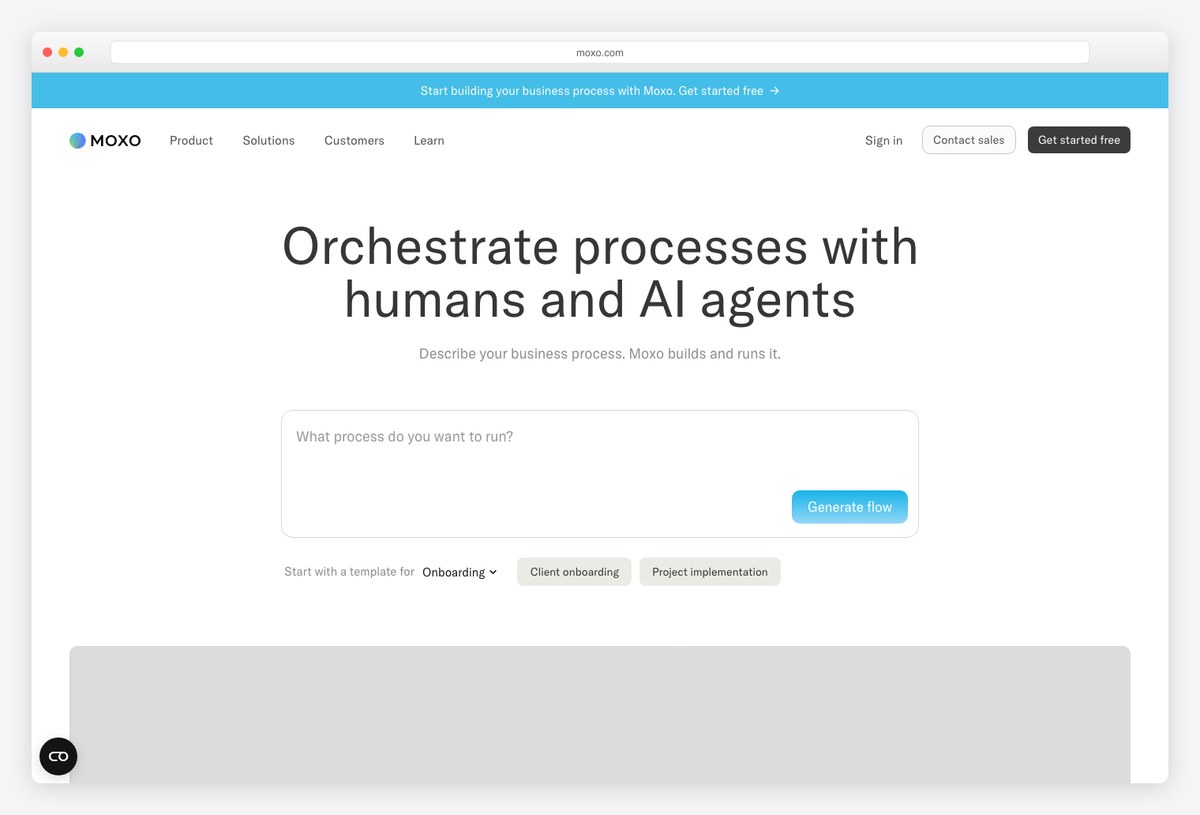
What to steal: Moxo frames the portal around flows — onboarding, approvals, document collection — presenting clients a guided checklist rather than a dashboard to decode, now with AI agents running steps.
Moxo’s design lesson is sequencing: instead of showing clients everything, it shows the next step, who owes it, and when. For compliance-heavy services (finance, legal), that flow-first UI outperforms any KPI grid.
Steal the “what happens next” panel — the most reassuring widget a client portal can have.
9. Notion Client Portals
The lightweight, document-native portal
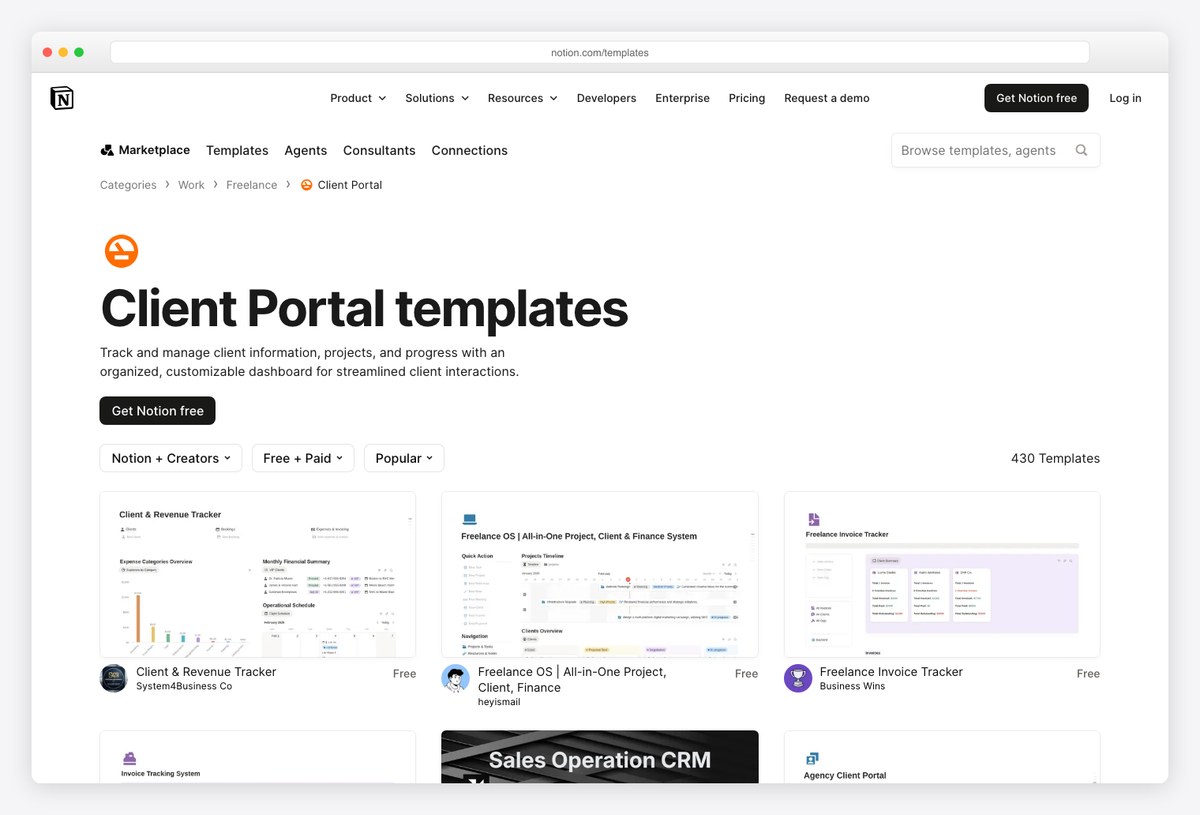
What to steal: Hundreds of Notion client-portal templates prove a portal can be a beautiful shared document: project status, deliverables, invoices, and updates on one page the client actually bookmarks.
For freelancers, the Notion marketplace’s client-portal category is the pragmatic starting point — pick a template, duplicate per client, share. It trades dashboards for clarity, which many client relationships prefer.
Steal the single-page discipline: if it doesn’t fit on one scrollable page, the client won’t look for it.
10. Zenith Dashboard
Build your own white-label client dashboard
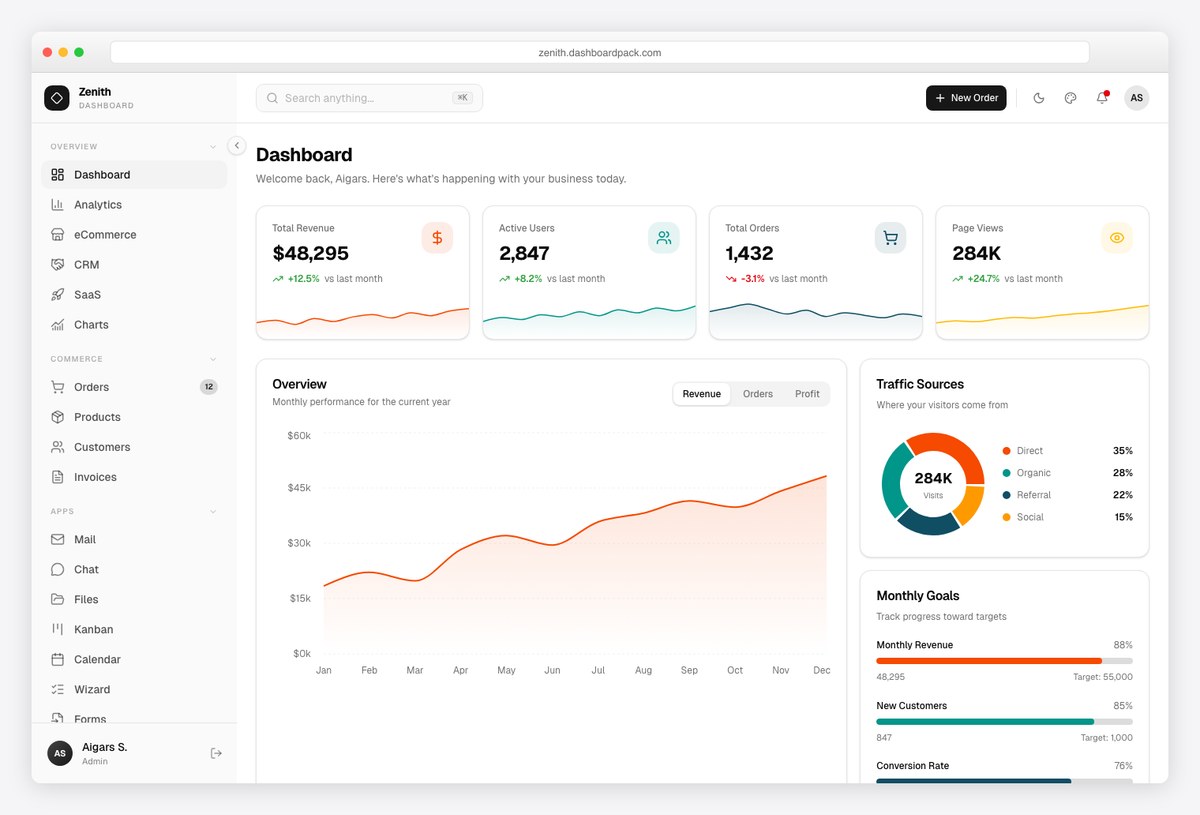
What to steal: When the products above don’t fit, Zenith is the build-lane answer: a deliberately neutral, white-label-ready dashboard template (shadcn-style React + Tailwind) designed to carry any client’s brand.
Zenith exists for exactly this use case — its restrained design, theming, and rich-text/report pages make it the base for client-facing dashboards you own end to end: your data pipeline, your auth, your domain. Pair it with the design patterns below and you’re shipping what the SaaS tools here sell.
Disclosure: ours — and the reason this roundup exists in our catalog.
From example to your own client dashboard
- Agency reporting on marketing data? AgencyAnalytics or DashThis; Data Studio when budget is zero.
- Service business needing a full portal? Assembly for polish, SuiteDash for scope, Moxo for guided processes.
- Small studio or freelancer? Notion portal templates — upgrade later.
- Building it into your product? Start from Zenith or our wider SaaS admin dashboard templates, and apply the design rules above — the KPI-hierarchy fundamentals are in our SaaS dashboard design guide.
Frequently asked questions
What is a client dashboard?
A client dashboard is a reporting view built for your customer rather than your team — scoped to their account, branded as yours, and designed to answer “how are things going?” at a glance. It can live in a reporting tool (AgencyAnalytics, Data Studio), a client portal (Assembly, SuiteDash), or your own product built from a template.
What makes a good client dashboard design?
A verdict-first summary, one page a non-analyst can read in a minute, plain-language explanations next to every metric, complete white-labeling, and per-client scoped access. Restraint matters more here than anywhere: clients equate clutter with confusion, and confusion with doubt.
What is the best free client dashboard tool?
Data Studio — free, live-updating, shareable by link, with connectors for GA4, Ads, and Sheets. Notion’s client-portal templates are the free answer on the portal side, and Softr’s free tier covers simple data-bound portals.
Client portal vs client dashboard — what’s the difference?
A dashboard shows numbers; a portal is the whole client workspace — files, messages, invoices, approvals, and usually a dashboard inside it. Reporting-heavy relationships need dashboards (AgencyAnalytics); service-delivery relationships need portals (Assembly, Moxo).
Can I build a custom client dashboard instead of subscribing?
Yes — that’s the build lane: a white-label template like Zenith (React + Tailwind) over your own APIs gives you full ownership, your domain, and no per-client seat fees. It costs engineering time up front; the SaaS tools here trade money for that time.
Designing the rest of the product too? See our SaaS dashboard design examples, CRM dashboard examples, and the full dashboard templates collection — or the analytics dashboard templates that power the numbers behind these portals.

You Might Also Like


