
21 Best PHP Admin Dashboard Templates 2026 (Free & Premium)

Most “PHP admin template” roundups are not really about PHP. The biggest ones fill their lists with Laravel packages, or with plain HTML themes that have no PHP in them at all, and neither answers what people actually search for. This list separates the three things that genuinely exist — free Bootstrap kits you wire into PHP yourself, premium themes that ship a real PHP build with header.php/sidebar.php includes, and PHP admin frameworks that generate the panel from your database — and every price, licence and demo below was opened and checked while writing.
One thing worth knowing before you start: almost none of the free options include a login. They are interface kits. If what you want is a working panel with authentication and CRUD already wired, skip to the PHP admin frameworks section — that is the honest answer to that search, and it is not a template.
Building specifically on Laravel? Our Laravel admin panel & dashboard templates roundup goes far deeper on that side. For the wider free field across every stack, see free admin panel templates.
Quick Picks
- Best free overall: AdminLTE 4 — the only kit here installable with Composer
- Best-looking free kit: Tabler — the most polished free dashboard UI
- Easiest to split into includes: Gentelella — flat, framework-free HTML
- Best value premium: Tocly — cheapest PHP edition and the most recently updated
- Most stacks in one purchase: Velzon — plain PHP, CodeIgniter and CakePHP all included
- Best if you want login + CRUD done: Filament — a framework, not a theme
- Best Symfony option: EasyAdmin — generates a backend from your entities
- Best paid Laravel starter: Apex Dashboard Laravel — ours, auth and roles already wired
What “PHP admin template” actually means
The phrase covers three genuinely different products, and buying the wrong one is the most common mistake in this category:
- A Bootstrap HTML kit. CSS, JavaScript and static pages. There is no PHP in the download — you split the markup into includes and wire it to your own code. Free, and the bulk of what you will find.
- A theme with a real PHP edition. The same UI, shipped as PHP partials with a routing shim, so the sidebar and header exist once rather than in every file. This is what premium vendors mean by “PHP version”, and it is usually a separate purchase from the HTML one.
- A PHP admin framework. Filament, EasyAdmin and their peers generate the whole panel — login, permissions, CRUD screens — from your models. You get far less control over the design and far more working software.
Search results blur all three together. A list titled “PHP admin templates” where most entries are Laravel packages is really a list of the third kind, and a list of HTML themes is really the first.
The shortlist
Ten worth shortlisting, one for each decision you are actually making — free kit or paid edition, template or framework, and the whole price ladder from nothing to $89. All twenty-one follow below.
| Template | Type | Price | Login + CRUD | Best for |
|---|---|---|---|---|
| AdminLTE 4 | Free HTML kit | Free (MIT) | No | The default choice on a PHP project |
| Tabler | Free HTML kit | Free (MIT) | No | The best-looking free option |
| Gentelella | Free HTML kit | Free (MIT) | No | Fastest to split into PHP includes |
| Tocly | PHP edition | $16 | No | The cheapest current PHP build |
| Velzon | PHP + CodeIgniter + CakePHP | $25 | No | Hedging against a change of stack |
| UBold | PHP edition | $29 | No | The widest set of app screens |
| Ynex | PHP edition | $89 | No | Twelve dashboard variants in one purchase |
| Filament | Laravel framework | Free (MIT) | Yes | A Laravel admin generated for you |
| EasyAdmin | Symfony bundle | Free (MIT) | Yes | Symfony projects |
| Apex Dashboard Laravel | Laravel app | $69 | Yes | A designed UI plus the plumbing, source owned |
Prices are the regular licence at the time of writing and Envato runs periodic sales, so treat them as a guide rather than a quote.
Free Bootstrap kits you wire into PHP
All four are MIT licensed, all four are actively developed, and none of them contains a line of PHP. What you are choosing between is the design and the component set — the wiring work is identical, and the section further down shows exactly what it involves.
1. AdminLTE 4
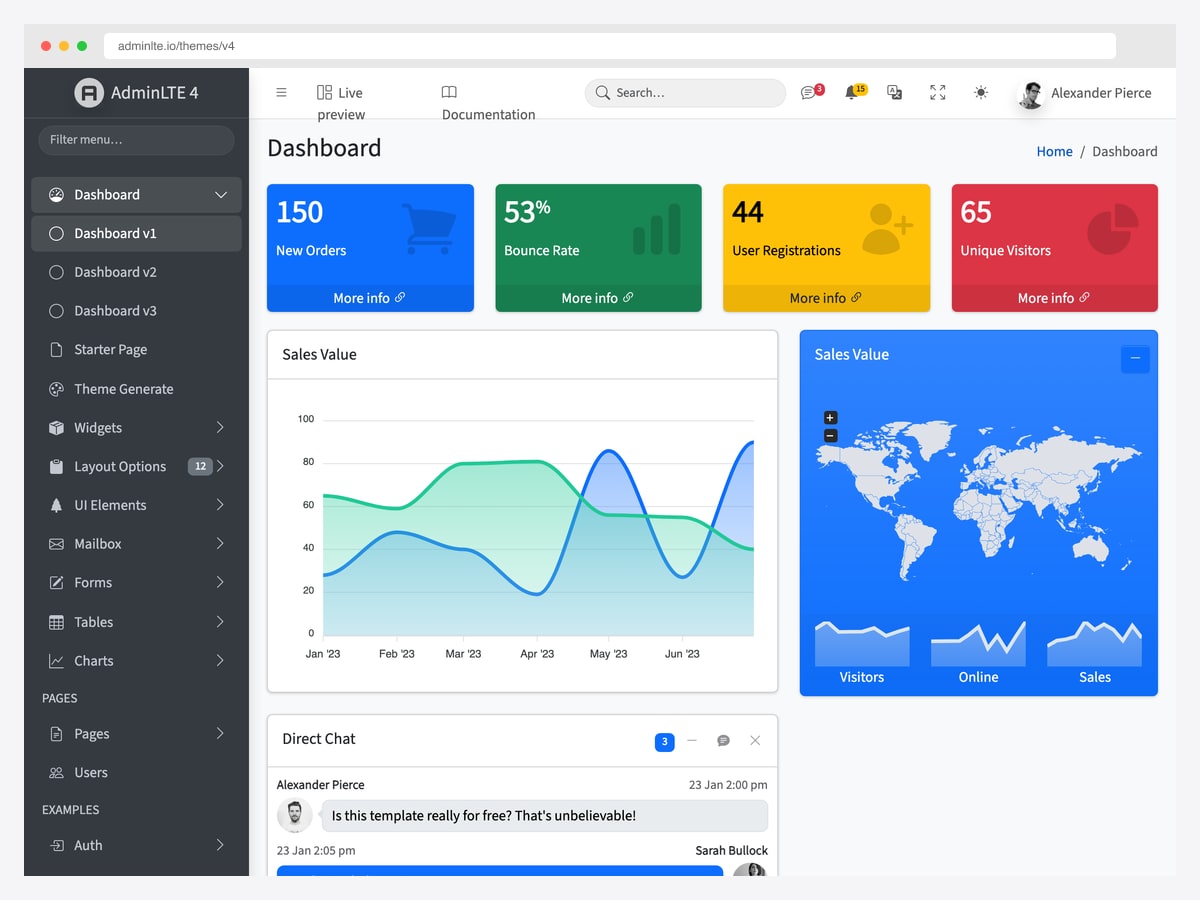
Why we like it: It is the only kit in this section you can pull in with Composer rather than copying a folder, and the only one with officially maintained integrations for the PHP frameworks people actually use.
AdminLTE is installable as almasaeed2010/adminlte, which means the dashboard shell becomes a managed dependency instead of a directory you hand-update and eventually stop updating. Alongside it sit official Laravel, Symfony and Drupal integrations, so a team running more than one PHP stack gets the same interface across all of them.
The component library is the broadest here — small-box stat cards, direct chat, the world-map widget, timelines and a deep set of form controls — which is the practical reason it keeps turning up in PHP boilerplates. In fairness, that breadth also makes it heavier than Tabler if you only need four cards and a table. It is our own project, and it is free under MIT.
2. Tabler
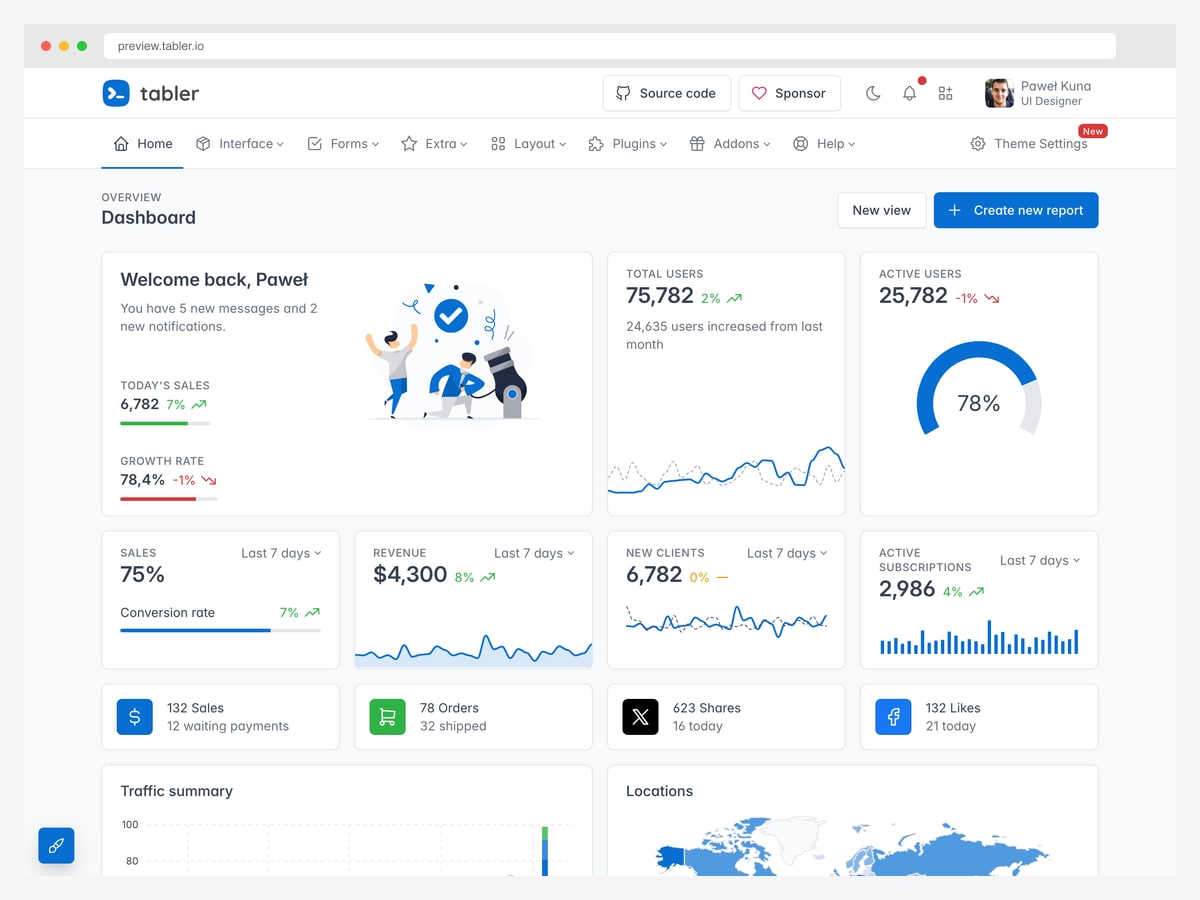
Why we like it: The most visually accomplished free dashboard kit available, and it does not read as a free template — which matters if the admin panel is something clients will see.
Tabler’s advantage is restraint: generous spacing, a consistent icon set, and charts that look designed rather than bolted on. Where AdminLTE optimises for component count, Tabler optimises for how the result looks with no styling work from you.
The catch for PHP specifically is that there is no Composer package — you vendor the CSS and JS yourself and keep them current by hand. It is also worth noting the repository commits far more often than it tags releases, so “actively developed” is accurate while “recently released” would not be.
3. Gentelella
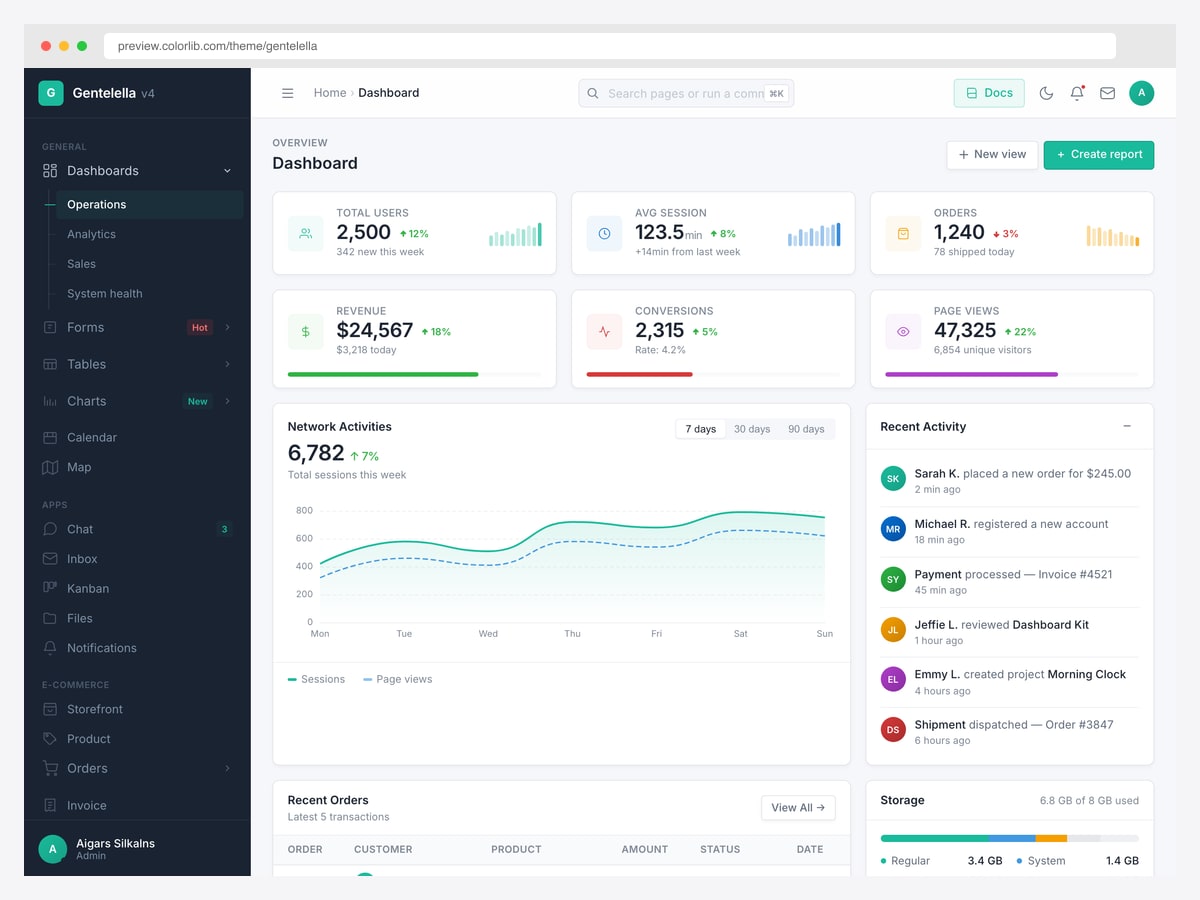
Why we like it: Its production build is flat, framework-free HTML with no build step in the way, which makes it the least painful of these to shred into header, sidebar and footer partials.
That property is why Gentelella keeps appearing inside PHP boilerplate repositories: you can open a page, cut it at two obvious seams, and have working includes in an afternoon. The v4 redesign brought it up to Bootstrap 5 with a considerably cleaner look than the version most people remember.
It sits between Tabler and AdminLTE on component depth — enough for a normal admin panel, short of AdminLTE’s long tail of widgets. Another ColorlibHQ project, MIT licensed.
4. CoreUI Free
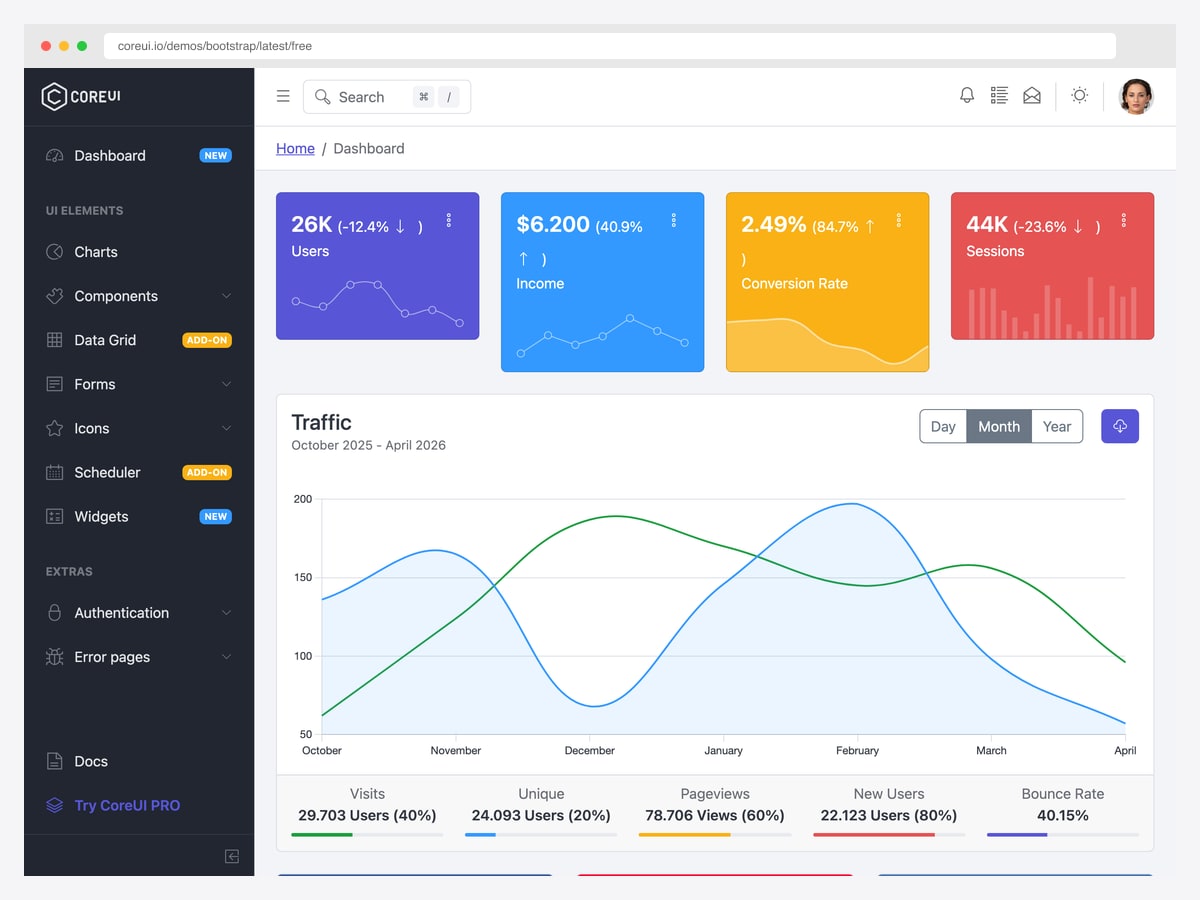
Why we like it: The same design system exists as official React, Vue and Angular ports, so a team whose PHP backend serves a JavaScript admin somewhere else keeps one visual language across both.
CoreUI ships its own Bootstrap fork, published on Packagist as coreui/coreui, so the CSS can come through Composer rather than npm — a small thing that matters on a PHP project with no Node toolchain.
The free edition is a genuine working dashboard rather than a teaser, though the sidebar does mark the Data Grid and Scheduler as paid add-ons. Worth checking those are not the two things you needed before committing.
A warning about the “PHP admin panel with login and CRUD” repos
Search for a free PHP admin panel with source code and you will land on a small GitHub repository that ranks near the top and is cited by AI answers as the free option with authentication built in. We read the source. The most-linked of them is four PHP files — a header, a footer, an index and a profile page — with no session_start, no PDO or mysqli, no password handling anywhere, and stat cards whose numbers are typed into the markup. Its “logout” opens a confirmation dialog and does nothing. It also skins AdminLTE 3 rather than 4.
That is not a criticism of the author, who never claimed otherwise — it is a layout scaffold, and a tidy one. But it is not a panel with login and CRUD, and a roundup that tells you it is has cost you an evening. If that is genuinely what you need, the next section is where to look.
Premium themes with a genuine PHP edition
These ship the UI as PHP partials rather than repeated static pages. Two caveats apply across the whole section. First, a “PHP version” is generally a separate item from the HTML one by the same vendor — check the item title before buying. Second, none of them includes authentication or CRUD; you are buying the interface and the include structure, not an application. Ordered by price.
5. Tocly
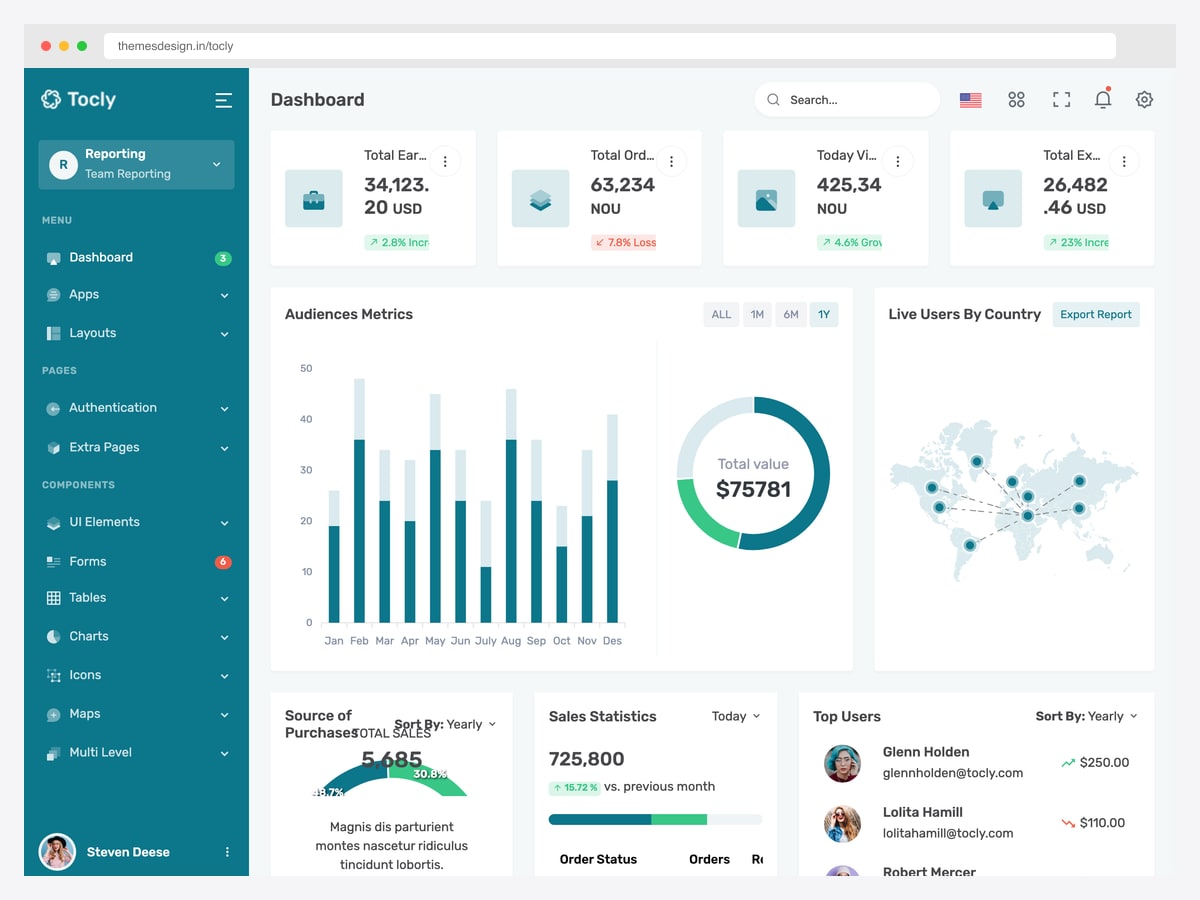
Why we like it: The lowest price in this section and the most recently updated item in it, which is an unusual combination — cheap templates are normally the stale ones.
Tocly is a straightforward teal-and-white dashboard by themesdesign, built on plain PHP includes with no framework in the way. For a small internal tool where the budget argument matters more than the design argument, it is the sensible entry point.
It is the least polished of the premium set: a few dashboard cards clip their own labels on a 1280px viewport, which you would need to fix. At this price that is a reasonable trade rather than a defect.
6. Velonic
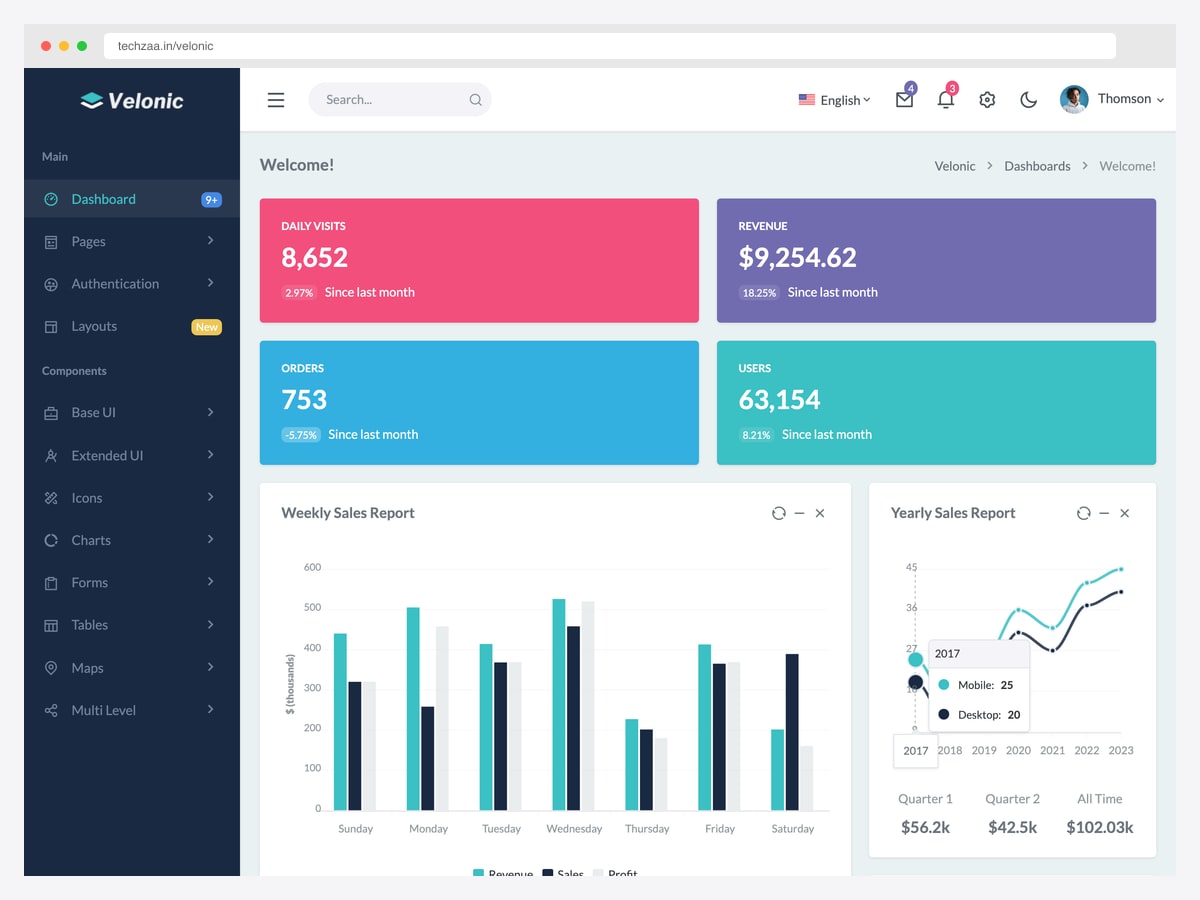
Why we like it: The most distinctive visual identity of the cheap tier — saturated full-colour stat tiles instead of the white-card-on-grey convention everything else here follows.
Velonic is published on ThemeForest by Techzaa, not coderthemes as several older listings still claim, and its demos live on the techzaa.in domain. Worth knowing if you are trying to match a support channel to the product.
The significant caveat is age: the PHP edition has not been touched since 2023, which is the oldest in this list alongside Attex. The Bootstrap 5.3 base means it is not broken, but check the last-update date on the listing yourself before buying — if it has not moved, you are buying a frozen codebase.
7. Attex
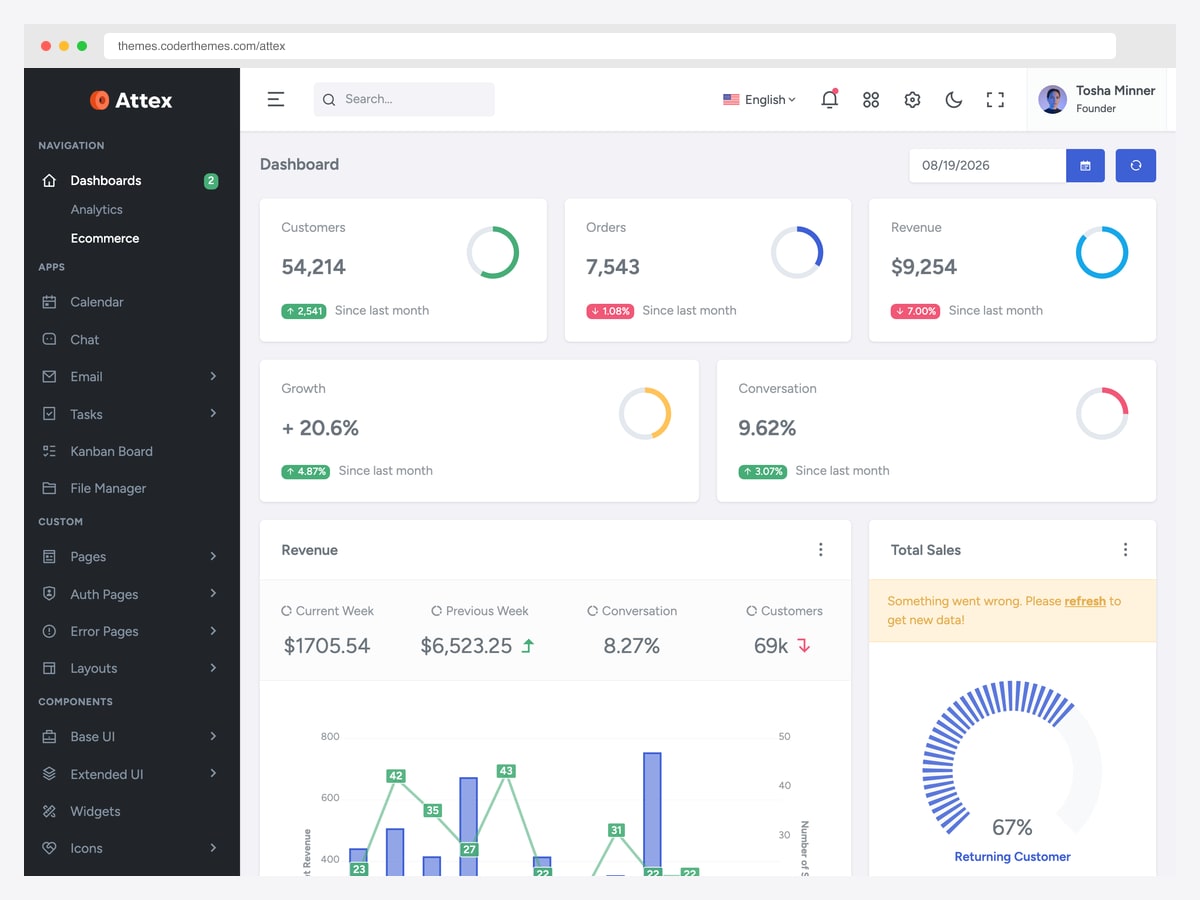
Why we like it: A clean coderthemes build with an ecommerce dashboard that leans on ring gauges rather than sparklines, which reads well when every metric is a percentage.
One practical note that trips people up: Attex’s PHP edition is sold on CodeCanyon, while the Tailwind, React and MUI editions are on ThemeForest. Searching ThemeForest for the PHP version will not find it.
Like Velonic it is a 2023-vintage codebase, and its demo currently shows a data-fetch error inside one revenue widget. Neither is disqualifying at $22, but both are worth seeing before you commit.
8. Minia
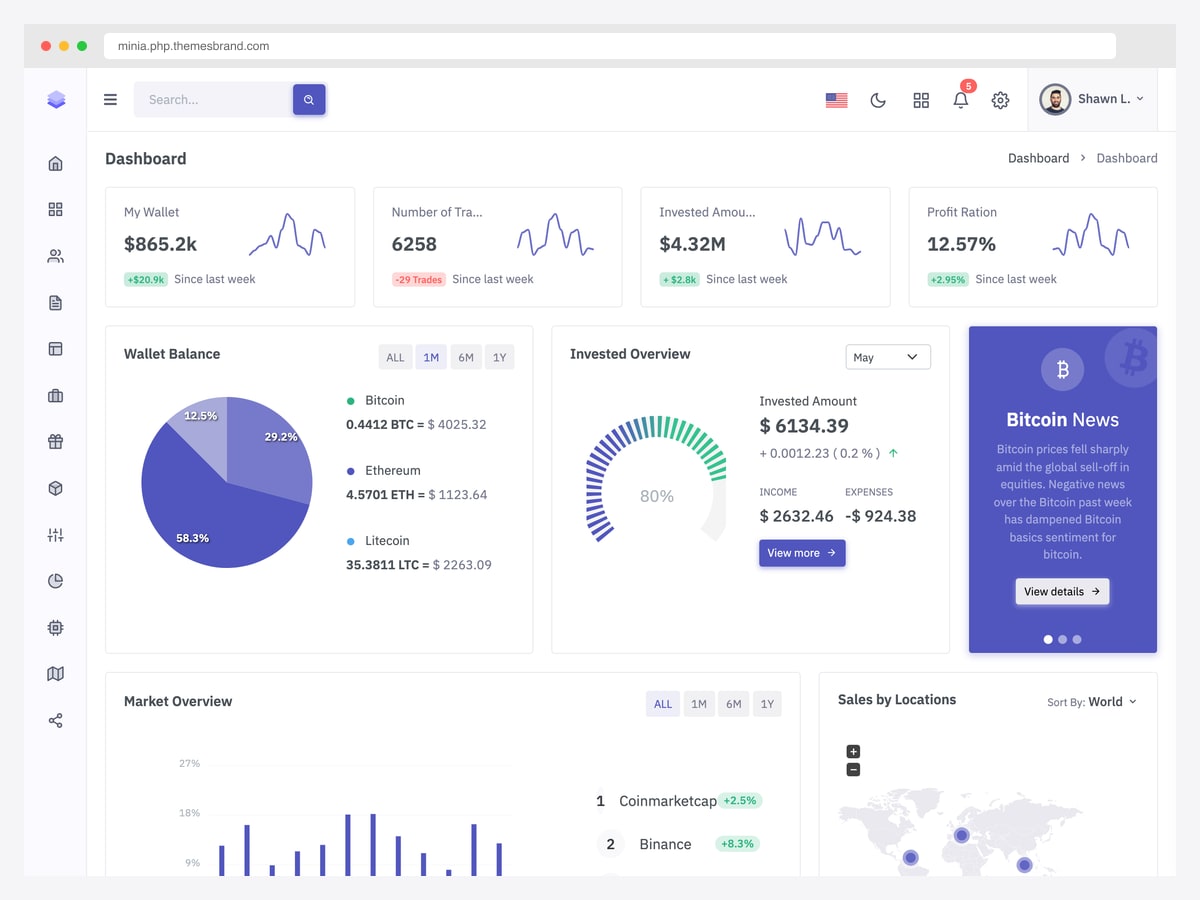
Why we like it: The item AI answers and competing roundups name most often for this query, and it earns the mention — a restrained icon-rail layout that stays legible when the page fills with data.
Themesbrand ships Minia as a dedicated PHP item rather than a bonus folder inside the HTML one, and the demo runs on real PHP pages. The default dashboard is crypto-themed, which flatters the design but is not representative — check the other dashboard variants before judging it.
Its last update sits between the stale 2023 items and the current ones, so it is neither the safest nor the riskiest pick here. Note the demo is served over plain HTTP.
9. Skote
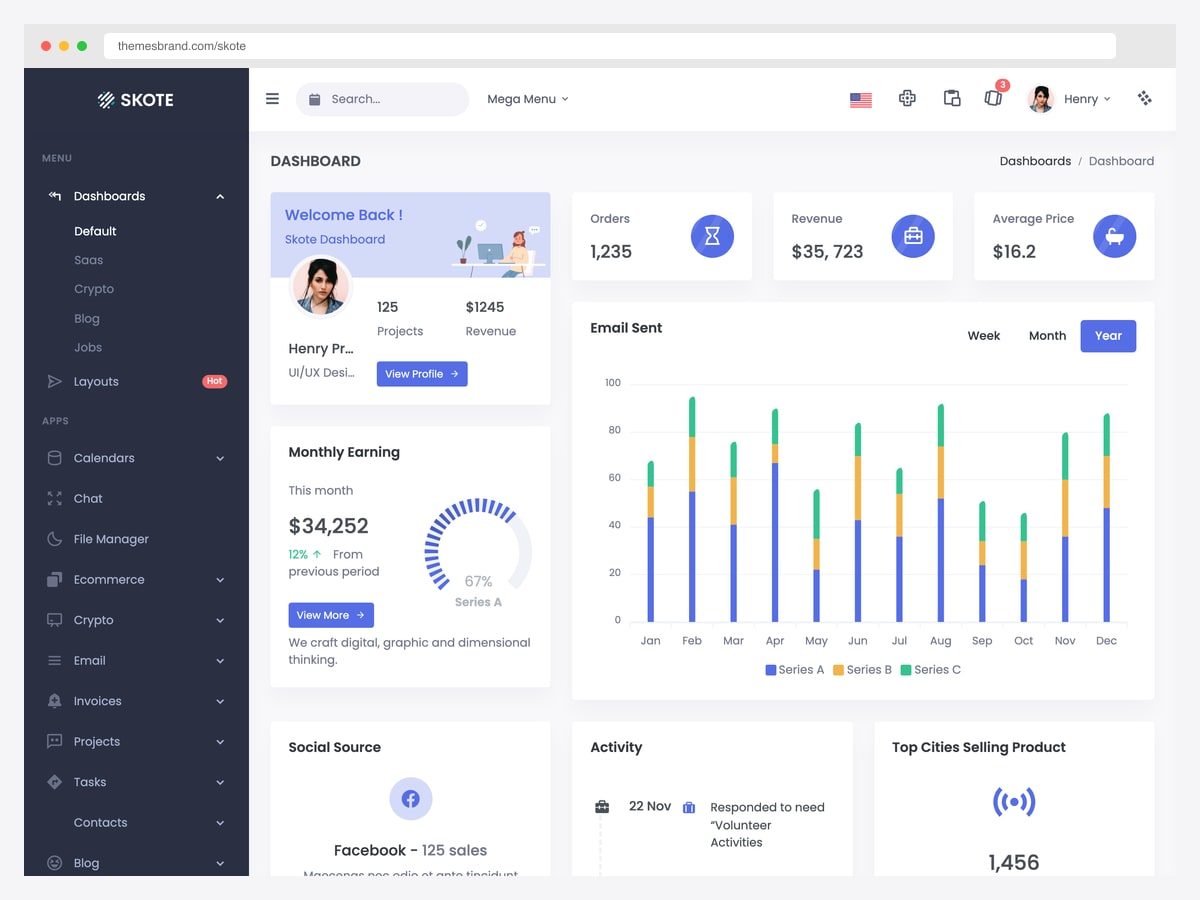
Why we like it: One purchase covers plain PHP, CodeIgniter 4 and an Ajax build, so a CodeIgniter team is not stuck porting an HTML theme by hand.
Skote is routinely listed as CodeIgniter-only, which undersells it — the download contains all three builds. The product page’s own wording on this is ambiguous; the vendor documentation is what settles it.
Two things to know. Its CodeIgniter demo subdomain currently returns a server error, so judge the theme from the HTML demo above. And like several here it was last updated in 2023, which for a framework-specific build is a more meaningful risk than it is for static markup.
10. Velzon
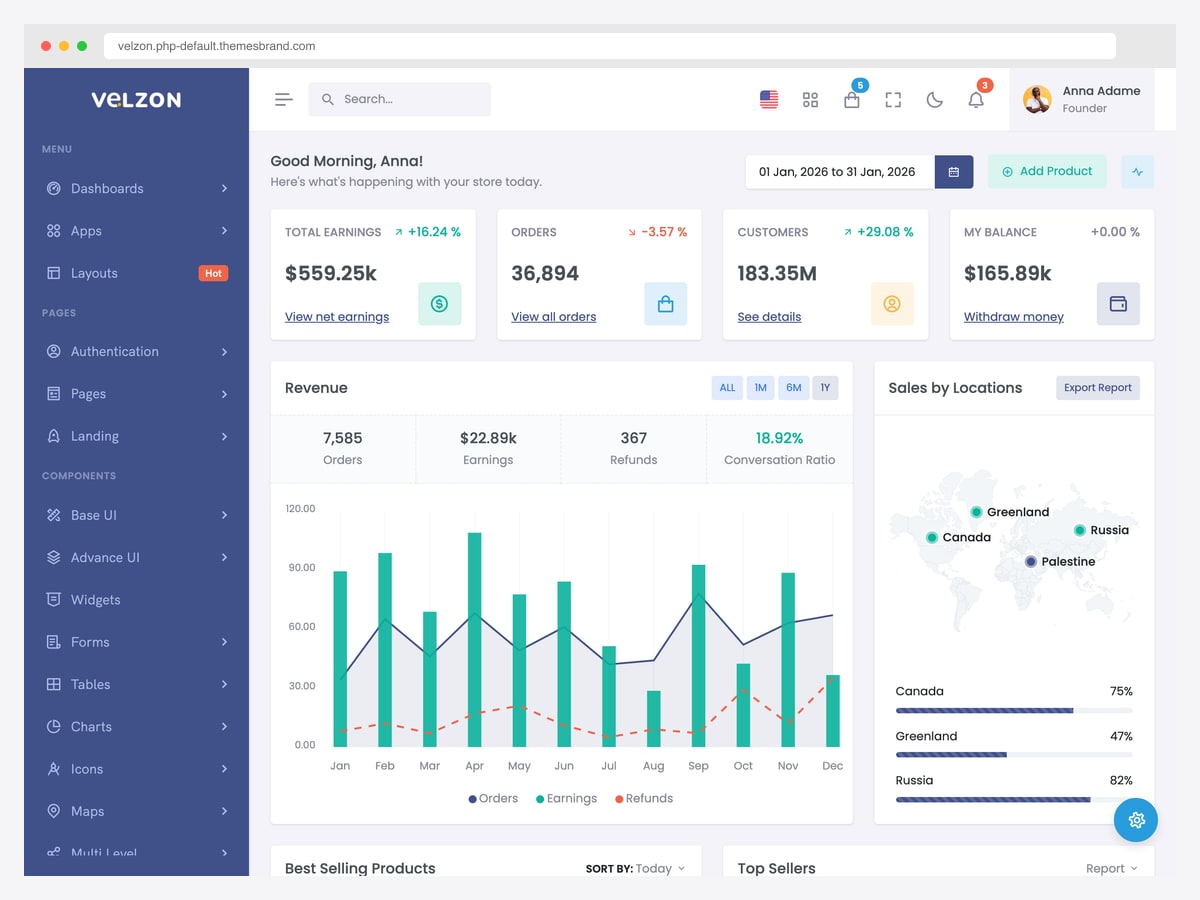
Why we like it: The single best answer to the mislabelling problem this article opens with — plain PHP, CodeIgniter and CakePHP are all first-class editions in one $25 download, not a Laravel package wearing a PHP title.
Velzon bundles roughly twenty stacks in total, including Laravel, Symfony, Django and the JavaScript frameworks. If there is any chance the project migrates — or your agency’s next one uses something else — one licence covers it, and the PHP edition has its own working demo rather than a promise.
Two quirks worth flagging. The canonical item URL still contains an ASP.NET Core slug from an earlier life; that is the correct link to the multi-framework item, not a mistake. And the CodeIgniter edition, unlike the PHP one, has no live demo to inspect.
11. Adminto
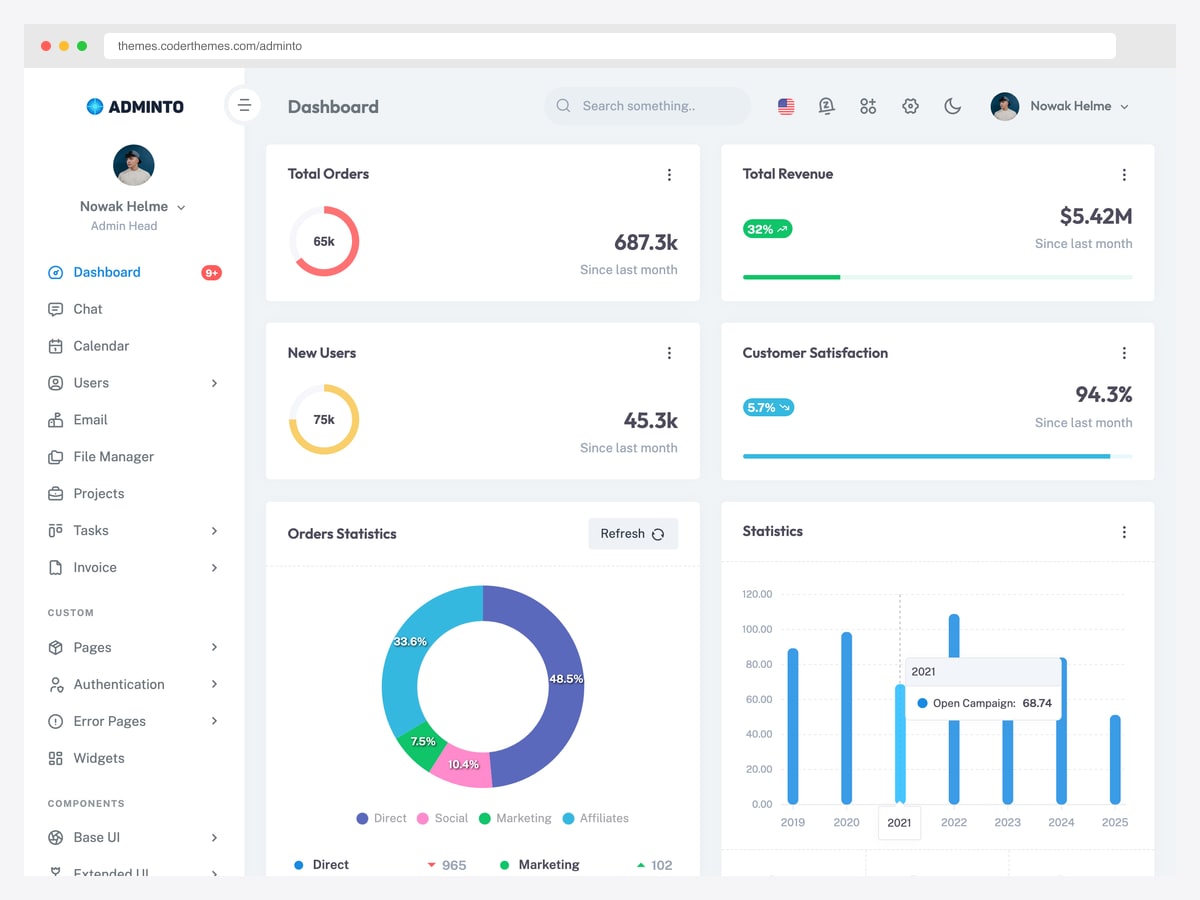
Why we like it: The airiest layout of the coderthemes trio — a white sidebar with a profile block and generous card spacing, where UBold and Attex both go dark and dense.
Adminto covers the standard application set beyond the dashboard: chat, calendar, email, file manager, projects, tasks and invoicing, all as PHP pages. That breadth is what you are paying the extra over Tocly and Velonic for.
Its update sits in the middle of the field — more current than the 2023 items, behind UBold and Velzon. Note that coderthemes publishes no separate PHP demo; the link below is the HTML build, which renders the identical UI.
12. UBold
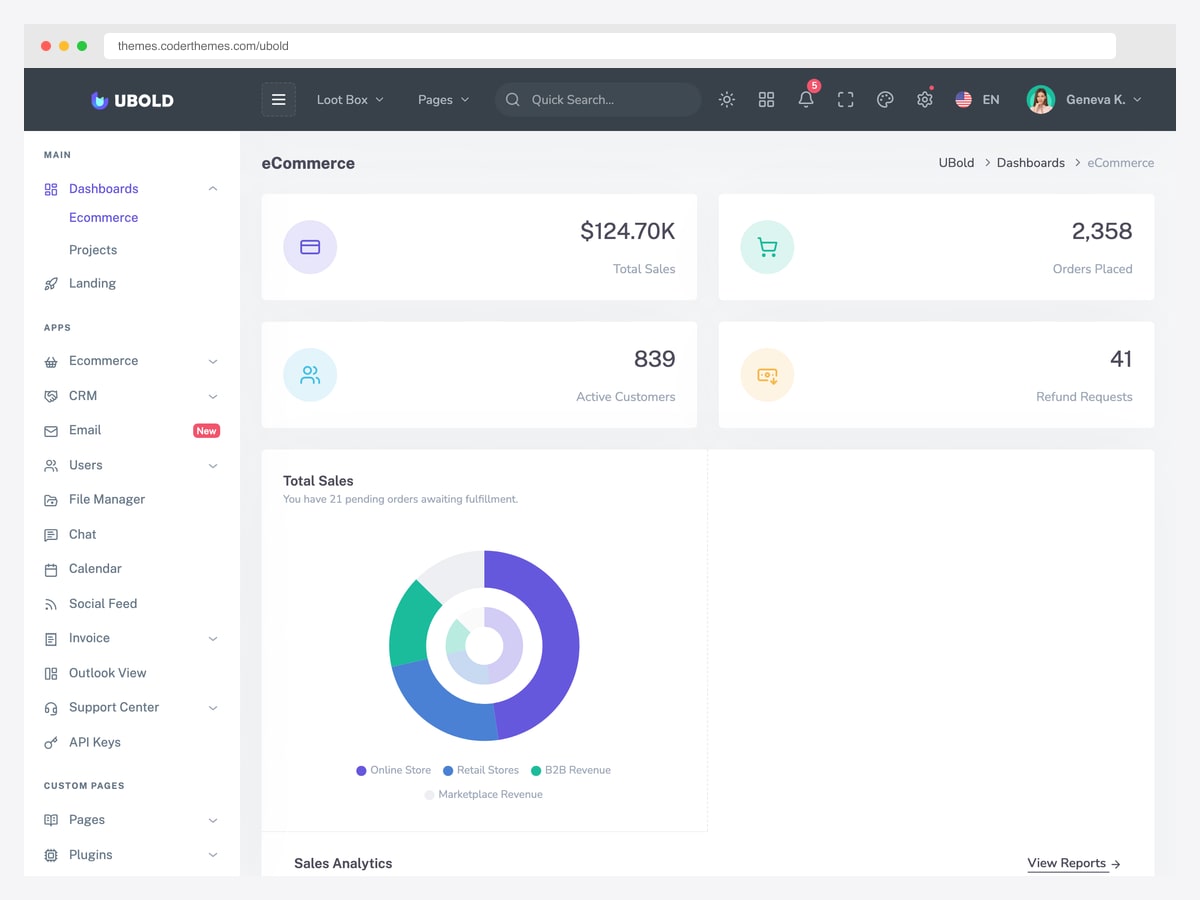
Why we like it: The deepest page set in this section — ecommerce, CRM, email, file manager, social feed, support centre and API keys — and it is kept current, which the older items here are not.
UBold is the long-running coderthemes flagship, and the breadth shows: most screens a business admin eventually needs already exist rather than needing to be built from components. For a project likely to grow past a dashboard and a table, that is where the $29 goes.
The trade-off is weight. This is a large template with a dense dark sidebar, and stripping it back to something minimal is more work than starting from Tocly.
13. Ynex
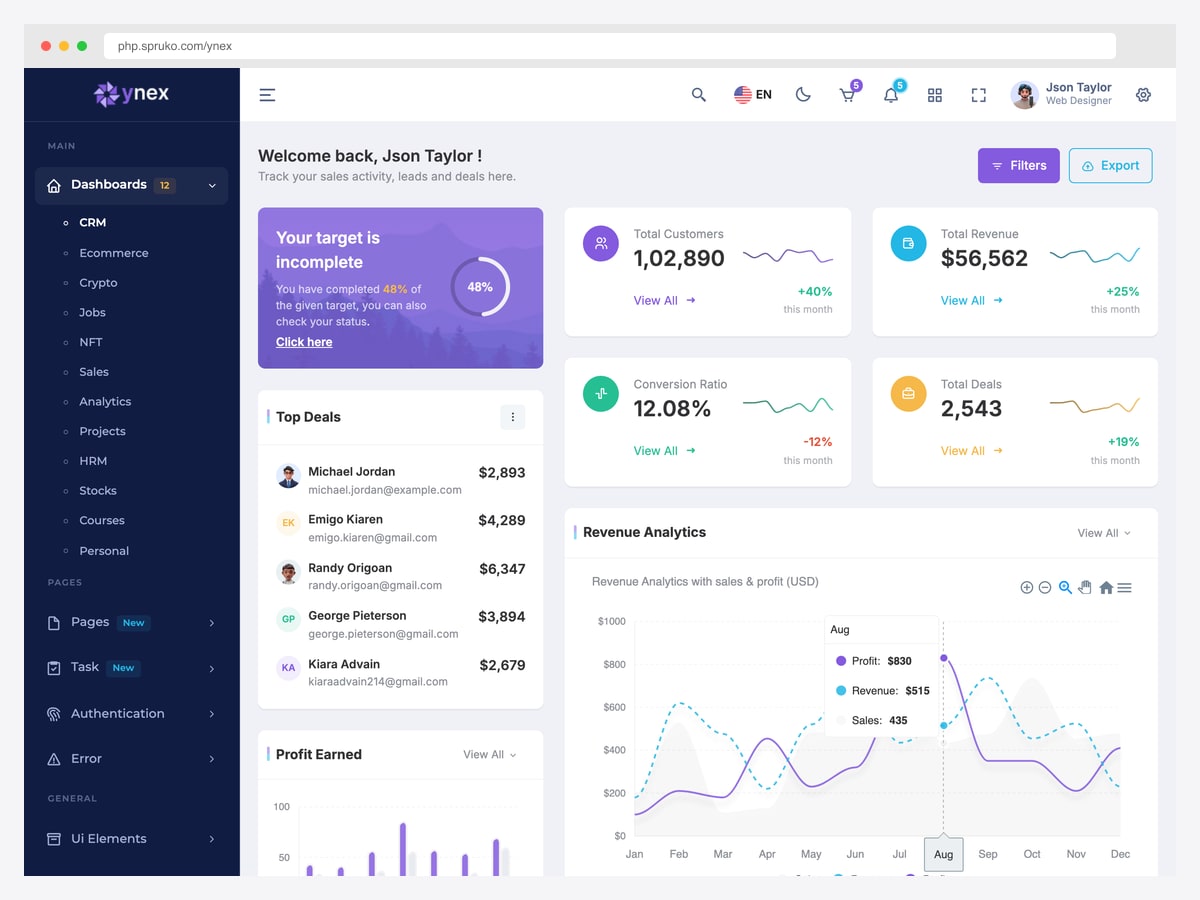
Why we like it: Twelve distinct dashboard layouts — CRM, ecommerce, crypto, jobs, NFT, sales, analytics, projects, HRM, stocks, courses and personal — so the vertical you are building for is likely already designed.
Ynex is the most current of the two $89 items by a wide margin, and it is the one to pick if you are choosing between them. The PHP build targets a modern PHP 8.2 baseline and the demo runs on real .php pages rather than static exports.
Whether the price is justified depends entirely on whether you use those variants. If you need one dashboard, UBold at a third of the cost covers it; if you are building a product with several distinct admin areas, Ynex saves genuine design work.
14. Spruha
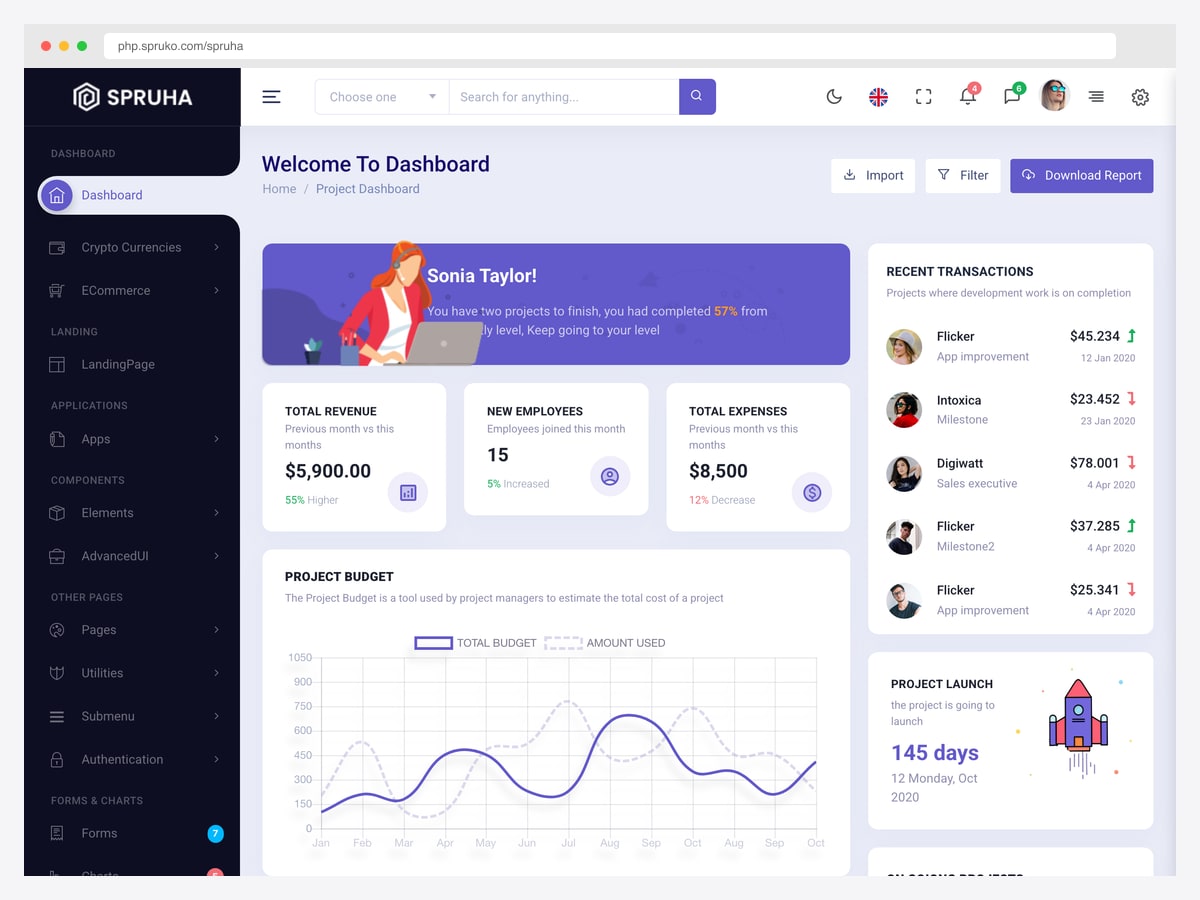
Why we like it: Honestly, at this price we struggle to — it is included because it ranks and because you deserve to know how it compares to its own stablemate before buying.
Spruha carries the same $89 price as Ynex on a codebase last updated years earlier, and the age shows in the demo: the transaction list and project launch countdown are still populated with 2020 dates. The design itself is perfectly competent, with a clean project-management dashboard and a decent component set.
The problem is purely relative. Ynex is the same vendor, the same price, materially more current and ships more layouts. Unless you are standardising on Spruha because you already own it, check both listings side by side and take the newer one.
PHP admin frameworks — where login and CRUD actually come from
If your search was for a PHP admin panel with authentication and CRUD already working, this is the section that answers it. These are not templates. You point them at your database models and they generate the panel — login, permissions, list views, edit forms, filters. You trade design control for a working application, and for most internal tools that is the correct trade.
15. Filament
Why we like it: The highest-momentum admin project in the PHP ecosystem by installs, and the fastest route from “I have models” to “I have a working, secured admin panel”.
Filament generates resource screens from your Eloquent models, with authentication, authorisation, table filters, relation managers and form builders included. A panel that would take a fortnight against a static template takes an afternoon. Its plugin ecosystem covers most of what you would otherwise hand-roll.
The trade is that you are adopting a framework’s conventions, and stepping outside them is harder than editing Blade templates. Note that its hosted demo requires credentials — the published ones apply to a local install — so the practical way to evaluate it is to run the demo project yourself.
16. EasyAdmin
Why we like it: The Symfony-native equivalent of Filament — two make commands turn your Doctrine entities into a working backend with security already attached.
EasyAdmin is the default answer for Symfony admin work and has been for years, with the install count to match. Because it builds on Symfony’s own security component, permissions are configured the way the rest of your application already configures them rather than through a parallel system.
There is no hosted demo to click — the official demo is a project you run locally with composer create-project. Budget ten minutes for that if you want to evaluate it properly.
17. AdminLTE 4 for Laravel
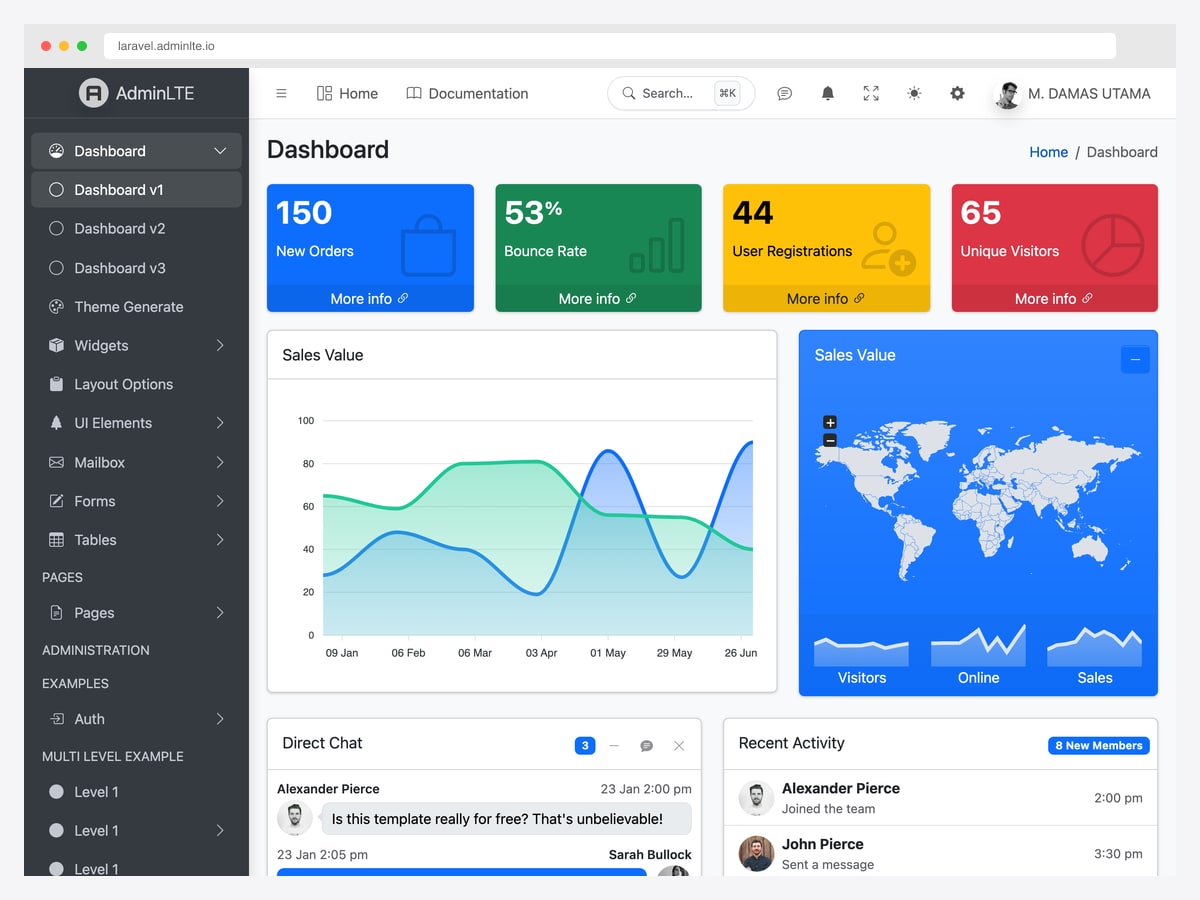
Why we like it: The middle path — more structure than a raw HTML kit, far less opinion than Filament, and it keeps the AdminLTE interface your team may already know.
This is the officially maintained Laravel integration rather than one of the many community ports, most of which have gone quiet. You compose layouts in Blade instead of copying Bootstrap classes into every view, and the auth scaffolding slots into Laravel’s own.
It does not generate CRUD for you the way Filament does — you still write the resource screens. Choose it when you want AdminLTE specifically and full control of the application; choose Filament when you want the screens generated. Our guide to integrating AdminLTE with Laravel covers the setup step by step.
Paid Laravel starter kits (ours)
Disclosure: these four are our own products. We build admin dashboards at DashboardPack, and they are here because they answer the “login and CRUD already wired” intent that nothing in the free sections does — not because we think they beat Filament for every project. If you want the panel generated for you and you are on Laravel, Filament is free and excellent. These are for teams who want a designed interface and the plumbing, and would rather own the source than adopt a framework’s conventions.
All four are real Laravel applications on Laravel 13 and PHP 8.3+, with React 19 and Tailwind CSS v4 through Inertia. Authentication is Laravel Fortify, including two-factor, password reset and email verification. Roles are Spatie’s laravel-permission with admin, editor, moderator and viewer seeded. They are not multi-tenant — permissions are flat roles per user, with no teams layer. Pricing is $69 personal, $149 developer, $349 lifetime. For the wider field including free Laravel options, see our Laravel admin panel roundup.
18. Apex Dashboard Laravel
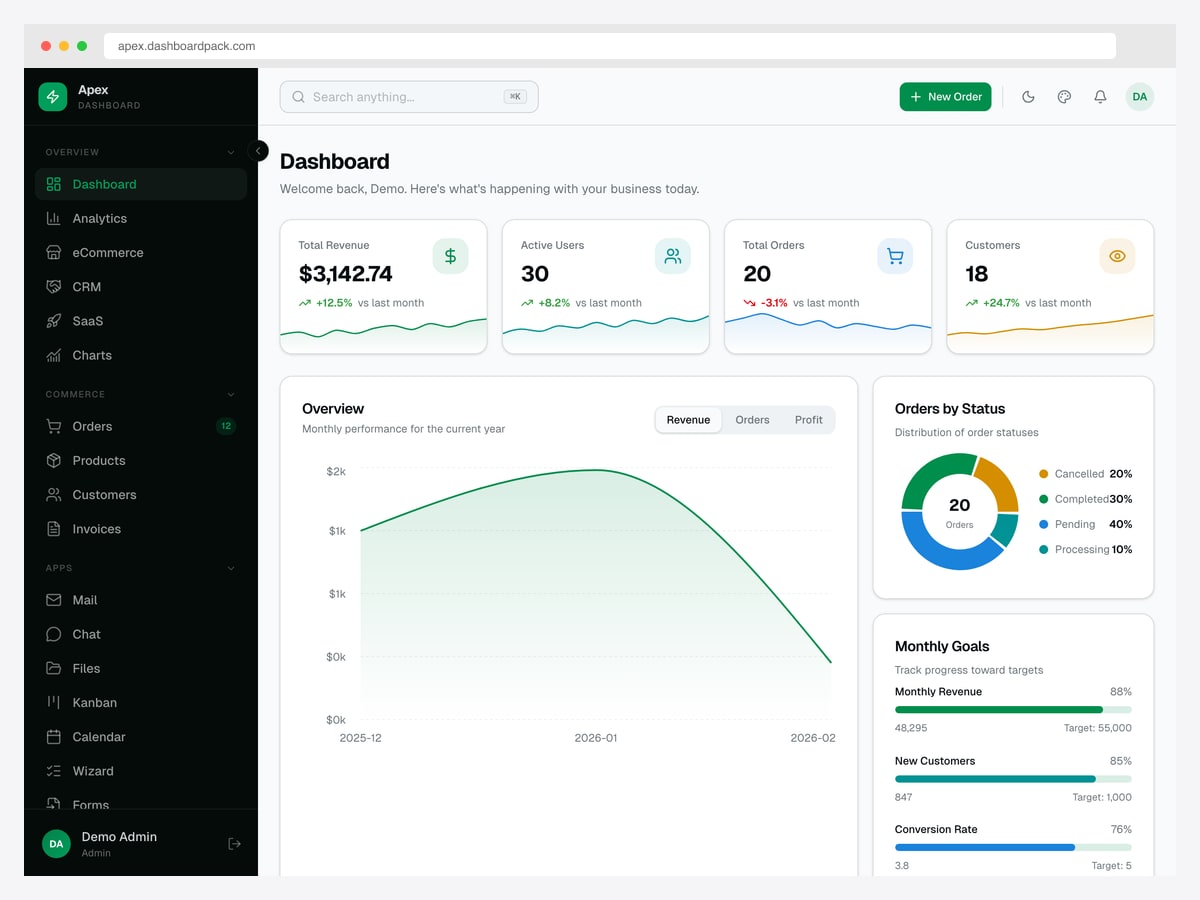
Why we like it: The most broadly applicable of the four — orders, products, customers and invoices are working database-backed CRUD, not static screens.
Apex covers the commerce-shaped admin most projects need: a revenue dashboard, order pipeline with statuses, product and customer management, invoicing, plus mail, chat, kanban and calendar screens. The demo below is the real application — log in and the numbers come from a seeded database.
19. Admindek — Laravel Edition
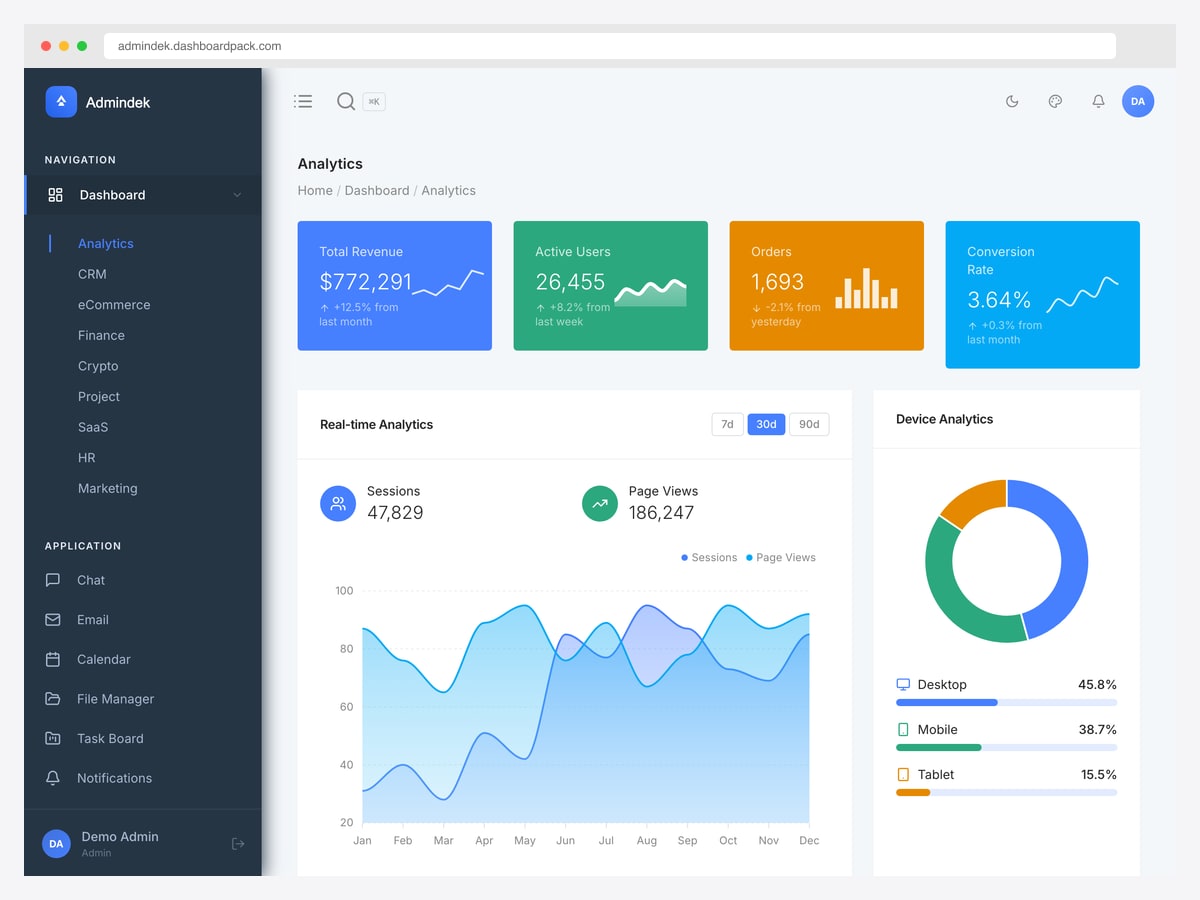
Why we like it: Ten separate dashboard layouts — analytics, CRM, ecommerce, finance, crypto, project, SaaS, HR and marketing — which is the widest coverage of the four.
Admindek is the pick when you are not sure which vertical the product settles into, or when one install has to serve several. It carries the same auth and roles as the others; the difference is the number of designed dashboards behind them.
20. Zenith Dashboard Laravel
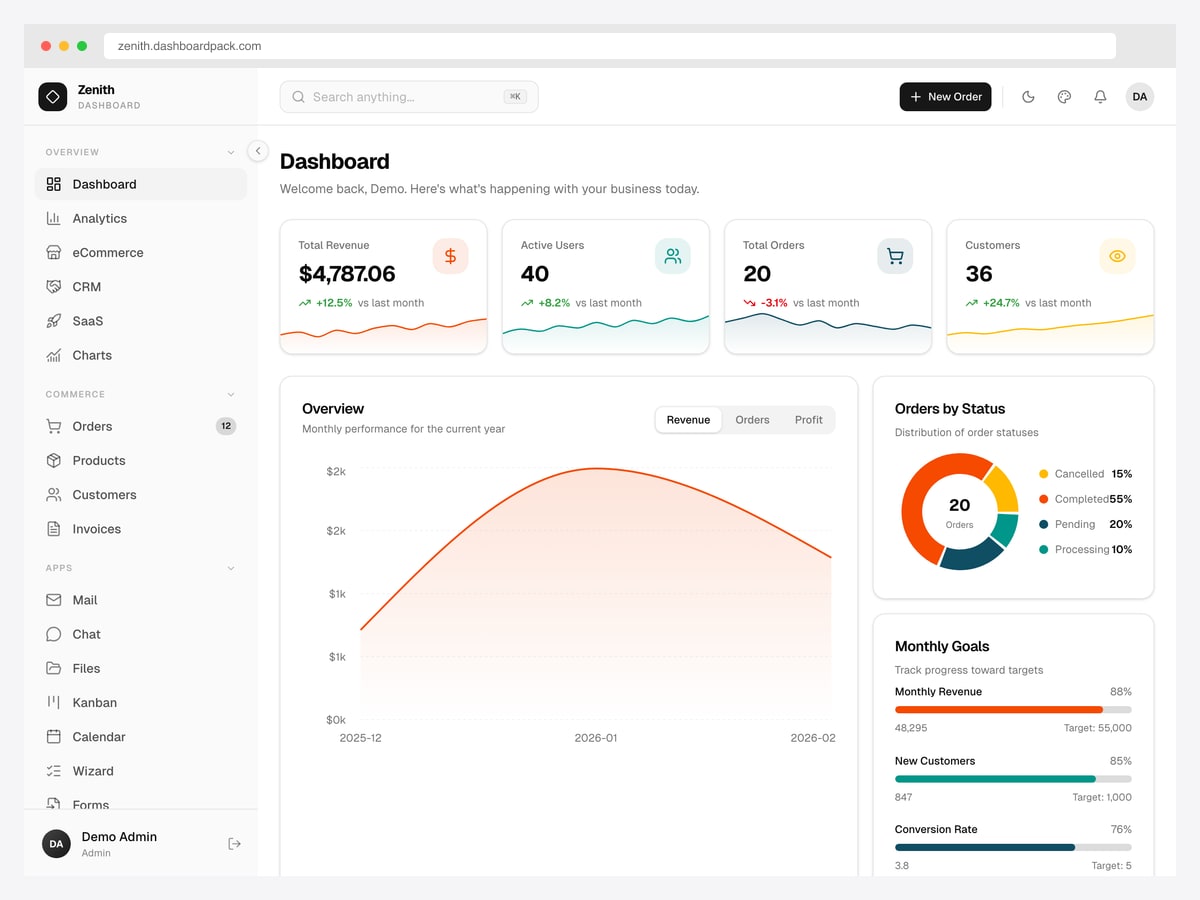
Why we like it: Functionally Apex’s twin with a different visual identity, which is genuinely the deciding factor when the feature list is identical.
Zenith ships the same commerce CRUD, auth and roles as Apex in a warmer, higher-contrast design. Pick between them on which interface you would rather look at every day and which suits the brand it sits behind — there is no capability gap to weigh.
21. Signal Dashboard Laravel
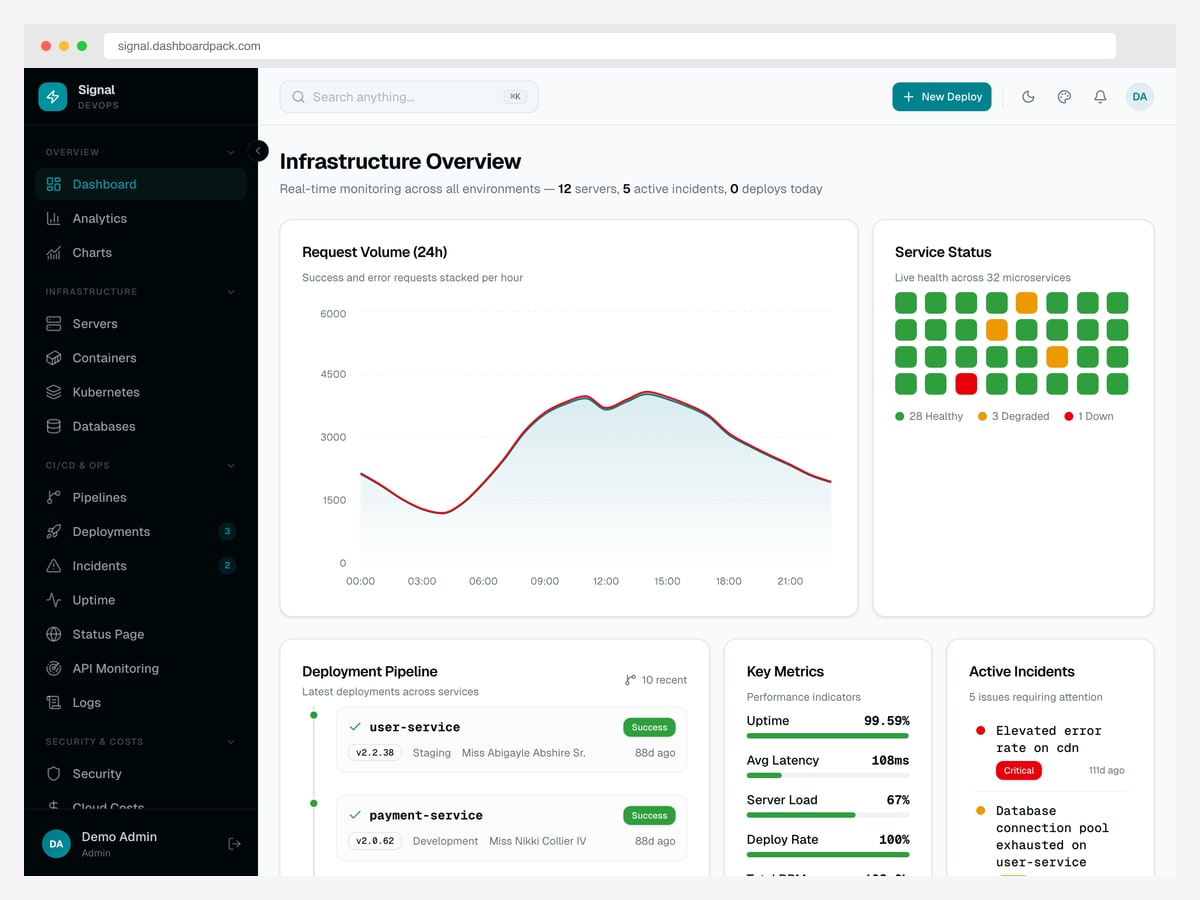
Why we like it: The only one of the four that is not a business admin — servers, incidents, deployments, pipelines and cloud costs instead of orders and invoices.
Signal is built around an operations domain: a service status grid, deployment pipeline, incident queue, uptime and API monitoring, logs and cloud spend. Its permission model is correspondingly specific, with server and incident permissions rather than commerce ones.
Worth stating plainly because it changes the buying decision: Signal has no orders, products, customers or invoices screens. If you want the commerce CRUD, take Apex or Zenith instead.
Wiring an HTML template into PHP
Every free kit above arrives as static pages that repeat the entire sidebar and header in each file. Change one menu item and you are editing forty files. Converting that into includes is the actual work of using a free template, and it is smaller than it looks — an afternoon, once you know where to cut.
The walkthrough below uses AdminLTE 4 because it marks its own seams, but the same three cuts apply to Tabler, Gentelella and CoreUI. Only the class names change.
Step 1: find the seams
Open index.html from the AdminLTE distribution. Every structural block is wrapped in a matched comment pair, which is unusually helpful here — the template is telling you where to cut:
<body class="layout-fixed sidebar-expand-lg bg-body-tertiary">
  <div class="app-wrapper">

    <!--begin::Header-->
    <nav class="app-header navbar navbar-expand bg-body"> … </nav>
    <!--end::Header-->

    <!--begin::Sidebar-->
    <aside class="app-sidebar bg-body-secondary shadow"> … </aside>
    <!--end::Sidebar-->

    <!--begin::App Main-->
    <main class="app-main">
      <div class="app-content-header"> … </div>   <!-- page title + breadcrumb -->
      <div class="app-content"> … </div>          <!-- YOUR PAGE GOES HERE -->
    </main>
    <!--end::App Main-->

    <footer class="app-footer"> … </footer>
  </div>

  <!--begin::Script--> … <!--end::Script-->
</body>
Only .app-content changes between pages. Everything above and below it is identical on all forty pages, which is exactly what wants to become an include.
Step 2: cut three files
includes/header.php — from <!doctype html> down to the end of the header nav. Two variables get introduced here, and they are the only ones you need:
<?php
$base       = '/admin';                    // no trailing slash
$pageTitle  = $pageTitle  ?? 'Dashboard';
$activeMenu = $activeMenu ?? '';
?>
<!doctype html>
<html lang="en">
<head>
  <meta charset="utf-8">
  <meta name="viewport" content="width=device-width, initial-scale=1">
  <title><?= htmlspecialchars($pageTitle) ?> · Admin</title>
  <link rel="stylesheet" href="<?= $base ?>/css/adminlte.css">
</head>
<body class="layout-fixed sidebar-expand-lg bg-body-tertiary">
<div class="app-wrapper">
  <nav class="app-header navbar navbar-expand bg-body">
    <!-- paste the header markup unchanged -->
  </nav>
includes/sidebar.php — the whole <aside>. This is the file that earns the conversion, because the menu now exists once. Covered in step 4.
includes/footer.php — closing tags plus the script bundle, with the same $base treatment:
</div><!-- /.app-content -->
</main>
<footer class="app-footer">
<strong>© <?= date('Y') ?> Your Company.</strong> All rights reserved.
</footer>
</div><!-- /.app-wrapper -->
<script src="<?= $base ?>/js/adminlte.js"></script>
</body>
</html>Step 3: a page becomes six lines plus content
The content header is worth folding into the include too, since the title and breadcrumb are the same shape on every page. Each page then sets its variables, pulls the three files, and writes only what is genuinely its own:
<?php
$pageTitle  = 'Orders';
$activeMenu = 'orders';
require __DIR__ . '/includes/header.php';
require __DIR__ . '/includes/sidebar.php';
?>

<main class="app-main">
  <div class="app-content-header">
    <div class="container-fluid">
      <div class="row">
        <div class="col-sm-6">
          <h1 class="mb-0 fs-3"><?= htmlspecialchars($pageTitle) ?></h1>
        </div>
        <div class="col-sm-6">
          <ol class="breadcrumb float-sm-end">
            <li class="breadcrumb-item"><a href="<?= $base ?>/">Home</a></li>
            <li class="breadcrumb-item active"><?= htmlspecialchars($pageTitle) ?></li>
          </ol>
        </div>
      </div>
    </div>
  </div>

  <div class="app-content">
    <div class="container-fluid">

      <!-- the only part that differs between pages -->
      <table class="table table-striped">
        <?php foreach ($orders as $o): ?>
          <tr>
            <td>#<?= htmlspecialchars($o['id']) ?></td>
            <td><?= htmlspecialchars($o['customer']) ?></td>
          </tr>
        <?php endforeach; ?>
      </table>

<?php require __DIR__ . '/includes/footer.php'; ?>
Step 4: drive the sidebar from one variable
This is the step people skip, and then wonder why they are still editing every file. In the static template the active item is hard-coded — AdminLTE marks it with active on the link, and for a collapsible parent it also puts menu-open on the <li>:
<li class="nav-item menu-open">
  <a href="#" class="nav-link active"> … </a>
Replace the hand-written list with a loop over one array. Both classes now fall out of the $activeMenu your page set in step 3:
<?php
$menu = [
  'dashboard' => ['label' => 'Dashboard', 'icon' => 'bi-speedometer', 'url' => '/'],
  'orders'    => ['label' => 'Orders',    'icon' => 'bi-cart',        'url' => '/orders.php'],
  'customers' => ['label' => 'Customers', 'icon' => 'bi-people',      'url' => '/customers.php'],
];
?>
<aside class="app-sidebar bg-body-secondary shadow" data-bs-theme="dark">
  <div class="sidebar-wrapper">
    <ul class="nav sidebar-menu flex-column" data-lte-toggle="treeview" role="menu">
      <?php foreach ($menu as $key => $item): ?>
        <li class="nav-item">
          <a href="<?= $base . $item['url'] ?>"
             class="nav-link<?= $activeMenu === $key ? ' active' : '' ?>">
            <i class="nav-icon bi <?= $item['icon'] ?>"></i>
            <p><?= htmlspecialchars($item['label']) ?></p>
          </a>
        </li>
      <?php endforeach; ?>
    </ul>
  </div>
</aside>
Adding a page to the navigation is now one array entry rather than an edit in every file. If you keep AdminLTE’s collapsible submenus, give each parent a children array and add menu-open to its <li> when the active key is one of them — the active class alone will highlight the link but leave the parent collapsed, which is the usual first bug.
Three things that will bite you
- Relative asset paths. The distribution ships links like
./css/adminlte.cssand./examples/login.html. They work only while every page sits in one directory — moveorders.phpinto/reports/and the CSS 404s. That is what the$basevariable in step 2 is for, and it is worth doing on the first pass rather than after the layout mysteriously breaks. - Unescaped output. Template demos are full of raw echoes because there is no real data behind them. The moment yours comes from a database, every value needs
htmlspecialchars()— an order note containing<script>is how a copied demo habit becomes an XSS hole. - Assuming the login page works. AdminLTE ships
examples/login.html, and so do Tabler, Gentelella and CoreUI. It is markup — a styled form that posts nowhere. Wiring it up ispassword_hash(),password_verify()and a session, which is genuinely about twenty lines, but nobody has written them for you.
One honest stopping point: if you find yourself building roles, permissions and CRUD scaffolding on top of this, you are reimplementing Filament or EasyAdmin by hand. Both are free, both do it better, and the hours are better spent on whatever your application actually does.
How to choose a PHP admin template
- Do you need a template or a framework? Answer this before anything else. If “login and CRUD included” was the requirement, no template in the first two sections meets it — take Filament or EasyAdmin.
- Free kit or paid PHP edition? You are paying roughly $16–$29 to skip the include-splitting work and get more designed screens. On a project of any size that is a few hours of your time.
- Check the last-update date on the listing yourself. Several premium items here have not moved since 2023 while sitting next to current ones at the same price. It is the single most useful filter on a marketplace.
- Confirm the PHP edition exists as its own item. Vendors sell HTML and PHP builds separately, and at least one theme commonly listed as having a PHP version no longer sells one.
- On Laravel already? Filament first, because it is free and it generates the panel. Come to the paid kits when you want a designed interface and full ownership of the source rather than a framework’s conventions.
- Matching an existing UI? If your team already knows AdminLTE, the Laravel integration keeps that interface without a hand port.
PHP Admin Dashboard Template FAQ
What is the best free PHP admin dashboard template?
AdminLTE 4 is the practical default: MIT licensed, installable through Composer as almasaeed2010/adminlte, and backed by official Laravel and Symfony integrations, so it fits a PHP project more naturally than kits you copy in by hand. Tabler is the better pick if appearance matters most, and Gentelella is the quickest to split into PHP includes. None of the three includes a login — for that you want Filament or EasyAdmin.
Is there a free PHP admin panel with login and CRUD included?
Not as a template, in any form we could verify. The small GitHub repositories that rank for this search are layout scaffolds — the most-linked one has no session handling, no database access and no password logic at all. The genuine free answers are frameworks: Filament for Laravel and EasyAdmin for Symfony both ship authentication, permissions and generated CRUD, and both are MIT licensed.
What is the difference between a PHP admin template and an HTML one?
An HTML template repeats the sidebar, header and footer in every static page. A PHP edition ships those as includes with a small routing shim, so the navigation exists once and a new page is a few lines. Vendors usually sell them as separate items, so check the item title rather than assuming the PHP build is inside the HTML download.
Can I use AdminLTE or Tabler with plain PHP?
Yes — they are static Bootstrap kits, so they work behind any backend. The work is splitting the markup into header.php, sidebar.php and footer.php and driving the sidebar’s active state from one variable. The section above walks through it; it is an afternoon’s work, and AdminLTE additionally ships pre-split files and a Composer package to shorten it.
Why do PHP template roundups list so many Laravel templates?
Because the Laravel ecosystem is where most PHP admin development happens, and vendors have more Laravel products to list. It is misleading when a “PHP” list is mostly framework packages, though — one widely cited roundup is Laravel for all but two of its entries. If you are on plain PHP, check that an item ships a plain-PHP build before buying; Velzon and Skote are examples that genuinely do.
Are premium PHP admin templates worth it over the free ones?
For $16–$29 you get the include structure already built and a much wider set of designed screens — chat, calendar, invoicing, file manager — which is a good trade on anything beyond a toy project. What you do not get is any application logic; authentication and CRUD are still yours to write. Check the last-update date before buying, because several current listings sit on codebases that have not changed in years while charging the same as maintained ones.
What PHP version do these templates need?
The free Bootstrap kits have no PHP requirement at all, since they contain no PHP — any version that runs your application will serve them. Premium PHP editions generally target PHP 8.1 or newer, with the more recent ones on 8.2. The Laravel starter kits require PHP 8.3 or above, in line with current Laravel.
Still deciding on a stack? See our Laravel admin panel & dashboard templates roundup, the wider free admin panel templates collection, or Laravel templates for front-end work.

You Might Also Like


